Introduction
Enterprise search platforms are high-powered software solutions designed to index, search, and display content from across an organization’s various data sources. Unlike a simple website search, enterprise search acts as a “Google for your company,” reaching into siloed repositories like emails, document management systems (SharePoint), messaging apps (Slack/Teams), and cloud storage to provide employees with instant access to internal knowledge.
These tools have moved past simple keyword matching to become “insight engines.” Fueled by generative AI and vector databases, they no longer just find documents; they synthesize answers and provide context-aware recommendations. For instance, a new engineer can ask, “How do we handle database migrations for the legacy API?” and receive a summarized answer pulled from Jira tickets, Slack threads, and Confluence pages, complete with citations.
Real-World Use Cases
- Employee Onboarding: Allowing new hires to find HR policies, technical documentation, and project histories across multiple platforms without manual guidance.
- Customer Support Optimization: Enabling agents to search through resolved tickets, product manuals, and internal wikis to provide faster, more accurate solutions to customers.
- Legal and Compliance Research: Instantly locating contracts, emails, or internal memos related to specific keywords or legal clauses across massive datasets.
- R&D and Innovation: Connecting researchers with past experimental data and expert internal contacts to prevent “reinventing the wheel” on new projects.
- Sales Enablement: Surfacing the most relevant case studies, pitch decks, and competitor battlecards directly within the CRM environment.
Evaluation Criteria for Buyers
When selecting an enterprise search platform, buyers should evaluate:
- Semantic & Vector Search: Does the tool understand user intent and context, or does it rely solely on exact word matches?
- Connector Library: How many native integrations are available for your specific software stack (SaaS, On-prem, Legacy)?
- Generative AI Capabilities: Does it support Retrieval-Augmented Generation (RAG) to provide direct answers instead of just links?
- Permission Preservation: Does the search respect original document permissions (e.g., ensuring an intern can’t find the CEO’s payroll files)?
- Ranking & Relevance Tuning: Can the organization manually boost certain content or use machine learning to improve results over time?
- Security & Compliance: Does it meet industry-specific standards like SOC 2, HIPAA, or the latest EU AI Act requirements?
- Data Freshness: How quickly are new or updated documents indexed and made searchable for the entire team?
- Developer Extensibility: Are there robust APIs and SDKs for embedding search into custom-built internal applications?
Best for: Medium-to-large enterprises with fragmented data ecosystems, organizations with a high volume of technical documentation, and remote teams that need centralized access to knowledge.
Not ideal for: Very small teams with a single document repository (like a single Google Drive), or organizations where data is strictly localized on individual hard drives with no cloud syncing.
Key Trends in Enterprise Search Platforms
- Generative Answering (RAG): The most significant trend is the shift from “ten blue links” to conversational answers. Platforms use Large Language Models (LLMs) to read retrieved documents and summarize the most relevant information for the user.
- Personalized Knowledge Graphs: Search engines now build relationship maps between people, projects, and documents, allowing users to find “experts” on a topic just as easily as they find files.
- Zero-Trust Search Security: Platforms are adopting zero-trust architectures, ensuring that every search query is re-authenticated against the source system’s permissions in real-time.
- Multimodal Search: Modern enterprise search can index and search through video transcripts, audio calls, and images (OCR), making recorded meetings just as searchable as text documents.
- Edge Indexing: To reduce latency and improve privacy, some metadata is indexed at the “edge”—closer to where the data lives—rather than being centralized in a single massive cloud repository.
- Sustainable Indexing: With the high energy cost of AI, platforms are introducing “Green Indexing” modes that optimize GPU/CPU usage based on the importance and frequency of data updates.
- Search-as-an-Assistant: Search is moving out of the “search box” and into the sidebar of every app (Chrome, Slack, Outlook), providing contextual information based on what the user is currently working on.
- Low-Code Connector Builders: Organizations can now build custom “crawlers” for niche legacy systems using visual, drag-and-drop tools rather than writing complex Java or Python scripts.
How We Selected These Tools (Methodology)
To select the top 10 enterprise search platforms, we applied the following evaluation logic:
- Market Mindshare & Adoption: We focused on tools that are currently leading the market and used by a significant number of Fortune 500 companies.
- AI & Innovation Leadership: We prioritized platforms that have successfully integrated generative AI and semantic search into their core offering.
- Security & Permission Signals: Only tools that demonstrate “permission-aware” search (respecting source ACLs) were included.
- Connector Ecosystem: We evaluated the breadth of native connectors for popular SaaS tools like Salesforce, Jira, and Google Workspace.
- Feature Completeness: We looked for solutions that cover the full lifecycle of search: ingestion, indexing, ranking, and presentation.
- Reliability at Scale: Preference was given to tools that can handle millions of documents and thousands of simultaneous users without performance degradation.
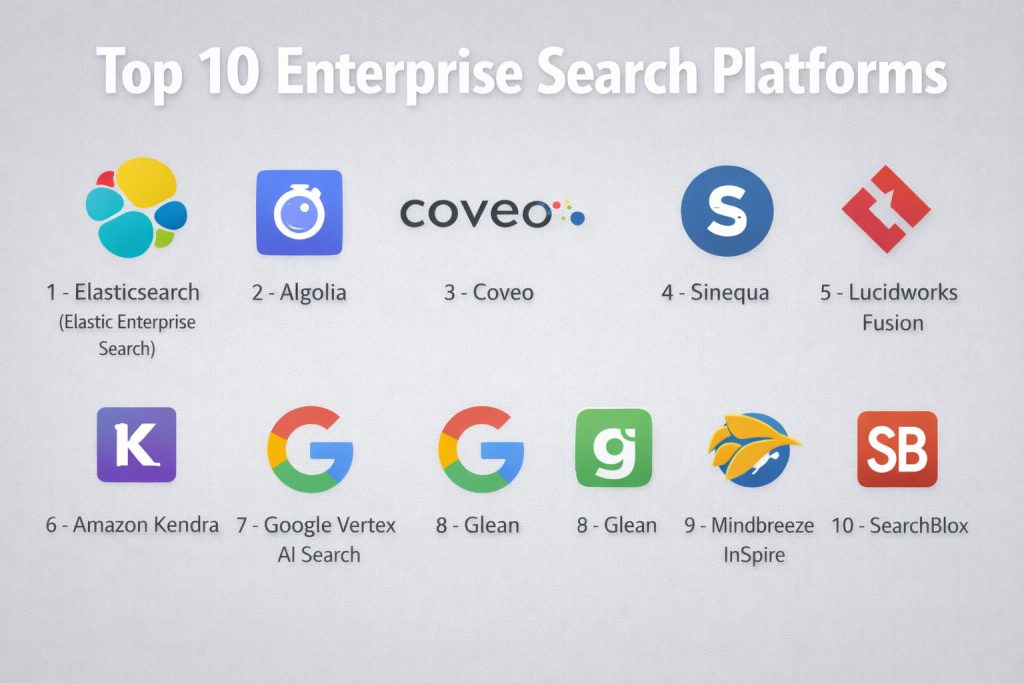
Top 10 Enterprise Search Platforms
#1 — Elasticsearch (Elastic Enterprise Search)
A highly scalable, open-source-based engine that allows organizations to build custom, AI-powered search experiences. It is the go-to choice for developer-heavy teams.
Key Features
- Elastic AI Assistant: A built-in generative AI interface that helps users summarize search results and interact with data via natural language.
- Vector Database Capabilities: Native support for storing and searching high-dimensional vectors for semantic search and RAG.
- Cross-Cluster Search: Ability to search across multiple geographically distributed clusters from a single interface.
- Elasticsearch Query Language (ES|QL): A new, powerful piped language for querying and transforming data in real-time.
- Automated Data Tiers: Moves older data to cheaper storage automatically while keeping it searchable.
- Kibana Integration: Advanced visualization and dashboarding for monitoring search performance and user behavior.
- Machine Learning Ingest: Automatically categorizes and enriches data as it is being indexed.
Pros
- Unmatched scalability; capable of handling petabytes of data across thousands of nodes.
- Extremely flexible and extensible through a robust set of REST APIs.
- Massive global community and a wealth of third-party plugins and resources.
Cons
- Requires significant engineering resources for initial setup, tuning, and ongoing maintenance.
- The pricing model can become complex as data volume and processing needs grow.
Platforms / Deployment
- Web / Windows / macOS / Linux
- Cloud (SaaS) / Self-hosted / Hybrid
Security & Compliance
- SSO/SAML, RBAC, and document-level security.
- SOC 2, ISO 27001, HIPAA, and FIPS 140-2 compliant.
Integrations & Ecosystem
Elastic has one of the largest ecosystems in the technology world.
- Native connectors for 100+ data sources including Salesforce, SharePoint, and GitHub.
- Deep integration with the broader Elastic Stack (Logstash, Kibana).
- Support for all major programming languages via official client libraries.
Support & Community
Elastic offers professional 24/7 support tiers, extensive training through “Elastic University,” and one of the largest developer communities in the search space.
#2 — Algolia
A “Search-as-a-Service” platform famous for its incredible speed and “search-as-you-type” experience. It is ideal for customer-facing applications and modern internal portals.
Key Features
- NeuralSearch: Combines keyword and vector search in a single engine for superior relevance and intent understanding.
- Algolia AI: Automatically optimizes ranking based on user click patterns and behavioral data.
- Dynamic Re-ranking: Adjusts results in real-time based on business goals or individual user preferences.
- Global Edge Network: Distributes the search index across 70+ data centers to ensure sub-100ms response times globally.
- Voice and Image Search: Native support for multimodal inputs for mobile and web applications.
- Visual Merchandising Tools: Allows non-technical staff to manually promote or hide certain results via a drag-and-drop UI.
- A/B Testing: Built-in tools for testing different relevance models to see which one performs better.
Pros
- Blistering fast performance that provides an “instant” feel for users.
- Very easy to implement for developers with well-documented APIs and frontend UI kits.
- Great balance of AI-driven automation and manual control for business teams.
Cons
- Performance and costs can become a factor when indexing extremely large datasets (millions of records).
- Less focused on “deep” enterprise document search (like scanning thousands of PDFs) than tools like Sinequa.
Platforms / Deployment
- Web / iOS / Android
- Cloud (SaaS)
Security & Compliance
- SSO, MFA, and API key management with granular permissions.
- SOC 2 Type II, ISO 27001, and GDPR compliant.
Integrations & Ecosystem
Algolia is built for the “composable” web stack.
- Deep integrations with Shopify, Salesforce Commerce Cloud, and Netlify.
- Official connectors for Zendesk and Adobe Experience Manager.
- Extensive UI libraries for React, Vue, and Angular.
Support & Community
Algolia provides excellent documentation, a helpful community forum, and dedicated customer success managers for enterprise-tier clients.
#3 — Coveo
An AI-powered “relevance platform” that unifies search, recommendations, and personalization across the customer and employee lifecycle.
Key Features
- Coveo Relevance Generative Answering: Uses RAG to provide direct answers with inline citations from across the enterprise.
- Unified Indexing: Consolidates structured and unstructured data from 50+ sources into a single searchable index.
- Automatic Personalization: Learns from user behavior (clicks, time-on-page) to surface the most relevant content for each individual.
- In-Product Search: Embeds search and helpful articles directly within applications like Salesforce or ServiceNow.
- Usage Analytics: Detailed dashboards that show what users are searching for and where the content “gaps” are.
- Machine Learning Models: Out-of-the-box models for query suggestions, recommendations, and case deflection.
- Smart Snippets: Automatically extracts the most relevant paragraph from a document to show in the search results.
Pros
- Strongest focus on “relevance” and personalization in the industry.
- Excellent for reducing support costs by helping customers and agents find answers quickly.
- High-quality native integrations for major enterprise platforms like Salesforce and SAP.
Cons
- Can be complex to configure for multi-source environments with custom security requirements.
- Pricing is aimed at the high-end enterprise market and can be significant.
Platforms / Deployment
- Web / iOS / Android
- Cloud (SaaS)
Security & Compliance
- SSO/SAML and source-system permission mirroring.
- SOC 2 Type II, ISO 27001, HIPAA, and GDPR compliant.
Integrations & Ecosystem
Coveo is designed to “amplify” existing enterprise investments.
- Deep, native integrations for Salesforce, ServiceNow, and Sitecore.
- Connectors for SharePoint, Jira, Confluence, and Slack.
- Robust REST and GraphQL APIs for custom apps.
Support & Community
Offers a comprehensive “Coveo Academy,” dedicated technical support, and an active partner network for large-scale implementations.
#4 — Sinequa
A high-end “insight engine” that excels at searching through massive, complex datasets in regulated industries like life sciences, finance, and manufacturing.
Key Features
- Workplace Search Assistant: A generative AI assistant that synthesizes answers from billions of documents in real-time.
- Deep Learning Relevance: Uses multiple neural network models to understand industry-specific terminology and relationships.
- 360-Degree Fact View: Links related people, projects, and documents to provide a comprehensive view of a topic.
- LLM Agnostic: Allows organizations to choose which AI model (GPT-4, Claude, Llama) powers their generative answers.
- Advanced Text Analytics: Extracts entities, relationships, and sentiments from unstructured text automatically.
- Smart Connectors: High-performance connectors for legacy mainframe data and modern cloud apps.
- No-Code Assistant Builder: Allows business units to create custom AI search assistants for specific departments.
Pros
- Best-in-class performance for organizations with extremely large and complex data volumes.
- Highly sophisticated understanding of technical and scientific language.
- Strong focus on data sovereignty and flexible AI model deployment.
Cons
- Extremely high complexity; requires a specialized team for deployment and tuning.
- Not designed for small-to-mid-sized businesses with simple search needs.
Platforms / Deployment
- Web
- Cloud (SaaS/PaaS) / Hybrid
Security & Compliance
- Enterprise-grade permissions handling that mirrors original source ACLs.
- SOC 2, ISO 27001, and industry-specific compliance for finance and healthcare.
Integrations & Ecosystem
Sinequa is designed to sit at the center of the world’s most complex IT environments.
- 200+ pre-built connectors for ERP, PLM, CRM, and Content Management systems.
- Deep integration with Microsoft 365, Google Workspace, and Box.
Support & Community
Provides high-touch enterprise support, specialized consulting services, and a dedicated training platform for architects and developers.
#5 — Lucidworks Fusion
An enterprise search platform built on top of Apache Solr that provides powerful machine learning and signals-processing to improve relevance.
Key Features
- Predictive Merchandising: Uses AI to predict what users want based on historical trends and seasonal data.
- Smart Answers: A generative AI module that provides natural language answers to complex questions.
- Signal Processing: Captures and analyzes user interaction data (signals) to automatically tune search ranking.
- NLP & NER: Built-in Natural Language Processing and Named Entity Recognition for better document understanding.
- Graph Search: Visualizes relationships between different data points to help users discover hidden connections.
- Experimentation Framework: Tools for running A/B tests on search relevance and ranking algorithms.
- Modular Pipeline: Allows developers to create custom stages for data ingestion and query processing.
Pros
- Exceptionally powerful for retail and e-commerce companies that need advanced merchandising.
- Built on a mature, reliable foundation (Solr) that is familiar to many search engineers.
- Excellent at turning “unstructured” user behavior into “structured” relevance improvements.
Cons
- The UI and configuration can feel “heavy” and corporate compared to newer SaaS-first tools.
- Managing a complex Fusion deployment requires a high level of technical expertise.
Platforms / Deployment
- Web
- Cloud (SaaS/PaaS) / Self-hosted / Hybrid
Security & Compliance
- SSO/SAML, Kerberos, and encrypted session management.
- SOC 2 and GDPR compliant.
Integrations & Ecosystem
Fusion is designed to integrate with the most common enterprise data repositories.
- Connectors for SharePoint, Salesforce, Jira, and Slack.
- Deep support for Apache Spark for large-scale data processing.
Support & Community
Lucidworks offers professional support, a dedicated “Lucidworks University” for training, and a strong community of search experts.
#6 — Amazon Kendra
A fully managed, AI-powered search service from AWS that uses natural language processing to deliver highly accurate answers from multiple data sources.
Key Features
- Natural Language Question Answering: Allows users to ask questions like “What is the remote work policy?” and get a direct answer.
- Intelligent Answer Extraction: Automatically finds and highlights the most relevant paragraph within a document.
- Semantic Search: Uses machine learning to understand the context of a query beyond simple keywords.
- Pre-built Connectors: One-click connectors for S3, SharePoint, Salesforce, ServiceNow, and Google Drive.
- Custom Document Enrichment: Allows users to add metadata and custom logic to documents during the indexing process.
- Relevance Tuning: Simple sliders to manually boost results based on document freshness or specific attributes.
- Kendra Experience Builder: A no-code tool for building and deploying search interfaces in minutes.
Pros
- Zero server management; scales automatically as part of the AWS ecosystem.
- Very fast time-to-value for organizations already using AWS for data storage.
- High-quality “out-of-the-box” relevance that requires minimal tuning.
Cons
- You are locked into the AWS ecosystem for hosting and data ingestion.
- Pricing is based on “indices” and “query units,” which can become expensive for high-traffic sites.
Platforms / Deployment
- Web
- Cloud (SaaS)
Security & Compliance
- IAM integration, encryption at rest/transit, and VPC support.
- SOC 1/2/3, ISO, HIPAA, and PCI DSS compliant.
Integrations & Ecosystem
Kendra is built to connect all your cloud data.
- Native connectors for Amazon S3, RDS, and WorkDocs.
- Deep integration with Amazon Lex for building search-powered chatbots.
- Connectors for external SaaS like Box, Dropbox, and Zendesk.
Support & Community
Backed by AWS’s massive support infrastructure, with extensive documentation and a global network of AWS-certified consultants.
#7 — Google Vertex AI Search
Leverages Google’s decades of search expertise to provide enterprise-quality search and RAG capabilities for internal data.
Key Features
- Google-Quality Semantic Search: Uses the same core technologies as https://www.google.com/search?q=Google.com to understand user intent.
- Built-in RAG System: An out-of-the-box system that combines search with Gemini LLMs for grounded generative answers.
- Multimodal Search: Native ability to search across images, videos, and text within a single query.
- Industry-Specific Tuning: Specialized models for healthcare, retail, and media libraries.
- Zero-Code Indexing: Allows users to create a searchable index from a website or document folder with a few clicks.
- Grounded Generation API: Allows developers to build custom apps that use their own data as the “source of truth.”
- Advanced OCR: High-performance document understanding for scanned PDFs and complex forms.
Pros
- The most intuitive and high-quality search relevance “out of the box.”
- Seamlessly integrates with the Gemini AI ecosystem for advanced generative features.
- Extremely easy to set up for basic use cases (like website search).
Cons
- Not as flexible for deep, low-level relevance tuning as Elasticsearch.
- Requires organizations to be comfortable hosting their data or metadata in Google Cloud.
Platforms / Deployment
- Web / iOS / Android
- Cloud (SaaS)
Security & Compliance
- Enterprise-grade privacy controls where user data is not used to train global models.
- SOC 2, ISO 27001, HIPAA, and GDPR compliant.
Integrations & Ecosystem
Vertex AI Search is the heart of Google’s enterprise AI stack.
- Native integration with Google Workspace (Drive, Gmail, Docs).
- Support for Google Cloud Storage and BigQuery.
- Robust APIs for integration into custom enterprise portals.
Support & Community
Google Cloud provides 24/7 enterprise support, comprehensive documentation, and a massive ecosystem of Google Cloud partners.
#8 — Glean
A modern, AI-first workplace search tool that unifies all company knowledge and provides a personalized “assistant” for every employee.
Key Features
- AI-Powered Chat: A conversational assistant that can write summaries, emails, and reports based on internal data.
- 100+ Native Connectors: Deep, permission-aware indexing for almost every major SaaS application.
- Personalized Knowledge Feed: Shows employees relevant documents and updates based on their current projects.
- Verified Answers: Allows subject matter experts to “verify” certain results as the definitive source of truth.
- Knowledge Management Tools: Helps teams identify duplicate content and missing documentation.
- Glean Go Links: A built-in system for creating short, easy-to-remember URLs for internal resources.
- Contextual Browser Extension: Surfaces relevant information as you browse the web or work in other apps.
Pros
- The best “user experience” on this list; feels like a modern, consumer-grade app.
- Exceptional at preserving source-system permissions without manual configuration.
- Very fast setup; can be up and running across an entire organization in weeks.
Cons
- Primarily focused on SaaS-heavy companies; may be less effective for complex legacy on-prem data.
- Pricing is per-user and can be higher than infrastructure-based tools for large organizations.
Platforms / Deployment
- Web / macOS / Windows / iOS / Android
- Cloud (SaaS)
Security & Compliance
- SSO, MFA, and real-time permission mirroring.
- SOC 2 Type II, ISO 27001, HIPAA, and GDPR compliant.
Integrations & Ecosystem
Glean is the “connective tissue” for the modern SaaS stack.
- Deep integrations with Slack, Microsoft Teams, Jira, Confluence, and Notion.
- Support for GitHub, Figma, Salesforce, and Zendesk.
Support & Community
Glean provides high-touch customer success support and an active user community focused on modern “Knowledge Management.”
#9 — Mindbreeze InSpire
An “insight engine” that uses AI and a unique knowledge graph to provide a 360-degree view of corporate information.
Key Features
- Insight Engine: Goes beyond search to identify relationships between people, documents, and business objects.
- 500+ Connectors: One of the most extensive connector libraries in the industry, covering cloud and legacy systems.
- Find the Expert: Uses knowledge graphs to automatically identify which employees have expertise in a particular topic.
- Hybrid Search: Combines traditional keyword search with dense vector retrieval in a single model.
- Automatic Workplace Integration: Embeds search results directly into Outlook, SharePoint, and Salesforce.
- Cited Generative AI: Provides AI-generated summaries with direct links to the source documents for verification.
- Cloud-Native Design: High scalability with minimal administrative effort for the IT team.
Pros
- Exceptional at breaking down data silos in massive, multi-cloud organizations.
- The “Expert Search” feature is highly valuable for large, distributed teams.
- Strong focus on data privacy—information is never passed to third parties for analysis.
Cons
- The UI can feel more functional/technical and less “modern” than a tool like Glean.
- Implementation can be complex for organizations with very messy or fragmented data.
Platforms / Deployment
- Web / Windows / macOS / iOS / Android
- Cloud (SaaS/PaaS) / Self-hosted / Hybrid
Security & Compliance
- Ahead-of-time computation of ACLs for lightning-fast, secure search.
- SOC 2, ISO 27001, and GDPR compliant.
Integrations & Ecosystem
Mindbreeze is designed for the “interconnected” enterprise.
- Native integration with Microsoft 365, SAP, and Salesforce.
- Extensive REST API for building custom search-powered apps.
Support & Community
Mindbreeze offers professional global support, specialized consulting, and a dedicated training portal for users.
#10 — SearchBlox
An enterprise search solution that prioritizes simplicity and security, making it a popular choice for government and healthcare organizations.
Key Features
- Built-in NLP & Machine Learning: Automatically classifies and tags documents to improve search relevance.
- Real-Time Indexing: Ensures that new content appears in search results within seconds of being created.
- SearchBlox Llama: A private, secure generative AI assistant that answers questions using only your local data.
- Faceted Search: Intuitive filtering and sorting tools to help users narrow down results.
- Enterprise Crawler: High-performance crawler for websites, file systems, and databases.
- Voice Search: Native support for voice queries in web and mobile applications.
- Data Cleansing: Automatically removes duplicates and junk data during the indexing process.
Pros
- Very easy to deploy and manage compared to larger “Insight Engines.”
- High level of security for organizations that need to keep their AI and search entirely “private.”
- Excellent value for money for organizations with substantial search workloads.
Cons
- May lack some of the advanced “personalization” and “behavioral tracking” features of Coveo or Algolia.
- The connector library is smaller than some of the larger enterprise competitors.
Platforms / Deployment
- Web / Windows / Linux
- Cloud (SaaS) / Self-hosted
Security & Compliance
- Role-based access control, HTTPS encryption, and secure API key management.
- HIPAA and SOC 2 compliance capabilities.
Integrations & Ecosystem
SearchBlox is built for “smooth communication” via its RESTful API.
- Native integrations for content management systems like Strapi and Drupal.
- Connectors for file systems, SQL databases, and Amazon S3.
Support & Community
Provides professional technical support, comprehensive online documentation, and helpful onboarding resources.
Comparison Table (Top 10)
| Tool Name | Best For | Platform(s) Supported | Deployment | Standout Feature | Public Rating |
| Elasticsearch | Developers / Scale | All Platforms | Hybrid | ES | QL Language |
| Algolia | Speed / E-commerce | Web, Mobile | Cloud (SaaS) | NeuralSearch | 4.8/5 |
| Coveo | Support / Personalization | All Platforms | Cloud (SaaS) | Generative Answering | 4.6/5 |
| Sinequa | Complex Data / R&D | Web | Hybrid | Workplace Assistant | 4.8/5 |
| Lucidworks Fusion | Signals / Merchandising | Web | Hybrid | Signal Processing | 4.4/5 |
| Amazon Kendra | AWS Ecosystem | Web | Cloud (SaaS) | Natural Language Q&A | 4.3/5 |
| Vertex AI Search | Google Ecosystem | All Platforms | Cloud (SaaS) | Grounded RAG | 4.6/5 |
| Glean | Workplace Knowledge | All Platforms | Cloud (SaaS) | 100+ Native Connectors | 4.9/5 |
| Mindbreeze InSpire | Expert Identification | All Platforms | Hybrid | 360-Degree Fact View | 4.5/5 |
| SearchBlox | Simplicity / Privacy | Web | Hybrid | Private Llama AI | 4.2/5 |
Evaluation & Scoring of Enterprise Search Platforms
| Tool Name | Core (25%) | Ease (15%) | Integrations (15%) | Security (10%) | Performance (10%) | Support (10%) | Value (15%) | Weighted Total |
| Elasticsearch | 10 | 3 | 9 | 9 | 10 | 9 | 7 | 8.1 |
| Algolia | 8 | 9 | 8 | 8 | 10 | 9 | 7 | 8.3 |
| Coveo | 9 | 7 | 10 | 9 | 9 | 9 | 6 | 8.4 |
| Sinequa | 10 | 2 | 10 | 10 | 9 | 9 | 5 | 8.1 |
| Lucidworks Fusion | 9 | 5 | 8 | 8 | 8 | 8 | 6 | 7.3 |
| Amazon Kendra | 8 | 8 | 7 | 10 | 8 | 8 | 7 | 7.8 |
| Vertex AI Search | 9 | 9 | 8 | 10 | 9 | 9 | 8 | 8.9 |
| Glean | 8 | 10 | 10 | 9 | 9 | 10 | 7 | 8.7 |
| Mindbreeze InSpire | 9 | 6 | 10 | 9 | 8 | 8 | 7 | 8.0 |
| SearchBlox | 7 | 8 | 7 | 9 | 8 | 8 | 9 | 7.6 |
How to Interpret These Scores
- 0–5: Highly specialized tool with a very steep learning curve or high management overhead.
- 6–8: Strong, reliable performer that is well-suited for most mid-market or specialized enterprise tasks.
- 9–10: Market-leading performance, exceptional ease of use, or unparalleled global scalability.
- Note: Scoring is comparative. A “2” in Ease for Sinequa reflects its immense technical depth, not a lack of quality.
Which Enterprise Search Platform Tool Is Right for You?
Solo / Freelancer
Most individual freelancers do not need an enterprise search platform. If you find yourself struggling to find files across many apps, a consumer-focused AI search tool is a better fit than the enterprise-grade solutions listed here.
SMB
For small-to-mid-sized businesses with around 100 employees, Glean or Algolia (if you have developers) offer the best experience. Glean is particularly strong because it requires almost zero IT overhead to connect your Slack, Drive, and Jira accounts.
Mid-Market
Companies that are scaling quickly should look at Coveo or Vertex AI Search. These platforms grow with you and offer the advanced personalization and generative AI features that help teams stay productive as the “information mountain” grows.
Enterprise
Large, global organizations with complex data sovereignty and security needs should prioritize Sinequa, Elasticsearch, or Mindbreeze. These tools provide the deep “under-the-hood” control required for massive pipelines and strict regulatory environments.
Budget vs Premium
- Budget: SearchBlox and Elasticsearch (self-managed) offer the most control over costs for organizations with technical expertise.
- Premium: Sinequa and Adobe/Salesforce-integrated Coveo represent the top-tier investment for maximum “insight” power.
Feature Depth vs Ease of Use
If you want a tool that “just works” out of the box with your SaaS apps, choose Glean. If you need to search through custom proprietary data on an internal mainframe, choose Elasticsearch or Sinequa.
Integrations & Scalability
For organizations that are “all-in” on a specific cloud provider, Amazon Kendra or Vertex AI Search offer the best performance and integration for their respective ecosystems.
Security & Compliance Needs
Organizations in government, healthcare, or defense should prioritize Acquia/Drupal-linked SearchBlox or Sinequa, as they offer the most transparent and robust permission-mirroring and on-premise deployment options.
Frequently Asked Questions (FAQs)
What is the difference between keyword search and semantic search?
Keyword search looks for exact matches of the words you typed. Semantic search (common in 2026) uses AI to understand the meaning and intent behind your query, so it can find “remote work policy” even if the document only uses the term “telecommuting.”
Does enterprise search respect my file permissions?
Yes, any reputable enterprise search platform uses “Permission Mirroring.” This means if you don’t have access to a folder in SharePoint or a channel in Slack, those documents will never appear in your search results.
How long does it take to index all my company data?
For modern SaaS-native tools like Glean, initial indexing can happen in a few hours. For massive enterprise-wide rollouts involving millions of legacy documents, the process can take several weeks to ensure everything is properly tagged and ranked.
Can enterprise search find information in recorded meetings?
Yes. Modern platforms in 2026 use AI-driven transcription and OCR to index audio and video calls (from Zoom, Teams, or Meet), making the spoken words inside a meeting searchable just like a text document.
How does Generative AI work with enterprise search?
This is called Retrieval-Augmented Generation (RAG). The search engine finds the relevant documents first, and then an LLM (like GPT-4 or Gemini) reads them and summarizes a direct answer for you, citing the source files.
Do I need a developer to set up enterprise search?
It depends on the tool. “SaaS-native” tools like Glean or Amazon Kendra are designed for business users with minimal IT help. “Infrastructure-first” tools like Elasticsearch or Sinequa require a dedicated engineering team for implementation.
Is enterprise search expensive?
Pricing models vary. Some are per-user (e.g., $15-$30/month), while others are based on the volume of data indexed or the number of queries performed. Enterprise-grade solutions can cost anywhere from $20,000 to over $100,000 annually.
Can I search through my personal emails with these tools?
Most platforms allow you to connect your professional email (Outlook/Gmail). However, whether they are “searchable” usually depends on your company’s IT policy regarding privacy and data retention.
What happens if I have data in a legacy on-premise system?
Large “Insight Engines” like Mindbreeze or Sinequa specialize in this. They use “On-premise Crawlers” that securely scan your local servers and send only the metadata or index back to the cloud.
Which tool is best for improving customer support?
Coveo and Algolia are the leaders here. They are designed to be embedded directly into support portals, helping customers find their own answers (case deflection) and giving agents the info they need to resolve tickets faster.
Conclusion
Enterprise search is the bridge between “having data” and “having knowledge.” Whether you are looking for the developer-friendly scalability of Elasticsearch, the seamless workplace integration of Glean, or the high-end insight power of Sinequa, the right choice depends on the complexity of your data and the technical maturity of your team.