Introduction
Enterprise Mobility Management (EMM) is a set of tools and policies that helps organizations secure, manage, and support mobile devices, apps, and data used for work. It covers phones, tablets, laptops, and sometimes rugged devices used in field operations. The goal is to let employees work from anywhere without putting company information at risk.
EMM matters because modern work is mobile-first. Teams use multiple devices, personal phones, remote access, and cloud apps every day. Without centralized control, IT faces problems like unmanaged apps, data leakage, weak device security, and inconsistent compliance. A good EMM program improves security, lowers support effort, and gives users a smoother experience.
Common real-world use cases:
- Enforcing screen lock, encryption, and device compliance for employees
- Separating work and personal data on BYOD devices
- Pushing approved apps and updates to mobile users
- Protecting email, files, and business apps with policy controls
- Remote wipe or lock when a device is lost or an employee leaves
What buyers should evaluate before choosing:
- Device coverage (iOS, Android, Windows, macOS) and management depth
- Enrollment experience and automation (zero-touch options where applicable)
- App management (public apps, in-house apps, updates, approvals)
- Security policies (MFA integration, encryption, passcode rules, jailbreak/root detection)
- Conditional access and identity integration (SSO, access rules, device trust)
- Reporting and audit readiness (policy status, device posture, events)
- User privacy controls for BYOD (work profile, containerization)
- Scalability for large fleets and distributed sites
- Support model (admin tools, self-service portals, documentation)
- Total cost (licenses, add-ons, implementation effort, staffing)
Mandatory guidance
Best for: mid-market and enterprise organizations with remote or mobile employees, regulated industries, IT and security teams managing device fleets, and businesses that need consistent policy enforcement across many devices and apps.
Not ideal for: very small teams with minimal device usage, organizations that only need basic password rules, or companies where all work happens on locked-down desktops with no mobile access needs.
Key Trends in Enterprise Mobility Management (EMM)
- EMM merging into broader Unified Endpoint Management programs to manage mobile + desktop under one policy approach.
- Higher expectations for zero-touch enrollment and automated provisioning for faster onboarding.
- Increased use of conditional access where access to apps depends on device compliance and identity signals.
- Stronger demand for BYOD privacy controls, including work profiles and separated work data.
- More focus on app risk management, including policy-based controls on data sharing and copy/paste behavior (capability varies).
- Rising need for certificate-based authentication and stronger device trust signals.
- Growth of rugged device management for logistics, retail, manufacturing, and field services.
- More integration between EMM and security operations, including alerts and incident response workflows.
- Emphasis on analytics and experience monitoring to reduce support tickets and improve adoption.
- Continuous pressure to simplify pricing and reduce “surprise” add-on costs across endpoint security stacks.
How We Selected These Tools
- Selected platforms with strong adoption in enterprise mobility and endpoint management.
- Prioritized tools with mature device policy control, app management, and compliance workflows.
- Included options that serve multiple segments: SMB, mid-market, and large enterprises.
- Considered ecosystem fit: identity integration, security tooling, and device manufacturer programs.
- Assessed operational features that reduce IT workload: automation, self-service, and bulk actions.
- Balanced vendor diversity with practical credibility and real-world enterprise usage patterns.
- Avoided claiming certifications and public ratings unless clearly known; used “Not publicly stated” or “N/A” when unsure.
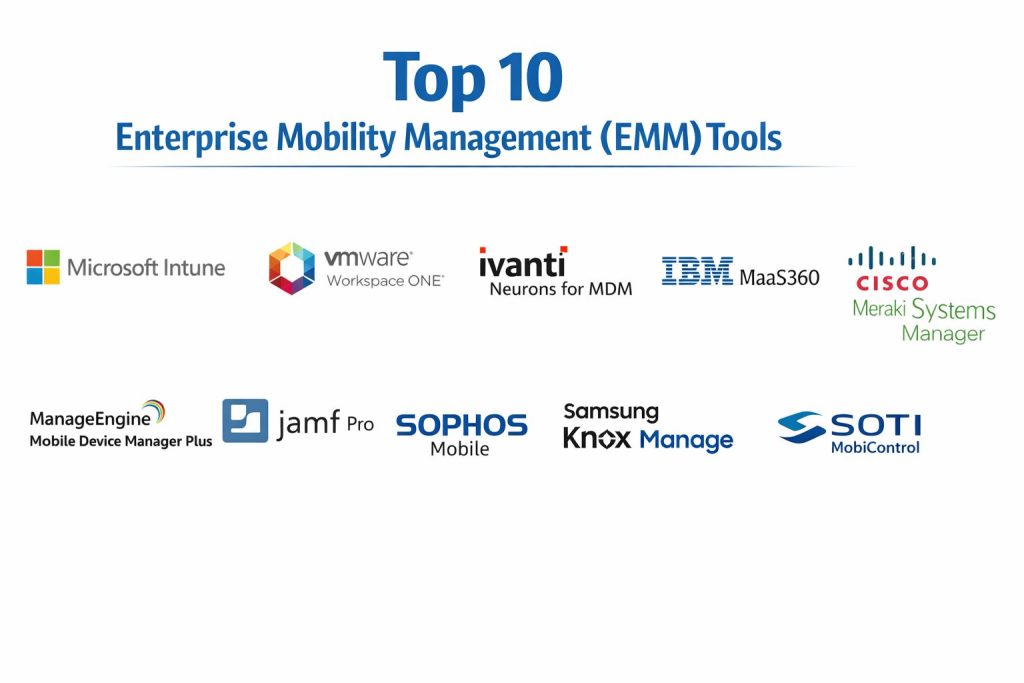
Top 10 Enterprise Mobility Management (EMM) Tools
1 — Microsoft Intune
Microsoft Intune is a widely used platform for managing devices, apps, and compliance policies across enterprise environments. It is commonly chosen by organizations already using Microsoft identity and productivity ecosystems.
Key Features
- Device enrollment and policy enforcement across major platforms (coverage varies)
- App protection policies to reduce data leakage (capability varies by platform)
- Compliance-driven access workflows with identity integration (setup dependent)
- Centralized configuration profiles for devices and apps
- Remote actions like wipe, lock, reset (capability varies)
- Reporting and policy status visibility for admins
- Integrations with broader endpoint and identity tooling (ecosystem dependent)
Pros
- Strong fit for Microsoft-centric environments and hybrid workforces
- Policy-based compliance workflows reduce manual enforcement
- Scales well for large organizations with structured IT teams
Cons
- Licensing and packaging can feel complex for new buyers
- Some advanced workflows require careful design and testing
- Best results depend on strong identity and device standards
Platforms / Deployment
Windows / macOS / iOS / Android (coverage varies)
Cloud
Security & Compliance
Not publicly stated
Integrations & Ecosystem
Works well in identity-centric and productivity-centric stacks, with common integrations designed around device trust and access control.
- Identity provider integration (setup dependent)
- Conditional access patterns (setup dependent)
- Endpoint security ecosystem integration (varies)
- Device manufacturer enrollment programs (varies)
- APIs and automation tooling (varies)
Support & Community
Strong enterprise support options and a large admin community. Documentation is extensive, but the breadth of features can require onboarding time.
2 — VMware Workspace ONE
VMware Workspace ONE provides device and application management with a focus on unified endpoint control. It is often used by enterprises that want broad endpoint coverage and centralized policy governance.
Key Features
- Unified management across mobile and desktop endpoints (coverage varies)
- Automated enrollment and device provisioning workflows (setup dependent)
- App catalog and application lifecycle management
- Policy enforcement for device compliance and access control
- Remote management actions and device troubleshooting options
- Analytics and reporting for fleet visibility (capability varies)
- Integration options for identity, networking, and security tools
Pros
- Strong for organizations managing mixed endpoint environments
- Mature policy framework for scaled IT operations
- Useful for large fleets and distributed business units
Cons
- Implementation can be complex without clear endpoint standards
- Licensing can be challenging to compare across bundles
- Admin experience requires training for advanced capabilities
Platforms / Deployment
Windows / macOS / iOS / Android (coverage varies)
Cloud / Hybrid (varies by setup)
Security & Compliance
Not publicly stated
Integrations & Ecosystem
Designed to integrate into enterprise IT stacks, including identity and endpoint workflows.
- Identity integration (setup dependent)
- Device enrollment programs (varies)
- APIs for automation (varies)
- App distribution workflows (varies)
- Reporting exports and monitoring integrations (varies)
Support & Community
Strong enterprise support options and experienced admin community. Many organizations use partners for large-scale rollouts.
3 — Ivanti Neurons for MDM
Ivanti offers device management and endpoint workflows that can support mobility operations and IT service workflows. It’s commonly considered where organizations want endpoint visibility and management tied to broader IT operations.
Key Features
- Device management policies for mobile endpoints (coverage varies)
- Enrollment and configuration workflows (setup dependent)
- Application distribution and control options (varies)
- Inventory visibility and reporting (capability varies)
- Policy enforcement and compliance posture monitoring
- Integration potential with IT service workflows (ecosystem dependent)
- Automation options for routine endpoint tasks (varies)
Pros
- Useful for organizations blending endpoint management with IT operations
- Can reduce operational overhead with automation workflows
- Works for mixed environments with the right planning
Cons
- Feature depth depends on chosen modules and configuration
- Implementation outcomes vary with endpoint standards
- Some advanced mobility needs may require careful validation
Platforms / Deployment
iOS / Android / Windows / macOS (coverage varies)
Cloud / Hybrid (varies)
Security & Compliance
Not publicly stated
Integrations & Ecosystem
Often used as part of a broader IT operations stack with integrations that support automation and inventory workflows.
- IT service workflow integrations (varies)
- APIs and automation tooling (varies)
- Identity integrations (setup dependent)
- Reporting and export options (varies)
- Device program support (varies)
Support & Community
Support options vary by plan and deployment. Community resources exist, and many teams rely on implementation partners for larger environments.
4 — IBM MaaS360
IBM MaaS360 is an enterprise mobility platform focused on device management, application controls, and compliance policies. It’s often used by organizations that prioritize structured governance and centralized fleet operations.
Key Features
- Policy-based device management for mobile endpoints (coverage varies)
- Application management and distribution workflows
- Compliance monitoring with admin dashboards (capability varies)
- Remote wipe, lock, and device actions (varies)
- Reporting and governance-focused controls
- Support for BYOD management patterns (capability varies)
- Integration options with identity and enterprise systems (varies)
Pros
- Strong governance approach for regulated or policy-driven environments
- Centralized management helps reduce device risk and drift
- Practical for fleets that require consistent controls
Cons
- Some workflows may feel more enterprise-oriented than lightweight
- Integration complexity depends on the environment
- Requires planning for BYOD privacy expectations
Platforms / Deployment
iOS / Android / Windows / macOS (coverage varies)
Cloud
Security & Compliance
Not publicly stated
Integrations & Ecosystem
Common integrations support identity-driven access controls and enterprise operational needs.
- Identity integrations (setup dependent)
- App distribution workflows (varies)
- Reporting exports and monitoring integrations (varies)
- Device enrollment program support (varies)
- APIs for automation (varies)
Support & Community
Enterprise-focused support and documentation. Community is smaller than some mainstream tools but still established in enterprise environments.
5 — Cisco Meraki Systems Manager
Cisco Meraki Systems Manager provides device management with a cloud-admin approach that many teams find straightforward. It’s commonly used where Meraki networking is already present or where simplicity is prioritized.
Key Features
- Cloud-based device management for common endpoint platforms (coverage varies)
- Configuration profiles and device restrictions
- App deployment and basic inventory controls (capability varies)
- Remote actions like wipe and lock (varies)
- Policy enforcement for security baseline controls
- Monitoring and reporting features for fleet visibility (varies)
- Works well for distributed locations with centralized management
Pros
- Simple administration experience for many IT teams
- Good for distributed organizations and multi-site operations
- Often integrates smoothly in Meraki-centric environments
Cons
- Advanced enterprise mobility features may be limited vs specialist tools
- Best fit depends on broader network and device strategy
- Feature depth can vary by device type and OS capabilities
Platforms / Deployment
iOS / Android / Windows / macOS (coverage varies)
Cloud
Security & Compliance
Not publicly stated
Integrations & Ecosystem
Often selected by teams already using Meraki, with integration patterns that support centralized operations.
- Meraki ecosystem integrations (varies)
- Identity integration (setup dependent)
- APIs and automation (varies)
- Enrollment program support (varies)
- Reporting exports (varies)
Support & Community
Documentation is generally clear and admin community is active. Support depends on plan and enterprise agreements.
6 — ManageEngine Mobile Device Manager Plus
ManageEngine Mobile Device Manager Plus is used by many SMB and mid-market teams looking for practical EMM controls without heavy implementation overhead. It focuses on device policies, app distribution, and compliance visibility.
Key Features
- Device enrollment and management workflows (coverage varies)
- App distribution and update controls (varies)
- Security policies for baseline compliance (capability varies)
- Inventory management and reporting dashboards
- Remote actions like lock, wipe, and device controls (varies)
- BYOD support patterns (capability varies)
- Admin workflows aimed at IT efficiency
Pros
- Strong value for SMB and mid-market organizations
- Practical feature set for day-to-day device governance
- Often quicker to deploy than heavier enterprise stacks
Cons
- Enterprise-grade scale needs careful validation
- Some advanced security integrations may require additional tooling
- Feature depth varies by OS and device type
Platforms / Deployment
iOS / Android / Windows / macOS (coverage varies)
Cloud / On-premises (varies)
Security & Compliance
Not publicly stated
Integrations & Ecosystem
Often integrates into typical SMB IT stacks and supports automation via standard admin workflows.
- Directory and identity integration (setup dependent)
- APIs and automation (varies)
- Enrollment program support (varies)
- Reporting exports (varies)
- Integration with IT operations tools (varies)
Support & Community
Good documentation and a strong user base in IT operations circles. Support quality depends on plan and deployment model.
7 — Jamf Pro
Jamf Pro is a leading option for Apple-focused device fleets, especially for organizations managing many macOS and iOS devices. It’s often selected when Apple-first workflows and deep management capabilities are required.
Key Features
- Deep management controls for macOS and iOS fleets (scope varies)
- Automated enrollment workflows for Apple ecosystems (setup dependent)
- Application deployment and patching patterns (capability varies)
- Configuration profiles and security baseline enforcement
- Inventory tracking and reporting for fleet visibility
- Admin workflows optimized for Apple IT operations
- Integration options with identity and security tools (varies)
Pros
- Very strong fit for Apple-heavy organizations
- Mature admin experience tailored to Apple fleet operations
- Useful for security baseline enforcement and standardization
Cons
- Not ideal if your environment is mostly non-Apple endpoints
- Cross-platform coverage requires additional tools
- Advanced integrations may require careful planning
Platforms / Deployment
macOS / iOS / iPadOS
Cloud / On-premises (varies)
Security & Compliance
Not publicly stated
Integrations & Ecosystem
Jamf is commonly integrated with identity and security tooling used in Apple enterprise deployments.
- Identity provider integration (setup dependent)
- Enrollment program support (varies)
- Security tool integrations (varies)
- APIs and automation options (varies)
- Reporting and monitoring exports (varies)
Support & Community
Strong community among Apple admins and solid documentation. Professional support is widely used in enterprise deployments.
8 — Sophos Mobile
Sophos Mobile provides mobility management often positioned alongside endpoint security programs. It is used by organizations that want mobility controls integrated into a broader security-first approach.
Key Features
- Mobile device policy management and compliance checks (coverage varies)
- App control and distribution patterns (capability varies)
- Security-focused workflows aligned with endpoint governance
- Remote wipe and device actions (varies)
- Reporting and monitoring dashboards (varies)
- Integration potential with security ecosystems (setup dependent)
- BYOD support approaches (capability varies)
Pros
- Strong fit where mobility management is tied closely to security operations
- Practical for organizations standardizing endpoint protection
- Helps centralize visibility across managed devices
Cons
- Advanced mobility workflows vary by configuration and ecosystem
- Some features depend on broader Sophos stack choices
- Enterprise-scale deployment should be validated in a pilot
Platforms / Deployment
iOS / Android / Windows (coverage varies)
Cloud
Security & Compliance
Not publicly stated
Integrations & Ecosystem
Often used in security-driven environments where endpoint and mobility controls are aligned.
- Security ecosystem integration (varies)
- Identity integration (setup dependent)
- APIs and reporting exports (varies)
- Enrollment program support (varies)
- Monitoring and alert integrations (varies)
Support & Community
Support varies by tier and region. Documentation is generally available, and many teams deploy with security operations involvement.
9 — Samsung Knox Manage
Samsung Knox Manage focuses on managing and securing Samsung device fleets, commonly used in frontline operations, retail, logistics, and field environments where rugged or standardized Android devices are deployed at scale.
Key Features
- Strong management controls for supported Samsung device fleets
- Policy enforcement for device restrictions and configuration (varies)
- Enrollment and provisioning workflows (setup dependent)
- App distribution and kiosk-style control patterns (capability varies)
- Remote actions and device support workflows
- Fleet visibility and operational reporting (varies)
- Useful for dedicated-use and frontline device scenarios
Pros
- Excellent for standardized Samsung fleets and frontline operations
- Strong device control patterns for locked-down use cases
- Practical for kiosk and dedicated device deployments
Cons
- Not ideal for mixed-device fleets that need broad cross-platform parity
- Best value depends on how standardized your hardware strategy is
- Feature scope varies by device model and deployment design
Platforms / Deployment
Android (Samsung devices; coverage varies)
Cloud
Security & Compliance
Not publicly stated
Integrations & Ecosystem
Typically used in environments standardized on Samsung devices and operational workflows.
- Enrollment and provisioning programs (varies)
- APIs and fleet automation patterns (varies)
- Reporting and export options (varies)
- App deployment workflows (varies)
- Integration with enterprise identity (setup dependent)
Support & Community
Support depends on enterprise agreements and deployment scope. Community is strong in Android enterprise and frontline device circles.
10 — SOTI MobiControl
SOTI MobiControl is commonly used for managing rugged devices and specialized fleets across logistics, manufacturing, retail, and field services. It focuses on device control, remote troubleshooting, and large fleet operations.
Key Features
- Fleet management for rugged and specialized devices (coverage varies)
- Remote control and troubleshooting workflows for field support
- Kiosk mode and lockdown capabilities for dedicated-use devices
- App deployment and update patterns for standardized fleets
- Policy enforcement and configuration templates (varies)
- Reporting and fleet visibility tools (capability varies)
- Strong fit for operational environments with many devices
Pros
- Strong for rugged device fleets and frontline operations
- Remote troubleshooting reduces support time and downtime
- Practical for kiosk and dedicated-purpose deployments
Cons
- Feature fit depends on device types and operational requirements
- Some enterprise identity workflows may need additional planning
- Best results require standardized enrollment and provisioning processes
Platforms / Deployment
Android / iOS / Windows (coverage varies)
Cloud / On-premises (varies)
Security & Compliance
Not publicly stated
Integrations & Ecosystem
Often integrated into operational IT environments with workflows for fleet provisioning and support.
- Enrollment program support (varies)
- APIs and automation (varies)
- Reporting exports (varies)
- Integration with IT operations tools (varies)
- Directory and identity integration (setup dependent)
Support & Community
Strong in rugged and frontline device communities. Documentation and support are widely used for large fleet deployments.
Comparison Table
| Tool Name | Best For | Platform(s) Supported | Deployment | Standout Feature | Public Rating |
|---|---|---|---|---|---|
| Microsoft Intune | Microsoft-centric enterprise mobility and compliance | Windows/macOS/iOS/Android (varies) | Cloud | Identity-driven compliance access patterns | N/A |
| VMware Workspace ONE | Unified endpoint management across mixed fleets | Windows/macOS/iOS/Android (varies) | Cloud/Hybrid | Broad endpoint policy governance | N/A |
| Ivanti Neurons for MDM | Mobility + IT operations aligned workflows | iOS/Android/Windows/macOS (varies) | Cloud/Hybrid | Operations-oriented automation potential | N/A |
| IBM MaaS360 | Policy-governed enterprise device fleets | iOS/Android/Windows/macOS (varies) | Cloud | Centralized governance controls | N/A |
| Cisco Meraki Systems Manager | Simpler cloud device management for distributed orgs | iOS/Android/Windows/macOS (varies) | Cloud | Straightforward cloud administration | N/A |
| ManageEngine Mobile Device Manager Plus | SMB and mid-market mobility management | iOS/Android/Windows/macOS (varies) | Cloud/On-premises | Practical value-focused feature set | N/A |
| Jamf Pro | Apple-focused enterprise fleets | macOS/iOS/iPadOS | Cloud/On-premises | Deep Apple fleet management | N/A |
| Sophos Mobile | Mobility management tied to security programs | iOS/Android/Windows (varies) | Cloud | Security-aligned device governance | N/A |
| Samsung Knox Manage | Standardized Samsung Android fleets | Android (Samsung; varies) | Cloud | Strong control for dedicated-use fleets | N/A |
| SOTI MobiControl | Rugged and frontline device fleets | Android/iOS/Windows (varies) | Cloud/On-premises | Remote support for large fleets | N/A |
Evaluation & Scoring of Enterprise Mobility Management (EMM)
Weights:
- Core features – 25%
- Ease of use – 15%
- Integrations & ecosystem – 15%
- Security & compliance – 10%
- Performance & reliability – 10%
- Support & community – 10%
- Price / value – 15%
| Tool Name | Core (25%) | Ease (15%) | Integrations (15%) | Security (10%) | Performance (10%) | Support (10%) | Value (15%) | Weighted Total (0–10) |
|---|---|---|---|---|---|---|---|---|
| Microsoft Intune | 9.0 | 8.0 | 9.0 | 7.0 | 8.5 | 8.0 | 8.0 | 8.42 |
| VMware Workspace ONE | 9.0 | 7.5 | 8.5 | 7.0 | 8.5 | 8.0 | 7.5 | 8.14 |
| Ivanti Neurons for MDM | 8.0 | 7.0 | 7.5 | 6.5 | 7.5 | 7.0 | 7.5 | 7.44 |
| IBM MaaS360 | 8.0 | 7.0 | 7.5 | 6.5 | 7.5 | 7.0 | 7.0 | 7.37 |
| Cisco Meraki Systems Manager | 7.5 | 8.5 | 7.0 | 6.0 | 7.5 | 7.5 | 7.5 | 7.51 |
| ManageEngine Mobile Device Manager Plus | 7.5 | 8.0 | 7.0 | 6.0 | 7.0 | 7.0 | 8.5 | 7.52 |
| Jamf Pro | 8.5 | 7.5 | 7.5 | 6.5 | 8.0 | 8.0 | 7.0 | 7.76 |
| Sophos Mobile | 7.5 | 7.5 | 7.0 | 6.5 | 7.0 | 7.0 | 7.5 | 7.28 |
| Samsung Knox Manage | 7.5 | 7.5 | 6.5 | 6.5 | 7.5 | 7.0 | 7.5 | 7.26 |
| SOTI MobiControl | 8.0 | 7.0 | 7.0 | 6.5 | 7.5 | 7.5 | 7.0 | 7.41 |
How to use the scores:
- Use the totals to shortlist, but prioritize your top two needs first (for example: Apple management, rugged fleets, or identity-based compliance).
- Close scores usually mean the decision should be made using a real pilot, not feature debates.
- “Security” scores are conservative because many compliance claims are not publicly stated in detail.
- If you are regulated, focus on device posture, reporting, and your internal controls as much as vendor features.
Which Enterprise Mobility Management (EMM) Tool Is Right for You?
Solo / Freelancer
EMM is rarely needed for solo users unless you manage multiple client devices or you run a small managed IT practice. If you do need basic controls, choose a tool that is easy to set up and does not require complex policy design. Lightweight administration and quick device enrollment will matter more than advanced governance.
SMB
SMBs typically need fast onboarding, BYOD-friendly controls, and simple app distribution. Tools that reduce admin work, offer clear reporting, and provide good value can be a strong fit. Focus on consistent policy templates and avoid overly strict restrictions that frustrate users and increase support tickets.
Mid-Market
Mid-market teams usually need stronger compliance controls, better reporting, and clean integration with identity systems. Choose a tool that supports standard enrollment paths, predictable app distribution, and scalable policies. Prioritize device posture monitoring and consistent workflows across departments and locations.
Enterprise
Enterprises need governance, audit readiness, device trust patterns, and deep operational workflows. Standardize enrollment, build policy baselines, and integrate mobility management with identity and security operations. Look for strong automation, delegation, role-based access controls, and reporting that supports audits and incident response.
Budget vs Premium
Budget-friendly tools can work well if your requirements are straightforward and your fleet is not highly diverse. Premium platforms often pay off when you manage large fleets, require strict compliance controls, or need deep integration with identity and security systems. The real cost is not just licensing but the effort to operate and support the program.
Feature Depth vs Ease of Use
If your team is small, ease of use and automation are critical because you cannot afford complex daily operations. If your environment is large, feature depth, reporting, delegation, and governance will matter more. Choose the tool that matches how your IT team actually works, not how the marketing checklist looks.
Integrations & Scalability
If you already have a strong identity provider and strict access policies, pick a tool that supports device posture and consistent compliance reporting. If you run field operations with rugged fleets, prioritize remote troubleshooting and kiosk controls. Scalability also depends on how well the tool supports templates, bulk actions, and delegated administration.
Security & Compliance Needs
Many mobility platforms do not publicly list every certification detail in a simple way. If you are regulated, focus on what you can enforce: encryption policies, passcode rules, jailbreak/root detection, managed app controls, secure enrollment, role-based administration, and audit-friendly reporting. Also ensure your internal storage, identity, and access controls are strong.
Frequently Asked Questions
What is the difference between EMM and Unified Endpoint Management?
EMM focuses mainly on mobile devices, mobile apps, and mobile data protection. Unified Endpoint Management expands the scope to include desktops, laptops, and sometimes additional endpoint types under one approach, which helps standardize policy and reduce tool sprawl.
Is EMM needed if we already use VPN and MFA?
VPN and MFA help, but they do not manage device posture or app controls by themselves. EMM adds policy enforcement like encryption rules, restricted configurations, app management, and the ability to wipe corporate data when risk is detected.
How does BYOD work without violating employee privacy?
Good BYOD setups separate work and personal spaces using managed profiles or containers. IT controls the work environment and work apps while limiting visibility into personal photos, messages, and personal apps, depending on the platform and policy design.
What are common mistakes during EMM rollout?
Common mistakes include making policies too strict on day one, skipping pilot testing, failing to define ownership between IT and security teams, and not preparing helpdesk workflows. A staged rollout with clear user communication usually works better.
How long does an EMM implementation take?
Small deployments can start quickly, but a stable enterprise rollout often takes weeks to months. Time is usually spent on policy design, pilot feedback, app packaging, identity integration, and support readiness rather than just enabling the platform.
Can EMM manage company apps and updates automatically?
Yes, most EMM tools support app distribution, update controls, and configuration policies. The exact experience depends on the OS and whether apps are public store apps, in-house apps, or managed enterprise apps.
What should we test in a pilot before full rollout?
Test enrollment flow, compliance policies, app deployment, email access behavior, remote wipe, reporting accuracy, and helpdesk workflows. Also test on different device models and OS versions to avoid surprises during scaling.
How does EMM help if a device is lost or stolen?
EMM can help lock the device, wipe work data, remove corporate access, and confirm whether the device was compliant before it went missing. A good policy also ensures encryption and passcode rules reduce the chance of data exposure.
Can EMM support rugged devices used in logistics and retail?
Yes, many tools support rugged or dedicated-use fleets, including kiosk mode and remote troubleshooting. The best fit depends on device type, deployment model, and how much device lockdown and remote support you need.
How do we choose the right EMM tool for our organization?
Start with your device mix and use cases: BYOD, corporate-owned devices, Apple-heavy fleets, rugged devices, or strict compliance. Shortlist two or three tools, run a pilot with real policies and real apps, then decide based on admin effort, user experience, reporting, and integration fit.
Conclusion
Enterprise Mobility Management becomes valuable when mobility is no longer “optional” but a daily part of how your business operates. The best EMM tool is the one that fits your device mix, identity setup, compliance pressure, and support capacity. If you run Apple-heavy fleets, pick a tool that handles Apple workflows deeply and reliably. If you manage frontline or rugged devices, remote troubleshooting and kiosk control will matter more than advanced desktop features. If you are regulated, focus on device posture, reporting, and consistent policy enforcement. Shortlist two or three tools, run a pilot with real apps and policies, validate reporting and user experience, and then scale with clear governance.