Introduction
Endpoint Detection & Response (EDR) is software that watches what happens on laptops, desktops, servers, and sometimes mobile endpoints, then helps security teams detect threats, investigate suspicious activity, and respond fast. EDR matters because attacks often start on endpoints through phishing, stolen credentials, malicious downloads, or abused remote tools. Once an attacker lands on one device, they try to move sideways, steal data, and stay hidden.
Common use cases include stopping ransomware early, investigating suspicious PowerShell activity, detecting credential theft, spotting lateral movement, and responding to alerts with isolation or remediation. When evaluating an EDR tool, focus on detection quality, investigation depth, response actions, ease of deployment, performance impact, alert noise, integration with your security stack, reporting, multi-tenant support, and how well the tool fits your operating model.
Best for: SOC teams, IT security, managed security providers, regulated businesses, and any organization with endpoints that must be monitored and protected.
Not ideal for: very small setups with only basic antivirus needs and no security operations capability; in those cases a simpler endpoint protection product can be enough until risk grows.
Key Trends in EDR
- More behavior-based detection to catch fileless and living-off-the-land attacks
- Stronger automated response playbooks to reduce time-to-containment
- Unified views that connect endpoint, identity, and network signals (often branded as XDR)
- More focus on attack path visualization to speed investigations
- Better ransomware protection with rollback, isolation, and rapid containment options (varies by vendor)
- Increased need for low-noise alerting with better tuning and suppression controls
- Growing demand for multi-tenant operations for MSSPs and large groups
- Wider use of device posture signals to drive conditional access decisions (integration dependent)
- More emphasis on telemetry retention and fast search for incident response
- Stronger expectations for secure admin access, audit trails, and role-based controls
How We Selected These Tools (Methodology)
- Chosen based on broad adoption, credibility, and security operations maturity
- Evaluated depth of endpoint telemetry, hunting, and investigation workflows
- Considered response capability such as isolation, kill process, quarantine, and rollback (availability varies)
- Looked at deployment practicality across Windows, macOS, and Linux
- Considered performance impact and operational overhead
- Weighted ecosystem strength, integrations, and partner maturity
- Included options that fit SMB, mid-market, enterprise, and MSSP models
- Considered transparency of workflows for triage, escalation, and reporting
- Prioritized tools that can scale across thousands of endpoints
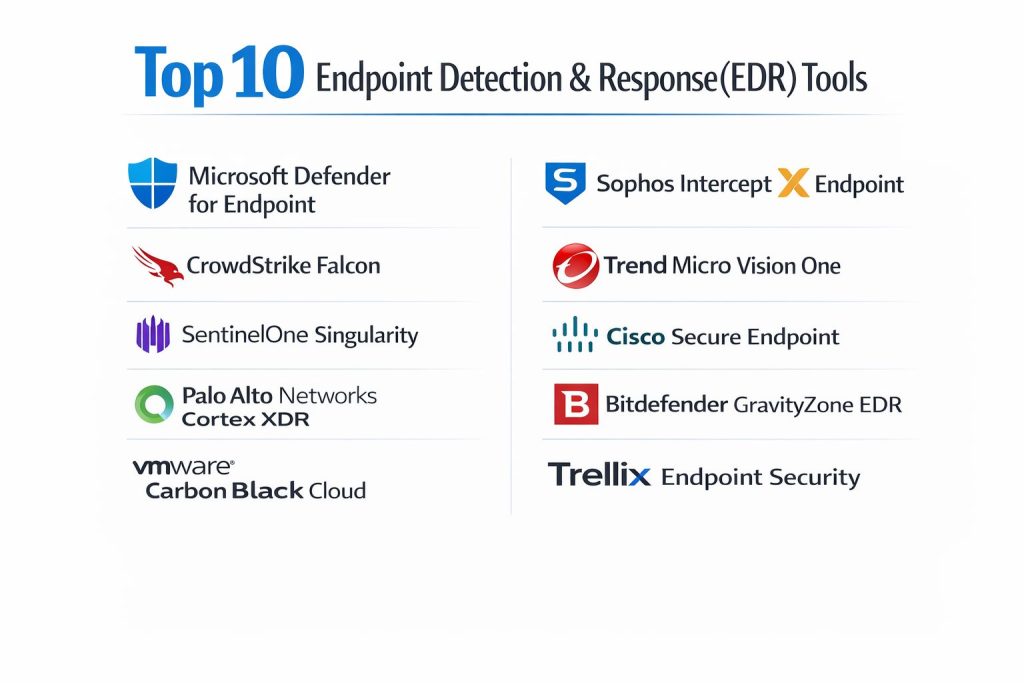
Top 10 Endpoint Detection & Response (EDR) Tools
1 — Microsoft Defender for Endpoint
A widely used EDR platform that fits well in organizations already using Microsoft security and identity tooling. Strong for endpoint visibility, investigation, and response workflows at scale.
Key Features
- Endpoint behavior analytics and threat detection
- Investigation workflow with incident grouping and timelines
- Response actions like device isolation and process control (varies by plan)
- Hunting and search across endpoint telemetry (capability varies)
- Integration with Microsoft identity and cloud security signals (integration dependent)
- Policy management and baselines (capability varies)
Pros
- Strong ecosystem fit for Microsoft-centric environments
- Scales well for large fleets with centralized controls
Cons
- Best experience often depends on broader Microsoft security stack adoption
- Licensing and feature tiers can be complex
Platforms / Deployment
Windows / macOS / Linux, Self-hosted (agent-managed via cloud console: Varies / N/A)
Security & Compliance
SSO/SAML, MFA, RBAC, audit logs: Varies / Not publicly stated at feature level
Certifications: Not publicly stated
Integrations & Ecosystem
Strong integration patterns with Microsoft security tooling and common SIEM/SOAR environments (integration dependent).
- SIEM integrations: Varies / N/A
- APIs and automation: Varies / N/A
- Identity and access signals: Varies / N/A
Support & Community
Large documentation footprint and strong enterprise support availability; community knowledge is broad.
2 — CrowdStrike Falcon
A cloud-delivered EDR known for strong endpoint telemetry, detection workflows, and fast response at enterprise scale. Frequently chosen by security teams that prioritize speed and managed operations.
Key Features
- Threat detection built on endpoint behavior and telemetry
- Investigation workflows with process trees and timelines
- Rapid response actions for containment (capability varies)
- Threat hunting and query-driven investigations (capability varies)
- Lightweight agent approach emphasized by many deployments
- Strong add-on ecosystem around endpoint and identity signals (varies)
Pros
- Strong security operations experience for triage and response
- Good fit for large fleets needing consistent visibility
Cons
- Premium capabilities can require add-ons
- Tuning and operational maturity still required to reduce noise
Platforms / Deployment
Windows / macOS / Linux, Cloud (agent with cloud console)
Security & Compliance
SSO/SAML, MFA, RBAC, audit logs: Not publicly stated (varies by plan)
Certifications: Not publicly stated
Integrations & Ecosystem
Broad ecosystem focus across endpoint security operations and integrations (integration dependent).
- SIEM and SOAR connectivity: Varies / N/A
- APIs and automation: Varies / N/A
- Partner integrations: Varies / N/A
Support & Community
Strong enterprise support options; large user base and training ecosystem.
3 — SentinelOne Singularity
An EDR platform focused on automated detection and response with strong endpoint autonomy and streamlined workflows. Often selected by teams that value containment speed and operational efficiency.
Key Features
- Behavior-based detection and alert correlation
- Automated response actions and remediation patterns (varies)
- Investigation views with storyline-style context (capability varies)
- Threat hunting and query workflows (capability varies)
- Device isolation and containment actions (varies)
- Policy controls with flexible grouping models
Pros
- Strong automation can reduce response time
- Clear investigation context helps analysts move faster
Cons
- Advanced features can differ by license tier
- Requires tuning to match your environment and risk tolerance
Platforms / Deployment
Windows / macOS / Linux, Cloud (agent with cloud console)
Security & Compliance
SSO/SAML, MFA, RBAC, audit logs: Not publicly stated
Certifications: Not publicly stated
Integrations & Ecosystem
Often integrates into SIEM/SOAR workflows and ticketing systems (integration dependent).
- SIEM integration: Varies / N/A
- Automation and APIs: Varies / N/A
- Third-party tooling: Varies / N/A
Support & Community
Good documentation and partner ecosystem; support quality varies by plan and region.
4 — Palo Alto Networks Cortex XDR
A detection and response platform that connects endpoint data with broader security signals in many deployments. Strong for teams that want correlation and investigation across multiple data sources.
Key Features
- Endpoint detection with incident correlation
- Investigation timelines and causality views (capability varies)
- Response actions including containment (varies)
- Cross-data correlation when integrated with broader telemetry (integration dependent)
- Hunting workflows and query capability (varies)
- Policy management and endpoint controls (varies)
Pros
- Strong correlation potential when paired with broader security telemetry
- Good fit for enterprise SOC operations that need unified investigations
Cons
- Best results often depend on broader platform adoption
- Setup and integration effort can be higher than endpoint-only tools
Platforms / Deployment
Windows / macOS / Linux, Cloud (agent with cloud console)
Security & Compliance
SSO/SAML, MFA, RBAC, audit logs: Not publicly stated
Certifications: Not publicly stated
Integrations & Ecosystem
Designed to work with broader security data sources and automation (integration dependent).
- SIEM/SOAR connectivity: Varies / N/A
- Platform integrations: Varies / N/A
- APIs and automation hooks: Varies / N/A
Support & Community
Strong enterprise support presence; community resources are widely available.
5 — VMware Carbon Black Cloud
An EDR with strong endpoint visibility and query-driven hunting patterns used by many enterprise teams. Often selected where deep endpoint telemetry and flexible investigations are priorities.
Key Features
- Endpoint telemetry collection with process visibility
- Hunting workflows with query-driven investigations (capability varies)
- Incident response actions for containment (varies)
- Policy controls for endpoint protection modes (varies)
- Reporting and operational dashboards (varies)
- Integration patterns for SOC tooling (integration dependent)
Pros
- Strong hunting model for experienced security analysts
- Useful for detailed investigations and threat discovery
Cons
- Can feel analyst-heavy for teams without hunting maturity
- Interface and workflows may require training for efficiency
Platforms / Deployment
Windows / macOS / Linux, Cloud (agent with cloud console)
Security & Compliance
SSO/SAML, MFA, RBAC, audit logs: Not publicly stated
Certifications: Not publicly stated
Integrations & Ecosystem
Often used alongside SIEM and incident response tooling (integration dependent).
- SIEM integration: Varies / N/A
- APIs and automation: Varies / N/A
- Ticketing and workflow tools: Varies / N/A
Support & Community
Enterprise support options exist; community is strong among endpoint hunting teams.
6 — Sophos Intercept X Endpoint
An endpoint security suite with EDR capabilities that works well for organizations that want a simplified security operations experience. Often attractive for mid-market and IT-led security teams.
Key Features
- EDR visibility and investigation views (capability varies)
- Ransomware-focused protections and behavioral detections (varies)
- Centralized policy and device grouping controls
- Response actions for containment and remediation (varies)
- Cross-product correlation when used with broader Sophos tooling (integration dependent)
- Reporting and dashboards for operational visibility
Pros
- Clear management experience for teams with limited SOC staffing
- Strong fit for combined endpoint protection and response needs
Cons
- Advanced hunting depth may be less than hunting-first platforms
- Feature depth can vary based on license tier
Platforms / Deployment
Windows / macOS / Linux, Cloud (management console: Varies / N/A)
Security & Compliance
SSO/SAML, MFA, RBAC, audit logs: Not publicly stated
Certifications: Not publicly stated
Integrations & Ecosystem
Works best when integrated with related Sophos security components (integration dependent).
- SIEM export: Varies / N/A
- Automation hooks: Varies / N/A
- Partner integrations: Varies / N/A
Support & Community
Solid documentation and support options; partner ecosystem is active.
7 — Trend Micro Vision One
A platform approach that includes endpoint response capability and is often used where teams want broader visibility. Useful for organizations looking for coordinated detection across multiple layers.
Key Features
- Endpoint detection and investigation capability (varies by plan)
- Incident correlation across multiple signal sources (integration dependent)
- Response actions for endpoint containment (varies)
- Hunting and search workflows (varies)
- Risk and exposure views (capability varies)
- Reporting for operational security workflows
Pros
- Strong platform story for broader security visibility
- Useful for organizations that want correlation beyond endpoints
Cons
- Best value often depends on using multiple Trend Micro components
- Feature depth and workflows can vary by configuration
Platforms / Deployment
Windows / macOS / Linux, Cloud (platform management: Varies / N/A)
Security & Compliance
SSO/SAML, MFA, RBAC, audit logs: Not publicly stated
Certifications: Not publicly stated
Integrations & Ecosystem
Designed for integrations across security telemetry and response workflows (integration dependent).
- SIEM connectivity: Varies / N/A
- APIs and automation: Varies / N/A
- Ecosystem integrations: Varies / N/A
Support & Community
Strong enterprise support footprint; documentation and partner help are commonly available.
8 — Cisco Secure Endpoint
An EDR-focused endpoint product that fits well for organizations already using Cisco security tooling. Often selected where network security and endpoint security are managed together.
Key Features
- Endpoint threat detection and investigation context (varies)
- Response actions for containment and remediation (varies)
- Visibility into endpoint activity for triage workflows
- Policy controls and device grouping
- Integrations with related Cisco security components (integration dependent)
- Reporting and alerting workflows (varies)
Pros
- Strong fit for Cisco-centric security environments
- Practical endpoint visibility and response actions for many teams
Cons
- Best experience often depends on broader Cisco ecosystem usage
- Advanced hunting depth can vary based on plan and setup
Platforms / Deployment
Windows / macOS / Linux, Cloud (agent with cloud console)
Security & Compliance
SSO/SAML, MFA, RBAC, audit logs: Not publicly stated
Certifications: Not publicly stated
Integrations & Ecosystem
Often connects well with Cisco security tooling and SOC workflows (integration dependent).
- SIEM integration: Varies / N/A
- Automation and APIs: Varies / N/A
- Network security integrations: Varies / N/A
Support & Community
Good enterprise support options and a large partner ecosystem.
9 — Bitdefender GravityZone EDR
An EDR offering inside the GravityZone platform, commonly used by SMB and mid-market teams that want manageable security operations with strong endpoint protection roots.
Key Features
- Endpoint visibility with EDR investigation workflows (varies)
- Response actions for containment and remediation (varies)
- Centralized policy management across endpoints
- Reporting and dashboards for operational visibility
- Multi-tenant support patterns (varies by plan)
- Integration options for SOC workflows (integration dependent)
Pros
- Strong balance of manageability and capability for smaller teams
- Good fit for MSP and multi-site environments (plan dependent)
Cons
- Deep hunting features may be less robust than hunting-first platforms
- Some advanced capabilities can require higher tiers
Platforms / Deployment
Windows / macOS / Linux, Cloud (management console: Varies / N/A)
Security & Compliance
SSO/SAML, MFA, RBAC, audit logs: Not publicly stated
Certifications: Not publicly stated
Integrations & Ecosystem
Common integrations include SIEM export and workflow tooling (integration dependent).
- SIEM connectivity: Varies / N/A
- APIs and automation: Varies / N/A
- MSP tools: Varies / N/A
Support & Community
Generally strong partner ecosystem; support tiers vary by plan.
10 — Trellix Endpoint Security
An enterprise endpoint security product with response capabilities used in many large environments. Often selected where endpoint security is part of a broader enterprise security portfolio.
Key Features
- Endpoint detection and response workflows (capability varies)
- Policy management and enterprise-scale administration
- Response actions for containment and remediation (varies)
- Integration patterns with related security components (integration dependent)
- Reporting for security operations and compliance workflows (varies)
- Support for structured enterprise deployment models
Pros
- Built for enterprise operations and structured administration
- Fits well where broader security portfolio alignment matters
Cons
- Can require more administration effort than lightweight tools
- Feature experience can depend on deployment model and licensing
Platforms / Deployment
Windows / macOS / Linux, Cloud or Hybrid (Varies / N/A)
Security & Compliance
SSO/SAML, MFA, RBAC, audit logs: Not publicly stated
Certifications: Not publicly stated
Integrations & Ecosystem
Integrations typically focus on enterprise SOC workflows and connected security tooling (integration dependent).
- SIEM integrations: Varies / N/A
- APIs and automation: Varies / N/A
- Incident workflow tools: Varies / N/A
Support & Community
Enterprise support options exist; community resources vary by region and customer base.
Comparison Table
| Tool Name | Best For | Platform(s) Supported | Deployment | Standout Feature | Public Rating |
|---|---|---|---|---|---|
| Microsoft Defender for Endpoint | Microsoft-centric security operations | Windows, macOS, Linux | Cloud | Tight ecosystem alignment | N/A |
| CrowdStrike Falcon | Enterprise-scale detection and response | Windows, macOS, Linux | Cloud | Strong endpoint telemetry and triage | N/A |
| SentinelOne Singularity | Automated response and streamlined workflows | Windows, macOS, Linux | Cloud | Automation and containment speed | N/A |
| Palo Alto Networks Cortex XDR | Correlated investigations across signals | Windows, macOS, Linux | Cloud | Cross-source correlation (integration dependent) | N/A |
| VMware Carbon Black Cloud | Hunting-led endpoint investigations | Windows, macOS, Linux | Cloud | Query-driven hunting workflows | N/A |
| Sophos Intercept X Endpoint | Mid-market manageability | Windows, macOS, Linux | Cloud | Simplified operations experience | N/A |
| Trend Micro Vision One | Platform visibility with endpoint response | Windows, macOS, Linux | Cloud | Broader signal correlation (integration dependent) | N/A |
| Cisco Secure Endpoint | Cisco-centric environments | Windows, macOS, Linux | Cloud | Works well with Cisco security stack | N/A |
| Bitdefender GravityZone EDR | SMB and MSP-friendly operations | Windows, macOS, Linux | Cloud | Balanced capability and manageability | N/A |
| Trellix Endpoint Security | Enterprise structured deployments | Windows, macOS, Linux | Hybrid | Enterprise policy and administration | N/A |
Evaluation & Scoring
Scoring approach
Each criterion is scored 1 to 10, then combined using the weights below to produce a comparative total from 0 to 10.
Weights
- Core features – 25%
- Ease of use – 15%
- Integrations & ecosystem – 15%
- Security & compliance – 10%
- Performance & reliability – 10%
- Support & community – 10%
- Price / value – 15%
| Tool Name | Core (25%) | Ease (15%) | Integrations (15%) | Security (10%) | Performance (10%) | Support (10%) | Value (15%) | Weighted Total |
|---|---|---|---|---|---|---|---|---|
| Microsoft Defender for Endpoint | 9.0 | 8.0 | 9.0 | 7.5 | 8.5 | 8.5 | 8.0 | 8.53 |
| CrowdStrike Falcon | 9.5 | 8.0 | 8.5 | 7.0 | 9.0 | 8.5 | 7.0 | 8.42 |
| SentinelOne Singularity | 9.0 | 8.5 | 8.0 | 7.0 | 8.5 | 8.0 | 7.5 | 8.28 |
| Palo Alto Networks Cortex XDR | 9.0 | 7.5 | 9.0 | 7.0 | 8.5 | 8.0 | 7.0 | 8.15 |
| VMware Carbon Black Cloud | 8.5 | 7.0 | 8.0 | 7.0 | 8.0 | 7.5 | 7.0 | 7.73 |
| Sophos Intercept X Endpoint | 8.0 | 8.5 | 7.5 | 7.0 | 8.0 | 7.5 | 8.0 | 7.98 |
| Trend Micro Vision One | 8.5 | 7.5 | 8.5 | 7.0 | 8.0 | 7.5 | 7.5 | 8.00 |
| Cisco Secure Endpoint | 8.0 | 7.5 | 8.0 | 7.0 | 8.0 | 7.5 | 7.5 | 7.78 |
| Bitdefender GravityZone EDR | 7.5 | 8.0 | 7.5 | 6.5 | 8.0 | 7.0 | 8.5 | 7.70 |
| Trellix Endpoint Security | 8.0 | 7.0 | 7.5 | 7.0 | 7.5 | 7.5 | 7.0 | 7.55 |
How to interpret the scores
- The total is comparative inside this list, not a universal ranking for every environment.
- A higher total suggests broader strength across criteria, not automatic best fit.
- Ease and value can matter more than maximum feature depth for small teams.
- Security scoring is limited because public detail varies across vendors and deployment models.
- Always validate with a pilot on your endpoints, policies, and incident workflow.
Which EDR Tool Is Right for You?
Solo / Freelancer
If you are a one-person IT or security operator, choose a tool that is easy to deploy, easy to manage, and low-noise. Bitdefender GravityZone EDR and Sophos Intercept X Endpoint can be practical options where manageability matters most. If you already rely heavily on Microsoft tooling, Microsoft Defender for Endpoint can simplify operations by aligning with existing identity and admin controls.
SMB
SMBs benefit from tools that balance detection capability with operational simplicity. Sophos Intercept X Endpoint and Bitdefender GravityZone EDR often fit SMB operations well, especially with limited SOC staffing. Microsoft Defender for Endpoint can be strong in Microsoft-heavy environments. If you have a small SOC and want strong response capability, SentinelOne Singularity can be a good match if you invest in tuning.
Mid-Market
Mid-market teams typically need stronger investigation depth, better reporting, and consistent response playbooks. CrowdStrike Falcon and SentinelOne Singularity are common fits where endpoint operations must move fast. VMware Carbon Black Cloud can work well for teams with hunting maturity. Palo Alto Networks Cortex XDR and Trend Micro Vision One can be valuable if you want correlation beyond endpoints and are ready for platform integration work.
Enterprise
Enterprises need scale, governance, role separation, and consistent operations across regions and business units. CrowdStrike Falcon and Microsoft Defender for Endpoint are common anchors at scale. Palo Alto Networks Cortex XDR can be strong where multi-signal correlation is a priority. Trellix Endpoint Security can fit environments that require structured admin controls and alignment with an enterprise security portfolio, depending on how your organization standardizes tooling.
Budget vs Premium
Budget-focused selection should prioritize manageability and good enough detection with clear response actions. Premium selections usually prioritize deeper telemetry, faster triage, richer hunting, and broader ecosystem integrations. The right choice depends on whether your main cost is licensing or analyst time.
Feature Depth vs Ease of Use
Hunting-first tools can unlock stronger detection and faster investigations, but they require skilled analysts and tuning. Tools optimized for ease can reduce operational burden and still provide strong protection, especially when paired with disciplined patching and identity security.
Integrations & Scalability
If you already use a specific security ecosystem, choosing an EDR that aligns with it can reduce integration effort. If you plan to scale rapidly, prioritize multi-tenant capability, role-based access, strong APIs, and reliable export into your central monitoring stack.
Security & Compliance Needs
For regulated environments, focus on admin access controls, audit trails, role separation, and how endpoint data is stored and retained. If compliance claims are not clearly published, treat them as not publicly stated and validate through procurement and internal review.
Frequently Asked Questions
1. What is the difference between EDR and antivirus?
Antivirus focuses on prevention and known malware patterns. EDR focuses on detection, investigation, and response using endpoint behavior and telemetry, especially for advanced attacks.
2. Does EDR stop ransomware by itself?
EDR can help detect and contain ransomware fast, but outcomes depend on tuning, response playbooks, backup readiness, and how quickly teams act on alerts.
3. How long does EDR deployment usually take?
For many teams, initial rollout can be quick, but tuning, policy refinement, and SOC workflow alignment typically take additional cycles to stabilize alert quality.
4. What should I test in an EDR pilot?
Agent deployment success, endpoint performance impact, alert clarity, investigation workflow speed, response actions, integration with your monitoring stack, and reporting needs.
5. Will EDR create too many alerts?
It can, especially early. Good tools provide tuning, suppression, and policy controls, but your environment and analyst process strongly influence noise levels.
6. Do I need a SOC to run EDR well?
A SOC helps, but smaller teams can still benefit if they pick a manageable product and use guided response playbooks. Some teams also use an MSSP model.
7. How does EDR affect endpoint performance?
Impact varies by vendor, configuration, and endpoint workload. Always test on your typical devices and high-usage systems before full rollout.
8. Can I use more than one EDR tool at once?
Running multiple endpoint agents can increase overhead and conflicts. Some organizations do it during migration, but long-term it is usually avoided.
9. What integrations matter most for EDR success?
SIEM export, ticketing workflow, identity signals, and vulnerability context often matter most. The goal is faster triage, not just more data.
10. What is the safest way to switch EDR vendors?
Plan a phased rollout, run parallel coverage briefly if needed, validate detection and response playbooks, and ensure reporting continuity before removing the old agent.
Conclusion
A strong EDR program is not just a tool choice; it is a combination of endpoint coverage, alert quality, investigation speed, and reliable response actions. The best fit depends on your team size, your security operations maturity, and how your environment is managed. If you are already invested in a major ecosystem, selecting an EDR that aligns with your identity and security tooling can reduce friction and improve visibility. If you need faster containment and richer investigations, prioritize telemetry depth, hunting capability, and response automation. Create a shortlist of two or three options, run a controlled pilot on representative endpoints, validate integrations and response workflows, then standardize policies and training before full rollout.