Introduction
Employee scheduling software consists of digital platforms designed to automate the creation, management, and distribution of work shifts. These tools have moved beyond “static calendars” to become intelligent workforce orchestration engines. They synchronize complex variables—such as employee availability, labor law compliance, skill sets, and real-time demand forecasting—into a single, mobile-first interface that bridges the gap between management needs and worker flexibility.
The relevance of scheduling software is driven by the rise of the “Flexible Economy” and increasingly strict labor regulations regarding predictive scheduling and rest periods. For businesses with hourly or deskless workforces, manual scheduling is no longer viable; it leads to high turnover and costly compliance penalties. Modern platforms now use AI to “auto-fill” schedules based on historical sales data, ensuring organizations are neither overstaffed (wasting capital) nor understaffed (losing customers).
Real-world use cases include:
- Hospitality & Restaurants: Managing seasonal surges and coordinating waitstaff, kitchen crews, and delivery drivers.
- Healthcare & Nursing: Ensuring 24/7 coverage with credential-verified staff while managing complex overtime rules.
- Retail Operations: Aligning floor coverage with peak shopping hours and managing multi-location staff transfers.
- Field Services & Construction: Dispatching specialized crews to various jobsites with GPS-verified clock-ins.
- Manufacturing & Logistics: Coordinating multi-shift warehouse operations and managing specialized machinery certifications.
What buyers should evaluate (Criteria):
- AI Auto-Scheduling: The ability to generate conflict-free schedules automatically based on predefined rules.
- Compliance Guardrails: Native alerts for overtime, mandatory breaks, and “fair work” scheduling laws.
- Mobile Self-Service: Quality of the app for employees to swap shifts, claim open slots, and update availability.
- Demand Forecasting: Integration with POS or sales data to predict exactly how many staff members are needed.
- Time & Attendance: Built-in time clocks with geofencing or biometric verification to prevent “buddy punching.”
- Cost Visibility: Real-time labor cost tracking against budgets as the schedule is being built.
- Integration Ecosystem: Compatibility with existing payroll, HRIS, and POS systems (e.g., ADP, Square, Clover).
- Communication Tools: Integrated chat or “WorkChat” to eliminate fragmented messaging on third-party apps.
Best for: Shift-based businesses, retail, healthcare, and any organization managing hourly workers who require high transparency and real-time communication.
Not ideal for: Professional service firms with static 9-to-5 schedules; for these environments, standard calendar tools or basic project management software is sufficient.
Key Trends in Employee Scheduling Software
The scheduling landscape is defined by “Empowered Compliance” and “Predictive Orchestration.”
- Predictive Labor Forecasting: AI models now ingest weather, local events, and historical sales to recommend precise staffing levels per hour.
- Shift Bidding & Gamification: Platforms allow employees to “bid” on desirable shifts, increasing engagement and reducing no-shows.
- Autonomous Compliance Agents: Real-time monitoring of local labor laws that automatically blocks a manager from creating a non-compliant shift.
- Biometric & GPS Verification: The decline of physical punch clocks in favor of facial recognition or GPS-fenced mobile clock-ins.
- Financial Wellness Integration: The ability for employees to see “earned wage access” (EWA) directly within their scheduling app.
- Cross-Location Talent Pools: Systems that allow managers to “borrow” staff from nearby sister locations to cover emergencies.
- Algorithmic Fairness: Built-in checks to ensure shifts and overtime opportunities are distributed equitably across the workforce.
- Voice-Activated Scheduling: Managers can now use natural language commands (“Schedule two servers for Friday night”) via mobile AI assistants.
How We Selected These Tools (Methodology)
Our selection of the top 10 employee scheduling tools is based on a rigorous evaluation of workforce management standards:
- Operational Efficiency: We prioritized tools that demonstrably reduce the time spent on manual schedule creation by at least 80%.
- Employee Adoption Rates: We analyzed user sentiment data to identify apps that workers actually enjoy using (mobile UX/UI).
- Compliance Depth: Preference was given to tools with native, localized labor law databases (Fair Work, GDPR, HIPAA).
- Financial Accuracy: We assessed the precision of built-in labor cost calculators and payroll export reliability.
- AI Sophistication: Evaluation of whether the “Auto-Schedule” feature actually produces usable results or requires constant human editing.
- Scalability: The platform’s ability to handle everything from a single-location boutique to a global franchise network.
- Security & Governance: Verification of enterprise-grade security protocols, including data residency and audit logs.
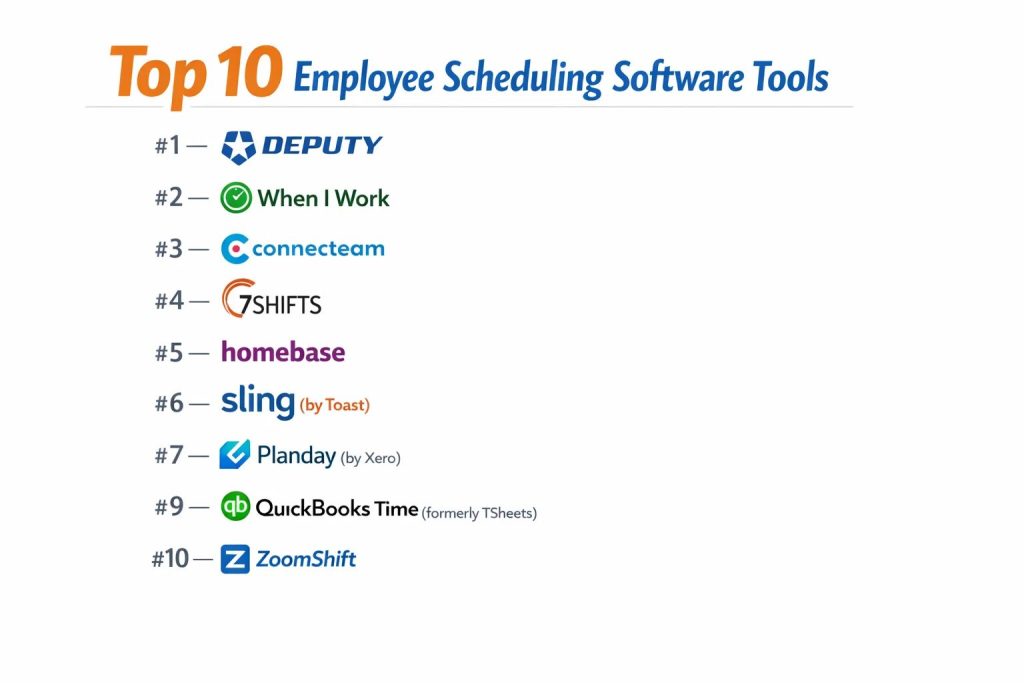
Top 10 Employee Scheduling Software Tools
#1 — Deputy
Widely considered the “gold standard” for all-in-one scheduling, Deputy combines AI-driven auto-scheduling with robust time tracking and compliance tools.
Key Features
- AI Auto-Scheduling: Generates optimized schedules based on demand, availability, and cost in one click.
- Facial Recognition Clock-In: Uses the tablet/mobile camera to verify identity and prevent time theft.
- Compliance Check Engine: Automatically calculates and flags overtime, meal breaks, and rest requirements.
- Task Management: Assigns specific duties to individual shifts with real-time completion tracking.
- Global Newsfeed: A centralized place for company-wide announcements and shift-specific attachments.
- Custom Pay Rates: Handles complex shift differentials, public holidays, and tiered pay structures.
Pros
- Superior Automation: The AI engine is refined and requires minimal manager intervention.
- Integration Depth: Connects seamlessly with almost every major payroll provider (ADP, Gusto, Xero).
Cons
- Cost Factor: One of the more expensive options for high-headcount teams.
- Feature Overload: Small businesses might find the enterprise-grade settings overwhelming.
Platforms / Deployment
- Web / iOS / Android
- Cloud
Security & Compliance
- SSO, MFA, AES-256 Encryption.
- SOC 2 Type II, GDPR, CCPA, ISO 27001.
Integrations & Ecosystem
Deputy has one of the largest marketplaces in the WFM space.
- ADP & Workday
- Square, Clover, & Lightspeed
- Xero & QuickBooks
- Slack & Microsoft Teams
Support & Community
24/7 live chat, “Deputy Academy” for training, and dedicated implementation managers for enterprise accounts.
#2 — When I Work
A market leader known for its extreme ease of use and “WorkChat” feature, making it a favorite for mid-market retail and service teams.
Key Features
- Integrated WorkChat: Eliminates the need for WhatsApp by providing secure, shift-based messaging.
- Shift Swapping & Drops: Allows employees to manage their own coverage with manager-defined guardrails.
- Attendance Post: A dashboard showing exactly who is clocked in, late, or approaching overtime.
- Schedule Templates: One-click duplication of “best-performing” weekly schedules.
- Geofenced Time Clock: Ensures employees can only clock in when they are physically on-site.
- Availability Management: Visual indicators of who is “pre-approved” to work during a specific slot.
Pros
- User Adoption: Extremely intuitive mobile app that requires zero training for employees.
- Fast Setup: Can go from account creation to a live schedule in under 30 minutes.
Cons
- Reporting: Advanced custom reporting is somewhat limited compared to Deputy or UKG.
- Niche Focus: Less effective for highly technical manufacturing or specialized medical scheduling.
Platforms / Deployment
- Web / iOS / Android
- Cloud
Security & Compliance
- SSL Encryption, SSO, Role-Based Access.
- GDPR Compliant.
Integrations & Ecosystem
Focuses on the core tools used by SMBs and Mid-Market companies.
- QuickBooks Online
- Gusto & Paychex
- Square
- Zapier
Support & Community
Robust Help Center, email support, and a highly-rated mobile app experience.
#3 — Connecteam
An “All-in-One” employee app designed specifically for deskless workforces, combining scheduling with HR, training, and operational forms.
Key Features
- Mobile-First Scheduler: Built specifically for the smartphone experience, allowing managers to schedule on the go.
- Shift Tasks & Forms: Attach digital checklists or “safety forms” that must be completed during a shift.
- Live GPS Tracking: “Breadcrumbs” view to see where field employees are throughout their workday.
- Knowledge Center: Store manuals, training videos, and SOPs directly in the scheduling app.
- Automated Reminders: Push notifications sent to employees before their shift starts to reduce no-shows.
- In-App Recognition: Features for “Employee of the Month” and social-style shoutouts.
Pros
- Multi-Functional: Replaces 3-4 different apps (scheduling, chat, training, and surveys).
- Pricing Structure: Very affordable for small teams with a generous “Free for 10” tier.
Cons
- Learning Curve: Because it does so much, initial configuration takes more time than a “pure” scheduler.
- Desktop UX: The web interface is powerful but can feel secondary to the mobile app.
Platforms / Deployment
- Web / iOS / Android
- Cloud
Security & Compliance
- 2FA, Data Encryption, ISO 27001.
- GDPR, SOC 2.
Integrations & Ecosystem
Rapidly expanding list of payroll and productivity connectors.
- QuickBooks & Xero
- Gusto & Paychex
- Google Calendar
- Paylocity
Support & Community
Excellent 24/7 customer support and a massive library of pre-made templates for various industries.
#4 — 7shifts
The industry-specific leader for restaurants and hospitality. 7shifts is built to handle the unique chaos of the dining industry.
Key Features
- POS-Driven Forecasting: Syncs with your POS to predict labor needs based on sales and covers.
- Tip Pooling & Tracking: Native tools to manage and distribute tips based on hours worked.
- Engagement Dashboard: Tracks employee morale and “churn risk” based on shift feedback.
- Manager Log Book: A digital diary for managers to record daily incidents and handover notes.
- Compliance Alerts: Specifically tailored for “Predictive Scheduling” laws in cities like NYC and Chicago.
- Hiring & Onboarding: Built-in ATS (Applicant Tracking System) for hospitality workers.
Pros
- Niche Perfection: Every feature is designed with a “restaurant brain” (e.g., station assignments).
- Labor Cost Savings: Often pays for itself by preventing overstaffing during slow hours.
Cons
- Industry Locked: Not suitable for construction, healthcare, or corporate environments.
- Advanced Features: High-end AI forecasting is restricted to the “Entree” and “The Works” plans.
Platforms / Deployment
- Web / iOS / Android
- Cloud
Security & Compliance
- SSO, MFA, Secure POS handshakes.
- GDPR, CCPA.
Integrations & Ecosystem
The most comprehensive POS integration list in the market.
- Toast, Square, & Clover
- Aloha & Micros
- ADP & Gusto
- 7punches (Native time clock)
Support & Community
Support staff often have restaurant backgrounds; active blog with hospitality management tips.
#5 — Homebase
A champion for small, local businesses. Homebase offers a robust free tier and focuses on the “Local Shop” experience.
Key Features
- Robust Free Plan: Offers scheduling, time tracking, and hiring for one location at no cost.
- Automated Timesheets: Converts shift data and clock-ins into payroll-ready sheets automatically.
- Hiring & Jobs: Post to top job boards (Indeed, ZipRecruiter) directly from the scheduling dashboard.
- Team Communication: Free mobile app for employees to view schedules and message each other.
- Labor Law Alerts: Keeps small business owners compliant with state-specific lunch and rest break laws.
- Employee Health Checks: Built-in screening questions during clock-in (useful for safety/compliance).
Pros
- Value: Unbeatable “price-to-feature” ratio for single-location businesses.
- Simplicity: Designed for the non-technical business owner.
Cons
- Scaling: Becomes less efficient for businesses with 5+ locations or complex hierarchies.
- AI Depth: The “Auto-Schedule” logic is simpler than that of Deputy or 7shifts.
Platforms / Deployment
- Web / iOS / Android
- Cloud
Security & Compliance
- Encryption at rest, MFA.
- GDPR, SOC 2.
Integrations & Ecosystem
Great connectivity for standard retail and service tech stacks.
- Shopify & Square
- QuickBooks & Xero
- Gusto & ADP
- Clover
Support & Community
Friendly US-based support and a large library of HR templates for small businesses.
#6 — Sling (by Toast)
Now part of the Toast ecosystem, Sling is a powerful scheduling tool that excels at shift-based communication and cost control.
Key Features
- Labor Cost Optimization: View labor costs as a percentage of sales while building the schedule.
- Open Shifts: Post available shifts and allow qualified employees to claim them instantly.
- Conflict Alarms: Real-time notifications for double-booking or unavailability overlaps.
- Newsfeed & Social: A social-media-style wall for company updates and employee interaction.
- Task Lists: Create “Closing Checklists” or “Side Work” tasks attached to specific shifts.
- Custom Reporting: Deep analytics on labor trends, absenteeism, and budget variances.
Pros
- Ease of Use: One of the cleanest UIs for both managers and employees.
- Toast Integration: For Toast POS users, the data sync is bidirectional and seamless.
Cons
- Support: Some users report slower response times on the free and lower-tier plans.
- Advanced Rules: Limited flexibility for complex union-based or seniority-based scheduling rules.
Platforms / Deployment
- Web / iOS / Android
- Cloud
Security & Compliance
- SSL, SSO, Data Privacy Controls.
- GDPR Compliant.
Integrations & Ecosystem
Naturally excels within the Toast ecosystem but supports others.
- Toast (Deep integration)
- Square
- Shopify
- ADP
Support & Community
Standard help center and email support; priority for higher-tier customers.
#7 — Planday (by Xero)
A workforce management platform with a strong focus on the European market and complex regulatory environments.
Key Features
- Complex Contract Management: Tracks varied contract types (full-time, part-time, zero-hour) in one view.
- Automated Payroll Export: High-fidelity data transfer specifically tuned for Xero and global providers.
- Punch Clock App: Dedicated tablet app for physical locations with photo-ID verification.
- Revenue Integration: Compares scheduled labor against actual revenue in real-time.
- Compliance Automation: Built-in logic for European working time directives.
- Employee Self-Service: High-rated app for staff to update bank details and tax forms.
Pros
- Regulatory Depth: Best-in-class for businesses operating across multiple countries/jurisdictions.
- Xero Synergy: The tightest integration available for Xero accounting users.
Cons
- UI Freshness: The interface can feel a bit more “functional” and less “modern” than ClickUp-style tools.
- Setup Time: Requires more time to configure the “Rules Engine” for complex contracts.
Platforms / Deployment
- Web / iOS / Android
- Cloud
Security & Compliance
- ISO 27001, GDPR, SSO/SAML.
- SOC 2.
Integrations & Ecosystem
Strong European and global connectivity.
- Xero (Parent company)
- ADP & Sage
- Lightspeed & Oracle Simphony
- Microsoft Teams
Support & Community
Multi-language support and specialized onboarding for mid-sized enterprises.
#8 — Skedulo
An enterprise-grade tool built for “Mobile Workforce Management.” It is the preferred choice for businesses where the employee is the service (e.g., home health, tech repair).
Key Features
- Intelligent Dispatch: Matches the best-qualified employee to a job based on skills and proximity.
- Salesforce Native: Built to live directly inside the Salesforce ecosystem (and other CRMs).
- Route Optimization: Built-in mapping to minimize travel time between customer appointments.
- Certificate Tracking: Ensures only employees with valid licenses are scheduled for specific jobs.
- Mobile Data Capture: Allows workers to take photos, collect signatures, and update job status on-site.
- Predictive Travel: AI-calculated travel times that factor in real-time traffic data.
Pros
- Field Service King: Unmatched for industries with mobile, non-standard “shifts.”
- Enterprise Power: Highly customizable for complex organizational structures.
Cons
- Price: Very high entry point; not suitable for local retail or small restaurants.
- Complexity: Requires a technical administrator to manage and customize.
Platforms / Deployment
- Web / iOS / Android
- Cloud (Salesforce or Standalone)
Security & Compliance
- FedRAMP (Specific versions), HIPAA, SOC 2 Type II.
- ISO 27001, GDPR.
Integrations & Ecosystem
Designed for the high-end enterprise stack.
- Salesforce (Deepest integration)
- Microsoft Dynamics 365
- ServiceNow
- Oracle NetSuite
Support & Community
Global 24/7 support, dedicated account managers, and professional service consultations.
#9 — QuickBooks Time (formerly TSheets)
A time-tracking-first platform with integrated scheduling, built to serve the millions of businesses already using the QuickBooks ecosystem.
Key Features
- One-Click Sync: Automatically pulls employee lists from QuickBooks and pushes timesheets back.
- GPS Breadcrembing: Tracks worker location throughout the shift for field accountability.
- Schedule Alerts: Sends SMS or email notifications to employees the moment a shift is published.
- Job Costing: Deep integration with accounting to track labor costs against specific projects/customers.
- Who’s Working Window: A real-time map view of all active employees.
- Kiosk Mode: Turns any tablet into a biometric-capable (photo) punch clock.
Pros
- Accuracy: Known for the most “audit-proof” time tracking in the industry.
- Ecosystem: Essential for businesses that want zero friction between scheduling and accounting.
Cons
- Scheduling Depth: The schedule builder is less “AI-forward” than Deputy.
- Limited Communication: Lacks a robust built-in chat or newsfeed system.
Platforms / Deployment
- Web / iOS / Android
- Cloud
Security & Compliance
- Intuit-grade security, MFA, SSO.
- GDPR, CCPA, SOC 2.
Integrations & Ecosystem
Optimized for the Intuit world.
- QuickBooks Online & Desktop
- Sage & Xero
- ADP & Gusto
- Results.com
Support & Community
Access to Intuit’s global support network and extensive online training webinars.
#10 — ZoomShift
A streamlined scheduling tool that focuses on speed and simplicity for hourly teams, avoiding the “bloat” of enterprise systems.
Key Features
- Template Builder: Allows for the creation of “Master Schedules” that can be applied to future weeks.
- Shift Reminders: Automatic notifications to employees who haven’t clocked in for their scheduled shift.
- Wage Forecasting: See exactly how much a schedule will cost before you hit “Publish.”
- Simple Time Clock: A web and mobile clock-in tool that requires minimal setup.
- Availability Tracking: Employees can block out times they are unavailable, which managers see in real-time.
- Conflict Detection: Visual flags for over-scheduling or double-booking.
Pros
- Clean Interface: Very low friction; managers can master it in a single afternoon.
- Reliability: A “lean” tool that focuses on doing the basics perfectly without bugs.
Cons
- Integrations: Smaller ecosystem compared to the “big three” (Deputy, When I Work, Homebase).
- Enterprise Features: Lacks advanced things like route optimization or complex task workflows.
Platforms / Deployment
- Web / iOS / Android
- Cloud
Security & Compliance
- SSL Encryption, Role-Based Permissions.
- GDPR Compliant.
Integrations & Ecosystem
Connects with major SMB tools via Zapier.
- QuickBooks Online
- Xero
- Zapier
- Gusto
Support & Community
Friendly email and chat support with a very helpful knowledge base for self-onboarding.
Comparison Table (Top 10)
| Tool Name | Best For | Platform(s) Supported | Deployment | Standout Feature | Public Rating |
| Deputy | All-in-one Enterprise | Web, iOS, Android | Cloud | AI Auto-Scheduling | 4.7 / 5 |
| When I Work | Mid-market Ease | Web, iOS, Android | Cloud | Integrated WorkChat | 4.6 / 5 |
| Connecteam | Deskless/Mobile | Web, iOS, Android | Cloud | Shift-Specific Tasks | 4.8 / 5 |
| 7shifts | Restaurants | Web, iOS, Android | Cloud | POS Sales Forecasting | 4.7 / 5 |
| Homebase | Small Local Shops | Web, iOS, Android | Cloud | Robust Free Tier | 4.4 / 5 |
| Sling | Toast POS Users | Web, iOS, Android | Cloud | Labor Cost Visibility | 4.5 / 5 |
| Planday | European Compliance | Web, iOS, Android | Cloud | Contract Mgmt | 4.3 / 5 |
| Skedulo | Field Dispatch | Web, iOS, Android | Cloud/SFDC | Route Optimization | 4.4 / 5 |
| QB Time | QuickBooks Users | Web, iOS, Android | Cloud | Job Costing Sync | 4.5 / 5 |
| ZoomShift | Lean Simplicity | Web, iOS, Android | Cloud | Wage Forecasting | 4.2 / 5 |
Evaluation & Scoring of Employee Scheduling Software
The following scoring model evaluates these tools based on their performance levels and feature sets.
| Tool Name | Core (25%) | Ease (15%) | Int. (15%) | Sec. (10%) | Perf. (10%) | Supp. (10%) | Value (15%) | Weighted Total |
| Deputy | 10 | 8 | 10 | 9 | 9 | 9 | 7 | 8.85 |
| When I Work | 9 | 10 | 8 | 8 | 10 | 8 | 9 | 8.85 |
| Connecteam | 9 | 8 | 9 | 9 | 9 | 10 | 10 | 9.15 |
| 7shifts | 10 | 8 | 9 | 8 | 9 | 9 | 7 | 8.70 |
| Homebase | 7 | 9 | 8 | 8 | 9 | 8 | 10 | 8.20 |
| Sling | 8 | 9 | 9 | 8 | 10 | 8 | 8 | 8.45 |
| Planday | 9 | 6 | 9 | 10 | 8 | 9 | 7 | 8.15 |
| Skedulo | 10 | 4 | 9 | 10 | 9 | 10 | 5 | 7.85 |
| QB Time | 8 | 8 | 10 | 9 | 10 | 9 | 8 | 8.70 |
| ZoomShift | 7 | 10 | 6 | 8 | 9 | 8 | 9 | 8.00 |
How to interpret these scores:
- Core (25%): Depth of auto-scheduling, compliance, and time-tracking features.
- Value (15%): Assesses the ROI and availability of free tiers for small teams.
- Security (10%): Higher scores indicate HIPAA/FedRAMP or ISO certifications.
Which Employee Scheduling Software Tool Is Right for You?
Small Business (1–20 Employees)
Homebase is the clear winner here. Its free tier is exceptionally generous, and it covers the essential legal requirements that small business owners often miss. If communication is your main pain point, When I Work is a secondary recommendation.
Restaurant or Cafe
Do not look elsewhere: 7shifts is built for your specific workflow. The integration with POS systems like Toast or Square allows you to see labor as a percentage of sales, which is the most critical metric for restaurant profitability.
Field Service / Mobile Crews
If your team is constantly on the move (plumbers, cleaners, landscapers), Connecteam or ClockShark (alternative to Skedulo for SMB) provide the best GPS tracking and mobile task management. For massive enterprises with complex routing, Skedulo is the standard.
Enterprise / Global
Deputy or Planday are the strongest contenders for large organizations. They offer the security certifications and multi-jurisdictional compliance engines required to manage thousands of employees across different labor laws.
Budget vs Premium
- Budget: Homebase and Sling offer high value at low-to-no cost.
- Premium: Deputy and 7shifts are premium investments that pay off through AI-driven labor cost reduction.
Frequently Asked Questions (FAQs)
Does employee scheduling software actually save money?
Yes. On average, businesses using AI-driven scheduling reduce labor costs by 5–10% by eliminating overstaffing and preventing unauthorized overtime.
Can employees swap shifts without calling a manager?
Most modern tools (Deputy, When I Work, 7shifts) allow “self-serve” shift swaps. Employees can trade shifts, and the manager only needs to click “Approve” (or the system can auto-approve if certain rules are met).
Is this software legal to use for labor compliance?
Yes, and it’s often safer than manual methods. These tools have built-in “Compliance Engines” that alert you to potential violations of local labor laws, such as “clopenings” or missed breaks.
How do employees know when they are scheduled?
Employees receive push notifications and emails the moment a schedule is published. They can view their personal calendar on the mobile app 24/7.
Can I use these tools for multiple locations?
Most platforms are built for multi-location management. You can see a global view of all stores or drill down into a specific location to see its individual labor budget.
Do I need a physical time clock?
No. Most tools allow you to use a tablet as a “Kiosk” or let employees clock in directly on their own smartphones using GPS to verify they are on-site.
What is “Demand Forecasting”?
It is a feature that looks at your past sales data (via POS integration) to predict how many customers you will have next Tuesday at 2 PM, then tells you exactly how many staff members you need to cover that volume.
Can I track employee certifications?
Yes, tools like Skedulo and Deputy allow you to track licenses (e.g., RSA, CPR, nursing licenses). The system will block you from scheduling someone whose license has expired.
How does the software handle PTO and time-off?
Employees request time off through the app. Managers can see these requests overlaid on the schedule, ensuring they don’t accidentally schedule someone who is on vacation.
Can I integrate this with my current payroll?
Most leading tools have “one-click” exports to ADP, Gusto, Paychex, and Xero. This eliminates manual data entry and prevents payroll errors.
Conclusion
Choosing the right employee scheduling software is a balance between manager control and employee flexibility. For general use, Connecteam and When I Work offer the best user experience. For those in specialized industries, 7shifts (Hospitality) and Skedulo (Field Service) provide the deep functionality required to manage complex operations.
The move toward AI-driven, mobile-first scheduling is no longer a luxury—it is a requirement for maintaining a compliant, efficient, and happy workforce.