Introduction
Employee communications platforms have evolved from simple digital notice boards into the central nervous system of the modern enterprise. In an era defined by hybrid work models and geographically dispersed teams, these platforms serve as the primary vehicle for maintaining organizational alignment, fostering corporate culture, and driving employee engagement. Unlike traditional email, which often leads to information silos and message fatigue, dedicated communication tools provide a structured environment for top-down broadcasts, peer-to-peer collaboration, and real-time feedback loops. They integrate seamlessly with existing human capital management systems to ensure that every worker—from the corporate office to the frontline—remains connected to the company’s mission and operational updates.
The strategic implementation of a communications platform is no longer optional for high-performing organizations; it is a technical necessity for maintaining operational velocity. These tools leverage advanced content delivery networks and mobile-first architectures to reach employees on their preferred devices, ensuring high read rates and active participation. By providing a “single source of truth,” they mitigate the risks associated with misinformation and shadow IT. When evaluating these solutions, technical leaders must look beyond the user interface to assess data security protocols, API extensibility, and the robustness of the platform’s analytics engine, which transforms raw interaction data into actionable insights for leadership.
Best for: Internal communications teams, HR professionals, and executive leadership seeking to unify a distributed workforce and improve transparent information flow across the enterprise.
Not ideal for: Very small teams with fewer than 10 employees who can effectively manage communications through basic instant messaging apps or verbal synchronization without the need for enterprise-grade governance.
Key Trends in Employee Communications Platforms
The most significant trend is the “Frontline First” revolution. For years, deskless workers were underserved by corporate technology, but modern platforms now prioritize mobile-first, app-lite, or even SMS-based interfaces to include every segment of the workforce. Another major shift is the integration of “Governed AI,” where artificial intelligence helps internal communicators draft personalized messages, summarize long announcement threads for busy employees, and use sentiment analysis to gauge the collective mood of the organization in real time.
We are also seeing a move toward hyper-personalization, mirroring consumer social media experiences. Instead of a one-size-fits-all newsletter, employees receive dynamic news feeds tailored to their specific role, location, and interests. Integration depth has also reached new heights; communication platforms now act as “super-apps” that allow workers to book time off, view payslips, and complete safety training without ever leaving the communication interface. This reduction in context-switching is a primary driver for increased digital productivity and platform adoption.
How We Selected These Tools
Our selection process focused on platforms that demonstrate technical maturity and a proven track record of handling enterprise-scale deployments. We prioritized “Experience Platforms” over simple chat apps, looking for tools that offer a blend of structured content management and social engagement features. A critical factor was the platform’s ability to integrate with the broader IT ecosystem, specifically Microsoft 365, Google Workspace, and major HRIS systems like Workday or SAP SuccessFactors.
Operational reliability and security were paramount in our evaluation. We selected tools that provide enterprise-grade encryption, SOC 2 Type II compliance, and robust administrative controls for content governance. Furthermore, we looked for platforms that offer advanced analytics, allowing organizations to measure the “Return on Communications” by tracking engagement metrics across different departments and regions. Finally, we considered user experience (UX) design, as high organic adoption is the only way to ensure the long-term success of an internal communications strategy.
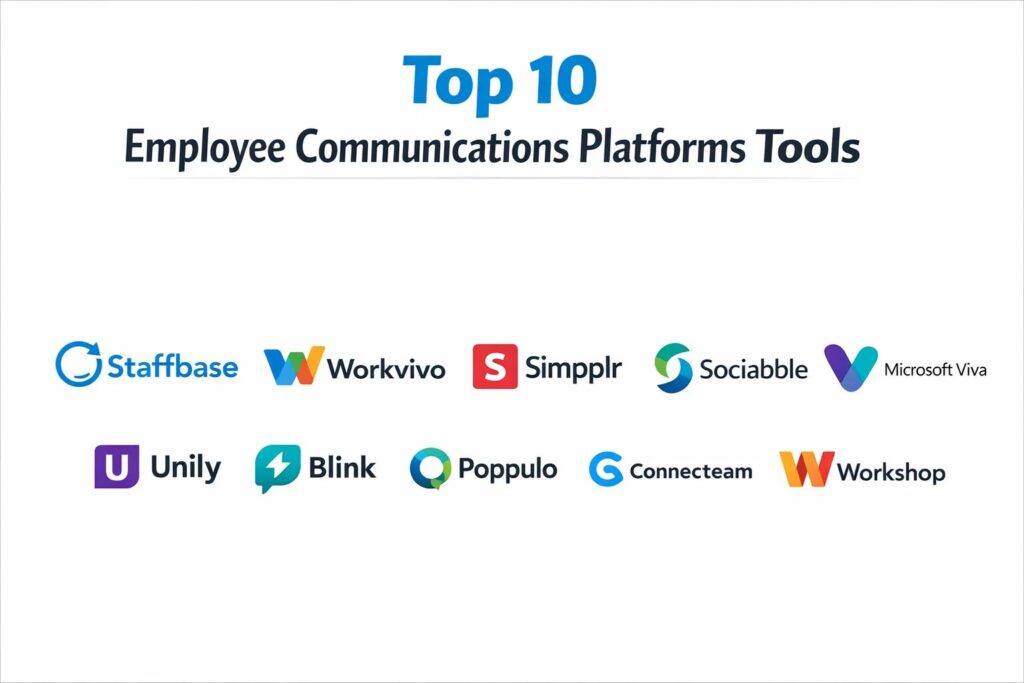
1. Staffbase
Staffbase is a leading enterprise-grade platform specifically designed for large, complex organizations that need to reach a diverse workforce across multiple locations. It excels at creating a fully branded, “mobile-first” intranet experience that bridges the gap between office staff and frontline workers.
Key Features
The platform features a high-performance mobile app that can be completely white-labeled to match corporate branding. It includes a powerful “Email Designer” that allows internal comms teams to create professional newsletters that mirror the intranet content. The system uses a specialized “Frontline Workers” access model, allowing employees without corporate email addresses to log in securely. It also offers advanced targeting capabilities, ensuring that news is only delivered to relevant employee segments. A built-in “Employee Survey” tool enables real-time feedback collection, while the analytics dashboard provides deep insights into content reach and engagement across the entire organization.
Pros
Exceptional branding capabilities allow the platform to feel like a native part of the company culture. The “Frontline” focus ensures that deskless workers are never left out of the loop.
Cons
The high level of customization and enterprise features comes with a more complex setup process. Pricing is positioned at the premium end of the market.
Platforms and Deployment
Cloud-based platform accessible via web browsers, with native iOS and Android mobile applications.
Security and Compliance
ISO 27001 certified and SOC 2 Type II compliant, with full GDPR readiness and end-to-end data encryption.
Integrations and Ecosystem
Deep native integrations with Microsoft 365 (including SharePoint and Teams), Slack, and major HRIS providers.
Support and Community
Offers a dedicated customer success manager for enterprise clients and an extensive “Internal Comms Academy” for professional development.
2. Workvivo (by Zoom)
Workvivo, now a key part of the Zoom ecosystem, is an employee experience platform that focuses heavily on social engagement and community building. It is designed to feel like a familiar social media feed, which significantly lowers the barrier to employee adoption.
Key Features
The heart of the platform is a social-style activity feed where leadership can post updates and employees can share “shout-outs” and recognition. It features dedicated “Spaces” for interest-based communities, fostering a sense of belonging beyond daily work tasks. The platform includes a centralized “Document Repository” for important company policies and a “People Directory” to help employees find experts within the company. With its acquisition by Zoom, it now features enhanced video integration for town halls and live broadcasts. It also includes pulse surveys and a “Global Goals” tracker to align the workforce with corporate objectives.
Pros
The intuitive, social-media-style interface leads to very high organic engagement rates. It is particularly strong at fostering a positive company culture in remote-first environments.
Cons
It may lack some of the deeper “structured” content management features found in traditional enterprise intranets. The social nature can sometimes lead to a high volume of non-critical notifications.
Platforms and Deployment
SaaS-based web dashboard and high-rated mobile apps for all major smartphones.
Security and Compliance
Leverages Zoom’s enterprise-grade security infrastructure, including SSO and data residency options.
Integrations and Ecosystem
Seamlessly integrates with Zoom, Slack, Microsoft Teams, and various HR and productivity tools.
Support and Community
Known for highly responsive customer support and a vibrant user community focused on employee engagement strategies.
3. Simpplr
Simpplr is an AI-powered modern intranet that prioritizes “employee listening” and personalized content delivery. It is built to reduce digital noise by using artificial intelligence to ensure that employees only see the information that is most relevant to them.
Key Features
The platform utilizes an “Auto-Governance” engine that automatically flags and removes outdated content, keeping the intranet fresh and reliable. It features a “Unified Search” that can pull information from integrated apps like Google Drive, SharePoint, and Box simultaneously. The AI-driven “Employee Listening” tool tracks sentiment and identifies potential disengagement before it becomes a problem. It includes a “Recognition” module that ties peer-to-peer praise to company values. The “Newsletter” feature allows for automated, personalized digests to be sent to employees based on their interaction history and role.
Pros
The AI-driven governance significantly reduces the administrative burden on internal comms teams. The search functionality is one of the most accurate and comprehensive in the category.
Cons
The platform is primarily optimized for office-based environments and may require extra configuration for purely deskless workforces. Customization of the layout is somewhat more restricted to maintain the clean UX.
Platforms and Deployment
Pure cloud deployment with a sleek web interface and mobile accessibility.
Security and Compliance
Adheres to strict enterprise security standards, including SOC 2 and advanced identity management.
Integrations and Ecosystem
Strongest integration path for companies using Salesforce, Workday, and the major cloud storage providers.
Support and Community
Provides detailed onboarding and regular “Insight Reports” to help leadership understand their engagement data.
4. Sociabble
Sociabble is an all-in-one platform that combines internal communication, employee engagement, and employee advocacy. It is unique in its ability to turn internal updates into external brand amplification by allowing employees to easily share approved content to their own social networks.
Key Features
The platform uses a “Channel” based content structure, allowing users to subscribe to specific topics. It features a robust “Gamification” engine where employees earn points and badges for engaging with content or sharing it externally. These points can often be redeemed for real-world rewards or corporate social responsibility (CSR) initiatives, like planting trees. It includes “Social Listening” tools to bring relevant external news into the internal feed. The system also supports “Targeted Video” broadcasts and has a highly sophisticated newsletter engine that supports automated multilingual translations.
Pros
Excellent for driving both internal alignment and external brand awareness simultaneously. The gamification features are highly effective at motivating participation.
Cons
The breadth of features can be overwhelming for smaller organizations that only need basic messaging. The setup for employee advocacy requires careful legal and brand oversight.
Platforms and Deployment
Web-based platform with native mobile apps that support offline content viewing.
Security and Compliance
Enterprise-grade security with a focus on data privacy and compliant social media sharing protocols.
Integrations and Ecosystem
Integrates with major social networks, Microsoft 365, and several enterprise analytics tools.
Support and Community
Offers comprehensive global support and strategic consulting on how to build successful advocacy programs.
5. Microsoft Viva
Microsoft Viva is not a single tool but an “Employee Experience Platform” (EXP) that lives directly inside Microsoft Teams. It is the natural choice for organizations that are already deeply committed to the Microsoft 365 ecosystem.
Key Features
The platform consists of several modules: “Viva Connections” for news and resources, “Viva Insights” for productivity and wellbeing tracking, “Viva Learning” for professional development, and “Viva Goals” for OKR management. It uses the “Connections” dashboard to provide a personalized “home” for every employee within Teams. The “Insights” module provides leadership with data on team burnout risks and meeting habits. It leverages the global scale of Microsoft’s AI to provide personalized content recommendations and “Topics,” which use AI to automatically organize company-wide knowledge into searchable cards.
Pros
Zero “app fatigue” since it lives entirely within the tool employees are already using (Teams). It offers the deepest integration possible with Office documents and calendars.
Cons
The modular nature can make the licensing and initial configuration feel fragmented. It is less effective for organizations that do not use Microsoft Teams as their primary collaboration tool.
Platforms and Deployment
Integrated directly into Microsoft Teams (Desktop and Mobile).
Security and Compliance
Inherits the full, world-class security, compliance, and governance framework of the Microsoft 365 suite.
Integrations and Ecosystem
Universal integration with all Microsoft services and an increasing number of third-party HR and learning providers.
Support and Community
Backed by Microsoft’s global support infrastructure and a massive ecosystem of third-party implementation partners.
6. Unily
Unily is a high-end, feature-rich intranet platform designed for the world’s largest and most complex enterprises. It is known for its extreme flexibility and its ability to act as a “digital workplace” hub that connects many disparate systems.
Key Features
The platform offers a “Drag-and-Drop” CMS that allows non-technical users to build beautiful, functional intranet pages. It features “Advanced Personalization” where every element of the homepage can change based on the user’s profile. The “Engagement” suite includes social features, recognition, and rewards. It provides a “Global Governance” framework that allows local offices to manage their own content while the head office maintains control over global announcements. The system also includes a “Knowledge Library” for structured documentation and a robust analytics engine that tracks “Sentiment” over time.
Pros
Unparalleled flexibility in design and layout allows for a truly bespoke digital workplace. It is built to handle hundreds of thousands of users without performance degradation.
Cons
The complexity and cost make it unsuitable for small to medium businesses. Implementation usually requires a dedicated project team and several months of planning.
Platforms and Deployment
Cloud-hosted (Azure) with a focus on high-availability and global performance.
Security and Compliance
Top-tier enterprise security including SOC 2, ISO certifications, and granular permission management.
Integrations and Ecosystem
Premier integrations with the entire Microsoft 365 stack, Salesforce, and Workday.
Support and Community
Provides high-touch account management and hosts exclusive “Universe” events for its enterprise clients.
7. Blink
Blink is a “mobile-first” platform specifically engineered for frontline and deskless workers in industries like healthcare, logistics, and retail. It aims to replace the “paper and pinboard” with a secure digital hub that fits in a worker’s pocket.
Key Features
The platform centers around a “Micro-App” architecture that allows workers to access payslips, rotas, and holiday requests from a single interface. It features a “Secure Messaging” system that is as easy to use as consumer apps but maintains corporate security standards. The “News Feed” allows for instant, top-down communication with push notifications for urgent updates. It includes a “Digital Hub” for storing vital safety manuals and training videos. The platform also features “Mandatory Read” receipts, ensuring that critical safety information has been viewed by every relevant employee.
Pros
The “Single Sign-On” for frontline workers is exceptionally smooth, leading to very high adoption in non-office environments. It successfully consolidates multiple worker tools into one app.
Cons
It is less focused on long-form content or complex document collaboration compared to traditional intranets. The administrative dashboard is simpler than some of the larger enterprise competitors.
Platforms and Deployment
Mobile-first deployment for iOS and Android, with a supporting web dashboard for managers.
Security and Compliance
Strong focus on mobile security, including remote wipe capabilities and SOC 2 compliance.
Integrations and Ecosystem
Connects with common frontline tools for payroll (ADP, Ceridian) and workforce management.
Support and Community
Expertise in “Frontline Engagement” with specialized support for high-turnover industries.
8. Poppulo (by Firstup)
Poppulo, having merged with Firstup, is an “Orchestration” platform that focuses on delivering the right message to the right employee at the right time across every possible digital channel.
Key Features
The platform features a “Communication Orchestrator” that automatically decides whether a message should be sent via email, mobile push, SMS, or digital signage based on employee preference and urgency. It includes an “AI-Powered Writing Assistant” specifically trained for internal communications. The “Advanced Analytics” suite allows teams to see the “Cross-Channel” reach of a single campaign. It features “Lifecycle Communications” that can automate messages for onboarding, anniversaries, or open enrollment. The “Mobile App” is highly customizable and acts as a central hub for all corporate information.
Pros
The cross-channel orchestration ensures that no employee is missed, regardless of their tech habits. The analytics are some of the most detailed for measuring the actual impact of communication.
Cons
The platform’s sophisticated “Orchestration” logic can be complex to master for small teams. It requires a clear communication strategy to avoid “over-notifying” employees across multiple channels.
Platforms and Deployment
SaaS web platform that manages delivery across mobile, email, and digital displays.
Security and Compliance
Enterprise-ready security with full audit logs, SSO, and data residency controls.
Integrations and Ecosystem
Integrates with nearly all enterprise communication channels, including Teams, Slack, and legacy email systems.
Support and Community
Strong focus on “Internal Comms ROI” with strategic workshops and high-level executive support.
9. Connecteam
Connecteam is an “all-in-one” workforce management and communication platform designed primarily for small to medium-sized businesses with mobile workforces. It balances communication with operational tools like time tracking and scheduling.
Key Features
The platform includes “Work Chats” for real-time team messaging and a “Company Feed” for general announcements. It features a highly functional “Time Clock” with GPS geofencing and “Job Scheduling” tools. The “Knowledge Base” allows for the creation of mobile-friendly handbooks and training manuals. It includes a “Surveys and Polls” module for quick pulse checks. The system also supports “Digital Forms and Checklists,” allowing companies to digitize paper-based processes like safety inspections or vehicle logs.
Pros
Extremely cost-effective for smaller organizations needing both communication and operational tools. The “All-in-One” nature reduces the need for multiple separate software subscriptions.
Cons
It lacks the deep “intranet” and content management sophistication of enterprise-specific platforms. Some of the design elements are less customizable than premium competitors.
Platforms and Deployment
Native mobile apps (iOS/Android) and a web-based admin console.
Security and Compliance
Provides standard secure cloud hosting and data protection suitable for SMB and mid-market needs.
Integrations and Ecosystem
Integrates with popular small-business tools like QuickBooks and various payroll providers.
Support and Community
Offers excellent live chat support and a comprehensive library of video tutorials for quick setup.
10. Workshop
Workshop is a modern, “email-first” internal communications platform that acknowledges that email is still a primary channel for many organizations while adding the analytics and design tools that standard email clients lack.
Key Features
The platform features a “Drag-and-Drop Email Builder” specifically optimized for internal audiences with interactive elements like polls and surveys. It provides “Automated Distribution Lists” that sync directly with HR data (e.g., Google Workspace, Azure AD), ensuring that lists are always up-to-date. It includes “Cross-Channel” capabilities, allowing the same message to be sent to Slack or Microsoft Teams. The “Analytics” engine provides heatmaps and engagement data at a granular level. It also features a “Ghostwriting” mode, allowing comms teams to draft and send emails on behalf of executive leadership securely.
Pros
Solves the “Distribution List” nightmare by automating employee data syncs. It is incredibly easy to use and requires almost no employee training since it uses their existing inbox.
Cons
It is not a full-featured “intranet” and does not offer a persistent document repository or social community features. It relies on other tools for real-time instant messaging.
Platforms and Deployment
Cloud-based web application that integrates with your existing email infrastructure.
Security and Compliance
SOC 2 Type II compliant with secure data handling and limited-access permissions.
Integrations and Ecosystem
Native sync with Google Workspace, Microsoft 365, Slack, and over 20 HRIS platforms.
Support and Community
Highly rated for its personal customer service and “onboarding-first” approach for new teams.
Comparison Table
| Tool Name | Best For | Platform(s) Supported | Deployment | Standout Feature | Public Rating |
| 1. Staffbase | Global Enterprise | Web, iOS, Android | Cloud | Branded Mobile App | 4.8/5 |
| 2. Workvivo | Culture & Social | Web, iOS, Android | SaaS | Social Activity Feed | 4.7/5 |
| 3. Simpplr | AI-Driven Intranet | Web, Mobile | Cloud | Auto-Governance AI | 4.6/5 |
| 4. Sociabble | Employee Advocacy | Web, Mobile | SaaS | Gamified Rewards | 4.6/5 |
| 5. Microsoft Viva | M365 Ecosystem | Teams (Desktop/Mobile) | Integrated | Deep Office Integration | 4.5/5 |
| 6. Unily | Bespoke Workplace | Web, Mobile | Cloud (Azure) | Drag-and-Drop CMS | 4.7/5 |
| 7. Blink | Frontline Workers | iOS, Android, Web | Mobile-First | Frontline Micro-Apps | 4.8/5 |
| 8. Poppulo | Multi-Channel Comms | Web, Mobile, Email | SaaS | Channel Orchestration | 4.4/5 |
| 9. Connecteam | SMB Operations | iOS, Android, Web | SaaS | All-in-One Ops & Comms | 4.6/5 |
| 10. Workshop | Internal Email | Web, Email, Slack | SaaS | HR-Synced Distribution | 4.9/5 |
Evaluation & Scoring of Employee Communications Platforms
The scoring below is a comparative model intended to help shortlisting. Each criterion is scored from 1–10, then a weighted total from 0–10 is calculated using the weights listed. These are analyst estimates based on typical fit and common workflow requirements, not public ratings.
Weights:
- Core features – 25%
- Ease of use – 15%
- Integrations & ecosystem – 15%
- Security & compliance – 10%
- Performance & reliability – 10%
- Support & community – 10%
- Price / value – 15%
| Tool Name | Core (25%) | Ease (15%) | Integrations (15%) | Security (10%) | Performance (10%) | Support (10%) | Value (15%) | Weighted Total |
| 1. Staffbase | 10 | 8 | 10 | 10 | 9 | 10 | 7 | 9.15 |
| 2. Workvivo | 9 | 10 | 9 | 9 | 9 | 9 | 9 | 9.10 |
| 3. Simpplr | 10 | 9 | 9 | 9 | 9 | 8 | 8 | 8.95 |
| 4. Sociabble | 9 | 8 | 8 | 9 | 9 | 9 | 8 | 8.55 |
| 5. Microsoft Viva | 8 | 7 | 10 | 10 | 8 | 9 | 9 | 8.60 |
| 6. Unily | 10 | 6 | 10 | 10 | 10 | 9 | 6 | 8.60 |
| 7. Blink | 9 | 9 | 8 | 9 | 10 | 9 | 10 | 9.20 |
| 8. Poppulo | 9 | 8 | 10 | 9 | 9 | 9 | 7 | 8.70 |
| 9. Connecteam | 7 | 9 | 7 | 8 | 9 | 9 | 10 | 8.35 |
| 10. Workshop | 8 | 10 | 9 | 9 | 9 | 10 | 9 | 9.10 |
How to interpret the scores:
- Use the weighted total to shortlist candidates, then validate with a pilot.
- A lower score can mean specialization, not weakness.
- Security and compliance scores reflect controllability and governance fit, because certifications are often not publicly stated.
- Actual outcomes vary with assembly size, team skills, templates, and process maturity.
Which Employee Communications Platform Is Right for You?
Solo / Freelancer
Individual contributors or very small consulting firms do not need the heavy infrastructure of an employee communications platform. Standard productivity tools like Slack (Free) or simple email are sufficient to manage communications with clients and a small number of collaborators.
SMB
Small and Medium Businesses should look for high value and low administrative overhead. Connecteam is an excellent choice for businesses with physical operations, while Workshop is perfect for office-based SMBs that want to professionalize their internal emails without implementing a complex intranet.
Mid-Market
Organizations in the mid-market benefit from platforms that balance culture with professional comms. Workvivo offers a high-impact social experience that is easy to launch, while Simpplr provides a more structured intranet that uses AI to keep maintenance costs low as the company scales.
Enterprise
For global corporations, Staffbase and Unily are the gold standards. These platforms offer the governance, multilingual support, and deep customization required to manage communications across diverse business units and international borders.
Budget vs Premium
If budget is the primary constraint, utilizing Microsoft Viva (often included in existing M365 licenses) or the free tiers of Connecteam is the most logical path. For organizations where communication is a critical strategic pillar, investing in a premium partner like Staffbase ensures higher quality and better support.
Feature Depth vs Ease of Use
Unily offers the most feature depth but requires significant technical expertise to manage. Conversely, Workshop and Workvivo focus on extreme ease of use, ensuring that even non-technical HR managers can run high-quality communication programs with minimal training.
Integrations & Scalability
If your workforce lives in Microsoft Teams, Microsoft Viva is the logical choice. If your goal is to bridge the gap between many different systems (HRIS, CRM, storage), a flexible hub like Staffbase or Poppulo provides the necessary “glue” to unify the digital employee experience.
Security & Compliance Needs
For highly regulated industries like finance or healthcare, the European-based platforms (Staffbase, Unily, Sociabble) often provide the most robust compliance frameworks for GDPR and international data sovereignty.
Frequently Asked Questions (FAQs)
1. How does an employee communications platform differ from Slack or Teams?
While Slack and Teams are for real-time collaboration and “work,” communications platforms are for “information” and “culture.” They provide a more structured, persistent environment for company-wide news, policies, and long-term engagement that can get lost in the fast-paced scroll of a chat app.
2. Can these tools help reduce email volume?
Yes. By moving announcements, newsletters, and social recognition to a dedicated platform, organizations often see a 30% to 50% reduction in “All-Company” emails, which helps reduce employee inbox fatigue.
3. Do frontline workers really use these apps?
If the app provides value beyond just “news”—such as easy access to payslips, shift schedules, and peer-to-peer chat—frontline adoption rates typically exceed 80%. The key is to make the app a tool for their daily work life, not just a mouthpiece for management.
4. How much time does it take to manage these platforms?
For a mid-sized company, it typically requires 5–10 hours a week from an internal comms or HR professional to curate content and respond to feedback. AI-governed platforms like Simpplr can reduce this time significantly.
5. Are these platforms secure for sensitive company data?
Yes, all the top platforms use enterprise-grade encryption and offer Single Sign-On (SSO), ensuring that only current employees can access the information. Access is automatically revoked when an employee is offboarded from the HR system.
6. Can we measure the ROI of internal communications?
Most platforms provide analytics that show read rates, engagement levels, and even sentiment trends. By correlating this data with employee retention and productivity metrics, organizations can clearly demonstrate the business value of their communication strategy.
7. Do I need an intranet and a communication app?
Modern platforms like Staffbase and Unily combine both. They act as a “social” app for daily news and a “structured” intranet for long-term document storage, eliminating the need for separate systems.
8. Can I send urgent emergency alerts through these tools?
Yes, many platforms like Poppulo and Blink support “High-Priority” push notifications or SMS alerts that can bypass standard notification settings for critical safety or IT outage updates.
9. How do these tools handle multiple languages?
Most enterprise platforms offer automated AI translation, allowing a message written in English to be instantly readable in dozens of other languages based on the individual employee’s phone settings.
10. What is the typical cost per employee?
Pricing varies widely, but most enterprise platforms range from $2 to $8 per employee per month. SMB-focused tools often offer lower flat-fee monthly tiers or even free versions for small teams.
Conclusion
Selecting the right employee communications platform is a critical decision that directly impacts organizational health and operational efficiency. In today’s digital workplace, a platform is more than just a tool; it is the virtual environment where company culture is built and maintained. The successful deployment of these technologies requires a strategic approach that balances top-down leadership messaging with bottom-up employee feedback. Whether you prioritize the social engagement of Workvivo, the frontline accessibility of Blink, or the enterprise-grade structure of Staffbase, the goal remains the same: ensuring every employee feels informed, valued, and connected to the mission. By leveraging the advanced analytics and AI-driven insights these platforms provide, leaders can move from “guessing” about engagement to “knowing” exactly how to support their workforce. Investing in these tools today builds a resilient, aligned, and more productive organization for the challenges of tomorrow.