Introduction
In the current digital landscape, eLearning authoring tools have transitioned from niche software for educational designers to essential infrastructure for global businesses. At its core, an eLearning authoring tool is a software program that allows users to create digital training content, integrate media, and package it into a format that can be easily shared or hosted on a Learning Management System (LMS). These tools bridge the gap between static information and interactive, trackable learning experiences.
The importance of these platforms has never been higher. The shift toward remote work and continuous upskilling has made rapid content creation a necessity. Companies are no longer just looking for “digital slides”; they need immersive simulations, branching scenarios, and mobile-first content that can be updated in real-time. Whether it is an IT manager rolling out security training or a founder onboarding a global team, these tools enable the transformation of raw knowledge into scalable professional development.
Real-World Use Cases
- Employee Onboarding: Creating consistent, interactive paths for new hires to learn company culture and policies.
- Compliance Training: Developing mandatory safety or legal modules with built-in assessments and certification.
- Software Simulations: Building “watch-and-do” tutorials for internal software rollouts without risking live data.
- Customer Education: Providing product training to clients to reduce support tickets and increase feature adoption.
- Soft Skills Development: Using branching scenarios to simulate difficult conversations or leadership challenges.
What Buyers Should Evaluate
When choosing an eLearning authoring tool, consider these criteria:
- Ease of Use: Can subject matter experts create content, or does it require a developer?
- Asset Library: Does it include built-in characters, templates, and stock media?
- Interactivity Depth: Can it handle complex branching, variables, and custom triggers?
- Mobile Responsiveness: Does the content adapt seamlessly to smartphones and tablets?
- LMS Compatibility: Does it support modern standards like SCORM, xAPI (Tin Can), or cmi5?
- Review & Collaboration: Is there a built-in way for stakeholders to leave feedback?
- Accessibility: Does it support WCAG 2.1 or Section 508 compliance out of the box?
- Cloud vs. Desktop: Do you need an offline powerhouse or a collaborative web-based tool?
Best for: L&D professionals, corporate trainers, HR managers, and instructional designers looking to build structured, interactive educational content.
Not ideal for: Simple video recording without interactivity or teams that only need to share basic PDF documents.
Key Trends in eLearning Authoring Tools
- AI-Generated Content: AI is now used to turn long-form documents or videos into structured learning modules, complete with quizzes and summaries, in seconds.
- Microlearning focus: Tools are prioritizing “snackable” content formats that can be consumed in 5 minutes or less on a mobile device.
- Personalized Learning Paths: Using data to adjust the difficulty or the content shown to a learner based on their previous answers.
- Immersive VR/AR Integration: Modern authoring tools are making it easier to drag and drop 360-degree videos and interactive 3D objects into standard modules.
- Cloud-First Authoring: A move away from heavy desktop installations toward browser-based tools that allow real-time co-authoring by multiple team members.
- Voice-to-Text and Translation: AI-driven localization features that can translate an entire course and re-record the voiceover in dozens of languages instantly.
- Advanced xAPI Tracking: Moving beyond “completed/not completed” to track every click and interaction to better understand learner behavior.
- Accessibility Automation: Built-in checkers that automatically suggest alt-text for images and verify color contrast for visually impaired learners.
How We Selected These Tools (Methodology)
To identify the leading tools in this category, we applied a consistent evaluation logic based on the following factors:
- Market Adoption: We prioritized tools that are widely recognized as industry leaders or are rapidly gaining ground in the corporate sector.
- Feature Completeness: We looked for platforms that offer a full range of features, from basic quiz builders to complex logic and variables.
- Output Standards: Preference was given to tools that support industry-standard exports like SCORM and xAPI.
- Technical Stability: We evaluated how well the software performs when handling large media files and complex branching.
- User Support: A high value was placed on the availability of official documentation and active user forums.
- Enterprise Readiness: We ensured the list includes options that provide necessary security and collaboration features for larger teams.
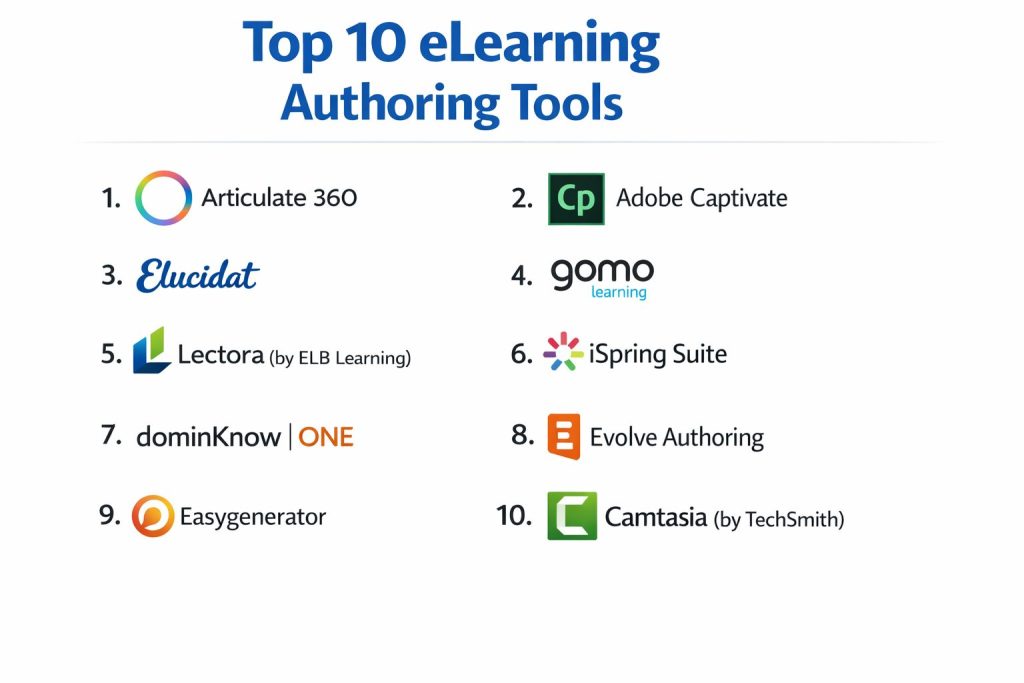
Top 10 eLearning Authoring Tools
1. Articulate 360
A comprehensive suite of tools that includes Storyline for high-end interactivity and Rise for fast, responsive web-based content. It is widely considered the gold standard for corporate training.
Key Features
- Storyline 360: A desktop-based tool for creating highly customized, slide-based interactions.
- Rise 360: A web-based, responsive tool that allows for quick course assembly using pre-built blocks.
- Content Library 360: Over 12 million stock assets, including templates, icons, and characters.
- Articulate Review: A simplified web tool for stakeholders to provide feedback directly on the course.
- Live Webinars: Included training sessions to help users master instructional design.
Pros
- Offers both a power-user tool and a simplified web tool in one subscription.
- Massive community (E-Learning Heroes) with endless templates and support.
- Modern, clean interface that feels familiar to PowerPoint users.
Cons
- The Storyline component is Windows-only, requiring a virtual machine for Mac users.
- One of the most expensive options on the market.
Platforms / Deployment
- Web / Windows
- Cloud / Hybrid
Security & Compliance
- SSO/SAML, MFA, and data encryption.
- SOC 2 Type 2, GDPR compliant.
Integrations & Ecosystem
Articulate is designed to work with almost any modern LMS and has deep integration with its own Review and Asset tools.
- Exports to SCORM 1.2, 2004, xAPI, and cmi5.
- Integration with the Content Library 360.
- API access for enterprise reporting.
Support & Community
Unrivaled community support and extensive documentation. Professional support is available for all subscribers.
2. Adobe Captivate
A powerful, long-standing tool known for its ability to create complex software simulations and VR experiences. It is favored by technical trainers and those needing deep customization.
Key Features
- Software Simulation: Best-in-class screen recording that can automatically generate interactive “try-it” steps.
- VR Support: Ability to create immersive 360-degree learning environments easily.
- Fluid Box 2.0: A layout system that ensures content reflows correctly across all screen sizes.
- Interactive Video: Add quiz questions and interactions directly on top of streaming video content.
- Asset Store: Access to thousands of free assets and templates within the interface.
Pros
- Exceptional for software training and complex systems simulations.
- One of the most powerful logic and variable engines available.
- Competitive pricing compared to other enterprise suites.
Cons
- High learning curve; can be intimidating for beginners.
- The interface can feel slower compared to modern web-based tools.
Platforms / Deployment
- Windows / macOS
- Self-hosted
Security & Compliance
- SSO support for enterprise licenses.
- GDPR and SOC 2 (Parent company).
Integrations & Ecosystem
As part of the Adobe family, it integrates well with other creative tools and has a robust plugin architecture.
- Integration with Adobe Stock and Adobe Fonts.
- Supports SCORM, xAPI, and AICC.
- Custom JavaScript support for advanced users.
Support & Community
Extensive help documentation and a dedicated professional user base. Support is managed through Adobe’s global network.
3. Elucidat
A high-end, cloud-based authoring platform specifically designed for large, global enterprises that need to produce high-quality content at scale.
Key Features
- Team Collaboration: Multi-user editing with robust role-based access controls.
- Global Variations: Create a master course and push localized updates to different versions instantly.
- Advanced Branching: Complex logic that allows for highly personalized learning experiences.
- Learning Accelerator: A suite of templates designed to help experts create courses quickly.
- Dashboards: Advanced analytics to see how learners are interacting with content before it even hits the LMS.
Pros
- Excellent for large teams that need to collaborate on a single project.
- Purely web-based, meaning it works on any computer with a browser.
- Focuses on “quality at scale” with centralized brand controls.
Cons
- Pricing is aimed strictly at the enterprise level; not suitable for freelancers.
- Less “free-form” design compared to tools like Storyline.
Platforms / Deployment
- Web
- Cloud
Security & Compliance
- SSO, MFA, Audit Logs, RBAC.
- ISO 27001, SOC 2, GDPR.
Integrations & Ecosystem
Elucidat is built to live within a corporate ecosystem, prioritizing data flow and security.
- Full xAPI and SCORM support.
- Direct integration with major LMS platforms.
- Secure cloud hosting for assets.
Support & Community
Enterprise-grade support with dedicated success managers and a professional knowledge base.
4. Gomo Learning
A cloud-based, mobile-first authoring tool that emphasizes the “create once, play anywhere” philosophy for modern workforces.
Key Features
- Adaptive Design: Content automatically scales and rearranges for smartphone, tablet, and desktop viewing.
- Offline Access: Supports offline learning via the Gomo central app.
- Multi-language Support: Easily manage dozens of languages within a single course file.
- Direct LMS Delivery: Can push updates to an LMS without having to re-upload files.
- Built-in Analytics: Provides insight into learner performance directly within the tool.
Pros
- Truly responsive content that looks great on mobile devices.
- Very efficient for global teams managing multiple translations.
- Cloud-based workflow simplifies collaboration for remote teams.
Cons
- Limited “pixel-perfect” control compared to desktop tools.
- Not ideal for highly complex software simulations.
Platforms / Deployment
- Web
- Cloud
Security & Compliance
- SSO/SAML support.
- GDPR compliant.
Integrations & Ecosystem
Gomo focuses on the delivery pipeline, making it easy to get content from the tool to the learner.
- Gomo Delivery for instant LMS updates.
- Supports SCORM and xAPI.
- Secure asset management.
Support & Community
Solid documentation and professional email support. The community is focused on corporate L&D professionals.
5. Lectora (by ELB Learning)
A veteran tool in the industry known for its extreme flexibility and adherence to accessibility standards. It is often the choice for government and military organizations.
Key Features
- Responsive Layout: Tools to design content specifically for different orientations and devices.
- Accessibility Checker: Built-in tools to ensure Section 508 and WCAG compliance.
- Action Logic: Powerful trigger-based system for complex interactions.
- Asset Library Integration: Seamless access to the ELB Learning library of over 100 million assets.
- HTML5 Customization: Allows advanced users to add custom code for unique features.
Pros
- Unrivaled for creating accessible content for government use.
- Can handle very large, complex courses that other tools might struggle with.
- Available in both desktop and cloud-based versions.
Cons
- The interface can feel dated and less intuitive than modern competitors.
- Requires a significant time investment to master its full potential.
Platforms / Deployment
- Windows / Web
- Cloud / Self-hosted / Hybrid
Security & Compliance
- SSO support, secure cloud hosting.
- Section 508 and WCAG compliant out of the box.
Integrations & Ecosystem
Lectora is part of a larger suite of learning tools, making it a powerful choice for those using the ELB ecosystem.
- Integration with CenarioVR for immersive training.
- Supports all major eLearning standards.
- Extensive API for custom data tracking.
Support & Community
Professional support and a very high-quality knowledge base. The community is small but highly technical.
6. iSpring Suite
An easy-to-use toolkit that works as an add-in for PowerPoint, making it the perfect choice for teams that want to turn existing slides into interactive courses.
Key Features
- PowerPoint Integration: Familiar interface for anyone who knows how to use Microsoft Office.
- Quiz Maker: 14 different question types with rich feedback options.
- TalkMaster: A specialized tool for creating interactive conversation simulations for sales and support.
- Screen Recording: Built-in tool for creating video lectures and software tutorials.
- Mobile App: Free app for learners to view courses offline.
Pros
- The fastest learning curve of any professional tool on this list.
- Perfect for small teams that need to convert legacy materials quickly.
- Exceptional value for the feature set provided.
Cons
- Limited by the underlying PowerPoint structure for very advanced interactivity.
- Windows-only, as it requires the desktop version of Microsoft PowerPoint.
Platforms / Deployment
- Windows
- Self-hosted
Security & Compliance
- Not publicly stated (Depends on local infrastructure).
Integrations & Ecosystem
iSpring is designed to be a standalone powerhouse that feeds into an LMS.
- Supports SCORM 1.2, 2004, AICC, xAPI, and cmi5.
- Direct integration with iSpring Learn LMS.
- Export to MP4 for video-based platforms.
Support & Community
Excellent 24/7 technical support and a very helpful community. Documentation is clear and accessible.
7. DominKnow | ONE
An integrated platform that combines traditional authoring with responsive web design and software simulation in a single cloud-based environment.
Key Features
- Flow & Claro: Two distinct authoring modes for either truly responsive or pixel-perfect designs.
- Collaborative Review: Real-time feedback and version control for team projects.
- Capture: Built-in software simulation tool for technical training.
- Central Asset Library: Shared assets across all projects for brand consistency.
- Adaptive Content: Content that can change based on the learner’s role or location.
Pros
- Eliminates the need for multiple tools by combining responsive and slide-based authoring.
- Very strong collaboration features for distributed teams.
- Powerful enough for enterprise use while remaining cloud-accessible.
Cons
- Pricing is higher than basic desktop tools.
- The feature set can be overwhelming for someone who only needs simple quizzes.
Platforms / Deployment
- Web
- Cloud
Security & Compliance
- SSO/SAML, MFA, RBAC.
- SOC 2 Type 2, GDPR.
Integrations & Ecosystem
DominKnow is designed to be a central hub for all corporate training development.
- Supports SCORM, xAPI, and PENS.
- Direct publishing to many popular LMS platforms.
- Open API for custom data integrations.
Support & Community
High-quality professional support and an active user group. They provide regular training and webinars.
8. Evolve Authoring
A modern, web-based tool focused on building high-end, responsive “scrolling” learning experiences that feel like modern websites.
Key Features
- Live Preview: See changes in real-time as you build the course.
- Interactive Components: Wide range of unique blocks like flip cards, carousels, and branching.
- Logic & Variables: Surprisingly deep logic options for a purely web-based tool.
- Theming Engine: Extremely flexible styling to match any corporate brand exactly.
- Asset Manager: Centralized management for all images, videos, and documents.
Pros
- Produces content that feels much more modern than traditional slide-based tools.
- Excellent for mobile-first learners and long-form scrolling content.
- Very intuitive interface that encourages rapid development.
Cons
- Not designed for complex “gamified” experiences that require precise object placement.
- Some advanced reporting features require their companion platform (Intellum).
Platforms / Deployment
- Web
- Cloud
Security & Compliance
- SSO support for enterprise accounts.
- GDPR compliant.
Integrations & Ecosystem
Evolve is built to work seamlessly with the Intellum platform but functions well with any modern LMS.
- Supports SCORM and xAPI.
- Direct integration with Google Fonts.
- Export to offline web packages.
Support & Community
Very responsive support team and a clean, modern documentation site.
9. Easygenerator
A user-friendly, cloud-based tool designed specifically for “employee-generated learning,” where subject matter experts create their own training.
Key Features
- Drag-and-Drop Interface: Extremely simple builder that requires zero previous training.
- Course Templates: Pre-designed structures for common topics like product training or safety.
- In-Tool Feedback: Allows creators to gather feedback from learners directly within the course.
- AI Course Assistant: Helps generate quiz questions and course outlines to speed up production.
- Zero Installation: Works entirely in the browser for instant access across the company.
Pros
- The best choice for companies that want non-L&D staff to create training content.
- Very fast deployment; a course can be built in hours.
- Transparent and simple pricing for small to mid-sized teams.
Cons
- Lacks the deep technical logic found in tools like Maya or Storyline.
- Design flexibility is limited to keep things simple for non-designers.
Platforms / Deployment
- Web
- Cloud
Security & Compliance
- SSO/SAML support for enterprise tiers.
- GDPR compliant.
Integrations & Ecosystem
Easygenerator is focused on removing friction from the publishing process.
- Supports SCORM 1.2, 2004, and xAPI.
- Integrates with major LMS and LXP platforms.
- Simple link-sharing for non-LMS deployment.
Support & Community
Excellent 1-on-1 support and a strong emphasis on helping experts become better teachers.
10. Camtasia (by TechSmith)
While often viewed as a video editor, Camtasia includes powerful eLearning authoring features like quizzes and SCORM exporting, making it the top choice for video-centric training.
Key Features
- Screen Recording: High-quality capture of desktop apps, web browsers, and video calls.
- Interactive Quizzing: Add multiple-choice and fill-in-the-blank questions at any point in a video.
- Callouts & Annotations: Professional-grade arrows, text boxes, and highlights for tutorials.
- PowerPoint Export: Turn a presentation into a high-quality video with a single click.
- Visual Effects: Easy-to-use transitions, zoom-and-pan, and background removal.
Pros
- Far superior to traditional authoring tools for video-based instruction.
- Very affordable one-time purchase (perpetual license) option.
- High production value with minimal effort.
Cons
- Not a full “branching” authoring tool; limited to linear video.
- No support for complex variables or software simulations (try-it mode).
Platforms / Deployment
- Windows / macOS
- Self-hosted
Security & Compliance
- Not publicly stated.
Integrations & Ecosystem
Camtasia is a standalone editor that fits perfectly into a larger eLearning pipeline.
- Exports to SCORM for LMS compatibility.
- Direct upload to YouTube and Vimeo.
- Works well with assets from the TechSmith library.
Support & Community
Huge library of video tutorials and a massive user base. Support is reliable and professional.
Comparison Table (Top 10)
| Tool Name | Best For | Platform(s) Supported | Deployment | Standout Feature | Public Rating |
| Articulate 360 | Enterprise L&D | Windows, Web | Hybrid | Storyline/Rise combo | N/A |
| Adobe Captivate | Tech Simulations | Windows, macOS | Self-hosted | Software simulation | N/A |
| Elucidat | Global Enterprise | Web | Cloud | Quality at scale | N/A |
| Gomo Learning | Mobile-first Teams | Web | Cloud | Multi-device response | N/A |
| Lectora | Accessibility/Gov | Windows, Web | Hybrid | 508/WCAG compliance | N/A |
| iSpring Suite | PowerPoint Users | Windows | Self-hosted | PPT to SCORM conversion | N/A |
| **DominKnow | ONE** | Scalable Authoring | Web | Cloud | Unified Flow/Claro engines |
| Evolve Authoring | Modern Scrolling | Web | Cloud | Live real-time preview | N/A |
| Easygenerator | Subject Experts | Web | Cloud | User-friendly simplicity | N/A |
| Camtasia | Video Tutorials | Windows, macOS | Self-hosted | Interactive video quizzing | N/A |
Evaluation & Scoring of eLearning Authoring Tools
The scoring below is based on a comparative analysis of how these tools perform for professional corporate training needs. Scores are out of 10.
| Tool Name | Core (25%) | Ease (15%) | Integrations (15%) | Security (10%) | Performance (10%) | Support (10%) | Value (15%) | Weighted Total |
| Articulate 360 | 10 | 7 | 9 | 9 | 9 | 10 | 6 | 8.6 |
| Adobe Captivate | 10 | 4 | 8 | 8 | 8 | 8 | 7 | 7.8 |
| Elucidat | 8 | 8 | 9 | 10 | 9 | 9 | 5 | 8.1 |
| Gomo Learning | 7 | 8 | 8 | 8 | 8 | 7 | 7 | 7.5 |
| Lectora | 9 | 5 | 8 | 9 | 8 | 8 | 7 | 7.7 |
| iSpring Suite | 7 | 10 | 8 | 6 | 9 | 9 | 9 | 8.2 |
| **DominKnow | ONE** | 9 | 7 | 9 | 9 | 9 | 8 | 7 |
| Evolve Authoring | 8 | 9 | 8 | 8 | 9 | 8 | 8 | 8.3 |
| Easygenerator | 6 | 10 | 8 | 8 | 9 | 9 | 8 | 7.9 |
| Camtasia | 6 | 9 | 7 | 6 | 9 | 9 | 9 | 7.6 |
How to Interpret These Scores
- Core features: Evaluates the breadth of interactions, quizzing, and simulation tools.
- Ease of use: Measures how quickly a new user can produce a high-quality course.
- Value: Balances the cost of the software against the productivity gains it provides.
- Weighted Total: This score reflects the overall utility for a standard corporate L&D department.
Which eLearning Authoring Tool Is Right for You?
Solo / Freelancer
For individual designers, Articulate 360 is usually mandatory because clients often request the source files. However, if you are looking for a lower entry cost and work primarily with video, Camtasia is an excellent choice.
SMB
Small businesses often lack dedicated designers. iSpring Suite allows anyone with PowerPoint skills to become an author overnight. For teams that want a more modern feel without the complexity, Evolve Authoring provides a great balance of design and ease.
Mid-Market
Growing companies that need to collaborate without a massive enterprise budget should look at DominKnow | ONE or Easygenerator. These tools provide the necessary cloud collaboration features without the high-tier pricing of global enterprise suites.
Enterprise
For large-scale organizations, Elucidat and Articulate 360 are the standard. They offer the security, localization, and brand management tools required for thousands of learners across multiple regions.
Budget vs Premium
- Budget: iSpring Suite and Camtasia offer powerful features for a fraction of the cost of full suites.
- Premium: Articulate 360 and Elucidat represent the premium end of the market with the most comprehensive ecosystems.
Feature Depth vs Ease of Use
- Deep Tools: Adobe Captivate and Lectora offer nearly unlimited depth but take a long time to learn.
- Easy Tools: Easygenerator and iSpring Suite prioritize speed and simplicity above all else.
Frequently Asked Questions (FAQs)
What is the difference between an Authoring Tool and an LMS?
An authoring tool is used to create the content, while a Learning Management System (LMS) is used to deliver, track, and manage that content for the learners.
How do I know if a tool is SCORM compliant?
Most professional tools will list SCORM 1.2 or 2004 in their export settings. If a tool doesn’t support SCORM, you may have difficulty tracking learner progress in your LMS.
What is xAPI (Tin Can) and do I need it?
xAPI is a modern standard that allows you to track learning that happens outside of the LMS, such as mobile apps or offline simulations. You need it if you want deep data on learner behavior.
Can I use these tools on a Mac?
Many tools like Articulate Storyline and iSpring are Windows-only. However, web-based tools like Elucidat, Evolve, and Rise 360 work perfectly on any operating system with a browser.
How much does professional eLearning software cost?
Prices range from a few hundred dollars for video-centric tools to several thousand dollars per user, per year, for high-end enterprise suites.
Can I create courses in multiple languages?
Yes, most enterprise tools like Elucidat and Gomo have specialized translation workflows that allow you to manage multiple versions of a course in one file.
Do I need to know how to code to use these tools?
No. Most modern tools use drag-and-drop interfaces. However, some (like Lectora or Captivate) allow you to add custom JavaScript if you want to create unique interactions.
Is my content safe in a cloud-based authoring tool?
Enterprise-grade cloud tools use high-level encryption and SSO to ensure your data is secure. Always verify the SOC 2 or ISO certification of the vendor.
Can I switch my content from one tool to another?
Generally, no. You can move the raw assets (images, videos), but the “source file” for a course in Articulate cannot be opened in Adobe Captivate.
How does AI help in authoring tools today?
AI is currently used to generate quiz questions, summarize long text into modules, create realistic text-to-speech voiceovers, and even suggest layout designs.
Conclusion
Choosing the right eLearning authoring tool is a strategic decision that depends on your team’s skills, your budget, and the complexity of the training you need to deliver. For most professional L&D teams, Articulate 360 remains the top choice for its versatility. However, the rise of web-based tools like Evolve and Easygenerator is making it easier than ever for non-designers to create high-quality, responsive content.