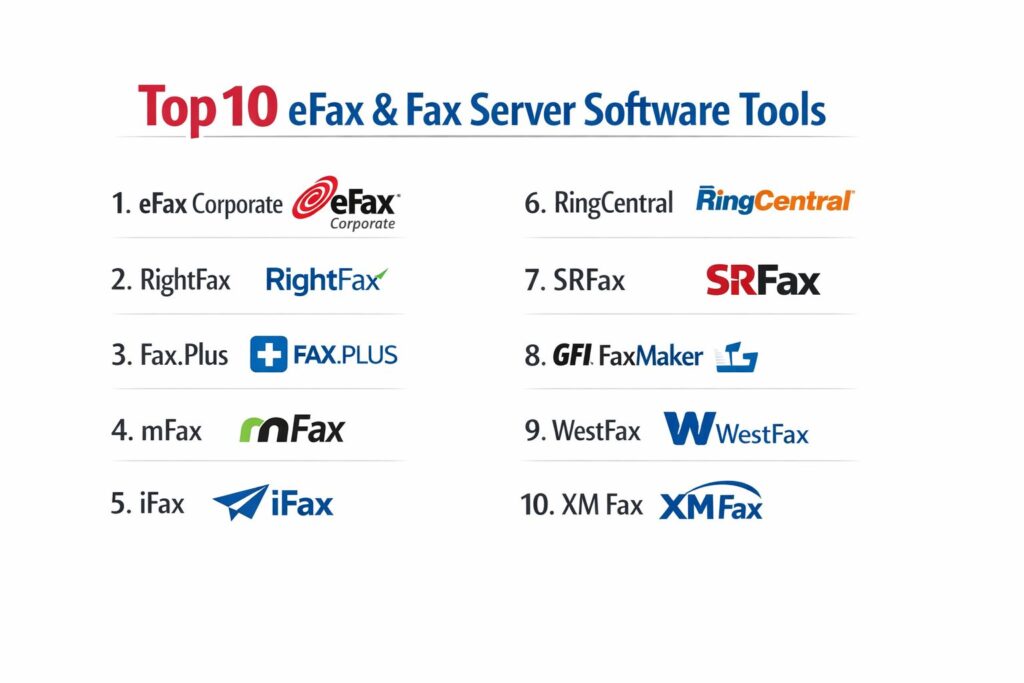
Introduction
Electronic faxing (eFax) and fax server software have undergone a massive digital transformation, evolving from clunky physical hardware into sophisticated cloud-native and hybrid communication hubs. In highly regulated sectors like healthcare, law, and finance, faxing remains a non-negotiable standard for the secure transmission of documents that require high legal evidentiary value. Unlike standard email, modern eFax solutions provide a dedicated, encrypted path for document delivery that satisfies stringent global privacy mandates. These tools leverage Fax-over-IP (FoIP) and cloud-based routing to ensure that the “busy signal” of the 1990s is replaced with nearly 100% uptime and instant digital confirmation.
The strategic value of a modern fax server lies in its ability to bridge legacy processes with modern digital workflows. By integrating directly into Enterprise Resource Planning (ERP) systems, Electronic Health Records (EHR), and common office suites like Microsoft 365, these platforms eliminate the manual “print-sign-scan” cycle. This automation not only reduces operational costs but also significantly minimizes the risk of human error and data breaches. As businesses phase out traditional PSTN copper lines in favor of broadband, adopting a robust digital faxing strategy becomes essential for maintaining business continuity and interoperability with partners who still rely on fax for secure communications.
Best for: Healthcare providers, legal firms, government agencies, and enterprise logistics companies that require secure, HIPAA-compliant document transmission and automated audit trails.
Not ideal for: Creative startups or informal businesses where document security and legal proof of delivery are not priorities and standard email or secure file-sharing apps (like Slack or Dropbox) suffice.
Key Trends in eFax & Fax Server Software
The most dominant trend in the fax industry is the infusion of Artificial Intelligence and Optical Character Recognition (OCR). Modern fax servers no longer just “receive” an image; they “understand” it. AI-driven data extraction allows systems to automatically read a faxed form, identify the patient or client, and route the data directly into a database or CRM without manual entry. This reduces administrative overhead and speeds up processing times from hours to seconds.
Another significant shift is the move toward “single-tenant” private cloud deployments. While multi-tenant SaaS (Public Cloud) is popular for SMBs, large enterprises are increasingly demanding dedicated cloud environments to ensure absolute data isolation and custom security configurations. Furthermore, there is a growing emphasis on mobile-first faxing. Clinicians and field agents now expect to send and receive legally binding documents via secure mobile apps that offer built-in document scanning and electronic signature capabilities, mirroring the convenience of consumer messaging apps but with enterprise-grade security.
How We Selected These Tools
Our selection process focused on three pillars: security compliance, integration depth, and reliability. We prioritized platforms that provide a signed Business Associate Agreement (BAA) for HIPAA compliance, as this is the gold standard for secure faxing. We also evaluated the robustness of their API ecosystems, looking for tools that offer “plug-and-play” connectors for major platforms like Salesforce, Epic, and SAP.
Operational performance was assessed through reported uptime and the sophistication of their delivery retry logic. We sought out vendors who use high-quality Tier 1 carriers to minimize transmission failures. Finally, we considered the user experience for both administrators and end-users, favoring platforms that offer a clean, modern interface and simple onboarding, while still providing the deep auditing and logging tools required by IT security teams.
1. eFax Corporate
eFax Corporate is the enterprise-tier offering from Consensus Cloud Solutions, widely recognized as the global leader in cloud-based faxing. It is specifically engineered for highly regulated industries that demand ironclad security and massive scalability, handling millions of pages for some of the world’s largest hospital networks.
Key Features
The platform offers a robust “Fax-to-Email” service that allows users to send and receive faxes within their existing inbox. It features high-level encryption (AES 256-bit) both at rest and in transit. The “eFax Messenger” desktop application provides advanced tools for annotating, signing, and managing faxes. It also includes a specialized API for integrating faxing directly into custom business applications and EHR systems. For high-volume users, it offers a “high-availability” network that ensures faxes are delivered even during peak traffic periods.
Pros
Unequalled experience in handling large-scale, enterprise-level deployments. Offers extensive compliance certifications including HITRUST, which is rare in the industry.
Cons
The pricing structure is generally higher and less transparent than SMB-focused competitors. The user interface can feel somewhat dated compared to newer, “app-first” startups.
Platforms and Deployment
Cloud-based SaaS with mobile apps (iOS/Android) and a desktop client.
Security and Compliance
HIPAA, HITRUST, SOC 2, PCI-DSS, and GLBA compliant.
Integrations and Ecosystem
Extensive integrations with SAP, Oracle, and major healthcare EHRs like Epic and Cerner.
Support and Community
24/7 dedicated account management and technical support for corporate clients.
2. OpenText RightFax
RightFax is the industry standard for on-premises and hybrid fax server software. It is a powerful solution designed for organizations that require total control over their telephony and document infrastructure, often used as a central hub for all corporate document distribution.
Key Features
RightFax provides deep integration with Microsoft Exchange, SharePoint, and a vast array of MFPs (Multi-Function Printers). It supports sophisticated outbound “least-cost routing” to save on long-distance charges. The software includes “Fax Analytics” which provides real-time visibility into fax traffic and system health. It also offers a “Vault” feature for long-term, secure archiving of faxes with full search capabilities. For organizations moving to the cloud, it offers a hybrid model that connects on-site software to the OpenText Cloud for telephony.
Pros
Provides the most granular control over fax routing and security of any tool on this list. It is extremely reliable for high-volume, mission-critical document workflows.
Cons
Requires significant IT expertise to install, configure, and maintain. The upfront licensing costs and hardware requirements can be substantial.
Platforms and Deployment
On-premises server, private cloud, or hybrid deployment.
Security and Compliance
FIPS 140-2, HIPAA, PCI DSS, and GDPR compliant.
Integrations and Ecosystem
Massive ecosystem with native connectors for almost every major enterprise software suite.
Support and Community
Extensive global network of certified partners and a comprehensive knowledge base.
3. Fax.Plus
Based in Switzerland, Fax.Plus is a modern, highly secure online fax service that has gained massive popularity for its exceptional user interface and adherence to strict Swiss privacy laws. It bridges the gap between individual ease of use and enterprise-grade security.
Key Features
The platform features a “Sign.Plus” integration, allowing for a seamless signature workflow within the faxing app. It offers a dedicated “Corporate” panel for managing multiple fax numbers and team members with ease. Users can choose to store their data in specific geographic regions (e.g., Switzerland, USA, Germany) to meet local data residency requirements. It also provides a Slack integration that notifies teams of incoming faxes directly in their workspace. The mobile app is frequently cited as the best in the market for its scanning and clarity.
Pros
Extremely user-friendly and aesthetically pleasing interface. Benefit from Swiss privacy regulations, offering an extra layer of data protection for international users.
Cons
The Free and Basic tiers are limited; HIPAA compliance is only available on the higher-cost Enterprise plans.
Platforms and Deployment
Web-based SaaS, iOS, Android, and Google Workspace add-on.
Security and Compliance
HIPAA, SOC 2 Type 2, ISO 27001, and GDPR compliant.
Integrations and Ecosystem
Integrates with Zapier, Slack, Google Drive, and Microsoft 365.
Support and Community
Highly responsive email support and a well-structured help center.
4. mFax (by Documo)
mFax, now under the Documo brand, is a cloud-native fax solution built for the modern workforce. It focuses on “intelligent” document processing and reliability, marketing itself as the most dependable alternative to legacy fax systems.
Key Features
The platform uses a proprietary Tier 1 carrier network to ensure high delivery success rates. It features a modern “Print-to-Fax” driver that lets users fax any document directly from their computer’s print menu. It includes an “Auto-Delete” feature for sensitive documents to help organizations comply with strict data retention policies. The API is famously “developer-friendly,” featuring clear documentation and a robust sandbox for testing. It also includes “Smart Routing” that can direct incoming faxes to specific folders or users based on the recipient’s number.
Pros
Modern, reliable, and very easy to scale without hardware. Known for having one of the best “deliverability” records in the industry.
Cons
Lacks some of the “deep” on-premise features that very large legacy corporations might require.
Platforms and Deployment
Cloud-based SaaS.
Security and Compliance
HIPAA, GLBA, and SOC 2 compliant.
Integrations and Ecosystem
Strong integrations with Zapier, Salesforce, and healthcare-specific software.
Support and Community
24/7 US-based support with a reputation for technical competence.
5. iFax
iFax has evolved from a popular mobile app into a full-scale enterprise fax server solution. It is particularly noted for its use of AI to enhance document clarity and automate data extraction.
Key Features
The standout feature is its AI-powered OCR, which can convert faxed images into searchable text or structured data. It offers “Pay-per-fax” options for light users alongside robust enterprise subscriptions. The platform includes a built-in document scanner that automatically crops and enhances photos of physical papers. It supports “Multi-level” team management, allowing large organizations to set granular permissions for different departments. iFax also provides a “Live” status tracker so users can see exactly where their fax is in the transmission queue.
Pros
Leading the market in AI-driven fax features. The mobile experience is exceptional for clinicians and mobile professionals.
Cons
The enterprise dashboard can be slightly overwhelming due to the sheer number of features.
Platforms and Deployment
iOS, Android, Windows, macOS, and Web.
Security and Compliance
HIPAA and GDPR compliant with 256-bit encryption.
Integrations and Ecosystem
Connects with Google Workspace, Microsoft 365, and Dropbox.
Support and Community
Offers a 24/7 help desk and an active blog on digital transformation.
6. RingCentral Fax
RingCentral Fax is part of the broader RingCentral MVP suite but can be purchased as a standalone service. It is the best choice for businesses that want to consolidate their faxing with their phone and video conferencing systems.
Key Features
It allows users to send faxes from any device—computer, tablet, or smartphone. It features deep integration with cloud storage services like Box, Dropbox, and Google Drive, enabling users to fax files directly from those platforms. It offers a “Vanity Number” service, allowing businesses to choose a memorable fax number. The system includes an automated “Fax Blocking” feature to stop junk faxes from wasting your page allowance. It also provides detailed activity reports that are essential for administrative oversight.
Pros
Part of a world-class unified communications ecosystem. Extremely easy to set up for teams already using RingCentral for voice.
Cons
Can feel like “overkill” if you truly only need basic faxing without any other communication features.
Platforms and Deployment
Cloud-based SaaS with desktop and mobile apps.
Security and Compliance
HIPAA compliant (with a signed BAA) and SOC 2 compliant.
Integrations and Ecosystem
Integrates with Salesforce, Microsoft 365, and Slack.
Support and Community
Excellent global phone and chat support with a massive user community.
7. SRFax
SRFax is a specialized service that focuses on the healthcare market, offering some of the most budget-friendly HIPAA-compliant plans available. It is known for its “utilitarian” approach—it’s not flashy, but it works perfectly.
Key Features
The platform offers “Healthcare” specific plans that include a BAA by default. It features a “Downloader” tool that automatically fetches faxes from the cloud and saves them to a local folder or server. It allows for “Unlimited” online storage of faxes for as long as the account remains active. Users can set up “X-Header” notifications to integrate fax statuses with external tracking systems. It also supports “International” faxing to over 50 countries with clear, upfront per-page rates.
Pros
Extremely cost-effective for small healthcare clinics. Transparent billing with no hidden fees or “overage” surprises.
Cons
The user interface is very dated and feels like it belongs in the early 2010s. Lacks a dedicated mobile app (though the website is mobile-friendly).
Platforms and Deployment
Web-based SaaS.
Security and Compliance
HIPAA compliant with 2048-bit RSA encryption.
Integrations and Ecosystem
Offers a REST API for developers but fewer “out-of-the-box” software connectors.
Support and Community
Solid, reliable email and phone support during business hours.
8. GFI FaxMaker
GFI FaxMaker is a long-standing favorite for SMBs that still maintain local servers but want to modernize their faxing. It offers a highly flexible architecture that can be deployed on-premise, in the cloud, or as a hybrid.
Key Features
The software integrates natively with Microsoft Exchange and Active Directory, making user management simple for IT admins. It supports “SMS” faxing, where faxes can be sent and received as text messages. It features a robust “Audit” tool that keeps a legal record of every fax ever sent or received by the organization. It can connect to the PSTN via traditional fax boards, or use FoIP via a SIP trunk. The “OCR” module can automatically convert faxes to PDF or Word documents for easy editing.
Pros
Highly versatile deployment options. Excellent for businesses that need to maintain tight control over their local network.
Cons
On-premise versions require manual updates and server maintenance. The interface is more technical and less “consumer-friendly.”
Platforms and Deployment
On-premises (Windows), Cloud, or Hybrid.
Security and Compliance
HIPAA, SOX, and PCI DSS compatible.
Integrations and Ecosystem
Strong integration with Microsoft-centric environments.
Support and Community
Supported by a massive network of global resellers and an active user forum.
9. WestFax
WestFax is a high-performance cloud fax service that excels in “Broadcast Faxing” and deep HIPAA-compliant integrations for medical and legal groups.
Key Features
It offers a unique “Fax-to-Folder” service that places received faxes directly into a secure local or network folder. The platform features an “API” that is highly optimized for high-volume healthcare transactions. It includes a specialized “HIPAA Cloud” that is architected specifically for PHI (Protected Health Information). The “Broadcast” feature allows users to send a single document to thousands of recipients simultaneously with high completion rates. It also provides a “Print-to-Fax” driver and a secure web portal for manual sends.
Pros
Exceptional at high-volume healthcare workflows. The customer service is highly praised for its technical depth.
Cons
The website and marketing can feel a bit industrial compared to “startup” fax tools.
Platforms and Deployment
Cloud-based SaaS.
Security and Compliance
HIPAA (with BAA), SOC 2, and PCI-DSS compliant.
Integrations and Ecosystem
Specialized connectors for many medical EHR systems.
Support and Community
Personalized US-based support with a focus on enterprise reliability.
10. XM Fax (OpenText)
XM Fax (formerly XMedius) is a software-only digital fax solution now part of the OpenText family. It is designed for businesses that want a lightweight, secure, and purely software-driven fax server.
Key Features
The platform is built on the standardized T.38 Fax-over-IP protocol for maximum compatibility. It offers a “Zero-Retention” option, where faxes are deleted immediately after delivery to ensure no sensitive data is left on the server. The “SendFAX” desktop client allows for easy drag-and-drop faxing. It features an “Event Log” that provides a detailed history of all system activities for compliance audits. XM Fax can be deployed as a virtual machine, making it very easy for IT teams to manage within a virtualized data center.
Pros
Very reliable and easy to install in a virtualized environment. The “Zero-Retention” feature is a major plus for high-privacy legal and medical use.
Cons
The user interface for the web portal is somewhat basic. administrator functions can be rigid compared to more modern SaaS platforms.
Platforms and Deployment
On-premises (Virtual Machine), Private Cloud, or Public Cloud.
Security and Compliance
HIPAA, GDPR, and FERPA compliant.
Integrations and Ecosystem
Integrates well with MFPs and major email clients.
Support and Community
Backed by the global resources of OpenText with 24/7 support options.
Comparison Table
| Tool Name | Best For | Deployment | Standout Feature | Rating (G2/Capterra) |
| 1. eFax Corporate | Global Enterprise | Cloud | HITRUST Certification | 4.6/5 |
| 2. RightFax | On-Prem/Complex | On-Prem/Hybrid | Least-Cost Routing | 4.4/5 |
| 3. Fax.Plus | User Experience | Cloud | Swiss Privacy Laws | 4.8/5 |
| 4. mFax | Modern SMBs | Cloud | Tier 1 Carrier Network | 4.7/5 |
| 5. iFax | Mobile/AI | Cloud | AI-Powered OCR | 4.5/5 |
| 6. RingCentral Fax | Unified Comms | Cloud | Multi-Cloud Storage Sync | 4.4/5 |
| 7. SRFax | Budget Healthcare | Cloud | Automatic Downloader | 4.3/5 |
| 8. GFI FaxMaker | Microsoft/Hybrid | On-Prem/Cloud | SMS-to-Fax Capability | 4.2/5 |
| 9. WestFax | High-Volume Med | Cloud | Broadcast Faxing | 4.6/5 |
| 10. XM Fax | Software-Only Sec | Virtual/Cloud | Zero-Retention Policy | 4.5/5 |
Evaluation & Scoring of eFax & Fax Server Software
The scoring below is a comparative model intended to help shortlisting. Each criterion is scored from 1–10, then a weighted total from 0–10 is calculated using the weights listed. These are analyst estimates based on typical fit and common workflow requirements, not public ratings.
Weights:
- Core features – 25%
- Ease of use – 15%
- Integrations & ecosystem – 15%
- Security & compliance – 10%
- Performance & reliability – 10%
- Support & community – 10%
- Price / value – 15%
| Tool Name | Core (25%) | Ease (15%) | Integrations (15%) | Security (10%) | Performance (10%) | Support (10%) | Value (15%) | Weighted Total |
| 1. eFax Corporate | 10 | 7 | 10 | 10 | 10 | 10 | 7 | 9.05 |
| 2. RightFax | 10 | 5 | 10 | 10 | 10 | 9 | 6 | 8.45 |
| 3. Fax.Plus | 9 | 10 | 8 | 10 | 9 | 9 | 9 | 9.10 |
| 4. mFax | 9 | 9 | 9 | 9 | 10 | 10 | 8 | 9.05 |
| 5. iFax | 9 | 9 | 8 | 9 | 9 | 8 | 9 | 8.80 |
| 6. RingCentral | 8 | 9 | 10 | 9 | 9 | 9 | 7 | 8.45 |
| 7. SRFax | 8 | 7 | 6 | 10 | 8 | 8 | 10 | 8.05 |
| 8. GFI FaxMaker | 8 | 6 | 9 | 9 | 8 | 8 | 8 | 7.90 |
| 9. WestFax | 9 | 7 | 9 | 10 | 9 | 9 | 8 | 8.70 |
| 10. XM Fax | 9 | 7 | 8 | 10 | 9 | 8 | 8 | 8.50 |
How to interpret the scores:
- Use the weighted total to shortlist candidates, then validate with a pilot.
- A lower score can mean specialization, not weakness.
- Security and compliance scores reflect controllability and governance fit, because certifications are often not publicly stated.
- Actual outcomes vary with assembly size, team skills, templates, and process maturity.
Which eFax & Fax Server Tool Is Right for You?
Solo / Small Business
If you are an individual practitioner or a small office, Fax.Plus or iFax offer the best balance of price and ease of use. Their mobile apps turn your smartphone into a high-quality scanner and fax machine, requiring zero technical setup.
Mid-Market / SMB
For growing companies that need reliable, HIPAA-compliant faxing for a team, mFax (Documo) or SRFax are excellent choices. mFax offers a more modern interface, while SRFax provides the best cost-per-page value for healthcare-specific needs.
Enterprise
Large organizations with thousands of users and complex security needs should look to eFax Corporate or RightFax. eFax Corporate is the winner for those moving entirely to the cloud, while RightFax is the gold standard for those who must keep their document infrastructure on-premises for compliance or technical reasons.
Healthcare & Finance
Security is non-negotiable here. eFax Corporate, WestFax, and XM Fax are the top contenders because they offer specialized compliance features like HITRUST certification or “Zero-Retention” policies that ensure no sensitive data is stored on the provider’s servers longer than necessary.
Budget-Conscious
SRFax remains the budget king for secure, HIPAA-compliant faxing. While the interface is basic, their reliability and low monthly costs make them the preferred choice for clinics that need to save on overhead without sacrificing security.
Tech-First / Developer Friendly
If you need to build faxing into your own custom software, mFax and iFax offer the most modern, well-documented REST APIs. Their sandboxes allow developers to test integrations quickly and efficiently.
Microsoft-Centric Offices
If your office “lives” in Outlook and Microsoft 365, GFI FaxMaker or RingCentral Fax provide the most seamless experience, allowing users to manage faxes without ever leaving their primary productivity tools.
Frequently Asked Questions (FAQs)
1. Is eFax really secure enough for HIPAA?
Yes, but only if you use an “Enterprise” or “Healthcare” tier that offers a signed Business Associate Agreement (BAA). Standard “Pro” or “Home” plans often do not meet the full audit and encryption requirements for PHI.
2. Can I keep my current fax number?
Most professional eFax services allow for “Porting.” You can transfer your existing landline fax number to the digital provider, though this process can take 1–2 weeks depending on your current carrier.
3. Do I need a phone line for an eFax server?
No. Cloud-based eFax services use the internet (FoIP) to transmit documents. If you use an on-premise server like RightFax, you can either use a SIP trunk or a traditional T1/E1 line.
4. What happens if I receive a fax while my computer is off?
Since these are cloud-based services, the provider’s servers receive the fax 24/7. It will be waiting for you in your email inbox or the platform’s secure portal whenever you log back in.
5. Can I fax multiple documents at once?
Yes. Most platforms allow you to attach multiple files (PDF, Word, JPG) to a single fax. The server will automatically stitch them together into one continuous document for the recipient.
6. Is a digital fax legally binding?
Yes. In most jurisdictions, a digital fax carries the same legal weight as a paper fax. Many eFax tools also include electronic signature features that comply with the ESIGN Act and eIDAS regulations.
7. Can I send faxes internationally?
Most providers support international faxing, but rates vary significantly by country. It is important to check the “International Rate Table” before sending high-volume faxes outside your home country.
8. How do I know if my fax was delivered?
Unlike email, faxing provides a “Handshake” confirmation. All top-tier eFax tools will send you a digital receipt or notification as soon as the recipient’s machine confirms a successful transmission.
9. What is the difference between a “Cloud Fax” and a “Fax Server”?
A Cloud Fax is a SaaS product where the provider owns all the hardware. A Fax Server is software (like RightFax) that you install on your own hardware or virtual machine to have total control over the process.
10. Can I send a fax from my smartphone?
Yes. Apps like Fax.Plus, iFax, and eFax Corporate allow you to use your phone’s camera to “scan” a document and fax it immediately, making them ideal for field workers and traveling professionals.
Conclusion
Transitioning to a modern eFax or fax server solution is a critical step in a company’s digital transformation journey. While the physical fax machine may be disappearing, the need for secure, traceable, and legally verifiable document transmission is stronger than ever. The right tool doesn’t just replace a machine; it integrates your most sensitive communications into your digital workflow, enhancing security and productivity across the board. By choosing a partner that understands the specific regulatory pressures of your industry and offers the right balance of ease and control, you ensure that your business remains both compliant and competitive. The transition from paper to digital faxing is not just about saving trees—it’s about building a more resilient, data-driven organization.