Introduction
Drone flight planning software is the command-and-control layer of modern unmanned aerial vehicle (UAV) operations. It allows pilots and organizations to move beyond manual “stick-and-throttle” flying into the realm of precision automation. These platforms enable the creation of complex flight paths—ranging from simple waypoints to intricate 3D photogrammetry grids—ensuring that every flight is repeatable, safe, and data-driven. In a professional landscape where accuracy is paramount, these tools act as the interface between geographic information systems and the drone’s hardware, calculating optimal altitudes, overlaps, and camera angles to capture high-resolution imagery.
The strategic necessity of flight planning software has expanded as drones become integrated into critical infrastructure. Whether it is a utility company inspecting high-voltage lines or a construction firm monitoring site progress, automated flight ensures that data collection is consistent regardless of the pilot’s manual skill. When evaluating a platform, decision-makers must look at more than just the flight interface; they must consider the robustness of terrain following, the accuracy of the underlying maps, and the ability to integrate with post-processing software. A reliable tool must provide a stable bridge between the pre-flight safety checklist and the final data deliverable, minimizing human error in complex environments.
Best for: Commercial drone pilots, land surveyors, civil engineers, emergency response teams, and enterprise agricultural operators who require precise, automated data collection and compliance tracking.
Not ideal for: Recreational hobbyists flying for pure enjoyment or indoor FPV racing, where manual control and high-speed maneuvers are the priority over repeatable data acquisition.
Key Trends in Drone Flight Planning Software
The most significant shift in the industry is the transition toward fully autonomous “Dock-to-Dock” operations, where software manages the entire lifecycle of a mission without a human pilot on-site. Real-time terrain following has also become a standard requirement, utilizing advanced elevation models to ensure drones maintain a consistent height above the ground even in mountainous or uneven areas. There is a growing move toward “Remote ID” and airspace integration, with software now providing live traffic alerts from manned aircraft and real-time flight authorizations within restricted zones.
AI-driven mission optimization is now being used to calculate the most efficient flight paths based on battery life and wind conditions, maximizing the area covered per flight. Cloud-native synchronization allows for mission plans created in the office to be instantly pushed to a pilot’s mobile device in the field, ensuring everyone is working from the same operational parameters. Furthermore, there is a push for universal hardware support, with software providers working to break down the “walled gardens” of individual manufacturers to support diverse fleets of aircraft through a single, unified interface.
How We Selected These Tools
The selection of these platforms was based on a rigorous evaluation of their operational stability and their ability to solve specific professional challenges. We prioritized software that offers a high degree of automation for specialized tasks like mapping, 3D modeling, and vertical inspections. Market adoption was a primary signal, as platforms used by major industrial firms tend to have the most reliable safety features and the best hardware compatibility. We also examined the quality of the telemetry feedback provided to the pilot during the flight.
Technical performance was assessed based on the software’s ability to handle high-resolution maps offline and the precision of its autonomous flight execution. Security and compliance were critical factors; we sought out tools that offer detailed flight logging, pilot management, and secure data handling to meet enterprise standards. Finally, we looked for platforms that bridge the gap between planning and processing, evaluating how easily the captured data can be transitioned into professional analysis suites.
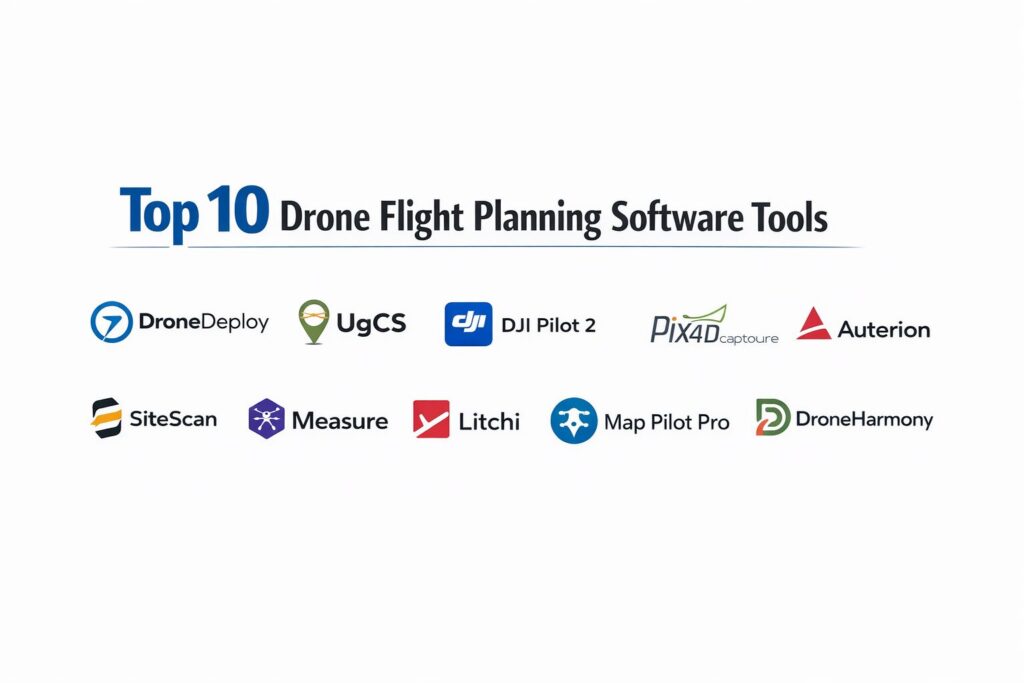
1. DroneDeploy
DroneDeploy is an industry leader known for its end-to-end cloud platform that simplifies the entire drone workflow from planning to analysis. It is designed to be highly intuitive, allowing users to draw a shape on a map and automatically generate an optimized flight path for mapping and 3D modeling.
Key Features
The platform features a “Live Map” tool that stitches imagery in real-time on a mobile device as the drone flies. It offers specialized flight modes for vertical inspections, facade mapping, and corridor scanning. The software includes a robust pre-flight checklist and automated airspace authorization through integrated providers. It supports a wide range of thermal sensors for industrial inspections. The system also features a unified dashboard where fleet managers can track pilot activity and hardware health across the entire organization.
Pros
The user interface is exceptionally clean and easy to master, making it ideal for teams scaling their drone programs. It offers some of the best real-time data visualization tools in the industry.
Cons
Subscription costs can be high for smaller operations. Some advanced features require a high-speed internet connection, which can be a challenge in remote field locations.
Platforms and Deployment
Web-based planning with mobile applications for iOS and Android.
Security and Compliance
SOC 2 Type II compliant with role-based access control and detailed audit logs for enterprise flight missions.
Integrations and Ecosystem
Extensive integrations with construction management tools like Procore and Autodesk, along with a dedicated app marketplace for specialized industrial tools.
Support and Community
Offers professional enterprise support, a large library of training videos, and a very active community of commercial pilots.
2. UgCS (Universal Ground Control Software)
UgCS is a powerful, professional-grade software designed for technical pilots who require extreme control over their missions. It is widely used for complex environmental surveys and industrial inspections where standard “click-and-fly” tools are insufficient.
Key Features
The platform is famous for its advanced terrain-following mode, which uses custom digital elevation models (DEM) to follow the contour of the land precisely. It supports a massive range of hardware from various manufacturers, making it a true “universal” tool. It features a 3D flight planning interface that allows for the visualization of complex missions in a realistic environment. The software includes specialized tools for LiDAR surveys, magnetometer searches, and bathymetric studies. It also allows for full offline operation, which is critical for remote expeditions.
Pros
Offers the most precise control over flight parameters, including custom turns and complex waypoint actions. It is the gold standard for terrain following in difficult landscapes.
Cons
The learning curve is steep compared to more consumer-friendly apps. The interface can feel technical and overwhelming for non-engineering users.
Platforms and Deployment
Windows, macOS, and Linux for desktop planning; mobile app for flight execution.
Security and Compliance
Provides full control over data residency, as missions can be planned and stored entirely on a local machine without cloud interference.
Integrations and Ecosystem
Supports custom plugin development and integrates with various specialized sensor suites for environmental and industrial research.
Support and Community
Highly technical support team and detailed documentation focused on engineering and survey standards.
3. DJI Pilot 2
DJI Pilot 2 is the native flight application for DJI’s Enterprise series of drones. It is optimized for missions involving public safety, inspection, and high-end mapping, providing a seamless link between the hardware and the software interface.
Key Features
The software is built directly into the DJI remote controllers, ensuring low-latency telemetry and video transmission. It features a “PinPoint” system that allows pilots to mark objects in the 3D space and share their coordinates instantly with ground teams. It includes specialized mission types like Waypoint, Mapping, and Oblique photography. The interface provides a comprehensive view of airspace alerts and drone health. It also supports “Cloud API” for organizations that want to integrate their flight data into proprietary management systems.
Pros
The integration with DJI hardware is flawless, offering the most stable and reliable connection for enterprise missions. It is included at no extra cost with the hardware.
Cons
It is limited exclusively to the DJI ecosystem, which may not suit organizations with a diverse fleet of drones. It lacks some of the advanced procedural planning found in third-party suites.
Platforms and Deployment
Android-based (built into DJI Enterprise controllers).
Security and Compliance
Features “Local Data Mode” which prevents any data from being sent over the internet for sensitive government or corporate missions.
Integrations and Ecosystem
Deeply integrated with DJI FlightHub 2 for fleet management and real-time mission synchronization.
Support and Community
Backed by the world’s largest drone manufacturer with extensive global service centers and documentation.
4. Pix4Dcapture Pro
Pix4Dcapture Pro is a professional flight planning app specifically designed for photogrammetry and 3D scanning. It acts as the “field tool” that ensures data is captured in the correct format for high-precision processing in Pix4D’s desktop suites.
Key Features
The app features professional-grade mission types, including 3D grids for buildings, circular flights for towers, and corridor missions for roads. It provides real-time feedback on image overlap and camera trigger success. The interface is optimized for high-speed field use, allowing for rapid mission adjustments on-site. It supports various camera models and allows for manual override at any point during the flight. The software is built to handle the rigorous requirements of surveyors and construction professionals.
Pros
The software is perfectly tuned for the Pix4D processing ecosystem, ensuring the highest quality results for 3D reconstruction. It is simple to use but powerful enough for professional surveying.
Cons
Hardware support is more limited than universal apps like UgCS. It is primarily a data capture tool and lacks extensive fleet management features.
Platforms and Deployment
iOS and Android.
Security and Compliance
Standard encryption for mission data and secure account management within the Pix4D ecosystem.
Integrations and Ecosystem
Directly linked to the Pix4Dmatic and Pix4Dmapper processing software, creating a streamlined “field-to-office” workflow.
Support and Community
Excellent technical support and a massive knowledge base centered on photogrammetry and mapping.
5. Auterion Mission Control
Auterion Mission Control is an enterprise-grade flight planning tool built on the open-source PX4 standard. It is designed for government and industrial users who prioritize open architecture, security, and the ability to fly diverse aircraft.
Key Features
The platform features a unified interface for flying multirotors, fixed-wing aircraft, and VTOL (Vertical Take-Off and Landing) drones. It provides a deep level of flight log analysis and hardware diagnostics. The software includes advanced safety features like geofencing and automated return-to-land protocols based on battery health. It supports live video streaming and real-time telemetry sharing for remote operations centers. The system is highly modular, allowing developers to build custom mission behaviors for specialized tasks.
Pros
The open-source foundation ensures that users are not locked into a single hardware vendor. It is one of the most secure platforms for government-sensitive operations.
Cons
Setting up the system for custom hardware can require more technical expertise than “plug-and-play” solutions. The interface is focused on utility over visual flair.
Platforms and Deployment
Windows, macOS, Linux, and Android.
Security and Compliance
Blue UAS compliant and designed to meet the highest cybersecurity standards for government and defense applications.
Integrations and Ecosystem
Integrates with the Auterion Suite for fleet-wide data analytics and predictive maintenance.
Support and Community
Professional enterprise support with a strong connection to the global open-source drone development community.
6. SiteScan for ArcGIS
SiteScan is Esri’s specialized flight planning and data processing tool designed for organizations that live within the ArcGIS ecosystem. It is the premier choice for municipal governments and engineering firms that need to move drone data directly into a GIS.
Key Features
The software features a “3D Flight” mode that allows pilots to plan missions using existing 3D layers from ArcGIS. It provides automated flight paths for terrain-following using Esri’s global elevation service. Missions can be shared across an organization, ensuring all pilots are following the same survey protocols. The app includes a robust “Fleet Management” module that tracks pilot certifications and flight history. It also supports the creation of custom “exclusion zones” to prevent drones from flying into sensitive areas.
Pros
The integration with ArcGIS is unrivaled, allowing drone data to become an active layer in a wider geographic database instantly. It is highly reliable for large-scale enterprise deployments.
Cons
Requires an existing commitment to the Esri ecosystem to realize its full value. The cost is scaled for enterprise organizations rather than solo pilots.
Platforms and Deployment
iOS for flight; web-based for management and processing.
Security and Compliance
Meets high-level security standards required for government GIS work, including secure cloud storage and RBAC.
Integrations and Ecosystem
Deep, native integration with ArcGIS Online and ArcGIS Enterprise.
Support and Community
Professional support from Esri’s global network and a large community of GIS professionals.
7. Measure Ground Control
Measure Ground Control is a comprehensive, all-in-one platform that combines flight planning with program management. It is designed for businesses that need to manage a fleet of drones and a team of pilots across multiple job sites.
Key Features
The software includes a detailed automated flight planning tool for grid and waypoint missions. It provides a unified system for managing flight logs, pilot checklists, and equipment maintenance schedules. It features a “Web Dashboard” that gives managers a real-time view of all field operations. The app includes built-in airspace intelligence and weather forecasts for every mission location. It also offers a simplified data processing pipeline for generating orthomosaics and 3D models.
Pros
It is excellent for “program management,” making it easy to stay compliant with aviation regulations. The interface is intuitive and bridges the gap between the field and the office.
Cons
The processing capabilities are not as deep as specialized photogrammetry software. It may have more features than a solo pilot actually needs.
Platforms and Deployment
Web-based management with iOS and Android flight apps.
Security and Compliance
Offers robust data security and detailed logging required for Part 107 compliance and insurance reporting.
Integrations and Ecosystem
Integrates with various enterprise data storage solutions and project management tools.
Support and Community
Offers dedicated customer success managers for enterprise clients and an extensive online help center.
8. Litchi
Litchi is a popular third-party alternative for flight planning, particularly known for its powerful “Hub” that allows for complex waypoint planning on a desktop before going to the field. It is a favorite among creative professionals and commercial pilots who need flexible, precise movement.
Key Features
The “Litchi Hub” allows users to plan missions on a large screen with Google Earth integration for precise elevation checks. It features a “Focus” mode where the drone’s gimbal automatically tracks a specific point while the pilot focuses on movement. It includes a “Virtual Reality” mode for immersive FPV flying using mobile headsets. Waypoint missions can be saved and re-flown with millimeter precision, making it perfect for time-lapse projects. It also supports a “Track” mode that uses computer vision to follow subjects.
Pros
The waypoint planning tools are more flexible and easier to use than many enterprise-level apps. It is a cost-effective solution for professional results.
Cons
It lacks the high-end mapping and GIS integration features found in more expensive suites. Support is primarily community-based.
Platforms and Deployment
iOS, Android, and Web.
Security and Compliance
Standard app-level security; does not offer the advanced enterprise management features of DroneDeploy or SiteScan.
Integrations and Ecosystem
Supports a wide range of consumer and prosumer hardware; missions can be exported as CSV files for analysis.
Support and Community
A very active user base with thousands of shared flight missions available online.
9. Map Pilot Pro
Map Pilot Pro is a specialized tool for photogrammetry and mapping, designed specifically for pilots who need to capture high-quality data for professional GIS and modeling work. It is known for its rigorous approach to image overlap and flight geometry.
Key Features
The platform features a “Terrain Awareness” system that uses 3D data to adjust the flight path in real-time. It provides a “Linear Mission” mode for mapping roads, pipelines, and power lines. The software includes an advanced camera control system that optimizes the shutter speed and ISO for the current flight conditions. It offers a “Basemap” feature where users can import their own geo-referenced images to use as a background for planning. The app also tracks the exact location of every photo taken for high-accuracy processing.
Pros
It is highly efficient at capturing mapping data, ensuring that you don’t have to return to the field for “missed spots.” The pricing is flexible, offering both subscription and per-flight options.
Cons
The interface is functional but can appear less “polished” than some newer competitors. It is heavily focused on mapping, making it less suitable for creative cinematography.
Platforms and Deployment
iOS.
Security and Compliance
Provides local storage options and secure data handling for sensitive mapping projects.
Integrations and Ecosystem
Closely linked with the Maps Made Easy processing service for rapid cloud-based orthomosaic generation.
Support and Community
Strong technical documentation and a community centered on professional surveying and mapping.
10. DroneHarmony
DroneHarmony is a unique platform that uses a “3D Scene-Centered” approach to flight planning. It is designed for complex 3D environments, such as cell towers, bridges, and industrial plants, where traditional 2D maps are insufficient.
Key Features
The software allows users to build a 3D model of the area of interest and then automatically generates flight paths that wrap around the structure. It features a “Cell Tower” mission that calculates the optimal angles to capture every bolt and bracket. The interface allows for real-time 3D visualization of the drone’s path during planning. It includes specialized algorithms for high-precision obstacle avoidance and corridor planning. It also provides a cloud-based dashboard for managing large sets of complex mission plans.
Pros
The 3D-first approach makes it the best tool for complex infrastructure inspections. It removes the guesswork from capturing data in vertically oriented environments.
Cons
The workflow can be more time-consuming for simple 2D mapping missions. It requires a modern device to handle the 3D visualization smoothly.
Platforms and Deployment
Android for flight; web-based for management and 3D planning.
Security and Compliance
Enterprise-grade data security with options for secure mission storage and pilot management.
Integrations and Ecosystem
Supports a wide range of professional hardware and integrates with high-end 3D processing suites.
Support and Community
Offers professional support and a growing community of specialized infrastructure inspection pilots.
Comparison Table
| Tool Name | Best For | Platform(s) Supported | Deployment | Standout Feature | Public Rating |
| 1. DroneDeploy | Enterprise Mapping | Web, iOS, Android | Cloud | Real-time Live Map | 4.8/5 |
| 2. UgCS | Technical Surveying | Win, Mac, Lin | Local/Hybrid | Advanced Terrain Following | 4.7/5 |
| 3. DJI Pilot 2 | Public Safety | Android (Native) | Local | Native Hardware Sync | 4.6/5 |
| 4. Pix4Dcapture Pro | Photogrammetry | iOS, Android | Local | Optimized for 3D Modeling | 4.5/5 |
| 5. Auterion | Government/Defense | Win, Mac, Lin | Cloud/Local | Open Source/Secure | 4.4/5 |
| 6. SiteScan | GIS/Engineering | iOS, Web | Cloud | ArcGIS Integration | 4.7/5 |
| 7. Measure | Program Management | Web, iOS, Android | Cloud | Compliance/Fleet Tracking | 4.3/5 |
| 8. Litchi | Waypoint Missions | iOS, Android, Web | Local | Desktop Waypoint Hub | 4.6/5 |
| 9. Map Pilot Pro | High-precision Maps | iOS | Local | Linear/Terrain Awareness | 4.4/5 |
| 10. DroneHarmony | Infrastructure Insp. | Web, Android | Cloud | 3D-Centered Planning | 4.5/5 |
Evaluation & Scoring of Drone Flight Planning Software
The scoring below is a comparative model intended to help shortlisting. Each criterion is scored from 1–10, then a weighted total from 0–10 is calculated using the weights listed. These are analyst estimates based on typical fit and common workflow requirements, not public ratings.
Weights:
- Core features – 25%
- Ease of use – 15%
- Integrations & ecosystem – 15%
- Security & compliance – 10%
- Performance & reliability – 10%
- Support & community – 10%
- Price / value – 15%
| Tool Name | Core (25%) | Ease (15%) | Integrations (15%) | Security (10%) | Performance (10%) | Support (10%) | Value (15%) | Weighted Total |
| 1. DroneDeploy | 10 | 10 | 9 | 9 | 9 | 10 | 7 | 9.15 |
| 2. UgCS | 10 | 4 | 8 | 10 | 10 | 9 | 8 | 8.35 |
| 3. DJI Pilot 2 | 8 | 9 | 7 | 9 | 10 | 9 | 9 | 8.50 |
| 4. Pix4Dcapture | 9 | 8 | 9 | 8 | 9 | 9 | 8 | 8.65 |
| 5. Auterion | 8 | 6 | 10 | 10 | 9 | 9 | 8 | 8.50 |
| 6. SiteScan | 9 | 9 | 10 | 10 | 9 | 9 | 6 | 8.65 |
| 7. Measure | 8 | 8 | 8 | 9 | 8 | 9 | 8 | 8.15 |
| 8. Litchi | 7 | 9 | 5 | 6 | 9 | 7 | 10 | 7.55 |
| 9. Map Pilot Pro | 9 | 7 | 7 | 8 | 9 | 8 | 9 | 8.15 |
| 10. DroneHarmony | 10 | 6 | 8 | 9 | 9 | 8 | 8 | 8.25 |
How to interpret the scores:
- Use the weighted total to shortlist candidates, then validate with a pilot.
- A lower score can mean specialization, not weakness.
- Security and compliance scores reflect controllability and governance fit, because certifications are often not publicly stated.
- Actual outcomes vary with assembly size, team skills, templates, and process maturity.
Which Drone Flight Planning Software Tool Is Right for You?
Solo / Freelancer
For an independent pilot, cost-effectiveness and flexibility are key. Litchi provides incredible waypoint control for creative projects at a low price, while Map Pilot Pro is an excellent entry point for those looking to offer professional mapping services.
SMB
Small businesses in construction or surveying should look at DroneDeploy or Pix4Dcapture Pro. These tools offer a balance of user-friendly interfaces and professional-grade outputs, allowing a small team to produce results that rival much larger firms.
Mid-Market
Organizations managing several crews will benefit from Measure Ground Control. Its focus on program management and compliance ensures that the business can scale its drone operations without losing track of safety or maintenance requirements.
Enterprise
For global organizations, SiteScan for ArcGIS or DroneDeploy are the clear winners. These platforms provide the security, standardized workflows, and deep data integrations necessary to move drone imagery into the heart of corporate decision-making.
Budget vs Premium
Budget: Litchi and DJI Pilot 2 (free with hardware) provide professional results for a fraction of the cost. Premium: UgCS and SiteScan offer specialized technical features and enterprise support that justify their higher price points.
Feature Depth vs Ease of Use
If you need absolute control and have an engineering background, UgCS offers unrivaled depth. If you need to get a new pilot in the air and mapping by tomorrow, DroneDeploy is designed for the fastest possible onboarding.
Integrations & Scalability
If your organization relies on GIS, SiteScan is essential. For those needing a modular, hardware-agnostic approach, Auterion provides a scalable foundation that avoids vendor lock-in.
Security & Compliance Needs
For government contracts or sensitive industrial sites, Auterion or DJI Pilot 2 (using Local Data Mode) offer the highest level of data sovereignty, ensuring that flight logs and imagery remain private and secure.
Frequently Asked Questions (FAQs)
1. Do I need an internet connection while flying?
Most professional apps allow you to download maps for offline use before you head to the field. While some cloud-syncing features won’t work without a signal, the core autonomous flight can usually be executed entirely offline.
2. Is automated flight safer than manual flight?
In most commercial contexts, yes. Automation removes human errors related to fatigue or depth perception. However, the pilot must always be ready to take manual control if unexpected obstacles or hardware failures occur.
3. What is terrain following?
Terrain following is a feature where the software uses elevation data to adjust the drone’s height. This ensures the drone maintains a constant distance from the ground, which is essential for consistent mapping quality in hilly areas.
4. Can these apps fly any drone?
No, hardware compatibility varies. Some apps, like UgCS, support dozens of models, while others, like DJI Pilot 2, are brand-specific. Always verify that your specific aircraft is supported before purchasing a software license.
5. What is a “waypoint mission”?
A waypoint mission is a set of specific geographic coordinates that the drone follows in a sequence. At each point, the software can trigger the camera, change the altitude, or rotate the gimbal automatically.
6. Do I still need a pilot’s license if the drone is automated?
Yes, in almost all jurisdictions (like FAA Part 107 in the US), a licensed remote pilot must be present and in control of the mission, even if the flight path is fully automated.
7. How does the software handle wind and weather?
Professional apps provide real-time telemetry and will alert the pilot if wind speeds are too high for the autonomous flight to continue safely. Some can even calculate battery life based on current wind resistance.
8. Can I plan a flight on my computer and sync it to my phone?
Yes, this is a core feature of platforms like DroneDeploy, UgCS, and Litchi. Planning on a large screen allows for much higher precision when identifying obstacles and setting flight boundaries.
9. What is photogrammetry?
Photogrammetry is the science of taking multiple overlapping photos and stitching them together to create 2D maps or 3D models. Flight planning software ensures the drone takes these photos at the exact intervals required for successful stitching.
10. How accurate is the data captured by these apps?
The accuracy depends on the GPS equipment on the drone and the use of Ground Control Points (GCPs). Professional planning software ensures the flight geometry is correct, but high-precision hardware is needed for sub-centimeter accuracy.
Conclusion
Selecting the right drone flight planning software is a foundational decision for any professional UAV program. The choice defines not just how you fly, but the quality and reliability of the data you collect. As we move further into an era of automated infrastructure and real-time GIS, the value of these tools lies in their ability to remove the uncertainty from aerial operations. Whether you are conducting a high-stakes bridge inspection or a routine agricultural survey, the software you choose acts as the custodian of both your safety and your data integrity. The ideal strategy is to prioritize a platform that offers the specific mission types you need while providing the security and integration capabilities required to scale your operation efficiently. By choosing wisely, you transform a drone from a remote-controlled aircraft into a powerful, autonomous data acquisition system.