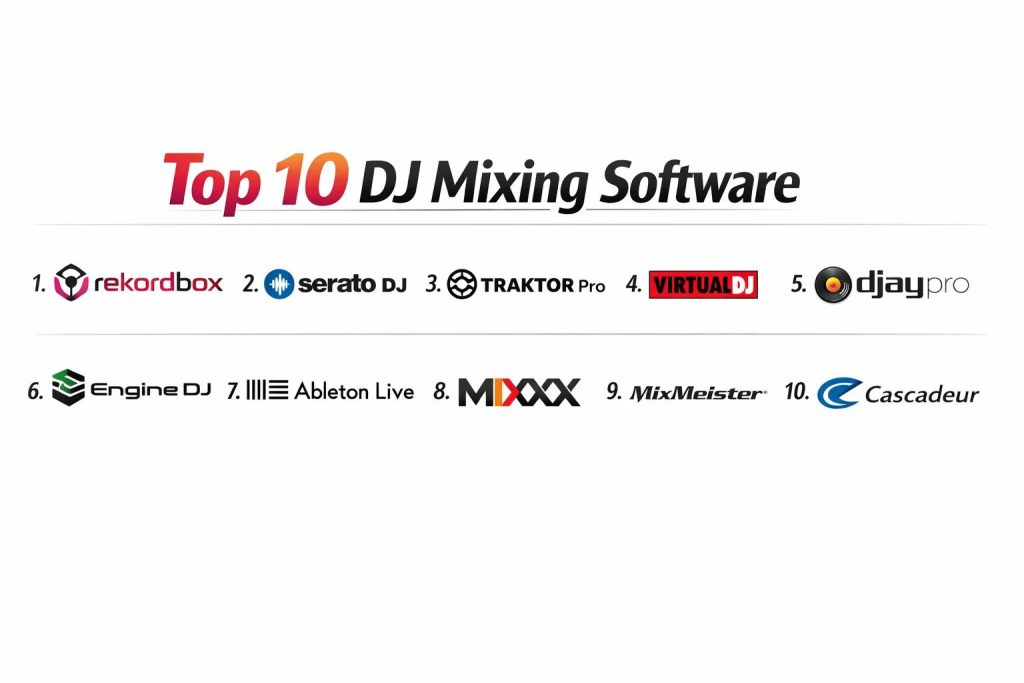
Introduction
DJ mixing software has evolved into a sophisticated ecosystem that serves as the primary interface between a performer’s creative vision and the auditory experience of the audience. These platforms utilize advanced digital signal processing to allow for the manipulation of audio files in real-time, simulating the traditional tactile feel of vinyl and hardware mixers through a digital lens. In the current professional landscape, this technology is no longer just about playing tracks in sequence; it is about real-time remixing, sound design, and seamless integration with complex lighting and visual systems. The shift toward cloud-based libraries and AI-driven stem separation has fundamentally redefined what is possible during a live performance.
Modern organizations and individual artists require these tools to deliver high-stakes entertainment in environments ranging from intimate lounges to massive festival stages. The necessity of choosing the right platform stems from the need for absolute reliability and low-latency performance. When evaluating a mixing suite, buyers must prioritize stability, hardware compatibility, and the depth of its library management system. Furthermore, the ability to integrate with streaming services and the robustness of the beat-grid analysis are critical factors that determine a DJ’s ability to adapt to requests and changing energy levels on the fly.
Best for: Professional club DJs, mobile event entertainers, radio broadcasters, and music producers looking for live performance capabilities.
Not ideal for: Pure studio-based music composition where a timeline-based DAW is more appropriate, or for users who only require simple playlist playback without any creative transitions.
Key Trends in DJ Mixing Software
The most significant trend currently reshaping the industry is the integration of real-time stem separation, allowing DJs to isolate vocals, drums, and instruments from any track instantly. This has opened a new world of live mashups and “on-the-fly” remixes that were previously only possible in a studio environment. Additionally, cloud-syncing technology now allows performers to manage their libraries across multiple devices, ensuring that cue points and playlists are always updated regardless of the hardware being used.
Another major shift is the move toward hardware-agnostic software that can map to almost any MIDI controller, providing performers with more flexibility in their setups. AI is also playing a larger role, not just in track recommendations but in “smart” transitions and phrase analysis, which helps DJs identify the best points to blend tracks based on musical structure. Finally, the convergence of audio and video mixing within a single interface is becoming a standard requirement for performers who want to provide a complete sensory experience.
How We Selected These Tools
The selection process for these DJ platforms involved a rigorous evaluation of their stability in live environments and their adoption rate among industry professionals. We focused on software that offers a balanced mix of traditional deck-style mixing and modern innovative features like neural analysis. Hardware integration was a primary criterion, as the best software must work seamlessly with industry-standard mixers and controllers.
We also assessed the depth of library management features, prioritizing tools that allow for complex tagging and smart playlists. Performance benchmarks were used to ensure that each software can handle high-resolution audio files with minimal CPU overhead. User interface design was also scrutinized to determine which platforms offer the most intuitive experience under the pressure of a live set. Lastly, we considered the long-term support and frequency of updates from the developers to ensure the longevity of the investment.
1. Pioneer DJ Rekordbox
Rekordbox is the industry standard for club DJs, primarily because it acts as the bridge to the ubiquitous Pioneer CDJ hardware found in booths worldwide. It offers a comprehensive ecosystem that covers everything from initial track analysis and library preparation to full-scale laptop performances.
Key Features
The software features a powerful cloud-sync system that allows you to access your library on any device. Its track analysis engine is exceptionally fast, providing accurate BPM and key detection. It includes a dedicated lighting mode that can automate DMX light shows based on the track’s phrase analysis. The software also offers a “vocal position” detection feature which helps in avoiding overlapping vocals during a mix. Advanced sequencing and sampling tools allow for complex live performance layers.
Pros
It is the most reliable path for DJs who want their home preparation to translate perfectly to club-standard hardware. The library management and “Related Tracks” suggestions are top-tier for building sets.
Cons
The interface can be overwhelming for beginners due to the sheer number of settings and modes. Most professional features are locked behind a monthly subscription model.
Platforms and Deployment
Windows and macOS. It also has a mobile companion app for iOS and Android for library management.
Security and Compliance
Standard account-based licensing with secure cloud backup options via Dropbox integration.
Integrations and Ecosystem
Seamlessly integrates with all Pioneer DJ and AlphaTheta hardware. Supports major streaming services like Tidal, Beatport, and SoundCloud.
Support and Community
Extensive official tutorials, a global forum network, and direct professional support from the industry leader.
2. Serato DJ Pro
Serato DJ Pro is renowned for its stability and is the preferred choice for scratch DJs and those using Digital Vinyl Systems (DVS). It is famous for its clean, “no-nonsense” interface that focuses on the core elements of mixing and performance.
Key Features
The platform features world-class stem separation that allows for high-quality isolation of track elements. Its “Pitch ‘n Time” expansion is widely considered the best algorithm for changing track speed without losing audio quality. It includes a robust sampler and a wide array of high-quality effects developed in partnership with industry leaders. The software also supports video mixing through a dedicated expansion, allowing for beat-synced visuals.
Pros
Extremely low latency and a highly stable engine make it a favorite for high-pressure live performances. The visual waveforms are widely praised for their clarity and color-coded frequency representation.
Cons
The software is heavily tied to “hardware unlock” devices, meaning you often need specific compatible hardware to even use the basic features. It lacks the deep “standalone” preparation features found in Rekordbox.
Platforms and Deployment
Windows and macOS.
Security and Compliance
License management is handled via the Serato website with secure activation for up to two computers.
Integrations and Ecosystem
Compatible with a vast range of controllers from brands like Rane, Denon, and Roland. Integrates with major streaming platforms.
Support and Community
Strong community of turntablists and open-format DJs with a wealth of online tutorials and forums.
3. Native Instruments Traktor Pro 4
Traktor Pro is a favorite among techno and house DJs who prioritize creative live remixing. It pioneered the use of “Remix Decks” and “Stems,” allowing performers to treat a track as a collection of loops rather than a single file.
Key Features
The software features a flexible beat-grid system that handles tracks with shifting tempos with ease. It includes over 40 studio-grade effects that can be chained in complex ways. The “Pattern Player” allows DJs to add iconic drum machine sounds over their mixes in perfect sync. It offers deep MIDI mapping capabilities, allowing users to customize every single aspect of how their hardware controls the software.
Pros
Unmatched creative potential for DJs who want to move beyond simple track-to-track mixing. The audio engine is highly regarded for its punchy and clear sound quality on large systems.
Cons
The software has a smaller range of officially supported “plug-and-play” hardware compared to its competitors. The interface can look dated to some users, although it is highly functional.
Platforms and Deployment
Windows and macOS.
Security and Compliance
Managed through the Native Access portal with secure serial-based activation.
Integrations and Ecosystem
Deepest integration is with Native Instruments’ own S-series controllers. It also features Ableton Link for syncing with production software.
Support and Community
Dedicated user base focused on electronic music with extensive technical documentation available.
4. VirtualDJ
VirtualDJ is arguably the most feature-rich platform available, often being the first to introduce new technology like real-time stem separation. It is unique in its ability to run on almost any piece of hardware without the need for specific drivers.
Key Features
The software includes a massive library of “skins” and “plugins” that allow you to change the entire look and functionality of the interface. It features advanced video mixing, karaoke support, and the ability to broadcast your set directly to social media. Its “Lyric Censor” tool uses AI to automatically mute explicit language in real-time. It also supports a vast range of legacy and modern hardware through a powerful internal mapping engine.
Pros
It is incredibly versatile and can be customized to suit almost any style of DJing. The real-time stem separation is highly optimized and works well even on older laptops.
Cons
The professional license can be quite expensive as a one-time purchase. It sometimes carries a “beginner” stigma despite its professional-level power.
Platforms and Deployment
Windows and macOS.
Security and Compliance
Secure login system with cloud-based settings backup to ensure your configuration is never lost.
Integrations and Ecosystem
Supports more controllers than any other software on the market. Integrates with specialized services like VDJ Pro for licensed music pools.
Support and Community
Very active forums and a massive database of user-created mappings and scripts.
5. Algoriddim djay Pro
djay Pro has transformed from a simple mobile app into a powerhouse professional suite. It is the leader in AI-driven features and is the primary choice for DJs who work across mobile, tablet, and desktop environments.
Key Features
The software utilizes a “Neural Mix” engine that was a pioneer in AI stem separation. It offers a unique “Automix AI” that can intelligently mix a playlist based on musical compatibility. The platform is built with a sleek, modern interface that supports touch, mouse, and gesture control. It features deep integration with Apple Music and Spotify (in certain regions), making it excellent for mobile gigs. It also supports VR mixing on platforms like the Vision Pro.
Pros
Seamless cross-platform performance allows you to start a set on an iPad and move to a Mac without missing a beat. The interface is arguably the most modern and intuitive in the industry.
Cons
The subscription model is mandatory for professional features. Its hardware support, while growing, is not yet as deep as Rekordbox or Serato.
Platforms and Deployment
macOS, Windows, iOS, Android, and VisionOS.
Security and Compliance
Adheres to strict app store security standards and uses cloud-based license management.
Integrations and Ecosystem
Strong ties to the Apple ecosystem. Supports a wide range of Bluetooth and USB MIDI controllers.
Support and Community
Excellent visual documentation and a community focused on mobile and modern DJing workflows.
6. Engine DJ
Engine DJ is a specialized platform designed to power the standalone hardware from Denon DJ and Numark. It focuses heavily on “on-board” processing, allowing DJs to perform without a laptop.
Key Features
The software is split into a “Desktop” version for library preparation and an “OS” version that runs on the hardware. It features a built-in lighting control system called SoundSwitch that works directly from the touchscreen. It allows for wireless track transfers and cloud library access via built-in Wi-Fi on the hardware. The “Stems” feature is now being integrated directly into the standalone hardware for laptop-free isolation.
Pros
It offers the most powerful standalone experience, freeing the DJ from the distractions of a computer screen. The file analysis is accurate and generates incredibly detailed waveforms.
Cons
Its utility is strictly limited to owners of compatible Engine-powered hardware. The desktop preparation software is less feature-rich for live mixing than standalone apps.
Platforms and Deployment
Windows and macOS (Desktop); Proprietary OS (Hardware).
Security and Compliance
Secure hardware-based authentication and encrypted cloud syncing for music libraries.
Integrations and Ecosystem
Perfectly integrated with Denon DJ Prime and Numark standalone units. Supports Dropbox and major streaming services.
Support and Community
Rapidly growing community of “standalone” advocates with professional support from InMusic Brands.
7. Ableton Live
While primarily a DAW for music production, Ableton Live is used by many top-tier electronic artists as a performance tool. It is unique in its “Session View,” which allows for non-linear playback of clips and loops.
Key Features
The “Warping” engine allows audio to be stretched and manipulated in real-time with virtually no artifacts. It features a completely customizable interface where you can build your own performance racks with internal and external effects. It supports multitrack recording and playback, making it ideal for live bands or complex hybrid sets. The software also includes “Link” technology to keep multiple devices in perfect sync.
Pros
It offers the highest level of creative control, allowing you to perform your own original music in a way that traditional DJ software cannot. It is incredibly stable for live use.
Cons
It lacks traditional DJ features like a “crossfader” logic or “jog wheel” support by default. The learning curve is very high for those used to traditional decks.
Platforms and Deployment
Windows and macOS.
Security and Compliance
Secure serial-based activation with a robust authorization system that doesn’t require constant internet access.
Integrations and Ecosystem
Extensive plugin support (VST/AU) and works with a vast range of production hardware like the Ableton Push.
Support and Community
Massive global community of producers and performers with endless tutorial resources.
8. Mixxx
Mixxx is the world’s leading open-source DJ software, providing a professional-grade toolset for free. It is built by a community of DJs and programmers who prioritize transparency and cross-platform compatibility.
Key Features
The software includes a robust engine for beat-matching, looping, and hotcues. It features a built-in broadcasting tool that makes it a favorite for internet radio DJs. It supports a wide variety of hardware through community-created mappings. The software also includes a library management system that can import your existing collections from other platforms. It is unique in its full support for Linux systems.
Pros
It is completely free with no hidden costs or subscriptions. Being open-source, it is highly customizable for those with technical skills.
Cons
The interface is less polished and “flashy” than commercial competitors. New features can take longer to arrive as they depend on community contributions.
Platforms and Deployment
Windows, macOS, and Linux.
Security and Compliance
Community-vetted open-source code; security is largely managed by the user and the host operating system.
Integrations and Ecosystem
Supports standard MIDI/HID controllers and various audio interfaces. Integrates with music libraries like iTunes.
Support and Community
Very helpful developer-led forums and a comprehensive community wiki.
9. MixMeister Express
MixMeister takes a different approach to DJing, focusing on the “timeline” rather than the “deck.” It is designed for creating perfectly beat-matched mixes for fitness classes, radio shows, or background music.
Key Features
The software automatically analyzes tracks and aligns them on a timeline for seamless transitions. It allows you to adjust the tempo of the entire mix without changing the pitch. Users can “tweak” transitions visually by dragging audio blocks on the screen. It features a non-destructive editing environment, meaning your original files are never changed. It also includes basic EQ and effects to polish the final output.
Pros
It is incredibly fast for creating long-form mixes where “live” interaction isn’t the primary goal. It requires very little musical or technical knowledge to produce professional-sounding results.
Cons
It is not suitable for live club environments where you need to react to a crowd. It lacks modern performance features like stems or live sampling.
Platforms and Deployment
Windows and macOS.
Security and Compliance
Standard license-key activation with secure software delivery.
Integrations and Ecosystem
Integrates with standard music file formats and can export finished mixes directly to various formats.
Support and Community
Mainstream support via InMusic Brands with a dedicated user base in the fitness and radio industries.
10. Cascadeur (for DJ Visuals/Motion)
While primarily a physics-based animation tool, Cascadeur is increasingly used by “VJs” and visual artists to create hyper-realistic character movements for large-screen DJ visuals. It allows for the creation of unique, physically accurate stage content.
Key Features
The software uses AI to ensure that animated characters follow the laws of physics, such as gravity and momentum. It allows visual artists to create complex dance or action sequences that look completely natural. The tool features a streamlined rigging system that makes it easy to animate models for use in real-time engines. It supports the export of standard formats that can be played back during a live set.
Pros
Provides a level of realism in character movement that is difficult to achieve in other tools. It significantly reduces the time needed to create high-end visual content.
Cons
It is a specialized tool that requires a separate visual playback system (like Resolume) to be used during a DJ set. It is not mixing software itself.
Platforms and Deployment
Windows and Linux.
Security and Compliance
Standard professional license management and secure file handling.
Integrations and Ecosystem
Supports standard 3D file formats for easy integration into visual production pipelines.
Support and Community
Growing community of technical animators and visual artists with dedicated forum support.
Comparison Table
| Tool Name | Best For | Platform(s) Supported | Deployment | Standout Feature | Public Rating |
| 1. Rekordbox | Club Standard | Win, Mac | Hybrid | Cloud Library Sync | 4.8/5 |
| 2. Serato DJ Pro | Scratch / DVS | Win, Mac | Local | Pitch ‘n Time FX | 4.7/5 |
| 3. Traktor Pro 4 | Creative Remixing | Win, Mac | Local | Remix Decks | 4.5/5 |
| 4. VirtualDJ | All-in-one Versatility | Win, Mac | Local | AI Lyric Censor | 4.6/5 |
| 5. djay Pro | Mobile / Modern AI | iOS, Mac, Win | Cloud | Neural Mix AI | 4.7/5 |
| 6. Engine DJ | Standalone Performance | Win, Mac (OS) | Hardware | Laptop-Free Workflow | 4.4/5 |
| 7. Ableton Live | Live Production | Win, Mac | Local | Session View Clips | 4.9/5 |
| 8. Mixxx | Open Source / Free | Win, Mac, Linux | Local | Built-in Broadcasting | 4.2/5 |
| 9. MixMeister | Timeline Mixing | Win, Mac | Local | Automatic Beat-Matching | 4.0/5 |
| 10. Cascadeur | Stage Visuals | Win, Linux | Local | Physics-Based Motion | N/A |
Evaluation & Scoring of DJ Mixing Software
The scoring below is a comparative model intended to help shortlisting. Each criterion is scored from 1–10, then a weighted total from 0–10 is calculated using the weights listed. These are analyst estimates based on typical fit and common workflow requirements, not public ratings.
Weights:
- Core features – 25%
- Ease of use – 15%
- Integrations & ecosystem – 15%
- Security & compliance – 10%
- Performance & reliability – 10%
- Support & community – 10%
- Price / value – 15%
| Tool Name | Core (25%) | Ease (15%) | Integrations (15%) | Security (10%) | Performance (10%) | Support (10%) | Value (15%) | Weighted Total |
| 1. Rekordbox | 10 | 6 | 10 | 9 | 9 | 10 | 7 | 8.85 |
| 2. Serato DJ | 10 | 7 | 9 | 8 | 10 | 9 | 7 | 8.70 |
| 3. Traktor Pro | 9 | 5 | 7 | 8 | 9 | 8 | 8 | 7.75 |
| 4. VirtualDJ | 9 | 8 | 10 | 7 | 9 | 8 | 8 | 8.55 |
| 5. djay Pro | 8 | 10 | 9 | 8 | 9 | 9 | 8 | 8.65 |
| 6. Engine DJ | 8 | 7 | 7 | 8 | 10 | 8 | 7 | 7.85 |
| 7. Ableton Live | 10 | 4 | 9 | 9 | 10 | 10 | 6 | 8.35 |
| 8. Mixxx | 7 | 6 | 7 | 6 | 8 | 7 | 10 | 7.15 |
| 9. MixMeister | 6 | 9 | 6 | 7 | 8 | 6 | 7 | 6.85 |
| 10. Cascadeur | 5 | 7 | 6 | 7 | 9 | 7 | 8 | 6.75 |
How to interpret the scores:
- Use the weighted total to shortlist candidates, then validate with a pilot.
- A lower score can mean specialization, not weakness.
- Security and compliance scores reflect controllability and governance fit, because certifications are often not publicly stated.
- Actual outcomes vary with assembly size, team skills, templates, and process maturity.
Which DJ Mixing Software Tool Is Right for You?
Solo / Freelancer
For individuals starting their journey, a tool that offers the most versatility without requiring a specific hardware ecosystem is ideal. Look for platforms that allow you to grow your skills across different hardware types while providing a solid foundation in library management.
SMB (Mobile DJ Companies)
Small businesses focused on weddings and events need absolute reliability and access to a wide variety of music. Software with deep streaming integration and robust “emergency” features like auto-mix is highly valuable in these fast-paced environments.
Mid-Market (Club Promoters)
At this level, the focus is on standardizing the booth. Software that allows multiple DJs to perform seamlessly on the same equipment with minimal setup time is essential for maintaining a professional workflow in a venue.
Enterprise (Festival / Touring)
Touring professionals require the most robust systems with cloud-based backups and the ability to sync with massive lighting and visual arrays. Reliability and high-end audio quality are the non-negotiable priorities for these large-scale productions.
Budget vs Premium
The free and open-source options provide incredible power for those on a tight budget, but they may lack the high-end support and specialized features like advanced DVS. Premium tools are an investment in the “industry standard” ecosystem and the professional support that comes with it.
Feature Depth vs Ease of Use
Beginners should lean toward platforms with intuitive, touch-friendly interfaces. However, those looking to make a career in specific niches like scratching or live production will eventually need to trade ease of use for the deeper technical control found in specialized suites.
Integrations & Scalability
Your choice should be able to scale as you upgrade your hardware. Choosing a software that is supported by a wide range of manufacturers ensures that you aren’t locked into a single brand if your needs change in the future.
Security & Compliance Needs
Professional DJs must ensure their music and settings are backed up and secure. For those performing in high-profile venues, account security and the ability to quickly recover a corrupted library are vital parts of the software’s value proposition.
Frequently Asked Questions (FAQs)
1. Do I need a controller to use DJ software?
No, most professional DJ software can be used with just a laptop using keyboard shortcuts. However, using a dedicated controller provides the tactile control necessary for precise mixing and more expressive performances.
2. Can I use music from streaming services to DJ?
Yes, most modern DJ platforms integrate with services like Tidal, SoundCloud, and Beatport. However, you generally cannot record your sets when using streamed tracks due to licensing restrictions.
3. What is the benefit of “Stems” in DJing?
Stems allow you to separate a track into its component parts like vocals, drums, and bass. This enables you to mix the vocals of one song with the beat of another in real-time, creating unique mashups.
4. Is a Mac or a PC better for DJing?
Both platforms are capable, but many professionals prefer macOS due to its stable core audio drivers and the standard hardware configurations which often lead to fewer software conflicts in a live setting.
5. What does “DVS” mean in DJ software?
DVS stands for Digital Vinyl System. it allows you to use traditional turntables and special “timecode” vinyl to control the playback of digital files within your software, combining a tactile feel with digital convenience.
6. How important is the sound card in a DJ setup?
The sound card (or audio interface) is critical as it determines the audio quality sent to the speakers. Most professional controllers have built-in high-quality sound cards designed for loud club systems.
7. Can I use DJ software for live radio or streaming?
Yes, many platforms have built-in tools for broadcasting directly to servers or social media. Some even allow you to add overlays and manage listener requests within the software.
8. What is “Beatmatching” and do I still need to learn it?
Beatmatching is the process of aligning the tempos of two tracks. While software can automate this, learning to do it by ear is a fundamental skill that helps you handle difficult tracks and equipment failures.
9. How do I keep my music library organized?
Most software allows you to use tags, smart playlists, and color-coding. Developing a consistent system for tagging tracks by energy level, genre, and “vibe” is key to finding the right song quickly during a set.
10. What happens if the software crashes during a set?
Professional software is built to be extremely stable, but it’s always wise to have a backup. Many DJs keep a smartphone with a pre-recorded mix or a tablet with a mobile DJ app ready to plug in if the main system fails.
Conclusion
The landscape of DJ mixing software is defined by a fascinating tension between tradition and innovation. While the core art of blending two tracks remains the heart of the craft, the tools now available have expanded the creative horizon far beyond what was possible with vinyl alone. Choosing the right platform requires an honest assessment of your performance goals: whether you aspire to play the world’s biggest club booths or create seamless mixes for your own community. The true power of these digital suites lies not in their ability to automate the technical tasks, but in how they free the artist to focus on crowd reading and creative storytelling. As the industry moves deeper into the era of AI and cloud-driven workflows, the most successful performers will be those who master these technical extensions while staying grounded in the fundamental energy of the dance floor.