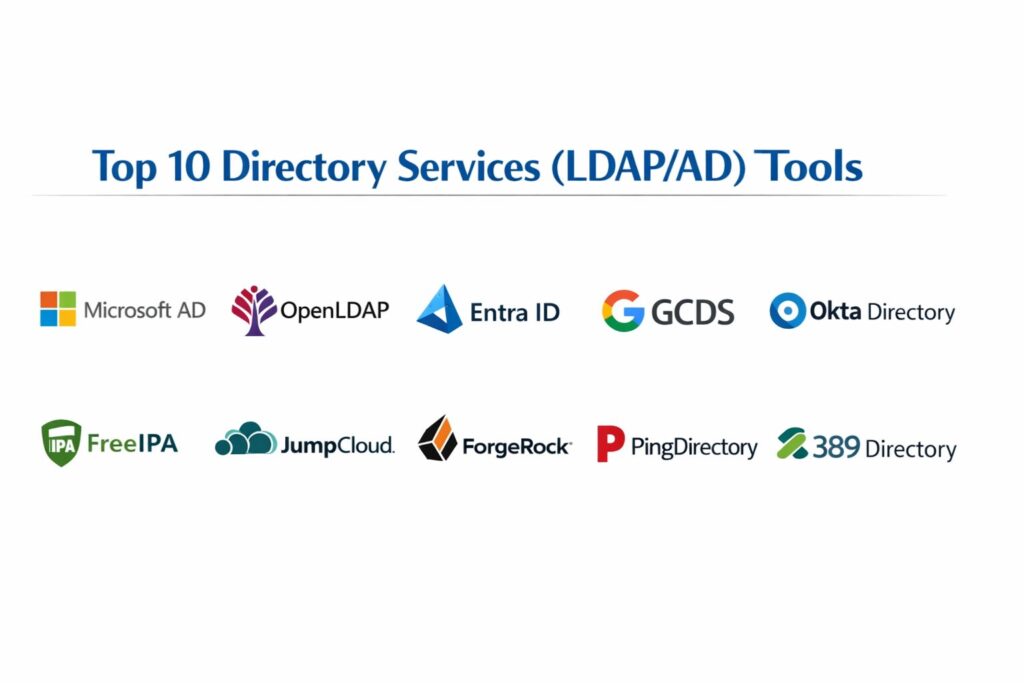
Introduction
Directory services serve as the authoritative source of truth for identity management within a modern technical infrastructure. In essence, a directory service is a specialized database optimized for reading, searching, and browsing, designed to store and manage information about users, devices, and network resources. These systems utilize protocols such as the Lightweight Directory Access Protocol (LDAP) or proprietary implementations like Active Directory (AD) to facilitate authentication and authorization across a distributed network. By centralizing the management of digital identities, directory services ensure that the right individuals have access to the right resources at the right time, providing a foundation for security, compliance, and operational efficiency.
The strategic importance of directory services has intensified as organizations move toward hybrid and multi-cloud environments. The modern perimeter is no longer a physical office but the identity of the user. Effective directory services allow for the implementation of Single Sign-On (SSO), automated user provisioning, and granular Access Control Lists (ACLs). When evaluating these tools, technical leaders must look beyond simple login capabilities. Evaluation criteria should include the robustness of the schema, support for modern protocols like OIDC and SAML alongside legacy LDAP, the reliability of replication across geographic regions, and the ease of integration with existing DevOps pipelines. A well-architected directory service acts as the central nervous system of an organization’s security posture.
Best for: IT departments, DevOps engineers, and security officers in mid-to-large scale enterprises requiring centralized control over user access, policy enforcement, and resource discovery across heterogeneous environments.
Not ideal for: Very small teams with minimal shared resources or businesses that rely exclusively on a handful of isolated SaaS applications where a simple password manager might suffice.
Key Trends in Directory Services
A major shift is currently underway from traditional on-premises hardware to Cloud-Native Identity as a Service (IDaaS) models, which reduce the maintenance overhead of managing physical domain controllers. We are seeing the rise of “Identity Orchestration,” where directory services must seamlessly sync data across multiple cloud providers and legacy on-prem systems. Security has evolved toward a Zero Trust Architecture, where the directory service continuously verifies identity and device health rather than trusting a user simply because they are on the local network.
Automation through “Identity as Code” is another significant trend, allowing SRE and DevOps teams to manage directory objects and permissions using configuration files and CI/CD pipelines. There is also a growing emphasis on privacy-preserving authentication and the integration of decentralized identities. Furthermore, AI-driven anomaly detection is being integrated directly into directory services to identify and block suspicious login patterns in real-time. Finally, the industry is moving toward “Passwordless” authentication, where directory services manage cryptographic keys and biometric markers rather than vulnerable text-based strings.
How We Selected These Tools
The selection of these top directory services involved a rigorous analysis of their architectural integrity and market reliability. We prioritized platforms that demonstrate high availability and the ability to scale to millions of objects without performance degradation. Protocol support was a primary filter; we ensured the list includes tools that support the industry-standard LDAP while also embracing modern web-based identity protocols. Market mindshare was considered to ensure that these tools have a robust ecosystem of third-party integrations and a large pool of certified professionals.
Technical evaluation focused on the flexibility of the directory schema and the ease with which it can be extended for custom application needs. We also scrutinized the security features, looking for built-in support for multi-factor authentication, granular audit logging, and encryption at rest and in transit. Resilience was another key factor, assessing how each tool handles multi-master replication and disaster recovery. Finally, we looked for a balance between traditional enterprise-grade software, open-source powerhouses, and modern cloud-managed services to provide a comprehensive view of the current identity landscape.
1. Microsoft Active Directory (AD)
Active Directory remains the cornerstone of enterprise identity management for Windows-centric environments. It is a hierarchical structure that stores information about objects on the network and makes this information easy for administrators and users to find and use. AD uses a combination of DNS and LDAP for its core operations and is the primary tool for managing Group Policy and domain-wide security settings.
Key Features
The service utilizes a multi-master replication model to ensure that identity data is consistent across all domain controllers. It provides a robust Group Policy Object (GPO) system for centralized configuration management of Windows desktops and servers. The schema is highly extensible, allowing organizations to add custom attributes to user and machine objects. It includes integrated Kerberos authentication for secure, ticket-based access to network resources. Additionally, it features “Trust Relationships” that allow users in one domain to access resources in another. It also provides built-in Certificate Services for managing digital identities and encryption keys.
Pros
It offers unparalleled integration with the Windows ecosystem and Microsoft 365. The vast majority of enterprise hardware and software is designed with native AD support out of the box.
Cons
It is notoriously difficult to manage in non-Windows or Linux-heavy environments. The legacy architecture can be prone to specific security vulnerabilities if not meticulously hardened and patched.
Platforms and Deployment
Windows Server. Typically deployed as a local or hybrid installation.
Security and Compliance
Supports Kerberos, NTLM, and LDAP over SSL. It is a central component for achieving HIPAA, PCI DSS, and SOC 2 compliance in Microsoft environments.
Integrations and Ecosystem
Seamlessly integrates with Entra ID (Azure AD), Exchange, SQL Server, and virtually all enterprise Windows applications.
Support and Community
Backed by Microsoft’s global support infrastructure and an immense community of certified professionals and third-party management tools.
2. OpenLDAP
OpenLDAP is the definitive open-source implementation of the Lightweight Directory Access Protocol. It is a highly flexible, high-performance directory server that is widely used in Linux and Unix environments to manage user accounts, system configurations, and application data. It is favored by organizations that require a platform-independent, customizable identity store.
Key Features
The software is designed for extreme performance, capable of handling thousands of queries per second with minimal latency. It supports a wide range of backends for data storage, including MDB, which is optimized for high-speed reads. The overlay system allows administrators to add functionality, such as password policy enforcement or referential integrity, without modifying the core code. It features robust replication capabilities through the Syncrepl protocol. The access control system is exceptionally granular, allowing for per-attribute permission settings. It also supports SASL for multi-layer security and authentication.
Pros
As an open-source tool, it has no licensing costs and can be tailored to meet highly specific architectural requirements. It is extremely lightweight and consumes fewer system resources than its commercial counterparts.
Cons
It lacks a native, modern graphical user interface, requiring administrators to be comfortable with command-line tools and configuration files. Initial setup and optimization can be complex and time-consuming.
Platforms and Deployment
Linux, Unix, and macOS. Usually deployed as a self-hosted or containerized service.
Security and Compliance
Supports TLS/SSL for encrypted communication and integrates with various SASL mechanisms. Security is highly dependent on the quality of the local configuration.
Integrations and Ecosystem
Integrates with almost all Linux-based services including SSSD, PAM, and various web applications via standard LDAP connectors.
Support and Community
Extensive documentation is available through the OpenLDAP Project, and community support is found across major technical forums and mailing lists.
3. Microsoft Entra ID (formerly Azure AD)
Entra ID is Microsoft’s cloud-based identity and access management service. Unlike traditional AD, it is designed for the web and uses modern protocols like SAML, OIDC, and OAuth 2.0. It serves as the identity hub for Microsoft 365 and thousands of other third-party SaaS applications.
Key Features
The service provides a comprehensive Single Sign-On (SSO) experience for both cloud and on-premises applications. It includes Conditional Access policies that allow administrators to enforce security requirements based on user location, device state, and risk level. It features automated user provisioning and de-provisioning to sync identities across different SaaS tools. It includes a robust Multi-Factor Authentication (MFA) engine natively integrated into the login flow. The “Identity Protection” feature uses machine learning to detect compromised credentials and unusual sign-in activity. It also allows for B2B and B2C identity management for external collaborators and customers.
Pros
It eliminates the need to manage physical servers or complex replication topologies. The deep integration with Microsoft 365 makes it an essential tool for modern digital workplaces.
Cons
It is a proprietary cloud service, which can lead to vendor lock-in. Full feature sets, particularly advanced security and governance, require premium per-user subscription tiers.
Platforms and Deployment
Cloud (Managed Service).
Security and Compliance
SOC 1, SOC 2, ISO 27001, and HIPAA compliant. Features advanced encryption and identity governance tools.
Integrations and Ecosystem
Deeply integrated with the Azure cloud platform and thousands of pre-integrated SaaS apps in the Microsoft gallery.
Support and Community
Global enterprise support from Microsoft and a massive ecosystem of cloud identity experts.
4. Google Cloud Directory Sync (GCDS)
Google Cloud Directory Sync is a tool that allows organizations to bridge their existing on-premises directory (like Active Directory or OpenLDAP) with Google’s cloud identity platform. It ensures that user, group, and shared contact data in the cloud matches the data in the local directory.
Key Features
The tool performs a one-way synchronization from the local directory to the Google cloud, ensuring that the local directory remains the source of truth. It allows for the synchronization of user accounts, organizational units, groups, and user aliases. It includes a simulation mode that lets administrators see what changes will occur before they are applied to the cloud. The synchronization can be scheduled to run automatically at specific intervals. It supports complex mapping rules to transform local data into the format required by Google Workspace. It also handles the suspension and deletion of users based on their status in the local directory.
Pros
It is a reliable and free tool for organizations already using Google Workspace or Google Cloud. It provides a straightforward path to achieving hybrid identity without manual data entry.
Cons
It is a one-way sync tool, meaning changes made in the Google admin console will not be reflected back in the local directory. It requires a local installation to perform the synchronization.
Platforms and Deployment
Windows and Linux. Deployed as a local synchronization agent.
Security and Compliance
Uses secure APIs to communicate with Google Cloud and does not synchronize actual passwords, instead relying on password hashes or SSO.
Integrations and Ecosystem
Specifically designed for Google Workspace and Google Cloud Platform (GCP).
Support and Community
Supported by Google Workspace technical support and detailed online documentation.
5. Okta Universal Directory
Okta Universal Directory is a cloud-native, platform-agnostic directory service designed to be a single, consolidated view of every user in an organization. It can aggregate identities from multiple sources, including AD, LDAP, and HR systems like Workday, into a single searchable interface.
Key Features
The directory supports an unlimited number of custom attributes, making it extremely flexible for modern application needs. It features “Attribute Level Mastering,” which allows different parts of a user profile to be managed by different systems. It provides a powerful “Expressions” engine for transforming data during the sync process. It includes built-in connectors for hundreds of apps to automate user lifecycle management. The service offers a user-friendly graphical interface for managing complex group memberships and permissions. It also supports “Desktop SSO” to provide a seamless login experience for domain-joined machines.
Pros
It is exceptionally easy to use and requires very little specialized directory knowledge to manage. Its independence from any single cloud provider makes it ideal for multi-cloud strategies.
Cons
The cost can escalate quickly as it is priced on a per-user, per-month basis. Being a purely cloud-based service, it may face challenges in environments with strict “air-gapped” requirements.
Platforms and Deployment
Cloud (Managed Service).
Security and Compliance
FedRAMP authorized, SOC 2 Type II, HIPAA, and GDPR compliant.
Integrations and Ecosystem
One of the largest integration networks in the industry, with thousands of pre-built app integrations in the Okta Integration Network.
Support and Community
High-quality professional support and a very active community of identity and access management (IAM) professionals.
6. FreeIPA
FreeIPA is an integrated security and identity management solution for Linux/Unix environments. It combines several open-source technologies—including OpenLDAP, MIT Kerberos, and the Dogtag Certificate System—into a single, easy-to-manage suite that functions similarly to Active Directory but for Linux.
Key Features
It provides a centralized web-based management interface and command-line tools for managing users, groups, and hosts. It includes a built-in Kerberos Key Distribution Center (KDC) for single sign-on across the Linux domain. The system handles host-based access control (HBAC) and sudo rule management centrally. It features an integrated Certificate Authority (CA) for managing and issuing SSL/TLS certificates to services and users. It supports multi-master replication to ensure the directory is always available. It also allows for “Direct Integration” with Active Directory through cross-realm trusts.
Pros
It is the most complete “Active Directory alternative” for Linux, providing a unified toolset that would otherwise require managing multiple separate services. It is completely free and open-source.
Cons
It is specifically designed for Linux and Unix, making it less suitable for managing Windows endpoints. Documentation, while good, is not as exhaustive as commercial alternatives.
Platforms and Deployment
Linux (specifically RHEL, CentOS, and Fedora). Deployed as a self-hosted server cluster.
Security and Compliance
Utilizes Kerberos for secure authentication and includes a full CA for certificate management. Compliance depends on the hardening of the underlying Linux OS.
Integrations and Ecosystem
Deeply integrated with the Red Hat ecosystem and common Linux services like SSH, sudo, and Apache.
Support and Community
Supported by the FreeIPA project community and Red Hat (as Identity Management in RHEL).
7. JumpCloud
JumpCloud is a “Directory-as-a-Service” platform designed to be a modern, cloud-based alternative to Active Directory. It is built to manage users, their devices (Windows, macOS, and Linux), and their access to applications and networks regardless of location.
Key Features
The service provides a unified cloud directory that supports LDAP, SAML, and OIDC protocols. It includes a lightweight agent for managing and securing endpoints, allowing for remote policy enforcement and full-disk encryption. It features a built-in RADIUS service for securing Wi-Fi and VPN access. The platform provides a “Cloud LDAP” interface, allowing legacy applications to authenticate against the cloud directory without a local server. It includes a web-based user portal where employees can manage their own passwords and MFA settings. It also features a “Command” execution engine for running scripts across managed devices.
Pros
It is an ideal “all-in-one” identity and device management solution for startups and small-to-medium businesses. It effectively bridges the gap between traditional directory services and modern device management.
Cons
As an organization grows into the enterprise space, they may find some of the granular GPO-like controls for Windows to be less deep than native AD.
Platforms and Deployment
Cloud (Managed Service). Supports Windows, macOS, and Linux agents.
Security and Compliance
SOC 2 Type II compliant and supports GDPR and HIPAA requirements. Includes integrated MFA and conditional access.
Integrations and Ecosystem
Integrates with Google Workspace, Microsoft 365, Slack, and hundreds of other SaaS applications.
Support and Community
Offers various support tiers and a helpful community knowledge base for IT administrators.
8. ForgeRock Identity Cloud
ForgeRock is an enterprise-grade identity platform designed for high-scale customer and workforce identity management. It is built on a modular architecture that allows organizations to customize every aspect of the authentication and authorization journey.
Key Features
The platform features an “Identity Tree” visual designer that allows administrators to build complex, branching login flows with drag-and-drop ease. It includes a high-performance directory specifically optimized for large-scale customer data (millions of records). It supports a wide range of protocols including LDAP, OAuth2, and UMA (User-Managed Access). It provides a “Common UI” for both administrators and end-users to manage profiles and privacy settings. The service includes advanced AI capabilities for detecting fraudulent behavior and “credential stuffing” attacks. It can be deployed in a developer-friendly “DevOps” mode using Kubernetes.
Pros
It is one of the most customizable and powerful identity platforms available, capable of handling the most complex enterprise use cases. Its ability to manage both employees and millions of customers on one platform is a major advantage.
Cons
The extreme flexibility comes with a high level of complexity, often requiring specialized consultants to implement correctly. The pricing is firmly in the enterprise category.
Platforms and Deployment
Cloud, Hybrid, or Self-hosted (Kubernetes).
Security and Compliance
ISO 27001, SOC 2, and HIPAA compliant. Focuses heavily on consumer privacy and GDPR.
Integrations and Ecosystem
Broad support for enterprise applications and a highly extensible API for custom integrations.
Support and Community
Provides global enterprise support and an extensive university for training and certification.
9. Ping Identity (PingDirectory)
PingDirectory is a high-performance, scalable LDAP directory server designed specifically for high-demand enterprise and consumer-facing applications. It is part of the broader Ping Identity suite, which focuses on secure access and identity governance.
Key Features
The directory is built to handle massive data volumes and high-concurrency workloads with sub-millisecond response times. It features a unique “entry-level” encryption that allows for different security settings for different parts of the directory tree. It includes a REST API that allows modern web applications to interact with the directory data using JSON. The synchronization engine allows for real-time data mirroring across different directory types and geographic locations. It provides advanced data governance features to control which applications can see which user attributes. It also includes a “Profile Management” dashboard for end-user self-service.
Pros
It is widely considered one of the fastest and most scalable LDAP implementations on the market. Its security features for protecting sensitive user data at the attribute level are industry-leading.
Cons
Like other high-end enterprise tools, it requires a significant investment in both licensing and specialized expertise to manage.
Platforms and Deployment
Windows, Linux, and Cloud (Containerized).
Security and Compliance
SOC 2 compliant and supports the most rigorous global data privacy standards.
Integrations and Ecosystem
Integrates seamlessly with the rest of the Ping Identity platform and other major enterprise security tools.
Support and Community
Offers 24/7 global enterprise support and is a fixture in the Fortune 100 identity stack.
10. 389 Directory Server
The 389 Directory Server is an enterprise-class, open-source LDAP server that serves as the upstream project for the Red Hat Directory Server. It is known for its reliability and its ability to handle very large and complex directory trees.
Key Features
It supports full multi-master replication, allowing for high availability and load balancing across many servers. The server includes a unique “Chaining” feature that allows it to act as a proxy for other LDAP servers. It features a comprehensive web-based management console for day-to-day administration. The access control system is highly flexible, supporting both static and dynamic groups. It includes a robust plugin architecture that allows developers to extend the server’s functionality. It also features “Retro Changelog” capabilities for tracking changes across the directory for auditing and synchronization.
Pros
It provides a high-end, enterprise-grade feature set for free. Its long history and association with Red Hat mean it is extremely stable and well-tested in production.
Cons
The management interface, while functional, can feel dated compared to modern SaaS-based identity platforms. It requires significant Linux expertise to tune for maximum performance.
Platforms and Deployment
Linux. Deployed as a self-hosted server.
Security and Compliance
Supports TLS/SSL and a wide range of SASL authentication mechanisms. Security posture is highly configurable by the administrator.
Integrations and Ecosystem
Serves as the core directory for many Linux-based enterprise environments and is fully compatible with any standard LDAP client.
Support and Community
Active community support through the 389ds project and commercial support available via Red Hat.
Comparison Table
| Tool Name | Best For | Platform(s) Supported | Deployment | Standout Feature | Public Rating |
| 1. Microsoft AD | Windows Enterprises | Windows Server | On-prem/Hybrid | Group Policy (GPO) | 4.6/5 |
| 2. OpenLDAP | Linux/OSS Experts | Linux, Unix, Mac | Self-hosted | MDB High-Speed Read | 4.4/5 |
| 3. Entra ID | M365/Cloud First | Cloud | Managed | Conditional Access | 4.8/5 |
| 4. GCDS | Hybrid Google Org | Win, Linux | Sync Agent | One-way Cloud Sync | 4.2/5 |
| 5. Okta Directory | Multi-cloud SaaS | Cloud | Managed | Attribute Mastering | 4.7/5 |
| 6. FreeIPA | Linux Identity | Linux | Self-hosted | Built-in CA & Kerberos | 4.5/5 |
| 7. JumpCloud | SMB/Remote Teams | Win, Mac, Linux | Managed | Cloud RADIUS & MDM | 4.6/5 |
| 8. ForgeRock | High-Scale CIAM | Cloud, K8s | Hybrid | Visual Identity Trees | 4.3/5 |
| 9. PingDirectory | Enterprise Scalability | Win, Linux, Cloud | Hybrid | Attribute Encryption | 4.5/5 |
| 10. 389 Directory | Linux Enterprise | Linux | Self-hosted | Multi-master Replication | 4.1/5 |
Evaluation & Scoring of Directory Services
The scoring below is a comparative model intended to help shortlisting. Each criterion is scored from 1–10, then a weighted total from 0–10 is calculated using the weights listed. These are analyst estimates based on typical fit and common workflow requirements, not public ratings.
Weights:
- Core features – 25%
- Ease of use – 15%
- Integrations & ecosystem – 15%
- Security & compliance – 10%
- Performance & reliability – 10%
- Support & community – 10%
- Price / value – 15%
| Tool Name | Core (25%) | Ease (15%) | Integrations (15%) | Security (10%) | Performance (10%) | Support (10%) | Value (15%) | Weighted Total |
| 1. Microsoft AD | 10 | 6 | 10 | 8 | 8 | 10 | 7 | 8.45 |
| 2. OpenLDAP | 9 | 3 | 8 | 7 | 10 | 6 | 10 | 7.70 |
| 3. Entra ID | 9 | 9 | 10 | 10 | 9 | 10 | 8 | 9.25 |
| 4. GCDS | 6 | 8 | 7 | 8 | 8 | 8 | 9 | 7.45 |
| 5. Okta Directory | 8 | 10 | 10 | 9 | 9 | 9 | 7 | 8.65 |
| 6. FreeIPA | 9 | 5 | 7 | 9 | 8 | 7 | 10 | 8.05 |
| 7. JumpCloud | 8 | 9 | 8 | 9 | 8 | 8 | 9 | 8.35 |
| 8. ForgeRock | 10 | 4 | 9 | 10 | 10 | 9 | 6 | 8.15 |
| 9. PingDirectory | 10 | 5 | 9 | 10 | 10 | 9 | 6 | 8.30 |
| 10. 389 Directory | 9 | 4 | 7 | 8 | 9 | 7 | 9 | 7.75 |
How to interpret the scores:
- Use the weighted total to shortlist candidates, then validate with a pilot.
- A lower score can mean specialization, not weakness.
- Security and compliance scores reflect controllability and governance fit, because certifications are often not publicly stated.
- Actual outcomes vary with assembly size, team skills, templates, and process maturity.
Which Directory Service Tool Is Right for You?
Solo / Freelancer
For individuals, a full directory service is usually unnecessary. However, if you are managing a small lab, JumpCloud offers a free tier that provides professional-grade identity and device management for up to ten users.
SMB
Small businesses that are already using Google Workspace or Microsoft 365 should stick with the native directories (Google Cloud Identity or Entra ID). If the team is remote and uses a mix of Mac and Windows, JumpCloud provides the best balance of ease and control.
Mid-Market
Organizations in this tier often have a mix of local servers and cloud apps. A hybrid approach using Microsoft Active Directory synced to Entra ID via Connect remains the most common and practical choice for managing a traditional office infrastructure alongside modern SaaS.
Enterprise
Large enterprises with high security and scaling requirements should look at PingDirectory or ForgeRock for customer-facing needs, while maintaining Microsoft AD for internal workforce management. These tools offer the granular control required for complex compliance landscapes.
Budget vs Premium
If the primary concern is licensing costs and you have strong internal Linux expertise, OpenLDAP or 389 Directory Server provide enterprise power for free. For those who prefer to pay for ease of use and reduced overhead, Okta is the premium choice.
Feature Depth vs Ease of Use
ForgeRock and Houdini (in the directory sense) provide nearly infinite depth but are very hard to use. Okta and JumpCloud prioritize the user experience and can be set up in a fraction of the time.
Integrations & Scalability
For organizations built on a multi-cloud strategy, a platform-agnostic directory like Okta or Ping is essential. They ensure that you aren’t tied to a single cloud provider’s identity ecosystem.
Security & Compliance Needs
If you are operating in a highly regulated environment like finance or healthcare, Entra ID and Ping Identity offer the most comprehensive set of built-in compliance certifications and automated auditing tools.
Frequently Asked Questions (FAQs)
1. What is the main difference between LDAP and Active Directory?
LDAP is an open, cross-platform protocol used to communicate with directory services, whereas Active Directory is a specific directory service implementation from Microsoft that uses LDAP as one of its primary communication methods.
2. Is Active Directory still relevant in a cloud-first world?
Yes, because many organizations still maintain on-premises legacy applications and network hardware that require Kerberos or NTLM authentication, which traditional AD provides more natively than most cloud services.
3. What is a “schema” in a directory service?
A schema is a set of rules that defines what types of objects (like users or printers) can be stored in the directory and what attributes (like email or department) those objects can have.
4. Can I use a directory service for “Passwordless” login?
Modern directory services like Entra ID and Okta support FIDO2 and WebAuthn standards, allowing users to log in using biometric markers or hardware security keys instead of traditional passwords.
5. How does a directory service differ from a standard database?
Directory services are optimized for high volumes of read and search operations rather than frequent data writes. They also use a hierarchical tree structure rather than the flat table structure found in relational databases.
6. What is a “Domain Controller”?
A Domain Controller is a server that runs a directory service (specifically Active Directory) and responds to security authentication requests within a computer network domain.
7. Is it possible to sync a Linux directory with a Windows directory?
Yes, tools like FreeIPA can establish trusts with Active Directory, allowing users from the Windows domain to log into Linux systems using their existing credentials.
8. What happens if my cloud directory service goes offline?
Most cloud providers offer high availability across multiple regions. However, if connectivity is lost, users may be unable to log in unless the organization has implemented a “cached credential” policy on the local devices.
9. What is “Single Sign-On” (SSO)?
SSO is a session and user authentication service that allows a user to provide one set of login credentials to access multiple applications, managed centrally by the directory service.
10. How do directory services handle data privacy?
Leading directory services provide encryption for data both at rest and in transit, and offer granular access controls to ensure that only authorized applications can see sensitive user attributes.
Conclusion
In conclusion, selecting a directory service is not merely a technical choice but a foundational decision for an organization’s security and scalability. Whether you are leveraging the deep Windows integration of Microsoft Active Directory or the agile, cloud-native flexibility of Entra ID or Okta, the primary goal remains the same: creating a single, secure, and authoritative source for digital identity. As the boundary between local networks and the cloud continues to vanish, the focus must shift toward tools that offer robust protocol support, real-time security automation, and seamless interoperability. By carefully evaluating your organization’s specific platform dependencies and compliance requirements, you can build an identity infrastructure that empowers your team while protecting your most critical assets. The “best” service is ultimately the one that provides the highest level of security with the least amount of friction for both administrators and end-users.