Introduction
Digital signage software has transitioned from simple media playback tools into sophisticated communication ecosystems that bridge the gap between physical spaces and digital data. In the current landscape, these platforms serve as the “operating system” for screens in retail, corporate offices, and public venues, allowing for real-time information dissemination and interactive brand experiences. The shift toward cloud-native architectures has eliminated the need for complex on-site servers, enabling organizations to manage global networks of displays from a single centralized dashboard. By integrating with existing business intelligence tools, social media feeds, and emergency alert systems, modern signage software ensures that content is not only visual but also contextually relevant and actionable.
The strategic importance of choosing the right software lies in its ability to automate workflows and maintain security across distributed hardware. Technical professionals now look for “SOC2 Type II” compliance and “Single Sign-On” (SSO) capabilities as non-negotiables to protect against unauthorized access to public-facing displays. Furthermore, the rise of AI-driven scheduling and hardware-agnostic players means that businesses can deploy content across diverse screens—from professional grade LEDs to consumer-grade tablets—without compromising on performance. A robust digital signage strategy enhances employee engagement, streamlines customer journeys, and provides a measurable return on investment through increased dwell time and conversion metrics.
Best for: Corporate communications teams, retail marketing managers, educational institutions, and healthcare facilities requiring centralized control over a distributed network of informational and promotional displays.
Not ideal for: Small businesses with a single screen that do not require remote updates or data integrations, as the subscription costs of professional-grade software may outweigh the benefits of manual USB-based playback.
Key Trends in Digital Signage Software
A dominant trend is the move toward “Phydigital” experiences, where digital screens interact seamlessly with mobile devices via QR codes and NFC triggers. This allows customers to “take the content with them,” transitioning from a passive viewing experience to a personalized mobile journey. Additionally, AI-powered content optimization is now being used to analyze audience demographics and sentiment in real-time, automatically adjusting the displayed media to match the current viewers’ profile.
Sustainability has also become a focal point, with software developers introducing energy-efficient “sleep” modes and hardware health monitoring to extend the lifecycle of displays. The industry is seeing a massive shift toward hardware-agnostic solutions, where software runs natively on “Smart TVs” (webOS, Tizen) or low-cost micro-PCs like the Raspberry Pi. This reduces the total cost of ownership and simplifies the deployment process for large-scale infrastructures.
How We Selected These Tools
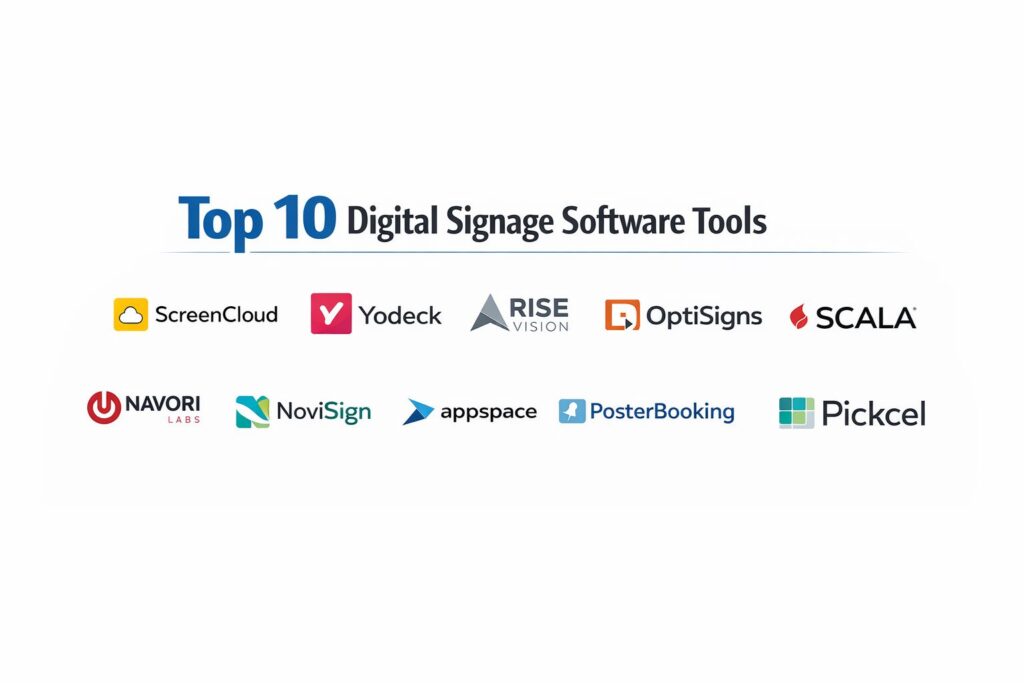
The selection process for these top 10 platforms involved a rigorous evaluation of their technical stability, security frameworks, and integration depth. We prioritized software that offers high “uptime” and reliable offline playback, ensuring that screens do not go blank during network interruptions. Market presence and customer feedback from enterprise-scale deployments were heavily weighted, as these environments demand the most from a platform’s governance and role-based access controls.
We also looked for a balance between “ease of use” for non-technical content creators and “API flexibility” for IT departments. Tools that offer pre-built templates for common industries—such as menu boards for restaurants or KPI dashboards for offices—scored higher for immediate value. Finally, we ensured that the list includes a range of pricing models, from free-tier options for startups to high-end managed services for global corporations.
1. ScreenCloud
ScreenCloud is a premium, cloud-based platform recognized for its extensive “App Store” and focus on automation. It is designed for organizations that view their screens as a critical communication channel rather than just a decorative element, offering deep integrations with workplace productivity tools.
Key Features
The platform features over 80+ native app integrations, including Microsoft PowerBI, Slack, and Salesforce, allowing for automated data visualization. It utilizes “ScreenCloud OS,” a proprietary Linux-based operating system designed specifically for digital signage stability. The software includes advanced “Canvas” design tools and support for GraphQL APIs for custom development. It also provides enterprise-grade security features like SOC2 Type II compliance and audit logs. The management console allows for multi-tenant structures, making it suitable for managing different departments or regions under one account.
Pros
The automated content updates via app integrations significantly reduce the manual workload for marketing teams. Its hardware-agnostic nature allows it to run on almost any modern media player or Smart TV.
Cons
The pricing is on the higher end of the spectrum, which might be a barrier for very small businesses. The feature set can be overwhelming for users who only need basic image loops.
Platforms and Deployment
Cloud-based CMS supporting Android, Amazon Fire TV, LG webOS, Samsung Tizen, and Windows.
Security and Compliance
SOC2 Type II certified, with support for SSO, multi-factor authentication, and granular role-based permissions.
Integrations and Ecosystem
Broadest ecosystem in the industry, integrating with Google Workspace, Microsoft 365, and various social media and analytics platforms.
Support and Community
Offers 24/7 global support, a dedicated “Success Manager” for enterprise clients, and an extensive library of video tutorials.
2. Yodeck
Yodeck has gained significant market share by offering an extremely affordable, professional-grade solution that is optimized for the Raspberry Pi ecosystem. It is the go-to choice for budget-conscious organizations that still require powerful remote management.
Key Features
The platform is built on a “Plug-and-Play” philosophy, where pre-configured Raspberry Pi players can be shipped directly to locations. It offers a unique “Scripting Engine” that allows for the automation of web-based content and interactive pages. The layout editor supports drag-and-drop functionality with multi-zone support for displaying different content types simultaneously. It includes a free tier for a single screen, making it accessible for testing and small-scale use. The dashboard provides real-time health monitoring and remote troubleshooting capabilities for all connected players.
Pros
Unbeatable value for money, especially with the “free player” offer on annual subscriptions. The interface is exceptionally intuitive, requiring minimal training for new users.
Cons
While it supports other hardware, it is heavily optimized for Raspberry Pi, which may not suit all enterprise hardware standards. Some advanced design features are more limited compared to premium competitors.
Platforms and Deployment
Cloud-native CMS primarily targeting Raspberry Pi, but also supports Android and web browsers.
Security and Compliance
Provides basic SSL encryption and firewall-protected players, with higher-tier plans offering more advanced security controls.
Integrations and Ecosystem
Includes a variety of widgets for news, weather, and social media, though it has fewer deep business app integrations than ScreenCloud.
Support and Community
Excellent customer support with fast response times and a very active user forum.
3. Rise Vision
Rise Vision is specifically tailored for the education and corporate sectors, with a heavy emphasis on safety, emergency alerts, and easy-to-use templates. It is designed to be managed by staff members who may not have a background in IT or design.
Key Features
The platform boasts a library of over 500+ professionally designed templates for schools and offices. It features a robust “Emergency Alert” system that can override all screens in a building with critical safety information instantly. The software integrates natively with Google Slides and Microsoft 365, allowing users to update screens by simply editing a presentation. It supports “Sub-Accounts,” which allows a central office to manage the entire network while giving individual locations control over their own content. The system also includes a “Schedule and Forget” feature for long-term content planning.
Pros
The focus on templates makes it incredibly fast to deploy professional-looking content. The emergency alert functionality is a critical value-add for public institutions.
Cons
The creative editor is less flexible for users who want to build complex, highly customized layouts from scratch. Some users find the pricing structure for “premium” templates a bit restrictive.
Platforms and Deployment
Cloud-based, compatible with Windows, Raspberry Pi, Linux, and ChromeOS.
Security and Compliance
Enterprise-grade security with support for secure network configurations and automated software updates.
Integrations and Ecosystem
Strong focus on educational and productivity tools, including Google Classroom and Microsoft Teams.
Support and Community
Provides extensive onboarding support and a “Weekly Creative” newsletter with new template ideas.
4. OptiSigns
OptiSigns is a versatile and cost-effective digital signage solution that strikes a balance between simplicity and powerful data integrations. It is widely used in retail and hospitality for its reliable “offline” performance and easy setup.
Key Features
The platform includes a powerful “Social Media Pro” app that can aggregate and curate live feeds from Instagram, Twitter, and Wall of Social. It supports over 100+ different apps and integrations, including YouTube and weather triggers. A built-in “File Converter” automatically optimizes images and videos for the best playback performance on various screen resolutions. It offers a “Remote Control” feature that allows users to change what’s on a specific screen via their mobile phone. The dashboard includes detailed proof-of-play analytics and reporting tools for advertising purposes.
Pros
The platform is very “responsive,” with content updates appearing on screens almost instantly. The transparent, per-screen pricing model makes it very easy for businesses to calculate their costs as they scale.
Cons
The user interface, while functional, is not as visually modern as some of its competitors. The enterprise-level features are slightly less mature than those found in high-end dedicated corporate tools.
Platforms and Deployment
Cloud-based, supporting Amazon Fire TV, Android, Windows, and macOS.
Security and Compliance
Standard encryption and secure login protocols, with options for private cloud deployments for larger organizations.
Integrations and Ecosystem
Strong integrations with Canva for design and various cloud storage services like Dropbox and Google Drive.
Support and Community
Offers 24/7 technical support and a comprehensive knowledge base with step-by-step guides.
5. Scala
Scala is one of the most established names in the industry, now part of the STRATACACHE family. It is an enterprise-grade platform known for its ability to handle massive, complex networks and high-performance interactive experiences.
Key Features
The platform uses “Scala Designer” for creating highly sophisticated, data-driven content with complex animations and interactivity. It features a powerful “Content Manager” that can handle thousands of players across multiple time zones with ease. The software supports “Audience Analytics” through camera-based sensors to track viewer engagement and demographics. It offers a “Hybrid” deployment model, allowing for both cloud and on-premise hosting to meet strict security requirements. The system is designed for high-resolution 4K and multi-screen video wall synchronizations.
Pros
Unmatched scalability and power for large-scale retail and stadium deployments. The level of customization available for interactive “Wayfinding” kiosks is the best in the market.
Cons
The software has a steep learning curve and usually requires professional installation and training. The pricing is typically opaque and targeted at large enterprise budgets.
Platforms and Deployment
Supports a wide range of hardware, including specialized Linux players, Windows, and proprietary STRATACACHE hardware.
Security and Compliance
Government-grade security standards with deep encryption and comprehensive audit trails.
Integrations and Ecosystem
Highly flexible API and “Scala Player” software that can integrate with almost any hardware or database system.
Support and Community
Provides global, enterprise-level managed services and 24/7 mission-critical support.
6. Navori Labs
Navori Labs is a Swiss-engineered platform that prioritizes high-performance rendering and professional “broadcast-quality” playback. It is favored by high-end brands and transportation hubs where visual precision is paramount.
Key Features
The software features a “Computer Vision” AI called Aquaji that tracks foot traffic and dwell time to optimize content delivery. It uses a proprietary “QL Player” engine that ensures frame-accurate synchronization across video walls. The system includes a “Contextual Trigger” engine that can change content based on external data like weather, POS transactions, or sensor inputs. It offers a “Template Designer” that allows for the creation of multi-layered content without requiring external software. The management interface is highly modular, allowing for custom skins and workflows.
Pros
The playback quality and smoothness are superior to many web-based competitors. The integration of AI for real-time audience measurement is highly advanced.
Cons
The platform is more technical than standard SaaS solutions and may require an IT specialist for initial setup. The cost is high, reflecting its positioning as a “high-end” professional tool.
Platforms and Deployment
Available as a cloud service or on-premise installation; supports Android, Tizen, webOS, and Windows.
Security and Compliance
Features SOC2 compliance and advanced encryption, with a focus on data privacy in its audience analytics tools.
Integrations and Ecosystem
Powerful API-first approach that allows for seamless integration with ERP and CRM systems.
Support and Community
Offers professional certification programs and high-level technical support for complex deployments.
7. NoviSign
NoviSign is a cloud-based digital signage platform that is particularly popular in the healthcare and retail sectors due to its easy-to-use drag-and-drop studio and interactive capabilities.
Key Features
The platform includes an “Online Studio” with over 20+ customizable widgets for everything from RSS feeds to interactive polls. It features “Touch Screen” support that allows users to create interactive kiosks without any coding knowledge. The software provides “Advanced Scheduling” that can handle complex recurring patterns and expiration dates for content. It includes a “Performance Dashboard” that tracks the status and content playback of every screen in the network. The system also supports “RFID” and “Barcode” triggers for retail “Lift and Learn” experiences.
Pros
One of the most user-friendly “Studio” interfaces for creating dynamic, multi-zone layouts. The interactive features are surprisingly powerful for a cloud-native SaaS tool.
Cons
The mobile management app is not as feature-rich as the desktop version. Some users find the stock template library to be less modern than competitors like Rise Vision.
Platforms and Deployment
Cloud-based, primarily supporting Android, ChromeOS, and Windows.
Security and Compliance
Standard secure hosting with options for “White Label” versions that give businesses full control over their own branding and data.
Integrations and Ecosystem
Integrates well with common web services and has a strong focus on retail and healthcare-specific data feeds.
Support and Community
Provides localized support in multiple languages and a very responsive help desk.
8. Appspace
Appspace is a unified workplace communication platform that goes beyond digital signage to include room booking, visitor management, and an employee “Intranet” app. It is designed for the modern “Hybrid” office.
Key Features
The platform provides a “Unified CMS” that allows content to be published simultaneously to physical screens and the mobile devices of employees. It features “Space Reservation” tools that turn signage screens into interactive room-booking displays. The software includes “Mapping” and “Wayfinding” tools for large corporate campuses. It offers “Content Governance” features that ensure brand consistency across a global workforce. The system is designed to integrate deeply with Microsoft 365, including SharePoint and Teams.
Pros
The best choice for large corporations looking to consolidate their internal communications and office management into a single tool. It provides a truly “omnichannel” employee experience.
Cons
The platform’s complexity can be a drawback for teams that only want simple digital signage. It is one of the more expensive options due to its broad suite of workplace features.
Platforms and Deployment
Cloud-based with enterprise deployment options; supports a vast range of hardware including Cisco collaboration devices.
Security and Compliance
Highest levels of enterprise security, including SSO, MFA, and extensive compliance certifications.
Integrations and Ecosystem
Deeply integrated into the enterprise IT stack, specifically Microsoft and Google ecosystems.
Support and Community
Offers “Premium Support” with dedicated account managers and 24/7 technical assistance.
9. PosterBooking
PosterBooking is a rapidly growing, cloud-native solution that has become a favorite for small to medium-sized businesses due to its generous “Free Tier” and “Zero Friction” setup.
Key Features
The platform offers a “Free Forever” plan for up to 10 screens, which is one of the most competitive offers in the market. It features a simplified “Playlist” management system that can be mastered in minutes. The software runs in a web browser, making it compatible with almost any device that has an internet connection. It includes a “Quick Design” tool for making simple text and image adjustments on the fly. The dashboard provides a “Map View” for tracking the location and status of distributed screens.
Pros
The most accessible entry point for businesses that want to try digital signage without any financial commitment. The setup is remarkably fast, often taking less than two minutes.
Cons
It lacks the advanced data integrations (like PowerBI or live SQL) required by large enterprises. The feature set is intentionally kept simple, which may frustrate power users.
Platforms and Deployment
Cloud-based, runs on Amazon Fire TV, Android, and most web-enabled displays.
Security and Compliance
Standard web security protocols with simple user management; not intended for high-security environments.
Integrations and Ecosystem
Basic integrations for social media and news, focusing on the core needs of SMBs.
Support and Community
Provides helpful email support and a straightforward documentation library.
10. Pickcel
Pickcel is a robust, cloud-based digital signage platform that has built a strong reputation for its reliability in large-scale retail and commercial deployments across emerging markets.
Key Features
The platform features a “Visual Workflow” for content approval, ensuring that no unvetted media goes live on public screens. It offers a specialized “Queue Management” system that integrates directly with the signage software for banks and hospitals. The software supports “Multi-Layered Playlists” and “Conditional Scheduling” based on time, date, or tags. It provides a “Hardware Monitoring” dashboard that alerts administrators to offline players or overheating issues. The system also includes an “App Store” with various informational and social media widgets.
Pros
The integrated “Queue Management” and “Social Media” modules provide a lot of value for retail and service-oriented businesses. It offers very stable performance on low-cost Android hardware.
Cons
The user interface is a bit more industrial and less “slick” than some of the newer Western SaaS competitors. The initial account configuration can be somewhat detailed.
Platforms and Deployment
Cloud-based or on-premise; supports Android, Linux, Windows, and Amazon Fire TV.
Security and Compliance
Includes features like role-based access control and secure media storage, satisfying most corporate security requirements.
Integrations and Ecosystem
Strong API for connecting with local databases and third-party software like POS systems.
Support and Community
Excellent technical support with a focus on helping clients manage large, distributed networks.
Comparison Table
| Tool Name | Best For | Platform(s) Supported | Deployment | Standout Feature | Public Rating |
| 1. ScreenCloud | Corporate/Enterprise | Android, webOS, Win | Cloud | 80+ Native Apps | 4.8/5 |
| 2. Yodeck | Budget SMB | Raspberry Pi, Android | Cloud | Free Player Offer | 4.7/5 |
| 3. Rise Vision | Education/Safety | Win, ChromeOS, Pi | Cloud | Emergency Alerts | 4.8/5 |
| 4. OptiSigns | Retail/Quick Setup | Fire TV, Android, Win | Cloud | Social Media Pro | 4.7/5 |
| 5. Scala | Stadiums/Large Retail | Linux, Win, Proprietary | Hybrid | Extreme Scalability | 4.4/5 |
| 6. Navori Labs | High-End/Visuals | Android, Tizen, webOS | Hybrid | AI Audience Analytics | 4.6/5 |
| 7. NoviSign | Healthcare/Interact. | Android, Chrome, Win | Cloud | Interactive Studio | 4.6/5 |
| 8. Appspace | Modern Office/HR | Cisco, Win, Mobile | Cloud | Space Booking Sync | 4.7/5 |
| 9. PosterBooking | Startups/Testing | Fire TV, Android | Cloud | 10 Screens Free | 4.5/5 |
| 10. Pickcel | Service/Queue Mgmt | Android, Linux, Win | Hybrid | Integrated Queuing | 4.6/5 |
Evaluation & Scoring of Digital Signage Software
The scoring below is a comparative model intended to help shortlisting. Each criterion is scored from 1–10, then a weighted total from 0–10 is calculated using the weights listed. These are analyst estimates based on typical fit and common workflow requirements, not public ratings.
Weights:
- Core features – 25%
- Ease of use – 15%
- Integrations & ecosystem – 15%
- Security & compliance – 10%
- Performance & reliability – 10%
- Support & community – 10%
- Price / value – 15%
| Tool Name | Core (25%) | Ease (15%) | Integrations (15%) | Security (10%) | Performance (10%) | Support (10%) | Value (15%) | Weighted Total |
| 1. ScreenCloud | 10 | 9 | 10 | 10 | 9 | 10 | 7 | 9.30 |
| 2. Yodeck | 9 | 10 | 7 | 8 | 9 | 9 | 10 | 8.95 |
| 3. Rise Vision | 9 | 10 | 8 | 9 | 9 | 10 | 8 | 9.00 |
| 4. OptiSigns | 9 | 9 | 9 | 8 | 10 | 8 | 9 | 8.85 |
| 5. Scala | 10 | 6 | 9 | 10 | 10 | 9 | 6 | 8.35 |
| 6. Navori Labs | 10 | 7 | 9 | 9 | 10 | 8 | 7 | 8.55 |
| 7. NoviSign | 8 | 9 | 8 | 8 | 8 | 9 | 9 | 8.35 |
| 8. Appspace | 9 | 7 | 10 | 10 | 9 | 9 | 6 | 8.40 |
| 9. PosterBooking | 7 | 10 | 5 | 7 | 8 | 7 | 10 | 7.60 |
| 10. Pickcel | 9 | 8 | 8 | 9 | 9 | 9 | 8 | 8.55 |
How to interpret the scores:
- Use the weighted total to shortlist candidates, then validate with a pilot.
- A lower score can mean specialization, not weakness.
- Security and compliance scores reflect controllability and governance fit, because certifications are often not publicly stated.
- Actual outcomes vary with assembly size, team skills, templates, and process maturity.
Which Digital Signage Software Tool Is Right for You?
Solo / Freelancer
For individuals or micro-businesses with limited budgets, PosterBooking is the obvious choice. The ability to manage up to 10 screens for free allows you to professionalize your space without any monthly overhead, and the setup is simple enough that you won’t need technical assistance.
SMB
Small and medium businesses that need a bit more power and reliable automation should look toward Yodeck or OptiSigns. These tools offer the best balance of price and professional features, such as social media feeds and scheduled content, which are essential for keeping retail or office screens fresh.
Mid-Market
For organizations with dozens of locations that need centralized branding, Pickcel or NoviSign offer the necessary governance tools. Their ability to handle specific workflows, like queue management or interactive kiosks, makes them highly valuable for service-oriented businesses like clinics or banks.
Enterprise
Large corporations with high security and scalability needs should choose between ScreenCloud and Appspace. ScreenCloud is superior for data-driven internal communications, while Appspace is the better fit if you want to integrate signage with your broader workplace management strategy.
Budget vs Premium
If the primary concern is the bottom line, Yodeck’s Raspberry Pi-focused model offers the lowest hardware and software costs. On the other end, Navori Labs provides a premium, “broadcast-quality” experience that is worth the investment for brands where image quality is a core part of their identity.
Feature Depth vs Ease of Use
Rise Vision wins on ease of use due to its template-first philosophy, making it perfect for non-designers. For power users who need deep technical features like API triggers and custom scripting, Scala and ScreenCloud offer the most significant feature depth.
Integrations & Scalability
ScreenCloud leads the market in terms of “out-of-the-box” integrations with the modern SaaS stack. For organizations that need to scale into thousands of screens across complex networks, Scala remains the gold standard for high-performance infrastructure.
Security & Compliance Needs
In highly regulated industries like finance or government, the security of ScreenCloud, Scala, or Appspace is a major selling point. Their SOC2 certifications and enterprise-grade identity management (SSO) ensure that the signage network complies with IT department standards.
Frequently Asked Questions (FAQs)
1. What hardware do I need for digital signage?
Most software runs on a “Media Player”—a small device like an Amazon Fire Stick, Raspberry Pi, or a specialized Windows/Linux mini-PC—connected to a TV via HDMI. Many modern “Smart TVs” can also run the software directly without an external player.
2. Is a fast internet connection required?
No, most professional signage software downloads the content to the local player’s storage. Internet is only needed to update the content or report the player’s health. If the internet goes down, the screen will continue to play its existing loop.
3. Can I use any TV for digital signage?
Yes, any TV with an HDMI port can work. However, “Commercial Grade” displays are recommended for 24/7 use, as they have better cooling, brighter screens, and longer warranties than consumer-grade home TVs.
4. How do I prevent people from hacking my public screens?
Security is managed through the software. Features like Two-Factor Authentication (2FA), encrypted communication between the cloud and the player, and “Lockdown” modes on the hardware prevent unauthorized people from changing the content.
5. What is “SOC2 Type II” and why does it matter?
SOC2 Type II is a security certification that proves a software company follows strict practices for managing customer data and system security. It is often a requirement for IT departments in large organizations.
6. Can I display live web pages on my screens?
Yes, most platforms have a “Web” or “URL” widget. However, some websites block “iFrames” for security, so premium tools like Yodeck or ScreenCloud use specialized engines to ensure web content renders correctly.
7. How much does digital signage software cost?
Prices range from free tiers to roughly $20–$30 per screen, per month for enterprise features. Most vendors offer significant discounts for annual billing or high-volume screen counts.
8. Can I schedule different content for different times of the day?
Yes, all professional platforms include a “Dayparting” feature. This allows you to show a breakfast menu in the morning and a dinner menu in the evening automatically, or run employee announcements only during shift changes.
9. Do I need to be a designer to create content?
No. Many platforms like Rise Vision and NoviSign provide hundreds of pre-made templates where you simply swap the text and images. You can also integrate tools like Canva to design professionally within the signage dashboard.
10. Can digital signage work as an emergency alert system?
Yes, many enterprise platforms can integrate with your local fire or weather alert systems. When an alert is triggered, the software will instantly override all current content with an emergency message and instructions.
Conclusion
Digital signage software has moved far beyond the role of a simple media player, becoming an essential component of the modern digital workspace and retail environment. The selection of a platform must be a forward-looking decision that considers not just today’s content needs, but tomorrow’s requirements for AI integration, data security, and sustainability. For an organization, the right software acts as a force multiplier—it automates the tedious task of manual updates while providing a dynamic canvas that responds to real-time events and audience behavior. By choosing a partner that aligns with your technical infrastructure and communication goals, you transform every screen into a strategic asset that drives engagement, safety, and brand loyalty across your entire physical footprint.