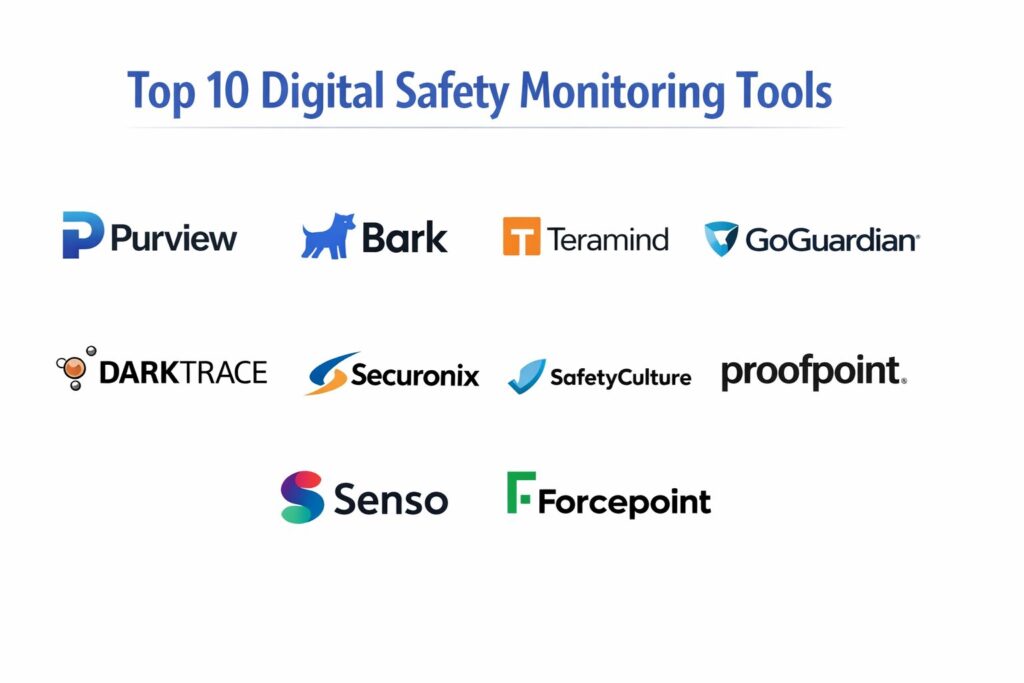
Introduction
Digital safety monitoring tools are specialized software solutions designed to oversee, analyze, and secure interactions within digital environments to mitigate risks such as cyberbullying, data breaches, and insider threats. These tools act as a continuous observational layer, utilizing artificial intelligence and behavioral analytics to identify patterns that deviate from established safety protocols. In the modern professional and educational landscape, these systems have moved from being optional luxuries to fundamental requirements. They provide the visibility needed to protect sensitive information and, more importantly, the well-being of individuals operating within digital perimeters. By monitoring communications, file transfers, and web activity, these platforms provide a proactive defense against the evolving nature of digital harm.
The necessity of these tools is driven by the rapid expansion of remote work and digital learning, which has decentralized the traditional security perimeter. Organizations now face the dual challenge of maintaining operational integrity while ensuring a safe environment for their users. When selecting a digital safety platform, stakeholders must prioritize features that offer deep contextual analysis rather than simple keyword matching. Critical evaluation factors include the platform’s ability to integrate with existing communication suites, its compliance with global privacy regulations, and the accuracy of its alert system to prevent notification fatigue. Ultimately, the right tool should empower administrators to intervene effectively before a risk escalates into a crisis.
Best for: Educational institutions, large-scale enterprises with high-security requirements, healthcare providers handling sensitive patient data, and organizations managing a distributed remote workforce.
Not ideal for: Small businesses with minimal digital footprints, personal use cases requiring only basic antivirus protection, or environments where total user anonymity is a non-negotiable cultural requirement.
Key Trends in Digital Safety Monitoring Tools
The integration of generative artificial intelligence is the most significant trend, allowing tools to understand the intent behind digital interactions rather than just the literal content. This shift from reactive to predictive monitoring enables platforms to flag potential mental health crises or insider threats before they manifest in physical actions. We are also seeing a major move toward privacy-preserving technologies, where monitoring is conducted locally on devices or through encrypted channels to balance safety with individual rights. Real-time coaching and automated interventions are becoming standard, providing users with immediate feedback when they engage in risky digital behavior.
Another prominent trend is the unification of safety and security operations, where digital well-being tools are being integrated into broader cybersecurity ecosystems. This provides a holistic view of risk that covers both technical vulnerabilities and human-centric safety concerns. Mobile-first monitoring is also expanding as more work and learning occur on smartphones and tablets, necessitating cross-platform consistency. Finally, there is a growing emphasis on transparent reporting, with dashboards designed to present complex behavioral data in an ethical and easily digestible format for non-technical administrators.
How We Selected These Tools
The selection process for these top digital safety tools involved a rigorous assessment of technical sophistication and market reliability. We focused on platforms that demonstrate a high degree of accuracy in threat detection, particularly those utilizing advanced machine learning models to reduce false positives. A key criterion was the breadth of the monitoring environment, favoring tools that cover email, chat, social media, and web browsing within a single interface. We also prioritized software with a strong reputation for compliance, ensuring that data handling meets the strict requirements of international privacy laws.
The ease of deployment was another major factor, as organizations need tools that can be integrated into their existing infrastructure without causing significant downtime. We evaluated the quality of the administrative experience, looking for intuitive dashboards and robust reporting features that facilitate rapid decision-making. Vendor support and the frequency of security updates were also scrutinized to ensure long-term viability. Finally, we considered the scalability of each platform, ensuring they are capable of protecting both small focused groups and massive global organizations with equal effectiveness.
1. Microsoft Purview
Microsoft Purview is an enterprise-grade platform that combines data governance with sophisticated digital safety monitoring. It is designed to identify and act on insider risks and data loss within the Microsoft ecosystem. The tool excels at correlating signals from various applications to build a comprehensive picture of user behavior and potential safety violations.
Key Features
It features advanced insider risk management modules that detect sensitive data leaks and policy violations. The platform includes a dedicated communication compliance tool to monitor for harassment or unauthorized disclosures in professional chats. Its data loss prevention features protect sensitive information across cloud and on-premise environments. It offers automated classification of data based on sensitivity and regulatory requirements. Additionally, it provides a unified audit log that records every action for forensic investigation and compliance reporting.
Pros
The integration within the existing Microsoft stack is seamless, requiring no additional agents for most deployments. It provides a massive range of pre-built policy templates for various industries.
Cons
The platform is exceptionally complex and often requires specialized training to manage effectively. Full functionality is typically tied to the most expensive licensing tiers.
Platforms and Deployment
Cloud-native deployment with support for Windows, macOS, and mobile endpoints.
Security and Compliance
Holds the highest levels of global certifications, including SOC 2, ISO 27001, and HIPAA compliance.
Integrations and Ecosystem
Deeply integrated with Microsoft 365, Azure, and a growing list of third-party cloud services.
Support and Community
Offers world-class enterprise support and an extensive library of technical documentation.
2. Bark for Schools
Bark for Schools is a specialized safety monitoring tool focused on protecting students in educational environments. It uses advanced AI to scan emails, documents, and chat messages for signs of cyberbullying, self-harm, and online predators. It is widely recognized for its ability to provide life-saving alerts to school administrators.
Key Features
The software utilizes a sophisticated AI engine that understands context and slang to detect potential safety issues. It monitors Google Workspace and Microsoft 365 environments used by students and staff. The platform provides a streamlined dashboard for administrators to manage alerts and interventions. It includes a community-driven database of emerging digital threats and trends. The tool also offers parental engagement features to keep families informed of serious safety concerns.
Pros
The tool is specifically tuned for the nuances of student communication and mental health risks. It is exceptionally fast at delivering critical safety alerts.
Cons
Its focus is narrow, making it less suitable for traditional corporate security needs. Some users find the alert volume can be high without fine-tuned policy adjustments.
Platforms and Deployment
Cloud-based monitoring of educational suites and mobile app support.
Security and Compliance
Fully compliant with student privacy laws like FERPA and COPPA.
Integrations and Ecosystem
Works seamlessly with major educational platforms like Canvas, Google Classroom, and Clever.
Support and Community
Provides dedicated support for educators and a wealth of resources on student digital well-being.
3. Teramind
Teramind is a powerful user activity monitoring and behavioral analytics platform designed for high-security environments. It provides deep visibility into how employees interact with digital assets, focusing on preventing insider threats and ensuring operational safety. The tool is known for its granular control and detailed session recording capabilities.
Key Features
It offers real-time screen recording and session playback for forensic investigation of incidents. The software includes an automated risk scoring system that flags suspicious behavior based on custom parameters. It features advanced keystroke logging and application usage tracking to identify policy violations. The platform can automatically block unauthorized file transfers or website access. It also provides productivity analytics to help organizations understand how digital tools are being utilized.
Pros
The level of detail provided is among the highest in the industry, making it ideal for highly regulated sectors. The policy engine is extremely flexible and customizable.
Cons
The depth of monitoring can raise significant privacy concerns if not implemented transparently. It requires a robust infrastructure to handle the volume of data it collects.
Platforms and Deployment
Available as an on-premise installation, private cloud, or SaaS solution for Windows and macOS.
Security and Compliance
Supports GDPR and HIPAA compliance through localized data storage and strict access controls.
Integrations and Ecosystem
Integrates with major SIEM tools and project management platforms for a unified security view.
Support and Community
Offers 24/7 technical support and a comprehensive knowledge base for administrators.
4. GoGuardian
GoGuardian is a comprehensive digital safety and classroom management suite built for the modern learning environment. It focuses on keeping students safe and on-task while providing teachers with the tools they need to manage digital classrooms effectively. It is a leader in the K-12 education space.
Key Features
The platform features a real-time student safety alert system that monitors for concerning web content. It includes a powerful content filter that can be customized by school, grade, or individual student. Teachers can view student screens in real-time and provide immediate digital guidance. It offers detailed reporting on student web activity and engagement levels. The software also includes a dedicated module for identifying students who may be at risk of self-harm.
Pros
The dual focus on safety and instructional management makes it a versatile tool for schools. The interface is highly intuitive for teachers and non-technical staff.
Cons
It is primarily optimized for Chromebooks, which may limit its utility in mixed-device environments. Subscription costs can scale quickly for large school districts.
Platforms and Deployment
Cloud-based management with a focus on Chrome OS, Windows, and macOS.
Security and Compliance
Adheres to strict student data privacy standards and is a signatory of the Student Privacy Pledge.
Integrations and Ecosystem
Integrates deeply with Google Workspace for Education and various student information systems.
Support and Community
Has a very active community of educators and provides specialized training for school safety teams.
5. Proofpoint Digital Risk Protection
Proofpoint provides a high-end digital safety solution that focuses on protecting organizations from external and internal risks across social media, mobile apps, and the web. It is designed to safeguard a company’s reputation and its employees from targeted digital attacks and harassment.
Key Features
The platform monitors social media and digital channels for fraudulent accounts and brand impersonation. It features automated remediation tools that can take down malicious content or block harmful interactions. Its AI-driven engine detects executive threats and targeted harassment of staff. It provides deep visibility into the digital footprint of the organization to identify hidden vulnerabilities. The tool also includes a comprehensive compliance module for regulated communications.
Pros
It is one of the most effective tools for managing risks that originate outside the traditional network perimeter. The threat intelligence feed is world-class.
Cons
The cost is significant, placing it out of reach for many smaller organizations. The setup process for complex global brands can be extensive.
Platforms and Deployment
SaaS-based platform with global cloud coverage.
Security and Compliance
Enterprise-grade security with ISO 27001 certification and support for major financial regulations.
Integrations and Ecosystem
Connects with major social media platforms, cloud storage providers, and enterprise security suites.
Support and Community
Provides dedicated account management and high-level strategic support for large enterprises.
6. Darktrace HEAL
Darktrace utilizes self-learning AI to monitor digital environments for abnormal behavior that could indicate a safety or security incident. Unlike traditional tools that rely on rules, Darktrace learns the “pattern of life” for every user and device, allowing it to detect subtle risks that others might miss.
Key Features
The AI engine autonomously identifies and responds to emerging threats in real-time. It provides a visual map of the digital environment, highlighting areas of concern and abnormal activity. The platform includes a specialized module for detecting and stopping insider threats and data exfiltration. Its “HEAL” feature helps organizations recover quickly from incidents by providing automated remediation steps. It operates across email, cloud services, and traditional network infrastructure.
Pros
The tool requires very little manual configuration as the AI does the majority of the heavy lifting. It is exceptionally good at finding unknown, “zero-day” safety risks.
Cons
The automated response features can occasionally be over-sensitive, requiring human oversight. It represents a significant financial investment for the organization.
Platforms and Deployment
Cloud and on-premise options with support for hybrid digital environments.
Security and Compliance
Highly secure architecture with a focus on data privacy and sovereign cloud options.
Integrations and Ecosystem
Integrates with a wide range of network equipment, cloud providers, and incident response tools.
Support and Community
Offers 24/7 expert support and a sophisticated portal for monitoring and analysis.
7. Securonix
Securonix is a leading platform in the field of User and Entity Behavior Analytics (UEBA). It focuses on identifying digital safety risks by analyzing vast amounts of data to find patterns of behavior that indicate malicious intent, accidental risk, or compromised accounts.
Key Features
It utilizes machine learning to establish behavioral baselines for all digital identities. The platform features an advanced threat modeling engine that can predict potential safety incidents. It includes a dedicated module for monitoring privileged users who have access to sensitive data. The software provides real-time alerts with detailed context to speed up investigations. It also offers automated playbooks for responding to common safety and security scenarios.
Pros
The ability to process and analyze massive datasets from diverse sources is a core strength. It provides a very high level of transparency into the “why” behind an alert.
Cons
The initial implementation can be a major technical undertaking for the IT department. It requires a dedicated team of analysts to fully realize its potential.
Platforms and Deployment
Cloud-native platform with support for multi-cloud and hybrid environments.
Security and Compliance
Compliant with SOC 2, PCI DSS, and other major international security standards.
Integrations and Ecosystem
Features hundreds of out-of-the-box connectors for enterprise applications and security tools.
Support and Community
Strong enterprise support network and a global community of security professionals.
8. SafetyCulture
SafetyCulture is a mobile-first platform that digitizes safety inspections and incident reporting. While it started in physical safety, it has expanded to include digital safety monitoring and reporting, making it a versatile choice for organizations that need a unified view of all safety protocols.
Key Features
The software includes a powerful digital form builder for creating safety checklists and reports. It features real-time incident reporting with the ability to attach photos and digital evidence. The platform provides a centralized dashboard for tracking safety trends and compliance across different sites. It includes automated alerts for missed inspections or flagged safety risks. The tool also offers a marketplace of pre-built safety templates for various industries.
Pros
The mobile experience is the best in the industry, encouraging high participation from frontline staff. It is very easy to set up and begin using immediately.
Cons
Its digital-only monitoring features are less advanced than some of the specialized AI-driven suites. The reporting can be simplified for complex technical investigations.
Platforms and Deployment
Mobile-first (iOS and Android) with a robust web-based management console.
Security and Compliance
Maintains ISO 27001 certification and provides strong data encryption and access controls.
Integrations and Ecosystem
Integrates with popular communication tools like Slack and Microsoft Teams, as well as various BI platforms.
Support and Community
Excellent customer support and a massive library of community-generated safety content.
9. Senso
Senso is a cloud-based digital safety and classroom management platform designed for schools. It focuses on real-time monitoring of student activity to ensure a safe learning environment, with a particular emphasis on mental health and safeguarding.
Key Features
The platform features AI-driven keyword and visual monitoring for signs of bullying or self-harm. It provides teachers with a live view of student screens to ensure they stay on-task. Administrators can block inappropriate content and applications across the entire network. The tool includes a “well-being” module that flags students who may be experiencing distress. It also offers detailed logs of all digital activity for compliance and safeguarding reviews.
Pros
The software is very lightweight and performs well even on older hardware. Its focus on student well-being is highly valued by safeguarding leads.
Cons
The interface can feel a bit more technical than some of its competitors. It lacks the deep enterprise security features found in more expensive suites.
Platforms and Deployment
Cloud-managed solution with support for Windows, Chrome OS, and macOS.
Security and Compliance
Fully compliant with FERPA and GDPR, with a strong focus on student data privacy.
Integrations and Ecosystem
Integrates with Microsoft 365 and Google Workspace to provide a seamless management experience.
Support and Community
Provides strong technical support and a library of resources focused on educational safeguarding.
10. Forcepoint Insider Threat
Forcepoint specializes in identifying and stopping the human-centric risks that originate from within an organization. Its digital safety monitoring focuses on understanding the context of user actions to determine if they are accidental, malicious, or indicate a safety concern for the individual.
Key Features
It features a “risk-adaptive” protection system that automatically adjusts security levels based on user behavior. The software includes detailed forensic session recording to provide a full picture of any incident. It uses machine learning to identify high-risk individuals based on a wide range of behavioral indicators. The platform provides a unified view of risk across endpoints, cloud services, and the network. It also offers specialized tools for protecting intellectual property.
Pros
The tool’s ability to automatically increase protection for high-risk users is a unique and powerful feature. It excels at identifying the early stages of a safety crisis.
Cons
The software is highly technical and requires a sophisticated security team to operate. Pricing is aimed at the high-end enterprise market.
Platforms and Deployment
Flexible deployment options including cloud, on-premise, and hybrid models.
Security and Compliance
Meets the most stringent government and financial security requirements globally.
Integrations and Ecosystem
Part of a broader security ecosystem with deep links to various identity management and network security tools.
Support and Community
Professional-grade global support and a wealth of technical training materials.
Comparison Table
| Tool Name | Best For | Platform(s) Supported | Deployment | Standout Feature | Public Rating |
| 1. Microsoft Purview | M365 Ecosystems | Win, Mac, Cloud | SaaS | Unified Audit Log | 4.5/5 |
| 2. Bark for Schools | K-12 Safeguarding | Cloud, Mobile | SaaS | AI Content Analysis | 4.7/5 |
| 3. Teramind | High-Security Monitoring | Win, Mac, Cloud | Hybrid | Session Recording | 4.6/5 |
| 4. GoGuardian | Classroom Management | Chrome, Win, Mac | SaaS | Student Safety Alerts | 4.8/5 |
| 5. Proofpoint | Digital Risk/Social | Cloud | SaaS | Threat Takedown Tools | 4.4/5 |
| 6. Darktrace HEAL | Autonomous Security | Cloud, Network | Hybrid | Self-Learning AI | 4.7/5 |
| 7. Securonix | Behavioral Analytics | Cloud | SaaS | Threat Modeling | 4.3/5 |
| 8. SafetyCulture | Frontline Safety | Mobile, Web | SaaS | Mobile Inspection Tools | 4.6/5 |
| 9. Senso | School Well-being | Win, Chrome, Mac | SaaS | Safeguarding Alerts | 4.2/5 |
| 10. Forcepoint | Insider Risk | Win, Mac, Cloud | Hybrid | Risk-Adaptive Control | 4.5/5 |
Evaluation & Scoring of Digital Safety Monitoring Tools
The scoring below is a comparative model intended to help shortlisting. Each criterion is scored from 1–10, then a weighted total from 0–10 is calculated using the weights listed. These are analyst estimates based on typical fit and common workflow requirements, not public ratings.
Weights:
- Core features – 25%
- Ease of use – 15%
- Integrations & ecosystem – 15%
- Security & compliance – 10%
- Performance & reliability – 10%
- Support & community – 10%
- Price / value – 15%
| Tool Name | Core (25%) | Ease (15%) | Integrations (15%) | Security (10%) | Performance (10%) | Support (10%) | Value (15%) | Weighted Total |
| 1. Purview | 10 | 4 | 10 | 10 | 8 | 9 | 7 | 8.35 |
| 2. Bark | 9 | 9 | 8 | 8 | 9 | 9 | 10 | 8.85 |
| 3. Teramind | 10 | 6 | 7 | 8 | 8 | 8 | 7 | 8.00 |
| 4. GoGuardian | 9 | 10 | 9 | 9 | 9 | 9 | 8 | 8.95 |
| 5. Proofpoint | 9 | 6 | 8 | 9 | 9 | 9 | 6 | 7.90 |
| 6. Darktrace | 10 | 7 | 8 | 9 | 10 | 8 | 7 | 8.45 |
| 7. Securonix | 9 | 5 | 10 | 9 | 8 | 8 | 7 | 8.05 |
| 8. SafetyCulture | 8 | 10 | 9 | 8 | 9 | 10 | 9 | 8.80 |
| 9. Senso | 8 | 8 | 7 | 8 | 8 | 8 | 9 | 8.00 |
| 10. Forcepoint | 10 | 5 | 8 | 10 | 8 | 9 | 6 | 8.05 |
How to interpret the scores:
- Use the weighted total to shortlist candidates, then validate with a pilot.
- A lower score can mean specialization, not weakness.
- Security and compliance scores reflect controllability and governance fit, because certifications are often not publicly stated.
- Actual outcomes vary with assembly size, team skills, templates, and process maturity.
Which Digital Safety Monitoring Tool Is Right for You?
Solo / Freelancer
For individuals, the focus should be on personal digital security and identity protection. While full enterprise monitoring suites are unnecessary, utilizing basic safety features built into operating systems and dedicated antivirus software provides a solid baseline for a safe digital workspace.
SMB
Small businesses should prioritize tools that are easy to deploy and manage without a dedicated security operations center. Platforms that offer a mix of productivity analytics and basic behavioral monitoring provide the most value by helping teams stay safe while remaining efficient.
Mid-Market
Organizations in this segment need a balance of depth and usability. Tools that can scale as the company grows and integrate with a wider range of professional applications are ideal. At this stage, focus on platforms with strong reporting features for compliance audits.
Enterprise
Large-scale corporations require high-end solutions that offer deep visibility and automated response. Security, global compliance, and the ability to process massive amounts of data are the primary requirements. Enterprise tools should act as a central hub for all safety and security intelligence.
Budget vs Premium
Budget options, particularly in the educational space, often provide incredible value for essential safety needs. Premium tools, however, offer the advanced AI, forensic capabilities, and high-level support required for protecting sensitive intellectual property and high-risk environments.
Feature Depth vs Ease of Use
The trade-off between depth and ease is critical. Some tools offer exhaustive detail but require constant attention, while others are designed for “set-it-and-forget-it” operations. The right choice depends on the availability of technical staff to manage the platform.
Integrations & Scalability
A monitoring tool is only effective if it can see across the entire digital ecosystem. Prioritize platforms that offer deep integrations with your existing software stack and can handle an increasing number of users and devices without performance degradation.
Security & Compliance Needs
For highly regulated industries, the software’s compliance credentials are the first hurdle. Ensure any tool you choose meets the specific legal requirements for your region and sector, particularly concerning the handling and storage of sensitive personal data.
Frequently Asked Questions (FAQs)
1. Does digital safety monitoring invade user privacy?
Professional tools are designed with privacy-by-design principles, allowing organizations to monitor for safety risks while masking non-essential personal information. Transparency and clear acceptable-use policies are essential for maintaining trust within the organization.
2. Can these tools detect encrypted communications?
Most modern monitoring solutions operate at the endpoint or through official API integrations with communication platforms. This allows them to analyze content before it is encrypted or after it is decrypted, ensuring safety without breaking encryption protocols.
3. What is the difference between monitoring and filtering?
Filtering is a reactive measure that blocks access to specific content, while monitoring is a proactive process that analyzes interactions to identify patterns of harm. Both are often used together to create a comprehensive safety strategy.
4. Are these tools effective on personal devices used for work?
Many platforms offer “Bring Your Own Device” (BYOD) support through specialized agents or management profiles that separate work data from personal data, ensuring safety monitoring is only active during professional or educational activities.
5. How do safety tools reduce “false positive” alerts?
Advanced platforms use machine learning to understand the context of communication. By learning the normal behavior of a group, the AI can distinguish between a harmless joke and a genuine safety risk, significantly reducing unnecessary alerts.
6. Can digital safety tools prevent data breaches?
Yes, many of these tools include Data Loss Prevention (DLP) features that can identify and block the unauthorized sharing of sensitive information, such as credit card numbers, passwords, or intellectual property.
7. Do schools need parental consent to use these tools?
While legal requirements vary, most educational institutions inform parents about the use of digital safety software as part of their safeguarding duties. Many tools also offer parent portals to involve families in the safety process.
8. How much bandwidth does digital monitoring use?
Modern SaaS-based monitoring is highly efficient, often only sending small packets of metadata or specific alerts to the cloud. This ensures that the impact on network performance and device battery life is minimal.
9. Can these tools work offline?
Some endpoint-based tools can continue to monitor activity while a device is offline and will sync the data and trigger any necessary alerts as soon as a connection is restored.
10. What is an “Insider Threat”?
An insider threat refers to a safety or security risk that originates from someone within the organization, such as an employee or student. This can include intentional harm, accidental data loss, or signs of personal distress that require intervention.
Conclusion
Implementing a digital safety monitoring tool is a critical step toward building a resilient and supportive digital culture. As the boundaries between physical and digital spaces continue to blur, the ability to maintain a clear view of digital interactions becomes a vital component of modern safeguarding. The objective is not to create an environment of constant surveillance, but to establish a secure framework where technology serves as a protective layer for all participants. By choosing a platform that aligns with your organization’s specific risks and values, you can ensure that your digital transformation is both productive and safe. In the long term, the most successful organizations will be those that prioritize the digital well-being of their people as much as the security of their data.