Introduction
Digital Rights Management (DRM) software is a specialized set of technologies designed to control how digital content—such as videos, eBooks, documents, and software—is accessed, shared, and used. In plain English, it acts as a digital lock and key system that ensures only authorized individuals can view or interact with intellectual property. By using encryption and persistent access policies, DRM prevents unauthorized copying, printing, or redistribution of valuable assets.
DRM has evolved from a simple anti-piracy measure into a critical component of the “zero-trust” security architecture. As businesses increasingly rely on remote collaboration and digital-first distribution, the risk of data leaks and intellectual property theft has reached an all-time high. Modern DRM solutions now utilize AI-driven anomaly detection and blockchain-based provenance tracking to safeguard assets even after they have left the organization’s primary network.
Real-World Use Cases
- Media & Entertainment: Protecting 4K streaming content on platforms like Netflix or Disney+ to prevent illegal recording and redistribution.
- Corporate Legal & Finance: Securing board materials, M&A documents, and sensitive financial reports during external sharing.
- Academic Publishing: Ensuring that digital textbooks and research papers are only accessible to students with active institutional subscriptions.
- Manufacturing & Engineering: Protecting proprietary blueprints and CAD files (Digital Twins) from industrial espionage.
- Healthcare: Safeguarding patient records and medical research data while maintaining strict regulatory compliance.
Evaluation Criteria for Buyers
- Encryption Standards: Does it use AES-256 or next-generation post-quantum encryption?
- Persistent Protection: Do rights stay with the file even when moved to a USB or third-party cloud?
- Offline Access: Can users access content without an internet connection while still enforcing expiration dates?
- Granular Permissions: Can you specifically disable printing, screenshots, or copy-pasting?
- Device Flexibility: Does it support web, desktop (Win/Mac), and mobile (iOS/Android) seamlessly?
- Real-Time Revocation: Can you instantly kill access to a file after it has already been downloaded?
- Usage Analytics: Does it provide detailed logs on who viewed, shared, or tried to print the content?
- Ease of Integration: How well does it plug into existing DAM, CRM, or ERP systems?
Best for: Enterprises handling trade secrets, media publishers, legal firms, and software vendors who need to monetize or secure high-value digital assets.
Not ideal for: Personal photo storage, internal low-risk collaboration, or open-source community projects where unrestricted sharing is the goal.
Key Trends in Digital Rights Management Software
- AI-Powered Forensic Watermarking: Watermarks are no longer just visible text; they are invisible digital signatures that can identify the exact user responsible for a leak even from a smartphone photograph.
- Zero-Trust Integration: DRM is now being integrated directly into Identity and Access Management (IAM) systems, requiring continuous authentication rather than a one-time login.
- Blockchain for Royalty Tracking: Decentralized ledgers are being used to automate royalty payments for artists and creators as soon as a DRM-protected asset is consumed.
- Agentic AI for Anomaly Detection: AI agents monitor content usage patterns in real-time, automatically revoking access if they detect “impossible travel” or suspicious bulk-downloading behavior.
- Cloud-Native Multi-DRM: Service providers are shifting toward multi-DRM architectures (Widevine, FairPlay, PlayReady) managed through a single cloud API for maximum device compatibility.
- Data Sovereignty Controls: Modern DRM allows organizations to restrict content viewing to specific geographic locations (geofencing) to comply with regional data laws like GDPR or India’s DPDPA.
- Hardware-Level Security: Integration with Trusted Execution Environments (TEE) on modern processors ensures that high-value decryption keys are never exposed to the operating system.
How We Selected These Tools (Methodology)
To identify the top 10 DRM solutions , we evaluated dozens of platforms based on the following logic:
- Market Share & Reliability: We prioritized tools used by Fortune 500 companies and major streaming giants.
- Feature Completeness: Selection was based on the ability to provide encryption, license management, and usage tracking in a single package.
- Security Posture Signals: We looked for vendors with documented security audits and modern encryption standards.
- Scalability: The tools had to demonstrate an ability to handle either millions of viewers (Media) or thousands of sensitive documents (Enterprise).
- Interoperability: Preference was given to platforms that support industry standards like OpenUSD, PDF, and MPEG-DASH.
- User Experience: We evaluated the friction level for the end-user, prioritizing “clientless” options that work directly in the browser.
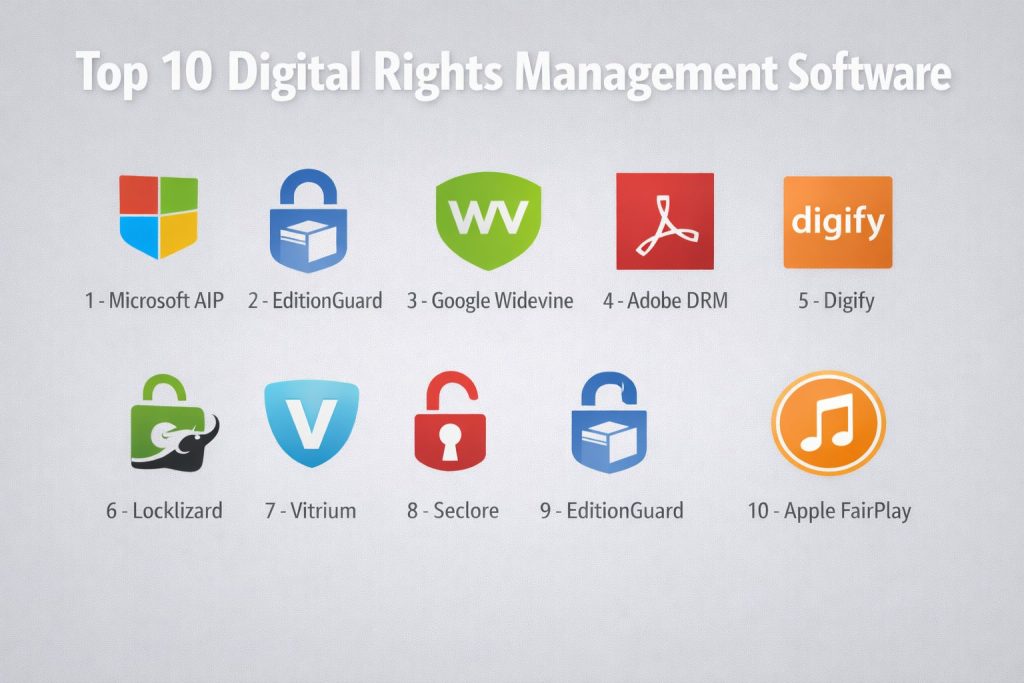
Top 10 Digital Rights Management Software Tools
#1 — Microsoft Azure Information Protection (AIP)
A cloud-based solution that helps organizations classify and protect documents and emails by applying labels and persistent encryption.
Key Features
- Classification & Labeling: Automatically classifies data based on sensitivity using AI-driven policies.
- Persistent Encryption: Protection stays with the file regardless of where it is stored or shared.
- Integration with M365: Deep native support for Word, Excel, PowerPoint, and Outlook.
- Usage Tracking: Detailed logs showing who accessed files and from which locations.
- B2B Collaboration: Securely share encrypted documents with external partners using their own identities.
- Conditional Access: Integrates with Entra ID to enforce MFA before a document can be opened.
- Automatic Revocation: Set expiration dates or manually kill access to shared files at any time.
Pros
- Seamlessly integrated into the world’s most popular office suite (Microsoft 365).
- Highly scalable for large enterprises with existing Microsoft ecosystems.
- Provides robust compliance reporting for regulated industries.
Cons
- Can be complex to configure for small businesses without dedicated IT staff.
- Best features are locked behind higher-tier (E5) licensing plans.
Platforms / Deployment
- Windows / macOS / iOS / Android / Web
- Cloud (SaaS)
Security & Compliance
- SSO/SAML, MFA, AES-256 Encryption, Audit Logs, RBAC.
- SOC 2, ISO 27001, GDPR, HIPAA, FedRAMP.
Integrations & Ecosystem
Microsoft AIP is the cornerstone of the Microsoft Purview security ecosystem.
- Direct integration with SharePoint and OneDrive.
- API support for third-party DLP (Data Loss Prevention) tools.
- Integrates with SIEM platforms like Microsoft Sentinel.
Support & Community
Comprehensive enterprise support including dedicated account managers, extensive technical documentation, and a global network of certified partners.
#2 — Google Widevine
A leading multi-platform DRM provider owned by Google, used primarily for protecting premium video content on the web and mobile devices.
Key Features
- L1, L2, L3 Security Levels: Offers varying levels of hardware vs. software protection based on device capability.
- Dynamic Key Rotation: Frequently changes encryption keys during a stream to prevent brute-force attacks.
- Multi-Browser Support: Native integration with Chrome, Firefox, and Edge via Encrypted Media Extensions (EME).
- Hardware-Backed Security: Leverages the Trusted Execution Environment (TEE) of the processor for key storage.
- Video-on-Demand (VOD) Support: Optimized for both live streaming and stored media delivery.
- Offline Playback: Allows users to download and play protected content within a set time window.
Pros
- The global standard for streaming, used by Netflix, YouTube, and Amazon Prime Video.
- Extremely high device reach, covering virtually all Android and desktop environments.
- Free to use for most implementation types, making it a cost-effective infrastructure choice.
Cons
- Implementation is highly technical and usually requires a third-party license server or “DRM-as-a-Service” provider.
- Limited to media files; cannot protect office documents or PDFs.
Platforms / Deployment
- Web / Android / iOS / Smart TVs / Chromecast
- Cloud-based license delivery
Security & Compliance
- Hardware-level encryption, TEE integration.
- Varies / N/A (Highly dependent on the implementation partner).
Integrations & Ecosystem
Widevine is often integrated into a “Multi-DRM” strategy alongside PlayReady and FairPlay.
- Supports MPEG-DASH and HLS streaming protocols.
- Integrates with video players like Shaka Player and Video.js.
Support & Community
Standard Google developer documentation; professional support is typically handled through specialized DRM service providers (e.g., EZDRM, PallyCon).
#3 — Adobe Content Protection
A robust DRM system primarily focused on protecting eBooks and PDFs, widely used by publishers and public libraries globally.
Key Features
- Device-Based Licensing: Limits the number of devices a single user can use to read a book.
- Loan Management: Automatically expires access to a file after a library loan period ends.
- Adobe Digital Editions (ADE): A dedicated reader app for seamless cross-device reading of protected content.
- Print & Copy Control: Granular control to prevent or limit how many pages can be printed or copied.
- Support for ePub and PDF: Protects the two most common formats for digital publishing.
- Offline Verification: Allows reading without an active internet connection after initial activation.
Pros
- The industry standard for digital publishing and public library systems.
- Highly mature and reliable technology with decades of field testing.
- Strong support for specialized e-reader hardware (e.g., Kobo).
Cons
- The user experience can be fragmented, as readers must often install the Adobe Digital Editions app.
- Licensing fees for publishers can be complex and expensive for smaller authors.
Platforms / Deployment
- Windows / macOS / iOS / Android / e-Readers
- Cloud / Hybrid
Security & Compliance
- Encryption, User Authentication, Device Fingerprinting.
- Varies / Not publicly stated.
Integrations & Ecosystem
Adobe Content Protection is deeply integrated with the global publishing supply chain.
- Integrates with retail platforms like Kobo and Barnes & Noble.
- Compatible with library management systems like OverDrive.
Support & Community
Adobe offers professional technical support for enterprise publishers and extensive documentation for developers.
#4 — Digify
A user-friendly, cloud-based DRM and virtual data room software designed for secure document sharing and tracking for SMBs and professionals.
Key Features
- Dynamic Watermarking: Automatically overlays the recipient’s email address on documents to deter leaks.
- One-Click Revocation: Instantly kill access to a document even after the recipient has downloaded it.
- Self-Destructing Files: Set timers for how long a document remains accessible.
- Screenshot Protection: Prevents users from using standard screen-capture tools on sensitive files.
- Real-Time Analytics: See exactly who opened your file, where they are located, and how much time they spent on each page.
- Virtual Data Rooms (VDR): Securely organize and share thousands of files for due diligence or fundraising.
Pros
- Incredibly easy to use; no technical background required to secure files.
- “Clientless” viewing: Recipients can view protected files directly in their browser without installing anything.
- Excellent for startups and legal teams who need high security with low overhead.
Cons
- Higher cost per user compared to basic cloud storage.
- Not intended for high-volume media streaming or software licensing.
Platforms / Deployment
- Web / iOS / Android
- Cloud (SaaS)
Security & Compliance
- AES-256 Encryption, SSO, MFA, Audit Logs.
- SOC 2 Type II, GDPR compliant.
Integrations & Ecosystem
Digify focuses on making existing workflows more secure.
- Integrates with Gmail and Outlook via browser extensions.
- Support for Dropbox, Google Drive, and Box for easy file importing.
- Zapier integration for custom automated workflows.
Support & Community
Provides 24/5 customer support, an extensive help center, and a dedicated success manager for enterprise accounts.
#5 — Locklizard (Safeguard PDF Security)
A specialized DRM solution focused solely on the security of PDF documents, emphasizing offline protection and the prevention of piracy.
Key Features
- No Password Requirement: Uses public-key infrastructure (PKI) instead of passwords to avoid credential sharing.
- Offline Enforcement: Enforces all DRM rules (like expiration) even when the user is completely offline.
- Printing Controls: Limit printing to specific printers or a set number of copies.
- Screen Grab Protection: Aggressively blocks all known third-party screen capture and recording tools.
- Geographic Restrictions: Lock documents to specific countries or IP ranges.
- Domain Locking: Ensure documents can only be opened within a specific corporate network.
Pros
- Superior protection against screen scraping and third-party recording software.
- Perfect for high-value training manuals, analyst reports, and certification exams.
- No recurring “per-document” fees; pricing is based on a licensing model.
Cons
- Recipients must install a dedicated “Viewer” application to open the files.
- The UI and setup process feel somewhat dated compared to modern SaaS platforms.
Platforms / Deployment
- Windows / macOS / iOS / Android
- On-Premises / Hybrid
Security & Compliance
- US Government-strength AES encryption, PKI-based authentication.
- Varies / Not publicly stated.
Integrations & Ecosystem
Locklizard is designed as a standalone high-security vault.
- Offers an e-commerce integration for automated license delivery after purchase.
- Command-line interface (CLI) for bulk document encryption.
Support & Community
Direct technical support is available, along with a detailed knowledge base focusing on high-security document management.
#6 — Vitrium
An enterprise-grade DRM and content security platform that protects documents, images, and videos without requiring users to download any specialized plugins.
Key Features
- Browser-Based Viewing: Users can view protected content via a secure web portal (no apps required).
- Multi-Format Protection: Secures PDFs, Office files, videos (MP4), and images (JPG/PNG).
- Central Content Portal: Provides a “Netflix-like” dashboard for users to access all their authorized content.
- Detailed Engagement Metrics: Tracks which pages or video segments users find most interesting.
- Dynamic Watermarking: Includes user-identifiable information in the background of all content.
- Multiple DRM Policies: Create different access levels (e.g., Gold, Silver, Bronze) for different user groups.
Pros
- Eliminates the “plugin barrier,” making it much easier to share files with external clients.
- Supports a wide range of file types beyond just PDF.
- Offers a highly professional and customizable user portal.
Cons
- Can be expensive for very small teams or solo creators.
- Video protection is solid but lacks the L1 hardware security of Widevine.
Platforms / Deployment
- Web / Windows / macOS / iOS / Android
- Cloud / On-Premises
Security & Compliance
- AES-256 Encryption, SSO/SAML, Audit Trails.
- ISO 27001 certified.
Integrations & Ecosystem
Vitrium is built for seamless enterprise data flow.
- Standard integrations with Salesforce, Microsoft Dynamics, and NetSuite.
- Direct plugins for LMS platforms like Moodle and Canvas.
- Robust REST API for custom integrations.
Support & Community
Offers tiered support plans including 24/7 emergency response, dedicated onboarding sessions, and a deep technical library.
#7 — Seclore
A data-centric security platform that provides persistent, automated DRM across the entire enterprise data lifecycle.
Key Features
- Agentless Protection: Allows recipients to open and edit protected files without installing software.
- Automated Data Discovery: Uses AI to find sensitive data in your network and automatically apply DRM.
- Dynamic Policy Updating: Change a user’s rights to a file even after they have already downloaded it.
- Visual Usage Tracking: Heatmaps and maps showing exactly where and how data is being used globally.
- Application-Level Control: Control what a user can do inside the application (e.g., disable “Save As” in Excel).
- Secure Email: Automatically encrypts attachments based on the recipient’s identity or email sensitivity.
Pros
- Highly automated; reduces the risk of human error in applying security.
- Focuses heavily on “data-centric” security, meaning the protection is built into the file itself.
- Exceptional compliance tools for GDPR, HIPAA, and ITAR.
Cons
- Enterprise-focused pricing and complexity; not suitable for small businesses.
- Requires significant initial setup and policy mapping.
Platforms / Deployment
- Windows / macOS / iOS / Android / Web
- Cloud / Hybrid / On-Premises
Security & Compliance
- MFA, SSO, end-to-end encryption, automated classification.
- SOC 2, ISO 27001, HIPAA, GDPR, NIST.
Integrations & Ecosystem
Seclore integrates with the “heavy hitters” of enterprise IT.
- Direct connectors for SAP, Oracle, and IBM FileNet.
- Integrates with DLP solutions from Symantec and Forcepoint.
- Deep integration with SIEM and SOC platforms for threat monitoring.
Support & Community
Seclore provides 24/7 global support, a dedicated Customer Success Manager for large accounts, and professional services for implementation.
#8 — ExpressPlay (Intertrust)
A cloud-based multi-DRM service that enables secure distribution of premium video content across all major devices and platforms.
Key Features
- Unified Multi-DRM: Provides a single API to manage Widevine, FairPlay, PlayReady, and Marlin DRM.
- Scalable License Server: Capable of issuing millions of licenses per second for major live events.
- Marlin DRM Support: Includes support for the open standard Marlin DRM, popular in the automotive and TV sectors.
- Offline Playback: Securely manages time-limited licenses for downloaded movies and shows.
- Forensic Watermarking: Integrates with leading watermarking providers to track illegal re-streams.
- Ultra HD/4K Protection: Meets the stringent “Enhanced Content Protection” requirements of major Hollywood studios.
Pros
- Essential for OTT (Over-the-Top) video services looking for global device reach.
- Highly reliable architecture that has powered massive live sporting events (e.g., Olympics).
- Future-proofed with support for the latest streaming and security standards.
Cons
- Very technical; requires a specialized engineering team to implement the API.
- Only for video/media; cannot protect office documents.
Platforms / Deployment
- Web / Smart TVs / Game Consoles / iOS / Android / Set-top Boxes
- Cloud (SaaS)
Security & Compliance
- Hardware-level security, secure key exchange, studio-grade content protection.
- Varies / N/A.
Integrations & Ecosystem
ExpressPlay is the “engine” behind many modern streaming platforms.
- Integrates with AWS Media Services and Azure Media Services.
- Works with all major video players (TheoPlayer, Bitmovin).
Support & Community
Technical support tiers are available for high-availability services, alongside detailed API documentation for developers.
#9 — EditionGuard
A specialized DRM service designed for independent authors and publishers who want to protect and sell eBooks without relying solely on Amazon.
Key Features
- Adobe DRM & Readium LCP: Offers both the industry-standard Adobe DRM and the newer, more user-friendly Readium LCP.
- Direct Store Integration: Seamlessly plugs into Shopify, WooCommerce, and Magento.
- Simplified Licensing: Manage eBook sales and licensing from a single, easy-to-use dashboard.
- Multi-Device Reading: Ensures readers can access their purchases on their phone, tablet, or e-reader.
- Social Watermarking: An alternative to “hard DRM” that embeds the buyer’s name in the book to discourage sharing.
- Instant Fulfillment: Automatically sends a secure download link to customers immediately after purchase.
Pros
- The best choice for authors who want to “own” their customer relationship and data.
- Supports both hard DRM (locked) and soft DRM (watermarked) options.
- Very easy to integrate into existing e-commerce websites.
Cons
- Monthly subscription fees can be a burden for authors with low sales volumes.
- Still relies on third-party reader apps for the best user experience.
Platforms / Deployment
- Web / e-Readers / iOS / Android
- Cloud (SaaS)
Security & Compliance
- Encryption, license management, watermarking.
- Varies / N/A.
Integrations & Ecosystem
EditionGuard focuses on the digital commerce side of publishing.
- Direct plugins for WordPress/WooCommerce and Shopify.
- Integration with PayPal and Stripe for secure payments.
Support & Community
Offers friendly, responsive email support and a helpful set of guides for authors transitioning into self-published DRM.
#10 — Apple FairPlay
Apple’s proprietary DRM system used to protect media content and apps across the vast Apple ecosystem.
Key Features
- Ecosystem Locking: Content is tied to the user’s Apple ID and can only be played on authorized Apple devices.
- FairPlay Streaming (FPS): A specialized version for securely delivering HLS streams to Safari, iPhone, and Apple TV.
- Secure Hardware Integration: Deeply integrated with Apple’s “Secure Enclave” for hardware-level decryption.
- Rental Management: Precisely controls the 24/48-hour viewing window for movie rentals.
- App Store Protection: Ensures that downloaded apps cannot be run on unauthorized or “jailbroken” devices.
- AirPlay Security: Encrypts content as it is sent from an iPhone to an Apple TV.
Pros
- Invisible and seamless for the hundreds of millions of users in the Apple ecosystem.
- Considered one of the most secure DRM implementations due to Apple’s control over hardware and software.
- Essential for any media service that wants to reach Apple TV and iPhone users natively.
Cons
- Proprietary and closed; it does not work on non-Apple devices without specialized streaming wrappers.
- Requires an Apple Developer Program membership to access the SDKs.
Platforms / Deployment
- macOS / iOS / iPadOS / tvOS / visionOS / Safari
- Local (Device) / Cloud (Licensing)
Security & Compliance
- Hardware-backed encryption (Secure Enclave), Apple ID authentication.
- Varies / Not publicly stated.
Integrations & Ecosystem
FairPlay is the “gatekeeper” for high-value content on Apple platforms.
- Works alongside Widevine in “Multi-DRM” setups.
- Required for 4K/HDR content on iTunes and Apple TV+.
Support & Community
Standard Apple Developer support channels, along with specialized technical documentation for FairPlay Streaming.
Comparison Table (Top 10)
| Tool Name | Best For | Platform(s) Supported | Deployment | Standout Feature | Public Rating |
| Microsoft AIP | Enterprise Docs | Win, Mac, Mobile | Cloud | M365 Integration | 4.6/5 |
| Google Widevine | Video Streaming | Web, Android, TV | Cloud | L1 Hardware Security | 4.8/5 |
| Adobe DRM | eBooks & PDFs | Win, Mac, e-Reader | Hybrid | Loan Expiration | 4.2/5 |
| Digify | SMB File Sharing | Web, Mobile | Cloud | Dynamic Watermarking | 4.7/5 |
| Locklizard | High-Value PDFs | Win, Mac, Mobile | Hybrid | Offline Enforcement | 4.5/5 |
| Vitrium | Content Publishers | Web, Win, Mac | Hybrid | Clientless Viewing | 4.6/5 |
| Seclore | Regulated Enterprise | Win, Mac, Web | Hybrid | Agentless Editing | 4.4/5 |
| ExpressPlay | OTT Video Services | All Media Devices | Cloud | Unified Multi-DRM API | 4.7/5 |
| EditionGuard | Indie Publishers | Web, e-Readers | Cloud | Shopify/Woo Integration | 4.1/5 |
| Apple FairPlay | Apple Ecosystem | Apple Devices only | Local | Secure Enclave Sync | 4.8/5 |
Evaluation & Scoring of Digital Rights Management (DRM)
| Tool Name | Core (25%) | Ease (15%) | Integrations (15%) | Security (10%) | Performance (10%) | Support (10%) | Value (15%) | Weighted Total |
| Microsoft AIP | 9 | 7 | 10 | 9 | 8 | 9 | 8 | 8.6 |
| Google Widevine | 10 | 3 | 9 | 10 | 10 | 7 | 9 | 8.5 |
| Adobe DRM | 8 | 6 | 8 | 7 | 8 | 8 | 6 | 7.3 |
| Digify | 7 | 10 | 7 | 8 | 9 | 9 | 8 | 8.1 |
| Locklizard | 9 | 5 | 5 | 10 | 8 | 7 | 7 | 7.6 |
| Vitrium | 8 | 8 | 9 | 8 | 9 | 8 | 7 | 8.2 |
| Seclore | 10 | 4 | 9 | 10 | 8 | 9 | 6 | 8.1 |
| ExpressPlay | 10 | 4 | 10 | 9 | 10 | 8 | 7 | 8.5 |
| EditionGuard | 7 | 9 | 8 | 6 | 8 | 7 | 8 | 7.6 |
| Apple FairPlay | 10 | 5 | 7 | 10 | 10 | 8 | 7 | 8.3 |
How to Interpret These Scores
- 0–5: Highly niche or lacks modern security features.
- 6–8: Strong, reliable tools that dominate their specific category (e.g., eBooks).
- 9–10: Industry-leading infrastructure with maximum security and scalability.
- Note: Scoring is comparative. A tool like Widevine gets a lower “Ease” score because it requires engineering effort, while Digify gets a “10” for Ease because a non-technical person can set it up in minutes.
Which Digital Rights Management Software Tool Is Right for You?
Solo / Freelancer
If you are an independent creator or a small shop, Digify or EditionGuard are your best options. They offer easy, pay-as-you-go pricing and don’t require your clients to install complex software.
SMB
For small-to-mid-sized businesses with sensitive documents, Vitrium offers a professional content portal without the massive price tag of enterprise solutions. It allows you to protect videos and PDFs under one roof.
Mid-Market
Companies that have already invested in the Microsoft stack should maximize Microsoft Azure Information Protection (AIP). It provides enterprise-grade protection at a price point that is often already included in your M365 subscription.
Enterprise
Large, highly regulated organizations (Defense, Banking, Pharma) should look at Seclore. Its automated discovery and agentless editing features are essential for managing millions of files across a global workforce.
Budget vs Premium
- Budget: Blender (for media) or Google Widevine (as it’s free to use, though implementation costs apply).
- Premium: Seclore and ExpressPlay are top-tier investments for high-stakes protection.
Feature Depth vs Ease of Use
If you need absolute protection against screenshots and printing, Locklizard is the depth choice. If you want a smooth, frictionless experience for your users, Digify or Vitrium are the clear winners.
Integrations & Scalability
For OTT streaming services, ExpressPlay is the most scalable choice. For document-heavy corporate environments, Microsoft AIP wins on integration depth.
Security & Compliance Needs
If your primary concern is meeting strict government compliance (SOC 2, ISO, ITAR), Seclore and Microsoft AIP provide the most detailed audit trails and policy enforcement.
Frequently Asked Questions (FAQs)
What is the average cost of DRM software in 2026?
Pricing is highly variable. Small-scale document tools like Digify start around $100/month, while enterprise solutions like Seclore can cost tens of thousands annually. Media DRM like Widevine is often priced per “license issue” (e.g., fractions of a cent per stream).
Does DRM affect the user experience or load times?
Poorly implemented DRM can cause friction, such as requiring specific apps or slowing down file opening. However, modern “clientless” DRM (like Vitrium or Digify) allows users to open files in a standard browser with almost no noticeable delay.
Can DRM be removed from a file?
While hackers frequently try to “crack” DRM, modern systems using rotating keys and hardware-level protection are extremely difficult to bypass. Most “leaks” today happen via screenshots or physical cameras, which is why forensic watermarking is so important.
Is DRM legally required for my business?
While not always legally “required,” DRM is often the only way to meet the “technical safeguards” requirement of laws like HIPAA or GDPR. It also provides the legal “intent to protect” necessary to win copyright infringement lawsuits.
Does DRM work for offline content?
Yes. Professional tools like Locklizard or Adobe DRM can embed an expiration date into the file’s metadata. The file will remain readable offline until that date, after which it will lock itself until it can “check in” with the server again.
What is the difference between DRM and Encryption?
Encryption simply scrambles a file so only those with a key can open it. DRM goes further by controlling what you can do once the file is open (e.g., you can view it but not print it or save a copy).
Can I protect my software with DRM?
Yes. Software-specific DRM (like FlexLM or Microsoft’s license keys) ensures that only users with a valid activation can run the program and can prevent the software from being installed on too many devices.
How does DRM handle privacy?
Modern DRM must balance security with privacy. Top vendors now offer “privacy-compliant” DRM that tracks usage patterns to prevent theft without collecting the user’s personal identifiable information (PII).
Can DRM prevent screenshots?
Most modern DRM tools can block standard OS-level screenshot commands (like PrintScreen). However, no software can stop someone from taking a physical photo of the screen with a smartphone—which is why invisible watermarking is used to track the source of such leaks.
What happens if the DRM server goes down?
This is a common concern. High-availability providers like ExpressPlay or Microsoft use global redundant servers to ensure 99.99% uptime. Additionally, many tools allow for a “grace period” where files remain accessible even if the server is temporarily unreachable.
Conclusion
Digital Rights Management has moved from being a “nice-to-have” anti-piracy tool to a foundational layer of modern data security. Whether you are protecting a $100 million blockbuster movie or a single sensitive legal contract, the right DRM solution ensures your intellectual property remains under your control even after it leaves your hands.