Introduction
Digital forensics tools help you collect, preserve, analyze, and present digital evidence from devices, storage media, memory, networks, and cloud-connected artifacts. In real investigations, the biggest challenge is not only “finding files,” but proving what happened in a way that stands up to internal audit, legal review, or regulatory scrutiny. That means repeatable workflows, strong chain-of-custody discipline, defensible reporting, and careful handling of encrypted, deleted, or partially corrupted data.
Common use cases include incident response triage after ransomware, employee misconduct investigations, eDiscovery preparation, mobile device examinations, insider threat investigations, and malware or intrusion investigations that require memory and network analysis. When choosing tools, evaluate acquisition reliability, artifact coverage, speed at scale, reporting quality, validation options, automation, collaboration, compatibility with your evidence formats, and the skill level needed to use the tool correctly. The “best” choice depends on whether you prioritize fast triage, deep analysis, courtroom-ready reporting, or enterprise-scale case management.
Key Trends in Digital Forensics Tools
- More emphasis on rapid triage workflows so responders can make decisions before full imaging finishes
- Greater need to process large evidence sets (many endpoints, many drives, many phones) without losing defensibility
- Increased focus on artifact-based analysis instead of file-only approaches (browsers, chat apps, cloud sync traces)
- Memory forensics becoming a standard step for advanced incident response and malware investigations
- Mobile forensics expanding into more app data, backups, and logical acquisitions (capabilities vary by device and conditions)
- Better automation and scripting to reduce repetitive steps and human error
- Wider use of standardized evidence formats and export packages to support multi-tool pipelines
- Stronger expectations for case notes, audit trails, and consistent reporting output
- A shift toward integration with DFIR workflows, ticketing, and broader security operations processes
- Increased need for validation and repeatability, especially when multiple investigators collaborate on the same case
How We Selected These Tools (Methodology)
- Chosen for credibility and practical use across DFIR, investigations, and enterprise incident response
- Included a balanced mix of full-suite tools, triage tools, mobile tools, and specialist tools (memory, network)
- Prioritized tools that support defensible workflows: repeatability, logging, and evidence integrity patterns
- Considered breadth of artifact coverage and the ability to scale across many evidence sources
- Considered learning curve and how quickly a team can become productive without sacrificing quality
- Considered ecosystem strength: training availability, community support, and availability of skilled hires
- Considered integration potential with other tools and common evidence exchange workflows
- Scoring is comparative within this list and is intended to guide shortlisting and piloting
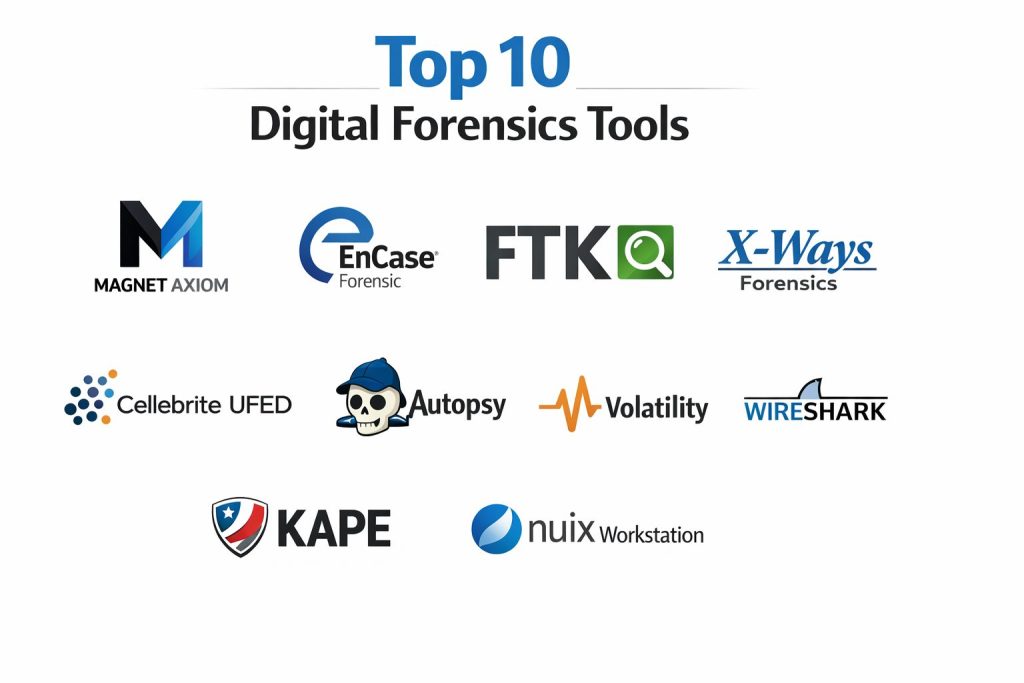
Top 10 Digital Forensics Tools
Tool 1: Magnet AXIOM
Magnet AXIOM is a full-suite digital forensics platform commonly used for computer and mobile evidence processing, artifact analysis, and reporting. It is often selected by teams that want broad artifact coverage and a streamlined case workflow from ingestion to reporting.
Key Features
- Artifact-centric analysis across many common data sources and application traces
- Evidence processing workflows designed for repeatable case handling
- Media parsing and timeline-style investigation views (workflow dependent)
- Reporting outputs designed for investigation summaries and review
- Support for handling large case sets with indexing-style approaches (varies by configuration)
- Case organization features to keep multiple evidence sources aligned
- Workflow options that support both triage and deeper analysis stages
Pros
- Broad artifact coverage suitable for mixed investigations
- Practical reporting workflow for consistent deliverables
Cons
- Can be resource-intensive on large cases depending on hardware
- Licensing cost may be high for small teams
Platforms / Deployment
- Windows
- Self-hosted
Security & Compliance
- SSO/SAML, MFA, encryption, audit logs, RBAC: Not publicly stated
- SOC 2, ISO 27001, GDPR, HIPAA: Not publicly stated
Integrations & Ecosystem
Magnet AXIOM is commonly used in multi-tool workflows where evidence is validated or enriched in specialist tools.
- Common evidence exchange workflows: Varies / N/A
- Export packages for reporting and review: Varies / N/A
- Works alongside memory, network, and triage tools for correlation
- Supports investigator workflows with structured case organization
- Extensibility and automation options: Varies / Not publicly stated
Support & Community
Strong commercial support expectations and a sizable practitioner community. Training availability varies by region and partner network.
Tool 2: EnCase Forensic
EnCase Forensic is a long-standing investigation platform often used for evidence acquisition, analysis, and defensible reporting. It is frequently associated with formal investigation processes and structured evidence handling.
Key Features
- Evidence acquisition and verification patterns aligned with forensic workflows
- Case management concepts designed for structured investigations
- Artifact and file system analysis approaches used across many case types
- Reporting features designed for structured evidence presentation
- Options for reviewing and filtering large evidence sets (workflow dependent)
- Supports examiner notes and repeatable analysis steps (varies by usage)
- Mature tooling patterns used by many investigation teams
Pros
- Recognized legacy presence in formal forensic workflows
- Structured approach to case handling and reporting
Cons
- Learning curve can be heavy for newer analysts
- Interface and workflows may feel slower for rapid triage needs
Platforms / Deployment
- Windows
- Self-hosted
Security & Compliance
- SSO/SAML, MFA, encryption, audit logs, RBAC: Not publicly stated
- SOC 2, ISO 27001, GDPR, HIPAA: Not publicly stated
Integrations & Ecosystem
EnCase Forensic is commonly used in environments where evidence must be defensible and shareable across teams.
- Evidence format interoperability: Varies / N/A
- Works alongside eDiscovery and review workflows (case dependent)
- Can be paired with triage tools for faster early-stage decisions
- Integration with broader investigation processes: Varies / N/A
- Automation and scripting: Varies / Not publicly stated
Support & Community
Commercial support and established training ecosystem. Community knowledge is broad due to long-term market presence.
Tool 3: FTK
FTK is a widely used digital forensics platform often selected for evidence processing, searching, and case analysis. Teams commonly use it when they need structured processing and strong review workflows for large evidence sets.
Key Features
- Evidence processing designed to support fast searching and analysis
- Indexing-style workflows for large datasets (configuration dependent)
- Tools for filtering, categorizing, and reviewing evidence content
- Case handling and reporting features for investigation output
- Support for a range of file systems and evidence sources (varies)
- Workflows that support examiner collaboration patterns (depends on setup)
- Capable of handling enterprise investigation scale with planning
Pros
- Strong search and review workflows for large evidence sets
- Useful case workflow for structured investigations
Cons
- Performance depends heavily on hardware and processing configuration
- Some workflows can feel complex for small teams
Platforms / Deployment
- Windows
- Self-hosted
Security & Compliance
- SSO/SAML, MFA, encryption, audit logs, RBAC: Not publicly stated
- SOC 2, ISO 27001, GDPR, HIPAA: Not publicly stated
Integrations & Ecosystem
FTK commonly fits into a broader DFIR and investigation toolchain where outputs are validated or cross-checked.
- Evidence ingestion and export workflows: Varies / N/A
- Works with triage tools for fast initial filtering
- Pairs with network and memory analysis for correlation
- Reporting exports for legal and internal review: Varies / N/A
- Automation options: Varies / Not publicly stated
Support & Community
Commercial support availability varies by plan. Community knowledge is strong due to long-term adoption.
Tool 4: X-Ways Forensics
X-Ways Forensics is known for being lightweight, fast, and highly capable for experienced examiners. It is often chosen by investigators who want granular control, efficiency, and deep file system level work.
Key Features
- Efficient examination workflows for disk and file system analysis
- Strong handling of deleted data and file system structures (case dependent)
- Flexible filtering and review workflows with examiner control
- Evidence processing patterns suited for skilled operators
- Capable performance even on modest systems (workflow dependent)
- Detailed reporting options aligned with examiner workflows
- Supports deep technical examination of artifacts and file structures
Pros
- Fast and efficient for experienced practitioners
- Strong low-level control and examiner-driven workflow
Cons
- Steeper learning curve if you expect “wizard-driven” workflows
- May require stronger examiner expertise for consistent results
Platforms / Deployment
- Windows
- Self-hosted
Security & Compliance
- SSO/SAML, MFA, encryption, audit logs, RBAC: Not publicly stated
- SOC 2, ISO 27001, GDPR, HIPAA: Not publicly stated
Integrations & Ecosystem
X-Ways Forensics is frequently used as a specialist tool alongside broader suites.
- Evidence exchange with other suites: Varies / N/A
- Useful for validation and second-pass analysis
- Export and reporting workflows for review: Varies / N/A
- Works alongside triage and memory tooling in DFIR cases
- Extensibility: Varies / Not publicly stated
Support & Community
Smaller community than some large platforms, but strong practitioner expertise. Documentation and training resources vary.
Tool 5: Cellebrite UFED
Cellebrite UFED is a widely recognized mobile forensics solution focused on acquiring and analyzing data from mobile devices. It is commonly used when mobile evidence is central and teams need structured workflows for extraction and review.
Key Features
- Mobile device data acquisition workflows (capabilities vary by device and conditions)
- Logical and file-based extraction approaches (case dependent)
- Support for reviewing app artifacts and communications (coverage varies)
- Workflows designed for repeatable mobile examinations
- Reporting outputs commonly used for investigation review
- Device handling workflows that support evidence integrity practices
- Often used alongside desktop forensics suites for correlation
Pros
- Strong specialization for mobile acquisition and review workflows
- Common choice when mobile evidence is a primary requirement
Cons
- Capability can vary significantly across device models and states
- Cost and licensing can be high for small teams
Platforms / Deployment
- Windows
- Self-hosted
Security & Compliance
- SSO/SAML, MFA, encryption, audit logs, RBAC: Not publicly stated
- SOC 2, ISO 27001, GDPR, HIPAA: Not publicly stated
Integrations & Ecosystem
Cellebrite UFED commonly fits into pipelines where mobile outputs feed broader case review.
- Exports to case reporting and review workflows: Varies / N/A
- Used alongside full-suite desktop analysis tools for correlation
- Evidence packaging for sharing: Varies / N/A
- Workflow integrations depend on the environment and processes
- Extensibility: Varies / Not publicly stated
Support & Community
Commercial support and training options are commonly available. Community knowledge is strong in mobile forensics circles.
Tool 6: Autopsy
Autopsy is a digital forensics platform often used for disk analysis and case workflows, frequently paired with The Sleuth Kit. It is commonly selected for budget-conscious teams, education, and investigations that benefit from an accessible interface.
Key Features
- Disk and file system analysis workflows for common investigation needs
- Modular analysis approach with plugin-style capabilities (varies)
- Timeline-style views and artifact extraction patterns (workflow dependent)
- Case organization features for managing multiple evidence sources
- Supports many common forensic tasks without heavy licensing cost
- Useful in training environments and practical investigations
- Can be used as a complementary tool for validation
Pros
- Accessible entry point with broad baseline forensic capability
- Useful for teams that need flexibility and low barrier to adoption
Cons
- Some advanced enterprise workflows may require additional tooling
- Performance and capabilities depend on configuration and plugins
Platforms / Deployment
- Windows / macOS / Linux
- Self-hosted
Security & Compliance
- SSO/SAML, MFA, encryption, audit logs, RBAC: Varies / N/A
- SOC 2, ISO 27001, GDPR, HIPAA: Not publicly stated
Integrations & Ecosystem
Autopsy is often used in multi-tool workflows and education-driven labs.
- Plugin ecosystem: Varies / N/A
- Evidence export for review workflows: Varies / N/A
- Works alongside triage tools for faster case direction
- Useful for cross-checking results from commercial suites
- Automation: Varies / Not publicly stated
Support & Community
Community support is meaningful, with learning resources available. Commercial support options vary by provider.
Tool 7: Volatility
Volatility is a memory forensics framework used for analyzing RAM captures and volatile artifacts. It is particularly valuable in malware investigations and incident response cases where memory reveals what disk evidence cannot.
Key Features
- Memory analysis workflows for processes, modules, and runtime artifacts
- Plugin-based approach to support varied investigative goals
- Useful for detecting injection patterns and suspicious runtime behavior (case dependent)
- Helps reconstruct activity that may not be present on disk
- Commonly used in advanced DFIR workflows
- Supports repeatable analysis through structured commands and plugins
- Works well as a specialist tool for deep technical investigation
Pros
- Strong capability for memory-centric investigations and advanced IR
- Highly useful for uncovering stealthy or fileless activity patterns
Cons
- Requires higher technical skill and careful interpretation
- Output quality depends on memory acquisition quality and context
Platforms / Deployment
- Windows / macOS / Linux
- Self-hosted
Security & Compliance
- SSO/SAML, MFA, encryption, audit logs, RBAC: Varies / N/A
- SOC 2, ISO 27001, GDPR, HIPAA: Not publicly stated
Integrations & Ecosystem
Volatility is typically used alongside endpoint triage and disk analysis suites.
- Complements full-suite forensic platforms for correlation
- Works with incident response workflows for rapid hypothesis testing
- Output can be translated into investigation notes and reports
- Plugin ecosystem supports varied investigative objectives
- Automation through scripting and repeatable workflows
Support & Community
Strong DFIR community usage, with deep practitioner knowledge. Documentation quality varies by version and plugin.
Tool 8: Wireshark
Wireshark is a widely used network protocol analyzer that helps investigators review packet captures and network behavior. It plays a key role when investigations involve lateral movement, suspicious traffic, data exfiltration indicators, or protocol-level confirmation.
Key Features
- Deep packet inspection across many protocols
- Filtering and display logic to isolate relevant sessions and patterns
- Protocol decoding to understand application behavior
- Useful for validating suspicious connections and data flows
- Supports offline analysis of captured traffic
- Helps correlate endpoint events with network behavior
- Strong capability for analyst-driven investigation workflows
Pros
- Extremely useful for network evidence and protocol confirmation
- Large community knowledge base and strong protocol coverage
Cons
- Requires skill to interpret traffic correctly in complex environments
- Needs good capture strategy; missing captures limit conclusions
Platforms / Deployment
- Windows / macOS / Linux
- Self-hosted
Security & Compliance
- SSO/SAML, MFA, encryption, audit logs, RBAC: Varies / N/A
- SOC 2, ISO 27001, GDPR, HIPAA: Not publicly stated
Integrations & Ecosystem
Wireshark commonly fits into DFIR workflows alongside SIEM, EDR exports, and packet capture sources.
- Complements endpoint evidence with traffic validation
- Works with packet capture workflows from network tools: Varies / N/A
- Export and filtering workflows for sharing findings
- Strong protocol dissector ecosystem
- Automation: Varies / N/A
Support & Community
Very large global community, strong documentation, and widespread training availability.
Tool 9: KAPE
KAPE is a triage and evidence collection tool commonly used to quickly gather targeted artifacts from endpoints. It is often chosen in incident response to accelerate decision-making before full imaging is complete.
Key Features
- Targeted collection of high-value forensic artifacts from endpoints
- Rapid triage workflows for incident response and investigations
- Supports structured collection profiles (targets) for consistent capture
- Helps reduce time-to-first-findings in urgent incidents
- Commonly used to support scalable endpoint triage processes
- Supports repeatable workflows with clear collection patterns
- Useful to feed evidence into deeper analysis suites
Pros
- Very fast for triage and targeted artifact gathering
- Reduces workload by collecting what matters first
Cons
- Not a full analysis suite; it is a collection and triage accelerator
- Requires careful profile selection to avoid missing important artifacts
Platforms / Deployment
- Windows
- Self-hosted
Security & Compliance
- SSO/SAML, MFA, encryption, audit logs, RBAC: Varies / N/A
- SOC 2, ISO 27001, GDPR, HIPAA: Not publicly stated
Integrations & Ecosystem
KAPE is often used as the first step, then outputs are analyzed in full suites and specialist tools.
- Feeds artifact sets into analysis platforms for deeper review
- Supports structured triage approaches across many endpoints
- Useful for consistent evidence capture during incident response
- Works alongside memory acquisition and network capture workflows
- Automation through repeatable collection patterns
Support & Community
Strong DFIR community use and practical field adoption. Learning resources exist but require hands-on practice to master.
Tool 10: Nuix Workstation
Nuix Workstation is often associated with large-scale data review, investigation workflows, and eDiscovery-style processing. It can be valuable when cases involve very large datasets, multiple content types, and intensive searching and review.
Key Features
- High-scale processing and review patterns for large datasets (workflow dependent)
- Strong searching and filtering workflows for investigative review
- Useful for extracting and reviewing mixed content types in large cases
- Supports structured workflows for complex investigation data handling
- Often used where review speed and indexing matter
- Reporting and export capabilities for review and presentation
- Suitable for multi-stakeholder review workflows with planning
Pros
- Strong for large-scale data review and complex case sets
- Effective search and review approach for heavy evidence volumes
Cons
- Can be expensive and may be more than needed for smaller cases
- Requires workflow planning and skilled operators for best results
Platforms / Deployment
- Windows (others: Not publicly stated)
- Self-hosted
Security & Compliance
- SSO/SAML, MFA, encryption, audit logs, RBAC: Not publicly stated
- SOC 2, ISO 27001, GDPR, HIPAA: Not publicly stated
Integrations & Ecosystem
Nuix Workstation commonly fits into investigation and review pipelines where processed data is shared for analysis and legal review.
- Works with enterprise review workflows and large data ingestion patterns
- Export packages for stakeholders and downstream review: Varies / N/A
- Complements endpoint and mobile tools when evidence volume is high
- Integration depends on case management and organizational workflow
- Automation and extensibility: Varies / Not publicly stated
Support & Community
Commercial support is typically available through licensing. Community knowledge exists but is more specialized than broad DFIR tools.
Comparison Table
| Tool Name | Best For | Platform(s) Supported | Deployment | Standout Feature | Public Rating |
|---|---|---|---|---|---|
| Magnet AXIOM | Broad artifact-based DFIR investigations | Windows | Self-hosted | Artifact-first workflow and reporting | N/A |
| EnCase Forensic | Defensible investigations and structured workflows | Windows | Self-hosted | Mature case handling and acquisition patterns | N/A |
| FTK | Large evidence processing and searching | Windows | Self-hosted | Strong search and review workflows | N/A |
| X-Ways Forensics | Fast, examiner-driven deep analysis | Windows | Self-hosted | Efficient low-level control | N/A |
| Cellebrite UFED | Mobile acquisition and mobile evidence review | Windows | Self-hosted | Mobile extraction workflows (device dependent) | N/A |
| Autopsy | Accessible disk analysis and case workflows | Windows, macOS, Linux | Self-hosted | Flexible baseline forensic capability | N/A |
| Volatility | Memory forensics and advanced incident response | Windows, macOS, Linux | Self-hosted | Deep RAM artifact analysis | N/A |
| Wireshark | Packet analysis and protocol validation | Windows, macOS, Linux | Self-hosted | Deep protocol inspection | N/A |
| KAPE | Fast endpoint triage and artifact collection | Windows | Self-hosted | Rapid targeted collection | N/A |
| Nuix Workstation | Large-scale review and investigation datasets | Windows (others: Not publicly stated) | Self-hosted | High-scale processing and review | N/A |
Evaluation and Scoring
Weights used:
- Core features 25%
- Ease of use 15%
- Integrations and ecosystem 15%
- Security and compliance 10%
- Performance and reliability 10%
- Support and community 10%
- Price and value 15%
| Tool Name | Core (25%) | Ease (15%) | Integrations (15%) | Security (10%) | Performance (10%) | Support (10%) | Value (15%) | Weighted Total |
|---|---|---|---|---|---|---|---|---|
| Magnet AXIOM | 9.0 | 8.0 | 8.0 | 6.0 | 8.0 | 8.0 | 6.5 | 7.86 |
| EnCase Forensic | 8.5 | 6.5 | 7.5 | 6.0 | 7.5 | 7.5 | 6.0 | 7.24 |
| FTK | 8.5 | 7.0 | 7.5 | 6.0 | 7.5 | 7.5 | 6.5 | 7.35 |
| X-Ways Forensics | 8.5 | 6.5 | 7.0 | 5.5 | 8.5 | 7.0 | 7.0 | 7.33 |
| Cellebrite UFED | 8.5 | 7.5 | 7.0 | 6.0 | 7.5 | 7.5 | 6.0 | 7.34 |
| Autopsy | 7.5 | 7.0 | 6.5 | 5.0 | 7.0 | 7.0 | 9.0 | 7.24 |
| Volatility | 8.0 | 5.5 | 6.5 | 5.0 | 7.5 | 7.0 | 9.0 | 7.09 |
| Wireshark | 7.5 | 6.0 | 7.0 | 5.0 | 8.0 | 9.0 | 10.0 | 7.53 |
| KAPE | 7.0 | 7.5 | 6.5 | 5.0 | 7.5 | 8.0 | 9.5 | 7.34 |
| Nuix Workstation | 8.0 | 6.0 | 7.5 | 6.0 | 8.0 | 7.0 | 5.5 | 7.13 |
How to read these scores:
- The totals compare tools within this list only, so treat them as shortlisting guidance.
- A higher total usually means broader usefulness across more workflows, not automatic best choice.
- Specialist tools can score lower on breadth but still be essential in the right cases.
- Security and compliance scores are conservative because many disclosures are not publicly stated.
- Use a pilot case to validate performance, artifact coverage, and reporting quality in your environment.
Which Digital Forensics Tool Is Right for You?
Solo Investigator or Freelancer
If budget and flexibility matter, Autopsy plus Wireshark and Volatility can cover a lot of ground, as long as you are comfortable with deeper technical work and manual correlation. Add KAPE for fast triage when you need to move quickly and still keep evidence collection structured.
SMB
Small teams usually benefit from one primary suite and a few specialist tools. Magnet AXIOM is a common “main platform” choice for mixed investigations, while KAPE helps you triage multiple machines quickly. Keep Wireshark and Volatility available for incident response cases where network and memory evidence are important.
Mid-Market
Mid-market environments often run parallel investigations across many endpoints and users. Pair a core suite such as Magnet AXIOM or FTK with KAPE for scaled triage and evidence gathering. Add Cellebrite UFED if mobile evidence is frequent. Use X-Ways Forensics as a fast deep-dive tool when you need examiner-level control and validation.
Enterprise
Enterprises should prioritize repeatability, defensibility, and scalable workflows. A common approach is a structured suite for processing and reporting plus a high-scale review tool for massive datasets. EnCase Forensic or FTK can fit structured environments, while Nuix Workstation can help when evidence volumes and review complexity are very high. Keep Volatility and Wireshark as standard capabilities for advanced incident response.
Budget vs Premium
Budget-focused stacks lean on Autopsy, Wireshark, Volatility, and KAPE, but require stronger analyst expertise. Premium stacks add enterprise suites for faster processing, broader artifact coverage, and consistent reporting, plus mobile tooling when needed.
Feature Depth vs Ease of Use
If you want faster onboarding and unified workflows, tools like Magnet AXIOM often feel smoother for mixed cases. If you want maximum control and speed in skilled hands, X-Ways Forensics can be extremely effective. For memory and network work, Volatility and Wireshark deliver depth, but demand more technical confidence.
Integrations and Scalability
If your cases involve many endpoints, choose tools that fit your triage and collection strategy, then validate how evidence moves into your primary suite. KAPE can reduce collection time, but only if your analysis platform ingests outputs cleanly. For large review workflows, ensure your processing and export steps support consistent review and reporting.
Security and Compliance Needs
Digital forensics depends on strong process controls: chain-of-custody, access control to evidence storage, logging of analyst actions, and repeatable documentation. Where vendor compliance details are not publicly stated, treat them as unknown and rely on your internal governance and procurement validation.
Frequently Asked Questions
1. What is the difference between triage and full forensic analysis?
Triage focuses on speed and prioritization, collecting key artifacts to decide next steps. Full analysis is deeper and more time-consuming, often requiring full imaging, verification, and structured reporting.
2. Do I always need a full disk image?
Not always. In some incidents, targeted collection can be enough to confirm impact and scope. However, full imaging is safer when you expect legal review, extensive reconstruction, or disputes.
3. Why do teams use more than one tool?
No single tool is best at everything. Teams often use a primary suite for processing and reporting, then use specialist tools for memory, network, mobile, or validation checks.
4. How do I avoid mistakes that weaken evidence defensibility?
Use consistent collection workflows, maintain chain-of-custody, document every step, validate hashes where applicable, and avoid “analysis shortcuts” that you cannot reproduce later.
5. What should I test before buying a tool?
Run a pilot with your real evidence types: encrypted drives, large mailboxes, browser artifacts, logs, and any common mobile devices. Validate speed, artifact coverage, and report quality.
6. Are mobile extractions always possible?
No. Capability can vary by device model, configuration, lock state, and security features. Plan for cases where only partial extraction is possible and document limitations clearly.
7. When should I use memory forensics?
Use it when you suspect stealthy malware, credential theft, suspicious processes, or fileless behavior. Memory can reveal runtime evidence that disk analysis might miss.
8. How do network tools help a forensic investigation?
Packet analysis can confirm suspicious communication patterns, validate command-and-control behavior, and support timeline reconstruction when endpoint evidence alone is not enough.
9. Can open-source tools be used in professional investigations?
Yes, if your team follows strict process and documentation. Many organizations rely on open-source tools for specific tasks, especially memory and network analysis.
10. What is a practical “starter toolkit” for a new DFIR team?
Start with one core analysis platform, add KAPE for triage, keep Wireshark for network evidence, and include Volatility for memory cases. Add mobile tooling like Cellebrite UFED when mobile evidence becomes frequent.
Conclusion
Digital forensics tools are only as strong as the workflow behind them. A tool that is perfect for quick triage may be weak for courtroom-ready reporting, and a tool that excels in deep analysis may be too slow for incident response decisions. Magnet AXIOM, EnCase Forensic, and FTK often fit teams that want structured processing and consistent reporting, while X-Ways Forensics can be extremely effective in skilled hands for fast, detailed examination. Cellebrite UFED is a practical choice when mobile evidence is central, and Nuix Workstation becomes relevant when review scale is massive. A smart next step is to shortlist two or three tools, pilot them on real cases, validate evidence handling, and standardize your documentation and chain-of-custody process.