Introduction
Digital Experience Monitoring (DEM) has emerged as a critical discipline within the modern observability stack, moving beyond simple infrastructure health to focus on the actual journey of the end-user. As architectures become increasingly distributed across multi-cloud environments and edge locations, the technical performance of a backend service is no longer a sufficient proxy for user satisfaction. DEM integrates Real User Monitoring (RUM), Synthetic Transaction Monitoring (STM), and Endpoint Device Modeling to provide a holistic view of how applications perform in the wild. By correlating network latency, device health, and application code execution with business KPIs, DEM allows organizations to quantify the impact of technical debt on revenue and customer retention.
In the current landscape of autonomous systems and AI-generated code, the complexity of the digital supply chain has reached a point where manual troubleshooting is often ineffective. DEM platforms address this by providing a unified “pane of glass” that tracks the experience of both external customers and internal employees. For the career DevOps or SRE professional, mastering these tools is essential for transitioning from reactive firefighting to proactive experience engineering. A robust DEM strategy ensures that even when the dashboard is “green,” silent failures—such as a broken third-party API or a localized ISP outage—are detected and remediated before they escalate into widespread business disruptions.
Best for: SRE teams, IT Operations managers, Digital Product Owners, and Customer Success leaders who require deep visibility into user-facing performance and cross-domain root cause analysis.
Not ideal for: Organizations with purely internal, static legacy systems that do not interact with the public internet or possess a distributed user base, where traditional infrastructure monitoring may suffice.
Key Trends in Digital Experience Monitoring Platforms
The most significant trend is the shift toward “AgenticOps,” where DEM platforms do not just alert on issues but use AI agents to autonomously diagnose and remediate them. These systems are moving toward “Observability Beyond Human Scale,” managing the explosion of telemetry data generated by microservices and edge computing. We are also seeing a convergence between Digital Employee Experience (DEX) and traditional DEM, as the hybrid workforce necessitates a deeper look at the performance of internal productivity tools and home office network stability.
Another major shift is the integration of Internet Performance Monitoring (IPM) as a core component of DEM. Since a large portion of the modern user journey happens over networks and services (like CDNs and DNS) that the company does not own, monitoring the “public internet” has become as important as monitoring the private cloud. Furthermore, there is a growing focus on “Interaction to Next Paint” (INP) and other Core Web Vitals that measure the visual stability and responsiveness of an application, moving the industry standard from “uptime” to “responsiveness.”
How We Selected These Tools
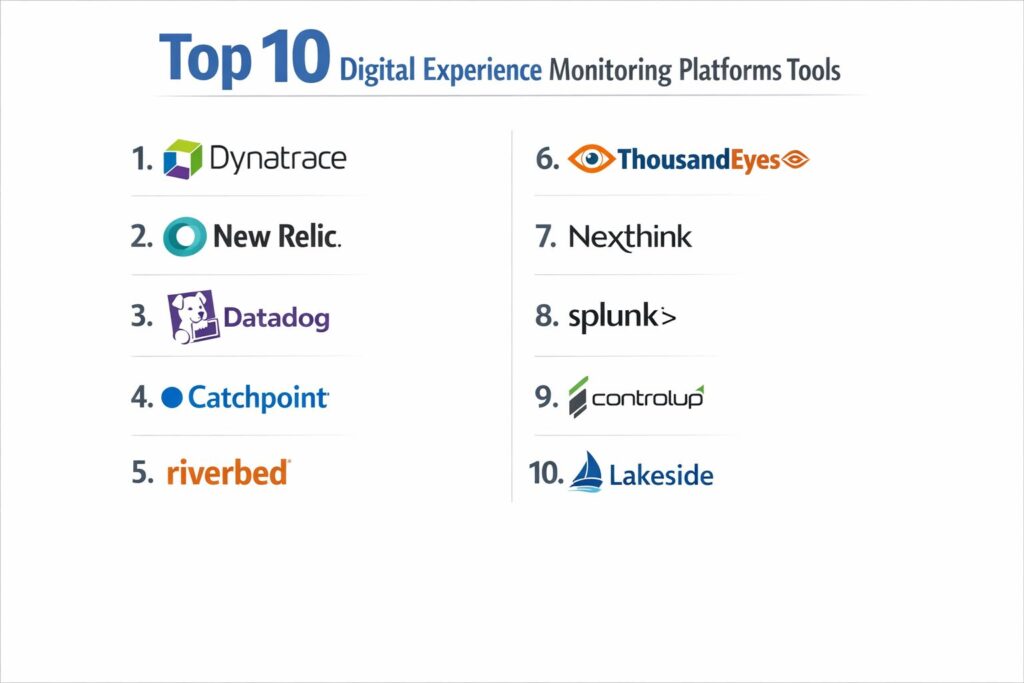
Our selection process for these top 10 platforms focused on the depth of their AI-driven analytics and their ability to unify disparate data streams into a single source of truth. We prioritized vendors that have been recognized as market leaders by major industry analysts and those who have shown significant innovation in handling “high-cardinality” data. The evaluation included a review of their support for OpenTelemetry standards, ensuring that these tools can integrate into a modern, vendor-neutral observability pipeline.
We also looked for platforms that provide a balance between synthetic testing—which is vital for proactive 24/7 monitoring—and real user monitoring, which provides the actual context of a human interaction. Security was a major consideration; we selected tools that offer robust data masking and compliance features to protect sensitive user information during session replays. Finally, we assessed the operational efficiency of each tool, looking for features like automated root cause analysis that significantly reduce the Mean Time to Resolution (MTTR) for complex, cascading failures.
1. Dynatrace
Dynatrace is a perennial leader in the DEM space, known for its Davis AI engine that provides precise, automated root cause analysis. It offers a “full-stack” approach that automatically discovers and maps dependencies from the user’s browser down to the individual line of code and infrastructure component. It is designed for large-scale enterprise environments where manual instrumentation is impossible.
Key Features
The platform features “OneAgent” technology, which provides automated discovery and instrumentation across the entire stack. Its Davis AI analyzes billions of dependencies in real time to provide “answer-centric” insights rather than just data points. It includes comprehensive Session Replay, allowing teams to watch a video-like reproduction of user interactions to identify friction. The system also offers “Grail,” a data lakehouse that allows for indexless, lightning-fast queries of massive observability datasets. Additionally, it provides automated business impact analysis to correlate performance drops with lost revenue.
Pros
Exceptional automation capabilities significantly reduce the manual effort required for setup and maintenance. The AI-driven root cause analysis is among the most accurate in the industry.
Cons
The pricing model is complex and can become very expensive for high-volume environments. The sheer depth of the platform presents a steep learning curve for new users.
Platforms and Deployment
SaaS, Managed (private cloud), and hybrid deployment options.
Security and Compliance
SOC2 Type II, GDPR, and HIPAA compliant with advanced data masking for user privacy.
Integrations and Ecosystem
Extensive integrations with ServiceNow, Jira, Slack, and all major cloud providers (AWS, Azure, GCP).
Support and Community
Offers a global support network, a highly active user community, and the Dynatrace University for professional certification.
2. New Relic
New Relic has evolved into an “Intelligent Observability” platform that emphasizes “Observability Beyond Human Scale.” It is particularly strong in its ability to bridge the gap between engineering metrics and business reality through its “Intelligent Workloads” feature, which maps technical performance directly to business KPIs.
Key Features
The platform offers a unified “Data Plus” architecture that ingests all types of telemetry (metrics, logs, traces) into a single database. It includes “New Relic Pathpoint,” which provides a business-centric view of the user journey, showing where drop-offs occur in the conversion funnel. Its DEM suite combines synthetic monitoring with real-user insights and advanced mobile app monitoring. The “Advance 2026” update introduced AI-powered autonomous coding assistants that help engineers fix issues within the UI. It also features a robust error-tracking system that groups similar issues to reduce alert fatigue.
Pros
The “all-in-one” pricing model is often more predictable and transparent than competitors. It provides excellent visibility into the business impact of technical performance.
Cons
High-volume log ingestion can lead to unexpected costs if not managed carefully. Some users find the UI to be cluttered due to the vast amount of integrated features.
Platforms and Deployment
Primarily a SaaS-based platform with global points of presence.
Security and Compliance
FedRAMP authorized, GDPR compliant, and adheres to strict PCI DSS standards.
Integrations and Ecosystem
Native support for OpenTelemetry and over 500 integrations with third-party tools.
Support and Community
Provides extensive documentation, an active “Relicans” community, and 24/7 technical support for enterprise tiers.
3. Datadog
Datadog is a cloud-native observability powerhouse that has built a highly cohesive DEM suite. It is favored by DevOps teams for its “single pane of glass” that integrates infrastructure, APM, and user experience data with incredible fluidity.
Key Features
Its DEM offering includes Real User Monitoring (RUM) that tracks every click and scroll, paired with a sophisticated “Session Replay” tool. It features “Internet Performance Monitoring” to track the health of third-party dependencies like ISPs and CDNs. The “Watchdog” AI provides automated anomaly detection across all user sessions. It recently integrated “Data Observability” to monitor the health of data pipelines alongside application performance. The platform also offers “Mobile Vitals” for tracking the specific performance metrics of iOS and Android applications in real time.
Pros
The platform is exceptionally easy to set up and features one of the most intuitive user interfaces in the industry. Its ability to correlate logs, traces, and RUM data in a single view is world-class.
Cons
The “Metadata Ceiling” can sometimes limit the business-level context of the data. Costs can scale rapidly as more “modules” (e.g., security, database monitoring) are enabled.
Platforms and Deployment
Cloud-native SaaS with support for hybrid and multi-cloud environments.
Security and Compliance
HIPAA, SOC2, and CSA STAR certified with robust RBAC (Role-Based Access Control) features.
Integrations and Ecosystem
Over 600 built-in integrations, making it one of the most versatile tools in the DevOps toolkit.
Support and Community
Offers a massive library of “Learning Center” content and 24/7 chat-based support.
4. Catchpoint
Catchpoint is the industry standard for “Internet Performance Monitoring” (IPM) and synthetic testing. It specializes in monitoring from the “outside-in,” using the world’s largest independent global monitoring network to simulate user experiences from virtually any location.
Key Features
The platform boasts over 2,500 vantage points globally, including locations within 3G/4G/5G networks and local ISPs. It provides deep visibility into the “Internet Stack,” including BGP, DNS, and CDN performance. Its “Internet Sonar” feature provides real-time status of global internet health to distinguish between “your problem” and “the internet’s problem.” It offers “WebPageTest” integration for deep dive performance audits. The platform also includes Endpoint Monitoring to track the digital experience of employees working on managed devices.
Pros
Unmatched global coverage for synthetic monitoring, providing the most accurate view of regional performance issues. It is the best tool for identifying bottlenecks in the public internet path.
Cons
The interface is highly technical and aimed at network and reliability engineers, which may be intimidating for business users. It is less focused on “full-stack” code-level APM than Dynatrace or New Relic.
Platforms and Deployment
SaaS platform with enterprise nodes that can be deployed on-premises.
Security and Compliance
ISO 27001 certified and GDPR compliant with secure, encrypted data collection.
Integrations and Ecosystem
Integrates with major CI/CD tools, Slack, PagerDuty, and Splunk.
Support and Community
Provides expert-led “Master Classes” and 24/7 global support with a deep focus on SRE principles.
5. Riverbed Aternity
Riverbed Aternity focuses heavily on the “Digital Employee Experience” (DEX), providing a 360-degree view of every application, device, and network interaction. It is a premier choice for enterprises looking to optimize the productivity of their global, hybrid workforce.
Key Features
The platform provides “Device-Level Intelligence,” tracking every process running on a laptop or mobile device to see how it impacts application performance. It features “Aternity Replay,” which allows IT teams to see exactly what an employee saw during a performance degradation. It includes automated remediation scripts that can fix common issues (like clearing cache or restarting services) without user intervention. The “Intelligent Service Desk” feature provides a health score for every employee, allowing IT to reach out proactively. It also offers deep monitoring for collaboration tools like Microsoft Teams and Zoom.
Pros
Provides the most granular data on endpoint device performance in the market. Its focus on proactive remediation can significantly reduce the volume of IT support tickets.
Cons
It is less geared toward external customer-facing web applications compared to tools like Datadog. The setup on local endpoints requires agent deployment across the entire fleet.
Platforms and Deployment
SaaS-based management with lightweight agents for Windows, macOS, and mobile devices.
Security and Compliance
SOC2 compliant with strict privacy controls to ensure employee data is handled ethically.
Integrations and Ecosystem
Deep integrations with Microsoft Intune, ServiceNow, and other IT Service Management (ITSM) platforms.
Support and Community
Offers a strong enterprise support model and a “Customer Voices” program for sharing best practices.
6. Cisco ThousandEyes
ThousandEyes, now part of Cisco, excels at providing visibility into the “Digital Supply Chain.” It is designed to map the entire path an application takes across the internet, making it indispensable for troubleshooting complex network and cloud connectivity issues.
Key Features
The platform features “Cloud Agents” and “Enterprise Agents” that provide a detailed map of network hops, including latency and packet loss at each stage. Its “Internet Insights” tool uses aggregate data from its global network to identify outages in major SaaS providers and ISPs. It recently introduced “AgenticOps” for broadband assurance, helping providers move toward AI-driven proactive care. The “Endpoint Agent” extends visibility to the home office, identifying Wi-Fi congestion or local hardware issues. It also integrates natively with Cisco networking hardware to provide “chip-to-cloud” observability.
Pros
Provides the most visual and detailed network topology maps in the industry. It is the gold standard for organizations heavily dependent on SaaS and third-party cloud services.
Cons
Can be expensive for comprehensive global coverage. It requires a certain level of networking expertise to interpret the highly detailed path-visualization data.
Platforms and Deployment
SaaS platform with integration into Cisco Meraki and Catalyst hardware.
Security and Compliance
Complies with major global standards, including SOC2 and GDPR.
Integrations and Ecosystem
Deeply integrated into the Cisco and AppDynamics ecosystem, with external support for ServiceNow and PagerDuty.
Support and Community
Backed by Cisco’s global support infrastructure with a massive library of technical documentation.
7. Nexthink
Nexthink is a specialist in “Digital Employee Experience” management, focusing on the human element of IT. It uses AI to identify patterns of frustration among employees and provides tools for real-time engagement and automated sentiment analysis.
Key Features
The platform features “Nexthink Flow,” which helps IT teams build automated troubleshooting workflows. Its “Experience Optimization” dashboard provides a single score that quantifies the digital health of the entire organization. It includes “Campaigns,” which allow IT to send targeted notifications or surveys directly to employees’ desktops to gather feedback or provide instructions. The “Nexthink Infinity” engine uses AI to predict potential hardware or software failures before they happen. It also provides specific insights into “Shadow AI” and “Vibe-coding” trends within the workforce.
Pros
Exceptional at identifying “silent” issues that employees might not report to the help desk. The ability to engage with users in real-time is a unique and powerful feature.
Cons
Primarily focused on the internal workforce, making it less suitable for monitoring public-facing e-commerce sites. The agent-based model requires careful management of endpoint resources.
Platforms and Deployment
Cloud-native platform with agents for all major desktop operating systems.
Security and Compliance
Features “Privacy by Design” architecture with anonymization tools for employee data.
Integrations and Ecosystem
Native integrations with ServiceNow, Microsoft Teams, and Azure Virtual Desktop.
Support and Community
Provides a robust “Nexthink Academy” and an active community of DEX professionals.
8. Splunk Observability Cloud
Splunk has significantly expanded its DEM capabilities with the integration of “Digital Experience Analytics.” It is designed for high-maturity organizations that already use Splunk for logs and SIEM and want to unify their security and observability data.
Key Features
The platform offers “Splunk RUM,” which is built on OpenTelemetry and provides NoSample™ full-fidelity data ingestion. It features “Digital Experience Analytics,” which combines behavioral signals (like feature adoption) with technical performance. Its “IT Service Intelligence” (ITSI) content pack correlates network health across domains using AI-powered thresholds. It includes “Secure Application” features that embed security vulnerability detection directly into the observability workflow. The platform also provides a specialized view for “AI Agent” monitoring, ensuring the reliability of autonomous LLM-driven interactions.
Pros
The “NoSample” architecture ensures that even the most intermittent “tail-latency” issues are captured. It offers unparalleled synergy between security and operations teams.
Cons
Splunk’s pricing can be intimidating for smaller organizations. The platform’s complexity often requires a dedicated Splunk engineer to manage effectively.
Platforms and Deployment
Cloud-based SaaS with support for massive scale and complex hybrid environments.
Security and Compliance
Industry-leading security posture with FedRAMP, HIPAA, and SOC2 certifications.
Integrations and Ecosystem
Native OpenTelemetry support and deep ties to the broader Splunk and Cisco networking ecosystem.
Support and Community
Offers extensive training via “Splunk Education” and a massive global user group network.
9. ControlUp
ControlUp is a leader in “Real-Time DEX,” providing instantaneous visibility into physical and virtual endpoints. It is particularly valued in VDI (Virtual Desktop Infrastructure) environments like Citrix and VMware, where performance can fluctuate wildly.
Key Features
The platform features “Live Remote Management,” which streams granular endpoint data with one-second resolution. It allows IT teams to execute “silent remediation” actions—like killing a runaway process—without interrupting the user. Its “Edge DX” tool extends this real-time monitoring to physical Windows, Mac, and Linux devices. It includes “Synthetic Monitoring” called “Scouts” that proactively test the availability of applications and network resources. The platform also features “AI Debugging” to provide guided steps for resolving failed automation workflows.
Pros
The real-time, “live” nature of the data is superior to the polling intervals used by many other platforms. It is arguably the best tool for managing large-scale VDI environments.
Cons
The web console can occasionally experience performance lag when managing tens of thousands of devices simultaneously. Its primary strength is in employee endpoints rather than external web monitoring.
Platforms and Deployment
SaaS-based console with lightweight agents; specialized for Azure Virtual Desktop and Citrix.
Security and Compliance
Features “Active Session Timeout” and secure, encrypted communication between agents and the console.
Integrations and Ecosystem
Native integrations with ServiceNow, Freshworks, Microsoft Intune, and Jamf.
Support and Community
Provides a specialized support team for VDI and a comprehensive “Knowledge Base.”
10. Lakeside Software (SysTrack)
Lakeside’s SysTrack platform is focused on “Intelligent Edge” monitoring. It specializes in capturing massive amounts of data directly from the endpoint and using it to drive data-informed decisions for IT management and financial services.
Key Features
The platform uses an “Intelligent Edge” architecture that collects over 10,000 data points every few seconds without taxing the local CPU. It includes “Health Scores” that use a proprietary algorithm to quantify user experience across the organization. It features over 1,300 built-in “sensors” to detect everything from driver instability to Wi-Fi drops. The platform provides “Storage Intelligence” to identify hidden disk latency issues. It also offers a “Digital Experience Cloud” that allows for cross-organizational benchmarking of IT performance.
Pros
The depth of data collection at the edge is unmatched, providing a level of detail that other tools miss. It is excellent for identifying hardware-related performance bottlenecks.
Cons
The interface is very data-heavy and may require significant time to master. The platform is more of a “diagnostic” tool than a “real-time” session replay tool like Hotjar or Datadog.
Platforms and Deployment
SaaS-based Digital Experience Cloud with agents for Windows, macOS, and Linux.
Security and Compliance
Enterprise-grade security with a focus on data integrity and anonymized reporting.
Integrations and Ecosystem
Certified integrations with Citrix, IGEL, and major ITSM vendors.
Support and Community
Offers a “Customer Gateway” for support and extensive white papers on DEX strategy.
Comparison Table
| Tool Name | Best For | Platform(s) Supported | Deployment | Standout Feature | Public Rating |
| 1. Dynatrace | Enterprise AI | SaaS, Managed | Hybrid | Davis AI Engine | 4.8/5 |
| 2. New Relic | Business Alignment | SaaS | Cloud | Intelligent Workloads | 4.6/5 |
| 3. Datadog | DevOps Fluidity | SaaS | Cloud | Unified RUM & APM | 4.7/5 |
| 4. Catchpoint | Internet Performance | SaaS | Hybrid | Global Vantage Network | 4.5/5 |
| 5. Riverbed | Employee DEX | SaaS | Agent-based | Aternity Replay | 4.4/5 |
| 6. ThousandEyes | Network Supply Chain | SaaS | Hybrid | Internet Path Mapping | 4.6/5 |
| 7. Nexthink | Sentiment/Frustration | SaaS | Agent-based | Real-time Engagement | 4.3/5 |
| 8. Splunk | Security/Ops | SaaS | Cloud | NoSample Architecture | 4.5/5 |
| 9. ControlUp | Real-Time VDI | SaaS | Agent-based | Live Remote Management | 4.4/5 |
| 10. Lakeside | Edge Intelligence | SaaS | Agent-based | 10,000+ Edge Data Pts | 4.2/5 |
Evaluation & Scoring of Digital Experience Monitoring Platforms
The scoring below is a comparative model intended to help shortlisting. Each criterion is scored from 1–10, then a weighted total from 0–10 is calculated using the weights listed. These are analyst estimates based on typical fit and common workflow requirements, not public ratings.
Weights:
- Core features – 25%
- Ease of use – 15%
- Integrations & ecosystem – 15%
- Security & compliance – 10%
- Performance & reliability – 10%
- Support & community – 10%
- Price / value – 15%
| Tool Name | Core (25%) | Ease (15%) | Integrations (15%) | Security (10%) | Performance (10%) | Support (10%) | Value (15%) | Weighted Total |
| 1. Dynatrace | 10 | 7 | 10 | 9 | 10 | 9 | 7 | 8.95 |
| 2. New Relic | 9 | 8 | 9 | 9 | 9 | 8 | 9 | 8.75 |
| 3. Datadog | 9 | 10 | 10 | 8 | 9 | 8 | 8 | 9.00 |
| 4. Catchpoint | 9 | 7 | 8 | 9 | 10 | 9 | 8 | 8.60 |
| 5. Riverbed | 8 | 8 | 8 | 9 | 9 | 8 | 8 | 8.15 |
| 6. ThousandEyes | 10 | 7 | 8 | 9 | 9 | 9 | 7 | 8.65 |
| 7. Nexthink | 8 | 9 | 7 | 9 | 8 | 8 | 7 | 7.95 |
| 8. Splunk | 9 | 6 | 10 | 10 | 9 | 9 | 7 | 8.40 |
| 9. ControlUp | 8 | 8 | 8 | 8 | 10 | 8 | 8 | 8.20 |
| 10. Lakeside | 9 | 6 | 7 | 9 | 8 | 8 | 8 | 7.90 |
Which Digital Experience Monitoring Platform Is Right for You?
Solo / Freelancer
For an independent developer or small agency, a tool like Datadog is often the best choice due to its low entry cost and ease of setup. It allows you to monitor your small-scale applications with professional-grade tools without needing a dedicated operations team.
SMB
Small to medium businesses should look at New Relic. Its predictable pricing and strong “business-to-tech” correlation allow smaller teams to demonstrate the ROI of their engineering efforts to stakeholders while maintaining a very modern observability stack.
Mid-Market
Growing enterprises with a mix of internal and external applications will find Catchpoint or ControlUp highly effective. These tools provide the necessary specialized visibility—either in network performance or VDI health—to maintain a high standard of service during rapid growth.
Enterprise
For massive, globally distributed organizations, Dynatrace is the gold standard. The level of automation provided by the Davis AI engine is essential for managing environments that are far too large for human operators to monitor using traditional dashboarding methods.
Budget vs Premium
If budget is the primary constraint, Datadog’s modular approach or New Relic’s unified pricing offer the best entry points. However, if the cost of an outage is millions of dollars per minute, the premium investment in Dynatrace or ThousandEyes is easily justified.
Feature Depth vs Ease of Use
Datadog wins on ease of use and UI fluidly. Conversely, Lakeside Software and Splunk offer incredible feature depth and data granularity but require a more technical team and a longer implementation period to yield their full value.
Integrations & Scalability
Splunk and Dynatrace offer the best integrations for large-scale, complex ecosystems. Their support for OpenTelemetry and their vast partner networks ensure that they can scale alongside the most ambitious digital transformation initiatives.
Security & Compliance Needs
Splunk and Dynatrace lead the pack for organizations with stringent security requirements, such as those in finance or government. Their advanced data masking and FedRAMP authorizations make them the safest choices for sensitive data environments.
Frequently Asked Questions (FAQs)
1. What is the difference between RUM and Synthetic monitoring?
Real User Monitoring (RUM) tracks actual traffic from real users, providing “ground truth” data on their experience. Synthetic monitoring uses scripts to simulate user behavior, allowing you to test availability and performance even when there is no real traffic on the site.
2. Why do I need DEM if I already have APM?
Application Performance Monitoring (APM) focuses on the “health of the code” and the backend. DEM focuses on the “health of the user experience.” You can have a perfectly healthy backend (APM), but if a user’s ISP is slow or their browser is crashing, they still have a bad experience (DEM).
3. Is DEM only for web applications?
No. Modern DEM platforms also monitor mobile applications, thick-client desktop apps, VDI environments, and even IoT devices. It is about the total digital experience, regardless of the delivery mechanism.
4. How does DEM improve the Mean Time to Resolution (MTTR)?
DEM reduces MTTR by providing automated root cause analysis. Instead of different teams (Network, Apps, Cloud) blaming each other, DEM shows exactly where the breakdown occurred, whether it’s a specific line of code or a localized network outage.
5. Does DEM impact the performance of my application?
While any monitoring adds a tiny bit of overhead, modern DEM tools use lightweight agents and asynchronous “One-Click” scripts designed to have a negligible impact (usually less than 1%) on the end-user’s actual experience.
6. Can DEM help with Core Web Vitals?
Yes. Most modern DEM tools have built-in dashboards specifically for tracking Core Web Vitals like Largest Contentful Paint (LCP) and Interaction to Next Paint (INP), which are critical for both SEO and user satisfaction.
7. Is a DEM tool the same as a DEX tool?
They are very closely related. DEM is a broader term focusing on all digital experiences (including customers). DEX (Digital Employee Experience) is a subset that specifically targets the productivity and experience of a company’s own workforce.
8. Do DEM tools require agents on every user device?
For external customers, DEM usually uses a small JavaScript “snippet” on your website. For employees, an agent is typically required on their managed laptops or mobile devices to gather deep hardware and network telemetry.
9. Can DEM tools detect third-party service outages?
Yes. Tools like ThousandEyes and Catchpoint are specifically designed to monitor the public internet and can tell you instantly if a failure is due to an outage at AWS, Cloudflare, or a specific ISP.
10. How much does a typical DEM solution cost?
Pricing varies wildly. Some tools charge per session (e.g., $10 per 1,000 sessions), while others charge per managed device or per gigabyte of data ingested. Most enterprise solutions require a minimum annual commitment.
Conclusion
As we navigate the complexities of a hyper-connected, AI-driven digital economy, Digital Experience Monitoring has transitioned from a “nice-to-have” luxury to a fundamental business requirement. The ability to see your services through the eyes of the user—whether they are a customer in Tokyo or an employee working from home in London—is the only way to ensure operational resilience and brand loyalty. Choosing the right platform requires a deep understanding of your own technical maturity and business priorities. While the initial investment in these tools can be significant, the long-term value provided by reduced downtime, faster innovation cycles, and optimized user journeys far outweighs the cost. In the end, the most successful organizations won’t just be those with the best code, but those with the best understanding of how that code translates into a seamless human experience.