Introduction
A Digital Adoption Platform (DAP) is an automated software layer that integrates with other applications to provide real-time, in-app guidance, training, and analytics. DAPs have transitioned from “nice-to-have” onboarding tools to essential components of the corporate tech stack. They solve the persistent “software paradox”: as enterprise applications become more powerful and AI-integrated, they simultaneously become more difficult for the average employee to master without assistance.
The relevance of DAPs is anchored in the rapid cycle of software updates and the integration of “Agentic AI” into daily workflows. Organizations no longer have the luxury of multi-day training seminars; instead, they require “just-in-time” learning where the software explains itself while the user is actually performing the task. By providing an interactive overlay, DAPs ensure that digital transformation investments translate into actual user proficiency rather than becoming “shelfware.”
Real-world use cases include:
- Employee Onboarding: Reducing the time-to-proficiency for new hires on complex systems like SAP, Oracle, or Salesforce.
- Customer Success: Guiding SaaS users through a “first-mile” experience to ensure they reach the “Aha!” moment quickly.
- Change Management: Communicating new feature updates or process changes directly within the workflow.
- Compliance & Governance: Enforcing specific data entry standards in CRM or HRIS systems to ensure data integrity.
- Support Ticket Deflection: Providing self-service “Help” widgets that answer common questions before a user reaches out to IT.
What buyers should evaluate (Criteria):
- Cross-Application Support: The ability to provide a seamless guidance experience as a user moves between different web and desktop apps.
- No-Code Editor: How easily a non-technical training manager can create and update walkthroughs.
- AI Personalization: Capabilities for the DAP to predict where a user is struggling and offer proactive help.
- Analytics Depth: The quality of insights into where users are dropping off or making errors.
- Security & Privacy: Compliance with global standards (GDPR, SOC 2) and the ability to redact sensitive PII during session recording.
Best for: Large enterprises with complex internal software, SaaS companies aiming to improve user retention, and HR teams managing digital transformation at scale.
Not ideal for: Startups using only a handful of very simple, intuitive tools where a basic PDF manual or short video would suffice.
Key Trends in Digital Adoption Platforms
The DAP market is defined by “Predictive Enablement” and “Generative Content Creation.”
- Generative AI Content Generation: DAPs can now automatically generate entire walkthroughs and tooltips simply by “watching” a subject matter expert perform the task once.
- Self-Healing Guides: The best DAPs use AI to detect if an underlying application’s UI has changed and automatically adjust the guidance elements to prevent “broken” guides.
- Invisible UI: A shift toward “Agentic” assistants that perform the work on behalf of the user within the DAP interface (ActionBots).
- Contextual Sentiment Analysis: Using AI to analyze user click-speed and frustration patterns to trigger “empathy-based” support interventions.
- Cross-Silo Analytics: Measuring a single “User Journey” across five different applications (e.g., from Email to CRM to Billing) to identify organizational friction.
- Mobile-First Adoption: A massive expansion of DAP capabilities into native mobile applications for field workers and frontline staff.
- Micro-Learning Integration: Linking in-app prompts directly to specific modules within a Learning Management System (LMS).
- Privacy-by-Design: Advanced PII (Personally Identifiable Information) masking that happens locally on the user’s device before any data reaches the DAP servers.
How We Selected These Tools (Methodology)
Our selection for the top 10 Digital Adoption Platforms involves a multi-dimensional evaluation of the current market:
- Enterprise Readiness: We looked for tools that can handle global deployments across tens of thousands of users with high uptime.
- Innovation Velocity: Preference was given to vendors who have integrated GenAI into their core editor and end-user experience.
- Flexibility of Deployment: We prioritized platforms that support web, desktop, and mobile applications equally.
- Customer Success Reputation: We analyzed feedback regarding support responsiveness and technical account management.
- Analyst Recognition: Inclusion of “Leaders” and “Innovators” as defined by major tech research firms.
- Implementation Speed: Evaluating how quickly a team can go from purchase to a “live” interactive guide.
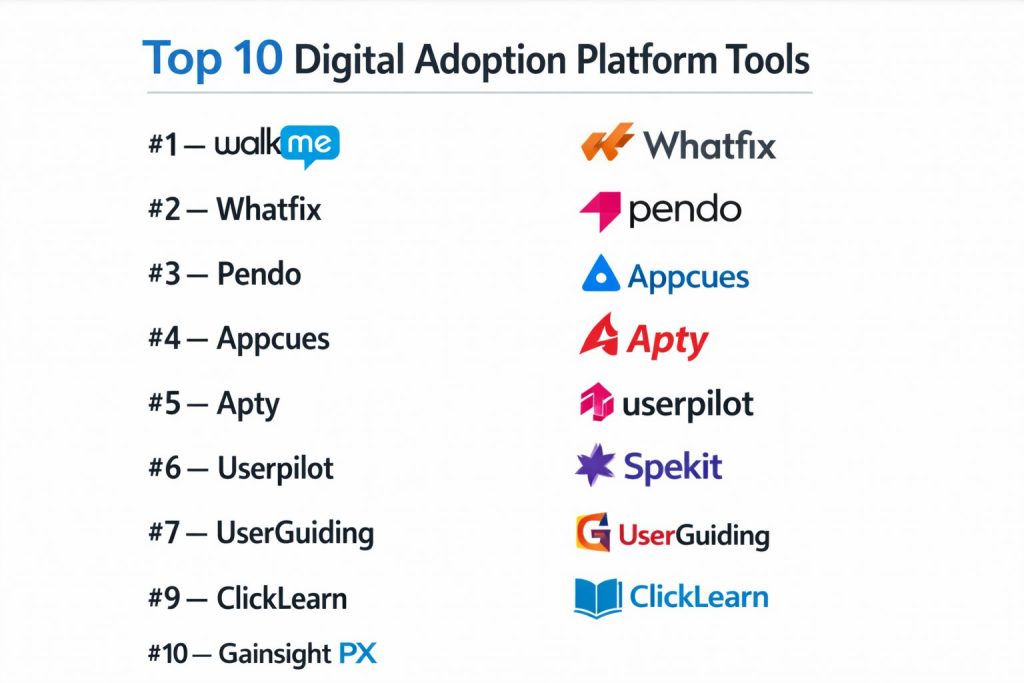
Top 10 Digital Adoption Platform Tools
#1 — WalkMe
The pioneer and current market leader in the DAP space, WalkMe offers a comprehensive “Work OS” that focuses on enterprise-wide digital transformation.
Key Features
- ActionBot: An AI-driven interface that completes multi-step tasks for users across multiple applications.
- Deep UI Intelligence: Patented technology that understands the structure of any software to ensure guides stay “attached.”
- Advanced Segmentation: Delivers specific content based on user role, location, department, or previous behavior.
- Cross-App Insights: Tracks the entire digital employee experience (DEX) across the company’s full software stack.
Pros
- Unmatched Power: The most feature-complete tool for complex, multi-application enterprise environments.
- Security: Holds every major global certification, including FedRAMP.
Cons
- Cost: Generally the most expensive option on the market, targeted strictly at large enterprises.
- Complexity: Requires a dedicated “DAP Manager” or specialist to manage and optimize the platform.
Platforms / Deployment
- Web / Windows / macOS / iOS / Android
- Cloud
Security & Compliance
- SOC 2 Type II, ISO 27001, GDPR, HIPAA, FedRAMP.
- Advanced PII Masking & SSO.
Integrations & Ecosystem
WalkMe has a massive ecosystem with pre-built solutions for Salesforce, Workday, and SAP.
#2 — Whatfix
A highly flexible, enterprise-grade platform known for its ease of use and powerful “Userization” features that simplify complex software.
Key Features
- Smart Content Aggregation: Pulls in help content from existing PDFs, videos, and LMS systems into the in-app widget.
- GenAI Editor: Uses generative AI to write and suggest tooltip text and guide structures.
- Multilingual Support: Industry-leading automated translation for global workforces.
- Mirror Feature: Provides a “sandbox” environment for users to practice without affecting live data.
Pros
- Balanced UX: Offers enterprise power with a much more intuitive editor than WalkMe.
- Implementation Speed: Known for faster “Time-to-Value” compared to other top-tier competitors.
Cons
- Analytics Complexity: Some advanced reporting requires significant configuration to get right.
- Mobile Limitations: While growing, its mobile-native features aren’t as mature as its web capabilities.
Platforms / Deployment
- Web / Windows / macOS / iOS / Android
- Cloud / On-Premise (Private Cloud)
Security & Compliance
- ISO 27001, SOC 2 Type II, GDPR.
- Strong Encryption & Role-Based Access Control.
Support & Community
Consistently rated highly for customer support and proactive “Success Managers.”
#3 — Pendo
A hybrid platform that combines digital adoption with deep product analytics, making it a favorite for SaaS product teams.
Key Features
- Product Analytics: Extremely detailed tracking of how users interact with every button and page.
- In-app Guides: Visual overlays (lightboxes, tooltips, banners) to nudge user behavior.
- Feedback & Surveys: Built-in NPS and polling tools to gather qualitative data from users.
- Visual Data Mapping: No-code “tagging” of UI elements to track their usage retroactively.
Pros
- Data-First: The best tool for teams that want to prove the ROI of their features through hard data.
- Consolidation: Replaces the need for a separate analytics tool like Mixpanel.
Cons
- Workflow Automation: Lacks the “ActionBot” style automation found in WalkMe or Whatfix.
- Internal Training: Not originally designed for employee training (HR/IT), though it’s expanding there.
Platforms / Deployment
- Web / iOS / Android
- Cloud
Security & Compliance
- SOC 2 Type II, GDPR, HIPAA.
- Multi-tenant cloud security.
Support & Community
Massive “Pendo Neighborhood” community and extensive certification through “Pendo Academy.”
#4 — Appcues
A user-centric DAP focused on the “onboarding experience” for SaaS products, known for its beautiful design flexibility.
Key Features
- Flow Builder: A purely visual, no-code way to build “tours” and “checklists.”
- Advanced Targeting: High-precision user segmentation based on event triggers or user properties.
- A/B Testing: Native ability to test two different onboarding flows to see which converts better.
- Mobile Debugger: Real-time tools to fix and test guides on mobile devices.
Pros
- Designer Friendly: Offers the most aesthetic control over how guides look and feel.
- Speed: A marketing team can launch a new flow in hours without developer help.
Cons
- Scaling: Not designed for complex “Desktop” apps (like ERPs) used by internal employees.
- Deep Analytics: Analytics are focused on “Flows” rather than overall product usage.
Platforms / Deployment
- Web / iOS / Android
- Cloud
Security & Compliance
- SOC 2 Type II, GDPR.
- Standard Cloud Encryption.
Integrations & Ecosystem
Integrates deeply with Segment, HubSpot, and Slack.
#5 — Apty
An AI-powered DAP that focuses specifically on “Process Compliance” and operational efficiency for enterprises.
Key Features
- AI Process Optimization: Identifies where users are breaking company rules or skipping steps in a workflow.
- Cross-Application Tracking: Monitors the entire “Business Process” rather than just one app.
- Data Validation: Real-time checking of data entered into fields to prevent errors at the source.
- On-Demand Training: Contextual help that changes based on the user’s current task and skill level.
Pros
- Compliance Focus: The best choice for regulated industries (Finance, Pharma) that need strict process adherence.
- Lean Design: The editor is lightweight and doesn’t slow down the browser.
Cons
- Market Presence: Smaller ecosystem and community compared to WalkMe or Pendo.
- Visuals: Guides are functional but less “stylish” than Appcues.
Platforms / Deployment
- Web / Windows / macOS
- Cloud
Security & Compliance
- ISO 27001, SOC 2, GDPR.
- Enterprise-grade data isolation.
Support & Community
Personalized support models with a focus on enterprise implementation success.
#6 — Userpilot
A product growth platform designed for SaaS companies that want to drive feature adoption and expansion through user behavior.
Key Features
- Checklists & Modals: Standard UI patterns to drive users toward “activation.”
- Growth Insights: High-level dashboards showing how adoption correlates with retention.
- In-app Feedback: Integrated surveys to capture the “Voice of the Customer.”
- Resource Centers: Self-service hubs that live inside the app.
Pros
- Value for Money: Offers many “Enterprise” features at a price point accessible to mid-market companies.
- Ease of Use: One of the fastest learning curves for new admins.
Cons
- Internal Focus: Not suitable for companies wanting to onboard employees onto 3rd party tools (like Salesforce).
- Advanced Automation: Limited ability to “automate” user tasks compared to Top 3.
Platforms / Deployment
- Web
- Cloud
Security & Compliance
- SOC 2 Type II, GDPR.
Integrations & Ecosystem
Standard SaaS integrations (Intercom, Mixpanel, Salesforce).
#7 — Spekit
A “Just-in-Time” learning platform that specializes in sales enablement and CRM adoption (Salesforce, HubSpot).
Key Features
- Speks: Bite-sized “Knowledge Cards” that appear when a user hovers over a field or icon.
- Browser Extension: Delivers training across any web-based tool the team uses.
- Content Sync: Automatically pulls in training from existing documentation.
- Role-Based Delivery: Ensures sales reps see different content than account managers.
Pros
- Sales Excellence: The best-in-class tool for teams whose main problem is “CRM data hygiene.”
- Minimal Friction: Knowledge is delivered in “micro-doses” that don’t interrupt work.
Cons
- Narrow Focus: Primarily built for knowledge delivery, not complex multi-step “ActionBot” automation.
- Mobile: Less robust than competitors for native mobile apps.
Platforms / Deployment
- Web / Browser Extension
- Cloud
Security & Compliance
- SOC 2 Type II, GDPR.
Support & Community
Highly specialized support for Sales Ops and Enablement leaders.
#8 — UserGuiding
A budget-friendly, no-code DAP designed for startups and SMBs looking to build quick onboarding tours.
Key Features
- Interactive Guides: Simple step-by-step walkthroughs.
- Onboarding Checklists: To-do lists that guide users through a setup process.
- NPS Surveys: Basic user sentiment tracking.
- Self-Help Center: A widget that houses FAQs and guides.
Pros
- Price: The most affordable “full-featured” DAP for smaller companies.
- No-Code: Truly requires zero technical skill to deploy.
Cons
- Scaling: Lacks the advanced “Process Enforcement” and “AI Automation” of enterprise tools.
- Analytics: Very basic compared to Pendo or WalkMe.
Platforms / Deployment
- Web
- Cloud
Security & Compliance
- GDPR Compliant.
#9 — ClickLearn
A specialized DAP for the Microsoft ecosystem (Dynamics 365, Business Central) and other large ERP systems.
Key Features
- Automated Recording: Records a user’s screen and automatically creates guides in 7 different formats (video, PDF, etc.).
- Multi-Language Voiceover: Automatically generates voiceovers for training videos in dozens of languages.
- Update Persistence: Detects software updates and flags which parts of your training need changing.
Pros
- Documentation King: If you need to produce “Training Manuals” alongside in-app help, this is the tool.
- ERP Specialist: Deepest integration with the Microsoft enterprise stack.
Cons
- SaaS Onboarding: Not ideal for modern, lightweight SaaS product tours.
- Interface: The editor feels more like a technical documentation tool than a modern web app.
Platforms / Deployment
- Windows / Web
- Cloud / Hybrid
Security & Compliance
- ISO 27001, SOC 2.
#10 — Gainsight PX
The “Product Experience” (PX) arm of the Gainsight ecosystem, focused on aligning product usage with customer success.
Key Features
- Product Mapper: Retroactively analyze features without pre-tagging.
- Engagement Analytics: Connects “What users did” with “Whether they renewed their contract.”
- In-app Engagements: Banners and tooltips triggered by complex user health scores.
- Knowledge Center Bot: Integrates your existing documentation directly into the user’s view.
Pros
- CS Alignment: The only tool that perfectly bridges the gap between Product teams and Customer Success teams.
- Enterprise Grade: Extremely robust reporting for companies with millions of users.
Cons
- Cost: Very expensive if you aren’t already using the Gainsight CS platform.
- Complexity: Requires a sophisticated data team to unlock its full potential.
Platforms / Deployment
- Web / iOS / Android
- Cloud
Comparison Table (Top 10)
| Tool Name | Best For | Platform(s) Supported | Deployment | Standout Feature | Public Rating |
| WalkMe | Global Enterprises | Web, Win, Mac, iOS | Cloud | AI ActionBot | 4.8 / 5 |
| Whatfix | Employee Onboarding | Web, Win, Mac, iOS | Cloud/Hybrid | Smart Content Agg. | 4.7 / 5 |
| Pendo | Product Analytics | Web, iOS, Android | Cloud | Visual Data Mapping | 4.6 / 5 |
| Appcues | Design-Led SaaS | Web, iOS, Android | Cloud | A/B Testing Flows | 4.7 / 5 |
| Apty | Process Compliance | Web, Win, Mac | Cloud | Real-time Validation | 4.5 / 5 |
| Userpilot | SaaS Growth/PLG | Web | Cloud | Retention Analytics | 4.6 / 5 |
| Spekit | Sales Enablement | Web, Browser Ext. | Cloud | “Spek” Knowledge Cards | 4.8 / 5 |
| UserGuiding | Startups/SMBs | Web | Cloud | Budget-friendly | 4.5 / 5 |
| ClickLearn | Microsoft/ERP | Web, Win | Cloud/Hybrid | Auto-Documenting | 4.4 / 5 |
| Gainsight PX | Customer Success | Web, iOS, Android | Cloud | Health-Score Triggers | 4.3 / 5 |
Evaluation & Scoring of Digital Adoption Platforms
| Tool Name | Core (25%) | Ease (15%) | Int. (15%) | Sec. (10%) | Perf. (10%) | Supp. (10%) | Value (15%) | Weighted Total |
| WalkMe | 10 | 4 | 10 | 10 | 9 | 10 | 6 | 8.45 |
| Whatfix | 9 | 7 | 9 | 9 | 10 | 10 | 8 | 8.70 |
| Pendo | 9 | 6 | 9 | 9 | 9 | 9 | 7 | 8.20 |
| Appcues | 7 | 10 | 8 | 8 | 10 | 9 | 8 | 8.30 |
| Apty | 8 | 7 | 7 | 9 | 9 | 8 | 8 | 7.85 |
| Userpilot | 7 | 9 | 8 | 8 | 9 | 8 | 9 | 8.10 |
| Spekit | 6 | 9 | 7 | 8 | 10 | 9 | 8 | 7.80 |
| UserGuiding | 5 | 10 | 6 | 7 | 10 | 7 | 10 | 7.60 |
| ClickLearn | 8 | 5 | 9 | 9 | 8 | 8 | 7 | 7.65 |
| Gainsight PX | 8 | 5 | 10 | 9 | 9 | 9 | 6 | 7.75 |
Which Digital Adoption Platform Tool Is Right for You?
SMB / Startup
If you are a small team on a budget, UserGuiding or Userpilot are your best bets. They provide the core functionality needed to guide users without the enterprise price tag.
Mid-Market SaaS
For companies focused on user retention and product-led growth, Appcues (for design) or Pendo (for data) are the industry standards.
Large Enterprise (Internal Tools)
If your primary goal is onboarding thousands of employees onto ERPs like SAP or Workday, Whatfix offers the best balance of power and maintainability, while WalkMe is the choice if you need heavy automation.
Sales & Marketing Teams
If you strictly need to improve Salesforce or HubSpot adoption and data quality, Spekit is specifically designed for that workflow.
Microsoft-Centric Organizations
For teams running heavily on Dynamics 365 or Business Central, ClickLearn offers unparalleled automation for creating both in-app guides and traditional training manuals.
Frequently Asked Questions (FAQs)
What is the difference between a DAP and an LMS?
A Learning Management System (LMS) is for “formal” education (courses, quizzes) taken outside the job. A DAP is for “informal” learning inside the live application.
Do I need to know how to code to use a DAP?
In 2026, no. Most top DAPs (Whatfix, WalkMe, Appcues) feature “Visual Editors” where you simply point and click on elements to build guides.
Will a DAP slow down my application?
The best DAPs (Pendo, Whatfix) are designed with “asynchronous loading,” meaning they don’t impact the load speed or performance of your main software.
How long does it take to implement a DAP?
Basic onboarding tours can be live in hours. However, a full enterprise deployment across multiple complex applications typically takes 4–8 weeks for strategy and content creation.
Can a DAP work on desktop-only applications?
Yes, tools like WalkMe and Whatfix offer desktop agents that can overlay guidance on software like Microsoft Excel, SAP GUI, or custom internal .exe applications.
Are Digital Adoption Platforms secure?
Yes. Leading platforms are SOC 2, ISO 27001, and HIPAA compliant. They also offer “PII Masking” to ensure user data remains private.
Can DAPs help reduce IT support tickets?
Yes. By providing self-service “Help” widgets and automated “ActionBots,” DAPs frequently reduce basic software-related support tickets by 30% to 50%.
Do DAPs support mobile apps?
Most top-tier vendors (Pendo, Appcues, WalkMe) now have native SDKs for iOS and Android, allowing for seamless mobile onboarding.
What is “Self-Healing” in the context of DAPs?
It’s an AI feature where the DAP detects if a button moved or a page layout changed and automatically updates the guide’s anchors so it doesn’t break.
How do DAPs use Generative AI ?
They use GenAI to automatically write tooltip copy, generate “voice-overs” for videos, and even build entire walkthroughs by analyzing how an expert uses the software.
Conclusion
Digital Adoption Platforms are no longer just “tooltips for software.” They are the vital link between a company’s massive software spend and its actual workforce productivity. Whether you choose the enterprise power of WalkMe, the data-rich insights of Pendo, or the simple beauty of Appcues, the goal remains the same: ensuring that humans can effectively collaborate with the increasingly complex digital world.