Introduction
Developer portal software serves as the centralized digital interface that bridges the gap between complex backend infrastructure and the engineering teams that consume it. These platforms, often referred to as Internal Developer Portals (IDPs) or API Portals, act as a single pane of glass for discovering services, accessing documentation, and automating self-service workflows. In the high-velocity software landscape, developer portals are no longer optional “nice-to-have” wikis; they are the strategic engine of platform engineering, designed to reduce cognitive load and eliminate the operational bottlenecks that stall product delivery.
For organizational leaders, a developer portal is a critical investment in “Developer Experience” (DevX). By consolidating fragmented data from cloud providers, CI/CD pipelines, and security scanners into a unified software catalog, these tools enable “Golden Paths”—standardized, pre-approved routes for deploying code. This not only accelerates time-to-market but also ensures that every microservice adheres to corporate security and compliance standards by default. As architectures become more distributed and AI-assisted coding increases the volume of software produced, the developer portal becomes the essential governance layer for the modern enterprise.
- Best for: Platform engineering teams, DevOps leaders, API product managers, and enterprise organizations managing complex microservices.
- Not ideal for: Small teams with monolithic architectures or organizations without a dedicated strategy for platform engineering.
Key Trends in Developer Portal Software
- AI-Powered Discovery and RCA: Integration of Large Language Models (LLMs) to help developers find services through natural language and generate Root Cause Analysis (RCA) during incidents.
- Ubiquity of OpenUSD and OpenStandards: Portals are moving toward standardized metadata schemas (like those popularized by Backstage) to ensure portability between different tools.
- Self-Service Infrastructure-as-Code: The shift from static catalogs to active “Control Planes” where developers can provision databases or environments directly from the portal UI.
- Scorecards and Gamified Compliance: Using automated “Health Scores” to incentivize engineering teams to keep their services updated, secure, and documented.
- Ephemeral Environment Management: Native support for spinning up temporary preview environments for pull requests directly through the portal interface.
- FinOps Visibility: Real-time cloud cost data integrated into the service view, making developers accountable for the financial impact of their code.
How We Selected These Tools
- Catalog Depth: Ability to ingest and organize metadata from diverse sources including GitHub, AWS, Kubernetes, and Jira.
- Automation Capabilities: Strength of the “Scaffolder” or self-service engine for creating new services from templates.
- User Experience (DevX): The intuitiveness of the search interface and the reduction in “tab fatigue” for the end developer.
- Enterprise Security: Support for robust RBAC, audit logs, and compliance certifications like SOC2 and ISO 27001.
- Extensibility: Availability of a plugin ecosystem or a comprehensive API for custom integrations.
- Market Adoption: Proven track record of reliability within high-growth tech companies and global enterprises.
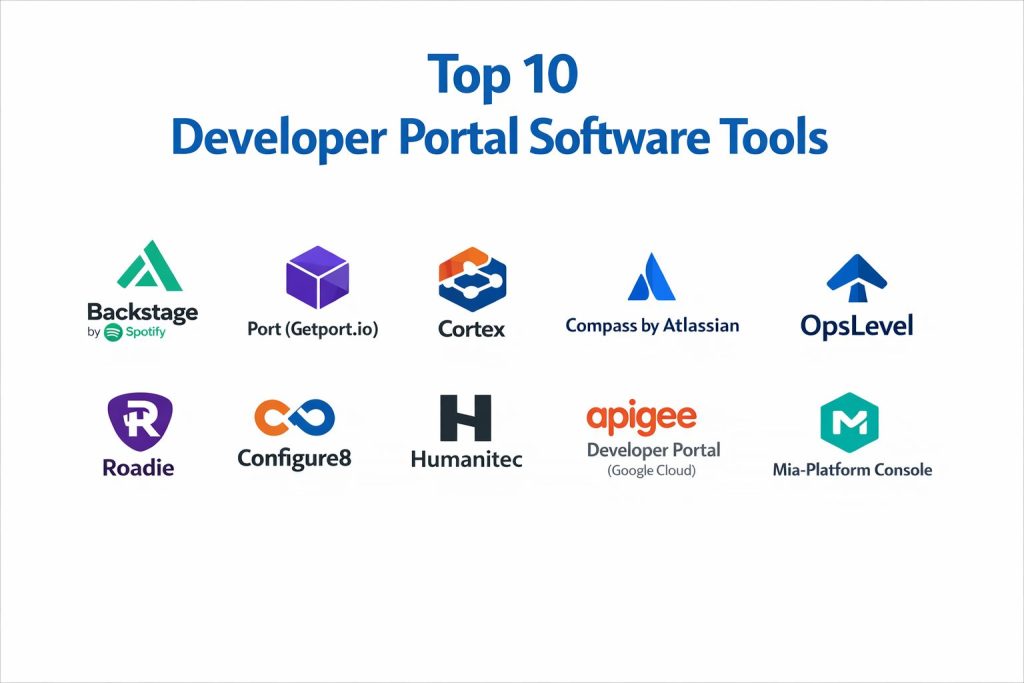
Top 10 Developer Portal Software Tools
1. Backstage by Spotify
The industry-leading open-source framework created by Spotify, designed to restore order to microservices and infrastructure.
Key Features
- Software Catalog: A unified system for tracking ownership and metadata for all software components.
- Software Templates: Allows for “Golden Path” creation by automating the setup of new projects with best practices.
- TechDocs: A “docs-like-code” solution that renders Markdown files directly from your repository.
- Plugin Architecture: A massive ecosystem of over 100 community-contributed plugins for everything from ArgoCD to Snyk.
- Search: A modular search engine that indexes the catalog, documentation, and external sources like Stack Overflow.
Pros
- Extremely flexible and customizable to any organizational structure.
- Backed by the CNCF and a massive, active open-source community.
Cons
- Requires significant engineering resources to set up, host, and maintain.
- Upgrading and managing the “monolithic” nature of the framework can be complex.
Platforms / Deployment
- Linux / Windows / macOS (via Docker)
- Self-hosted / Cloud-native
Security & Compliance
- Supports OAuth2, OIDC, and custom RBAC via the permission framework.
Integrations & Ecosystem
As the market leader, it has the widest range of integrations with every major DevOps and cloud tool in existence.
Support & Community
Vibrant open-source community support; commercial support available through partners like Roadie or Frontside.
2. Port (Getport.io)
A “No-Code” Internal Developer Portal that offers a highly flexible data model and superior self-service capabilities.
Key Features
- Dynamic Blueprinting: A customizable schema that lets you define any entity (Microservices, K8s clusters, Cloud Resources).
- Self-Service Actions: A UI-based workflow engine for developers to trigger GitHub Actions, Jenkins jobs, or API calls.
- Scorecards: Automated checks to measure service maturity, security posture, and operational health.
- AI-Driven Insights: Features for AI-powered PR reviewers and automated post-mortem generation.
- RBAC & Governance: Granular control over who can see or execute actions within the portal.
Pros
- Extremely fast time-to-value compared to open-source frameworks.
- The most flexible data model in the market, fitting any unique organizational structure.
Cons
- SaaS-first model may not fit organizations with strict air-gapped requirements.
- Can become complex to configure due to the high level of flexibility.
Platforms / Deployment
- SaaS
- Hybrid (via self-hosted exporters)
Security & Compliance
- SOC2 Type II, ISO 27001:2022, and GDPR compliant.
Integrations & Ecosystem
Native exporters for AWS, Azure, GCP, Kubernetes, and all major CI/CD providers.
Support & Community
Dedicated customer success teams and an active Slack community for “Platform Engineers.”
3. Cortex
An enterprise-grade IDP focused on “Engineering Intelligence” and driving organizational reliability through scorecards.
Key Features
- Maturity Scorecards: Advanced logic for tracking DORA metrics and ensuring services meet production-readiness standards.
- Self-Service Scaffolding: A wizard-driven interface for developers to spin up new, compliant resources.
- Resource Catalog: Deep visibility into cloud resources and their relationships to specific software services.
- Teams & Ownership: Clear mapping of who owns what, integrated with PagerDuty and Slack.
- Cortex Query Language (CQL): A powerful way to query your entire infrastructure for specific vulnerabilities or patterns.
Pros
- Strongest “governance” features for large organizations needing to drive compliance.
- Highly polished UI that requires very little “internal marketing” to get developers to use it.
Cons
- Premium pricing makes it less accessible for smaller startups.
- The high level of “opinionated” workflows might not suit teams wanting total custom control.
Platforms / Deployment
- SaaS
- Private Cloud
Security & Compliance
- Enterprise-level SSO, RBAC, and SOC2 compliance.
Integrations & Ecosystem
Strongest integration with security and observability tools like Datadog, New Relic, and Wiz.
Support & Community
High-touch enterprise support and a professional services arm for complex deployments.
4. Compass by Atlassian
A developer portal that leverages the power of the Atlassian ecosystem to provide visibility into distributed architectures.
Key Features
- Component Catalog: Tracks services, libraries, and APIs with deep links to Jira issues and Confluence docs.
- Health Scorecards: Pre-built DORA metrics and custom scorecards to monitor operational readiness.
- Software Templates: Standardized project creation integrated directly into the Atlassian Bitbucket/Jira workflow.
- CheckOps: A structured way for teams to conduct retrospectives using real engineering data.
- Forge Extensibility: Built on Atlassian’s Forge platform, allowing for easy custom app development.
Pros
- Seamless “Day 1” integration for organizations already using Jira and Confluence.
- Lower barrier to entry for teams already familiar with the Atlassian UI.
Cons
- Integration with non-Atlassian tools (like GitLab or GitHub) is less deep than competitors.
- Can feel limited for advanced platform teams wanting to build complex custom data models.
Platforms / Deployment
- Cloud (SaaS)
Security & Compliance
- Inherits the robust security and compliance of the Atlassian Cloud platform.
Integrations & Ecosystem
Primarily focused on the Atlassian suite, but growing support for AWS, GitHub, and Slack.
Support & Community
Standard Atlassian support tiers and a large community of “Atlassian University” learners.
5. OpsLevel
A service-catalog-first portal that excels at service discovery, ownership tracking, and reliability standards.
Key Features
- Service Maturity Rubrics: Define clear “Gold/Silver/Bronze” levels for services based on custom checks.
- Self-Service Actions: Allows developers to perform routine tasks (like rolling back a deploy) without leaving the portal.
- Automated Service Discovery: Automatically populates the catalog by scanning your repos and cloud accounts.
- Tech Health Campaigns: Tools to manage large-scale migrations or security patches across the whole org.
- Infrastructure Tracking: Maps services to their underlying Kubernetes or AWS resources.
Pros
- One of the most intuitive and user-friendly interfaces in the IDP space.
- Very effective at driving “Accountability Culture” through visible service ownership.
Cons
- Historically less focused on the “Scaffolding” (new service creation) side compared to Backstage.
- Some enterprise features are locked behind higher pricing tiers.
Platforms / Deployment
- SaaS
Security & Compliance
- SOC2 Type II and extensive RBAC settings.
Integrations & Ecosystem
Excellent integrations with monitoring and on-call tools like PagerDuty, Opsgenie, and Datadog.
Support & Community
Responsive support and a focused blog on “Service Ownership” best practices.
6. Roadie
A fully managed, SaaS version of Backstage that removes the operational burden of the open-source framework.
Key Features
- Managed Backstage: All the power of the Spotify framework without the need to manage a Node.js application.
- One-Click Plugins: Easy installation of Backstage plugins through a simplified UI.
- SaaS Scaffolder: Hosted execution of software templates, reducing security risks.
- TechDocs Hosting: Managed rendering and hosting of your technical documentation.
- Catalog Auto-Discovery: Automated ingestion of GitHub and GitLab metadata.
Pros
- The fastest way to get a production-ready Backstage instance up and running.
- Provides “Backstage as a Service” with regular updates and no manual patching.
Cons
- Limited to what the Roadie platform supports; less “total” customizability than self-hosting.
- Cost scales with the number of developers, which can become significant for large teams.
Platforms / Deployment
- SaaS
Security & Compliance
- SOC2 Type II, secure secret management for plugins.
Integrations & Ecosystem
Supports most major Backstage plugins and provides custom Roadie-exclusive integrations.
Support & Community
Expert Backstage support and direct access to the engineers maintaining the managed platform.
7. Configure8
A “Developer Control Plane” that aggregates data from all tools to give a comprehensive view of the technical ecosystem.
Key Features
- Universal Catalog: A dynamic map encompassing apps, services, environments, and cloud resources.
- Cost Insights: Integrates cloud billing data directly into the service catalog.
- Self-Serve Actions: No-code interface for building complex infrastructure workflows.
- Scorecards: Programmatically evaluated metrics for security, reliability, and standards.
- Environment Map: Visualizes how services are distributed across dev, staging, and production.
Pros
- Focuses on the “Knowledge Map” aspect, making it very easy to understand complex dependencies.
- Integrated cost data is a major plus for organizations focused on FinOps.
Cons
- Smaller community compared to Backstage or Port.
- UI can sometimes feel data-heavy for developers looking for a simple interface.
Platforms / Deployment
- SaaS
- On-premises
Security & Compliance
- Managed via enterprise licensing; supports SSO and audit trails.
Integrations & Ecosystem
Strong support for cloud-native stacks (Kubernetes, AWS, Terraform).
Support & Community
High-touch customer success and technical onboarding.
8. Humanitec (Developer Portal Component)
Part of a broader “Platform Orchestrator” that focuses on self-service infrastructure and deployment.
Key Features
- Self-Service Orchestration: Developers can spin up fully configured environments with a single click.
- Clean API Surface: Provides a consistent model of infrastructure that can be plugged into any portal UI.
- Contextual Errors: Surfacing deployment and infrastructure errors directly to the developer.
- Environment Progression: Visual management of how code moves from local to production.
- Drift Detection: Alerts teams when manual cloud changes deviate from the approved configuration.
Pros
- The most powerful tool for teams focused on automating the “Infrastructure” part of the portal.
- Drastically reduces the time developers spend waiting on Ops tickets.
Cons
- Can be “overkill” if you only need a simple service catalog.
- Requires a shift in how infrastructure is managed (moving to an Orchestrator model).
Platforms / Deployment
- SaaS
- Private Cloud
Security & Compliance
- Zero-trust architecture and enterprise-grade security controls.
Integrations & Ecosystem
Integrates deeply with Terraform, Helm, and all major cloud providers.
Support & Community
Leader in the “PlatformEngineering.org” community with extensive technical resources.
9. Apigee Developer Portal (Google Cloud)
A specialized portal focused specifically on external and internal API consumption and monetization.
Key Features
- API Productization: Bundle APIs into logical “products” for different developer tiers.
- Self-Service Onboarding: Automated key generation and access approval for developers.
- Interactive Documentation: “Try-it-now” features for developers to test API calls in the browser.
- Monetization: Built-in billing and rate-plan management for public APIs.
- Advanced Analytics: Detailed dashboards on API performance and developer engagement.
Pros
- The gold standard for organizations whose “product” is an API.
- Extremely robust security and traffic management as part of the Google Cloud ecosystem.
Cons
- Not a general-purpose “Internal Developer Portal”; focuses strictly on APIs.
- Deeply tied to the Google Cloud / Apigee ecosystem.
Platforms / Deployment
- SaaS
- Hybrid
Security & Compliance
- World-class Google Cloud security including WAAP and advanced bot detection.
Integrations & Ecosystem
Native to Google Cloud, with support for Drupal-based portal customization.
Support & Community
Full Google Cloud Enterprise support and a massive community of API developers.
10. Mia-Platform Console
A “Developer Hub” designed to manage the end-to-end lifecycle of cloud-native applications on Kubernetes.
Key Features
- Marketplace: A library of ready-to-use templates and microservices to accelerate development.
- Service Catalog: Full visibility into the microservices architecture and deployment status.
- API Console: Integrated tools for designing and testing APIs directly within the portal.
- Multi-Cluster Management: Consistent interface for managing workloads across multiple K8s clusters.
- DevOps Console: Centralized view of CI/CD pipelines and runtime logs.
Pros
- Excellent for organizations fully committed to a Kubernetes-native strategy.
- The “Marketplace” approach promotes strong internal reuse of code and services.
Cons
- Less flexible for teams using non-containerized or legacy infrastructure.
- May require more configuration for complex multi-cloud setups.
Platforms / Deployment
- SaaS
- On-premises (Kubernetes)
Security & Compliance
- Built with a “Security by Design” approach; supports enterprise identity providers.
Integrations & Ecosystem
Strongest integration with the CNCF ecosystem (Prometheus, Grafana, GitLab).
Support & Community
Professional support and a growing European presence in the platform engineering space.
Comparison Table
| Tool Name | Best For | Platform(s) Supported | Deployment | Standout Feature | Public Rating |
| 1. Backstage | Total Customization | Linux, Win, Mac | Self-hosted | Massive Plugin Library | N/A |
| 2. Port | No-Code Flexibility | SaaS, Hybrid | SaaS | Dynamic Blueprints | N/A |
| 3. Cortex | Enterprise Governance | SaaS, Private Cloud | SaaS | Maturity Scorecards | N/A |
| 4. Compass | Atlassian Shops | Cloud (SaaS) | SaaS | Jira/Confluence Link | N/A |
| 5. OpsLevel | Service Ownership | SaaS | SaaS | Maturity Rubrics | N/A |
| 6. Roadie | Managed Backstage | SaaS | SaaS | SaaS Scaffolder | N/A |
| 7. Configure8 | FinOps & Context | SaaS, On-prem | SaaS | Integrated Cloud Costs | N/A |
| 8. Humanitec | Infra Orchestration | SaaS, Private Cloud | SaaS | Self-Service Infra | N/A |
| 9. Apigee | API Monetization | SaaS, Hybrid | SaaS | API Productization | N/A |
| 10. Mia-Platform | K8s-Native Dev | SaaS, On-prem | SaaS | Microservice Marketplace | N/A |
Evaluation & Scoring of Developer Portal Software
The scoring below is a comparative model intended to help shortlisting. Each criterion is scored from 1–10, then a weighted total from 0–10 is calculated using the weights listed. These are analyst estimates based on typical fit and common workflow requirements, not public ratings.
Weights:
- Core features – 25%
- Ease of use – 15%
- Integrations & ecosystem – 15%
- Security & compliance – 10%
- Performance & reliability – 10%
- Support & community – 10%
- Price / value – 15%
| Tool Name | Core (25%) | Ease (15%) | Integrations (15%) | Security (10%) | Performance (10%) | Support (10%) | Value (15%) | Total |
| 1. Backstage | 10 | 2 | 10 | 7 | 8 | 5 | 7 | 7.30 |
| 2. Port | 9 | 9 | 9 | 9 | 9 | 9 | 8 | 8.90 |
| 3. Cortex | 10 | 8 | 9 | 10 | 9 | 9 | 6 | 8.65 |
| 4. Compass | 7 | 10 | 7 | 9 | 9 | 8 | 8 | 8.15 |
| 5. OpsLevel | 8 | 9 | 8 | 8 | 9 | 8 | 8 | 8.20 |
| 6. Roadie | 9 | 9 | 8 | 9 | 9 | 9 | 7 | 8.55 |
| 7. Configure8 | 8 | 8 | 8 | 8 | 8 | 8 | 8 | 8.00 |
| 8. Humanitec | 10 | 6 | 9 | 10 | 9 | 9 | 7 | 8.50 |
| 9. Apigee | 7 | 7 | 8 | 10 | 10 | 9 | 6 | 7.75 |
| 10. Mia-Platform | 8 | 7 | 8 | 8 | 9 | 8 | 8 | 7.95 |
How to interpret the scores:
- Use the weighted total to shortlist candidates, then validate with a pilot.
- A lower score can mean specialization, not weakness.
- Security and compliance scores reflect controllability and governance fit, because certifications are often not publicly stated.
- Actual outcomes vary with assembly size, team skills, templates, and process maturity.
Which Developer Portal Software Tool Is Right for You?
Solo / Small Team
At this stage, a full IDP might be overkill. However, Compass (Free Tier) or Blender (if you need 3D) are good starting points. For developers, a simple service catalog like OpsLevel can help keep track of things as you grow.
SMB
High-growth startups should look at Port or OpsLevel. These tools provide immediate value without requiring a dedicated “Platform Team” to maintain the portal itself. They allow you to scale your service catalog alongside your growing microservices.
Mid-Market
For organizations with 100+ developers, Cortex or Roadie are the strongest contenders. They provide the necessary governance and maturity tracking to ensure that as you scale, you aren’t just creating “chaos at speed.”
Enterprise
Large enterprises typically go one of two ways: either a fully customized implementation of Backstage (if they have the engineering headcount) or a highly secure, governable platform like Cortex or Humanitec to manage global infrastructure and compliance.
Frequently Asked Questions
1. What is the difference between an IDP and an API Portal?
An Internal Developer Portal (IDP) focuses on the internal engineering experience (services, infrastructure, and tools), while an API Portal is specifically for documentation and consumption of APIs.
2. Does a developer portal replace my CI/CD tool?
No. It acts as an interface that triggers your CI/CD tools (like GitHub Actions or Jenkins) through a simplified UI, making automation accessible to developers.
3. Is Backstage really free?
The software is free and open-source, but the “total cost of ownership” is high because you must pay for hosting and the engineering time to maintain it.
4. Can a developer portal help reduce cloud costs?
Yes, tools like Configure8 and Port can integrate billing data into the service view, allowing teams to see exactly how much their specific microservices are costing.
5. How long does it take to implement a portal?
SaaS tools like Port or OpsLevel can show value in days, while a full Backstage implementation in a large enterprise can take 6–12 months.
6. Do I need Kubernetes to use a developer portal?
No. While many are “K8s-native,” most portals can track legacy services, serverless functions, and even third-party SaaS tools.
7. How does a portal improve security?
By using “Scorecards,” portals can automatically flag services that have outdated libraries, missing security headers, or open vulnerabilities.
8. What are “Golden Paths”?
Golden Paths are standardized, documented, and supported ways to build and deploy software that are pre-approved by the platform and security teams.
9. Can I host a portal on-premises?
Yes, tools like Backstage, Configure8, and Mia-Platform offer on-premises or private cloud deployment options for highly regulated industries.
10. Do developers actually use these portals?
Adoption depends on the “Value-to-Effort” ratio. If the portal makes their job easier (e.g., one-click environment spin-up), adoption is typically very high.
Conclusion
In the modern software enterprise, the developer portal has evolved from a simple directory into the core operating system of the engineering organization. Selecting the right platform is a strategic decision that affects not only developer productivity but also the overall reliability and security of your digital products. Whether you choose the open-source flexibility of Backstage or the high-velocity, no-code power of Port, the ultimate goal remains the same: reducing the cognitive load on developers so they can focus on shipping value. As we move deeper into 2026, the integration of AI and real-time infrastructure orchestration will only make these portals more indispensable. I recommend starting with a small pilot group to define your “Golden Paths” before rolling out a portal across the entire organization.