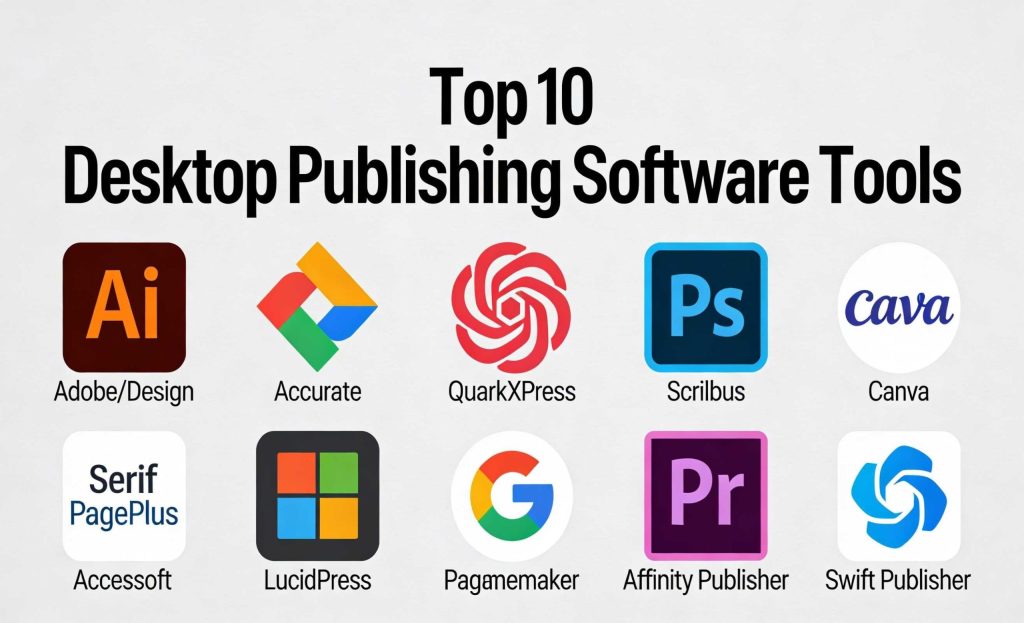
Introduction
Desktop publishing (DTP) software allows users to create and design high-quality documents, such as brochures, newsletters, posters, books, and magazines, with professional layouts and graphics. These tools enable users to combine text, images, and other media in an organized and visually appealing way. Desktop publishing has become essential for businesses, marketing teams, graphic designers, and publishers to produce print-ready or digital publications.
Desktop publishing software is evolving to include cloud-based collaboration, AI-enhanced design features, and real-time editing tools, making it more accessible and efficient for users in various industries.
Real-World Use Cases:
- Marketing Materials: Creating brochures, flyers, and posters to promote products and services.
- Magazine Layout: Designing the layout and typography for magazines and periodicals.
- Book Publishing: Formatting books, including print and e-books.
- Corporate Documents: Designing reports, presentations, and other company materials.
- Newsletters: Formatting and creating internal or external company newsletters.
What Buyers Should Evaluate:
- Key Features: Layout tools, image editing, typography control.
- Ease of Use: Intuitive interface for both beginners and professionals.
- Performance & Reliability: How fast and dependable is the software?
- Security & Compliance: Does it offer necessary protections for your content?
- Integration with Other Tools: Does it work well with other design or content tools?
- Support and Community: Availability of help resources, support channels, and tutorials.
Best for: Graphic designers, marketing teams, publishers, businesses in need of professional print materials, and individuals creating personal or small-scale projects.
Not ideal for: Users needing basic text editing or those who don’t require advanced design capabilities.
Key Trends in Desktop Publishing Software
- Cloud Collaboration: Cloud-based DTP software allows teams to work on the same document in real time, improving collaboration across locations.
- AI-Driven Design Tools: AI tools to help automate layout adjustments and recommend design changes based on the content.
- Interactive PDFs: Increasing use of interactive PDFs for digital publishing, allowing users to add links, buttons, and videos.
- Cross-Platform Support: More DTP software supports multiple platforms, such as web, Windows, macOS, and mobile devices.
- Template Libraries: Expanding libraries of templates, reducing design time for common materials like brochures and social media posts.
- Augmented Reality Integration: Some tools are integrating AR features for creating interactive print materials that work with mobile apps.
- Improved Typography Tools: More advanced typography control for precise text formatting and better alignment options.
- Subscription Models: A shift from perpetual licenses to subscription-based models, offering more flexible payment options.
- Security Enhancements: Increased focus on data security, with encryption, audit logs, and secure cloud storage.
- Sustainability in Printing: Focus on digital formats to reduce the environmental impact of printed materials.
How We Selected These Tools (Methodology)
We selected the “Top 10” desktop publishing tools based on the following criteria:
- Market Adoption: Popularity and widespread use among professionals in publishing, marketing, and design.
- Feature Completeness: Tools that offer a comprehensive set of publishing features, including templates, design elements, typography, and image editing.
- Reliability and Performance: Tools that perform reliably under heavy workloads with minimal crashes or performance issues.
- Security Posture: Tools with strong security features such as encryption and compliance with industry standards.
- Integration Ecosystem: Tools that integrate well with other design software, content management systems, and cloud platforms.
- Customer Fit Across Segments: Tools that cater to a broad range of users, from individuals to large enterprises.
Top 10 Desktop Publishing Software Tools
1 — Adobe InDesign
Adobe InDesign is a professional desktop publishing software widely used for creating print and digital publications, including books, magazines, and brochures.
Key Features
- Advanced typography and layout controls.
- Integration with other Adobe Creative Cloud products.
- Multi-page layout capabilities.
- Support for interactive PDFs and eBooks.
- Extensive template library.
Pros
- Industry-standard software for professionals.
- Robust feature set with endless customization options.
Cons
- Expensive subscription model.
- Steep learning curve for beginners.
Platforms / Deployment
- Windows / macOS
- Cloud / Hybrid
Security & Compliance
- Not publicly stated.
Integrations & Ecosystem
- Integrates seamlessly with Photoshop, Illustrator, and other Adobe products.
- Supports third-party plugins for added functionality.
Support & Community
- Extensive documentation and a large user community.
- Paid customer support via Adobe subscription.
2 — Microsoft Publisher
Microsoft Publisher is an easy-to-use desktop publishing software designed for home users, small businesses, and anyone who needs simple layout tools.
Key Features
- Pre-designed templates for brochures, newsletters, and more.
- Drag-and-drop functionality for adding text and images.
- Easy integration with other Microsoft Office tools.
- Support for publishing to the web and print.
Pros
- User-friendly interface.
- Affordable for small businesses and individual users.
Cons
- Limited advanced features compared to high-end software.
- Not ideal for large-scale publishing projects.
Platforms / Deployment
- Windows
- Self-hosted
Security & Compliance
- Not publicly stated.
Integrations & Ecosystem
- Integrates well with other Microsoft Office tools like Word and Excel.
- Limited support for third-party integrations.
Support & Community
- Extensive resources from Microsoft, including support and forums.
3 — QuarkXPress
QuarkXPress is a professional desktop publishing software focused on creating print and digital designs with advanced layout features.
Key Features
- Powerful text and image editing tools.
- Multi-page design and template support.
- Export options for digital publications, including eBooks.
- Integration with Creative Cloud tools.
Pros
- Feature-rich and highly customizable.
- Robust support for print and digital formats.
Cons
- Expensive software with complex features.
- Limited online collaboration options.
Platforms / Deployment
- Windows / macOS
- Hybrid
Security & Compliance
- Not publicly stated.
Integrations & Ecosystem
- Integrates with Adobe Creative Cloud and other design tools.
- Offers support for third-party plugins and extensions.
Support & Community
- Excellent customer support with extensive online documentation.
- Active user community with forums and tutorials.
4 — Scribus
Scribus is an open-source desktop publishing software used for creating professional layouts and publications.
Key Features
- Full color management for print and digital design.
- Advanced PDF creation and export options.
- Supports CMYK, RGB, and spot color models.
- Flexible layout and design tools.
Pros
- Free and open-source, suitable for budget-conscious users.
- Supports a wide range of file formats.
Cons
- User interface can be difficult for beginners.
- Lacks some advanced features found in paid alternatives.
Platforms / Deployment
- Windows / macOS / Linux
- Hybrid
Security & Compliance
- Not publicly stated.
Integrations & Ecosystem
- Integrates with many file formats but lacks native integration with other design software.
- Supports open-source extensions and plugins.
Support & Community
- Community-driven support with forums and online resources.
5 — Canva
Canva is an online design platform that offers an intuitive interface for creating a wide range of marketing materials, presentations, and documents.
Key Features
- Drag-and-drop functionality with a large selection of templates.
- Cloud-based design platform for team collaboration.
- Pre-designed graphics and fonts.
- Easy-to-use interface for non-designers.
Pros
- Simple and user-friendly for beginners.
- Affordable, with a free version available.
Cons
- Limited customization compared to professional DTP software.
- Lacks advanced layout and typography tools.
Platforms / Deployment
- Web / iOS / Android
- Cloud
Security & Compliance
- Not publicly stated.
Integrations & Ecosystem
- Integrates with Google Drive, Dropbox, and social media platforms.
- Limited integrations with other design tools.
Support & Community
- Extensive online tutorials and customer support via email.
6 — Serif PagePlus
Serif PagePlus is an affordable desktop publishing software offering a wide variety of templates for designing publications.
Key Features
- Wide selection of templates for brochures, flyers, and newsletters.
- Intuitive drag-and-drop interface.
- Supports photo editing and vector graphics.
- Export designs as PDFs and other formats.
Pros
- Budget-friendly for small businesses and individuals.
- User-friendly interface with plenty of templates.
Cons
- Lacks some advanced features found in other software.
- Limited support for larger publishing projects.
Platforms / Deployment
- Windows
- Self-hosted
Security & Compliance
- Not publicly stated.
Integrations & Ecosystem
- Basic integration with other design and productivity tools.
- Limited third-party plugin support.
Support & Community
- Basic support with online forums and user guides.
7 — Lucidpress
Lucidpress is a cloud-based desktop publishing software that offers easy-to-use tools for creating professional documents and marketing materials.
Key Features
- Real-time collaboration features for teams.
- Access to a wide variety of templates and fonts.
- Support for digital and print publications.
- Drag-and-drop editor for quick design.
Pros
- Cloud-based for easy team collaboration.
- Ideal for teams working on marketing and sales materials.
Cons
- Limited functionality compared to traditional DTP software.
- Subscription model can be costly for small businesses.
Platforms / Deployment
- Web
- Cloud
Security & Compliance
- Not publicly stated.
Integrations & Ecosystem
- Integrates with Google Drive and other cloud storage platforms.
- Limited support for third-party software.
Support & Community
- Comprehensive online support and tutorials.
- Customer service available via email.
8 — Pagemaker
Adobe Pagemaker is a traditional desktop publishing tool primarily used for creating print publications and layouts.
Key Features
- High-quality text and image formatting options.
- Pre-designed templates for business publications.
- Support for professional printing processes.
Pros
- Good for creating complex layouts.
- Reliable and trusted software for print publications.
Cons
- Discontinued by Adobe, limited future updates.
- Not suitable for digital publishing.
Platforms / Deployment
- Windows / macOS
- Self-hosted
Security & Compliance
- Not publicly stated.
Integrations & Ecosystem
- Basic integration with other Adobe tools.
- Limited third-party plugin support.
Support & Community
- Minimal support due to discontinuation of the software.
9 — Affinity Publisher
Affinity Publisher is a modern desktop publishing software that offers powerful tools for designing high-quality publications.
Key Features
- Full support for professional color management.
- Advanced typography and text styling tools.
- Seamless integration with Affinity Photo and Affinity Designer.
- Multiple page layout capabilities.
Pros
- Affordable one-time purchase with no subscription fees.
- Great for designers looking for a cost-effective solution.
Cons
- Lacks some high-end publishing features.
- Limited third-party plugin support.
Platforms / Deployment
- Windows / macOS
- Self-hosted
Security & Compliance
- Not publicly stated.
Integrations & Ecosystem
- Integrates with Affinity suite of tools for a complete design workflow.
- Limited integration with third-party platforms.
Support & Community
- Strong online community and resources.
- Support available through Affinity forums.
10 — Swift Publisher
Swift Publisher is an easy-to-use desktop publishing software for creating brochures, flyers, newsletters, and more.
Key Features
- Drag-and-drop functionality with a variety of templates.
- Simple photo editing and vector tools.
- Support for high-quality printing.
Pros
- User-friendly with a wide selection of templates.
- Affordable for home users and small businesses.
Cons
- Limited advanced features.
- Not as customizable as professional tools.
Platforms / Deployment
- macOS
- Self-hosted
Security & Compliance
- Not publicly stated.
Integrations & Ecosystem
- Basic integration with macOS tools.
- Limited support for third-party add-ons.
Support & Community
- Basic support with online resources available.
Comparison Table (Top 10)
| Tool Name | Best For | Platform(s) Supported | Deployment | Standout Feature | Public Rating |
|---|---|---|---|---|---|
| Adobe InDesign | Large studios | Windows / macOS | Hybrid | Advanced typography | N/A |
| Microsoft Publisher | Small businesses | Windows | Self-hosted | Easy-to-use templates | N/A |
| QuarkXPress | Professional designers | Windows / macOS | Hybrid | Powerful text and image editing | N/A |
| Scribus | Budget users | Windows / macOS / Linux | Hybrid | Open-source, free tool | N/A |
| Canva | Beginners | Web / iOS / Android | Cloud | Drag-and-drop interface | N/A |
| Serif PagePlus | Small businesses | Windows | Self-hosted | Affordable option | N/A |
| Lucidpress | Teams | Web | Cloud | Cloud collaboration | N/A |
| Pagemaker | Traditional users | Windows / macOS | Self-hosted | Professional print support | N/A |
| Affinity Publisher | Designers | Windows / macOS | Self-hosted | Affordable solution | N/A |
| Swift Publisher | Home users | macOS | Self-hosted | Easy-to-use templates | N/A |
Evaluation & Scoring of Desktop Publishing Software
| Tool Name | Core (25%) | Ease (15%) | Integrations (15%) | Security (10%) | Performance (10%) | Support (10%) | Value (15%) | Weighted Total (0–10) |
|---|---|---|---|---|---|---|---|---|
| Adobe InDesign | 9 | 7 | 9 | 8 | 9 | 8 | 7 | 8.3 |
| Microsoft Publisher | 7 | 9 | 7 | 7 | 8 | 9 | 10 | 8.0 |
| QuarkXPress | 9 | 6 | 8 | 7 | 8 | 7 | 6 | 7.8 |
| Scribus | 8 | 8 | 7 | 7 | 8 | 9 | 8 | 8.0 |
| Canva | 6 | 10 | 7 | 6 | 7 | 8 | 9 | 7.7 |
| Serif PagePlus | 7 | 8 | 6 | 7 | 7 | 6 | 8 | 7.3 |
| Lucidpress | 8 | 9 | 8 | 7 | 8 | 7 | 7 | 7.9 |
| Pagemaker | 7 | 6 | 6 | 7 | 7 | 7 | 6 | 6.8 |
| Affinity Publisher | 9 | 7 | 7 | 7 | 8 | 8 | 7 | 7.9 |
| Swift Publisher | 6 | 9 | 6 | 6 | 7 | 6 | 7 | 6.8 |
Interpreting the scores: These scores reflect the relative performance of each tool based on the weighted criteria. A higher score indicates better overall performance in key areas.
Which Desktop Publishing Software Tool Is Right for You?
Solo / Freelancer
- Scribus: Best for freelancers and individuals on a budget.
- Canva: Ideal for beginners and those needing quick, simple designs.
SMB
- Microsoft Publisher: Best for small businesses that need straightforward publishing tools.
- Lucidpress: Perfect for SMBs focusing on cloud-based collaboration.
Mid-Market
- Affinity Publisher: Best for designers needing a cost-effective, professional tool.
- QuarkXPress: Ideal for mid-market businesses needing more advanced features.
Enterprise
- Adobe InDesign: Best for enterprises needing the most robust and professional features.
- Pagemaker: Suitable for traditional industries needing print-focused layouts.
Budget vs Premium
- Scribus: Best for those on a budget.
- Adobe InDesign / QuarkXPress: Best for high-end features at a premium cost.
Feature Depth vs Ease of Use
- Microsoft Publisher: Best for ease of use.
- Adobe InDesign / QuarkXPress: Best for depth and complex capabilities.
Integrations & Scalability
- Lucidpress: Ideal for teams needing cloud integration and scalability.
- Adobe InDesign: Strong for enterprises requiring robust integration options.
Security & Compliance Needs
- Adobe InDesign: Best for enterprises requiring strong compliance and security.
- Scribus: Suitable for personal or small business projects with fewer compliance needs.
Frequently Asked Questions (FAQs)
What is the cost of desktop publishing software?
Pricing varies by software. Some tools like Canva and Scribus are free, while others like Adobe InDesign have subscription fees.
Can I collaborate with others using desktop publishing software?
Yes, tools like Lucidpress and Canva offer real-time collaboration features, making them ideal for team projects.
How long does it take to learn desktop publishing software?
The learning curve varies. Tools like Microsoft Publisher are quick to learn, while Adobe InDesign and QuarkXPress may take more time.
Is there a free desktop publishing software option?
Yes, Scribus and Canva are free to use, though they may have fewer advanced features compared to premium tools.
Which desktop publishing software is best for beginners?
Canva and Microsoft Publisher are excellent choices for beginners due to their simplicity and ease of use.
Can desktop publishing software be used for eBooks?
Yes, many desktop publishing tools like Adobe InDesign and Scribus support eBook formats, including interactive PDFs.
Does desktop publishing software support integration with other tools?
Yes, tools like Adobe InDesign and Lucidpress integrate with other design and cloud tools, enhancing workflows.
Can desktop publishing software create interactive content?
Yes, tools like Adobe InDesign and Lucidpress support interactive PDFs with buttons, links, and multimedia content.
Is cloud-based desktop publishing software secure?
Cloud-based tools like Lucidpress often offer strong security features, including encryption and user authentication.
What are the best tools for print publications?
Adobe InDesign and QuarkXPress are ideal for professional print publications due to their advanced layout and typography features.
Conclusion
Choosing the right desktop publishing software depends on your specific needs, whether it’s creating simple marketing materials or complex publications. Consider your budget, the level of design expertise, and the scale of your projects before making a decision.