Introduction
Desk booking and hotdesking software helps employees reserve desks, seats, neighborhoods, and office spaces before they arrive at the workplace. It replaces manual seat sharing, spreadsheets, and informal messaging with a structured reservation system that shows availability in real time. This category has become important because hybrid work patterns create unpredictable office attendance, and companies want to reduce wasted space while keeping collaboration easy.
These tools are used for hybrid office planning, team day coordination, visitor and desk readiness planning, workplace capacity management, floor-based seating visibility, and utilization reporting for facilities teams. Buyers should evaluate booking ease, floor map quality, mobile experience, policy controls, team visibility, integrations with calendar and chat tools, analytics depth, multi-location support, admin controls, and long-term pricing fit.
Best for: hybrid teams, workplace operations, facilities managers, HR and office admins, IT teams, and growing organizations managing shared office space across one or more locations.
Not ideal for: very small offices with fixed seating and stable attendance where a simple shared calendar or manual seating plan is enough.
Key Trends in Desk Booking and Hotdesking Software
- Hybrid work planning is moving from basic desk reservation toward full workplace coordination with team presence visibility.
- Interactive floor maps are becoming a standard expectation instead of a premium feature.
- Slack and Microsoft Teams booking workflows are growing because employees prefer booking inside tools they already use.
- More organizations want desk booking plus meeting rooms, visitors, and workplace analytics in one platform.
- Policy-based booking controls are becoming important for neighborhoods, team zones, and priority access rules.
- Utilization analytics is increasingly used for real estate decisions and office downsizing or redesign planning.
- Mobile-first booking experience matters more because many employees decide office attendance while commuting.
- Admins now expect flexible booking windows, recurring schedules, approvals, and exception handling.
- Integrations with identity, HR, and workplace tools are becoming a deciding factor for larger organizations.
- Privacy and workplace visibility controls are getting more attention, especially in global and multi-office deployments.
How We Selected These Tools (Methodology)
- Selected tools with strong recognition in hybrid workplace, desk booking, or office hoteling workflows.
- Balanced enterprise-ready platforms with SMB-friendly tools and easy-to-adopt options.
- Evaluated booking experience for employees, including speed, clarity, and floor map usability.
- Considered admin controls such as booking rules, zoning, permissions, and capacity management.
- Reviewed ecosystem fit, especially calendar, chat, and workplace platform integrations.
- Included tools with practical analytics for utilization and workplace planning.
- Prioritized solutions that can support real-world rollout across teams, locations, and changing attendance patterns.
- Considered support and onboarding strength because adoption success depends heavily on rollout quality.
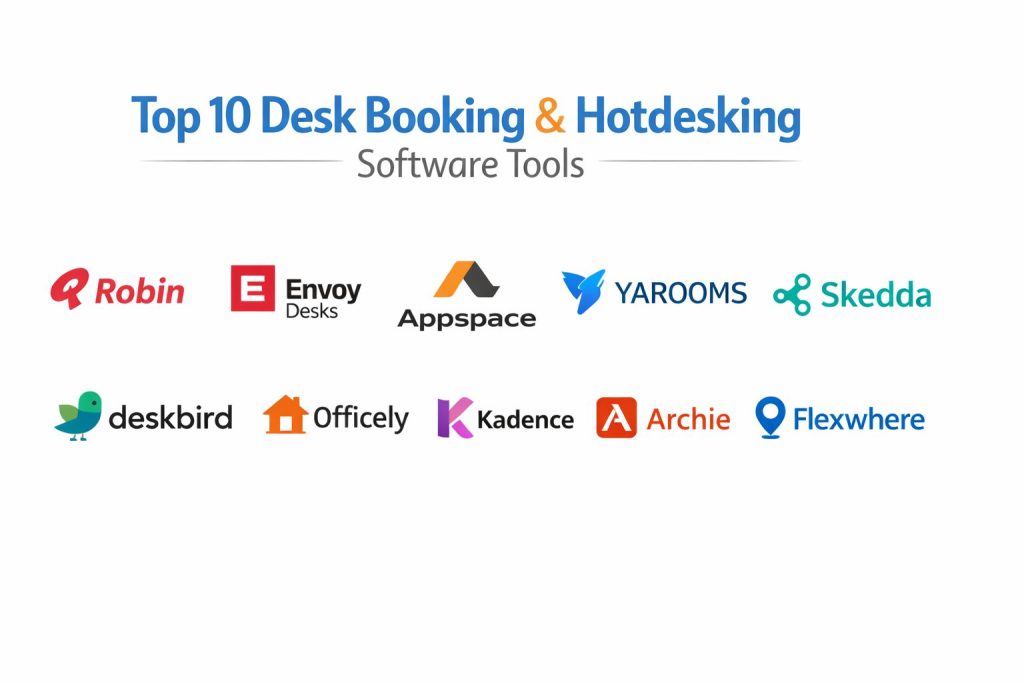
Top 10 Desk Booking and Hotdesking Software Tools
1 — Robin
Robin is a workplace management platform widely used for desk booking, room scheduling, and hybrid office coordination. It is a strong fit for organizations that want a polished employee experience and workplace analytics in one system.
Key Features
- Desk booking with interactive workplace maps
- Team scheduling and office attendance coordination
- Room booking and shared resource management
- Workplace analytics and utilization reporting
- Neighborhood and zone-based seating support
- Mobile booking and employee check-in workflows
Pros
- Strong user experience for everyday booking
- Good fit for workplace operations and analytics-driven planning
- Supports multi-location hybrid office workflows
Cons
- Can be more than needed for very small offices
- Rollout quality depends on map setup and admin configuration
- Pricing may be higher than lightweight tools for simple use cases
Platforms / Deployment
Web, iOS, Android, Cloud
Security and Compliance
Varies / Not publicly stated
Integrations and Ecosystem
Robin is commonly used as part of a broader workplace stack and works best when connected to calendars and identity systems.
- Calendar integrations for scheduling alignment
- Workplace and collaboration tool integrations
- Admin and analytics workflows for facilities teams
- API and ecosystem support varies by plan and setup
Support and Community
Strong documentation and enterprise-oriented onboarding expectations; support experience varies by plan.
2 — Envoy Desks
Envoy Desks is part of a broader workplace platform and focuses on desk booking for hybrid offices. It is a strong option for organizations that also want visitor management and workplace operations in a connected system.
Key Features
- Desk reservation and hoteling workflows
- Interactive office maps and desk visibility
- Team scheduling and workplace coordination tools
- Check-in workflows and attendance confirmation
- Workplace rules and desk assignment controls
- Mobile access for booking and office planning
Pros
- Good fit for teams that want desks plus visitor workflows
- Easy experience for employees booking office days
- Useful for hybrid office coordination and policies
Cons
- Some teams may only need desk booking, not a broader workplace suite
- Advanced setup may require admin planning
- Costs can increase when adopting multiple platform modules
Platforms / Deployment
Web, iOS, Android, Cloud
Security and Compliance
Varies / Not publicly stated
Integrations and Ecosystem
Envoy Desks is often selected when companies want connected workplace experiences beyond desks.
- Workplace and office operations ecosystem connections
- Calendar and collaboration workflow support
- Admin policy controls tied to workplace usage flows
- Integration depth varies by subscription and product bundle
Support and Community
Well-known workplace platform with solid rollout resources; support tiers vary.
3 — Appspace
Appspace is a workplace experience platform that includes desk booking, room booking, digital signage, and employee communications. It fits organizations that want to combine hotdesking with a broader workplace engagement strategy.
Key Features
- Desk and room booking in a shared workplace platform
- Interactive maps and resource visibility
- Workplace communication and digital signage capabilities
- Utilization insights and workplace reporting
- Mobile and employee app workflows
- Multi-site workplace support
Pros
- Strong all-in-one workplace platform positioning
- Useful for enterprises combining booking and communications
- Good fit for distributed office environments
Cons
- Can be complex if you only need desk booking
- Rollout may involve more stakeholder coordination
- Platform breadth may increase setup time
Platforms / Deployment
Web, iOS, Android, Cloud
Security and Compliance
Varies / Not publicly stated
Integrations and Ecosystem
Appspace is typically used by teams that want desk booking integrated into a larger workplace experience environment.
- Workplace platform integrations and enterprise systems support
- Resource booking and communications workflows in one stack
- Admin and analytics tooling for operations teams
- API and deployment patterns vary by environment
Support and Community
Enterprise-focused support model and onboarding assistance; community is smaller than general productivity tools.
4 — YAROOMS
YAROOMS is a workplace and resource scheduling platform that supports desk booking, room booking, and hybrid office management. It suits organizations that want flexible booking rules and practical workplace management features.
Key Features
- Desk booking and room scheduling in one system
- Hybrid work scheduling and office attendance planning
- Workplace policies, approvals, and booking restrictions
- Interactive floor map support
- Utilization reporting and workplace analytics
- Multi-location management capabilities
Pros
- Strong fit for organizations needing policy controls
- Covers multiple workplace resource types
- Practical feature mix for operations teams
Cons
- User experience preferences may vary by team
- Setup quality depends on office data and admin configuration
- Some advanced workflows may require training
Platforms / Deployment
Web, Mobile access varies, Cloud
Security and Compliance
Varies / Not publicly stated
Integrations and Ecosystem
YAROOMS is often used as a central workplace scheduling tool across desks and rooms.
- Calendar and scheduling workflow integrations
- Workplace and operations ecosystem support
- Policy-driven booking setup for multi-office environments
- Integration availability varies by plan
Support and Community
Documentation and onboarding support available; support experience varies by subscription level.
5 — Skedda
Skedda is a booking platform used for managing shared spaces and resources, including desk booking and office seating scenarios. It is a strong option for teams that need configurable booking rules with a straightforward setup.
Key Features
- Resource and desk booking workflows
- Booking rules, permissions, and access controls
- Interactive scheduling views and availability visibility
- Self-service reservations for users and teams
- Usage tracking and reporting
- Flexible configuration for shared spaces
Pros
- Strong rule-based booking controls
- Practical for shared spaces beyond desks
- Good fit for teams wanting configurable reservations
Cons
- Workplace-specific features may be lighter than full workplace suites
- Floor map expectations vary by implementation needs
- Larger enterprises may need broader workplace platform features
Platforms / Deployment
Web, Mobile access varies, Cloud
Security and Compliance
Varies / Not publicly stated
Integrations and Ecosystem
Skedda is often chosen for its configurable booking engine and practical reservation management.
- Calendar-related scheduling integrations
- Access and permission-based reservation controls
- Suitable for desk booking and broader shared resource use
- Ecosystem depth varies by use case
Support and Community
Known for usability and straightforward admin management; support tiers vary.
6 — deskbird
deskbird is a hybrid workplace platform focused on desk booking, office attendance planning, and team collaboration visibility. It is a strong fit for modern hybrid teams that want a simple interface and quick adoption.
Key Features
- Desk booking and office presence planning
- Team scheduling visibility for collaboration days
- Interactive office map and desk availability views
- Mobile booking workflows
- Workplace analytics and attendance insights
- Policy and admin controls for hybrid office use
Pros
- Modern and user-friendly booking experience
- Strong focus on hybrid team coordination
- Good adoption potential for growing teams
Cons
- Advanced enterprise requirements may need deeper evaluation
- Feature fit depends on room booking and workplace needs
- Costs may scale with user growth depending on pricing model
Platforms / Deployment
Web, iOS, Android, Cloud
Security and Compliance
Varies / Not publicly stated
Integrations and Ecosystem
deskbird is often selected for hybrid team coordination and employee-friendly booking flows.
- Collaboration and scheduling tool integrations
- Workplace planning and attendance workflows
- Mobile-first usage patterns for employee adoption
- Integration scope varies by plan
Support and Community
Strong product usability focus; support and onboarding depth varies by customer segment.
7 — Officely
Officely is a desk booking and hybrid office scheduling tool designed for teams that work heavily inside chat and collaboration platforms. It is a good fit for organizations prioritizing fast adoption and lightweight workflows.
Key Features
- Desk booking and office day scheduling
- Collaboration-platform-first booking flows
- Team visibility for office attendance
- Booking policies and admin controls
- Simple rollout for hybrid teams
- Meeting room and office coordination features in some setups
Pros
- Fast adoption for chat-first organizations
- Lightweight and practical for hybrid scheduling
- Good usability for employees and managers
Cons
- May be too lightweight for complex enterprise workplace operations
- Advanced analytics depth may vary by plan
- Large-scale policy complexity should be tested before rollout
Platforms / Deployment
Web, Cloud, Collaboration platform integrations
Security and Compliance
Varies / Not publicly stated
Integrations and Ecosystem
Officely is commonly chosen by teams that want booking inside collaboration workflows rather than a separate heavy workplace app.
- Strong collaboration-platform workflow focus
- Calendar and office scheduling integrations
- Admin controls for desk and attendance coordination
- Ecosystem breadth varies compared with larger workplace suites
Support and Community
Known for quick onboarding style; support experience varies by subscription.
8 — Kadence
Kadence is a hybrid work orchestration platform that includes desk booking, scheduling coordination, and workplace collaboration planning. It suits organizations that want to align people, places, and office days more intentionally.
Key Features
- Desk booking and office scheduling coordination
- Team collaboration planning for in-office days
- Workplace insights and attendance analytics
- Space and neighborhood management controls
- Employee experience workflows for hybrid planning
- Multi-location support for distributed teams
Pros
- Strong hybrid coordination focus beyond simple desk booking
- Useful for improving in-office collaboration planning
- Good fit for mid-sized and enterprise teams
Cons
- May feel broader than needed for simple hoteling use cases
- Rollout success depends on change management and policy setup
- Teams should validate feature depth for room and visitor needs
Platforms / Deployment
Web, Mobile access varies, Cloud
Security and Compliance
Varies / Not publicly stated
Integrations and Ecosystem
Kadence is often evaluated as a hybrid work coordination platform, not only a desk reservation tool.
- Scheduling and workplace coordination integrations
- Team planning and attendance orchestration workflows
- Analytics support for workplace planning decisions
- Integration details vary by edition and environment
Support and Community
Enterprise-oriented rollout and adoption focus; support quality varies by plan.
9 — Archie
Archie is a workplace management platform that includes desk booking, room booking, and office operations workflows. It is a strong option for organizations that want a modern interface with flexible workplace management in one place.
Key Features
- Desk booking and hotdesking workflows
- Room and resource booking capabilities
- Interactive floor plans and workplace visibility
- Admin controls and booking policies
- Analytics for workplace usage and occupancy
- Mobile-friendly booking experience
Pros
- Balanced feature set for hybrid office management
- Modern interface and practical booking workflows
- Good fit for organizations wanting desks plus room booking
Cons
- Feature breadth may exceed the needs of very small offices
- Rollout quality depends on mapping and policy setup
- Teams should validate ecosystem depth for enterprise use
Platforms / Deployment
Web, Mobile access varies, Cloud
Security and Compliance
Varies / Not publicly stated
Integrations and Ecosystem
Archie is typically considered by teams seeking an all-in-one workplace booking and management experience.
- Desk and room scheduling in one platform
- Workplace operations integrations and admin workflows
- Analytics-driven office planning support
- Integration scope varies by plan and configuration
Support and Community
Growing market presence with practical onboarding emphasis; support tiers vary.
10 — Flexwhere
Flexwhere is a hot desk booking and hybrid workplace platform focused on desk visibility, usability, and workplace occupancy management. It is well suited to organizations that want clear visual booking and team presence awareness.
Key Features
- Hot desk booking with visual floor plan workflows
- Real-time desk availability and colleague visibility
- Hybrid workplace planning and resource scheduling
- Workplace analytics and utilization insights
- Admin controls for desk policies and office usage
- Multi-office support capabilities
Pros
- Strong visual booking experience
- Practical focus on workplace occupancy and usability
- Good fit for hybrid offices needing clarity and adoption
Cons
- Teams should validate ecosystem fit for broader workplace needs
- Some advanced enterprise workflows may require deeper evaluation
- Feature requirements vary for room, visitor, and compliance-heavy use cases
Platforms / Deployment
Web, Mobile access varies, Cloud
Security and Compliance
Varies / Not publicly stated
Integrations and Ecosystem
Flexwhere is often used where visual desk booking and workplace clarity are central priorities.
- Workplace scheduling and desk booking workflows
- Occupancy and utilization-focused reporting usage
- Team visibility support for hybrid office planning
- Integration availability varies by deployment and plan
Support and Community
Usability-focused platform with workplace rollout support; support model varies by contract level.
Comparison Table
| Tool Name | Best For | Platform(s) Supported | Deployment | Standout Feature | Public Rating |
|---|---|---|---|---|---|
| Robin | Workplace analytics + desk booking | Web, iOS, Android | Cloud | Strong workplace maps and analytics | N/A |
| Envoy Desks | Desk booking + workplace operations | Web, iOS, Android | Cloud | Desks integrated with broader workplace workflows | N/A |
| Appspace | Enterprise workplace experience platform | Web, iOS, Android | Cloud | Desk booking plus communications and workplace tools | N/A |
| YAROOMS | Policy-driven workplace scheduling | Web, Mobile access varies | Cloud | Flexible booking rules across desks and rooms | N/A |
| Skedda | Configurable shared resource booking | Web, Mobile access varies | Cloud | Strong rule-based reservation controls | N/A |
| deskbird | Hybrid team scheduling and desk booking | Web, iOS, Android | Cloud | User-friendly hybrid attendance planning | N/A |
| Officely | Chat-first hybrid office booking | Web, Collaboration platform integrations | Cloud | Lightweight booking inside collaboration workflows | N/A |
| Kadence | Hybrid work orchestration | Web, Mobile access varies | Cloud | Team coordination beyond simple desk booking | N/A |
| Archie | All-in-one workplace booking | Web, Mobile access varies | Cloud | Desks plus rooms and workplace management | N/A |
| Flexwhere | Visual hot desk booking | Web, Mobile access varies | Cloud | Strong visual desk availability experience | N/A |
Evaluation and Scoring of Desk Booking and Hotdesking Software
Weights
Core features 25 percent
Ease of use 15 percent
Integrations and ecosystem 15 percent
Security and compliance 10 percent
Performance and reliability 10 percent
Support and community 10 percent
Price and value 15 percent
| Tool Name | Core | Ease | Integrations | Security | Performance | Support | Value | Weighted Total |
|---|---|---|---|---|---|---|---|---|
| Robin | 9.0 | 8.5 | 8.5 | 6.5 | 8.5 | 8.0 | 7.5 | 8.18 |
| Envoy Desks | 8.5 | 8.5 | 8.5 | 6.5 | 8.0 | 8.0 | 7.0 | 7.93 |
| Appspace | 9.0 | 7.5 | 9.0 | 6.5 | 8.5 | 8.0 | 7.0 | 8.10 |
| YAROOMS | 8.5 | 7.5 | 8.0 | 6.5 | 8.0 | 7.5 | 7.5 | 7.78 |
| Skedda | 8.0 | 8.0 | 7.5 | 6.0 | 8.0 | 7.5 | 8.0 | 7.75 |
| deskbird | 8.0 | 9.0 | 7.5 | 6.0 | 8.0 | 7.5 | 7.5 | 7.78 |
| Officely | 7.5 | 9.0 | 8.0 | 5.5 | 7.5 | 7.0 | 8.5 | 7.73 |
| Kadence | 8.5 | 8.0 | 8.0 | 6.5 | 8.0 | 7.5 | 7.0 | 7.83 |
| Archie | 8.5 | 8.5 | 7.5 | 6.0 | 8.0 | 7.5 | 7.5 | 7.83 |
| Flexwhere | 8.0 | 8.5 | 7.0 | 6.0 | 8.0 | 7.0 | 7.5 | 7.55 |
These scores are comparative and designed to help shortlist options, not declare a universal winner. A tool with a slightly lower total may still be the best fit if your team values fast adoption, chat-first booking, or a broader workplace platform approach. Core features and integrations matter most for long-term fit, while ease of use usually drives employee adoption. Value can vary widely depending on your office count, user count, and how many modules you adopt.
Which Desk Booking and Hotdesking Software Tool Is Right for You
Solo or Small Office Team
If your office is small and your needs are simple, choose a tool with low setup friction and easy booking. Officely and Skedda are often good starting points for lightweight rollouts, especially when you want fast adoption and practical controls without a large workplace platform rollout.
SMB
SMBs usually need a balance of usability, policy control, and room to grow. deskbird, Archie, and YAROOMS are strong options to evaluate because they offer useful hotdesking workflows without forcing a fully enterprise-heavy setup. Focus on ease of rollout, mobile booking, and admin simplicity.
Mid-Market
Mid-sized organizations often need better analytics, multi-location support, and stronger team coordination. Robin and Kadence become strong choices when hybrid planning and collaboration days matter, while Archie and Appspace can work well if you want desks plus broader workplace workflows.
Enterprise
Enterprise buyers typically care about governance, integrations, multi-office consistency, analytics, and platform strategy. Appspace, Robin, and Envoy Desks are often strong candidates when desk booking is part of a wider workplace operations and employee experience strategy. Pilot with real office maps and real booking rules before expanding.
Budget vs Premium
Budget-focused teams should prioritize adoption, policy basics, and simple reservation flows rather than a large all-in-one platform. Premium buyers may prefer platforms that combine desks, rooms, analytics, and workplace communication, even if rollout takes longer. Total value depends on how many modules you actually use after launch.
Feature Depth vs Ease of Use
Some tools shine in broad workplace functionality, while others win on simplicity. If your team struggles with change adoption, choose the easiest booking flow first and add advanced policies later. A powerful tool that employees avoid will underperform a simpler tool with strong daily usage.
Integrations and Scalability
If your organization depends on collaboration platforms, calendars, and identity systems, integration depth should be a top decision factor. Test real workflows such as booking from chat, syncing attendance visibility, and reporting across multiple offices. Scalability is not only about user count but also about policy complexity and admin overhead.
Security and Compliance Needs
Desk booking tools often sit inside broader workplace and identity environments, so review access controls, admin permissions, user visibility settings, and auditability carefully. If security and compliance details are not clearly documented, treat them as not publicly stated and validate them directly during evaluation. Also review data residency, role-based permissions, and how presence information is exposed to employees and admins.
Frequently Asked Questions
1. What is the difference between desk booking and hotdesking software
Desk booking software is the system used to reserve workspaces, while hotdesking is the office practice of sharing unassigned desks. In practice, most tools support both the operational booking and the hotdesking policy model.
2. Can these tools also manage meeting rooms and other resources
Many tools do, especially workplace platforms. Some are desk-first and lightweight, while others include rooms, visitors, parking, and broader workplace management features in the same system.
3. How long does it usually take to roll out a desk booking tool
Simple setups can go live quickly, but larger organizations need more time for maps, permissions, booking rules, and communication planning. Adoption success usually depends on rollout clarity more than technical setup alone.
4. What are common mistakes when choosing a hotdesking platform
Teams often choose based only on interface design and ignore policy controls, analytics, or integration needs. Another common mistake is skipping a pilot with real office layouts and real attendance behavior.
5. Do employees actually use desk booking software consistently
They usually do when booking is simple and clearly connected to office attendance expectations. Adoption improves when the tool works in daily workflows and when leaders use the same process.
6. What features matter most for hybrid teams
Team visibility, easy booking, mobile access, policy controls, and analytics are usually the most important. Floor maps and collaboration-day planning also make a big difference in employee experience.
7. Is desk booking software useful for a single office location
Yes, especially if attendance varies and teams coordinate office days. Even one location can benefit from better space utilization, fewer booking conflicts, and clearer seating visibility.
8. How should we compare pricing across vendors
Compare total cost against your booking model, number of users, number of desks, and any extra modules you need. A cheaper plan can become expensive if key features require upgrades or add-ons.
9. What should we test during a pilot
Test real booking speed, map clarity, recurring behavior, policy enforcement, admin effort, and reporting usefulness. Also test how the tool handles peak attendance days and team neighborhood requests.
10. What is the best next step after shortlisting tools
Shortlist two or three tools, configure one real office floor, and run a pilot with actual employees. Measure adoption, booking accuracy, admin workload, and reporting value before making a full rollout decision.
Conclusion
The best desk booking and hotdesking software depends on how your organization works, not only on feature count. Some teams need a lightweight booking tool that employees can adopt quickly, while others need a broader workplace platform with analytics, policies, and multi-office coordination. Robin, Envoy Desks, and Appspace can be strong choices for larger workplace programs, while deskbird, Officely, Skedda, Archie, and others may offer better fit for fast rollout or simpler hybrid workflows. The smartest approach is to shortlist a few options, run a real pilot with live office maps and booking rules, and choose the tool your employees will actually use consistently.