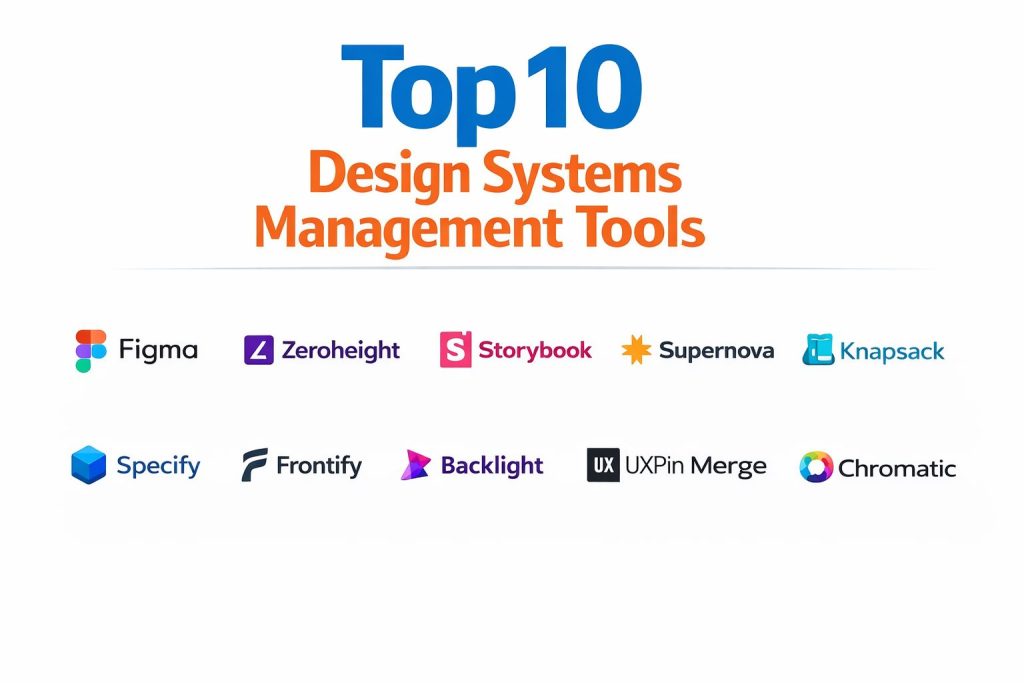
Introduction
A design system management (DSM) tool acts as the centralized infrastructure for scaling digital product development, bridging the gap between static design files and production code. These platforms serve as a “single source of truth,” housing reusable UI components, brand guidelines, design tokens, and documentation in a way that is accessible to both designers and engineers. By codifying design decisions into a systematic framework, organizations can ensure visual consistency across multiple platforms, from web and mobile to internal enterprise dashboards.
In the modern landscape of rapid software delivery, a robust DSM tool is no longer a luxury but a strategic necessity. It eliminates design debt and reduces the “handoff friction” that often occurs when moving from a creative prototype to a live application. Professionals use these tools to automate the distribution of design tokens—such as color HEX codes or spacing values—directly into code repositories, ensuring that any brand update reflects instantly across the entire product ecosystem. When evaluating these platforms, enterprise leaders must prioritize version control, multi-brand scalability, and deep integration with both design suites and developer environments to maintain a high velocity without sacrificing quality.
Best for: Cross-functional product teams, enterprise design organizations, and digital agencies managing complex multi-platform applications that require strict brand governance.
Not ideal for: Solo freelancers working on one-off projects or small teams without a requirement for reusable components. If the goal is simply to store a handful of images or basic style guides, a standard document storage solution is more cost-effective.
Key Trends in Design Systems Management
The industry is rapidly moving toward “Design Tokens as Code,” where design variables are managed centrally and pushed to GitHub or GitLab via automated pipelines. There is also a significant rise in “headless” design systems, where the documentation platform is decoupled from the design tool, allowing teams to swap design or code stacks without rebuilding the entire system. Real-time synchronization is becoming the standard, ensuring that a change in a design library is immediately flagged or updated in the developer’s workspace.
Another major trend is the integration of AI to audit design systems for accessibility violations and visual regressions. Tools are now capable of scanning a component library to identify color contrast issues or broken links automatically. Furthermore, there is a push toward “live component” documentation, where the system renders the actual production code in the browser instead of just showing a static image, providing an accurate representation of how the UI behaves in the real world.
How We Selected These Tools
Our selection process focused on tools that provide high interoperability between design and engineering environments. We prioritized platforms that support modern design token workflows and offer robust documentation capabilities that non-technical stakeholders can understand. Market adoption and community support were critical metrics, as they indicate the longevity of the tool and the availability of pre-built integrations with popular IDEs and design suites.
We also evaluated the depth of governance features, specifically looking for role-based access control and versioning systems that allow for branching and merging of design assets. Security and compliance were non-negotiable, especially for enterprise users handling sensitive brand data. Finally, we looked for tools that cater to various organizational sizes, from open-source options for startups to high-touch, white-glove solutions for multinational corporations with complex multi-brand needs.
1. Figma
Figma has evolved from a simple design tool into a powerful foundation for design system management. With its native “Variables” and advanced component properties, it allows teams to build highly complex, logic-driven UI libraries. It serves as the primary environment where design systems are born, offering real-time collaboration and a vast plugin ecosystem that connects to almost every other management tool.
Key Features
The platform features a sophisticated system for design variables that handles theming, such as light and dark modes, at scale. Its “Dev Mode” provides a dedicated space for engineers to inspect components, view documentation, and copy CSS or platform-specific code. The library analytics allow managers to see which components are being used most frequently and which are being detached, indicating a need for system updates. It also supports branching and merging, allowing for controlled, non-destructive experimentation with system assets.
Pros
It offers the most fluid real-time collaboration experience in the market, making it easy for teams to work together in a single file. The integrated nature of the tool means there is zero delay between design creation and system updates.
Cons
While it excels at design-side management, it lacks a dedicated, standalone documentation portal for non-designers. The cost for enterprise-level features and analytics can be high for smaller teams.
Platforms and Deployment
Web-based with desktop apps for Windows and macOS. It is a cloud-native platform.
Security and Compliance
Supports SSO/SAML, SCIM, and is SOC 2 Type II, SOC 3, and ISO 27001 compliant.
Integrations and Ecosystem
Integrates with Jira, Slack, GitHub, and Storybook. It has a massive community-driven plugin marketplace.
Support and Community
Offers extensive official documentation, a global community forum, and dedicated enterprise account management.
2. Zeroheight
Zeroheight is a documentation-first platform that specializes in creating “living” styleguides. It acts as a beautiful, public or private-facing portal that syncs directly with design tools to pull in components and styles, making it the preferred choice for teams that prioritize clarity and adoption across the whole company.
Key Features
The tool features a Notion-like editor that allows users to create rich documentation without needing to write code. It can sync multiple design libraries simultaneously, providing a unified view of a cross-platform system. It supports “living” code snippets, where real HTML/CSS or React components are rendered right next to the design guidelines. The platform also includes versioning, allowing teams to publish specific releases of their design system while working on the next iteration.
Pros
It is extremely user-friendly, allowing marketing and brand teams to contribute to the documentation without technical hurdles. The output is visually professional and highly accessible to non-designers.
Cons
Syncing extremely large libraries with thousands of assets can occasionally lead to performance lag. It is primarily a documentation tool and does not offer deep code-pipeline automation.
Platforms and Deployment
Web-based (Cloud).
Security and Compliance
Provides SOC 2 Type II compliance, GDPR adherence, and SSO for enterprise plans.
Integrations and Ecosystem
Strong sync capabilities with Figma, Sketch, Adobe XD, and Storybook.
Support and Community
Excellent onboarding for enterprise clients and a comprehensive technical knowledge base.
3. Storybook
Storybook is the industry standard for engineering-led design system management. It is a frontend workshop where developers can build UI components in isolation, making it easier to develop, document, and test complex interactive elements without worrying about application-specific logic.
Key Features
The tool provides a “sandbox” environment where every state of a component can be visualized and interacted with. Its addon ecosystem allows for automated accessibility testing, visual regression checks, and design token inspection. It generates documentation automatically from the component’s code, ensuring that the manual work of updating docs is minimized. It supports a wide range of frameworks, including React, Vue, Angular, and Svelte, making it highly versatile for diverse engineering teams.
Pros
It is the gold standard for developers, drastically speeding up the component lifecycle. Being open-source and free, it offers unlimited customization for any engineering stack.
Cons
The interface and setup can be intimidating for pure designers, as it requires a solid understanding of frontend development. It requires manual effort to make the documentation look as “branded” as a dedicated portal.
Platforms and Deployment
Web-based (typically self-hosted or hosted via Chromatic).
Security and Compliance
Security depends on the hosting environment; when used with Chromatic, it is SOC 2 compliant.
Integrations and Ecosystem
Integrates with Figma (via plugins), GitHub, and various CI/CD pipelines.
Support and Community
One of the largest open-source communities in the world with extensive Discord and GitHub support.
4. Supernova
Supernova is an end-to-end design system platform that focuses on automation. It is designed to bridge the gap from design tokens in Figma to production-ready code in GitHub, handling the entire lifecycle of a system from data to documentation.
Key Features
The platform features a powerful “Code Exporter” that transforms design tokens and assets into code for any platform, including Web, iOS, and Android. It includes a built-in documentation portal that syncs with both design and code, ensuring that all stakeholders are looking at the same information. Its “Health Tracking” monitors components across different environments to identify discrepancies. It also supports multi-brand systems, allowing teams to manage different themes from one centralized engine.
Pros
Unmatched for automation, it significantly reduces the manual work involved in updating tokens across multiple codebases. It is excellent for teams that need to keep mobile and web apps in sync.
Cons
The high level of configuration options can lead to a steep initial learning curve. Setup usually requires close collaboration between a designer and a developer.
Platforms and Deployment
Web-based (Cloud).
Security and Compliance
Offers SOC 2 Type II, GDPR compliance, and SSO/SAML integration.
Integrations and Ecosystem
Deeply integrated with Figma, VS Code, GitHub, and Slack.
Support and Community
Provides a dedicated Slack community and highly responsive technical support for enterprise customers.
5. Knapsack
Knapsack is an enterprise-grade design system platform that focuses on the concept of “live code.” It is built to serve as a workspace where designers and developers collaborate on the actual production components rather than just static representations.
Key Features
The platform provides a unified view where the “source of truth” is the live code itself, allowing designers to tweak component properties and see the results instantly. It features a robust governance model with built-in review and approval workflows for system changes. It includes built-in token management and supports multi-repo architectures, which is essential for large organizations. The documentation is generated from the code, ensuring it is always technically accurate.
Pros
It excels at ensuring that the design and production code never drift apart. The “white-glove” onboarding service is highly rated by enterprise architecture teams.
Cons
It is positioned as a premium solution and can be expensive for smaller teams. It might be “too much tool” for organizations only managing a single, simple website.
Platforms and Deployment
Web-based (Cloud).
Security and Compliance
SOC 2, HIPAA, and GDPR compliant with enterprise-grade SSO.
Integrations and Ecosystem
Connects with Figma, GitHub, and modern CI/CD systems.
Support and Community
Provides high-touch service and architecture planning for enterprise clients.
6. Specify
Specify acts as a “design data platform” that automates the distribution of design tokens and assets. It focuses specifically on the “delivery” aspect of the design system, acting as the pipeline that connects design tools to various developer environments.
Key Features
It features a central repository for tokens and assets that can be automatically collected from Figma. Users can define custom transformation rules to format this data for different platforms (e.g., converting colors to CSS variables or Swift code). It supports automated pull requests, meaning a change in design can automatically generate a code update in GitHub. The platform also includes versioning and approval workflows to ensure that only verified changes reach production.
Pros
It is incredibly efficient for teams that want to automate the technical “plumbing” of a design system. It allows developers to receive design data in exactly the format they need without manual work.
Cons
It does not provide a documentation portal, meaning it must be used alongside a tool like Zeroheight or Storybook. It requires developer involvement to set up the initial automation rules.
Platforms and Deployment
Web-based (Cloud).
Security and Compliance
GDPR compliant with SSO available for enterprise tiers.
Integrations and Ecosystem
Works with Figma, GitHub, GitLab, and Bitbucket.
Support and Community
Strong technical documentation and a growing community focused on design systems engineering.
7. Frontify
Frontify is a comprehensive brand management platform that includes a robust design system module. It is designed for large organizations that need to manage their entire brand identity—from logos and marketing assets to UI components—in one place.
Key Features
The platform includes a specialized “Guidelines” module for documenting brand identity and UI rules. It features a “Creative Collaboration” space where stakeholders can review and approve assets. The design system portion syncs with Figma to pull in components and styles, providing a centralized brand portal. It also includes “Digital Brand Templates” that allow non-designers to create on-brand social media or marketing graphics using the system’s assets.
Pros
It is a true all-in-one solution for brand governance, making it ideal for marketing-heavy organizations. The user interface is polished and aligned with the needs of brand managers.
Cons
The engineering-focused features (like code integration) are not as deep as those found in tools like Knapsack or Storybook. It can be one of the more expensive options on the market.
Platforms and Deployment
Web-based (Cloud).
Security and Compliance
ISO 27001 certified, SOC 2 Type II, and GDPR compliant.
Integrations and Ecosystem
Integrates with Figma, Sketch, and various Digital Asset Management (DAM) systems.
Support and Community
Known for a strong focus on customer success and professional services for large clients.
8. Backlight
Backlight is a developer-centric design system platform that provides an all-in-one environment for building, documenting, and managing components. It is unique in that it offers a full code editor (IDE) directly within the browser.
Key Features
The in-browser IDE allows developers to write component code, view real-time previews, and write documentation in MDX all in one window. It includes built-in support for design tokens and provides automated workflows for publishing components to package registries like npm. It features a “collaboration” mode where designers and developers can review the live code together. It also includes visual regression testing to ensure that changes don’t break existing layouts.
Pros
It offers an incredibly tight feedback loop between coding and documentation. It is highly efficient for teams that want a specialized, implementation-close workspace for their design system.
Cons
The focus on code may be less inviting for designers who prefer a more visual interface. It requires a modern development workflow to get the most value.
Platforms and Deployment
Web-based (Cloud).
Security and Compliance
SOC 2 and GDPR compliant with secure Git integration.
Integrations and Ecosystem
Directly integrates with GitHub, GitLab, and major frontend frameworks.
Support and Community
Very active community on Discord with a focus on cutting-edge design system trends.
9. UXPin Merge
UXPin Merge takes a unique approach to design systems by allowing designers to build prototypes using the actual production code components from their developers’ Git repositories. This eliminates the “drift” between design and code entirely.
Key Features
The “Merge” technology syncs with a Git repository to bring React (or other framework) components directly into the UXPin design editor. Designers use these live components—with all their real states and logic—to build prototypes. It features a built-in documentation tool that pulls information from the code properties. It also includes accessibility features that allow designers to test their prototypes against WCAG standards in real-time.
Pros
It is arguably the most effective tool for ensuring that what is designed is exactly what can be built. It empowers designers to work with high-fidelity, interactive components without knowing how to code.
Cons
Setting up the initial sync between the code repository and the editor requires specialized technical knowledge. It is a more niche solution compared to the broad appeal of Figma.
Platforms and Deployment
Web-based (Cloud) with desktop apps.
Security and Compliance
SOC 2, GDPR, and SSO compliant.
Integrations and Ecosystem
Directly connects with GitHub and various frontend component libraries.
Support and Community
Provides dedicated support for the “Merge” implementation process and detailed technical guides.
10. Chromatic
Chromatic is a specialized tool developed by the creators of Storybook. While it isn’t a full documentation portal, it is an essential management tool for the “review and testing” phase of a professional design system.
Key Features
The platform automates visual regression testing, taking snapshots of components in every state to detect even 1-pixel changes. It provides a collaborative “UI Review” workflow where stakeholders can comment on and approve changes directly on the live component. It includes “TurboSnap” technology that only tests the components that have changed, saving time and resources. It also provides a secure, versioned host for your Storybook documentation, making it accessible to the whole team.
Pros
It is the most powerful tool for ensuring the visual integrity of a scaling design system. It integrates so deeply with Storybook that it feels like a natural extension of the developer workflow.
Cons
It is a highly specialized tool that must be used in conjunction with other platforms for a complete DSM experience. The cost can scale quickly based on the number of component snapshots taken.
Platforms and Deployment
Web-based (Cloud).
Security and Compliance
SOC 2 compliant with robust access controls.
Integrations and Ecosystem
Deeply integrated with Storybook, GitHub, GitLab, and Bitbucket.
Support and Community
Backed by the massive Storybook community and offers professional enterprise support.
Comparison Table
| Tool Name | Best For | Platform(s) Supported | Deployment | Standout Feature | Public Rating |
| 1. Figma | Design-led systems | Web, Win, Mac | Cloud | Variables & Dev Mode | 4.9/5 |
| 2. Zeroheight | Non-technical docs | Web | Cloud | Notion-like Editor | 4.7/5 |
| 3. Storybook | Engineering isolation | Web | Self-hosted | Component Sandbox | 4.8/5 |
| 4. Supernova | Pipeline automation | Web | Cloud | Multi-platform Exporters | 4.6/5 |
| 5. Knapsack | Live code systems | Web | Cloud | Managed System Portal | 4.5/5 |
| 6. Specify | Token distribution | Web | Cloud | Auto Token Pipeline | 4.4/5 |
| 7. Frontify | Brand governance | Web | Cloud | All-in-one Brand Hub | 4.3/5 |
| 8. Backlight | Component dev | Web | Cloud | In-browser IDE | 4.5/5 |
| 9. UXPin Merge | Coded prototypes | Web, Win, Mac | Cloud | Real-code Design | 4.2/5 |
| 10. Chromatic | Visual regression | Web | Cloud | UI Review Workflows | 4.7/5 |
Evaluation & Scoring of Design Systems Management Tools
The scoring below is a comparative model intended to help shortlisting. Each criterion is scored from 1–10, then a weighted total from 0–10 is calculated using the weights listed. These are analyst estimates based on typical fit and common workflow requirements, not public ratings.
Weights:
- Core features – 25%
- Ease of use – 15%
- Integrations & ecosystem – 15%
- Security & compliance – 10%
- Performance & reliability – 10%
- Support & community – 10%
- Price / value – 15%
| Tool Name | Core (25%) | Ease (15%) | Integrations (15%) | Security (10%) | Performance (10%) | Support (10%) | Value (15%) | Weighted Total |
| 1. Figma | 10 | 9 | 10 | 9 | 9 | 10 | 8 | 9.35 |
| 2. Zeroheight | 8 | 10 | 8 | 8 | 7 | 9 | 7 | 8.15 |
| 3. Storybook | 10 | 4 | 9 | 7 | 10 | 10 | 10 | 8.60 |
| 4. Supernova | 9 | 6 | 9 | 8 | 8 | 9 | 7 | 8.10 |
| 5. Knapsack | 9 | 7 | 8 | 9 | 8 | 9 | 6 | 7.95 |
| 6. Specify | 7 | 6 | 10 | 7 | 9 | 8 | 7 | 7.70 |
| 7. Frontify | 8 | 8 | 7 | 10 | 8 | 9 | 5 | 7.75 |
| 8. Backlight | 8 | 5 | 8 | 8 | 9 | 8 | 8 | 7.60 |
| 9. UXPin Merge | 9 | 5 | 7 | 8 | 8 | 8 | 6 | 7.45 |
| 10. Chromatic | 7 | 8 | 9 | 8 | 10 | 9 | 7 | 8.10 |
How to interpret the scores:
- Use the weighted total to shortlist candidates, then validate with a pilot.
- A lower score can mean specialization, not weakness.
- Security and compliance scores reflect controllability and governance fit, because certifications are often not publicly stated.
- Actual outcomes vary with assembly size, team skills, templates, and process maturity.
Which Design Systems Management Tool Is Right for You?
Solo / Freelancer
For individuals, a standalone DSM tool is often overkill. Using the native features of your design tool, like Figma’s libraries and local variables, is usually sufficient to maintain consistency across a single set of project files.
SMB
Small to medium businesses should prioritize tools like Zeroheight. These platforms offer a high “visual-to-effort” ratio, allowing a small team to create professional documentation that builds trust with clients without requiring a dedicated DevOps engineer.
Mid-Market
Mid-market companies with growing engineering teams often find the most value in a hybrid approach. Using Figma for design and Storybook for development provides a professional foundation that can scale as the product portfolio expands.
Enterprise
For global organizations, platforms like Supernova or Knapsack are ideal. These tools provide the multi-brand support, strict governance, and automated pipelines necessary to manage a design system across hundreds of designers and developers.
Budget vs Premium
Open-source solutions like Storybook provide world-class features for free, but they require a “technical tax” in the form of setup and maintenance time. Premium tools like Frontify or Knapsack trade higher licensing costs for immediate, out-of-the-box professional utility.
Feature Depth vs Ease of Use
Tools like Backlight offer incredible technical depth but may alienate non-technical stakeholders. Conversely, Zeroheight is incredibly easy to use but may not offer the deep code-level automation that a complex engineering team requires.
Integrations & Scalability
If your team uses a diverse stack (e.g., React for web and Swift for iOS), you must choose a tool like Specify or Supernova that can transform design data into multiple formats automatically. Scalability depends on the tool’s ability to act as a hub rather than a silo.
Security & Compliance Needs
In regulated industries like finance or healthcare, the choice is often narrowed down to tools with clear SOC 2 and ISO certifications. Enterprise plans for Figma or Frontify are specifically designed to meet these rigorous security standards.
Frequently Asked Questions (FAQs)
1. What is the difference between a UI Kit and a Design System?
A UI Kit is a collection of static visual assets, while a Design System is a comprehensive framework that includes those assets plus documentation, design tokens, and the actual code used in production.
2. Who should own the design system in an organization?
Successful systems are usually co-owned by a cross-functional team of designers and engineers. This ensures that the system is both visually aligned with the brand and technically feasible for development.
3. Do design system tools replace the need for handoff?
They don’t replace communication, but they drastically streamline it. Instead of a “handoff” where information is lost, these tools provide a continuous sync where developers can access the data they need directly.
4. How do design tokens improve a design system?
Design tokens are the smallest building blocks of a system, like color or spacing values. By using tokens, you can update a single value in one place and have it reflect automatically across all design files and codebases.
5. Can I manage a design system using only a spreadsheet?
While technically possible for very small projects, a spreadsheet cannot handle the complex dependencies, visual previews, or automated code distribution that modern DSM tools provide at scale.
6. Does using a DSM tool slow down the creative process?
Initially, setting up a system takes more time. However, once established, it accelerates the process by allowing designers to build with pre-approved components rather than reinventing the wheel for every screen.
7. Is it possible to migrate a design system from one tool to another?
Yes, but it can be complex. Choosing tools that support open standards like the Design Tokens Format Module makes it much easier to move your data between platforms in the future.
8. How often should a design system be updated?
A design system is a “living” product. It should be updated whenever new patterns emerge in your application or when brand guidelines change. Most successful teams have a regular “release” cycle for their system.
9. Do I need a design system for a single web application?
For a single, small application, a full design system might be excessive. However, even a “mini-system” can help maintain consistency and make future updates much easier to implement.
10. What is “visual regression” in a design system?
Visual regression refers to unintended visual changes that occur when a component’s code is updated. Specialized tools like Chromatic help catch these errors before they reach the end user.
Conclusion
Implementing a design system management tool is a transformative step that moves an organization from manual creative work to a scalable product engine. The right choice depends heavily on where your team sits on the spectrum between design-led and engineering-led workflows. While platforms that offer deep automation and code integration provide the most long-term value for enterprise teams, documentation-first portals are often the best catalyst for adoption in smaller organizations. By centralizing your design truth, you not only ensure a more cohesive user experience but also empower your teams to focus on solving high-level product challenges rather than repeating low-level UI tasks. In the long run, the tool you choose should serve as the connective tissue that turns a collection of disparate components into a unified, living brand language.