Introduction
DDoS protection tools help organizations stay online when attackers try to overwhelm websites, apps, APIs, or network links with massive traffic. A serious attack can look like “normal demand” on the surface, yet it can quickly drain bandwidth, overload firewalls, crash load balancers, and take customer-facing services offline. Modern DDoS defense is no longer only about blocking traffic. It is about accurate detection, smart traffic shaping, automated mitigation, clean integration with CDNs and WAFs, and fast response when attacks shift techniques.
Common use cases include protecting public websites and e-commerce checkouts, securing APIs for mobile apps, shielding gaming and streaming services from disruption, defending enterprise VPN and remote access gateways, and safeguarding DNS and critical internet-facing infrastructure. When evaluating a DDoS tool, focus on mitigation capacity, time-to-detect, time-to-mitigate, Layer 3/4 and Layer 7 coverage, bot management options, visibility and analytics, integration with your stack, operational effort, support quality, and predictable cost during large events.
Best for: security teams, platform engineers, network teams, SaaS providers, e-commerce brands, financial services, media platforms, and any organization with internet-facing services that cannot afford downtime.
Not ideal for: internal-only applications with no internet exposure, low-impact hobby projects, or environments where basic rate limiting at the application level is enough and the risk profile is genuinely low.
Key Trends in DDoS Protection
- More attacks blend network floods with application-layer abuse, forcing combined L3/L4 and L7 defenses
- Bot-driven traffic is harder to separate from real users, increasing demand for strong behavioral detection
- Attackers rotate vectors rapidly, so automation and fast policy response matter as much as raw capacity
- Many teams prefer “always-on” protection for critical services instead of on-demand activation
- Better telemetry is expected: clear dashboards, attack timelines, and actionable mitigation insights
- Integration with WAF, CDN, API gateways, and identity signals is becoming a baseline requirement
- Multi-cloud and hybrid deployments push buyers toward tools that work across environments
- Provider-managed mitigation services are growing because in-house tuning is hard during real incidents
- Pricing predictability is a key buying factor; teams want fewer surprise costs during major events
- Security leaders increasingly measure downtime risk as a business KPI, not just a technical metric
How We Selected These Tools (Methodology)
- Chosen for broad adoption and credibility across enterprise and high-traffic internet services
- Included a mix of cloud-native services, global edge networks, and dedicated on-prem appliances
- Prioritized tools known for strong mitigation coverage across volumetric floods and application abuse
- Considered operational fit: ease of onboarding, day-to-day management effort, and visibility
- Weighted ecosystem strength: integrations with CDNs, WAFs, SIEM/SOAR, and cloud platforms
- Considered reliability signals such as mature product lines and common usage in critical environments
- Included options for different buyer profiles: single-cloud, multi-cloud, hybrid, and large enterprises
- Scoring reflects comparative positioning within this list, not absolute performance guarantees
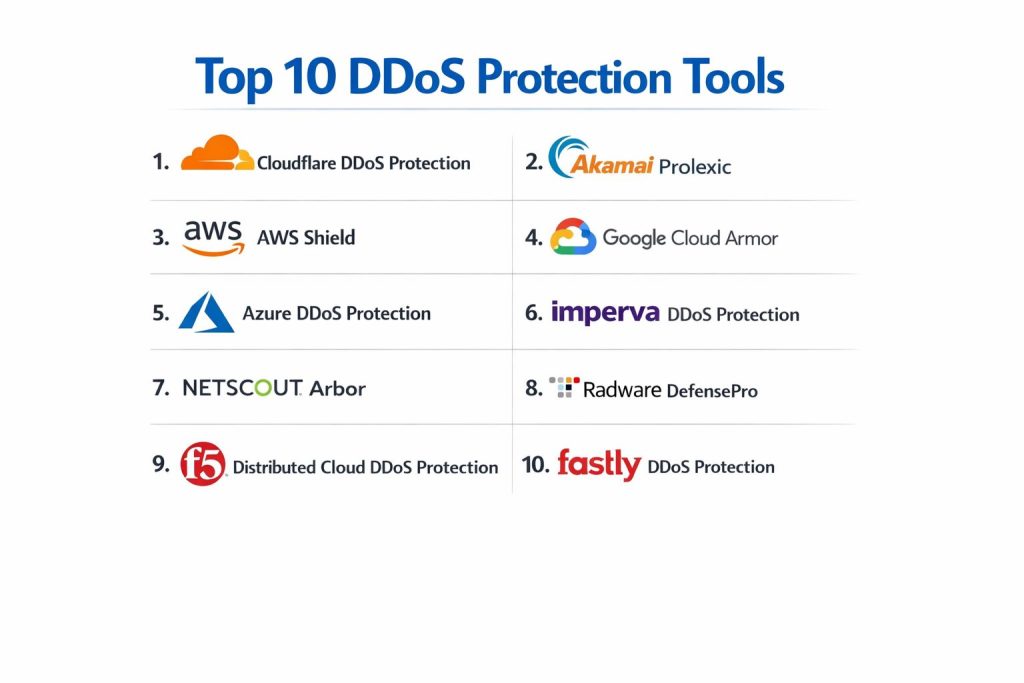
Top 10 DDoS Protection Tools
1) Cloudflare DDoS Protection
A widely used edge-based defense that can absorb and mitigate large-scale attacks while keeping websites and APIs responsive. Often chosen for fast onboarding, strong automation, and broad edge coverage.
Key Features
- Always-on mitigation for common flood and protocol attack patterns
- Edge-based filtering and traffic steering to reduce load on origin infrastructure
- Application-layer protections that can complement WAF policies (coverage varies by plan)
- Rate limiting and adaptive rules for abusive traffic patterns
- Traffic analytics and event visibility suitable for incident response
- DNS and edge network features that can strengthen resiliency (setup dependent)
Pros
- Quick to deploy for many internet-facing services
- Strong automation reduces manual intervention during active attacks
Cons
- Deep customization can require careful tuning to avoid blocking legitimate traffic
- Some advanced capabilities may depend on plan level and architecture choices
Platforms / Deployment
- Web
- Cloud
Security & Compliance
- SSO/SAML, MFA, encryption, audit logs, RBAC: Not publicly stated
- SOC 2, ISO 27001, GDPR, HIPAA: Not publicly stated
Integrations & Ecosystem
Cloudflare commonly integrates with origin infrastructure, common web stacks, logging pipelines, and security monitoring platforms.
- CDN and edge caching workflows
- WAF-style policies and API protection patterns (capabilities vary)
- SIEM/SOAR integration patterns: Varies / N/A
- Automation via APIs: Varies / N/A
Support & Community
Strong documentation and a large user base. Support tiers vary by plan; response experience can vary by contract.
2) Akamai Prolexic
A long-established DDoS mitigation service used by large enterprises and high-traffic environments. Often selected when scale, resilience, and managed defense expertise are top priorities.
Key Features
- Large-scale scrubbing and mitigation for volumetric attacks
- Strong capabilities for protecting critical public services and large traffic profiles
- Managed mitigation workflows during complex, multi-vector events
- Visibility and reporting suitable for security and operations stakeholders
- Integration options for routing traffic through mitigation workflows (architecture dependent)
- Suitable for enterprises with strict uptime requirements
Pros
- Proven fit for large-scale mitigation needs
- Managed support can reduce pressure on in-house teams during incidents
Cons
- Onboarding and routing design can be more complex than simpler edge services
- Premium pricing is common for large-scale managed protection
Platforms / Deployment
- Web
- Cloud / Hybrid (setup dependent)
Security & Compliance
- SSO/SAML, MFA, encryption, audit logs, RBAC: Not publicly stated
- SOC 2, ISO 27001, GDPR, HIPAA: Not publicly stated
Integrations & Ecosystem
Prolexic often fits into enterprise network designs with traffic routing, DNS strategies, and security operations processes.
- Enterprise network routing and traffic engineering patterns
- Integration with monitoring and incident response workflows: Varies / N/A
- Compatibility with CDN and application delivery patterns: Varies / N/A
Support & Community
Enterprise-focused support is a key strength. Documentation is solid; community is more enterprise-centric than open communities.
3) AWS Shield
A cloud-native DDoS protection service designed for workloads running on AWS. Best for organizations that want tight alignment with AWS networking, scaling, and security services.
Key Features
- Protection for common DDoS patterns targeting AWS-facing endpoints
- Integration with AWS services used for public delivery and routing (setup dependent)
- Attack visibility and alerting within AWS operational tooling
- Options that improve response workflows during major events (plan dependent)
- Works well with AWS-native architecture patterns like autoscaling and managed load balancing
- Helps reduce operational burden for AWS-first teams
Pros
- Strong integration for AWS-hosted services and common AWS traffic paths
- Simpler governance for teams standardizing on AWS security services
Cons
- Best value primarily for AWS-centered environments
- Multi-cloud protections require additional tools or separate architectures
Platforms / Deployment
- Web
- Cloud
Security & Compliance
- SSO/SAML, MFA, encryption, audit logs, RBAC: Not publicly stated
- SOC 2, ISO 27001, GDPR, HIPAA: Not publicly stated
Integrations & Ecosystem
AWS Shield commonly pairs with AWS routing, load balancing, and monitoring services.
- Cloud-native networking and delivery services
- Logging and monitoring pipelines: Varies / N/A
- Automation and response workflows: Varies / N/A
Support & Community
Strong documentation and a large cloud community. Support quality depends on AWS support plan and engagement level.
4) Google Cloud Armor
A cloud-native protection layer designed for services running on Google Cloud, typically aligned with web delivery and application security controls. Best for teams building on Google Cloud who want policy-driven defense.
Key Features
- Policy-based traffic controls for web-facing services (scope depends on architecture)
- Protections that help reduce abusive request patterns and suspicious sources
- Logging and visibility within Google Cloud operational tools
- Integration with Google Cloud delivery and security patterns (setup dependent)
- Useful for securing APIs and web apps exposed through Google Cloud front doors
- Supports rule-based approaches that can complement broader security controls
Pros
- Straightforward fit for Google Cloud-hosted services
- Policy-driven approach can be easier to manage for repeatable controls
Cons
- Primarily designed for Google Cloud environments
- Advanced protection strategies may require additional services and careful design
Platforms / Deployment
- Web
- Cloud
Security & Compliance
- SSO/SAML, MFA, encryption, audit logs, RBAC: Not publicly stated
- SOC 2, ISO 27001, GDPR, HIPAA: Not publicly stated
Integrations & Ecosystem
Cloud Armor aligns with Google Cloud networking, logging, and security ecosystems.
- Google Cloud delivery patterns and routing
- Centralized logging and monitoring: Varies / N/A
- Integration with incident response workflows: Varies / N/A
Support & Community
Strong cloud documentation and community resources. Support depth varies by Google Cloud plan.
5) Azure DDoS Protection
A cloud-native service for protecting Azure workloads from common DDoS attack patterns. Best for organizations that run critical internet-facing services on Azure and want native operational alignment.
Key Features
- DDoS mitigation designed for Azure networking and public endpoints
- Monitoring and alerting through Azure operational tools
- Helps reduce operational load during major volumetric events (capabilities depend on plan)
- Works with Azure-first architectures including native load balancing patterns
- Supports governance and consistency for Azure security programs
- Improves resilience posture when paired with strong application architecture
Pros
- Tight integration for Azure-hosted workloads
- Simplifies management for organizations standardizing on Azure security tooling
Cons
- Best fit primarily for Azure-centric environments
- Multi-cloud protection requires broader architecture choices
Platforms / Deployment
- Web
- Cloud
Security & Compliance
- SSO/SAML, MFA, encryption, audit logs, RBAC: Not publicly stated
- SOC 2, ISO 27001, GDPR, HIPAA: Not publicly stated
Integrations & Ecosystem
Azure DDoS Protection aligns with Azure networking, monitoring, and governance patterns.
- Azure networking and delivery services
- Logging and alerting pipelines: Varies / N/A
- Integration with security operations: Varies / N/A
Support & Community
Strong documentation and enterprise support options through Azure plans; community guidance is widely available.
6) Imperva DDoS Protection
A DDoS defense offering often paired with application security controls for web properties. Best for teams that want DDoS mitigation combined with broader application protection strategies.
Key Features
- Mitigation options for common DDoS attack vectors (coverage depends on deployment)
- Application-layer defense patterns that can complement web protection workflows
- Visibility features helpful for analyzing attack behavior and traffic anomalies
- Flexible deployment approaches depending on the environment
- Works well for protecting critical web apps and APIs
- Often positioned for enterprises with layered security requirements
Pros
- Good fit for teams wanting combined DDoS and application protection posture
- Helpful visibility for security teams investigating suspicious traffic patterns
Cons
- Deployment design can be complex depending on network and application topology
- Cost and packaging may vary significantly by scale and needs
Platforms / Deployment
- Web
- Cloud / Hybrid (setup dependent)
Security & Compliance
- SSO/SAML, MFA, encryption, audit logs, RBAC: Not publicly stated
- SOC 2, ISO 27001, GDPR, HIPAA: Not publicly stated
Integrations & Ecosystem
Imperva typically integrates with web delivery stacks, security monitoring, and incident workflows.
- Integration with WAF-style controls: Varies / N/A
- Logging and analytics workflows: Varies / N/A
- SIEM/SOAR patterns: Varies / N/A
Support & Community
Enterprise support is a key consideration. Documentation is available; experience depends on plan and engagement.
7) NETSCOUT Arbor
A well-known DDoS platform often used by service providers and large enterprises, including appliance-based and managed approaches. Best for environments that require deep network visibility and robust control.
Key Features
- Strong network-layer detection and mitigation capabilities
- Designed for high-throughput environments and large networks
- Visibility features that help identify attack sources and traffic behavior
- Suitable for hybrid network designs with on-prem components
- Helps security teams coordinate mitigation at scale
- Often used where network engineering control is critical
Pros
- Strong for large networks needing deep visibility and control
- Common choice for service-provider-style environments and large enterprises
Cons
- Operational complexity can be higher than simple edge services
- Requires skilled teams to tune and manage effectively
Platforms / Deployment
- Windows / Linux (management components vary)
- Self-hosted / Hybrid (deployment dependent)
Security & Compliance
- SSO/SAML, MFA, encryption, audit logs, RBAC: Not publicly stated
- SOC 2, ISO 27001, GDPR, HIPAA: Not publicly stated
Integrations & Ecosystem
Arbor often integrates with network infrastructure, telemetry systems, and security operations workflows.
- Network telemetry and flow-based visibility patterns: Varies / N/A
- Integration with SOC monitoring pipelines: Varies / N/A
- Automation and response workflows: Varies / N/A
Support & Community
Strong enterprise support options are common. Community is professional and network-focused rather than casual.
8) Radware DefensePro
A DDoS protection platform often deployed as an appliance or integrated within broader security architectures. Best for organizations needing on-prem control, policy-based mitigation, and strong throughput options.
Key Features
- Hardware-based mitigation patterns for high-throughput environments (deployment dependent)
- Detection and response features tuned for multiple DDoS vectors
- Policy controls for traffic shaping and mitigation behavior
- Visibility features for security teams and incident analysis
- Works in network-centric architectures where on-prem control matters
- Can support hybrid designs when paired with upstream services
Pros
- Strong fit for organizations that need appliance-level control and throughput
- Policy-based approach supports repeatable operational patterns
Cons
- Requires careful tuning and ongoing operational attention
- Procurement and deployment cycles can be heavier than cloud-only services
Platforms / Deployment
- Varies / N/A
- Self-hosted / Hybrid (deployment dependent)
Security & Compliance
- SSO/SAML, MFA, encryption, audit logs, RBAC: Not publicly stated
- SOC 2, ISO 27001, GDPR, HIPAA: Not publicly stated
Integrations & Ecosystem
DefensePro typically integrates with network security stacks and security monitoring environments.
- Integration with upstream routing and traffic engineering: Varies / N/A
- Logging and SOC monitoring: Varies / N/A
- Policy integration with broader security controls: Varies / N/A
Support & Community
Enterprise-grade support is typical. Community resources exist but are less broad than mainstream cloud services.
9) F5 Distributed Cloud DDoS Protection
A DDoS defense option designed to fit modern application delivery and multi-environment strategies. Best for organizations needing a consistent protection approach across different locations and architectures.
Key Features
- DDoS mitigation aligned with modern application delivery patterns
- Capabilities that can support multi-environment deployment strategies (setup dependent)
- Visibility for security teams investigating attack behavior and mitigation actions
- Integrates into traffic management and application security workflows (deployment dependent)
- Helps standardize controls across distributed application footprints
- Suitable for teams that want centralized security policy management
Pros
- Helpful for organizations balancing multiple environments and delivery paths
- Can fit well into broader application security strategies
Cons
- Architecture planning is required to get best results
- Pricing and packaging can vary by footprint and needs
Platforms / Deployment
- Web
- Cloud / Hybrid (setup dependent)
Security & Compliance
- SSO/SAML, MFA, encryption, audit logs, RBAC: Not publicly stated
- SOC 2, ISO 27001, GDPR, HIPAA: Not publicly stated
Integrations & Ecosystem
This tool commonly integrates with application delivery, security monitoring, and traffic management patterns.
- Integration with application security controls: Varies / N/A
- Logging and alerting workflows: Varies / N/A
- Automation via APIs: Varies / N/A
Support & Community
Strong enterprise support options are typical. Documentation is solid; adoption depends on environment and program maturity.
10) Fastly DDoS Protection
A DDoS defense approach often aligned with edge delivery and performance-focused web architectures. Best for teams that prioritize edge performance, modern delivery patterns, and streamlined operational workflows.
Key Features
- Edge-based mitigation patterns for common DDoS vectors (capabilities depend on plan)
- Helps protect web properties and APIs delivered through edge networks
- Visibility features for traffic behavior and attack events
- Works well in performance-first architectures and modern delivery stacks
- Supports rate limiting and traffic controls (availability varies)
- Suitable for teams that want defense close to the client edge
Pros
- Strong alignment with performance and edge delivery needs
- Can reduce origin load during high traffic and attack conditions
Cons
- Best fit often depends on adopting the provider’s edge delivery approach
- Some advanced protections may require additional components or plans
Platforms / Deployment
- Web
- Cloud
Security & Compliance
- SSO/SAML, MFA, encryption, audit logs, RBAC: Not publicly stated
- SOC 2, ISO 27001, GDPR, HIPAA: Not publicly stated
Integrations & Ecosystem
Fastly typically integrates with edge delivery stacks, application security workflows, and monitoring pipelines.
- Edge caching and delivery patterns
- WAF-style policy integration: Varies / N/A
- SIEM/SOAR workflows: Varies / N/A
- Automation via APIs: Varies / N/A
Support & Community
Documentation is strong for technical teams. Support tiers vary by plan; community is developer-leaning.
Comparison Table
| Tool Name | Best For | Platform(s) Supported | Deployment | Standout Feature | Public Rating |
|---|---|---|---|---|---|
| Cloudflare DDoS Protection | Always-on edge defense for web and APIs | Web | Cloud | Automated edge mitigation | N/A |
| Akamai Prolexic | Large enterprise and managed mitigation | Web | Cloud / Hybrid | High-scale scrubbing and managed response | N/A |
| AWS Shield | AWS-hosted services needing native alignment | Web | Cloud | Tight AWS integration | N/A |
| Google Cloud Armor | Google Cloud web and API policy defense | Web | Cloud | Policy-driven traffic controls | N/A |
| Azure DDoS Protection | Azure-hosted services needing native alignment | Web | Cloud | Azure-native DDoS mitigation | N/A |
| Imperva DDoS Protection | Layered web protection with DDoS mitigation | Web | Cloud / Hybrid | Combined web security posture options | N/A |
| NETSCOUT Arbor | Large networks needing deep visibility and control | Windows / Linux (varies) | Self-hosted / Hybrid | Network-scale detection and mitigation | N/A |
| Radware DefensePro | Appliance-level control for high-throughput environments | Varies / N/A | Self-hosted / Hybrid | Policy-based mitigation appliance | N/A |
| F5 Distributed Cloud DDoS Protection | Consistent defense across distributed environments | Web | Cloud / Hybrid | Centralized policy approach across locations | N/A |
| Fastly DDoS Protection | Performance-first edge delivery defense | Web | Cloud | Edge-aligned mitigation for modern delivery | N/A |
Evaluation & Scoring
Weights used for the weighted total:
Core features 25%, Ease of use 15%, Integrations and ecosystem 15%, Security and compliance 10%, Performance and reliability 10%, Support and community 10%, Price and value 15%.
| Tool Name | Core (25%) | Ease (15%) | Integrations (15%) | Security (10%) | Performance (10%) | Support (10%) | Value (15%) | Weighted Total |
|---|---|---|---|---|---|---|---|---|
| Cloudflare DDoS Protection | 9.0 | 9.0 | 8.5 | 8.0 | 9.0 | 8.0 | 8.5 | 8.65 |
| Akamai Prolexic | 9.5 | 7.5 | 8.5 | 8.5 | 9.5 | 8.5 | 7.0 | 8.48 |
| AWS Shield | 8.5 | 8.0 | 9.0 | 8.0 | 9.0 | 8.0 | 7.5 | 8.30 |
| Google Cloud Armor | 8.0 | 8.0 | 8.5 | 8.0 | 8.5 | 7.5 | 7.5 | 8.00 |
| Azure DDoS Protection | 8.0 | 8.0 | 8.5 | 8.0 | 8.5 | 7.5 | 7.5 | 8.00 |
| Imperva DDoS Protection | 8.5 | 7.5 | 8.0 | 8.5 | 8.5 | 8.0 | 7.0 | 8.00 |
| NETSCOUT Arbor | 9.0 | 6.5 | 8.0 | 8.0 | 9.0 | 7.5 | 6.5 | 7.85 |
| Radware DefensePro | 8.5 | 6.5 | 7.5 | 8.0 | 8.5 | 7.5 | 6.5 | 7.60 |
| F5 Distributed Cloud DDoS Protection | 8.5 | 7.5 | 8.0 | 8.0 | 8.5 | 8.0 | 7.0 | 7.95 |
| Fastly DDoS Protection | 7.5 | 8.0 | 7.5 | 7.5 | 8.5 | 7.0 | 7.5 | 7.63 |
How to interpret these scores:
These scores are comparative within this list and reflect typical fit across common DDoS defense scenarios. A higher weighted total usually indicates broader strength across multiple criteria, not an automatic best choice for every environment. Ease and value may matter most for smaller teams, while performance, support, and integration depth may dominate for critical services. Security and compliance scoring is limited when public details are not clearly stated and when controls depend on the surrounding environment. Always validate with a pilot using your actual traffic, application paths, and operational workflows.
Which DDoS Protection Tool Is Right for You?
Solo / Freelancer
If you run a small public site, API, or online service with limited staff, prioritize fast setup and automation. Cloudflare DDoS Protection is often a practical starting point because it can reduce origin load and handle common floods with minimal ongoing effort. Fastly DDoS Protection can be attractive if your architecture is edge-focused and performance-first. Keep your decision simple: choose one provider path, enable protection, then tune rate limits and basic policies as you observe traffic patterns.
SMB
For small and growing businesses, operational simplicity and predictable cost tend to matter most. Cloudflare DDoS Protection is commonly used as an “always-on” baseline. If you are cloud-centered, AWS Shield, Google Cloud Armor, or Azure DDoS Protection can align nicely with your existing cloud stack, logging, and identity patterns. If your services include multiple internet entry points, make sure your plan covers all of them consistently, not just a single website.
Mid-Market
Mid-market organizations often run multiple apps, APIs, and environments. A cloud-native approach can work well if most services are within one cloud provider. If you run hybrid environments or have multiple ingress locations, consider solutions that support consistent policy across environments such as F5 Distributed Cloud DDoS Protection, or an enterprise mitigation service such as Akamai Prolexic when attack risk is high. Also prioritize good visibility, because teams at this size need to coordinate security and operations quickly.
Enterprise
Enterprises typically demand proven scale, strong support, and established incident response processes. Akamai Prolexic is commonly considered when managed mitigation and large-scale scrubbing are required. NETSCOUT Arbor and Radware DefensePro can make sense where appliance-level control and deep network visibility are critical, especially in large networks. Cloud-native services like AWS Shield, Azure DDoS Protection, and Google Cloud Armor are strong when the enterprise is standardizing on a specific cloud platform and wants tight operational integration.
Budget vs Premium
Budget-focused buyers should start with an edge provider or cloud-native service that matches their hosting environment and provides “always-on” mitigation. Premium buyers should think about support depth, managed response, and the cost of downtime. If a single outage is extremely expensive, premium options with strong managed mitigation can be justified even if licensing is higher.
Feature Depth vs Ease of Use
Edge and cloud-native services often win on simplicity and fast onboarding. Appliance-style solutions often win on deep control and visibility but demand skilled operators. Choose based on your staffing reality. If you cannot dedicate network security specialists to tuning and operations, prioritize ease and managed support rather than maximum configurability.
Integrations and Scalability
If your stack already includes a CDN, WAF, API gateway, and strong logging pipelines, prioritize tools that connect cleanly to those components. For high-scale services, validate how traffic flows during mitigation and how quickly your team can identify what was blocked and why. Also test how the solution behaves when the attacker changes tactics, because multi-vector shifts are common in real incidents.
Security and Compliance Needs
DDoS defense often relies on both provider controls and your internal operational controls. If formal compliance details are not publicly stated, treat them as unknown and validate through vendor documentation, procurement checks, and internal security review. Also ensure your logging, access control, and operational governance are mature, because those elements often determine how well you respond under pressure.
Frequently Asked Questions
1. What is the difference between volumetric attacks and application-layer attacks?
Volumetric attacks try to overwhelm bandwidth and network capacity, while application-layer attacks target the app itself with expensive requests that consume CPU or database resources. Strong protection usually covers both.
2. Do I need always-on protection or on-demand activation?
Always-on is safer for critical services because it removes activation delays. On-demand can work for lower-risk systems but may leave a gap during the earliest part of an attack.
3. Will DDoS protection block real users?
It can if policies are too strict or detection is not tuned for your traffic patterns. Good tools provide visibility and tuning controls to reduce false blocks over time.
4. How do I validate a DDoS tool before committing?
Run a pilot on a non-critical service or a controlled environment, validate latency impact, test policy changes, confirm logging visibility, and ensure your incident runbook fits the tool’s workflow.
5. Does a CDN automatically stop DDoS attacks?
A CDN helps, but it is not a complete guarantee. You still need proper DDoS mitigation, rate controls, and application security rules, especially for APIs and dynamic endpoints.
6. What operational data should I expect during an incident?
You should see attack start and end times, traffic volume changes, top sources, top targeted endpoints, mitigation actions taken, and clear indicators of what was allowed versus blocked.
7. Is cloud-native DDoS protection enough for multi-cloud environments?
It can be enough if you isolate services per cloud and manage each entry point carefully. Many organizations prefer a consistent cross-environment approach when they want one policy model and one operational view.
8. How does DDoS protection relate to WAF and bot management?
They work together. DDoS defense absorbs floods and abnormal traffic spikes, while WAF and bot controls help block malicious request patterns and automation that look like legitimate users.
9. What are common mistakes teams make with DDoS defense?
Relying on a single control, skipping pilots, not instrumenting logs, ignoring API endpoints, and lacking an incident runbook. Another common mistake is assuming “default settings” fit every traffic profile.
10. What is a practical first step if I am starting from scratch?
Pick one primary ingress approach, enable always-on protection, add basic rate controls for sensitive endpoints, set up logging and alerting, and run a tabletop incident drill so the team knows what to do.
Conclusion
DDoS protection is about staying available under stress, not just blocking traffic. The right tool depends on where your services run, how your traffic enters your environment, and how much operational effort your team can realistically sustain during an incident. Cloudflare DDoS Protection and Fastly DDoS Protection are often strong choices for edge-first web and API delivery. AWS Shield, Google Cloud Armor, and Azure DDoS Protection fit well when you want cloud-native alignment and tight integration with your chosen cloud platform. Akamai Prolexic is often considered when high-scale managed mitigation is essential. NETSCOUT Arbor and Radware DefensePro can be strong in large networks where deep control matters. A simple next step is to shortlist two or three tools, run a pilot on real traffic paths, validate visibility and response workflows, and standardize policies and runbooks before an incident forces rushed decisions.