Introduction
Database security tools help protect sensitive data stored in databases from leaks, misuse, unauthorized access, and risky changes. They do this by monitoring activity, controlling privileges, masking or tokenizing data, finding vulnerabilities, and producing audit-ready reports. These tools matter because databases sit at the center of most applications, and attackers often target them through stolen credentials, misconfigurations, weak permissions, and unpatched systems. Also, many teams now run databases across cloud and on-prem setups, which increases complexity and risk.
Common use cases include blocking risky privileged actions, detecting suspicious queries, auditing who accessed what data, masking data in non-production environments, discovering sensitive columns, enforcing least privilege, and proving compliance in audits. When choosing a tool, evaluate coverage across databases, deployment fit, integration with identity and logging tools, alert quality, policy controls, ease of rollout, reporting depth, performance impact, scalability, and price value.
Best for: security teams, DBAs, compliance teams, and engineering leaders who need visibility, control, and auditability across databases.
Not ideal for: small apps with minimal sensitive data and no compliance needs, or teams that only need basic database backups or simple access logs.
Key Trends in Database Security Tools
- More focus on preventing privilege abuse, not just detecting attacks
- Data discovery and classification becoming a standard requirement for policy automation
- Shift from perimeter security to identity-first controls and least privilege access
- More runtime monitoring with lower false alerts and better context correlation
- Stronger masking and tokenization for analytics and non-production use cases
- Growing need to cover multi-cloud plus on-prem database estates
- Audit reporting is moving toward continuous compliance, not annual checklists
- Increased demand for encryption key governance and centralized secrets control
How We Selected These Tools (Methodology)
- Selected tools with strong adoption in enterprise and regulated environments
- Covered key database security jobs: monitoring, governance, secrets, access control, masking, and auditing
- Prioritized broad database coverage and multi-environment support
- Considered operational fit: rollout effort, maintenance overhead, and integration options
- Looked for strong reporting and policy enforcement features
- Balanced platform-focused options with cross-platform security solutions
- Included tools that reduce real incidents such as privilege misuse and data leakage
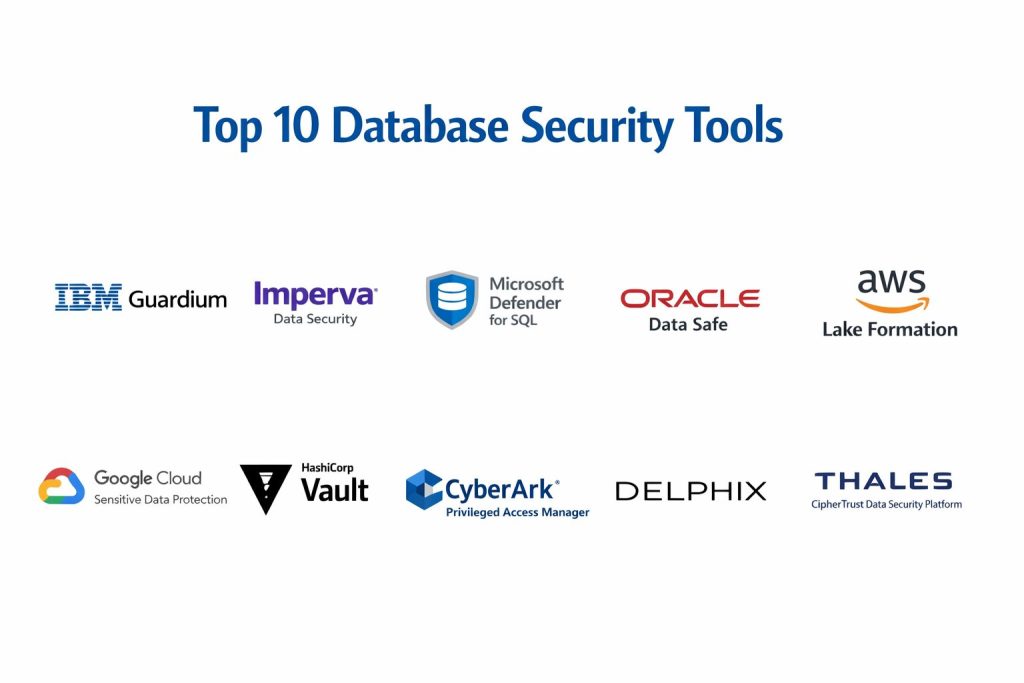
Top 10 Database Security Tools
1 — IBM Guardium
A database activity monitoring and data protection platform used by enterprises to monitor, audit, and enforce policies across database environments.
Key Features
- Database activity monitoring and policy enforcement
- User and privilege behavior monitoring
- Real-time alerts for risky actions
- Audit reports for compliance needs
- Sensitive data discovery and classification
Pros
- Strong monitoring and audit depth for large environments
- Mature features for regulated use cases
Cons
- Deployment and tuning can take time
- Can feel heavy for smaller teams
Platforms / Deployment
Varies / N A
Security and Compliance
Not publicly stated
Integrations and Ecosystem
Works best when connected to logging and SIEM workflows and aligned with DBA change processes.
- Common log export patterns to monitoring tools
- Policy workflows aligned with access governance
- Supports enterprise reporting processes
Support and Community
Enterprise-grade support; community strength varies.
2 — Imperva Data Security
A data security platform focused on monitoring database activity, detecting threats, and helping teams reduce risk across database environments.
Key Features
- Database activity monitoring
- Threat detection and risk scoring patterns
- Compliance reporting and audit trails
- User access monitoring and alerting
- Policy-based controls for sensitive actions
Pros
- Strong detection and monitoring focus
- Useful for compliance and audit readiness
Cons
- Requires tuning to reduce noisy alerts
- Cost may be high for broad coverage
Platforms / Deployment
Varies / N A
Security and Compliance
Not publicly stated
Integrations and Ecosystem
Often used alongside SIEM and incident response workflows for investigation and reporting.
- Log forwarding to security monitoring stacks
- Policy integration with compliance workflows
- Alert routing to incident response channels
Support and Community
Support tiers vary; community is smaller than open-source tools.
3 — Microsoft Defender for SQL
A security service for SQL environments that helps detect vulnerabilities, suspicious activity, and risky configurations in Microsoft database ecosystems.
Key Features
- Vulnerability assessment and configuration checks
- Threat detection alerts for suspicious behavior
- Security recommendations and guided remediation
- Monitoring for SQL environments under Microsoft ecosystem
- Reporting aligned to governance needs
Pros
- Strong fit for Microsoft-first environments
- Easier adoption when already using Microsoft security stack
Cons
- Less ideal for mixed vendor database estates
- Depth depends on the environment and configuration
Platforms / Deployment
Varies / N A
Security and Compliance
Not publicly stated
Integrations and Ecosystem
Works well with Microsoft security and identity tooling, supporting centralized governance.
- Identity and access alignment with directory policies
- Integration with security monitoring workflows
- Centralized reporting patterns within Microsoft stack
Support and Community
Strong vendor support; community discussions vary.
4 — Oracle Data Safe
A database security management service designed to help secure Oracle databases through auditing, masking, and security assessment workflows.
Key Features
- Security assessment and risk checks
- Activity auditing and monitoring
- Data masking workflows for non-production use
- User and privilege review support
- Compliance reporting patterns
Pros
- Strong alignment with Oracle database governance
- Helpful masking and auditing capabilities
Cons
- Best for Oracle-centric environments
- Cross-platform coverage may be limited
Platforms / Deployment
Varies / N A
Security and Compliance
Not publicly stated
Integrations and Ecosystem
Most useful when your database estate is Oracle-heavy and your audit workflow is standardized.
- Security assessment reporting for governance teams
- Masking processes aligned with dev and test workflows
- Audit exports to monitoring systems depending on setup
Support and Community
Vendor support available; community is Oracle-focused.
5 — AWS Lake Formation
A data access governance tool that helps manage permissions and control access to data lakes and related data services in AWS environments.
Key Features
- Centralized permission management for data access
- Fine-grained access controls for datasets
- Policy-driven governance workflows
- Audit-ready access visibility patterns
- Integration with AWS data services
Pros
- Strong for data lake permission governance
- Centralizes control across multiple data consumers
Cons
- Primarily AWS ecosystem focused
- Requires planning for role design and policies
Platforms / Deployment
Varies / N A
Security and Compliance
Not publicly stated
Integrations and Ecosystem
Commonly used with AWS identity and data service workflows to implement least privilege access.
- Works with AWS access control patterns
- Supports governance in data lake pipelines
- Fits into auditing and compliance reporting workflows
Support and Community
Vendor support available; community varies by data stack.
6 — Google Cloud Sensitive Data Protection
A tool used to discover, classify, and help protect sensitive data across environments, supporting policy creation and governance workflows.
Key Features
- Sensitive data discovery and classification
- Pattern matching and detection of data types
- Risk findings and governance workflows
- Supports data protection strategy planning
- Useful for visibility across large datasets
Pros
- Strong for discovery and classification at scale
- Helps teams build policies based on actual data locations
Cons
- Primarily best within Google Cloud ecosystems
- Protection actions often need pairing with other controls
Platforms / Deployment
Varies / N A
Security and Compliance
Not publicly stated
Integrations and Ecosystem
Often used to feed governance systems with classification outputs and risk findings.
- Supports security and governance workflows
- Integrates into cloud data policies depending on setup
- Useful input for masking and access control planning
Support and Community
Vendor support available; community is cloud-focused.
7 — HashiCorp Vault
A secrets management platform used to secure credentials, rotate secrets, and control access to sensitive database passwords and keys.
Key Features
- Centralized secrets storage and access control
- Dynamic database credentials and rotation workflows
- Policy-based access management
- Audit logs and token-based authentication patterns
- Integrations with automation tools for delivery pipelines
Pros
- Strong fit for reducing credential leakage risk
- Helps enforce least privilege access to database secrets
Cons
- Requires setup discipline and operational ownership
- Governance complexity increases at large scale
Platforms / Deployment
Varies / N A
Security and Compliance
Not publicly stated
Integrations and Ecosystem
Vault commonly integrates into application and infrastructure workflows to remove hard-coded secrets.
- Works with CI and deployment automation patterns
- Supports app authentication workflows
- Integrates with identity systems depending on setup
Support and Community
Strong community and documentation; support tiers vary.
8 — CyberArk Privileged Access Manager
A privileged access management tool designed to control, monitor, and secure privileged credentials and sessions, including database admin access.
Key Features
- Privileged credential vaulting and rotation
- Session monitoring and recording workflows
- Just-in-time access patterns for admin accounts
- Approval workflows and access policies
- Reporting for privileged access governance
Pros
- Strong control for privileged database access
- Useful for compliance and audit evidence
Cons
- Setup can be complex for broad environments
- Requires process change for teams used to direct admin access
Platforms / Deployment
Varies / N A
Security and Compliance
Not publicly stated
Integrations and Ecosystem
Often integrates into identity and access workflows to enforce least privilege and governance.
- Works with access approvals and role policies
- Supports integration into incident response processes
- Often paired with SIEM for monitoring
Support and Community
Enterprise support; community varies.
9 — Delphix
A data platform often used for data masking and safe data use across development, testing, and analytics workflows, reducing exposure of sensitive data.
Key Features
- Data masking for non-production use
- Data virtualization patterns for faster dev and test workflows
- Controlled data sharing and refresh processes
- Governance features for safe data handling
- Supports consistent data lifecycle practices
Pros
- Helps reduce sensitive data exposure in dev and test
- Speeds up safe provisioning of usable datasets
Cons
- Not a pure monitoring tool for runtime database threats
- Best value appears in larger data lifecycle environments
Platforms / Deployment
Varies / N A
Security and Compliance
Not publicly stated
Integrations and Ecosystem
Works best as part of a broader data governance and SDLC process.
- Supports integration with dev test workflows
- Helps standardize masking across teams
- Useful for compliance-driven data handling
Support and Community
Support tiers vary; community is more enterprise-oriented.
10 — Thales CipherTrust Data Security Platform
A data security platform focused on encryption, key management, and policy controls to protect sensitive database data and related assets.
Key Features
- Centralized encryption key management
- Policy controls for data protection workflows
- Access control and audit patterns for key usage
- Support for enterprise data protection strategies
- Helps unify key governance across systems
Pros
- Strong for encryption and key governance programs
- Helpful for regulated environments needing audit evidence
Cons
- May require integration planning across many systems
- Some capabilities depend on chosen modules and setup
Platforms / Deployment
Varies / N A
Security and Compliance
Not publicly stated
Integrations and Ecosystem
Often used to standardize encryption key governance across databases and applications.
- Integrates into encryption and key lifecycle workflows
- Supports governance reporting patterns
- Often paired with access controls and monitoring tools
Support and Community
Enterprise support; community varies.
Comparison Table
| Tool Name | Best For | Platform(s) Supported | Deployment | Standout Feature | Public Rating |
|---|---|---|---|---|---|
| IBM Guardium | Enterprise database activity monitoring | Varies / N A | Varies / N A | Deep auditing and policy enforcement | N/A |
| Imperva Data Security | Threat detection and database monitoring | Varies / N A | Varies / N A | Strong monitoring and alerting | N/A |
| Microsoft Defender for SQL | Microsoft SQL ecosystem security | Varies / N A | Varies / N A | Built-in threat and vuln signals | N/A |
| Oracle Data Safe | Oracle database governance and masking | Varies / N A | Varies / N A | Oracle-aligned assessment and masking | N/A |
| AWS Lake Formation | Data access governance for data lakes | Varies / N A | Varies / N A | Centralized data permissions | N/A |
| Google Cloud Sensitive Data Protection | Sensitive data discovery and classification | Varies / N A | Varies / N A | Classification at scale | N/A |
| HashiCorp Vault | Database secrets and credential security | Varies / N A | Varies / N A | Secret rotation and access policies | N/A |
| CyberArk Privileged Access Manager | Privileged database access control | Varies / N A | Varies / N A | Session governance and credential control | N/A |
| Delphix | Data masking for dev and test safety | Varies / N A | Varies / N A | Masking and safe data provisioning | N/A |
| Thales CipherTrust Data Security Platform | Encryption and key governance | Varies / N A | Varies / N A | Centralized key management | N/A |
Evaluation and Scoring of Database Security Tools
Weights
Core features 25 percent
Ease of use 15 percent
Integrations and ecosystem 15 percent
Security and compliance 10 percent
Performance and reliability 10 percent
Support and community 10 percent
Price and value 15 percent
| Tool Name | Core | Ease | Integrations | Security | Performance | Support | Value | Weighted Total |
|---|---|---|---|---|---|---|---|---|
| IBM Guardium | 9.0 | 6.5 | 8.0 | 7.0 | 8.0 | 7.5 | 6.5 | 7.62 |
| Imperva Data Security | 8.5 | 7.0 | 8.0 | 7.0 | 7.5 | 7.0 | 6.5 | 7.46 |
| Microsoft Defender for SQL | 8.0 | 8.0 | 7.5 | 6.5 | 7.5 | 7.5 | 7.5 | 7.60 |
| Oracle Data Safe | 7.5 | 7.5 | 7.0 | 6.5 | 7.0 | 7.0 | 7.0 | 7.14 |
| AWS Lake Formation | 7.5 | 7.0 | 7.5 | 6.5 | 7.5 | 7.0 | 7.5 | 7.30 |
| Google Cloud Sensitive Data Protection | 7.0 | 7.0 | 7.0 | 6.5 | 7.0 | 7.0 | 7.5 | 7.06 |
| HashiCorp Vault | 8.0 | 6.5 | 8.5 | 7.5 | 7.5 | 8.0 | 7.0 | 7.63 |
| CyberArk Privileged Access Manager | 8.5 | 6.0 | 7.5 | 8.0 | 7.5 | 7.5 | 6.0 | 7.34 |
| Delphix | 7.5 | 7.0 | 7.0 | 7.0 | 7.0 | 7.0 | 6.5 | 7.02 |
| Thales CipherTrust Data Security Platform | 8.0 | 6.5 | 7.5 | 8.0 | 7.5 | 7.0 | 6.5 | 7.36 |
How to interpret the scores
These scores help you compare tools for shortlisting, not declare a single winner. A lower total can still be best if it matches your database estate and governance model. Core and integrations matter most for long-term coverage and operational fit. Ease affects rollout speed and team adoption. Security scoring is conservative because public details vary widely, so validate requirements directly during evaluation. Use these scores to shortlist, then run a pilot with real databases, real roles, and real audit needs.
Which Database Security Tool Is Right for You
Solo or Freelancer
If you mostly need safe credential handling and want to reduce risk of leaked passwords, HashiCorp Vault can be a good foundation if you can operate it well. If you are working mainly in a single cloud ecosystem, the native cloud options can be simpler.
SMB
SMBs often need quick wins such as secrets control and better visibility. Vault plus a cloud-native security option can be practical. If you handle regulated data, consider adding monitoring and audit tooling earlier than you think.
Mid-Market
Mid-market environments usually need better runtime monitoring plus privilege governance. Guardium or Imperva can work well if you are ready to tune policies. CyberArk is useful when privileged admin access is a real risk and you need approvals and session governance.
Enterprise
Enterprises typically need continuous auditing, strong reporting, and broad coverage across many database types. Guardium and Imperva are common fits. CyberArk is often added for privileged control. Thales CipherTrust can strengthen encryption and key governance programs when you need centralized policy control.
Budget vs Premium
Budget-focused teams often start with secrets control and cloud-native visibility. Premium setups usually combine monitoring plus privileged access control plus data masking for a layered approach that reduces real incidents.
Feature Depth vs Ease of Use
Monitoring platforms often offer deeper controls but require tuning and ownership. Cloud-native tools are easier to start with but can be narrower in coverage. Choose based on whether your biggest risk is visibility or control.
Integrations and Scalability
If you already have SIEM and identity governance, choose tools that export clean logs and support role-based policy models. Also confirm coverage for all database types you run, including managed services.
Security and Compliance Needs
If audits matter, prioritize tools with strong audit trails, clear policy enforcement, and reporting that maps to your control framework. If encryption and key governance are critical, CipherTrust can be a core layer alongside monitoring and access controls.
Frequently Asked Questions
1. What is the difference between database monitoring and database access control
Monitoring tells you what happened and alerts you on risk. Access control defines who can do what and can block or restrict actions before damage occurs.
2. Do I need a separate tool if my cloud provider already has database security features
Sometimes yes. Cloud-native features are good for quick coverage, but cross-cloud and hybrid estates often need a central tool for consistent policies and reporting.
3. How do these tools affect database performance
It depends on deployment and inspection depth. Monitoring can add overhead if it captures everything, so most teams tune policies and reduce noisy events.
4. What are common mistakes during implementation
Common mistakes include enabling too many alerts, not mapping roles properly, skipping sensitive data discovery, and not aligning with DBAs on change workflows.
5. Which tool helps most with compliance audits
Tools with strong audit trails and reporting are most helpful, such as Guardium or Imperva, while cloud-native tools can help when your estate is mainly in one cloud.
6. How can I reduce risk from privileged users
Use least privilege, session governance, approvals for risky actions, and strong credential rotation. Tools like CyberArk plus monitoring reduce insider and credential abuse risk.
7. Do I need data masking if I already encrypt my database
Encryption protects data at rest and in transit, but masking protects data exposure in non-production and analytics use cases where people may not need real values.
8. How should I handle secrets for database connections
Avoid hard-coded passwords. Use a secrets manager with rotation and access policies. Vault is a common approach when you want centralized control.
9. What should I pilot before buying a database security tool
Test with real databases, real roles, and real audit questions. Validate alert quality, reporting accuracy, deployment effort, and integration with your logging stack.
10. How do I choose between a platform tool and a specialist tool
Choose a platform when you need broad coverage and unified reporting. Choose specialists when one risk dominates, like privileged access control or masking for non-production safety.
Conclusion
Database security tools work best when you treat them as a layered program, not a single switch you turn on. First, get visibility into who is accessing what, then tighten privileges, and finally reduce exposure using masking and secrets control. If you run many database types across multiple environments, platforms like IBM Guardium and Imperva Data Security can give deeper auditing and monitoring, while CyberArk helps control privileged access that often causes the biggest incidents. Cloud-native options work well when your estate is mostly in one cloud and you want faster rollout. A practical next step is to shortlist two or three tools, pilot them on one production-like environment, validate alert accuracy, confirm reporting, and review operational effort with DBAs and security teams.