Introduction
Database monitoring tools help teams track database health, performance, availability, and query behavior so issues get detected before users feel them. They matter because modern apps rely on multiple databases at once, traffic patterns change fast, and slow queries can quietly become outages. Common use cases include preventing downtime, reducing query latency, finding lock and replication issues, forecasting capacity, and validating performance after releases. When selecting a tool, evaluate database coverage, depth of query analysis, alert quality, dashboards, anomaly detection, ease of setup, scalability, role-based access, integrations with incident workflows, and value for your environment.
Best for: DBAs, SREs, platform teams, DevOps teams, and engineering leaders managing production databases across cloud and on-prem.
Not ideal for: tiny projects with a single small database and no uptime needs, or teams that only want basic host-level metrics without query visibility.
Key Trends in Database Monitoring Tools
- Stronger focus on query-level visibility rather than only CPU and memory
- More AI-driven anomaly detection for latency spikes, locks, and error bursts
- Unified monitoring across SQL and NoSQL with consistent dashboards
- Better correlation between database metrics and application traces
- More cost controls, sampling strategies, and retention tuning for telemetry
- Shift toward managed SaaS monitoring with quick onboarding
- Increased demand for secure access controls and audit-friendly operations
- More automated recommendations for indexing and query optimization
- Improved support for cloud-native databases and autoscaling environments
- Alert fatigue reduction through smarter grouping and incident context
How We Selected These Tools (Methodology)
- Included tools with strong adoption in real production environments
- Balanced choices across enterprise, mid-market, and developer-first teams
- Prioritized depth in query analytics, alerting, and performance troubleshooting
- Considered database coverage across common engines and cloud services
- Looked at ecosystem strength: integrations, dashboards, and extensibility
- Considered scalability, reliability signals, and operational maturity
- Included options that work well for hybrid environments
- Scored comparatively using practical evaluation criteria, not marketing claims
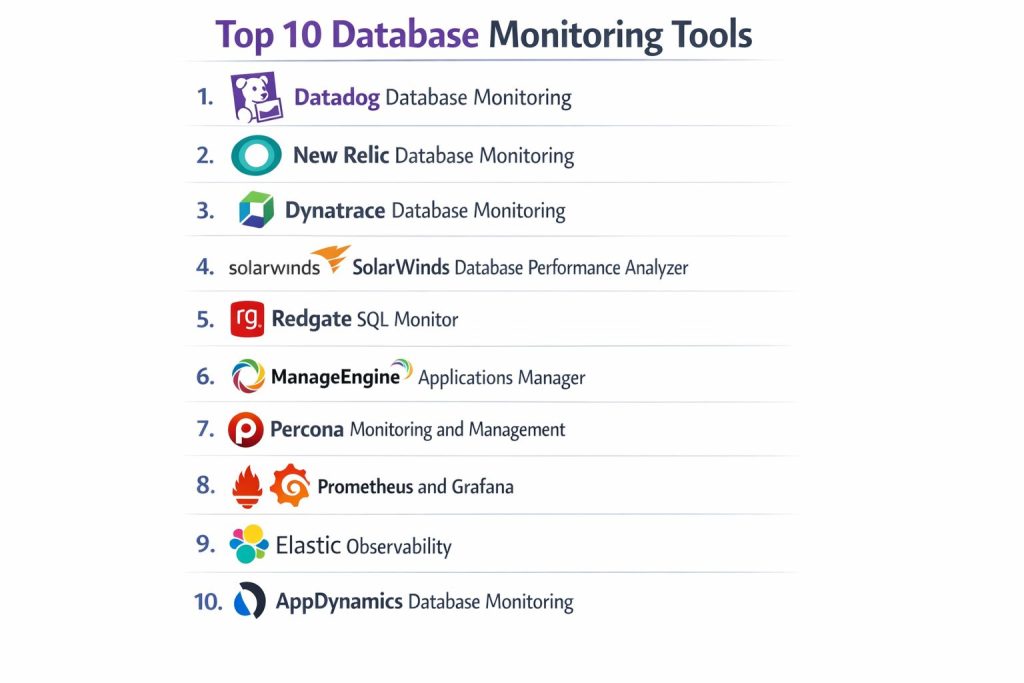
Top 10 Database Monitoring Tools
1) Datadog Database Monitoring
A full-stack observability platform with strong database visibility, designed for teams that want correlated metrics, traces, logs, and database performance views in one place.
Key Features
- Query performance monitoring with normalized query insights
- Correlation between database performance and application behavior
- Dashboards, alerting, and anomaly detection workflows
- Tag-based filtering for multi-team and multi-environment usage
- Broad ecosystem integrations for incident and ops workflows
- Support for distributed environments and modern cloud deployments
- Role-based access patterns for large organizations
Pros
- Strong end-to-end correlation for faster root-cause analysis
- Scales well for teams already using unified monitoring
Cons
- Can become expensive at scale depending on usage and retention
- Best value often requires adopting broader platform components
Platforms / Deployment
- Web
- Cloud
Security & Compliance
- SSO/SAML, MFA, encryption, audit logs, RBAC: Not publicly stated
- SOC 2, ISO 27001, GDPR, HIPAA: Not publicly stated
Integrations & Ecosystem
Works best when connected to application and infrastructure monitoring to provide full context.
- Integrations with incident workflows: Varies / N/A
- Dashboards and APIs for extension: Varies / N/A
- Common database engines supported: Varies / N/A
Support & Community
Strong documentation and enterprise support options; community resources are widely available.
2) New Relic Database Monitoring
An observability platform that provides database insights alongside application monitoring, useful for teams that want database performance tied directly to user impact.
Key Features
- Database performance views aligned with app transactions
- Query and throughput visibility with alerting workflows
- Dashboards for multi-environment monitoring
- Correlation between service latency and database behavior
- Alert tuning and incident response integrations (varies)
- Flexible instrumentation across stacks (setup dependent)
- Scalable reporting for teams and leadership
Pros
- Great for linking slow queries to app performance problems
- Strong platform approach for teams monitoring full systems
Cons
- Depth varies by database type and instrumentation approach
- Cost and complexity can rise with broad adoption
Platforms / Deployment
- Web
- Cloud
Security & Compliance
- SSO/SAML, MFA, encryption, audit logs, RBAC: Not publicly stated
- SOC 2, ISO 27001, GDPR, HIPAA: Not publicly stated
Integrations & Ecosystem
Often used with APM and infrastructure monitoring for a consistent troubleshooting workflow.
- Incident tool integrations: Varies / N/A
- Dashboards and APIs: Varies / N/A
- Database coverage: Varies / N/A
Support & Community
Good documentation and support tiers; community content is widely available.
3) Dynatrace Database Monitoring
An enterprise observability platform known for automated discovery and strong correlation, aimed at large environments needing deep visibility and governance.
Key Features
- Automated dependency mapping and correlation
- Performance baselines and anomaly detection workflows
- End-to-end visibility from user experience to database impact
- Dashboards and alerting with noise reduction features
- Coverage across complex enterprise environments (varies)
- Strong operational workflows for large teams
- Centralized reporting for governance and reliability
Pros
- Strong automation for large systems reduces manual triage
- Good fit for enterprise environments with many moving parts
Cons
- Higher complexity and cost for small teams
- Best results require thoughtful configuration and rollout
Platforms / Deployment
- Web
- Cloud / Self-hosted / Hybrid (varies)
Security & Compliance
- SSO/SAML, MFA, encryption, audit logs, RBAC: Not publicly stated
- SOC 2, ISO 27001, GDPR, HIPAA: Not publicly stated
Integrations & Ecosystem
Typically deployed as a central platform with integrations across IT operations tools.
- Integrations for incident and automation: Varies / N/A
- Dashboards and APIs: Varies / N/A
- Database coverage: Varies / N/A
Support & Community
Strong enterprise support model; community and training resources vary by region.
4) SolarWinds Database Performance Analyzer
A database-focused monitoring tool built for DBAs who need deep query analysis, wait-time breakdowns, and practical performance troubleshooting.
Key Features
- Query and wait-time analytics for performance diagnosis
- Historical trending for capacity and long-term tuning
- Alerting for key health and performance signals
- Cross-instance comparisons for consistent operations
- Performance baselines and tuning workflows
- Useful dashboards designed around DBA tasks
- Supports common database platforms (varies)
Pros
- Strong database-specific depth, especially for query tuning
- Practical troubleshooting views that map to DBA workflows
Cons
- Less “full-stack” correlation compared to broad observability platforms
- Some environments may require more setup and agent planning
Platforms / Deployment
- Web
- Self-hosted (varies)
Security & Compliance
- SSO/SAML, MFA, encryption, audit logs, RBAC: Not publicly stated
- SOC 2, ISO 27001, GDPR, HIPAA: Not publicly stated
Integrations & Ecosystem
Often used alongside infrastructure monitoring or incident tools for full visibility.
- Integration with alerting/ITSM tools: Varies / N/A
- Database coverage: Varies / N/A
- Reporting exports and APIs: Varies / N/A
Support & Community
Established product support model and broad user community; documentation is typically strong.
5) Redgate SQL Monitor
A monitoring and alerting tool commonly used by SQL Server teams, focused on practical SQL performance visibility and proactive alerting.
Key Features
- SQL Server-focused monitoring with clear dashboards
- Alerting for performance, capacity, and reliability signals
- Query performance views for troubleshooting
- Historical analysis for trends and planning
- Reporting for teams and stakeholders
- Useful diagnostics for common SQL issues
- Designed around DBA needs and workflows
Pros
- Strong fit for SQL Server-centric organizations
- Clear dashboards and practical alerting for operations
Cons
- Best for specific database ecosystems rather than broad multi-engine coverage
- Depth depends on the databases you need to monitor
Platforms / Deployment
- Web
- Self-hosted (varies)
Security & Compliance
- SSO/SAML, MFA, encryption, audit logs, RBAC: Not publicly stated
- SOC 2, ISO 27001, GDPR, HIPAA: Not publicly stated
Integrations & Ecosystem
Often paired with SQL tooling workflows for a strong DBA toolchain.
- Alert integrations: Varies / N/A
- Coverage and extensions: Varies / N/A
- Reporting options: Varies / N/A
Support & Community
Strong documentation and support model; community resources are common among SQL teams.
6) ManageEngine Applications Manager
An IT operations monitoring suite that includes database monitoring, useful for teams wanting a broader ops tool that covers apps, servers, and databases together.
Key Features
- Database monitoring combined with app and server monitoring
- Dashboards and alerting for operations teams
- Broad monitoring templates for common systems (varies)
- Capacity and availability tracking
- Multi-team views and reporting workflows
- Useful for unified NOC-style monitoring
- Extensible monitoring for mixed environments (varies)
Pros
- Good for teams wanting one suite for multiple layers
- Practical for ops teams managing many systems
Cons
- Database depth may be lighter than specialized DBA tools
- Tuning alerts and templates can take time in large environments
Platforms / Deployment
- Web
- Self-hosted (varies)
Security & Compliance
- SSO/SAML, MFA, encryption, audit logs, RBAC: Not publicly stated
- SOC 2, ISO 27001, GDPR, HIPAA: Not publicly stated
Integrations & Ecosystem
Fits best when used as a central operations monitoring layer.
- ITSM and alert integrations: Varies / N/A
- Extensions and APIs: Varies / N/A
- Database coverage: Varies / N/A
Support & Community
Established support offerings and documentation; community resources vary by region.
7) Percona Monitoring and Management
A database-focused monitoring platform popular with teams running open database ecosystems, aimed at performance analysis and operational troubleshooting.
Key Features
- Deep database metrics and performance visibility
- Query analytics workflows (database dependent)
- Dashboards for common DBA troubleshooting tasks
- Historical trends for tuning and capacity planning
- Works well in environments with self-managed databases
- Practical tooling for operations and performance analysis
- Community-driven usage patterns in many teams
Pros
- Strong fit for teams that want database-first monitoring depth
- Good for self-managed database operations where control matters
Cons
- Setup and tuning depend on environment complexity
- Coverage and polish can vary by database type and configuration
Platforms / Deployment
- Web
- Self-hosted
Security & Compliance
- SSO/SAML, MFA, encryption, audit logs, RBAC: Not publicly stated
- SOC 2, ISO 27001, GDPR, HIPAA: Not publicly stated
Integrations & Ecosystem
Often used with standard monitoring and alerting pipelines.
- Alert integrations: Varies / N/A
- Dashboards and extensions: Varies / N/A
- Database coverage: Varies / N/A
Support & Community
Strong community interest and documentation; commercial support availability varies.
8) Prometheus and Grafana
A common monitoring stack used by engineering teams to collect metrics and build dashboards. Useful for database monitoring when you want full control and custom metrics.
Key Features
- Time-series metrics collection and alerting workflows
- Flexible dashboards for database and infrastructure views
- Exporter-based approach for many database engines (varies)
- Strong ecosystem for integrations and alert routing
- Works well for cloud-native and containerized environments
- Highly customizable queries and visualizations
- Good for teams already using a metrics-first approach
Pros
- High flexibility and control over dashboards and alerts
- Strong fit for engineering-led monitoring stacks
Cons
- Requires setup, maintenance, and tuning expertise
- Query-level insights may need extra components or configuration
Platforms / Deployment
- Web
- Self-hosted
Security & Compliance
- SSO/SAML, MFA, encryption, audit logs, RBAC: Varies / N/A
- SOC 2, ISO 27001, GDPR, HIPAA: Not publicly stated
Integrations & Ecosystem
Works with many alerting and incident workflows through common integrations.
- Exporters for databases: Varies / N/A
- Alert routing and incident tooling: Varies / N/A
- Dashboard sharing and APIs: Varies / N/A
Support & Community
Very large community, abundant learning materials, and broad adoption; support depends on your operational model.
9) Elastic Observability
A unified observability approach that can combine logs, metrics, and tracing, often used by teams who want database signals correlated with broader operational context.
Key Features
- Centralized dashboards for metrics and operational signals
- Alerting workflows and anomaly-style approaches (varies)
- Correlation between system signals and service behavior
- Works well where log-heavy troubleshooting is common
- Flexible ingestion and indexing for many environments (varies)
- Useful for teams already using Elastic for logs and search
- Supports broader operational analytics workflows
Pros
- Strong when logs, metrics, and context need to be searched together
- Flexible for teams that already use Elastic as a core platform
Cons
- Setup and cost can grow with retention and ingestion volume
- Database depth depends on integrations and collection approach
Platforms / Deployment
- Web
- Cloud / Self-hosted / Hybrid (varies)
Security & Compliance
- SSO/SAML, MFA, encryption, audit logs, RBAC: Not publicly stated
- SOC 2, ISO 27001, GDPR, HIPAA: Not publicly stated
Integrations & Ecosystem
Often used as a central operational platform with connectors for many systems.
- Data ingestion integrations: Varies / N/A
- Dashboards and alerting: Varies / N/A
- Database coverage: Varies / N/A
Support & Community
Strong community and documentation; enterprise support depends on plan.
10) AppDynamics Database Monitoring
An enterprise APM and monitoring platform that can include database visibility, useful for organizations needing strong application-to-database correlation.
Key Features
- Correlation between application performance and database behavior
- Dashboards and alerting designed for enterprise operations
- Baselines and anomaly-style detection patterns (varies)
- Good fit for large distributed application environments
- Visibility across many tiers including database impact (setup dependent)
- Reporting for governance and operations teams
- Integrations into enterprise incident workflows (varies)
Pros
- Strong for enterprise correlation and governance workflows
- Useful when you want database monitoring tied to APM views
Cons
- Complexity can be high for smaller teams
- Depth varies by database type and deployment configuration
Platforms / Deployment
- Web
- Cloud / Self-hosted / Hybrid (varies)
Security & Compliance
- SSO/SAML, MFA, encryption, audit logs, RBAC: Not publicly stated
- SOC 2, ISO 27001, GDPR, HIPAA: Not publicly stated
Integrations & Ecosystem
Fits into enterprise IT operations ecosystems with established workflows.
- ITSM and incident integrations: Varies / N/A
- APIs and extensions: Varies / N/A
- Database coverage: Varies / N/A
Support & Community
Enterprise support model is common; community content varies by region and product adoption.
Comparison Table (Top 10)
| Tool Name | Best For | Platform(s) Supported | Deployment (Cloud/Self-hosted/Hybrid) | Standout Feature | Public Rating |
|---|---|---|---|---|---|
| Datadog Database Monitoring | Unified observability with DB correlation | Web | Cloud | Query insight tied to app context | N/A |
| New Relic Database Monitoring | App-to-DB performance correlation | Web | Cloud | Transaction-centric DB visibility | N/A |
| Dynatrace Database Monitoring | Enterprise automation and correlation | Web | Cloud / Self-hosted / Hybrid (varies) | Automated discovery and baselines | N/A |
| SolarWinds Database Performance Analyzer | DBA-focused query and wait analysis | Web | Self-hosted (varies) | Wait-time driven troubleshooting | N/A |
| Redgate SQL Monitor | SQL Server monitoring and alerting | Web | Self-hosted (varies) | SQL-centric operational dashboards | N/A |
| ManageEngine Applications Manager | Broad ops monitoring including DBs | Web | Self-hosted (varies) | Unified app-server-DB monitoring | N/A |
| Percona Monitoring and Management | Database-first monitoring depth | Web | Self-hosted | DBA-oriented performance views | N/A |
| Prometheus and Grafana | Customizable metrics dashboards | Web | Self-hosted | Flexible dashboards and alerts | N/A |
| Elastic Observability | Logs+metrics context in one platform | Web | Cloud / Self-hosted / Hybrid (varies) | Search-driven troubleshooting | N/A |
| AppDynamics Database Monitoring | Enterprise APM plus DB visibility | Web | Cloud / Self-hosted / Hybrid (varies) | APM-led DB correlation | N/A |
Evaluation & Scoring of Database Monitoring Tools
Weights: Core features 25%, Ease 15%, Integrations 15%, Security 10%, Performance 10%, Support 10%, Value 15%.
| Tool Name | Core (25%) | Ease (15%) | Integrations (15%) | Security (10%) | Performance (10%) | Support (10%) | Value (15%) | Weighted Total (0–10) |
|---|---|---|---|---|---|---|---|---|
| Datadog Database Monitoring | 9.0 | 8.5 | 9.5 | 7.0 | 9.0 | 8.5 | 7.0 | 8.60 |
| New Relic Database Monitoring | 8.5 | 8.0 | 9.0 | 7.0 | 8.5 | 8.0 | 7.5 | 8.20 |
| Dynatrace Database Monitoring | 9.0 | 7.5 | 9.0 | 7.5 | 9.0 | 8.5 | 6.5 | 8.25 |
| SolarWinds Database Performance Analyzer | 8.5 | 7.5 | 7.5 | 6.5 | 8.0 | 7.5 | 7.0 | 7.75 |
| Redgate SQL Monitor | 8.0 | 8.0 | 7.0 | 6.5 | 7.5 | 7.5 | 7.5 | 7.65 |
| ManageEngine Applications Manager | 7.5 | 7.5 | 7.5 | 6.5 | 7.5 | 7.0 | 8.0 | 7.50 |
| Percona Monitoring and Management | 8.0 | 7.0 | 6.5 | 6.0 | 7.5 | 7.0 | 8.5 | 7.45 |
| Prometheus and Grafana | 7.5 | 6.5 | 8.0 | 6.0 | 8.0 | 8.0 | 9.0 | 7.60 |
| Elastic Observability | 7.5 | 7.0 | 8.0 | 7.0 | 8.0 | 7.5 | 7.0 | 7.50 |
| AppDynamics Database Monitoring | 8.0 | 7.0 | 8.5 | 7.0 | 8.0 | 7.5 | 6.5 | 7.55 |
How to interpret the scores:
- These scores compare tools only within this list, not across the entire market.
- A higher total means stronger balance across typical buyer needs, not automatic best choice.
- Ease and value can matter more for small teams than maximum depth.
- Security scoring is limited because public compliance details vary by vendor and plan.
- Always validate fit with a pilot using your real databases, queries, and alert thresholds.
Which Database Monitoring Tool Is Right for You?
Solo / Freelancer
If you manage a small environment and want tight control with low cost, Prometheus and Grafana can work well, but you must maintain it. If you want faster setup and less operational burden, a SaaS platform like Datadog Database Monitoring or New Relic Database Monitoring can save time, especially if you already use their APM features.
SMB
SMBs often benefit from tools that are quick to deploy and easy to operate. Datadog Database Monitoring and New Relic Database Monitoring are strong when you want database visibility tied to application impact. If your team is DBA-led and needs query tuning depth, SolarWinds Database Performance Analyzer or Percona Monitoring and Management can be practical choices.
Mid-Market
Mid-market teams typically run multiple database types and want consistent dashboards and alert quality. Dynatrace Database Monitoring can be a strong fit when you need automation and correlation across many services. Elastic Observability works well when logs and search-based troubleshooting are central to your operations and you want a unified platform.
Enterprise
Enterprises usually prioritize governance, broad visibility, and reliable correlation across many applications. Dynatrace Database Monitoring and AppDynamics Database Monitoring are often considered for enterprise patterns, especially when leadership wants consistent reporting and operations wants standardized incident workflows. Datadog Database Monitoring is also strong for large-scale observability when teams value unified monitoring across stacks.
Budget vs Premium
For budget-sensitive teams, Prometheus and Grafana offer flexibility, but you pay with operational effort. Premium platforms cost more, but they can reduce downtime, speed up troubleshooting, and improve collaboration through shared dashboards and workflow integrations.
Feature Depth vs Ease of Use
If you need deep query and wait-time troubleshooting, SolarWinds Database Performance Analyzer and Percona Monitoring and Management are strong. If you want faster onboarding and easy cross-team adoption, Datadog Database Monitoring and New Relic Database Monitoring tend to be easier to operationalize.
Integrations & Scalability
If you already use an observability platform, it is often best to stay within that ecosystem for smoother correlation and shared alerting workflows. For scale, focus on telemetry cost controls, retention policies, and how alerts get grouped to avoid fatigue.
Security & Compliance Needs
When security is strict, prioritize role-based access, audit-friendly workflows, and controlled access to query samples and sensitive data. If compliance details are not publicly stated, treat them as unknown and validate through internal security review and vendor documentation.
Frequently Asked Questions (FAQs)
1. What is the main difference between database monitoring and APM?
Database monitoring focuses on the database layer: query latency, locks, replication, connections, and storage behavior. APM focuses on application performance and transaction tracing, but good platforms connect the two for faster diagnosis.
2. Do I always need query-level monitoring?
If your database supports customer-facing apps, query visibility is usually worth it because it reveals the real causes of latency. For simple internal systems, basic metrics may be enough.
3. How do I avoid alert fatigue with database tools?
Start with a small set of high-signal alerts like sustained latency, error spikes, replication lag, and storage pressure. Then add alerts slowly, tune thresholds, and use grouping to reduce noise.
4. What should I test in a pilot before buying?
Test setup time, database coverage, accuracy of query insights, alert quality, dashboard clarity, and whether it helps you solve a real incident faster. Also confirm telemetry cost and retention controls.
5. Are open monitoring stacks enough for production?
They can be, but only if you have skills to maintain exporters, dashboards, and alerting rules. Many teams choose SaaS tools to reduce operational burden and improve correlation.
6. How do these tools handle cloud databases?
Many support cloud-managed databases through integrations or agents, but depth varies. Always validate coverage for your specific engine and deployment model in a pilot.
7. What are common causes of sudden database slowness?
Slow queries, missing indexes, lock contention, connection pool issues, replication lag, storage saturation, and noisy neighbors in shared environments. Good tools help pinpoint which one is happening.
8. Do these tools help with cost control?
Some help indirectly by reducing overprovisioning and catching inefficient queries early. For direct cost tuning, you still need capacity planning, indexing strategy, and telemetry retention controls.
9. How important are integrations with incident tools?
Very important for real operations. Alerts should route to the right team, include context, and link to dashboards. Without that, monitoring becomes noisy and slow to act on.
10. Can I use multiple tools together?
Yes, but it can increase complexity. Many teams keep a primary platform for alerting and dashboards, and use a specialized DBA tool only for deeper query tuning when needed.
Conclusion
Database monitoring tools reduce downtime and performance surprises by turning raw database behavior into clear signals your teams can act on. The best choice depends on whether you need full-stack correlation, DBA-grade query tuning depth, or flexible control over dashboards and alerting. Datadog Database Monitoring and New Relic Database Monitoring are strong when you want app-to-database correlation and quick onboarding. Dynatrace Database Monitoring and AppDynamics Database Monitoring fit enterprise environments that value automation and governance. SolarWinds Database Performance Analyzer and Percona Monitoring and Management are practical when deep database troubleshooting is a daily need. A smart next step is to shortlist two or three tools, run a pilot on a real workload, validate alert quality, confirm database coverage, and then standardize dashboards and thresholds for your team.