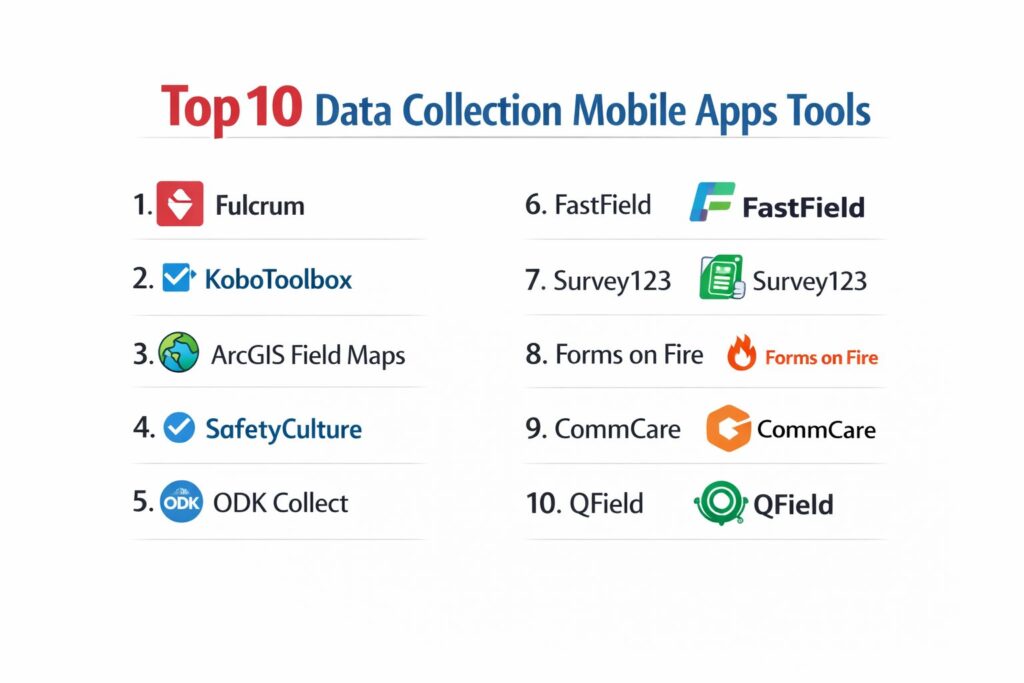
Introduction
Mobile data collection apps have fundamentally shifted how field research, inspections, and audits are conducted, moving away from error-prone paper systems toward high-fidelity digital ecosystems. These applications empower organizations to capture structured data in real-time, integrating multimedia such as geotagged photos, audio recordings, and high-precision GPS coordinates directly into their databases. In sectors ranging from humanitarian aid and environmental science to construction and retail auditing, the ability to collect data offline and sync it automatically once connectivity is restored has become a baseline requirement. For global enterprises, these tools are no longer just “form fillers”; they are critical endpoints for business intelligence that ensure data integrity and operational transparency.
The selection of a data collection tool often hinges on the specific environment of the field worker. Whether a technician is underground in a utility tunnel or a researcher is in a remote rainforest, the platform must remain responsive and reliable without a persistent internet connection. Modern apps now incorporate advanced logic, such as skip patterns and automated calculations, which reduce the cognitive load on the user and prevent invalid data entry at the source. Furthermore, as data privacy regulations like GDPR and HIPAA tighten globally, the security of mobile data acquisition—including encryption at rest and in transit—has become the most significant factor in platform selection for government and healthcare sectors.
Best for: Field researchers, site inspectors, supply chain auditors, and humanitarian teams who require accurate, location-aware data from remote environments.
Not ideal for: Simple desktop-based web surveys that do not require offline access, multimedia capture, or geospatial tracking features.
Key Trends in Data Collection Mobile Apps
AI-powered “FastFill” technology is the most significant trend, allowing field workers to use voice-to-data commands that automatically populate complex forms, reducing manual entry time by up to 20%. We are also seeing the integration of Augmented Reality (AR) for “visual audits,” where the app can measure physical dimensions or identify equipment models through the camera lens and log that data automatically. Offline-first architecture has reached a new level of sophistication, with “Conflict Resolution” engines that can intelligently merge data from multiple field workers who edited the same record while disconnected.
There is a growing shift toward “Longitudinal Case Management” within these apps, allowing users to track a specific subject—like a patient or a construction asset—over multiple visits across months or years, rather than just collecting one-off form submissions. High-precision GNSS (Global Navigation Satellite System) support is also becoming standard, enabling sub-meter location accuracy for infrastructure mapping directly from a smartphone. Lastly, the “No-Code” movement has matured, with drag-and-drop builders now supporting complex XLSForm logic, making it possible for non-technical program managers to deploy enterprise-grade mobile applications in hours.
How We Selected These Tools
Our evaluation focused on “field-readiness,” specifically looking at platforms that offer a seamless experience in low-connectivity environments. We prioritized tools that support the XLSForm standard or offer robust drag-and-drop builders that do not sacrifice technical depth for simplicity. A critical factor was “Multi-Modal Capture,” assessing how well each app handles photos, signatures, barcodes, and complex geospatial data like polygons and lines. We looked for platforms that maintain a strong balance between a user-friendly mobile interface for the field worker and a powerful management dashboard for the back-office analyst.
Security and compliance were non-negotiable criteria; we favored apps that provide end-to-end encryption and meet international standards such as SOC 2 and ISO 27001. We also considered the “Total Cost of Ownership,” weighing the benefits of free, open-source tools against the convenience and support offered by premium, cloud-hosted enterprise solutions. Integration capabilities were also analyzed, with a preference for apps that can sync directly with GIS systems like ArcGIS or business tools like Salesforce. Finally, we reviewed respondent and user feedback to ensure these tools perform reliably under real-world stress across both iOS and Android platforms.
1. Fulcrum
Fulcrum is a premium mobile GIS and data collection platform that excels in high-accuracy location tracking and workflow automation. It is designed for industries like utilities, construction, and environmental services where spatial context is as important as the data itself.
Key Features
The platform features a “No-Code” drag-and-drop app builder that allows for rapid deployment of complex mobile forms. It includes advanced “Geospatial Capabilities,” allowing users to capture points, lines, and polygons with automatic geotagging. The system features “AI Audio FastFill,” which converts spoken observations into structured data fields. It offers a robust offline mode with automatic synchronization once a connection is detected. Additionally, it provides built-in reporting and task assignment features to manage field teams in real-time.
Pros
The platform offers exceptional sub-meter GPS accuracy when paired with external receivers. Its user interface is consistently rated as one of the most intuitive for non-technical field workers.
Cons
The pricing is higher than many competitors and can scale quickly for large teams. It lacks some of the more advanced longitudinal case management features found in research-specific tools.
Platforms and Deployment
Native iOS and Android apps with a cloud-based web management portal.
Security and Compliance
SOC 2 Type II compliant with high-level data encryption and role-based access controls.
Integrations and Ecosystem
Deep native integrations with Esri ArcGIS, Salesforce, and various webhooks for custom workflows.
Support and Community
Provides 24/7 technical support and a comprehensive “Fulcrum Academy” for user training.
2. KoboToolbox
KoboToolbox is an open-source powerhouse widely used in the humanitarian and academic sectors. It is built on the ODK (Open Data Kit) standard, offering incredible flexibility for complex research and disaster response surveys.
Key Features
The platform features an “Offline-First” design, allowing for full data collection via the KoboCollect app without any internet. It includes a powerful “XLSForm” engine that supports complex skip logic, cascading selects, and calculated fields. The system offers unlimited projects and submissions for nonprofit and humanitarian organizations on its public server. It features a robust “Media Capture” module for photos, video, and audio recordings. It also provides a built-in map view and basic analytics dashboard for real-time monitoring.
Pros
It is completely free for humanitarian use, making it the most cost-effective tool for large-scale social research. The open-source nature allows for private hosting on your own servers for maximum data sovereignty.
Cons
The learning curve for designing complex XLSForms can be steep for beginners. The web interface and reporting tools feel less modern than some commercial alternatives.
Platforms and Deployment
Android-native app (KoboCollect) and web-based Enketo forms for cross-platform use.
Security and Compliance
Provides robust data encryption and is frequently used for sensitive research requiring ethics board approval.
Integrations and Ecosystem
Strong compatibility with other ODK-based tools and easy export to SPSS, Stata, and Power BI.
Support and Community
Backed by a massive global community and a very active support forum for technical troubleshooting.
3. ArcGIS Field Maps
ArcGIS Field Maps is the premier mobile app for organizations already embedded in the Esri ecosystem. It combines map viewing, data collection, and location tracking into a single, high-performance interface.
Key Features
The platform features “High-Accuracy Mapping,” allowing field workers to update existing GIS layers in real-time. It includes “Location Tracking” to monitor the movements of field staff for safety and efficiency. The system offers “Offline Basemaps,” enabling users to take complex satellite and topographic maps into remote areas. It features “Smart Forms” that use conditional visibility to guide users through inspections. Additionally, it integrates with the “ArcGIS Dashboards” for instant visualization of field data at headquarters.
Pros
It offers the most powerful GIS integration on the market, moving data directly into enterprise mapping systems. It provides a “single source of truth” for organizations managing physical assets.
Cons
It requires an existing ArcGIS subscription, which can be expensive and complex to manage. It is less suited for general surveys that do not require a map-centric approach.
Platforms and Deployment
Native iOS and Android apps deeply integrated with ArcGIS Online or Enterprise.
Security and Compliance
Enterprise-grade security adhering to global standards for spatial data management.
Integrations and Ecosystem
Natively integrated with the entire Esri suite of tools and various high-precision GNSS hardware.
Support and Community
Supported by Esri’s global professional services and an extensive network of GIS experts.
4. SafetyCulture (formerly iAuditor)
SafetyCulture is a specialized data collection app focused on safety inspections, audits, and compliance. It is designed to empower “frontline workers” to maintain quality standards across distributed sites.
Key Features
The platform features a massive “Template Library” with thousands of pre-built inspection forms for different industries. It includes “Issue Tracking,” allowing users to raise a ticket immediately if an inspection fails. The system offers “Smart Reporting” that generates professional PDF documents as soon as a form is submitted. It features “Heads-up” notifications for safety alerts and updates to the entire team. It also provides “Sensor Integration” to monitor temperature and humidity data automatically.
Pros
The app is exceptionally fast for high-frequency inspections and audits. Its “Action” system ensures that discovered problems are actually followed up on and resolved.
Cons
The form builder is less flexible for academic research or complex geospatial mapping. The “per-user” pricing model can become expensive for large organizations.
Platforms and Deployment
Native iOS, Android, and web-based platforms.
Security and Compliance
ISO 27001 and SOC 2 compliant, focusing on workplace safety and regulatory standards.
Integrations and Ecosystem
Integrates with business intelligence tools like Tableau and project management software like Procore.
Support and Community
Offers 24/7 global support and a specialized customer success team for enterprise onboarding.
5. ODK Collect (Open Data Kit)
ODK Collect is the original open-source standard for mobile data collection. It serves as the foundation for many other apps and is the gold standard for researchers needing absolute control over their data flow.
Key Features
The platform features “End-to-End Encryption,” ensuring that data is encrypted on the device before it is ever sent to a server. It includes “Offline Map Support” via offline tiles and MBTiles formats. The system offers “Longitudinal Data Support” through its “Entities” feature, allowing for follow-up visits with the same respondent. It features high-fidelity data validation that prevents errors before the form is finalized. It also supports “External Apps,” allowing ODK to launch other specialized Android apps for data capture.
Pros
It is the most customizable and technically flexible tool available, with no licensing fees. It has been tested in the world’s most extreme environments, from the Amazon to war zones.
Cons
It requires significant technical expertise to set up the ODK Central server and manage the infrastructure. The mobile app is only available for Android devices.
Platforms and Deployment
Native Android app with a server-side management system (ODK Central).
Security and Compliance
Highest levels of data integrity and privacy, making it a favorite for clinical trials and government census work.
Integrations and Ecosystem
Integrates with almost any data analysis tool via API or direct CSV/JSON exports.
Support and Community
Features a very technical and supportive community on the ODK Forum and extensive documentation.
6. FastField
FastField focuses on the digitization of business forms and the automation of field workflows. It is designed for businesses that want to replace paper forms with smart, mobile-friendly versions without any coding.
Key Features
The platform features a “Visual Form Builder” with a wide array of field types, including photo, video, and digital signatures. It includes “Auto-Dispatching,” allowing office staff to send pre-filled forms to workers in the field. The system offers “Workflow Automation” that can trigger emails or SMS alerts based on specific form answers. It features “In-App Analytics” to track team performance and form completion rates. It also provides “Advanced Lookup” fields that can pull data from external spreadsheets.
Pros
The speed of deployment is its greatest strength, with most users getting their first forms live in under an hour. It offers excellent value for business-centric inspections and service reports.
Cons
It lacks the deep GIS and mapping capabilities found in tools like Fulcrum or ArcGIS. The reporting customization is somewhat limited in the lower pricing tiers.
Platforms and Deployment
Cloud-based SaaS with native apps for iOS and Android.
Security and Compliance
Standard enterprise security protocols with data encryption and GDPR compliance.
Integrations and Ecosystem
Integrates with over 100 apps including SharePoint, Google Drive, and Dropbox.
Support and Community
Provides responsive email and phone support with a rich library of “How-To” guides.
7. Survey123 (for ArcGIS)
Survey123 is the form-centric sibling to Field Maps within the Esri ecosystem. It is designed for researchers who want a survey-style interface that still captures high-quality geospatial data.
Key Features
The platform features “XLSForm Support,” allowing for the design of highly complex smart forms. It includes “Instant Mapping,” where every form submission is immediately visualized as a point on a web map. The system offers “Image Annotation,” allowing users to draw on photos to highlight specific areas of interest. It features “Spoken Response” capture for qualitative field notes. It also provides “Web-to-Mobile” parity, meaning surveys work identically in a browser and the mobile app.
Pros
It offers the perfect middle ground between a simple survey and a complex GIS tool. It is particularly strong for environmental surveys and public health data collection.
Cons
Like Field Maps, it requires an ArcGIS license, making it less accessible for small teams outside the GIS world. It can be technically challenging to design the most advanced forms.
Platforms and Deployment
Cross-platform support via iOS, Android, Windows, and web browsers.
Security and Compliance
Adheres to the rigorous security standards of the Esri platform, including HIPAA and SOC 2.
Integrations and Ecosystem
Natively part of the ArcGIS system, allowing for seamless data flow into maps and dashboards.
Support and Community
Extensive documentation and a dedicated community on Esri’s GeoNet platform.
8. Forms on Fire
Forms on Fire is a robust enterprise mobile form platform that emphasizes high-level customization and complex workflow integration. It is designed for businesses that need to move beyond simple data capture into full-scale process automation.
Key Features
The platform features a “Cloud-Based Form Designer” with over 750 pre-built templates for various industries. It includes “Real-Time Dispatch,” allowing for the scheduling of field tasks and inspections. The system offers “Advanced Logic” for dynamic form behavior and automated calculations. It features “Data Routing” that sends collected information to different departments based on the content. It also provides “White Label” options for organizations that want to brand the app as their own.
Pros
The platform is exceptionally flexible for creating custom workflows that mirror complex business processes. It offers a very high level of customer support for enterprise clients.
Cons
The interface can feel slightly overwhelming due to the sheer number of features and options. The setup of complex integrations may require professional service assistance.
Platforms and Deployment
Native apps for iOS and Android with a centralized web management hub.
Security and Compliance
Maintains high standards for data protection, including GDPR and HIPAA compliance.
Integrations and Ecosystem
Offers over 2,000 integrations via Zapier and a powerful API for direct connections.
Support and Community
Known for “white-glove” customer support and a dedicated success manager for larger accounts.
9. CommCare
CommCare is a specialized mobile data collection and case management platform built for frontline workers, particularly in global health and social service programs. It is designed for long-term engagement rather than one-off surveys.
Key Features
The platform features “Case Management,” allowing workers to track the progress of an individual over months or years. It includes “Decision Support,” providing the worker with prompts and advice based on the data entered. The system offers “Multimodal Support,” including SMS and voice reminders for respondents. It features “Offline Synchronization” that is optimized for low-bandwidth environments. It also provides “Multimedia Support” for training materials within the app itself.
Pros
It is the gold standard for longitudinal health programs and community-based monitoring. Its focus on empowering the worker, rather than just collecting data, makes it unique in the market.
Cons
The platform has a steep learning curve and requires significant time to set up complex case-tracking workflows. It is more expensive than basic survey tools for advanced features.
Platforms and Deployment
Android-native app with a powerful web-based management platform.
Security and Compliance
Fully HIPAA and GDPR compliant, designed to handle sensitive personal health information (PHI).
Integrations and Ecosystem
Integrates deeply with DHIS2 and other global health reporting systems.
Support and Community
Backed by Dimagi, with professional services and a strong community of practice in international development.
10. QField
QField is an open-source mobile extension of the popular QGIS desktop software. It is the go-to tool for field workers who need the full power of professional GIS on their mobile device without any licensing costs.
Key Features
The platform features “Full QGIS Project Support,” allowing you to carry your entire desktop setup into the field. It includes “Touch-Optimized Digitizing” for drawing and editing spatial data on a tablet. The system offers “Seamless Sync” to QGIS via the QFieldCloud service. It features “Attribute Form Support,” respecting all the complex form settings from the desktop version. It also provides “High-Precision GPS” integration for accurate field mapping.
Pros
It is completely free and open-source, offering enterprise-level GIS power with no user fees. The synchronization with QGIS makes it incredibly efficient for mapping-heavy workflows.
Cons
It is strictly for GIS-focused projects and is not suitable for general business forms or customer surveys. It requires a working knowledge of QGIS to set up the projects.
Platforms and Deployment
Available for Android and iOS, with a cloud sync service for desktop integration.
Security and Compliance
Allows for fully local data storage, giving organizations total control over their data privacy.
Integrations and Ecosystem
Part of the broader QGIS ecosystem, benefiting from all the plugins and community tools available.
Support and Community
Supported by a massive global community of GIS professionals and the QField user group.
Comparison Table
| Tool Name | Best For | Platform(s) Supported | Deployment | Standout Feature | Public Rating |
| 1. Fulcrum | GIS / Field Work | iOS, Android, Web | Cloud SaaS | AI Audio FastFill | 4.8/5 |
| 2. KoboToolbox | Humanitarian Research | Android, Web | Open Source | Unlimited Free Hosting | 4.7/5 |
| 3. ArcGIS Field Maps | Enterprise GIS | iOS, Android | Esri Cloud | High-Accuracy Mapping | 4.6/5 |
| 4. SafetyCulture | Safety Audits | iOS, Android, Web | Cloud SaaS | 100k+ Form Templates | 4.7/5 |
| 5. ODK Collect | Scientific Research | Android | Open Source | End-to-End Encryption | 4.8/5 |
| 6. FastField | Business Forms | iOS, Android, Web | Cloud SaaS | Auto-Dispatching | 4.5/5 |
| 7. Survey123 | Smart Form GIS | iOS, Android, Web | Esri Cloud | XLSForm Integration | 4.6/5 |
| 8. Forms on Fire | Process Automation | iOS, Android, Web | Cloud SaaS | Advanced Workflow Logic | 4.5/5 |
| 9. CommCare | Global Health | Android | Enterprise SaaS | Longitudinal Case Mgmt | 4.4/5 |
| 10. QField | QGIS Mobile | iOS, Android | Open Source | Desktop QGIS Parity | 4.7/5 |
Evaluation & Scoring of Data Collection Mobile Apps
The scoring below is a comparative model intended to help shortlisting. Each criterion is scored from 1–10, then a weighted total from 0–10 is calculated using the weights listed. These are analyst estimates based on typical fit and common workflow requirements, not public ratings.
Weights:
- Core features – 25%
- Ease of use – 15%
- Integrations & ecosystem – 15%
- Security & compliance – 10%
- Performance & reliability – 10%
- Support & community – 10%
- Price / value – 15%
| Tool Name | Core (25%) | Ease (15%) | Integrations (15%) | Security (10%) | Performance (10%) | Support (10%) | Value (15%) | Weighted Total |
| 1. Fulcrum | 10 | 9 | 9 | 9 | 10 | 9 | 7 | 9.00 |
| 2. KoboToolbox | 9 | 7 | 8 | 9 | 8 | 8 | 10 | 8.55 |
| 3. ArcGIS Field Maps | 10 | 6 | 10 | 10 | 9 | 9 | 6 | 8.55 |
| 4. SafetyCulture | 8 | 10 | 8 | 9 | 9 | 9 | 8 | 8.65 |
| 5. ODK Collect | 10 | 5 | 8 | 10 | 9 | 8 | 10 | 8.55 |
| 6. FastField | 8 | 9 | 9 | 8 | 9 | 8 | 8 | 8.35 |
| 7. Survey123 | 9 | 7 | 10 | 10 | 9 | 9 | 7 | 8.65 |
| 8. Forms on Fire | 8 | 8 | 9 | 9 | 8 | 9 | 8 | 8.30 |
| 9. CommCare | 10 | 4 | 8 | 10 | 8 | 9 | 7 | 8.00 |
| 10. QField | 9 | 6 | 10 | 8 | 9 | 7 | 10 | 8.25 |
How to interpret the scores:
- Use the weighted total to shortlist candidates, then validate with a pilot.
- A lower score can mean specialization, not weakness.
- Security and compliance scores reflect controllability and governance fit, because certifications are often not publicly stated.
- Actual outcomes vary with assembly size, team skills, templates, and process maturity.
Which Data Collection Mobile App Is Right for You?
Solo / Freelancer
For independent consultants or small site inspectors, the priority is speed and cost-effectiveness. A tool that offers a “pay-as-you-go” model or a robust free tier with pre-built templates is essential. You want an app that allows you to digitize your existing paper forms in a single afternoon and provides professional PDF reports that you can send directly to clients from your mobile device.
SMB
Nonprofits operating on tight budgets should prioritize open-source tools that offer free cloud hosting for humanitarian work. Look for platforms that have a large community of users, as this provides a wealth of free training materials and shared form templates. The ability to collect data offline is paramount for community health workers or environmental researchers working in underserved areas.
Mid-Market
Mid-sized businesses in construction or field service should look for platforms that emphasize workflow automation and team management. As you scale, the ability to “dispatch” jobs to workers and track their progress in real-time becomes more important than simple data entry. Select a tool that offers strong native integrations with your existing storage solutions like Google Drive or Dropbox to prevent manual data handling.
Enterprise
For global enterprises, the choice is between a dedicated GIS-centric platform and a comprehensive “Quality Engineering” suite. If your data collection revolves around physical infrastructure, the Esri ecosystem is the industry standard. If your focus is on safety, compliance, and frontline workforce productivity across thousands of locations, a specialized audit and inspection platform will offer the best reporting and governance controls.
Budget vs Premium
Budget-conscious organizations can achieve enterprise-grade results with open-source ODK-based tools, provided they have some internal technical capacity to manage the servers. Premium tools, while more expensive, justify their cost by eliminating technical overhead, providing 24/7 support, and offering cutting-edge features like AI-powered voice entry and advanced GIS layering that can save hours of field work.
Feature Depth vs Ease of Use
If your primary users are seasonal workers or volunteers, ease of use is your most critical feature to ensure data quality. A tool with a “locked-down” interface and simple checklists will prevent errors. For professional researchers and GIS technicians, feature depth—such as the ability to perform complex calculations and edit spatial layers—is more valuable than a simplified UI.
Integrations & Scalability
Data collection should not be a dead-end. Ensure your chosen app can scale with your organization, moving from simple CSV exports to automated API-driven data pipelines. The best tools are those that allow your field data to flow directly into your CRM, ERP, or business intelligence dashboards without any human intervention, turning raw field observations into actionable business data.
Security & Compliance Needs
In industries like healthcare, government, or finance, the security architecture of the app is the most important consideration. You must verify that the platform offers end-to-end encryption, particularly if you are collecting sensitive personal information. Look for tools that have specific certifications for your region and industry to ensure that your mobile data collection strategy doesn’t become a legal liability.
Frequently Asked Questions (FAQs)
1. Can these apps work without any internet connection?
Yes, all of the apps listed are designed with “offline-first” capabilities. They allow you to download forms and maps while you have a connection, collect data in remote areas, and then sync that data to the cloud once you return to an area with Wi-Fi or cellular service.
2. Is it possible to collect photos and GPS coordinates simultaneously?
Yes, modern data collection apps automatically “geotag” photos. This means the latitude and longitude are embedded in the image’s metadata and logged as a specific data point in the form, providing visual proof of the location where the data was collected.
3. What is the difference between ODK and XLSForm?
ODK (Open Data Kit) is the set of software tools used for data collection, while XLSForm is the standardized spreadsheet format (Excel) used to define the logic, questions, and structure of the forms that run on ODK-compatible apps.
4. Can I use these apps for barcode and QR code scanning?
Most professional data collection apps use the mobile device’s camera to scan barcodes and QR codes. This is particularly useful for asset tracking, inventory management, and verifying that a technician is at the correct piece of equipment.
5. How secure is my data on these mobile platforms?
Enterprise-grade apps use AES-256 encryption at rest on the device and TLS encryption for data in transit. For extreme security needs, tools like ODK Collect offer end-to-end encryption where even the server administrator cannot read the data without a private key.
6. Do I need a special phone to get high-accuracy GPS?
While standard smartphones are accurate to within 3–5 meters, you can connect these apps to external GNSS receivers via Bluetooth. This allows you to achieve sub-meter or even centimeter-level accuracy for professional mapping and surveying.
7. Can I brand the mobile app with my own company logo?
Several premium platforms, such as Forms on Fire and Fulcrum, offer “white-label” options. This allows you to distribute an app through the app stores that features your own branding, which is important for maintaining a professional image with clients and contractors.
8. Is there a limit to how many forms I can submit?
Commercial platforms usually have tiered pricing based on the number of submissions or users. Open-source platforms like KoboToolbox offer unlimited submissions for humanitarian use, though they may have storage limits on their public servers.
9. Can these apps handle “Longitudinal” or follow-up studies?
Yes, platforms like CommCare and the latest versions of ODK are specifically designed for longitudinal research. They allow a worker to search for an existing “case” or “entity” and add a new visit or update to that specific record over time.
10. How do I get my data out of the app and into a report?
All of these tools allow for data export into common formats like CSV, Excel, and PDF. Enterprise tools often provide automated reporting engines and direct integrations with BI tools like Power BI, Tableau, and ArcGIS for real-time analysis.
Conclusion
The transition to mobile data collection is a cornerstone of modern operational efficiency, providing a direct link between the physical world and digital intelligence. By leveraging high-precision GPS, multimedia capture, and offline-first architecture, organizations can eliminate the lag and inaccuracy inherent in paper-based systems. Whether it is a humanitarian mission tracking health outcomes in a remote village or a utility company managing thousands of urban assets, the right mobile platform ensures that every data point is verified, localized, and instantly actionable. As these tools continue to incorporate AI and AR, the gap between field observation and strategic insight will continue to vanish.