Introduction
Data backup tools help you copy and protect important data so you can restore it after a failure, deletion, ransomware attack, or disaster. In simple terms, they are your “undo button” for business systems—servers, virtual machines, databases, endpoints, SaaS apps, and cloud workloads. As data grows and threats increase, backups are no longer just a storage task. They are part of business continuity, security readiness, and compliance hygiene.
Common real-world use cases include recovering from ransomware, restoring accidentally deleted files, protecting critical databases, ensuring continuity after hardware failure, and meeting audit requirements for retention. When evaluating a backup tool, buyers should check coverage (VMs, physical, cloud, SaaS), recovery speed, ransomware protection, immutability options, automation, reporting, scalability, integration with existing infrastructure, and the total operational effort required to run backups reliably every day.
Mandatory guidance
Best for: IT teams, sysadmins, security teams, MSPs, and enterprises that need reliable recovery, automation, and visibility across hybrid environments (on-prem + cloud + SaaS). It is also valuable for SMBs that want simple backups without building complex processes.
Not ideal for: teams that only need basic file sync, individuals looking for a personal cloud drive replacement, or environments where data is already fully disposable and can be rebuilt quickly without operational impact.
Key Trends in Data Backup Tools
- Stronger focus on ransomware resilience, including immutable backups and cleaner recovery workflows.
- More adoption of backup-as-a-service models to reduce on-prem complexity and operational burden.
- Increased attention to restore speed (RTO) and recoverability testing, not just “backup success.”
- Growing use of immutable storage and write-once patterns to protect backup copies from tampering.
- Wider push for zero trust principles in backup access, admin roles, and auditability.
- Backup tools expanding into data security functions like anomaly detection and risk signals (varies by tool).
- More demand for SaaS workload protection as businesses rely on cloud apps for daily operations.
- Centralized policy and reporting for hybrid environments across data centers and multiple clouds.
- Higher expectations for automation: policy templates, scheduling, lifecycle rules, and alert routing.
- Pricing and licensing shifting toward capacity or consumption, increasing the need for cost visibility.
How We Selected These Tools
- Chosen based on broad adoption across enterprise, mid-market, SMB, and MSP environments.
- Prioritized tools with strong coverage for virtual, physical, cloud, and workload-aware backups.
- Considered recovery reliability signals such as restore options, verification patterns, and disaster workflows.
- Evaluated ecosystem strength: integrations, storage targets, hypervisor support, and automation capability.
- Included both appliance-style and software-first approaches to fit different buying preferences.
- Looked at manageability for day-to-day operations: monitoring, alerting, reporting, and policy control.
- Considered scalability and multi-site capabilities for growing environments.
- Treated security and compliance cautiously and used “Not publicly stated” when unclear.
- Included at least one option that can suit more constrained budgets and flexible deployments.
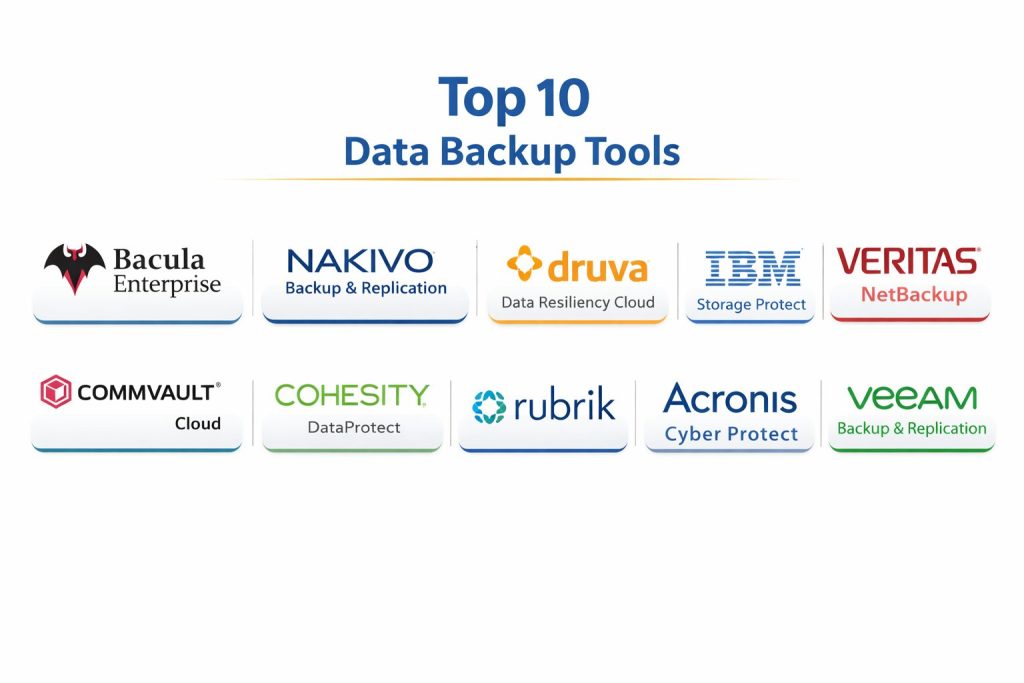
Top 10 Data Backup Tools
1 — Veeam Backup & Replication
Veeam Backup & Replication is widely used for backing up virtual machines, physical workloads, and many hybrid setups. It is often chosen for strong recovery options, flexible storage targets, and mature operational workflows.
Key Features
- VM backup and restore workflows with broad hypervisor coverage (environment dependent)
- Multiple restore options including file-level and application-aware patterns (setup dependent)
- Backup copy and retention policies for multi-site protection
- Flexible storage target support and repository options (architecture dependent)
- Scheduling, monitoring, and reporting tools for operational visibility
- Options that support immutability patterns through supported storage targets (setup dependent)
- Strong ecosystem adoption in many IT teams and MSP workflows
Pros
- Reliable recovery workflows that many teams trust in production
- Flexible storage and architecture options across environments
- Mature operations model for monitoring, policies, and scaling
Cons
- Licensing and complexity can grow as environments expand
- Best practice design requires planning for repositories, retention, and network
- Advanced ransomware resilience depends on proper storage target configuration
Platforms / Deployment
Windows (management), workloads vary by environment
Self-hosted (local / data center), Hybrid (environment dependent)
Security & Compliance
Not publicly stated
Integrations & Ecosystem
Works across many storage and virtualization stacks depending on the environment and chosen architecture.
- Common hypervisor ecosystems (environment dependent)
- Storage integrations and repository choices (environment dependent)
- Backup copy to offsite targets (setup dependent)
- Automation hooks and scripting support (workflow dependent)
- Monitoring and reporting integrations (varies)
Support & Community
Large community, strong documentation footprint, and broad operational knowledge among admins. Support tiers vary by plan.
2 — Acronis Cyber Protect
Acronis Cyber Protect blends backup and endpoint protection concepts for organizations that want unified operational coverage. It is commonly considered for endpoint-heavy environments and SMB-friendly management.
Key Features
- Endpoint backup with centralized management options
- Disaster recovery and restore workflows (setup dependent)
- Policy-driven scheduling and retention management
- Ransomware protection and security features (capabilities vary by edition)
- Remote management features useful for distributed teams
- Flexible storage target options (environment dependent)
- Reporting and alerting for backup health
Pros
- Practical for endpoint-focused environments and small IT teams
- Combines backup with security-oriented features in one platform
- Central management helps reduce tool sprawl for SMBs
Cons
- Feature depth varies by edition and packaging
- Enterprise-scale customization may require careful design
- Some advanced workloads may need additional verification and tuning
Platforms / Deployment
Windows / macOS (endpoints), broader coverage varies
Cloud / Self-hosted / Hybrid (varies)
Security & Compliance
Not publicly stated
Integrations & Ecosystem
Often fits SMB and distributed IT environments with common operational integrations.
- Endpoint and device management patterns (workflow dependent)
- Storage target options (environment dependent)
- Alerting and reporting exports (varies)
- API or automation support (varies)
- MSP-style multi-tenant patterns (edition dependent)
Support & Community
Strong SMB/MSP usage footprint. Documentation and support vary by tier; community resources are available.
3 — Rubrik
Rubrik is commonly used in enterprise environments that want policy-driven backup, faster recovery, and a simplified operational model. It is often positioned around resilience, governance, and easier scale management.
Key Features
- Policy-based backup management for simplified operations
- Broad support for common enterprise workloads (environment dependent)
- Strong recovery workflows with centralized control
- Search and visibility features for backed-up data (capability dependent)
- Security-focused approaches for backup access and governance (varies)
- Reporting for compliance and operational status (varies)
- Scale-friendly architecture patterns (deployment dependent)
Pros
- Strong operational simplicity for large environments
- Centralized policy model reduces manual administration effort
- Often fits enterprise governance and standardized practices
Cons
- Best suited for organizations ready for enterprise tooling cost structures
- Some flexibility depends on chosen deployment and integrations
- Adoption may require process changes for legacy backup operations
Platforms / Deployment
Varies / N/A (workload support depends on environment)
Cloud / Hybrid (varies)
Security & Compliance
Not publicly stated
Integrations & Ecosystem
Typically used in enterprise stacks with integrations across core infrastructure systems.
- Common enterprise workload ecosystems (environment dependent)
- Identity and access workflows (deployment dependent)
- Reporting exports and monitoring patterns (varies)
- Cloud storage and archive patterns (varies)
- Automation and API capabilities (varies)
Support & Community
Strong enterprise support model. Community is smaller than long-standing legacy tools but operational guidance is available.
4 — Cohesity DataProtect
Cohesity DataProtect is designed for large-scale data protection and consolidation. It is often used when organizations want to simplify backup infrastructure and manage protection policies across many workloads.
Key Features
- Centralized backup and recovery for multiple workload types (environment dependent)
- Scale-oriented architecture and consolidation approach
- Policy management for scheduling and retention
- Faster recovery workflows for common enterprise needs (setup dependent)
- Reporting and operational dashboards (varies)
- Archive and tiering patterns (environment dependent)
- Supports hybrid protection models depending on deployment
Pros
- Helps reduce backup sprawl through consolidation
- Strong fit for enterprise and mid-market environments with many workloads
- Centralized management supports consistent policy enforcement
Cons
- Enterprise pricing and architecture planning required
- Best results depend on correct sizing and operational standards
- Some integrations and capabilities depend on deployment choices
Platforms / Deployment
Varies / N/A
Hybrid (varies)
Security & Compliance
Not publicly stated
Integrations & Ecosystem
Often integrated into enterprise infrastructure and cloud strategies.
- Workload and platform support (environment dependent)
- Cloud tiering and storage targets (varies)
- Monitoring and alert routing (varies)
- Automation capabilities (varies)
- Governance and reporting workflows (varies)
Support & Community
Enterprise-focused support with structured onboarding options. Community knowledge is available but depends on region and vertical.
5 — Commvault Cloud
Commvault Cloud (Commvault’s modern platform branding) is known for broad workload coverage, mature policy control, and deep enterprise capabilities. It is often used by organizations with complex backup needs and strict retention requirements.
Key Features
- Broad workload coverage across on-prem and cloud patterns (environment dependent)
- Policy control for retention, lifecycle, and backup scheduling
- Strong restore and recovery tooling for complex environments
- Data management features for governance and reporting (varies)
- Automation and orchestration patterns for repeatable operations (varies)
- Support for multi-site and distributed deployments
- Mature enterprise features built for scale
Pros
- Strong depth for complex and regulated environments
- Mature tooling for retention, policies, and enterprise operations
- Flexible architecture options for many backup strategies
Cons
- Can be complex to deploy and operate without experienced admins
- Licensing and configuration can feel heavy for small teams
- Best value comes when you fully use its enterprise capabilities
Platforms / Deployment
Varies / N/A
Cloud / Self-hosted / Hybrid (varies)
Security & Compliance
Not publicly stated
Integrations & Ecosystem
Commonly used where organizations need deep integration into enterprise infrastructure.
- Broad ecosystem support (environment dependent)
- Multi-site policy patterns (varies)
- Archive and tiering workflows (varies)
- Automation and API integration options (varies)
- Reporting exports and operational integrations (varies)
Support & Community
Strong enterprise support options. Community and partner ecosystems exist; onboarding quality depends on the implementation approach.
6 — Veritas NetBackup
Veritas NetBackup is a long-established enterprise backup platform used in large environments. It is commonly found where organizations want mature backup operations, multi-site coverage, and classic enterprise backup workflows.
Key Features
- Enterprise backup operations and policy control
- Multi-site and large-scale environment coverage (environment dependent)
- Scheduling, retention, and catalog-based management
- Restore workflows suitable for traditional data center operations
- Broad integration coverage across many enterprise stacks (varies)
- Reporting and operational control features
- Support for mixed legacy and modern environments
Pros
- Proven track record in large enterprise deployments
- Mature operations model for complex backup requirements
- Useful for organizations maintaining traditional backup patterns
Cons
- Can be heavy for SMBs and modern cloud-first teams
- Complexity requires skilled operators and good documentation practices
- Some organizations prefer newer operational models for simplicity
Platforms / Deployment
Varies / N/A
Self-hosted / Hybrid (varies)
Security & Compliance
Not publicly stated
Integrations & Ecosystem
Often used in enterprises with broad infrastructure and mixed workload requirements.
- Workload support varies by environment
- Archive and tiering workflows (varies)
- Monitoring and reporting integrations (varies)
- Automation options (varies)
- Multi-site operational patterns (varies)
Support & Community
Established enterprise support ecosystem. Community knowledge exists due to long usage history; training and expertise are commonly available.
7 — IBM Storage Protect
IBM Storage Protect is a data protection platform often used in enterprises with structured storage and retention needs. It is typically deployed where organizations value established backup operations and enterprise governance patterns.
Key Features
- Enterprise backup and restore operations (environment dependent)
- Policy-based retention and lifecycle control
- Multi-system support patterns depending on deployment
- Reporting for operational and retention visibility
- Archive and tiering patterns (setup dependent)
- Central control for structured backup operations
- Fits organizations with mature storage governance practices
Pros
- Strong fit for enterprises with structured governance and retention
- Policy-driven operational approach supports repeatability
- Useful for large environments with established processes
Cons
- Can be complex to run without experienced operators
- Not always the simplest option for modern SMB needs
- Deployment and tuning can require time and careful planning
Platforms / Deployment
Varies / N/A
Self-hosted / Hybrid (varies)
Security & Compliance
Not publicly stated
Integrations & Ecosystem
Often integrated into enterprise storage and operational tooling.
- Storage ecosystem integration patterns (environment dependent)
- Reporting exports (varies)
- Archive and lifecycle workflows (varies)
- Automation options (varies)
- Enterprise operational practices (varies)
Support & Community
Enterprise-grade support availability. Community footprint depends on region and platform usage.
8 — Druva Data Resiliency Cloud
Druva Data Resiliency Cloud is a cloud-delivered approach to backup and protection, often chosen by organizations that want reduced on-prem backup infrastructure and centralized management for distributed environments.
Key Features
- Cloud-delivered management and protection model
- Works well for distributed teams and endpoint coverage (environment dependent)
- Policy-driven scheduling and retention management
- Central reporting and visibility for backup health
- Disaster recovery patterns depending on workload and setup
- Reduced on-prem footprint compared to traditional backup stacks
- Supports hybrid protection patterns depending on use case
Pros
- Strong for distributed organizations that want simpler operations
- Cloud-delivered model reduces infrastructure management overhead
- Central policies and reporting improve day-to-day visibility
Cons
- Cloud-first approach may not fit every data residency requirement
- Cost depends on data volume and retention needs
- Some deep legacy workloads may need careful validation
Platforms / Deployment
Varies / N/A
Cloud
Security & Compliance
Not publicly stated
Integrations & Ecosystem
Typically used with enterprise identity, endpoint strategies, and cloud data protection patterns.
- Common SaaS and endpoint ecosystems (environment dependent)
- Reporting and alert integrations (varies)
- Policy automation patterns (varies)
- API capabilities (varies)
- Hybrid workflow support (varies)
Support & Community
Strong vendor-driven support model. Community knowledge exists but is more enterprise-focused than open community driven.
9 — Nakivo Backup & Replication
Nakivo Backup & Replication is frequently used by SMB and mid-market teams that want practical VM protection, straightforward operations, and flexible deployment choices without excessive overhead.
Key Features
- VM backup workflows (environment dependent)
- Replication and restore options for faster recovery (setup dependent)
- Policy-based scheduling and retention management
- Monitoring and reporting dashboards for operational control
- Flexible deployment options depending on the environment
- Supports multi-site patterns for growing teams (setup dependent)
- Practical fit for SMB and mid-market IT teams
Pros
- Easier to adopt for smaller teams with limited backup specialists
- Good balance of features and operational simplicity
- Flexible deployment patterns for many environments
Cons
- Some advanced enterprise features may be limited compared to larger suites
- Workload coverage depends on the environment and edition
- Scaling to very large enterprises may require careful planning
Platforms / Deployment
Varies / N/A
Cloud / Self-hosted / Hybrid (varies)
Security & Compliance
Not publicly stated
Integrations & Ecosystem
Often used in virtualization-focused environments with practical operational integrations.
- Hypervisor ecosystem coverage (environment dependent)
- Storage target options (varies)
- Alerting and reporting integrations (varies)
- Automation patterns (varies)
- Multi-site operational support (setup dependent)
Support & Community
Good documentation and practical onboarding. Community is smaller than the biggest names but active enough for common issues.
10 — Bacula Enterprise
Bacula Enterprise is commonly used in organizations that want strong control over backup architecture and prefer a flexible approach. It is often adopted where teams have technical capability and want customization across varied environments.
Key Features
- Flexible backup architecture suitable for diverse environments (setup dependent)
- Policy-driven scheduling and retention workflows
- Supports complex backup topologies depending on design
- Strong configuration control for technical teams
- Works for mixed systems and multi-platform environments (environment dependent)
- Suitable for organizations that want deeper customization
- Supports structured operational practices with the right design
Pros
- Flexible for teams that want customization and architectural control
- Useful for complex environments with varied systems
- Can fit organizations that prefer deep configuration over fixed appliances
Cons
- Requires skilled operators and disciplined operational practices
- Setup and ongoing management can be heavier than simpler tools
- Feature experience depends strongly on how the system is designed
Platforms / Deployment
Varies / N/A
Self-hosted / Hybrid (varies)
Security & Compliance
Not publicly stated
Integrations & Ecosystem
Typically used in environments where teams design integrations around operational needs.
- Multi-platform environment support (environment dependent)
- Storage target flexibility (varies)
- Automation options (varies)
- Reporting integrations (varies)
- Custom operational workflows (setup dependent)
Support & Community
Enterprise support is available. Community knowledge exists, but success often depends on internal expertise and operating standards.
Comparison Table
| Tool Name | Best For | Platform(s) Supported | Deployment | Standout Feature | Public Rating |
|---|---|---|---|---|---|
| Veeam Backup & Replication | Hybrid backup with strong recovery workflows | Varies / N/A | Self-hosted / Hybrid | Mature recovery and repository flexibility | N/A |
| Acronis Cyber Protect | Endpoint-heavy teams wanting unified protection | Varies / N/A | Cloud / Self-hosted / Hybrid | Backup plus security-oriented features | N/A |
| Rubrik | Enterprise policy-driven operations | Varies / N/A | Cloud / Hybrid | Simplified policy model for scale | N/A |
| Cohesity DataProtect | Consolidation and large-scale protection | Varies / N/A | Hybrid | Scale-oriented consolidation approach | N/A |
| Commvault Cloud | Complex enterprise coverage and retention | Varies / N/A | Cloud / Self-hosted / Hybrid | Broad workload coverage with deep policy control | N/A |
| Veritas NetBackup | Traditional enterprise backup operations | Varies / N/A | Self-hosted / Hybrid | Mature enterprise backup operations model | N/A |
| IBM Storage Protect | Enterprise governance and structured retention | Varies / N/A | Self-hosted / Hybrid | Policy-driven retention and governance approach | N/A |
| Druva Data Resiliency Cloud | Cloud-delivered backup for distributed orgs | Varies / N/A | Cloud | Reduced on-prem footprint with centralized control | N/A |
| Nakivo Backup & Replication | SMB and mid-market practical backups | Varies / N/A | Cloud / Self-hosted / Hybrid | Practical balance of features and simplicity | N/A |
| Bacula Enterprise | Customizable architecture for technical teams | Varies / N/A | Self-hosted / Hybrid | Flexible design for diverse environments | N/A |
Evaluation & Scoring of Data Backup Tools
Scoring model: Each criterion is scored from 1 to 10, then multiplied by its weight to produce a weighted total from 0 to 10. The scores are comparative estimates to help you shortlist tools based on typical strengths, not universal truths.
Weights:
- Core features – 25%
- Ease of use – 15%
- Integrations & ecosystem – 15%
- Security & compliance – 10%
- Performance & reliability – 10%
- Support & community – 10%
- Price / value – 15%
| Tool Name | Core (25%) | Ease (15%) | Integrations (15%) | Security (10%) | Performance (10%) | Support (10%) | Value (15%) | Weighted Total (0–10) |
|---|---|---|---|---|---|---|---|---|
| Veeam Backup & Replication | 9.0 | 7.5 | 8.5 | 6.5 | 8.5 | 8.5 | 7.5 | 8.25 |
| Acronis Cyber Protect | 8.0 | 8.0 | 7.5 | 6.5 | 7.5 | 7.5 | 7.5 | 7.63 |
| Rubrik | 8.5 | 7.5 | 8.0 | 6.5 | 8.0 | 7.5 | 6.5 | 7.65 |
| Cohesity DataProtect | 8.5 | 7.0 | 8.0 | 6.5 | 8.0 | 7.5 | 6.5 | 7.55 |
| Commvault Cloud | 9.0 | 6.5 | 8.5 | 6.5 | 8.0 | 7.5 | 6.0 | 7.58 |
| Veritas NetBackup | 8.5 | 6.5 | 8.0 | 6.5 | 8.0 | 7.5 | 6.0 | 7.35 |
| IBM Storage Protect | 8.0 | 6.5 | 7.5 | 6.5 | 7.5 | 7.0 | 6.0 | 7.08 |
| Druva Data Resiliency Cloud | 8.0 | 8.0 | 7.5 | 6.5 | 7.5 | 7.5 | 7.0 | 7.60 |
| Nakivo Backup & Replication | 7.5 | 8.0 | 7.0 | 6.0 | 7.0 | 7.0 | 8.0 | 7.33 |
| Bacula Enterprise | 7.5 | 6.0 | 7.0 | 6.0 | 7.5 | 6.5 | 7.0 | 6.88 |
How to use the scores:
- If you want a safer shortlist, prioritize high “Core” and “Performance” first.
- If your team is small, “Ease” and “Value” often matter more than maximum depth.
- If you run multi-cloud or complex environments, “Integrations” becomes a key tie-breaker.
- Treat close scores as a sign to test with a pilot, not to debate minor differences.
Which Tool Is Right for You?
Solo / Freelancer
If you manage backups alone or with limited time, choose something that is easy to operate and has clear restore steps. Cloud-delivered options and simpler management models can reduce operational overhead, but always validate restore speed and retention costs for your data size.
SMB
SMBs need reliable recovery without building a large backup team. Focus on tools that simplify policy setup, monitoring, and restore workflows. Also, prioritize predictable storage planning so costs do not spike as retention grows.
Mid-Market
Mid-market environments often combine on-prem and cloud with multiple locations. Choose tools that support policy standardization, multi-site backup copying, and centralized reporting. Testing restore workflows in realistic scenarios is usually more important than adding more backup jobs.
Enterprise
Enterprises should prioritize governance, separation of duties, auditability, and resilience against ransomware. Look for tools that support policy control at scale, predictable operations, and strong ecosystem integration with identity, monitoring, and storage standards.
Budget vs Premium
Budget-friendly tools can work well if the environment is smaller and you maintain strong operational discipline. Premium tools often pay off when you need scale, standardized governance, and reduced admin overhead across many workloads.
Feature Depth vs Ease of Use
If your team is skilled and your environment is complex, deeper control may be worth the learning curve. If you need faster deployment and simpler daily operations, ease of use and clear restore workflows should rank higher than advanced configuration options.
Integrations & Scalability
If you use virtualization heavily, ensure the tool supports your platform cleanly and can scale with your growth. If you rely on cloud workloads and SaaS tools, validate coverage and reporting so backups do not become fragmented across multiple products.
Security & Compliance Needs
Many backup tools do not clearly publish compliance details. In regulated environments, focus on operational controls: access restriction, MFA for admin accounts, immutable storage usage, clear audit trails, and routine recovery testing. The security of backups often depends as much on storage design and admin discipline as it does on the software.
Frequently Asked Questions
What is the difference between backup and replication?
Backup creates point-in-time copies that you can restore later, often stored separately with retention policies. Replication usually keeps a near-real-time copy of systems for faster failover, but it may not replace the need for long-term retention and ransomware-safe restore points.
How often should backups run?
It depends on how much data you can afford to lose and how fast your systems change. Many teams run frequent incremental jobs for critical systems, plus daily or weekly full patterns, and then validate restores regularly to confirm recoverability.
What is the 3-2-1 backup rule?
It is a practical guideline: keep three copies of your data, store them on two different media types, and keep one copy offsite. Many modern teams extend this with immutability and access controls for ransomware resilience.
Do backups protect against ransomware automatically?
Not automatically. Ransomware resilience depends on isolation, immutable storage, restricted admin access, and clean restore procedures. A backup that an attacker can delete or encrypt is not a reliable safety net.
How do I know my backups are actually restorable?
You test restores. Run scheduled recovery drills, restore random files, validate application-level recovery, and check that your restore time matches your business expectations. Backup success alerts alone are not enough.
How long should I keep backups?
Retention depends on business needs, compliance rules, and cost. Many organizations keep short-term backups for fast restores and long-term archives for legal or audit needs. Balance retention with storage growth and restore usability.
Should I back up SaaS data like email and cloud drives?
Yes, in many environments SaaS apps are business-critical and accidental deletion or account issues can disrupt operations. Validate what your SaaS provider covers and decide if you need separate backup policies for recovery and retention.
What are common reasons backups fail?
Misconfigured credentials, storage capacity issues, unstable networks, overloaded backup windows, and untested restore workflows are common causes. Many failures also come from poor alerting, so issues remain hidden until a restore is needed.
How do I choose between cloud backup and on-prem backup?
Cloud backup can reduce infrastructure management and simplify offsite storage, but cost and data residency must be validated. On-prem can be faster for large restores, but requires more operational upkeep. Many teams use hybrid approaches to get both benefits.
What should I prioritize first when starting from scratch?
Start with critical systems and define recovery goals: how much data loss you can tolerate and how fast you must restore. Then pick a tool, set retention policies, configure offsite or immutable storage, and run a restore test early to confirm your design works.
Conclusion
Data backup tools are not just about copying data; they are about proving that your business can recover under real pressure. The best solution depends on what you protect (VMs, databases, endpoints, SaaS, cloud), how quickly you must restore, and how much operational effort your team can realistically handle. A smart next step is to shortlist two or three tools, run a small pilot that includes one critical workload, one large restore test, and one ransomware-style scenario (immutability and access controls). Confirm monitoring and alerting, validate retention costs, and document restore steps so recovery is repeatable. The tool that restores reliably wins.