Introduction
Customer support ticketing systems have evolved from simple shared email inboxes into sophisticated omnichannel hubs that serve as the central nervous system for modern client relations. These platforms are engineered to capture, categorize, and track every customer inquiry—whether it originates from email, live chat, social media, or voice—into a single, traceable digital record. By converting unstructured communication into structured data, ticketing systems allow organizations to implement service level agreements (SLAs), automate complex routing workflows, and maintain a consistent brand voice. For the modern support professional, these tools are not merely databases; they are performance-enhancing environments that provide the necessary context to resolve issues with surgical precision.
The strategic importance of a robust ticketing infrastructure lies in its ability to eliminate “data silos” and prevent the fragmentation of the customer journey. When a support agent can view a customer’s entire history—including past purchases, technical hurdles, and previous sentiment scores—they can move from reactive troubleshooting to proactive relationship management. Furthermore, the integration of advanced telemetry and reporting modules allows leadership to identify systemic product issues and optimize workforce allocation. In an era where customer experience is a primary competitive differentiator, a well-implemented ticketing system ensures that no query is ever lost and every interaction contributes to long-term loyalty and operational efficiency.
Best for: Growing startups, mid-market enterprises, and global corporations that require a centralized command center to manage high volumes of customer interactions across multiple communication channels simultaneously.
Not ideal for: Very small businesses with a negligible volume of inquiries that can be handled through a basic personal email account or small teams that do not require formal tracking, reporting, or SLA management.
Key Trends in Customer Support Ticketing Systems
The dominant trend in the current landscape is the shift from “Answer and Deflect” to “Plan and Execute” through Agentic AI. Modern systems no longer just point customers to an FAQ article; they use Large Language Models (LLMs) to perform multi-step tasks such as processing refunds, updating subscription data, and performing technical troubleshooting autonomously. This transition is supported by hybrid automation, where AI handles the initial triage and routine resolutions while human agents are reserved for high-empathy, complex scenarios. This approach has proven to reduce operational costs by nearly 30% while significantly improving first-response times.
Another critical trend is the rise of proactive and predictive support. Ticketing systems are increasingly being integrated with product telemetry to detect issues before the customer even notices them. For example, if a SaaS platform experiences a localized outage, the ticketing system can automatically notify affected users and open internal “incident” tickets for the engineering team. Furthermore, omnichannel personalization has reached a point where sentiment analysis is used in real-time to route frustrated customers to senior “empathy-trained” agents, ensuring that high-risk interactions receive the specialized attention they require to prevent churn.
How We Selected These Tools
The selection of these ten platforms was based on an exhaustive analysis of their technical maturity, scalability, and integration depth. We prioritized “Omnichannel-native” systems—those designed to handle disparate communication streams within a single, unified agent workspace—rather than tools that simply bolt on chat or social features as afterthoughts. Market presence and historical reliability were key factors, as enterprise-grade support requires a platform with proven uptime and a mature ecosystem of third-party applications. We also specifically looked for systems that offer robust “White-label” capabilities, allowing the support experience to feel like a seamless extension of the brand.
Technical evaluation focused on the sophistication of the automation engines, including the ability to create “no-code” workflows for ticket escalation and priority management. Security and compliance were non-negotiable criteria; we ensured every selected tool adheres to global standards such as GDPR, HIPAA, and PCI DSS. Finally, we assessed the quality of the built-in analytics, favoring platforms that provide actionable insights into agent productivity, customer sentiment, and bottleneck identification. The result is a list that spans the entire market spectrum, from lightweight collaborative inboxes to enterprise-heavy CRM-integrated powerhouses.
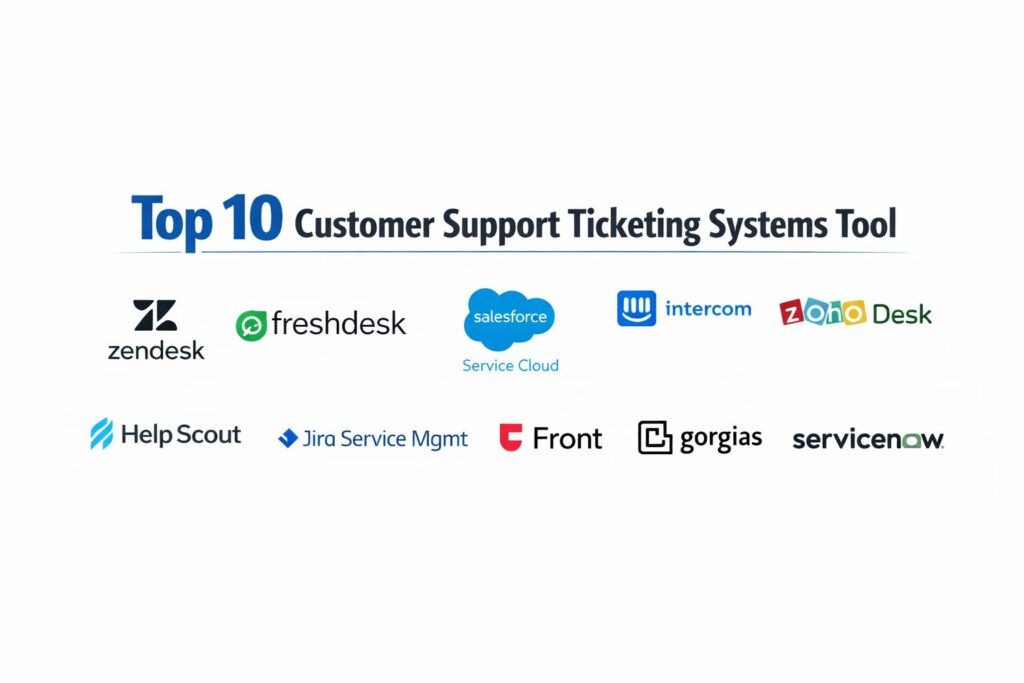
1. Zendesk
Zendesk is widely recognized as the industry benchmark for scalable, enterprise-grade customer support. It offers a massive, all-in-one suite that centralizes conversations from email, chat, voice, and social media into a single, highly customizable agent workspace. Known for its “Suite” approach, it provides a mature ecosystem that can grow from a handful of agents to thousands across global regions.
Key Features
The platform features an advanced “Unified Agent Workspace” that provides a 360-degree view of the customer, including interaction history and external data. It utilizes “Zendesk AI” for automated ticket tagging, sentiment analysis, and intelligent routing based on agent skills. The system includes a robust Knowledge Base (Guide) that supports multi-brand and multi-language content. It also offers a dedicated “Explore” module for deep analytics and custom reporting. Furthermore, it features a massive marketplace with over 1,500 integrations, allowing it to act as the primary hub for a company’s entire tech stack.
Pros
Exceptional scalability and a deep feature set that can handle the most complex global support operations. The marketplace provides unmatched flexibility for third-party tool integration.
Cons
The pricing structure can become very expensive as advanced AI and enterprise features are added. The platform has a steep learning curve and often requires a dedicated administrator.
Platforms and Deployment
Cloud-based web interface with native mobile applications for iOS and Android.
Security and Compliance
Fully compliant with GDPR, HIPAA, and SOC 2; offers advanced encryption and enterprise-level security controls.
Integrations and Ecosystem
Extensive integrations with Salesforce, Jira, Slack, Shopify, and thousands of other tools via the Zendesk Marketplace.
Support and Community
Offers 24/7 global support, an extensive “Zendesk Academy,” and a very active community forum for developers and admins.
2. Freshdesk
Freshdesk, part of the Freshworks suite, is designed for teams that prioritize an intuitive user interface and rapid onboarding. It balances powerful automation with a “gamified” approach to the help desk, making it a favorite for small to mid-sized businesses that need a high-performance system without the complexity of legacy platforms.
Key Features
The tool features “Freddy AI,” an engine that handles ticket field suggestions, automated routing, and “Canned Snippet” suggestions for faster replies. It includes a unique “Collaborators” feature that allows internal team members from other departments to view and comment on tickets for free. The platform supports “Multi-channel” support including WhatsApp and Apple Business Chat. It offers built-in “Time Tracking” for billing and productivity monitoring. Additionally, it features “Agent Collision Detection” to prevent multiple agents from working on the same ticket simultaneously.
Pros
Extremely user-friendly interface that requires minimal training for new agents. Offers a generous free tier for small teams and highly competitive pricing for growing businesses.
Cons
Reporting and analytics can feel basic compared to high-end enterprise competitors. Some advanced AI features are locked behind the most expensive tiers.
Platforms and Deployment
Cloud-based SaaS platform with full mobile support for remote teams.
Security and Compliance
Adheres to PCI DSS and GDPR; features custom SSL and IP whitelisting for secure access.
Integrations and Ecosystem
Deeply integrated with the Freshworks ecosystem (Freshsales, Freshchat) and supports major apps like Slack and Shopify.
Support and Community
Provides 24/7 email support and 24/5 phone/chat support, along with a robust knowledge base.
3. Salesforce Service Cloud
Salesforce Service Cloud is the definitive choice for organizations that are already deeply embedded in the Salesforce CRM ecosystem. It treats support as a critical component of the “360-degree customer view,” allowing sales, marketing, and support teams to share a single source of truth for every customer interaction.
Key Features
The platform is powered by “Einstein AI,” which provides predictive case routing, automated summaries, and proactive service recommendations. It features “Omni-Channel Routing” that pushes the right work to the right agent based on capacity and expertise. The “Service Console” is highly customizable, allowing agents to see relevant CRM data alongside the ticket. It also includes comprehensive “Field Service” management for businesses that deploy technicians. The “AppExchange” provides access to thousands of custom-built components to extend functionality.
Pros
Unrivaled customization capabilities and deep integration with the world’s leading CRM. Ideal for complex, high-touch customer journeys that require cross-departmental data sharing.
Cons
Implementation is complex and usually requires a certified consultant and months of setup. The total cost of ownership is among the highest in the industry.
Platforms and Deployment
Enterprise cloud deployment with specialized mobile apps for field agents and managers.
Security and Compliance
Industry-leading security standards, including FedRAMP compliance and advanced threat detection.
Integrations and Ecosystem
Natively integrated with Salesforce Sales and Marketing clouds; thousands of apps via AppExchange.
Support and Community
Extensive “Trailhead” learning platform and a global network of partners and user groups.
4. Intercom
Intercom has pioneered the “Conversation-first” approach to support, moving away from traditional ticket numbers in favor of an interface that looks and feels like a modern messaging app. It is the leading platform for SaaS and product-led companies that want to support customers directly inside their applications.
Key Features
The standout feature is “Fin,” an AI agent trained on your own support content that can resolve complex questions autonomously. It offers “Proactive Support” tools like in-app tours, banners, and tooltips to resolve issues before they become tickets. The “Messenger” widget is highly customizable and supports rich media and interactive apps. It features a “Shared Inbox” that unifies chat, email, and social media. The platform also includes a “Series” builder to create automated customer onboarding and engagement workflows.
Pros
Offers the best in-app messaging experience on the market. The AI bot “Fin” is highly effective at deflecting routine queries with natural conversation.
Cons
Pricing is complex and can scale very quickly based on “Reached People” or seat counts. It is less suited for organizations that rely heavily on traditional phone or complex email-only support.
Platforms and Deployment
Web-based dashboard with a highly optimized mobile SDK for in-app support.
Security and Compliance
SOC 2 and GDPR compliant; provides detailed data residency options for European customers.
Integrations and Ecosystem
Over 350 integrations in the Intercom App Store, including Slack, HubSpot, and Jira.
Support and Community
Features a very active “Intercom Community” and excellent live chat support for its own customers.
5. Zoho Desk
Zoho Desk is the value-leader for small to mid-sized businesses, particularly those operating within the Zoho ecosystem. It offers a surprising amount of enterprise-level functionality—such as AI and sentiment analysis—at a price point that is accessible to lean teams.
Key Features
The platform features “Zia,” an AI assistant that can predict ticket sentiment and notify agents of potential anomalies. It offers “Multi-department” management, allowing a single organization to run separate support desks for different brands. It includes a “Work Modes” feature that organizes tickets based on priority, urgency, or customer type. The “Customer Happiness” dashboard provides real-time feedback scores. It also features a “Blueprint” tool for creating automated, step-by-step processes for handling specific ticket types.
Pros
Extremely cost-effective, with an AI assistant included in tiers where competitors charge significant premiums. Seamlessly integrates with the 40+ other apps in the Zoho suite.
Cons
The user interface can feel dated and “cluttered” compared to modern competitors like Intercom or Front. Advanced customization can be difficult for non-technical users.
Platforms and Deployment
Cloud-based web app with a dedicated “Radar” mobile app for managers to track metrics.
Security and Compliance
Provides robust data encryption, two-factor authentication, and compliance with major privacy laws.
Integrations and Ecosystem
Deep native integration with Zoho CRM and Zoho Books; also supports major third-party apps like Google Workspace.
Support and Community
Offers 24/5 support via phone, email, and chat, with an extensive user community and knowledge base.
6. Help Scout
Help Scout is designed for companies that hate the “robotic” feel of traditional help desks. It focuses on an “Email-first” experience where the customer never sees a ticket number, making every interaction feel like a personal email while still providing the tracking and collaboration tools a team needs.
Key Features
The platform features “Shared Inboxes” that allow teams to collaborate on emails behind the scenes using internal notes. It includes “Beacon,” a live chat and help widget that surfaces relevant knowledge base articles to customers. “AI Summarize” can condense long conversation threads into a few bullet points for quick context. It offers “Workflows” to automate repetitive tasks based on “if-then” logic. The system also features “Docs,” a lightweight but powerful tool for creating a public-facing help center.
Pros
The most “human” interface available; customers are never treated like a ticket number. It is extremely easy to set up and requires almost zero agent training.
Cons
Lacks the heavy-duty automation and multi-level routing required by large enterprise teams. Reporting is clean but lacks the granular depth of Zendesk.
Platforms and Deployment
Clean, minimalist web interface and mobile applications for managing support on the go.
Security and Compliance
GDPR and HIPAA compliant; uses secure data centers and offers robust privacy controls.
Integrations and Ecosystem
Offers over 100 integrations including Slack, Salesforce, and Shopify, plus a well-documented API.
Support and Community
Highly regarded for its own “human” support team and high-quality educational content for support leaders.
7. Jira Service Management
Jira Service Management (JSM) is the preferred choice for high-tech organizations where the support team needs to work in lockstep with software developers. Built on the Atlassian platform, it excels at linking customer issues directly to “Development” tickets in Jira Software.
Key Features
The platform is built for “ITSM” (IT Service Management) and customer support, offering native workflows for incident, problem, and change management. It features “Asset Management” to track the hardware and software used by customers. JSM utilizes “Automation for Jira” to create complex cross-platform workflows without code. It includes “Confluence” integration for a powerful, collaborative knowledge base. The system also features a “Self-Service Portal” that can be customized to handle various types of requests from different user groups.
Pros
The best choice for DevOps and technical support teams; provides a seamless bridge between support and engineering. Very flexible and highly configurable.
Cons
The interface is very technical and can be intimidating for non-technical support agents. It is primarily built for “tickets” rather than “conversations.”
Platforms and Deployment
Available in both Cloud and Data Center deployments to meet different security needs.
Security and Compliance
Enterprise-grade security with ISO/IEC 27001 certification and SOC 2 compliance.
Integrations and Ecosystem
Perfect integration with the Atlassian stack and hundreds of DevOps tools in the Atlassian Marketplace.
Support and Community
Access to a massive global community of Atlassian users and certified experts.
8. Front
Front is a “Collaborative Customer Operations” platform that transforms a team’s shared inbox into a high-powered ticketing system. It is designed for businesses that value relationship-driven support and want to work together on customer conversations in real-time.
Key Features
The platform allows team members to @mention each other and chat internally directly inside a customer’s email thread. It features “Automated Routing” based on keywords, sender, or time of day. “Contextual AI” helps agents draft replies and summarize long threads. Front unifies email, SMS, WhatsApp, and social media into one stream. It includes a “Company Directory” and “Customer Profiles” that surface data from your CRM directly next to the conversation, ensuring agents always have the full story.
Pros
Excellent for teams that need high-level internal collaboration before responding to a client. Maintains the familiarity of email while adding powerful “behind-the-scenes” tools.
Cons
Can feel disorganized for teams handling extremely high ticket volumes without strict discipline. It lacks a native “Knowledge Base” builder, requiring a third-party tool.
Platforms and Deployment
Web, desktop (Mac/Windows), and mobile apps that feel like a high-end email client.
Security and Compliance
SOC 2 Type II compliant and provides strong data protection and access controls.
Integrations and Ecosystem
Native integrations with Salesforce, HubSpot, Jira, and Asana to sync customer and task data.
Support and Community
Offers proactive support and a community for “customer operations” professionals.
9. Gorgias
Gorgias is the leading “E-commerce-specialized” ticketing system, specifically built for brands running on Shopify, Magento, or BigCommerce. It distinguishes itself by allowing agents to perform commerce tasks—like issuing refunds or editing orders—directly from the ticket.
Key Features
The platform provides a “Shopify Sidebar” that displays a customer’s entire order history and tracking info right next to the conversation. It features “Intent and Sentiment Detection” to automatically categorize tickets like “Where is my order?” or “Damaged item.” It uses “Macros” (templates) that can automatically pull in data like tracking numbers to send personalized replies in one click. It also includes “Social Media Support” that pulls in comments and DMs from Instagram and Facebook into the main inbox.
Pros
Unrivaled integration with e-commerce platforms; saves agents hours by eliminating the need to switch tabs between the help desk and the store backend.
Cons
Limited utility for businesses that are not in the e-commerce sector. Reporting is heavily focused on commerce metrics rather than general support KPIs.
Platforms and Deployment
Cloud-based web dashboard with a mobile app for store owners on the go.
Security and Compliance
Compliant with major e-commerce security standards and data privacy laws.
Integrations and Ecosystem
Deeply integrated with Shopify, Recharge, and Klaviyo, making it the center of the e-commerce tech stack.
Support and Community
Provides 24/7 support and a specialized community for e-commerce entrepreneurs.
10. ServiceNow
ServiceNow is a high-level enterprise platform that treats customer support as a piece of a larger “Digital Workflow.” It is designed for the world’s largest organizations that need to connect support to back-end business processes like finance, legal, and HR.
Key Features
The platform features “Customer Service Management (CSM)” which uses AI to proactively identify issues and automate the entire resolution process across departments. It includes an “Intelligent Virtual Agent” that can handle complex, multi-system service requests. It features “Performance Analytics” for real-time visibility into enterprise-wide service trends. The “Service Portal” provides a unified interface for customers to interact with every part of the company. It also includes “Major Issue Management” to handle large-scale service disruptions efficiently.
Pros
The most powerful tool for cross-functional enterprise workflows. It is the gold standard for organizations that need strict process control and “ITIL” compliance.
Cons
Extremely expensive and requires a massive effort to implement and maintain. It is “overkill” for any company that isn’t a large enterprise.
Platforms and Deployment
Global cloud infrastructure with support for highly regulated industries.
Security and Compliance
Highest level of government and industry certifications, including specialized clouds for healthcare and defense.
Integrations and Ecosystem
Acts as a “Platform of Platforms,” integrating with almost every enterprise software system imaginable.
Support and Community
Global network of consultants and a massive annual user conference (Knowledge).
Comparison Table
| Tool Name | Best For | Platform(s) Supported | Deployment | Standout Feature | Public Rating |
| 1. Zendesk | Global Scalability | Web, iOS, Android | Cloud | 1,500+ App Marketplace | 4.7/5 |
| 2. Freshdesk | Growing SMBs | Web, Mobile | Cloud | Internal Collaborators | 4.6/5 |
| 3. Salesforce Service Cloud | Salesforce Users | Web, Enterprise Mobile | Cloud | 360-degree CRM View | 4.5/5 |
| 4. Intercom | SaaS / In-app | Web, Mobile SDK | Cloud | Fin AI Agent | 4.4/5 |
| 5. Zoho Desk | Cost-Efficiency | Web, Mobile | Cloud | Zia AI (Value-add) | 4.4/5 |
| 6. Help Scout | Human-centric Support | Web, Mobile | Cloud | Beacon Help Widget | 4.5/5 |
| 7. Jira Service Mgmt | Technical / DevOps | Web, Mobile | Hybrid | Jira Software Link | 4.3/5 |
| 8. Front | Team Collaboration | Web, Desktop | Cloud | Shared Inbox Chat | 4.6/5 |
| 9. Gorgias | E-commerce Brands | Web, Mobile | Cloud | Order Edit via Ticket | 4.7/5 |
| 10. ServiceNow | Large Enterprise | Web, Mobile | Cloud | Cross-Dept Workflows | 4.4/5 |
Evaluation & Scoring of Customer Support Ticketing Systems
The scoring below is a comparative model intended to help shortlisting. Each criterion is scored from 1–10, then a weighted total from 0–10 is calculated using the weights listed. These are analyst estimates based on typical fit and common workflow requirements, not public ratings.
Weights:
- Core features – 25%
- Ease of use – 15%
- Integrations & ecosystem – 15%
- Security & compliance – 10%
- Performance & reliability – 10%
- Support & community – 10%
- Price / value – 15%
| Tool Name | Core (25%) | Ease (15%) | Integrations (15%) | Security (10%) | Performance (10%) | Support (10%) | Value (15%) | Weighted Total |
| 1. Zendesk | 10 | 7 | 10 | 10 | 10 | 9 | 7 | 9.05 |
| 2. Freshdesk | 9 | 10 | 9 | 9 | 9 | 9 | 9 | 9.05 |
| 3. Salesforce Service Cloud | 10 | 5 | 10 | 10 | 10 | 9 | 6 | 8.45 |
| 4. Intercom | 9 | 9 | 9 | 9 | 9 | 9 | 7 | 8.70 |
| 5. Zoho Desk | 8 | 8 | 8 | 9 | 8 | 8 | 10 | 8.35 |
| 6. Help Scout | 8 | 10 | 8 | 9 | 9 | 10 | 9 | 8.85 |
| 7. Jira Service Mgmt | 9 | 6 | 10 | 10 | 9 | 8 | 8 | 8.35 |
| 8. Front | 8 | 10 | 8 | 9 | 10 | 9 | 8 | 8.65 |
| 9. Gorgias | 9 | 9 | 10 | 9 | 10 | 9 | 8 | 9.05 |
| 10. ServiceNow | 10 | 4 | 10 | 10 | 10 | 8 | 5 | 8.00 |
How to interpret the scores:
- Use the weighted total to shortlist candidates, then validate with a pilot.
- A lower score can mean specialization, not weakness.
- Security and compliance scores reflect controllability and governance fit, because certifications are often not publicly stated.
- Actual outcomes vary with assembly size, team skills, templates, and process maturity.
Which Customer Support Ticketing System Tool Is Right for You?
Solo / Freelancer
For the individual operator, Help Scout or the free tier of Freshdesk are the most sensible choices. They provide professional-grade tracking without the overhead of complex routing engines, allowing you to stay organized while maintaining a personal touch with your clients.
SMB
Small to medium businesses should look toward Freshdesk or Zoho Desk. These platforms offer a “sweet spot” of features and price, providing the automation necessary to scale a team without requiring a massive upfront investment or a dedicated technical administrator.
Mid-Market
For companies with established support teams, Zendesk or Front are high-value choices. Zendesk offers the power to build a truly global operation, while Front is ideal for teams that rely heavily on collaborative “back-and-forth” to solve client problems.
Enterprise
At the enterprise level, the choice is usually between Salesforce Service Cloud and ServiceNow. Choose Salesforce if your support is tightly coupled with sales and marketing data. Choose ServiceNow if your support is part of a larger, IT-heavy internal service delivery model.
Budget vs Premium
Zoho Desk is the clear winner for teams on a tight budget who still want advanced features like AI. Conversely, Zendesk and Intercom are the premium options for those who are willing to pay for the best user experience and deepest feature sets available today.
Feature Depth vs Ease of Use
If you need absolute power and infinite configuration, Jira Service Management or Zendesk are your tools. If you want your agents to be productive within ten minutes of logging in, Help Scout and Front are the superior choices.
Integrations & Scalability
Zendesk and Gorgias lead the pack in integrations. Gorgias is non-negotiable for high-growth Shopify stores, while Zendesk is the most “future-proof” option for general businesses because you will almost never outgrow its technical capabilities.
Security & Compliance Needs
For highly regulated industries like finance or healthcare, Salesforce and ServiceNow offer the most robust compliance certifications, though the enterprise tiers of Zendesk and Freshdesk are also fully qualified for most high-security environments.
Frequently Asked Questions (FAQs)
1. What is the difference between a help desk and a ticketing system?
A ticketing system is the technical engine that organizes inquiries into discrete records. A help desk is the broader category of software that includes the ticketing engine plus extras like knowledge bases, live chat, and reporting tools.
2. Does my small business really need a ticketing system?
If you handle more than 20-30 customer emails a day, yes. A ticketing system ensures that no email is ever accidentally deleted or ignored and allows you to see which issues are recurring most frequently.
3. Can I use a ticketing system for internal HR or IT requests?
Absolutely. Many companies use Jira Service Management or Zendesk to handle internal employee requests, providing the same level of tracking and accountability for internal services as they do for customers.
4. What is “First Response Time” (FRT) and why does it matter?
FRT is the time it takes for an agent to first reply to a customer. It is a critical metric because customer satisfaction scores (CSAT) are highly correlated with how quickly a customer feels “heard.”
5. Is AI going to replace human support agents?
No. AI is evolving to handle “low-value” routine tasks like password resets or order tracking. This allows human agents to focus on “high-value” tasks that require emotional intelligence, complex reasoning, and creative problem-solving.
6. Can I switch platforms later if I outgrow my current one?
Yes, most systems allow you to export your data, but migrations can be complex and time-consuming. It is usually best to choose a platform that can support at least 2-3 times your current team size.
7. Do I need a developer to set these up?
Tools like Help Scout and Freshdesk can be set up by anyone in a few hours. However, enterprise systems like Salesforce or ServiceNow almost always require a professional developer or certified consultant for implementation.
8. What is “Collision Detection”?
This is a feature that shows an agent if another team member is currently viewing or typing a reply to a specific ticket, preventing the customer from receiving two different answers from two different people.
9. How do ticketing systems help with social media?
Instead of having an agent manually refresh Twitter or Facebook, the system pulls those mentions and DMs directly into the inbox as tickets, where they can be tracked and resolved like any other email.
10. What is a “Knowledge Base” (KB)?
A KB is a self-service portal where you host FAQ articles and guides. A good ticketing system will automatically suggest KB articles to customers while they wait for an agent, often resolving the issue before a human even needs to step in.
Conclusion
The implementation of a modern customer support ticketing system is a transformative step that shifts a support department from a “cost center” to a strategic “intelligence hub.” The ability to centralize communication, automate routine workflows, and extract actionable data is no longer a luxury—it is a requirement for survival. By selecting a platform that aligns with your specific operational needs, whether that is the in-app intimacy of Intercom or the enterprise power of Zendesk, you empower your team to deliver the high-fidelity support that modern consumers expect. Ultimately, the best tool is the one that fades into the background, allowing your agents to focus on what truly matters: building meaningful, long-term relationships with your customers through consistent and empathetic service.