Introduction
Customer support chatbots have evolved from simple keyword-matching scripts into sophisticated conversational agents that serve as the first line of engagement for modern enterprises. These digital interfaces leverage natural language processing and machine learning to interpret user intent, provide contextual solutions, and execute complex workflows without human intervention. In the contemporary business environment, the deployment of an intelligent chatbot is no longer a luxury but a strategic necessity. It addresses the fundamental challenge of scaling personalized assistance across multiple time zones and languages while maintaining a lean operational footprint. By integrating these tools, organizations can transform their support departments from reactive cost centers into proactive drivers of customer loyalty and satisfaction.
The necessity of these platforms is underscored by the shift in consumer behavior toward instant, on-demand communication. Today’s users expect immediate resolution for routine queries, such as order tracking, password resets, and account updates. Furthermore, advanced chatbots now play a critical role in data collection, triaging issues before they reach a human agent, and ensuring that high-value technical problems are routed to the most qualified personnel with full context. When selecting a chatbot solution, buyers must evaluate the platform’s ability to integrate with existing customer relationship management systems, the transparency of its reasoning engine to avoid misinformation, and its adherence to global data privacy standards. A well-chosen bot does more than answer questions; it harmonizes with the brand’s voice and operational DNA to create a seamless user journey.
Best for: E-commerce retailers, global SaaS providers, financial institutions, and large-scale service organizations that require 24/7 automated engagement and high-volume ticket deflection.
Not ideal for: Hyper-niche consulting services where every interaction requires deep human empathy, or small businesses with extremely low query volumes that do not justify the integration effort.
Key Trends in Customer Support Chatbots
The transition toward generative AI has redefined the standard for bot accuracy, allowing systems to synthesize information from massive knowledge bases and respond in a natural, human-like cadence. We are seeing a significant move toward “Agentic AI,” where bots do not just talk but perform actions, such as processing refunds or modifying subscription tiers directly within backend systems. Multilingual intelligence has also become standard, with platforms offering real-time translation and cultural localization to support global customer bases without the need for regional support hubs.
Another major trend is the integration of sentiment analysis, which allows a chatbot to detect frustration or urgency in a user’s tone and adjust its response strategy or trigger an immediate human escalation. There is also an increased focus on “human-in-the-loop” workflows, where the AI acts as a copilot for human agents, drafting replies and summarizing long conversation histories to reduce handle time. Finally, zero-party data collection through conversational interfaces is becoming a vital strategy for personalized marketing, as bots gather preferences directly from users in a transparent, consensual manner.
How We Selected These Tools
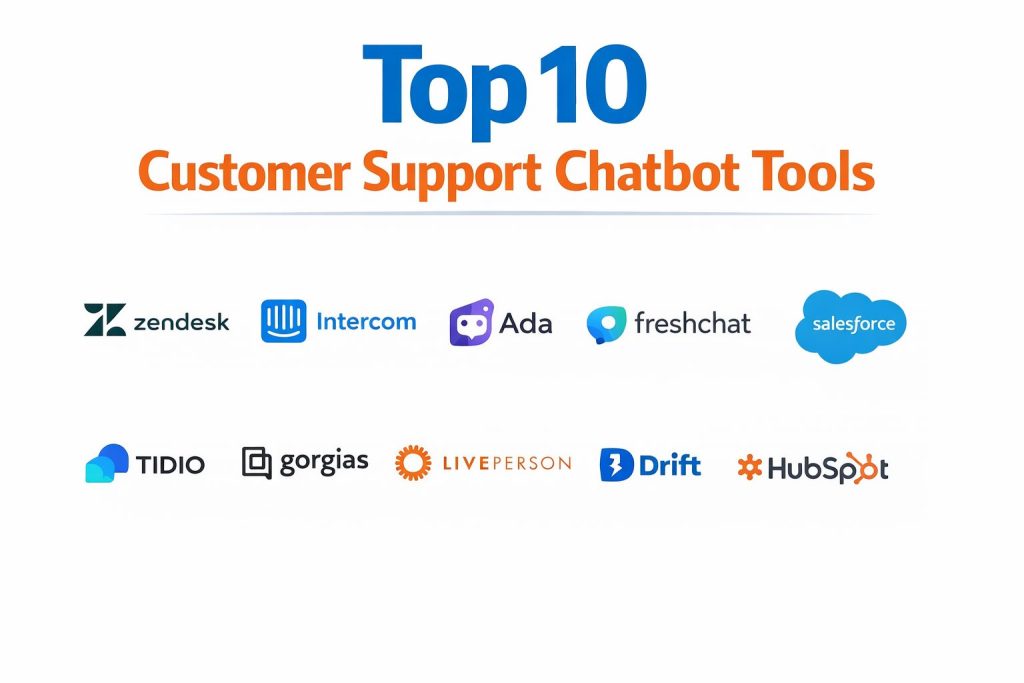
The selection of these ten platforms was based on an extensive evaluation of their technical robustness, market reputation, and ability to deliver measurable return on investment. We prioritized tools that offer a high degree of “containment,” meaning they successfully resolve a significant percentage of inquiries without requiring human intervention. Integration depth was a primary factor, as a chatbot’s utility is limited if it cannot securely access customer data from CRMs or e-commerce platforms. We also examined the ease of deployment, specifically looking for no-code or low-code interfaces that empower non-technical support managers to maintain the bot.
Security and compliance were non-negotiable criteria, with preference given to tools that offer SOC 2, GDPR, and HIPAA compliance to ensure the protection of sensitive user information. Performance metrics such as response latency and the accuracy of intent detection were analyzed to ensure the tools can handle peak traffic without degradation. Finally, we considered the scalability of each platform, assessing whether it can grow from a simple FAQ bot into a complex enterprise-wide automation layer.
1. Zendesk AI
Zendesk AI is a powerhouse in the customer experience space, offering a bot that is pre-trained on billions of real customer service interactions. It is designed to understand the specific nuances of support requests right out of the box, making it highly effective for industries like retail and technology. The platform excels at intelligent triage, automatically categorizing and routing tickets based on intent and sentiment.
Key Features
The system includes an advanced “Answer Bot” that pulls from a central knowledge base to resolve common issues instantly. It features intent and sentiment detection that helps prioritize urgent cases for human agents. The AI copilot provides agents with suggested responses and ticket summaries to speed up resolution. It supports a wide array of channels including web, social media, and messaging apps. Additionally, the platform offers predictive satisfaction scoring to help managers identify at-risk customers before they churn.
Pros
It offers a seamless experience for teams already within the Zendesk ecosystem, requiring almost no technical configuration. The pre-trained models mean the bot starts providing value much faster than generic AI tools.
Cons
The most advanced AI features are often locked behind higher-tier enterprise plans, which can be a significant investment. The setup for complex, multi-brand organizations can become intricate.
Platforms and Deployment
Web, iOS, and Android. It is a cloud-native platform with deep API support for hybrid environments.
Security and Compliance
It is fully compliant with GDPR, SOC 2, and ISO standards, offering robust data encryption and role-based access controls.
Integrations and Ecosystem
Zendesk features one of the largest marketplaces in the industry, integrating with over 1,200 third-party applications including Salesforce, Slack, and Shopify.
Support and Community
Users have access to extensive documentation, global professional services, and a massive community of CX professionals.
2. Intercom Fin
Intercom Fin is a next-generation AI bot built on large language models, specifically designed to provide accurate, conversational answers based on a company’s help center content. It is known for its “conversational-first” approach, focusing on resolving issues within the chat interface rather than just deflecting them.
Key Features
The bot utilizes sophisticated reasoning to provide answers and cites its sources from the knowledge base to build user trust. It offers a seamless handoff to human agents, passing along the full history and context of the AI interaction. Users can set custom “workflows” that trigger based on specific customer segments or behaviors. The platform includes a visual builder for creating complex, interactive bot paths. It also supports proactive messaging to guide users through new product features.
Pros
The bot requires zero manual training; it simply “reads” your existing articles to start working. The user interface is widely regarded as the most modern and intuitive in the market.
Cons
The pricing model, which often includes a fee per successful resolution, can become expensive for high-volume support centers. It is primarily optimized for SaaS and tech-focused businesses.
Platforms and Deployment
Web, iOS, and Android. It is deployed as a cloud-based SaaS solution.
Security and Compliance
Includes enterprise-grade security features, including SOC 2 Type II compliance and specialized data hosting options for regional requirements.
Integrations and Ecosystem
It integrates deeply with product analytics tools, CRMs like HubSpot, and social messaging channels like WhatsApp and Instagram.
Support and Community
Offers a robust help center, a “Messenger” based support system, and a highly active community of product and support leaders.
3. Ada
Ada is an enterprise-grade automation platform that focuses on high-volume, cross-channel customer service. It is designed to be a “no-code” solution that allows support teams to build and manage complex automation without relying on the engineering department.
Key Features
The platform features a powerful reasoning engine that can handle multi-step inquiries and complex logic flows. It supports over 50 languages, providing a consistent experience for global brands. The bot can execute real-world actions, such as looking up an order in a database or updating a user’s loyalty points. It includes advanced analytics for identifying “knowledge gaps” where the bot is failing to provide answers. The system also offers a specialized developer sandbox for testing new flows before they go live.
Pros
It is one of the best tools for achieving high deflection rates in massive, complex organizations. The no-code interface is exceptionally powerful, allowing for deep customization of the user journey.
Cons
The initial implementation can take longer than simpler tools due to the depth of the platform’s capabilities. The pricing is strictly at the enterprise level, making it inaccessible for smaller startups.
Platforms and Deployment
Web, mobile app SDKs, and various messaging platforms. It is a cloud-based enterprise solution.
Security and Compliance
Maintains top-tier security certifications including HIPAA, PCI DSS, and GDPR, making it suitable for healthcare and finance.
Integrations and Ecosystem
Integrates with all major enterprise helpdesks and specialized e-commerce platforms like Salesforce and Oracle.
Support and Community
Provides dedicated account managers and technical success teams for enterprise clients, along with comprehensive training programs.
4. Freshchat (Freshworks)
Freshchat is part of the Freshworks suite, offering an AI-powered bot named “Freddy” that focuses on simplicity and rapid deployment. It is an excellent choice for mid-market companies that want a professional, omnichannel support system without the complexity of an enterprise overhaul.
Key Features
The “Freddy AI” bot handles FAQ automation and uses intent detection to categorize incoming queries. It provides agents with real-time “Intelligent Recommendations” for articles or canned responses. The platform supports a unified inbox that aggregates messages from WhatsApp, Apple Business Chat, and email. It includes a journey builder for mapping out proactive customer engagements. The software also features an automated “Customer Health” tracker based on support interaction trends.
Pros
It is exceptionally easy to set up, often going live in a fraction of the time required by competitors. The pricing is very competitive, offering a high feature-to-cost ratio for growing businesses.
Cons
While powerful, the AI’s “reasoning” capabilities are slightly less advanced than high-end generative AI bots. The interface can sometimes feel less polished than premium competitors like Intercom.
Platforms and Deployment
Web, iOS, and Android. Cloud-based deployment with flexible licensing.
Security and Compliance
Compliant with major standards like ISO 27001 and GDPR, providing secure data handling and multi-factor authentication.
Integrations and Ecosystem
Works seamlessly with the rest of the Freshworks ecosystem and offers a wide range of marketplace integrations for CRM and billing.
Support and Community
Offers 24/5 support across multiple channels and a growing library of self-service training materials.
5. Salesforce Agentforce
Salesforce Agentforce (formerly Einstein Bots) is the premier choice for organizations already utilizing the Salesforce CRM. It provides a level of data integration that is impossible for third-party tools to match, allowing the bot to use every piece of customer history to personalize the conversation.
Key Features
The bot has native access to all Salesforce objects, allowing it to provide real-time updates on deals, cases, and accounts. It utilizes advanced natural language understanding to handle complex, non-linear conversations. The system includes an AI-driven “Next Best Action” engine that suggests the most effective response to agents. It supports a “headless” deployment, allowing the AI to power custom interfaces or IoT devices. Additionally, it offers comprehensive reporting that links support interactions directly to revenue and sales data.
Pros
The depth of integration with customer data allows for a level of personalization that other bots cannot achieve. It is highly scalable, capable of serving the world’s largest corporations.
Cons
The platform is notoriously complex and usually requires a dedicated Salesforce administrator to manage. The total cost of ownership is high when factoring in licensing and administrative overhead.
Platforms and Deployment
Web, mobile, and social channels. Deeply integrated into the Salesforce cloud infrastructure.
Security and Compliance
Adheres to the highest corporate security standards, with extensive audit logs, encryption, and global compliance certifications.
Integrations and Ecosystem
Naturally integrates with the entire Salesforce suite and thousands of AppExchange partners.
Support and Community
Supported by a massive global network of certified consultants and the expansive “Trailblazer” community.
6. Tidio
Tidio is a favorite among small to medium-sized e-commerce businesses due to its focus on speed, affordability, and ease of use. It combines live chat with a specialized AI bot called “Lyro” that is designed specifically to solve the problems of online retailers.
Key Features
The “Lyro AI” bot uses generative technology to answer customer questions based on your website’s data in seconds. It features a visual, drag-and-drop builder for creating custom automation flows. The platform includes specialized e-commerce tools for checking order status and processing returns. It provides real-time visitor lists, showing exactly what products a customer is looking at while they chat. The software also offers a unified inbox for managing Facebook and Instagram messages alongside web chat.
Pros
It is one of the most accessible tools on the market, with a setup process that takes minutes. The free tier and affordable paid options make it perfect for startups.
Cons
The AI is less capable of handling complex, multi-step technical workflows compared to enterprise tools. It lacks the deep departmental reporting required by very large organizations.
Platforms and Deployment
Web, iOS, and Android. Cloud-based installation with a focus on Shopify and WordPress integration.
Security and Compliance
Provides GDPR-compliant data processing and standard secure connection protocols.
Integrations and Ecosystem
Features excellent native integrations with Shopify, WooCommerce, and various email marketing platforms.
Support and Community
Offers quick chat support and a wealth of educational content tailored to e-commerce growth.
7. Gorgias
Gorgias is a helpdesk and chatbot platform built specifically for e-commerce. Its AI is deeply integrated with online storefronts, allowing it to perform tasks like tracking packages, issuing refunds, and applying discount codes entirely within the chat window.
Key Features
The bot can pull full order histories and customer profiles directly from Shopify, Magento, or BigCommerce. It uses AI to automatically categorize tickets based on subject matter like “shipping” or “damaged item.” The “Intent Detection” feature helps prioritize tickets that represent high-revenue opportunities. It supports macro-based automation, allowing agents to send complex, pre-written responses with one click. The platform also offers a “Social Lead” feature that tracks comments and mentions on social media.
Pros
It is the most specialized tool for retailers, providing order-related automation that generic bots cannot handle. The interface is designed for high-speed agent efficiency.
Cons
It is not a good fit for non-retail businesses like SaaS or professional services. The pricing scales with ticket volume, which can be a concern for high-traffic stores with low margins.
Platforms and Deployment
Web, iOS, and Android. Cloud-based SaaS optimized for e-commerce environments.
Security and Compliance
Maintains standard enterprise security protocols and is fully compliant with modern data protection regulations for online commerce.
Integrations and Ecosystem
Has the deepest integrations in the e-commerce space, including Klaviyo, Recharge, and ShipStation.
Support and Community
Provides excellent 24/7 support and a community focused on e-commerce best practices and growth strategies.
8. LivePerson
LivePerson is a pioneer in the conversational AI space, focusing on “Conversational Cloud” technology for massive global brands. It is designed to handle millions of interactions across every digital channel, with a heavy emphasis on messaging-first workflows.
Key Features
The platform utilizes a sophisticated “Meaning Analyzer” to understand the intent and urgency of every message. It supports “Bring Your Own AI,” allowing enterprises to integrate their own custom-built models into the platform. The system features a unified workspace for managing voice and messaging in a single interface. It offers deep analytics into “Conversation Quality Score,” measuring how well the bot or agent is meeting customer needs. Additionally, it includes powerful tools for managing high-volume social media engagement.
Pros
It is one of the few platforms capable of handling the scale required by global banks and airlines. Its focus on messaging leads to much higher customer engagement than traditional email-based support.
Cons
The platform can be overwhelming for smaller teams due to its enterprise-scale feature set. The implementation process often requires professional services and significant time.
Platforms and Deployment
Web, mobile, and nearly all third-party messaging apps. Cloud-based enterprise platform.
Security and Compliance
Provides industry-leading security, including specialized certifications for financial services and telecommunications.
Integrations and Ecosystem
Integrates with all major enterprise systems and provides extensive APIs for building custom connectivity.
Support and Community
Offers high-tier enterprise support, strategic consulting, and a professional community of conversational designers.
9. Drift
Drift revolutionized the market by combining customer support with “Conversational Marketing.” While it functions as a powerful support bot, it is uniquely positioned to identify and qualify sales leads within support conversations, making it ideal for revenue-focused organizations.
Key Features
The bot can identify when a high-value prospect is on the site and alert the sales team immediately. It features an AI-powered knowledge base that deflects routine support queries while capturing lead data. The platform includes a meeting scheduler that allows the bot to book demos directly into an agent’s calendar. It offers “Visual Playbooks” for designing custom conversation paths based on user intent. The software also provides detailed attribution reports, showing how support chats contribute to the sales pipeline.
Pros
It is the best tool for companies that want to blur the line between support and sales to drive growth. The platform’s ability to identify specific companies visiting your site is a massive advantage for B2B.
Cons
It is significantly more expensive than many pure support chatbots. The interface and features are heavily weighted toward the sales side, which might not suit every support team.
Platforms and Deployment
Web, iOS, and Android. Cloud-based SaaS platform.
Security and Compliance
Includes robust security features and is compliant with standard data protection regulations, including GDPR and Privacy Shield.
Integrations and Ecosystem
Integrates with major CRM and marketing automation platforms like Marketo, Salesforce, and HubSpot.
Support and Community
Known for its high-energy community and extensive educational resources on conversational growth.
10. HubSpot Service Hub
HubSpot Service Hub provides an integrated chatbot that is part of its wider CRM ecosystem. It is designed for businesses that want a unified view of the customer across marketing, sales, and service without having to jump between different tools.
Key Features
The chatbot builder is entirely drag-and-drop, making it easy to create automated sequences for FAQs or lead capture. It features a unified team inbox that stores all customer interactions from every channel. The AI-powered “Knowledge Base” tool identifies which articles are most effective at deflecting tickets. It includes automated feedback loops, where the bot sends NPS or CSAT surveys after a conversation. The platform also features “Conversation Intelligence” that transcribes and analyzes calls for training and coaching.
Pros
The “all-in-one” nature of the platform ensures that the support bot always has access to the latest marketing and sales data. It is very easy to use for teams already familiar with the HubSpot interface.
Cons
The most powerful automation features are only available in the higher-tier Professional and Enterprise plans. It may lack some of the hyper-specialized features found in dedicated support tools like Zendesk.
Platforms and Deployment
Web, iOS, and Android. Fully integrated cloud platform.
Security and Compliance
Features enterprise-grade security and is a leader in global data privacy compliance, with transparent data hosting policies.
Integrations and Ecosystem
The HubSpot App Marketplace offers thousands of integrations, and the platform’s native connectivity is industry-leading.
Support and Community
Provides 24/7 phone support for paid tiers and one of the largest online educational academies in the world.
Comparison Table
| Tool Name | Best For | Platform(s) Supported | Deployment | Standout Feature | Public Rating |
| 1. Zendesk AI | Enterprise Scaling | Web, iOS, Android | Cloud | 18B Interaction Model | 4.4/5 |
| 2. Intercom Fin | SaaS & Tech Teams | Web, iOS, Android | Cloud | Knowledge-Grounded AI | 4.5/5 |
| 3. Ada | High-Volume CX | Web, Mobile SDKs | Cloud | No-Code Reasoning Engine | 4.6/5 |
| 4. Freshchat | Mid-Market Growth | Web, iOS, Android | Cloud | Freddy AI Assistant | 4.4/5 |
| 5. Salesforce Agentforce | CRM-Native Ops | Web, Mobile, Social | Cloud | Deep CRM Data Access | 4.3/5 |
| 6. Tidio | SMB E-commerce | Web, iOS, Android | Cloud | Lyro AI for Shopify | 4.7/5 |
| 7. Gorgias | Retail/Shopify | Web, iOS, Android | Cloud | Order Management Actions | 4.6/5 |
| 8. LivePerson | Global Messaging | Web, Mobile, Social | Cloud | Meaning Analyzer | 4.2/5 |
| 9. Drift | Sales-Led Support | Web, iOS, Android | Cloud | Revenue Attribution | 4.4/5 |
| 10. HubSpot Service Hub | All-in-One CRM | Web, iOS, Android | Cloud | Unified Customer Journey | 4.5/5 |
Evaluation & Scoring of Customer Support Chatbots
The scoring below is a comparative model intended to help shortlisting. Each criterion is scored from 1–10, then a weighted total from 0–10 is calculated using the weights listed. These are analyst estimates based on typical fit and common workflow requirements, not public ratings.
Weights:
- Core features – 25%
- Ease of use – 15%
- Integrations & ecosystem – 15%
- Security & compliance – 10%
- Performance & reliability – 10%
- Support & community – 10%
- Price / value – 15%
| Tool Name | Core (25%) | Ease (15%) | Integrations (15%) | Security (10%) | Performance (10%) | Support (10%) | Value (15%) | Weighted Total |
| 1. Zendesk | 10 | 6 | 10 | 10 | 9 | 10 | 7 | 8.85 |
| 2. Intercom | 9 | 9 | 9 | 9 | 9 | 8 | 7 | 8.55 |
| 3. Ada | 10 | 7 | 9 | 10 | 9 | 9 | 7 | 8.70 |
| 4. Freshchat | 8 | 9 | 8 | 9 | 8 | 9 | 9 | 8.45 |
| 5. Salesforce | 10 | 4 | 10 | 10 | 10 | 10 | 6 | 8.35 |
| 6. Tidio | 7 | 10 | 8 | 8 | 8 | 9 | 10 | 8.40 |
| 7. Gorgias | 8 | 9 | 10 | 9 | 9 | 9 | 8 | 8.70 |
| 8. LivePerson | 10 | 5 | 9 | 10 | 10 | 9 | 7 | 8.50 |
| 9. Drift | 8 | 8 | 9 | 9 | 9 | 9 | 6 | 8.00 |
| 10. HubSpot | 8 | 9 | 10 | 10 | 8 | 10 | 8 | 8.75 |
How to interpret the scores:
- Use the weighted total to shortlist candidates, then validate with a pilot.
- A lower score can mean specialization, not weakness.
- Security and compliance scores reflect controllability and governance fit, because certifications are often not publicly stated.
- Actual outcomes vary with assembly size, team skills, templates, and process maturity.
Which Customer Support Chatbot Tool Is Right for You?
Solo / Freelancer
For individuals or solo operators, a tool that is free to start and requires minimal setup is essential. The focus should be on automating basic FAQs so you can focus on core work. Tools that integrate directly with your website builder or social media presence provide the most value with the least friction.
SMB
Small and medium businesses should prioritize ease of use and e-commerce connectivity. When you have a small team, you need a bot that can handle common tasks like tracking orders or answering return policy questions without any coding. Platforms that offer flat-rate or conversation-based pricing help keep costs predictable as you scale.
Mid-Market
Mid-market companies benefit most from omnichannel capabilities and better integration with their existing tech stack. At this level, the ability to centralize communication from email, web chat, and social media into one inbox is a game-changer for efficiency. AI features like sentiment detection become more valuable for managing a growing volume of tickets.
Enterprise
For the enterprise, the decision centers on security, scalability, and deep data integration. These organizations require a bot that can interact with complex backend systems and adhere to strict global compliance laws. The ability to customize the bot’s reasoning and manage millions of sessions simultaneously is more important than a low starting price.
Budget vs Premium
Budget solutions are perfect for those who only need simple automation and live chat. Premium solutions, however, offer generative AI that can actually “think” through problems, leading to much higher satisfaction and lower agent burnout. The higher cost is usually offset by the massive reduction in human labor required.
Feature Depth vs Ease of Use
If your support issues are highly technical, you will need a platform with deep procedural logic and custom action capabilities. If your goal is just to improve the speed of common answers, an easy-to-use bot with a visual builder is a more efficient investment.
Integrations & Scalability
A chatbot should never be an island. Its value increases exponentially when it can talk to your CRM, your billing platform, and your shipping provider. Choose a tool that has a proven marketplace and a robust API to ensure it can grow as your business operations become more complex.
Security & Compliance Needs
Never compromise on data protection. If you handle customer payments, health information, or personal identifiers, you must select a platform that has external certifications for security. This not only protects your customers but also shields your organization from significant legal and reputational risks.
Frequently Asked Questions (FAQs)
1. Can chatbots truly replace human agents?
No, they are designed to augment the human workforce. Chatbots excel at handling high-volume, repetitive tasks, which frees up human agents to focus on complex, emotionally sensitive, or high-value customer issues that require critical thinking.
2. How do chatbots stay up to date with my changing policies?
Most modern AI bots are “grounded” in your knowledge base. When you update an article in your help center, the bot automatically reads the new information and incorporates it into its responses without needing manual retraining.
3. Are AI chatbots prone to “hallucinating” or giving wrong answers?
While this was a challenge for early AI, current enterprise tools use techniques like “Knowledge Retrieval” to ensure the bot only answers based on your approved data. Most also include a feature that allows them to say “I don’t know” and hand off to a human.
4. Do I need a developer to set up a chatbot?
Not necessarily. Many of the top tools offer “no-code” visual builders that allow support managers to design conversation flows and deploy the bot using a simple script tag on their website.
5. How do chatbots handle multilingual support?
Top-tier bots use advanced translation models to detect the user’s language automatically. They can either translate your existing knowledge base in real-time or provide responses in the language the customer is using with high accuracy.
6. What is the average “deflection rate” I can expect?
Most organizations see a deflection rate between 30% and 70% for routine queries. The actual percentage depends on the quality of your help content and how many common actions (like order tracking) you allow the bot to perform.
7. Are chatbots secure enough for financial or medical data?
Yes, provided you choose a platform with specific certifications like HIPAA or PCI DSS. These platforms use high-level encryption and strict access protocols to ensure that sensitive data is never exposed.
8. Can a chatbot detect when a customer is angry?
Yes, through sentiment analysis. The AI analyzes the words and phrasing used by the customer and can immediately escalate the conversation to a human manager if it detects frustration or dissatisfaction.
9. How do I measure the success of my chatbot?
Key performance indicators include the containment rate (queries solved without an agent), CSAT (customer satisfaction) scores for bot interactions, and the reduction in average first-response time.
10. What happens if the chatbot can’t answer a question?
A well-configured bot will provide a “graceful handoff.” It will collect the necessary information from the user, summarize the problem, and transfer the chat to a live agent or create a support ticket with all the context attached.
Conclusion
Implementing a top-tier customer support chatbot is a transformative step toward operational excellence and superior customer experience. The modern landscape demands a solution that is not only responsive but also intelligent, secure, and deeply integrated into the customer journey. By automating the routine and providing agents with AI-driven insights, organizations can maintain high service standards even during periods of rapid growth or peak demand. The ultimate goal is to create a frictionless environment where customers feel heard and supported at every touchpoint. As you evaluate these options, prioritize the tools that align with your long-term scalability and data security needs, ensuring that your automated support remains a powerful asset for your brand’s reputation.
This breakdown of customer support chatbots is awesome and helps me see which platform would actually work for us.