Introduction
Customer panel management tools are sophisticated platforms designed to recruit, engage, and maintain a dedicated group of individuals—often referred to as an “insight community”—who provide ongoing feedback to a brand. Unlike one-off surveys that capture a snapshot in time, panel management focuses on longitudinal research and building a relationship with a pre-screened audience. These tools allow organizations to move away from expensive third-party data providers by nurturing their own proprietary database of customers, which ensures higher data quality and significantly faster turnaround times for product validation, brand tracking, and sentiment analysis.
In a modern enterprise, managing a panel requires a blend of community engagement and rigorous data governance. These platforms offer specialized features for member profiling, incentive management, and automated health checks to ensure the panel remains representative and active. By centralizing participant data, organizations can avoid “survey fatigue” through smart targeting, ensuring that only the most relevant members are contacted for specific studies. Whether used for qualitative diaries or quantitative tracking, a well-managed customer panel acts as a continuous “voice of the customer” that informs every stage of the product lifecycle and strategic decision-making process.
Best for: Market researchers, product managers, and customer experience (CX) leads who need recurring, high-quality feedback from a consistent and verified group of users.
Not ideal for: One-time feedback needs or very small businesses that lack the resources to actively moderate a community and manage an ongoing incentive program.
Key Trends in Customer Panel Management Tools
The industry is currently experiencing a pivot toward “mobile-first” conversational research. Instead of traditional, long-form questionnaires, platforms are utilizing chat-like interfaces and SMS-based interactions that feel more natural to participants, leading to significantly higher completion rates. There is also a heavy focus on AI-driven participant health monitoring, where machine learning models automatically flag “professional” respondents or those providing low-quality, automated answers, thereby preserving the integrity of the research data.
Another dominant trend is the integration of “passive” data collection. Modern panel tools can now combine explicit survey responses with implicit behavioral data, such as app usage or purchase history, providing a 360-degree view of the customer. Gamification and community-building features are also becoming standard, as brands realize that members who feel like part of an exclusive “inner circle” are more likely to provide thoughtful, honest feedback over the long term. This shift from transactional to relational research is the hallmark of the current panel management landscape.
How We Selected These Tools
Our selection process focused on tools that provide comprehensive end-to-end management, from recruitment and double-opt-in verification to complex segmentation and reward distribution. We prioritized platforms that offer robust security and compliance standards, particularly for handling sensitive Personally Identifiable Information (PII) across global jurisdictions. Reliability was another key factor; we selected tools that demonstrate high uptime and the ability to manage panels ranging from a few hundred to several hundred thousand members without performance degradation.
We also evaluated the technical depth of the reporting and analysis suites. We looked for platforms that don’t just collect data but offer advanced visualization and automated sentiment analysis to help researchers find “the needle in the haystack.” Finally, the “participant experience” was a critical criterion; we favored tools that provide sleek, intuitive interfaces for the panel members themselves, as high member satisfaction is the most reliable predictor of a panel’s long-term health and ROI.
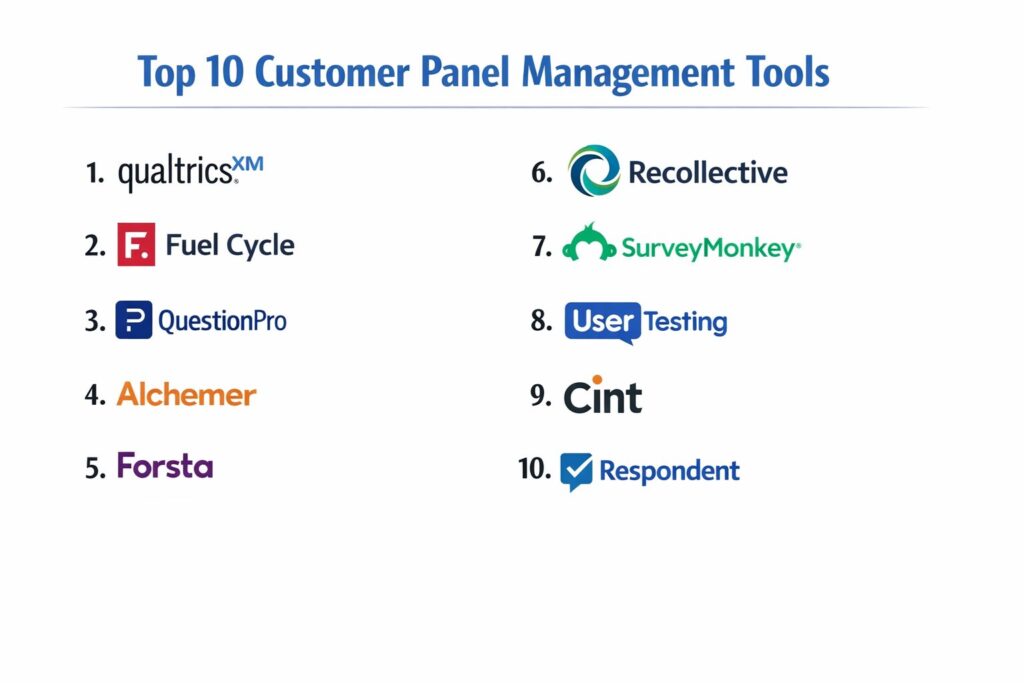
1. Qualtrics XM
Qualtrics remains the gold standard for enterprise experience management, offering a highly specialized “Branded Panels” solution. It allows organizations to manage massive databases of respondents with extreme precision, utilizing over 100 profiling attributes to target specific segments. The platform is designed to handle the entire lifecycle of a panelist, from the initial recruitment portal to automated incentive fulfillment.
Key Features
The platform features an advanced “Directory” that acts as a central hub for all participant data, allowing for complex cross-tabulation and longitudinal tracking. It includes automated “opt-out” management and data privacy controls to ensure global compliance. The tool provides a sophisticated intercept feature to recruit members directly from your website or mobile app. It also offers “Survey Intelligence” to predict which members are most likely to respond to a specific invite. The dashboard provides real-time health metrics, showing active versus inactive members and average response rates across different demographics.
Pros
Unrivaled scalability and technical depth for complex global research programs. The integration between the panel directory and the survey engine is seamless and highly automated.
Cons
The platform has a steep learning curve and requires significant training for administrators. It is one of the most expensive solutions on the market.
Platforms and Deployment
Web-based enterprise platform with native mobile apps for field research.
Security and Compliance
Industry-leading security with SOC 2, HIPAA, and GDPR compliance, plus advanced encryption for PII.
Integrations and Ecosystem
Extensive native integrations with Salesforce, HubSpot, SAP, and various incentive fulfillment providers.
Support and Community
Offers a dedicated “Success Island” support model and an extensive training library via Qualtrics University.
2. Fuel Cycle
Fuel Cycle positions itself as an “AI-first” community intelligence platform. It is specifically designed to create high-engagement “insight communities” where customers can interact with each other and the brand in a secure environment. It excels at blending qualitative and quantitative methods within a single portal.
Key Features
The platform offers “Live Chats” and focus group capabilities integrated directly into the panel management suite. It features an automated incentive engine that supports digital gift cards and branded merchandise. The “Exchange” marketplace allows users to add third-party research tools directly into their community. It uses AI to perform automated sentiment analysis on community forum posts and open-ended survey responses. The system also includes a mobile app that uses push notifications to keep community members engaged with new tasks and discussions.
Pros
Excellent at fostering long-term community engagement and “passive” feedback through forums. The all-in-one nature of the platform reduces the need for multiple research vendors.
Cons
Managing a full community is time-intensive and usually requires a dedicated community manager. The interface can feel crowded due to the high number of features.
Platforms and Deployment
Cloud-based web portal and dedicated mobile applications for iOS and Android.
Security and Compliance
Enterprise-grade security with regular third-party audits and full GDPR/CCPA compliance.
Integrations and Ecosystem
Strong connections to specialized research tools like HighGround and various CRM systems.
Support and Community
Provides strategic consulting and full-service community management options for enterprise clients.
3. QuestionPro Communities
QuestionPro offers a robust community and panel management solution that is particularly popular for its balance of features and cost-effectiveness. It is designed to help brands build a “feedback loop” by giving participants a voice in product development and brand strategy.
Key Features
The platform includes a built-in “Ideation” module where panel members can submit, vote, and comment on new ideas. It features a comprehensive points-based reward system with a customizable redemption catalog. The recruitment module supports “Double Opt-In” verification to ensure a high-quality, verified database. It provides advanced “Project History” tracking to see every touchpoint a panelist has had with the brand. The tool also includes a “Member Health” dashboard that automatically flags inactive users for re-engagement or removal.
Pros
Offers high-end features like ideation and gamification at a more accessible price point than some competitors. The platform is relatively easy to set up and deploy.
Cons
The user interface for panel members can feel a bit traditional compared to newer, mobile-first platforms. Advanced reporting may require some technical knowledge to fully utilize.
Platforms and Deployment
Web-based platform with a mobile-optimized participant portal.
Security and Compliance
Adheres to strict ISO 27001 standards and provides full data encryption and privacy controls.
Integrations and Ecosystem
Integrates with major CRM and marketing automation tools via API and native connectors.
Support and Community
Offers 24/7 technical support and has a strong global presence with localized support teams.
4. Alchemer (formerly SurveyGizmo)
Alchemer is known for its extreme flexibility and “research-grade” survey capabilities. Their panel management features focus on providing the technical tools necessary for professional researchers to build custom workflows and handle complex data sets.
Key Features
The system offers an “Email Campaign” tool specifically designed for panel invitations with high deliverability. It features advanced “Skip Logic” and “Branching” that can be tied to a participant’s profile data. The platform allows for the creation of custom participant portals that can be fully branded. It provides “Data Cleaner” tools that automatically identify and remove “garbage” data from survey results. The tool also supports “Private Domain” sending to help maintain brand trust and improve open rates for invitations.
Pros
Extremely customizable; if you can dream of a research workflow, Alchemer can likely build it. The pricing is very transparent compared to other enterprise tools.
Cons
It lacks some of the built-in “community” features like forums or live chats found in Fuel Cycle. The sheer amount of customization can be overwhelming for beginners.
Platforms and Deployment
Cloud-based web application.
Security and Compliance
Fully HIPAA and GDPR compliant with options for data residency in different regions.
Integrations and Ecosystem
Highly flexible API and native integrations with tools like Microsoft Dynamics and Salesforce.
Support and Community
Excellent documentation and a responsive support team known for solving complex technical issues.
5. Forsta (formerly Confirmit & FocusVision)
Forsta is a powerhouse in the market research world, formed by the merger of several industry leaders. It offers a specialized “Panel Management” module designed for high-volume, professional research agencies and large corporate insight teams.
Key Features
The platform features “Active Panelist Tracking” which monitors behavior across multiple studies to prevent over-sampling. It provides deep multi-language support, allowing for the management of global panels in dozens of different languages. The tool includes integrated “Video Insights” for conducting live interviews with panel members. It features a highly sophisticated quota management system that can handle complex multi-dimensional targets. The system also offers “Dynamic Profiling” where participant profiles are automatically updated based on their latest survey answers.
Pros
The most advanced quota and sampling tools in the industry. It is built to handle the most rigorous and complex research methodologies.
Cons
The interface is very technical and geared toward professional market researchers rather than generalists. Implementation can be long and complex.
Platforms and Deployment
Hybrid deployment options including cloud and on-premise for certain enterprise needs.
Security and Compliance
Meets the highest global standards for data security, including specialized certifications for different industries.
Integrations and Ecosystem
Deeply integrated into the professional research ecosystem with connections to all major data analysis tools.
Support and Community
Provides high-level strategic support and a community of some of the world’s most experienced researchers.
6. Recollective
Recollective is the leader in “Online Qualitative” research and panel communities. It is designed to create an immersive, visual environment where participants can complete “activities” rather than just answering standard questions.
Key Features
The platform features “Social Forums” and “Photo/Video Journals” where participants can document their experiences in real-time. It includes a unique “Video IDI” (In-Depth Interview) tool that supports live, moderated sessions. The system uses a “Task-Based” workflow that guides participants through a multi-day or multi-week study. It features automated “Video Transcription” and sentiment coding to help researchers analyze qualitative data quickly. The dashboard uses “Heatmaps” and “Word Clouds” to visualize collective participant feedback.
Pros
Unbeatable for qualitative and longitudinal studies where deep insight is more important than raw numbers. The participant experience is highly engaging and modern.
Cons
Not designed for high-volume, “quick-hit” quantitative surveys. The pricing is project-based or community-based, which can be expensive for small studies.
Platforms and Deployment
Fully web-based with a highly responsive design for mobile browsers.
Security and Compliance
Strong focus on participant privacy with secure media storage and GDPR compliance.
Integrations and Ecosystem
Offers an API for data exporting and connects with various panel recruitment partners.
Support and Community
Offers excellent onboarding and “Study Design” reviews to help researchers get the most out of the platform.
7. SurveyMonkey Enterprise
SurveyMonkey Enterprise (under the Momentive brand) is the professional version of the world’s most popular survey tool. It offers “Panel Management” through its “Audience” and “Contact List” features, focusing on speed and ease of use.
Key Features
The platform features “SurveyMonkey Genius,” an AI assistant that provides real-time feedback on survey design and panel targeting. It includes a “Member Portal” where participants can log in to see their rewards and available surveys. The system offers “SSO” (Single Sign-On) for both admins and panel members to improve security. It provides pre-built “Profiling Templates” to help you quickly build out your database. The tool also includes a “Benchmarking” feature that compares your panel’s results against industry standards.
Pros
Extremely fast to deploy and very intuitive for both administrators and participants. Most people are already familiar with the interface, which lowers friction.
Cons
Lacks the deep community engagement features (like forums) found in specialized tools like Fuel Cycle. Advanced customization options are more limited than in Alchemer or Forsta.
Platforms and Deployment
Cloud-based web platform with a robust mobile app.
Security and Compliance
Enterprise-level security including SOC 2 and advanced data governance tools for large teams.
Integrations and Ecosystem
One of the largest integration ecosystems in the world, connecting with over 100 apps including Slack and Salesforce.
Support and Community
Provides dedicated account management and 24/7 priority support for enterprise clients.
8. UserTesting
UserTesting is a specialized panel management tool focused on “Human Insight” and UX research. It maintains its own massive panel but also allows brands to manage their “Own Network” of customers for recurring website and app testing.
Key Features
The platform’s standout feature is “Live Conversation,” which allows for real-time video sessions with panel members. It features “Highlight Reels” where researchers can clip and share key moments from participant videos. The system provides “Automated Recruiting” that matches participants to studies based on their technical specs and demographics. It includes “Card Sorting” and “Tree Testing” tools for information architecture research. The tool also uses AI to automatically flag “Key Moments” in video feedback where users express frustration or delight.
Pros
The best tool for seeing and hearing the customer’s actual experience rather than just reading their words. Highly effective for product and UX teams.
Cons
The focus is very narrow (UX/Product); it is not a general-purpose market research tool. Managing your own panel within their system can be quite expensive.
Platforms and Deployment
Web-based dashboard with mobile apps for participants to record their screens.
Security and Compliance
Highly secure with SOC 2 compliance and rigorous participant verification processes.
Integrations and Ecosystem
Integrates with design tools like Figma and project management tools like Jira.
Support and Community
Offers a massive “University” and active community of UX researchers and product managers.
9. Cint
Cint is a unique player that provides a “Marketplace” for panels. While it allows you to manage your own panel, its primary power lies in the ability to “top up” your research with millions of other respondents from around the world.
Key Features
The platform features a “Self-Service Sample” tool that allows researchers to buy access to targeted respondents in minutes. It provides a “Panel Exchange” where organizations can actually monetize their own panels by allowing other researchers access to their members (with permission). The system includes a highly automated “Feasibility Tool” that predicts how many responses you can get for a specific profile. It features advanced “Fraud Detection” to ensure all respondents are real people. The tool also provides localized payout options in over 100 countries.
Pros
Offers the largest reach of any platform in the world. Perfect for brands that need to supplement their own panels with specific, hard-to-reach audiences.
Cons
The focus is more on transactional sampling than on building a “community” or brand relationship. The interface is geared toward programmatic buying.
Platforms and Deployment
Web-based programmatic marketplace.
Security and Compliance
Complies with ISO 20252 standards and follows strict global data protection laws.
Integrations and Ecosystem
Deeply integrated with almost every major survey platform and data analysis tool via API.
Support and Community
Provides global support teams and is a central hub for the programmatic research industry.
10. Respondent
Respondent is a specialized panel tool that focuses on “Professional” and B2B audiences. It is the best choice for companies that need feedback from verified software developers, marketers, or executives rather than general consumers.
Key Features
The platform features a “Work Email Verification” system to ensure that participants actually hold the professional titles they claim. It includes an “Automated Scheduling” tool that syncs with your calendar for live interviews. The system handles all “Incentive Payments” automatically, including complex tax reporting for participants. It provides a “Participant Rating” system where researchers can rate the quality of feedback from specific individuals. The tool also offers “Screener Surveys” to filter out anyone who doesn’t meet very specific professional criteria.
Pros
The highest-quality source for B2B and professional research. It drastically reduces the time spent recruiting and vetting high-value participants.
Cons
The cost per participant is significantly higher than consumer-focused tools. It is a recruitment and management tool, not a full survey or community platform.
Platforms and Deployment
Web-based recruitment and management dashboard.
Security and Compliance
Strict data privacy controls and secure payment processing for professional incentives.
Integrations and Ecosystem
Integrates with Zoom and Google Calendar for seamless interview management.
Support and Community
Offers excellent support for sourcing niche audiences and managing high-value research projects.
Comparison Table
| Tool Name | Best For | Platform(s) Supported | Deployment | Standout Feature | Public Rating |
| 1. Qualtrics XM | Enterprise Scale | Web, Mobile | Cloud | Advanced Directory | 4.8/5 |
| 2. Fuel Cycle | Community Engagement | Web, iOS, Android | Cloud | “AI-First” Insights | 4.7/5 |
| 3. QuestionPro | Ideation & Rewards | Web, Mobile | Cloud | Built-in Idea Box | 4.6/5 |
| 4. Alchemer | Custom Workflows | Web | Cloud | Flexible Logic/API | 4.5/5 |
| 5. Forsta | Professional Research | Web | Hybrid | Quota Management | 4.4/5 |
| 6. Recollective | Qualitative Depth | Web | Cloud | Video Journals | 4.8/5 |
| 7. SurveyMonkey | Speed & Ease | Web, iOS, Android | Cloud | AI Design Genius | 4.6/5 |
| 8. UserTesting | UX & Human Insight | Web, Mobile | Cloud | Live Video Feedback | 4.7/5 |
| 9. Cint | Global Reach | Web | Cloud | Global Marketplace | 4.3/5 |
| 10. Respondent | B2B/Professional | Web | Cloud | Verified Work Email | 4.5/5 |
Evaluation & Scoring of Customer Panel Management Tools
The scoring below is a comparative model intended to help shortlisting. Each criterion is scored from 1–10, then a weighted total from 0–10 is calculated using the weights listed. These are analyst estimates based on typical fit and common workflow requirements, not public ratings.
Weights:
- Core features – 25%
- Ease of use – 15%
- Integrations & ecosystem – 15%
- Security & compliance – 10%
- Performance & reliability – 10%
- Support & community – 10%
- Price / value – 15%
| Tool Name | Core (25%) | Ease (15%) | Integrations (15%) | Security (10%) | Performance (10%) | Support (10%) | Value (15%) | Weighted Total |
| 1. Qualtrics XM | 10 | 6 | 10 | 10 | 10 | 9 | 7 | 8.95 |
| 2. Fuel Cycle | 9 | 8 | 8 | 9 | 9 | 10 | 8 | 8.70 |
| 3. QuestionPro | 9 | 9 | 8 | 9 | 9 | 8 | 9 | 8.75 |
| 4. Alchemer | 8 | 7 | 10 | 9 | 9 | 9 | 9 | 8.55 |
| 5. Forsta | 10 | 5 | 9 | 10 | 10 | 8 | 7 | 8.40 |
| 6. Recollective | 9 | 9 | 7 | 9 | 9 | 10 | 8 | 8.65 |
| 7. SurveyMonkey | 7 | 10 | 10 | 8 | 9 | 9 | 8 | 8.45 |
| 8. UserTesting | 9 | 8 | 8 | 9 | 9 | 9 | 6 | 8.25 |
| 9. Cint | 8 | 8 | 10 | 8 | 10 | 7 | 8 | 8.45 |
| 10. Respondent | 8 | 9 | 7 | 9 | 9 | 8 | 8 | 8.20 |
How to interpret the scores:
- Use the weighted total to shortlist candidates, then validate with a pilot.
- A lower score can mean specialization, not weakness.
- Security and compliance scores reflect controllability and governance fit, because certifications are often not publicly stated.
- Actual outcomes vary with assembly size, team skills, templates, and process maturity.
Which Customer Panel Management Tool Is Right for You?
Solo / Freelancer
If you are an independent researcher or consultant, SurveyMonkey Enterprise or QuestionPro offer the best balance of power and price. They allow you to maintain a professional presence without the overhead of an enterprise-level platform.
SMB
Small to medium businesses should look toward Fuel Cycle or QuestionPro. These platforms provide the community features (like forums and ideation) that help build brand loyalty while delivering the feedback needed for growth.
Mid-Market
For companies with more established research needs, Alchemer provides the technical flexibility to build custom research workflows that can grow with the company’s complexity without the extreme costs of the top-tier enterprise tools.
Enterprise
Qualtrics and Forsta are the only real choices for global organizations that need to manage millions of records across multiple languages and jurisdictions. Their focus on data governance and complex sampling is essential for maintaining research integrity at scale.
Budget vs Premium
If budget is the primary concern, QuestionPro offers a very comprehensive feature set at a competitive price. If budget is less of a concern than “human insight” and depth, then Recollective and UserTesting are worth the premium investment for the quality of data they provide.
Feature Depth vs Ease of Use
SurveyMonkey is the king of ease of use. However, if you need deep features like quota management, complex logic, and longitudinal tracking, you will quickly outgrow it and should consider Alchemer or Qualtrics.
Integrations & Scalability
Qualtrics and SurveyMonkey lead the pack in terms of integrations. If your research data needs to flow seamlessly into Salesforce or an enterprise data warehouse, these platforms offer the most reliable “out of the box” connectors.
Security & Compliance Needs
For companies in highly regulated industries like healthcare or finance, Qualtrics and Forsta provide the highest levels of security certification and the most robust tools for managing participant consent and data residency.
Frequently Asked Questions (FAQs)
1. What is the difference between a survey panel and a community?
A survey panel is primarily a database of people used for quantitative surveys. A community is more interactive, including forums, live chats, and peer-to-peer discussions, designed to foster a long-term relationship with the brand.
2. How do I recruit members for my customer panel?
Most brands recruit via their existing email lists, website intercepts, or social media. Specialized tools like Qualtrics also offer “recruitment portals” where you can screen potential members before they are officially added.
3. How much should I pay panel members for their time?
Incentives vary based on the effort required. A 5-minute survey might earn a small entry into a sweepstakes, while a 60-minute live interview could pay between $50 and $150, especially for professional or B2B audiences.
4. How do I prevent “survey fatigue”?
Good panel management tools include “contact frequency” rules. For example, you can set the system to never invite the same person to more than one survey per month, ensuring they stay engaged and provide high-quality answers.
5. Is my data safe in these platforms?
Most enterprise-level tools are SOC 2 and GDPR compliant, meaning they follow strict rules for protecting participant data. It is important to look for tools that offer encryption and clear data residency options.
6. Can I manage a global panel in multiple languages?
Yes, platforms like Forsta and Qualtrics are designed specifically for this. They allow you to upload translations for surveys and member portals, ensuring a consistent experience for participants regardless of their location.
7. Do I need a dedicated person to manage the panel?
For panels over 1,000 people or for interactive communities, a dedicated community manager or research ops professional is highly recommended to handle member inquiries, moderate discussions, and manage rewards.
8. Can I use these tools for B2B research?
Yes, but recruiting B2B participants is more difficult. Tools like Respondent are specialized for this, as they offer verified work email checks to ensure you are talking to the right professionals.
9. How do I know if the respondents are real people?
Modern tools use “Fraud Detection” techniques like digital fingerprinting, IP checking, and AI-driven analysis of open-ended responses to identify and remove bots or professional survey-takers.
10. What is a “Double Opt-In”?
This is a verification process where a member signs up and then must click a link in a confirmation email. This ensures that the email address is valid and that the person actually intended to join the panel.
Conclusion
Navigating the landscape of customer panel management requires a strategic alignment between your research goals and the technical capabilities of your chosen platform. The traditional boundaries between quantitative surveys, qualitative research, and community engagement continue to blur. The most effective organizations are those that move beyond transactional data collection to build sustainable “insight ecosystems” where customers feel valued and heard. Choosing a tool like Qualtrics or Forsta provides the rigorous infrastructure needed for global scale, while platforms like Fuel Cycle and Recollective offer the intimacy and engagement necessary for deep brand loyalty. Ultimately, the success of your panel depends on more than just the software; it depends on creating a culture of transparency and mutual benefit that encourages participants to provide the honest, high-quality feedback that drives true business innovation.