Introduction
Customer feedback tools are specialized software platforms designed to capture, organize, and analyze the “voice of the customer” across digital and physical touchpoints. These tools have moved beyond simple surveys into sophisticated intelligence hubs. They leverage natural language processing (NLP) to interpret emotion, predict customer churn, and automatically route critical issues to the correct internal departments.
The importance of feedback management is centered on the concept of “Contextual Listening.” In a saturated market, organizations that can close the feedback loop in real-time gain a massive competitive edge. Modern tools no longer wait for a customer to complete a long form; instead, they use behavioral triggers to ask hyper-relevant questions at the exact moment of interaction—whether that’s inside a mobile app, on a checkout page, or via a WhatsApp message.
Real-world use cases include:
- Product Discovery: Validating new feature ideas through in-app microsurveys and feature-voting boards.
- Churn Prevention: Identifying “at-risk” users by analyzing sentiment shifts in support tickets and NPS scores.
- Brand Reputation: Automatically prompting satisfied customers to leave reviews on public platforms like G2 or Google.
- UX Optimization: Using visual feedback widgets to let users report bugs or UI friction with automatic screenshots.
- Market Research: Running large-scale brand awareness studies using global respondent panels.
What buyers should evaluate (Criteria):
- Sentiment Analysis Accuracy: The ability of the AI to distinguish between sarcasm, frustration, and genuine praise.
- Omnichannel Reach: Support for email, SMS, QR codes, in-app widgets, and social media in one dashboard.
- Closed-Loop Automation: Features that automatically create Jira tickets or Slack alerts based on feedback scores.
- Survey Logic & Branching: Advanced “Skip Logic” to ensure users only see questions relevant to their previous answers.
- Data Privacy Compliance: Alignment with global standards like GDPR, CCPA, and SOC 2 Type II.
- Incentive Management: Built-in tools for rewarding respondents with gift cards or discounts to boost response rates.
- Integration Depth: Seamless data flow into CRM (Salesforce) and Product Analytics (Mixpanel/Amplitude) stacks.
- Reporting Granularity: The ability to segment feedback by user plan, geography, or historical lifetime value (LTV).
Key Trends in Customer Feedback Tools
The feedback landscape is defined by “Predictive Intelligence” and “Frictionless Capture.”
- Conversational AI Surveys: Static forms are being replaced by AI agents that interview customers in a natural, chat-like flow.
- Passive Feedback Aggregation: Tools now “listen” to unstructured data from meeting transcripts (Zoom) and support chats to find feedback without a survey.
- Predictive NPS (pNPS): Machine learning models that estimate a customer’s satisfaction score based on their behavior, even if they never take a survey.
- Video Feedback: A rise in “video-first” feedback where customers can record their screen and voice to explain a problem or provide a testimonial.
- Hyper-Niches for SaaS: The emergence of tools specifically built for PLG (Product-Led Growth) that trigger surveys based on “Aha! moments.”
- Real-time Sentiment Orchestration: Systems that automatically trigger a “retention discount” if a customer expresses high frustration during a live session.
- Biometric Sentiment (Pilot Stage): Experimental features in mobile apps that analyze facial micro-expressions during user testing to gauge emotional reactions.
- Global Language Autonomy: Instant, high-fidelity translation of feedback from 100+ languages into a single English-language dashboard.
How We Selected These Tools (Methodology)
Our selection focuses on a balance of enterprise power, AI innovation, and user experience:
- Intelligence Quotient: We prioritized tools with native AI that performs thematic clustering and sentiment analysis without manual tagging.
- Response Rate Performance: We evaluated tools based on their ability to offer “frictionless” survey designs that lead to higher completion rates.
- Workflow Connectivity: Focus was placed on tools that act as “Action Engines,” pushing data into the systems where work actually happens.
- Deployment Flexibility: We looked for tools that serve various environments, from web-based SaaS to physical retail kiosks.
- Security & Governance: Only tools with modern encryption and enterprise-grade access controls were included.
- Market Reliability: Selection was restricted to established leaders and high-growth innovators with strong performance data.
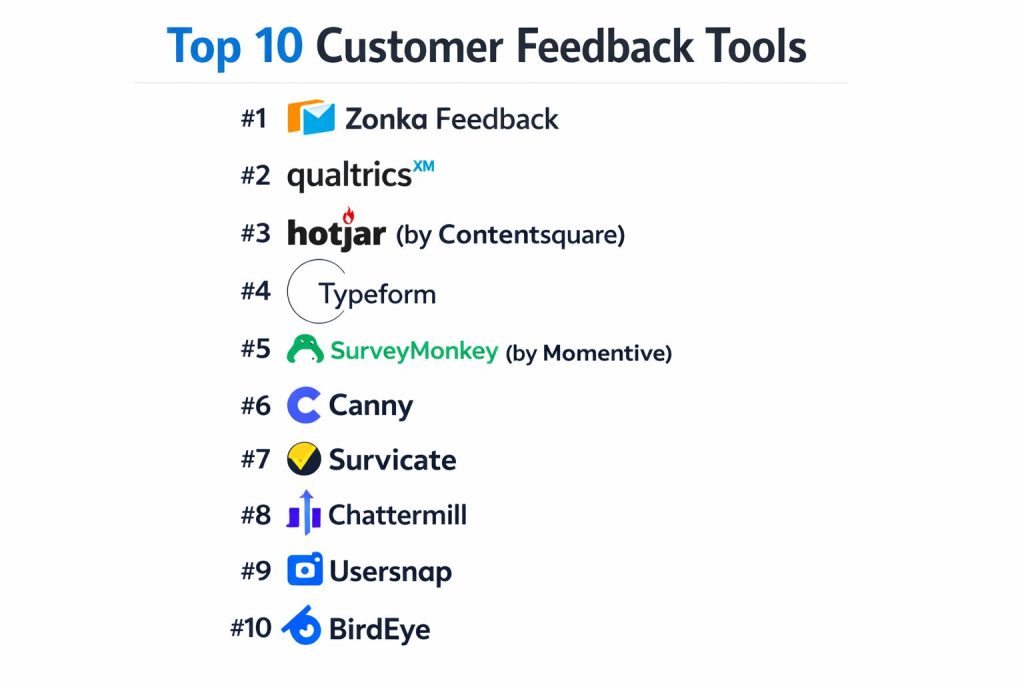
Top 10 Customer Feedback Tools
#1 — Zonka Feedback
A powerful omnichannel platform that excels at both online and offline feedback collection. It is the gold standard for businesses requiring real-time alerts and location-based insights.
Key Features
- Omnichannel Distribution: Send surveys via Email, SMS, QR Codes, and offline Kiosks.
- AI Feedback Intelligence: Automatically clusters open-ended responses into themes like “Pricing” or “Usability.”
- Closed-Loop Automation: Automated task assignment for negative feedback to ensure rapid resolution.
- In-App Microsurveys: Contextual triggers for web and mobile apps that don’t disrupt the user journey.
- Role-Based Dashboards: Custom views for executives, store managers, or support leads.
- CX Metric Tracking: Native support for NPS, CSAT, and CES with longitudinal reporting.
Pros
- Versatility: Equally effective for a physical retail store as it is for a global SaaS platform.
- Offline Mode: Can collect feedback without an internet connection and sync once online.
Cons
- UI Customization: Some deep CSS customizations for surveys require technical knowledge.
- Enterprise Pricing: The most advanced AI features are locked behind higher-tier plans.
Platforms / Deployment
- Web / iOS / Android / Kiosk
- Cloud
Security & Compliance
- SSO/SAML, GDPR, HIPAA, SOC 2 Type II.
Integrations & Ecosystem
Zonka Feedback offers deep native connections for CX workflows.
- HubSpot & Salesforce
- Zendesk & Intercom
- Slack & Microsoft Teams
Support & Community
24/7 priority support, comprehensive knowledge base, and specialized CX consulting for enterprise.
#2 — Qualtrics
The industry-leading Experience Management (XM) platform. Qualtrics is an enterprise powerhouse designed for deep research, predictive analytics, and massive data sets.
Key Features
- Predictive IQ: Uses AI to forecast which customers are likely to churn based on feedback patterns.
- Text iQ: Advanced NLP that analyzes the “effort” and “emotion” behind customer text.
- Experience iQ: Connects operational data (O-data) with experience data (X-data) for a 360-degree view.
- Survey Expert Review: AI that critiques your survey design to ensure higher data quality.
- Customer Journey Optimizer: Visualizes how feedback shifts across different touchpoints.
- Enterprise Governance: Robust permissions for global teams managing thousands of projects.
Pros
- Unmatched Depth: The most powerful analytical engine in the feedback market.
- Scientific Rigor: Built for serious researchers and data scientists.
Cons
- Extreme Complexity: Requires dedicated administrators or consultants to manage properly.
- High Cost: Typically the most expensive option on the market, targeted at large enterprises.
Platforms / Deployment
- Web / iOS / Android
- Cloud
Security & Compliance
- FedRAMP, HIPAA, ISO 27001, GDPR.
Integrations & Ecosystem
Integrates with almost any enterprise system via the “Qualtrics xFlow” engine.
- SAP (Native integration)
- Salesforce
- Adobe Experience Cloud
Support & Community
“Qualtrics Basecamp” training, a massive global partner network, and dedicated account management.
#3 — Hotjar (by Contentsquare)
A behavior analytics and feedback tool that bridges the gap between what users say and what they actually do. It is famous for combining heatmaps with surveys.
Key Features
- Feedback Widgets: Unobtrusive “Incoming” feedback tabs that live on the side of a website.
- Surveys + Session Replay: Watch the exact session of a user who left a negative survey response.
- AI Summaries: Generates instant reports from thousands of survey responses using LLMs.
- Heatmaps: Visualizes where users click, move, and scroll relative to their feedback.
- User Interviews: A platform to recruit and host 1-on-1 moderated research sessions.
- Trend Reports: Tracks how sentiment changes over time alongside site performance metrics.
Pros
- Visual Context: Provides the “Why” behind the “What” by showing user behavior.
- Ease of Use: Can be installed in minutes via a single JavaScript snippet.
Cons
- Limited for B2B SaaS: Lacks deep “feature-voting” or roadmap management capabilities.
- Sampling Limits: High-traffic sites may hit session limits on lower-cost plans.
Platforms / Deployment
- Web (JavaScript)
- Cloud
Security & Compliance
- SOC 2 Type II, GDPR, CCPA.
Integrations & Ecosystem
Hotjar connects with major marketing and product tools.
- Google Analytics 4
- Slack & Microsoft Teams
- Segment
- HubSpot
Support & Community
Strong self-service documentation, a popular blog, and email-based support.
#4 — Typeform
A design-first survey tool known for its highly engaging, “one question at a time” conversational interface. It consistently achieves the highest response rates in the industry.
Key Features
- Conversational UI: Engaging, mobile-friendly design that feels like a chat.
- Logic Jumps: Sophisticated branching to create personalized paths for respondents.
- Typeform AI: Automatically generates survey questions based on your project goals.
- Videoask Integration: Allows users to leave video, audio, or text feedback.
- Embedded Forms: Seamlessly fits into websites without looking like an external survey.
- Rich Media Support: Easy inclusion of GIFs, videos, and high-res imagery to boost engagement.
Pros
- User Experience: The best-looking surveys on the market; great for brand-conscious teams.
- Completion Rates: Higher engagement compared to traditional grid-style forms.
Cons
- Analytical Depth: Lacks the enterprise-grade sentiment analysis found in Zonka or Qualtrics.
- Feature Limits: Can be restrictive for highly technical research or complex data tables.
Platforms / Deployment
- Web / Mobile Web
- Cloud
Security & Compliance
- GDPR, SOC 2 Type II (Enterprise).
Integrations & Ecosystem
Typeform is a “Connective Hub” for SMBs and marketing teams.
- Notion & Airtable
- Slack & Discord
- Mailchimp & HubSpot
Support & Community
Active community forum, template gallery, and tiered support models.
#5 — SurveyMonkey (by Momentive)
One of the most recognizable names in surveys. SurveyMonkey Enterprise is a scalable, easy-to-use platform for both internal employee and external customer feedback.
Key Features
- SurveyMonkey Genius: An AI assistant that checks for bias and predicts the success of your survey.
- Benchmarking Data: Compare your NPS and CSAT scores against industry standards.
- Team Collaboration: Shared folders and asset libraries for large departments.
- Multilingual Support: One survey can be translated and deployed globally in 50+ languages.
- Advanced Logic: Quota tracking and A/B testing within survey blocks.
- Admin Dashboard: Centralized control for managing user seats and data exports.
Pros
- Zero Learning Curve: Almost everyone knows how to use or respond to a SurveyMonkey.
- Template Library: Thousands of pre-validated questions for every possible use case.
Cons
- Branding: Lower-tier plans often carry SurveyMonkey branding.
- Open-Text Analysis: While improving, its AI analysis is less granular than specialized tools like Chattermill.
Platforms / Deployment
- Web / iOS / Android
- Cloud
Security & Compliance
- SSO, MFA, HIPAA, GDPR, ISO 27001.
Integrations & Ecosystem
Extensive marketplace with over 100+ native connectors.
- Microsoft Teams & Zoom
- Salesforce (Deep integration)
- Tableau
Support & Community
24/7 phone support (Enterprise), extensive “Help Center,” and industry webinars.
#6 — Canny
A specialized tool for B2B SaaS teams that focuses on feature requests and public roadmaps. It allows customers to “vote” on what should be built next.
Key Features
- Feedback Boards: Public or private portals where users can post and vote on ideas.
- Roadmap Visualization: Transparently shows users what is “Under Review,” “Planned,” or “Done.”
- Changelog: Automatically notifies voters when a feature they requested is released.
- User Identification: Links feedback directly to user profiles in your CRM.
- Status Syncing: Keeps feedback boards in sync with internal tools like Jira or Linear.
- AI Insights: Summarizes long comment threads on popular feature requests.
Pros
- Community Building: Creates a sense of partnership between the product team and users.
- Transparency: Reduces “support volume” by showing users what is already being worked on.
Cons
- Niche Focus: Not designed for broad NPS or customer service surveys.
- Public Risk: Requires active moderation to manage “toxic” or unrealistic feature requests.
Platforms / Deployment
- Web / In-App Widget
- Cloud
Security & Compliance
- GDPR, SOC 2 Type II.
Integrations & Ecosystem
Built for the modern software development stack.
- Jira & Linear
- Slack & Discord
- Intercom & Zendesk
Support & Community
Highly responsive support and a clear “lead-by-example” public roadmap for their own product.
#7 — Survicate
A flexible, “set and forget” feedback tool for SaaS and E-commerce. Survicate excels at triggered surveys that feed directly into a company’s CRM or marketing automation.
Key Features
- Event-Based Triggers: Fire a survey when a user finishes a purchase or spends 5 minutes on a page.
- Insight Hub: An AI-powered repository that tags and categorizes every survey response.
- Native-Feel Surveys: Designed to look like a part of your own product’s UI.
- One-Click Email Surveys: Embed the first question of a survey directly into an email.
- Mobile SDK: Lightweight surveys for native iOS and Android applications.
- Attribute Mapping: Pass user data (like “Plan Type”) from your app to Survicate.
Pros
- Workflow Automation: One of the best at “closing the loop” via HubSpot or Intercom.
- Budget Friendly: Offers a very capable free tier for startups and small teams.
Cons
- Reporting: Not as deep as Qualtrics for complex statistical modeling.
- Offline Limits: Primarily designed for web/app environments, not physical kiosks.
Platforms / Deployment
- Web / iOS / Android / Email
- Cloud
Security & Compliance
- GDPR, SOC 2 Type II.
Integrations & Ecosystem
Strong emphasis on “Revenue-Marketing” and Sales stacks.
- HubSpot (Elite Partner)
- Intercom
- ActiveCampaign & Mailchimp
Support & Community
Live chat support, a great “Feedback Academy,” and a library of 400+ templates.
#8 — Chattermill
An AI-first “Feedback Intelligence” platform. Chattermill is designed to unify data from everywhere (surveys, support, reviews) to find actionable insights.
Key Features
- Unified Intelligence Hub: Pulls in data from Zendesk, App Store, and SurveyMonkey.
- Deep Learning NLP: Understands nuance in 100+ languages without manual intervention.
- Theme Discovery: Automatically identifies emerging issues before they become major problems.
- Sentiment Impact Scoring: Calculates exactly how much a specific issue (e.g., “Slow Loading”) affects your NPS.
- Executive Dashboards: High-level views of brand health across multiple product lines.
- Alert Orchestration: Real-time Slack notifications when sentiment on a specific topic drops.
Pros
- Data Synthesis: Best for teams overwhelmed by feedback coming from too many places.
- Actionable ROI: Helps prioritize the product roadmap based on “Sentiment Impact.”
Cons
- No Survey Creation: You must use another tool (like Typeform) to actually collect the surveys.
- Implementation Time: Requires careful data mapping to get the best results from the AI.
Platforms / Deployment
- Web / Dashboard
- Cloud
Security & Compliance
- Enterprise-grade security, GDPR, SOC 2 Type II.
Integrations & Ecosystem
Acts as a “Layer 2” solution over existing feedback tools.
- Zendesk & Salesforce
- App Store & Play Store Reviews
- Qualtrics & Typeform
Support & Community
Dedicated Data Scientists for enterprise onboarding and proactive success management.
#9 — Usersnap
The go-to tool for visual product feedback and bug reporting. Usersnap allows customers to send annotated screenshots and technical data directly to developers.
Key Features
- Visual Annotations: Users can draw on their screen to highlight exactly where a problem is.
- Automatic Metadata: Captures browser, OS, and URL without the user having to type anything.
- In-Product Widgets: A simple button that opens a feedback form inside your app.
- Feedback Voting: Allows users to vote on bug fixes or feature requests.
- Global Sentiment Tracker: A continuous “happiness” rating for your web application.
- Developer Sync: Two-way integration with Jira, so developers can respond to users.
Pros
- QA Efficiency: Drastically reduces the “back-and-forth” between support and engineering.
- Contextual: Provides “Technical Proof” alongside the user’s qualitative feedback.
Cons
- Niche: Excellent for product/tech, but not a general-purpose market research tool.
- Web-Centric: Most powerful on web; mobile app features are slightly less robust.
Platforms / Deployment
- Web (JavaScript) / Browser Extension
- Cloud
Security & Compliance
- GDPR, SOC 2 Type II.
Integrations & Ecosystem
Seamlessly fits into the software development lifecycle (SDLC).
- Jira, Asana, & Trello
- Azure DevOps & GitHub
- Slack & Microsoft Teams
Support & Community
Responsive support, technical documentation, and a strong blog on Product Management.
#10 — BirdEye
An all-in-one reputation and customer interaction platform designed for multi-location businesses like retail, healthcare, and hospitality.
Key Features
- Review Aggregation: Manage Google, Facebook, and Yelp reviews in one place.
- Automated Review Requests: Sends a text/email to customers immediately after a transaction.
- Reputation Marketing: Automatically features top reviews as widgets on your website.
- Listing Management: Ensures business info is correct across 50+ local directories.
- Internal Surveys: Private surveys to catch issues before they go on public review sites.
- AI-Generated Responses: Helps managers quickly draft professional replies to reviews.
Pros
- Local SEO: Directly impacts a business’s ranking in local search results.
- Consolidation: Combines feedback, reviews, and customer messaging in one app.
Cons
- Not for SaaS: Too focused on “Local Reviews” for a global digital product.
- Cost: Can be expensive for businesses with dozens of physical locations.
Platforms / Deployment
- Web / iOS / Android
- Cloud
Security & Compliance
- GDPR, HIPAA (for healthcare users), SOC 2 Type II.
Integrations & Ecosystem
Connects with systems used by local and service businesses.
- Salesforce & HubSpot
- QuickBooks
- Shopify
Support & Community
24/7 live support, dedicated success managers for multi-location brands.
Comparison Table (Top 10)
| Tool Name | Best For | Platform(s) Supported | Deployment | Standout Feature | Public Rating |
| Zonka Feedback | Omnichannel CX | Web, Mobile, Kiosk | Cloud | Offline/Location Surveys | 4.7 / 5 |
| Qualtrics | Enterprise Research | Web, iOS, Android | Cloud | Predictive IQ AI | 4.3 / 5 |
| Hotjar | UX & Behavior | Web (JS) | Cloud | Surveys + Heatmaps | 4.3 / 5 |
| Typeform | Engagement | Web, Mobile Web | Cloud | Conversational UI | 4.5 / 5 |
| SurveyMonkey | Team Collaboration | Web, iOS, Android | Cloud | Genius AI & Benchmarks | 4.4 / 5 |
| Canny | Feature Requests | Web, In-App | Cloud | Public Roadmaps | 4.6 / 5 |
| Survicate | Triggered Surveys | Web, iOS, Android | Cloud | Event-Based Logic | 4.6 / 5 |
| Chattermill | Feedback Intelligence | Web (Aggregator) | Cloud | Sentiment Impact Score | 4.7 / 5 |
| Usersnap | Visual/Bug Feedback | Web, Browser Ext. | Cloud | Annotations & Metadata | 4.6 / 5 |
| BirdEye | Local Reputation | Web, iOS, Android | Cloud | Review Management | 4.8 / 5 |
Evaluation & Scoring of Customer Feedback Tools
| Tool Name | Core (25%) | Ease (15%) | Int. (15%) | Sec. (10%) | Perf. (10%) | Supp. (10%) | Value (15%) | Weighted Total |
| Zonka Feedback | 9 | 9 | 9 | 9 | 9 | 9 | 8 | 8.85 |
| Qualtrics | 10 | 4 | 10 | 10 | 9 | 10 | 5 | 8.25 |
| Hotjar | 8 | 10 | 7 | 8 | 9 | 8 | 9 | 8.30 |
| Typeform | 8 | 10 | 8 | 8 | 9 | 8 | 8 | 8.30 |
| SurveyMonkey | 8 | 9 | 9 | 9 | 10 | 9 | 8 | 8.70 |
| Canny | 7 | 9 | 7 | 8 | 9 | 9 | 8 | 7.95 |
| Survicate | 8 | 9 | 10 | 8 | 9 | 9 | 9 | 8.70 |
| Chattermill | 10 | 6 | 9 | 9 | 8 | 9 | 7 | 8.35 |
| Usersnap | 7 | 9 | 8 | 8 | 9 | 9 | 8 | 8.05 |
| BirdEye | 9 | 8 | 8 | 9 | 9 | 9 | 7 | 8.40 |
Which Customer Feedback Tool Is Right for You?
SMB / Startup
For early-stage teams, Survicate or Typeform offer the best balance of price and professional output. If you are a B2B SaaS, Canny is the “must-have” for organizing early product feedback.
Mid-Market
Companies with growing customer bases should look at Zonka Feedback. Its ability to scale across different departments (Sales, Support, Marketing) while maintaining a consistent “Weighted Score” across the company is invaluable.
Enterprise
Qualtrics is the only real choice for global 2000 companies needing deep data sovereignty and predictive modeling. However, SurveyMonkey Enterprise is a viable “easier” alternative for internal corporate feedback.
UX & Product Teams
If your primary goal is improving a website or app, Hotjar (for behavior) and Usersnap (for visual bug reporting) are the essential “Contextual” tools.
Multi-Location Retail/Service
If you have physical storefronts, BirdEye or the offline kiosk mode in Zonka Feedback are the only tools built for your specific operational challenges.
Frequently Asked Questions (FAQs)
What is the difference between NPS, CSAT, and CES?
- NPS (Net Promoter Score): Measures long-term loyalty (“How likely are you to recommend us?”).
- CSAT (Customer Satisfaction): Measures short-term happiness with a specific interaction.
- CES (Customer Effort Score): Measures how easy it was for the customer to solve their problem.
How do I stop “Survey Fatigue”?
In 2026, the best way is to use behavioral triggers. Instead of emailing every customer monthly, only trigger a 1-question survey after a major “success” (like completing a report) or a “failure” (like a page crash).
Can AI really understand if a customer is being sarcastic?
Most top-tier platforms (Zonka, Chattermill, Qualtrics) use Transformers-based models that analyze context. While not 100% perfect, they can detect sarcasm and “frustration markers” with over 90% accuracy.
Is it better to keep feedback public or private?
Public boards (like Canny) are great for transparency and community but require moderation. Private surveys (like Typeform) are better for sensitive topics, pricing discussions, or personal complaints.
Do these tools integrate with Slack?
Yes. Most tools on this list can “push” a notification to a Slack channel the moment a “Detractor” (low score) response is received, allowing for instant customer recovery.
How much should I pay for a feedback tool?
Expect to pay $20–$50/month for basic SaaS feedback. For enterprise-grade platforms with “Unlimited” responses and AI analysis, budgets typically start at $5,000/year and can exceed $50,000/year for global deployments.
Is it possible to collect feedback without a “Form”?
Yes. Tools like Chattermill and Hotjar can analyze meeting transcripts, support tickets, and heatmaps to gather insights without the customer ever filling out a single field.
What is “Sentiment Impact”?
It is a calculation that tells you exactly how much a specific pain point (e.g., “Mobile App Lag”) is dragging down your overall NPS score. This helps you decide what to fix first based on ROI.
Are these tools GDPR compliant?
The tools listed here are generally GDPR compliant, but for 2026, ensure your provider also offers “Data Residency” (the ability to store EU customer data on EU servers).
Can I incentivize survey responses?
Yes. Platforms like Qualtrics and SurveyMonkey have built-in integrations with tools like Rybbon or Tremendous to automatically send gift cards to people who complete your surveys.
Conclusion
Customer feedback is no longer a “department”—it is a data stream that powers the entire business. Whether you choose the analytical depth of Qualtrics, the visual context of Hotjar, or the omnichannel flexibility of Zonka Feedback, the goal remains the same: listening better to act faster.