Introduction
Credential issuance platforms have transformed how organizations recognize and verify professional achievements, moving beyond physical paper to secure digital formats. These platforms enable universities, corporations, and certification bodies to issue tamper-proof digital badges and certificates that recipients can instantly share on professional networks. By leveraging modern standards like Open Badges and blockchain technology, these tools provide a “single source of truth” for skills, significantly reducing the risk of fraud and the administrative burden of manual verification. As the global workforce shifts toward skills-based hiring, these digital assets have become the primary currency for career mobility and institutional credibility.
The adoption of digital credentials has accelerated as employers demand more granular proof of specialized skills rather than just broad degrees. These platforms offer a sophisticated infrastructure to capture metadata—such as the specific criteria met, the date of issuance, and the issuing authority’s digital signature—within a single shareable link or file. For the issuer, this means real-time data on how many credentials are being shared and viewed, providing a direct metric for the reach and impact of their training programs. For the earner, it provides a portable, lifelong digital wallet that serves as a dynamic resume, accessible from anywhere at any time.
Real-World Use Cases
- University Diploma Digitization: Academic institutions use these platforms to issue secure, digital-first diplomas alongside traditional paper, allowing graduates to provide employers with instant, verifiable proof of their degree status.
- Corporate Compliance Training: HR departments automate the issuance of certification badges upon the completion of mandatory compliance or safety modules, ensuring a transparent and up-to-date record of employee readiness.
- Professional Membership Badges: Non-profit associations and trade groups issue digital membership cards that automatically update or expire, allowing members to prove their standing in real-time at industry events.
- Micro-Learning Recognition: Bootcamps and online course providers issue stackable micro-credentials for specific technical skills, helping learners build a digital portfolio that demonstrates progressive expertise.
- Event Participation Verification: Conference organizers distribute digital “attendance” credentials that allow participants to verify their continuing education credits (CEUs) with licensing boards without manual paperwork.
Buyer Evaluation Criteria
- Verification Security and Fraud Prevention: Evaluate whether the platform uses blockchain or cryptographic signatures to ensure credentials cannot be tampered with or forged by unauthorized parties.
- Interoperability and Open Standards: Look for platforms that adhere to global standards like Open Badges 2.0/3.0 and W3C Verifiable Credentials to ensure that badges can be moved between different digital wallets.
- Ease of Use for Recipients: The platform must provide a frictionless “one-click” experience for earners to claim their credential and share it on platforms like LinkedIn without needing extensive technical knowledge.
- Branding and White-Labeling Options: Ensure the tool allows you to fully customize the look and feel of certificates and emails, keeping your organization’s brand at the forefront of the recipient’s experience.
- API and LMS Integration: Check if the platform connects natively with your existing Learning Management System (Moodle, Canvas) or CRM (Salesforce) to automate the issuance process at the moment of course completion.
- Analytics and Engagement Tracking: Determine if the platform provides insights into how many recipients are sharing their badges and which social networks are driving the most traffic back to your site.
- Scalability and Bulk Issuance: For large institutions, the ability to issue thousands of unique credentials in a single batch with 100% accuracy is a critical operational requirement.
- Digital Wallet and Storage: Evaluate how the platform allows earners to store their credentials long-term, and whether they can group credentials from different issuers in a single “portfolio” view.
- Global Language Support: If you operate internationally, the platform must support multi-language templates and localized interfaces for both the issuer and the recipient.
- Customer Support and Onboarding: Look for vendors that provide dedicated implementation managers and a comprehensive knowledge base to help your team transition from paper-based to digital-first workflows.
Best for: Educational institutions, professional certification bodies, and corporate L&D departments looking to build a secure, shareable, and data-rich ecosystem for recognizing achievement.
Not ideal for: Small local clubs or informal groups where the high cost of enterprise-grade security and blockchain verification may outweigh the benefits of simple digital PDFs.
Key Trends in Credential Issuance Platforms
- Blockchain-Anchored Verifiability: Most top-tier platforms now offer an immutable record of issuance on public or private blockchains, making credentials virtually impossible to fake.
- Stackable Learning Pathways: Platforms are evolving to show “pathways,” where multiple smaller badges automatically combine to unlock a higher-level master credential.
- Dynamic Content Updates: New “Smart Credentials” can be updated by the issuer after they are sent, allowing for the addition of new skills or the renewal of expiration dates without re-issuing a new file.
- AI-Assisted Certificate Design: Generative design tools are being integrated to help organizations quickly create professional-grade, brand-aligned certificate templates in seconds.
- Zero-Knowledge Proofs (ZKP): Emerging privacy features allow earners to prove they have a credential (e.g., “over 18”) without revealing their private personal data to the verifier.
- Sustainability and “Green” Recognition: With the elimination of paper, platforms are increasingly including “carbon-saved” metrics in their reporting to help organizations meet ESG goals.
- Government-Grade Digital ID Sync: More platforms are aligning with national digital ID initiatives, allowing users to store professional credentials directly alongside their digital driver’s licenses.
- Mobile-First Wallets: The industry has shifted toward native mobile wallet integration (Apple/Google Wallet), allowing earners to show their credentials as easily as a boarding pass.
How We Selected These Tools (Methodology)
To select the top 10 platforms, we analyzed the current landscape of digital recognition tools, focusing on those that provide the highest levels of security, user engagement, and enterprise scalability. We prioritized platforms that have successfully migrated large institutions from legacy paper systems to digital-first environments.
- Market Trust and Adoption: We evaluated the total volume of credentials issued and the reputation of the existing client base, ranging from Ivy League universities to Fortune 500 companies.
- Technical Robustness: Each platform was assessed on its uptime, bulk issuance speed, and the strength of its cryptographic verification methods.
- User Experience (UX): We focused on the end-to-end journey for the “earner,” ensuring that claiming and sharing a badge is a rewarding and frictionless process.
- Enterprise Features: Platforms were rated on their ability to handle complex organizational hierarchies, multi-factor authentication, and custom data privacy requirements.
- Standard Compliance: We gave higher weight to platforms that actively support Open Badges and W3C standards to ensure long-term data portability for the recipients.
- Global Accessibility: We looked for tools that provide localized support and multi-language capabilities to serve a globalized workforce.
- Innovation Roadmap: Our selection includes platforms that are leading the way in blockchain, AI, and decentralized identity, ensuring they are future-proof for the coming years.
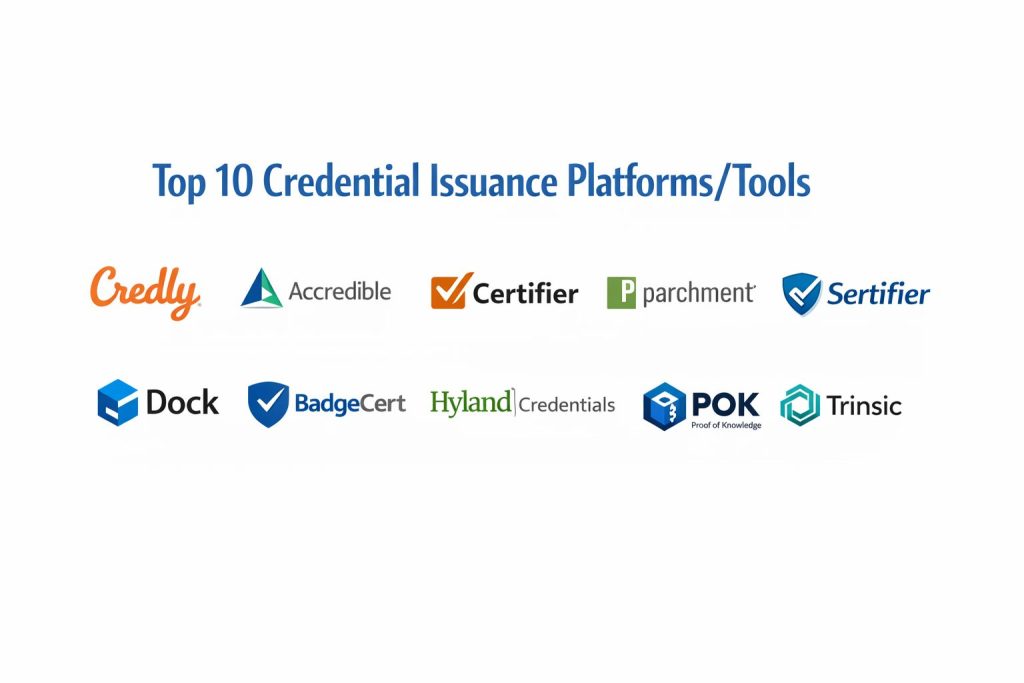
Top 10 Credential Issuance Platforms
1. Credly
Credly is the global leader in digital credentialing, providing an enterprise-scale platform that connects learners, employers, and issuers. It is the gold standard for high-stakes certifications and large-scale workforce development programs that require a massive, pre-existing verification network.
Key Features
- Acclaim Network: Access to a global marketplace where millions of earners share their badges with recruiters and employers directly.
- Skills Taxonomy Mapping: Automatically maps your credentials to standardized industry skills, helping employers understand the exact value of the badge.
- Enterprise Analytics: Deep insights into earner behavior, including share rates, click-through rates, and which job titles are most frequently engaging with your badges.
- API-First Architecture: Seamlessly connects with major HRIS and LMS platforms to automate the entire lifecycle from earning to issuance.
- Verified Search: Allows employers to search the Credly database for individuals with specific verified skills, turning your badges into recruitment tools.
- Custom Earner Portfolios: Provides every recipient with a branded digital space to organize and showcase all their Credly-issued achievements.
- Multi-Layered Security: Includes SOC 2 Type II compliance and advanced fraud detection to maintain the integrity of every issued record.
Pros
- Unmatched industry recognition; many employers already trust and look for the “Credly” badge format.
- The most mature and stable platform for large-scale operations with millions of recipients.
- Strong focus on “labor market insights,” helping issuers align their training with real-world job demand.
Cons
- The pricing model is geared toward enterprises and can be quite expensive for smaller training providers.
- The platform’s massive scale means that customization and specialized support can sometimes feel less personal.
- Advanced features often require a high level of initial configuration and data mapping.
Platforms / Deployment
- Web / iOS / Android
- Cloud-based SaaS
Security & Compliance
- SOC 2 Type II, GDPR, and Privacy Shield certified.
- FERPA compliant for academic data protection.
Integrations & Ecosystem
Credly is designed to integrate with the most common enterprise software stacks.
- Native connectors for Salesforce, Workday, and SAP SuccessFactors.
- Direct integration with LMS platforms like Canvas, Blackboard, and Moodle.
- Automatic social sharing tools for LinkedIn, Twitter, and Facebook.
Support & Community
Credly offers 24/7 global support and a dedicated “Success Manager” for their enterprise clients. They host regular webinars and “Credentialing summits” to share best practices with their vast community of issuers.
2. Accredible
Accredible is a highly versatile and user-friendly platform that excels in providing polished, brand-heavy digital certificates and badges. It is a favorite among mid-to-large sized organizations that want a beautiful, “white-labeled” experience for their learners without sacrificing enterprise power.
Key Features
- Certificate Designer: An intuitive drag-and-drop tool for creating stunning, professional-grade certificates with custom fonts and images.
- Dynamic Career Portals: Every earner receives a personalized, search-engine-optimized page that acts as a digital portfolio for their achievements.
- Blockchain Verification: Offers optional Bitcoin-anchored verification to provide a tamper-proof “proof of existence” for every certificate.
- Group Management: Allows issuers to organize their credentials into logical groups for easier management of large, diverse training programs.
- Automated Expiration Alerts: Automatically notifies earners when their certification is about to expire, driving them back to your site for renewal.
- Social Engagement Tools: Built-in “marketing” features that encourage earners to share their success on social media with pre-formatted posts.
- Comprehensive API: A robust and well-documented API that allows for deep custom integrations with internal databases.
Pros
- Widely considered to have the most aesthetically pleasing and customizable design tools in the industry.
- Exceptional customer support and a very high “time-to-value” for new users.
- Strong focus on the “SEO” value of credentials, helping to drive organic traffic back to the issuer’s brand.
Cons
- Large-volume pricing can escalate quickly as your number of active earners grows.
- While it supports badges, its primary strength and heritage are in high-quality digital certificates.
- The reporting dashboard, while clear, may lack some of the deepest “labor market” data found in Credly.
Platforms / Deployment
- Web / iOS / Android
- Cloud-based SaaS
Security & Compliance
- SOC 2, GDPR, and FERPA compliant.
- End-to-end data encryption for all sensitive recipient information.
Integrations & Ecosystem
Accredible features a massive library of “plug-and-play” integrations for the education and training market.
- Deep, native integrations with Thinkific, Teachable, and Kajabi.
- Certified partners with Canvas, Moodle, and Microsoft Teams.
- Custom “one-click” connectors for Zapier and HubSpot.
Support & Community
Accredible provides 24/5 live chat support and an extensive “Accredible Academy” to help new users master the platform. Their support team is frequently cited as one of the best in the SaaS industry for responsiveness.
3. Certifier
Certifier is a modern, agile platform designed for organizations that need to get a credentialing program up and running in minutes. It balances a simple, intuitive interface with surprisingly deep automation features, making it ideal for startups and growing educational platforms.
Key Features
- Massive Template Library: Access to hundreds of pre-designed, professional certificate templates that can be customized in seconds.
- Automated Email Delivery: Built-in email engine that sends beautiful, branded notifications to recipients the moment they earn their credential.
- QR Code Verification: Every certificate includes a unique QR code that allows anyone to instantly verify its authenticity with a smartphone.
- Recipient Dashboard: A simple, clean space where earners can download their PDFs, add badges to LinkedIn, or request name changes.
- Audit Logs: Tracks every action taken within the platform, providing a clear history of who issued what and when.
- Custom Domain Support: Allows you to send certificates and host verification pages on your own website’s domain for a seamless brand experience.
- Multilingual Issuance: Easily create certificates in multiple languages to support a global student or employee base.
Pros
- One of the fastest platforms to implement; you can issue your first batch of certificates within an hour of signing up.
- Highly affordable pricing tiers, including a very generous free starter plan for small organizations.
- Clean, modern interface that requires almost zero technical training for administrators.
Cons
- Lacks some of the deepest “blockchain” and “decentralized ID” features found in more technical platforms.
- Analytics are functional but not as comprehensive as the high-end enterprise competitors.
- Best suited for certificates and badges; less focus on complex “learning pathways” or workforce mapping.
Platforms / Deployment
- Web
- Cloud-based SaaS
Security & Compliance
- GDPR compliant with secure data hosting in the EU.
- TLS/SSL encryption for all data transfers and public verification pages.
Integrations & Ecosystem
Certifier focuses on connecting with the most popular “modern” business tools and LMS platforms.
- Direct integration with Google Sheets for easy bulk-issuance from a spreadsheet.
- Native connectors for Zapier, Moodle, and WordPress.
- Support for Slack and Microsoft Teams notifications.
Support & Community
Certifier provides fast email and chat support and maintains a very active blog and video tutorial library. They are known for rapidly releasing new features based on direct user feedback.
4. Parchment
Parchment is the established leader in the academic world, specializing in the secure exchange of official transcripts, diplomas, and certifications. It is the primary infrastructure used by thousands of K-12 and Higher Education institutions to move records between students, schools, and employers.
Key Features
- Unified Credentialing: Handles both digital and physical (printed) diplomas and transcripts through a single, secure workflow.
- Secure Transcript Exchange: The industry-standard network for sending academic records directly between institutions with total security.
- Employer Verification Portal: A dedicated space where hiring managers can request and receive official academic verifications in seconds.
- Student “Parchment Award”: A lifelong digital account where students can store, manage, and share all their academic milestones in one place.
- Data-Rich Digital Diplomas: Go beyond a simple image with a “Secure Blue Ribbon” PDF that includes embedded metadata and clickable verification links.
- Institutional Dashboards: Provides registrars with detailed tracking on every record sent, ensuring nothing gets lost in the mail or inboxes.
- Integration with SIS: Connects directly into major Student Information Systems to automate the graduation and record-release process.
Pros
- The highest level of institutional trust; “Parchment” is a household name in school registrar offices globally.
- Effectively bridges the gap between old-school paper requirements and modern digital expectations.
- Comprehensive support for complex academic regulations and state-specific reporting requirements.
Cons
- The platform can feel more “institutional” and less “marketing-focused” than tools like Accredible.
- Primarily designed for schools and universities; less optimized for corporate training or micro-badges.
- The setup process for a new institution is a significant project requiring coordination with the IT and registrar departments.
Platforms / Deployment
- Web
- Cloud-based SaaS
Security & Compliance
- FERPA, HIPAA, and GDPR compliant.
- Uses “Secure Blue Ribbon” technology to ensure digital PDFs cannot be altered after issuance.
Integrations & Ecosystem
Parchment is deeply embedded in the academic technology ecosystem.
- Native integrations with Ellucian (Banner/Colleague), Oracle PeopleSoft, and Jenzabar.
- Direct connections to thousands of university admissions offices worldwide.
- Integration with Workday for employer-side background checks and verification.
Support & Community
Parchment provides specialized implementation teams for new schools and 24/7 technical support for both institutions and students. They have a massive user community within the American Association of Collegiate Registrars and Admissions Officers (AACRAO).
5. Sertifier
Sertifier is an “all-in-one” education data platform that goes beyond simple issuance to help organizations track the actual impact of their credentials. It is designed for data-driven teams who want to use badges to improve learner engagement and track career outcomes.
Key Features
- Smart Badge Designer: An AI-enhanced tool that suggests relevant skill tags and metadata based on your course title and description.
- Recipient Skill Library: Allows earners to see how their badges connect to other skills in a global library, encouraging “lifelong learning.”
- Advanced Verified Pages: Every certificate is hosted on a high-security page that includes the specific criteria, issuer details, and evidence of achievement.
- Bulk Issuance Engine: Capable of sending thousands of personalized credentials via email in a single click with real-time delivery tracking.
- Social Performance Analytics: Tracks exactly how many times a badge was shared on LinkedIn and how many “referral” clicks it generated for your brand.
- API and Webhooks: Highly flexible developer tools for building custom issuance workflows into your own apps or websites.
- Digital Wallet Integration: Earners can easily export their Sertifier credentials into various international digital wallet apps.
Pros
- Strongest emphasis on “Skills” data, helping organizations transition to a modern, skills-based education model.
- Very competitive pricing for mid-market education providers and training centers.
- Clean and highly responsive user interface for both the issuer and the recipient.
Cons
- While it supports blockchain, the focus is more on the “data and skills” layer than on decentralized identity.
- The designer tool is powerful but has a slightly steeper learning curve than the extremely simple “Certifier.”
- Enterprise governance features (like multi-department permissions) are still evolving compared to Credly.
Platforms / Deployment
- Web / iOS / Android
- Cloud-based SaaS
Security & Compliance
- GDPR compliant with data sovereignty options.
- SOC 2 Type II audit in progress (as of the latest update).
Integrations & Ecosystem
Sertifier is built for the “Connected” training organization.
- Native apps for Moodle, Canvas, and Blackboard.
- Strong integration with LinkedIn for “one-click” profile updates.
- Connectors for HubSpot, Zapier, and popular e-commerce tools like WooCommerce.
Support & Community
Sertifier offers localized support in multiple languages and provides a wealth of educational content on “the future of work.” They have a rapidly growing community of ed-tech professionals and private course creators.
6. Dock
Dock is a pioneer in the decentralized identity space, offering a platform built entirely on blockchain and “Verifiable Credentials” (VC) standards. It is the top choice for organizations that prioritize data ownership, privacy, and high-assurance security for their credentials.
Key Features
- W3C Verifiable Credentials: All credentials follow the global standard for decentralized identity, making them interoperable with any VC-compliant wallet.
- Blockchain-Anchored Trust: Every issuance is registered on the Dock blockchain, providing an immutable, publicly verifiable record without revealing private data.
- Decentralized Identifiers (DIDs): Allows organizations to create their own cryptographically secure identities that they—not a software vendor—control.
- Dock Wallet App: A secure mobile wallet for recipients that gives them total ownership over their credentials, even if Dock (the company) ceases to exist.
- Selective Disclosure: Enables recipients to prove certain facts (like “passed a background check”) without sharing the entire document or private details.
- Instant Verification API: A high-speed API that allow third-party systems to verify Dock credentials in milliseconds without human intervention.
- No-Code Issuer Portal: A user-friendly dashboard that makes it easy for non-technical teams to issue blockchain credentials at scale.
Pros
- The most “future-proof” platform on this list, built on the next generation of identity and data privacy standards.
- True data ownership; neither Dock nor the recipient can alter the record once it is cryptographically signed.
- Ideal for government agencies, professional bodies, and highly regulated industries like healthcare or finance.
Cons
- The decentralized concept may require some education for recipients who are used to traditional PDF certificates.
- Not as focused on the “social marketing” and “SEO” features found in platforms like Accredible.
- The pricing model involves “blockchain gas fees” (though Dock simplifies this through a standard credit system).
Platforms / Deployment
- Web / iOS / Android
- Cloud-based SaaS + Blockchain Infrastructure
Security & Compliance
- Built-in cryptographic security and decentralization.
- GDPR compliant by design (the blockchain stores proofs, not PII).
Integrations & Ecosystem
Dock is built to be the “Trust Layer” for existing software ecosystems.
- Specialized API for integrating with custom internal identity systems.
- Support for OpenID Connect and other standard authentication protocols.
- Expanding list of connectors for enterprise-grade LMS and CRM platforms.
Support & Community
Dock provides extensive developer documentation and a very active community on Discord and GitHub. They are a core contributor to the W3C and decentralized identity (SSI) standards bodies.
7. BadgeCert
BadgeCert is a dedicated digital badge platform that focuses on turning accomplishments into portable, secure, and shareable proof. It is widely used by professional associations and training organizations that want a simple yet robust way to manage “Micro-credentials” and “Skills Pathways.”
Key Features
- 100% Verifiable Badges: Every badge is linked back to a secure verification page hosted by BadgeCert, ensuring total authenticity.
- Skills-Based Pathways: Allows you to create “stackable” credentials that guide learners through a specific curriculum toward a master certificate.
- Expiration and Renewal Tracking: Automatically manages the lifecycle of certificates that require periodic re-testing or renewal.
- Custom Earner Portfolios: Every recipient can organize their badges into custom categories within their personal BadgeCert cloud account.
- Multilingual Capability: Supports badge metadata and verification pages in dozens of different languages for international programs.
- Granular Analytics: Real-time data on badge downloads, views, and social media reach to measure the ROI of your credentialing program.
- Developer API: A simple, rest-based API for automating badge issuance from your own website or internal management system.
Pros
- Highly specialized in “Badging,” making it very efficient for skills-based and non-degree recognition.
- Very stable and reliable platform with over a decade of experience in the digital credential space.
- Strong focus on data privacy; they do not sell or monetize earner information to third parties.
Cons
- The user interface for both issuers and recipients is functional but can feel slightly “dated” compared to newer AI-driven tools.
- While it handles certificates, its primary design and “logic” are centered around digital badges.
- Not as deeply integrated into the “Blockchain” world as some of the newer competitors.
Platforms / Deployment
- Web
- Cloud-based SaaS
Security & Compliance
- GDPR and SOC 2 compliant.
- Uses secure, cloud-based hosting with redundant backups for all credential data.
Integrations & Ecosystem
BadgeCert is designed to connect with the most common tools used by professional associations and schools.
- Native integrations for LMS platforms like Blackboard and Canvas.
- Support for major CRM systems like Salesforce and MemberSuite.
- Direct social sharing to LinkedIn, Facebook, and Twitter.
Support & Community
BadgeCert offers 24/7 technical support and has a reputation for being a “partner” to their clients during the implementation phase. They serve a large community of non-profit associations and professional trade groups.
8. Hyland Credentials
Hyland Credentials (formerly known as Learning Machine) is an enterprise-grade solution that focuses on the long-term “persistence” of records. It is famous for its early adoption of the Blockcerts open standard, ensuring that credentials belong to the earner forever, regardless of the software vendor.
Key Features
- Blockcerts Standard: Built on an open-source standard for blockchain certificates, ensuring total portability and vendor-independence.
- Enterprise Content Management (ECM): Deeply integrates with the broader Hyland suite, making it ideal for organizations that already use OnBase for document management.
- Mobile-First Issuance: Optimized for the Hyland mobile wallet, allowing earners to receive, store, and share credentials directly from their smartphones.
- Tamper-Evident Design: Uses advanced cryptography to ensure that any change to the credential immediately invalidates its verification status.
- Automated Registry: Maintains a secure, public-facing registry where employers can verify the validity of an entire issuing institution.
- Multi-Modal Recognition: Capable of issuing everything from simple badges to complex, multi-page academic transcripts.
- Batch Issuance Power: Designed to handle the extreme scale of national education systems or global corporate certifications.
Pros
- One of the most secure and “philosophically sound” platforms for organizations that value open-source and learner ownership.
- Backed by the immense resources and stability of Hyland, a global leader in enterprise content management.
- Excellent for “high-stakes” records that must remain verifiable for 50+ years.
Cons
- The platform can be highly technical and may require a more specialized internal team to manage than “Certifier.”
- The implementation process is typically longer and more expensive due to its enterprise nature.
- The focus on “security and persistence” can sometimes take priority over modern “marketing and social” features.
Platforms / Deployment
- Web / iOS / Android
- Cloud-based SaaS + Blockchain
Security & Compliance
- ISO 27001, SOC 2, and GDPR compliant.
- Complies with all major international standards for digital record keeping and academic privacy.
Integrations & Ecosystem
Hyland Credentials is a core part of the Hyland software family.
- Native integration with Hyland OnBase and Perceptive Content.
- Deep connectors for major university Student Information Systems (SIS).
- Support for standard enterprise authentication (SSO) and data export formats.
Support & Community
Hyland provides high-level corporate support and professional services for their large-scale implementations. They are a founding member of many of the standards bodies that govern the digital credential industry.
9. POK (Proof of Knowledge)
POK is a disruptive newcomer that combines traditional digital credentials with the power of NFTs (Non-Fungible Tokens) on public blockchains. It is the only platform in the world to offer a truly “100% Free” version for unlimited standard credentials, while providing premium “NFT-Ready” options for those seeking total decentralization.
Key Features
- NFT-Ready Credentials: Allows organizations to issue badges as unique tokens on public blockchains, giving earners true “digital asset” ownership.
- Unlimited Free Tier: A revolutionary model that allows institutions to issue unlimited Web2-style credentials for free, forever.
- White-Label Branding: Allows for total customization of design, emails, and verification pages, even on lower-tier plans.
- Global Standard Compliance: Fully supports OpenBadge 3.0, W3C Verifiable Credentials, and the European Learning Model.
- Employability Metrics: Real-time data that shows how your credentials are leading to actual jobs or profile views on LinkedIn.
- Instant Verification: A streamlined, one-click verification process that works anywhere in the world without a POK login.
- Multi-Blockchain Choice: Shippers can choose between different public blockchains for their NFT registrations based on cost and environmental impact.
Pros
- The most budget-friendly option for organizations that want to start with a “Free” model and scale into premium features later.
- Provides a unique “Web3” advantage, appealing to a tech-savvy generation of learners and professionals.
- High emphasis on interoperability; your data is never “locked” into the POK platform.
Cons
- As a newer player, it doesn’t yet have the massive “verification network” or household name of Credly.
- The NFT concept may require additional explanation for less technical employers or traditional industries.
- Some enterprise-grade “administrative” features are still being polished compared to legacy competitors.
Platforms / Deployment
- Web / iOS / Android
- Cloud-based SaaS + Multi-Blockchain
Security & Compliance
- GDPR, FERPA, and Europass compliant.
- Decentralized security model ensures that credentials remain valid even if the issuer or POK disappears.
Integrations & Ecosystem
POK is built to be “plug-and-play” with the modern web.
- Native LTI support for Moodle, Canvas, and Blackboard.
- Open API for easy integration with custom platforms.
- Social connectors for LinkedIn, X (Twitter), and Discord.
Support & Community
POK offers a robust knowledge base and localized support in multiple regions, particularly in Latin America and Europe. They are quickly building a community of “Next-Gen” educators and blockchain enthusiasts.
10. Trinsic
Trinsic is an infrastructure-first platform designed specifically for developers and enterprises building their own identity ecosystems. It is the underlying “engine” for some of the world’s most advanced decentralized credentialing projects, from government IDs to corporate skill networks.
Key Features
- Credential Issuance API: A powerful, developer-friendly API that abstracts the complexity of blockchain and cryptography.
- Identity Wallets-as-a-Service: Allows companies to embed a secure “Identity Wallet” directly into their own mobile apps.
- Support for Multiple Standards: Seamlessly handles W3C VCs, DIDs, and the Hyperledger Aries/Indy protocols.
- Trust Registries: Provides tools for creating and managing a formal registry of authorized “Issuers” within a specific ecosystem.
- OpenID4VCI Support: Implements the latest open standards for “one-click” credential issuance into Apple and Google Wallets.
- Verification Workflows: Create complex, automated workflows where a user can prove multiple attributes from different issuers at once.
- High-Assurance Security: Designed for high-risk environments, providing enterprise-grade uptime and cryptographic integrity.
Pros
- The most flexible tool for organizations that want to build a custom credentialing experience rather than using a “ready-made” portal.
- Ideal for technical teams that need deep control over the underlying data models and verification logic.
- Leading-edge support for “Select Disclosure” and “Zero-Knowledge Proofs.”
Cons
- Not a “turnkey” solution; it requires a developer team to build the user-facing application and workflows.
- The focus is on “infrastructure” rather than “marketing,” so you’ll need to build your own social sharing and design tools.
- The pricing model is based on API usage and active users, which can be complex to forecast.
Platforms / Deployment
- API / SDK (iOS, Android, JS)
- Cloud-based Infrastructure
Security & Compliance
- SOC 2 Type II compliant.
- Built on “Privacy-by-Design” principles and follows all major global decentralized identity standards.
Integrations & Ecosystem
Trinsic is designed to be the “Connective Tissue” of the identity world.
- Integrates with existing OIDC (OpenID Connect) and SAML identity providers.
- Support for all major VC-compliant wallets (including Microsoft Entra).
- Extensive SDKs for nearly every modern programming language.
Support & Community
Trinsic provides top-tier developer support and maintains one of the most comprehensive documentation sites in the decentralized identity space. They are a prominent voice in the Trust over IP (ToIP) Foundation.
Comparison Table (Top 10)
| Tool Name | Best For | Platform(s) Supported | Deployment | Standout Feature |
| 1. Credly | Enterprise Workforce Data | Web, iOS, Android | Cloud (SaaS) | Global Recruitment Network |
| 2. Accredible | High-Quality White-Labeling | Web, iOS, Android | Cloud (SaaS) | Dynamic Career Portfolios |
| 3. Certifier | Quick & Easy Issuance | Web | Cloud (SaaS) | Massive Template Library |
| 4. Parchment | Academic Records & Transcripts | Web | Cloud (SaaS) | Registrar-to-Employer Exchange |
| 5. Sertifier | Skills-Based Data Analytics | Web, iOS, Android | Cloud (SaaS) | AI Skill-Mapping Engine |
| 6. Dock | Decentralized Trust | Web, iOS, Android | Cloud + Blockchain | W3C Standard Compliance |
| 7. BadgeCert | Association & Micro-badges | Web | Cloud (SaaS) | Skills Mastery Pathways |
| 8. Hyland Credentials | Long-term Persistence | Web, iOS, Android | Cloud + Blockchain | Blockcerts Open Standard |
| 9. POK (Proof of Knowledge) | NFT & Budget-Friendly | Web, iOS, Android | Cloud + Blockchain | 100% Free Unlimited Version |
| 10. Trinsic | Identity Infrastructure | API / SDK | Infrastructure | Wallets-as-a-Service |
Evaluation & Scoring of Credential Issuance Platforms
The scoring below is a comparative model intended to help shortlisting. Each criterion is scored from 1–10, then a weighted total from 0–10 is calculated using the weights listed. These are analyst estimates based on typical fit and common workflow requirements, not public ratings.
Weights:
- Core features – 25%
- Ease of use – 15%
- Integrations & ecosystem – 15%
- Security & compliance – 10%
- Performance & reliability – 10%
- Support & community – 10%
- Price / value – 15%
| Tool Name | Verification Trust (25%) | UX/Engagement (20%) | Integrations (15%) | Scalability (15%) | Ease of Use (10%) | Customization (15%) | Weighted Total |
| 1. Credly | 10 | 9 | 10 | 10 | 7 | 8 | 9.2 |
| 2. Accredible | 9 | 10 | 9 | 9 | 9 | 10 | 9.2 |
| 3. Certifier | 8 | 9 | 8 | 8 | 10 | 9 | 8.5 |
| 4. Parchment | 10 | 7 | 10 | 10 | 7 | 6 | 8.7 |
| 5. Sertifier | 8 | 9 | 9 | 8 | 9 | 9 | 8.6 |
| 6. Dock | 10 | 7 | 8 | 8 | 8 | 7 | 8.3 |
| 7. BadgeCert | 9 | 7 | 8 | 9 | 8 | 7 | 8.1 |
| 8. Hyland Credentials | 10 | 7 | 8 | 10 | 7 | 7 | 8.5 |
| 9. POK (Proof of Knowledge) | 9 | 9 | 8 | 9 | 9 | 9 | 8.9 |
| 10. Trinsic | 10 | 6 | 9 | 9 | 5 | 10 | 8.3 |
How to interpret the scores:
- Use the weighted total to shortlist candidates, then validate with a pilot.
- A lower score can mean specialization, not weakness.
- Security and compliance scores reflect controllability and governance fit, because certifications are often not publicly stated.
- Actual outcomes vary with assembly size, team skills, templates, and process maturity.
Which Credential Issuance Platform Tool Is Right for You?
Small Course Creators & Solopreneurs
If you are just starting and need a simple, professional way to recognize your students, 3. Certifier is the clear choice. Its high-quality templates and low-cost (or free) entry point make it the most accessible tool for individuals and small teams.
Growing SMBs & Training Centers
For organizations that are scaling and need a balance of professional branding and automated workflows, 2. Accredible and 5. Sertifier offer the best overall value. These platforms help you look like an enterprise while keeping the administration simple.
Higher Education & K-12 Schools
If your primary mission is the secure exchange of academic records, transcripts, and official degrees, 4. Parchment remains the industry leader. It provides the specific compliance and registrar-focused tools that traditional academic institutions require.
Large Enterprises & Global Corporations
For companies managing complex global workforce data and needing the highest level of industry trust, 1. Credly is the gold standard. Its vast network of employers and recruiters provides a level of ROI that standalone platforms cannot match.
Tech-Forward & Blockchain Pioneers
Organizations looking to stay ahead of the curve with decentralized identity, NFTs, or decentralized data ownership should look at 9. POK (Proof of Knowledge) for its innovative NFT model or 6. Dock for its strict adherence to W3C standards.
Developers & Identity Builders
If you are building your own proprietary software and just need the “engine” to handle the cryptography and blockchain issuance, 10. Trinsic is the most powerful infrastructure tool available for technical teams.
Frequently Asked Questions (FAQs)
1. What exactly is a digital credential issuance platform?
It is a software system that allows organizations to create, distribute, and verify secure digital versions of certificates, badges, and diplomas. These digital documents are “verifiable,” meaning anyone with the link can instantly prove they are authentic and haven’t been tampered with.
2. Are digital credentials more secure than paper certificates?
Yes, significantly. Digital credentials use cryptographic signing and often blockchain anchoring, which makes them nearly impossible to forge. Paper certificates can be easily photocopied or altered, whereas a digital credential can be verified against the issuer’s original record in seconds.
3. Can I still offer a printable version of the certificate?
Yes. Almost all platforms on this list, including 2. Accredible and 3. Certifier, allow recipients to download a high-resolution PDF version of their certificate that is optimized for high-quality printing.
4. What happens if I stop paying for the platform subscription?
This depends on the platform. Enterprise platforms like 1. Credly and 2. Accredible typically keep the credentials active but may restrict new issuance or advanced analytics. “Decentralized” tools like 8. Hyland Credentials or 9. POK ensure the credentials remain verifiable even if the platform subscription ends.
5. How do digital badges differ from digital certificates?
Digital certificates are generally the digital equivalent of a paper document, often used for “high-stakes” outcomes like degrees. Digital badges are smaller, image-based graphics that represent specific “micro-skills” or achievements and are designed for high-frequency sharing on social media.
6. Do recipients need to create an account to receive their badge?
In most modern platforms, recipients can view and share their credentials via a public link without creating a login. However, creating an account (or “Digital Wallet”) allows them to group multiple achievements together and manage their privacy settings.
7. Is blockchain mandatory for digital credentialing?
No. While blockchain adds an extra layer of “tamper-proof” security, many organizations use traditional database-backed verification with cryptographic signatures, which is more than sufficient for most business and educational use cases.
8. Can these platforms track if a certificate is actually helping people get jobs?
Yes. Platforms like 5. Sertifier and 1. Credly provide “Labor Market Insights” and tracking that show when a recipient adds a badge to their LinkedIn profile and which employers are viewing that badge most frequently.
9. Can I automate the issuance of a certificate after a student passes a quiz?
Absolutely. By using integrations (like Zapier or native LMS connectors), you can set up a workflow where a certificate is automatically generated and emailed to the student the moment their grade is recorded in your Learning Management System.
10. How do I choose between a “Software-as-a-Service” (SaaS) and a “Blockchain” platform?
If your primary goal is marketing, SEO, and social engagement, a SaaS platform like 2. Accredible is best. If your primary goal is absolute data sovereignty, high security, and long-term verification without vendor-lock, a blockchain-based tool like 6. Dock is the better choice.
Conclusion
The shift toward digital credentialing is no longer an optional upgrade; it is a fundamental requirement for any organization that values its recognition programs. Platforms like 1. Credly and 2. Accredible provide the massive scale and polished experience needed for global enterprises, while 3. Certifier and 9. POK offer accessible entry points for smaller groups. By choosing the right tool, you not only protect the integrity of your certificates but also empower your learners to showcase their skills in a way that truly drives their careers forward.