Introduction
Creative project management software serves as the vital operational layer for agencies, design houses, and marketing departments, bridging the gap between abstract ideation and structured delivery. These platforms are engineered to handle the non-linear nature of creative work, where workflows often involve multiple rounds of feedback, version control for heavy visual assets, and high-velocity collaboration across diverse artistic disciplines. Unlike traditional administrative tools, creative-focused systems prioritize visual clarity, allowing teams to manage everything from initial creative briefs to final high-fidelity production within a unified digital environment.
In the modern landscape of digital media and decentralized workforces, the necessity for specialized tools has intensified. Organizations must maintain a delicate balance between artistic freedom and strict deadline adherence, a task that requires real-time visibility into resource capacity and project health. Effective software in this category provides a centralized “source of truth,” reducing the friction often found in fragmented communication channels. When selecting a platform, leadership must evaluate a tool’s ability to integrate with professional design suites, its support for complex proofing and approval cycles, and its scalability to manage a growing portfolio of global campaigns. The right choice empowers teams to spend less time on manual coordination and more time on the high-value creative output that drives business results.
Best for: Creative agencies, in-house marketing departments, design studios, and video production houses that require visual-first task management and integrated approval workflows.
Not ideal for: Simple personal to-do lists, purely scientific research tracking, or highly rigid manufacturing processes that do not involve iterative feedback loops.
Key Trends in Creative Project Management
The integration of artificial intelligence is currently the most significant trend, with platforms now offering automated content generation, smart resource forecasting, and AI-driven asset tagging to speed up searchability. Real-time collaborative proofing has moved from a luxury to a standard requirement, allowing stakeholders to leave frame-accurate comments on video or pixel-perfect feedback on static designs without leaving the management tool. There is also a marked shift toward consolidating the “tech stack,” where teams prefer all-in-one workspaces that combine messaging, document creation, and task tracking to eliminate context switching.
Visual resource management has become more sophisticated, moving beyond simple calendars to dynamic heatmaps that show team bandwidth at a glance. We are also seeing a rise in “client-side” portals, which provide external stakeholders with a curated view of project progress and an easy way to provide formal sign-offs. Furthermore, the industry is embracing deeper native connections between project management tools and creative software, ensuring that task status updates and file versions are synchronized across the entire production ecosystem in real-time.
How We Selected These Tools
Our selection process for the top creative project management platforms was based on a rigorous evaluation of their utility in high-pressure creative environments. We focused on tools that offer a balance between structural flexibility and technical depth, ensuring they can accommodate various creative methodologies from Agile to Waterfall. Market adoption and professional reputation within the agency world served as primary indicators of reliability, while the frequency of feature updates was analyzed to gauge the developer’s commitment to innovation.
We prioritized platforms that offer native proofing and approval features, as these are critical for reducing production bottlenecks. Each tool was also assessed for its integration ecosystem, specifically how well it interacts with industry-standard creative and communication suites. Performance under the load of large file attachments and complex project hierarchies was a key performance indicator. Finally, we looked for tools that provide robust reporting and financial tracking capabilities, which are essential for maintaining profitability in professional service environments.
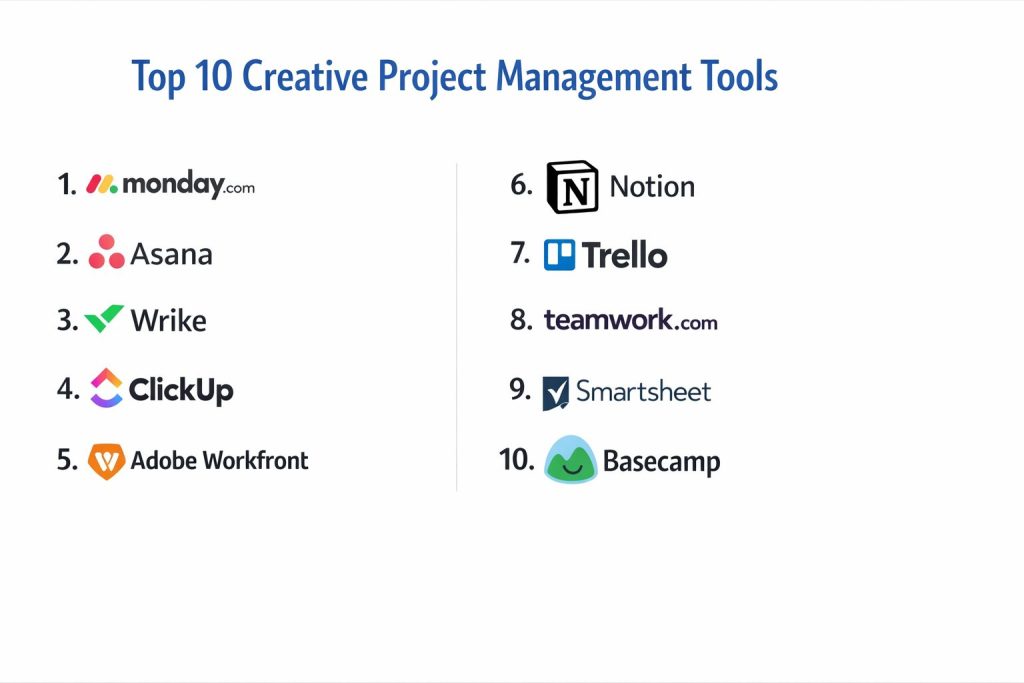
1. Monday.com
Monday.com is a highly visual work operating system that allows creative teams to build custom workflows using a flexible, color-coded interface. It is particularly effective for marketing operations and creative agencies that need to track a high volume of moving parts across multiple campaigns.
Key Features
The platform uses a system of customizable boards and “pulses” that can be viewed as timelines, Gantt charts, or Kanban boards. It offers a rich library of automation recipes that handle repetitive tasks like status changes and deadline notifications without any coding. The “Creative Suite” templates are specifically designed for campaign tracking and asset management. It also features built-in dashboards that provide a high-level overview of team performance and project health. Advanced search capabilities allow for quick retrieval of assets across all active and archived projects.
Pros
The interface is exceptionally intuitive and colorful, which encourages high adoption rates among creative professionals. Its flexibility allows it to be adapted to virtually any creative process or departmental need.
Cons
Some advanced reporting and time-tracking features are locked behind higher-tier subscription plans. The sheer number of customization options can sometimes be overwhelming for very small teams.
Platforms and Deployment
Web-based, Windows, macOS, iOS, and Android. It is a cloud-native solution.
Security and Compliance
It provides enterprise-grade security including single sign-on, multi-factor authentication, and compliance with major global data protection standards.
Integrations and Ecosystem
It has a vast marketplace and integrates seamlessly with Slack, Adobe Creative Cloud, Google Workspace, and various social media management tools.
Support and Community
Offers 24/7 customer support and an extensive knowledge base, along with a thriving community forum where users share custom board designs.
2. Asana
Asana is a dominant work management platform that excels at breaking down complex creative projects into manageable tasks and subtasks. It is favored by teams that prioritize clarity in their production timelines and want a streamlined experience for tracking dependencies.
Key Features
The platform features a “Timeline” view that allows for easy adjustment of project schedules via drag-and-drop. It includes a robust “Forms” feature for standardizing creative intake and request processes. “Portfolios” allow leadership to monitor multiple projects simultaneously to identify risks and bottlenecks. The “Workload” feature provides a visual representation of team capacity to prevent burnout. It also supports automated “Rules” to move tasks through a pipeline based on specific triggers, such as an approval or a file upload.
Pros
It is widely considered one of the most aesthetically pleasing and user-friendly tools on the market. Its ability to manage complex task dependencies makes it ideal for large-scale production launches.
Cons
It lacks built-in native proofing tools for visual assets, often requiring a third-party integration. The flat hierarchy can sometimes make it difficult to manage massive, multi-year programs.
Platforms and Deployment
Web-based, Windows, macOS, iOS, and Android. It is a cloud-native platform.
Security and Compliance
Asana adheres to strict security protocols, offering data encryption at rest and in transit, and is compliant with SOC 2 Type II and GDPR.
Integrations and Ecosystem
It integrates with over 200 tools, including deep links with Adobe Creative Cloud, Figma, and common communication platforms like Microsoft Teams and Slack.
Support and Community
Provides comprehensive online training through its academy, dedicated success managers for enterprise clients, and a global user community.
3. Wrike
Wrike is a powerful enterprise-grade tool designed for complex, cross-functional creative teams. It is particularly strong in environments that require rigorous governance, detailed reporting, and professional proofing capabilities.
Key Features
The platform includes native proofing and approval tools that allow stakeholders to comment directly on images and videos within the app. It features dynamic request forms that automatically route creative briefs to the correct team members. Users can utilize Gantt charts for precise scheduling and resource management. It also offers “Work Intelligence” which uses AI to predict project risks and suggest workflow optimizations. Time tracking is built directly into the interface, making it easy to monitor billable hours for client projects.
Pros
It offers some of the most advanced proofing and approval features available in a general project management tool. Its scalability makes it suitable for massive global organizations with thousands of users.
Cons
The learning curve can be steeper than more visual tools like Monday.com. The interface can feel more industrial and less “creative-friendly” to some design teams.
Platforms and Deployment
Web-based, Windows, macOS, iOS, and Android. It is a cloud-based solution.
Security and Compliance
Provides advanced security features like user-managed encryption keys and role-based access control, holding numerous security certifications.
Integrations and Ecosystem
Offers deep integration with Adobe Creative Cloud, allowing designers to access Wrike tasks and comments without leaving Photoshop or Premiere.
Support and Community
Provides extensive professional services for onboarding, a detailed help center, and a community of “Wrike Stars” for peer-to-peer learning.
4. ClickUp
ClickUp is marketed as the “one app to replace them all,” providing an incredibly feature-rich environment that combines tasks, docs, goals, and even whiteboards. It is highly popular with startups and small agencies looking for maximum functionality at a competitive price.
Key Features
It offers more than 15 different project views, including “Everything” view, which shows all tasks across the entire organization. Built-in “Docs” allow teams to create creative briefs and wikis directly inside the project space. It includes a native whiteboard for brainstorming and mind mapping that syncs with task cards. The “Custom Fields” feature allows for highly granular data tracking for any type of creative asset. It also features a built-in time tracker and advanced automation builders.
Pros
The value proposition is unmatched, offering features for free that most competitors charge for. Its extreme customizability allows it to be tailored to very specific niche workflows.
Cons
The sheer volume of features can lead to a cluttered interface and a significant learning curve. Some users have reported performance lag in very large workspaces with high levels of automation.
Platforms and Deployment
Web-based, Windows, macOS, Linux, iOS, and Android. It is a cloud-native platform.
Security and Compliance
Compliant with GDPR and SOC 2, providing secure data hosting and customizable user permissions for project visibility.
Integrations and Ecosystem
Integrates with nearly every major business tool, including Slack, GitHub, Zoom, and all major cloud storage providers.
Support and Community
Offers a massive knowledge base, daily webinars, and a very active community that contributes templates and feature requests.
5. Adobe Workfront
Adobe Workfront is a high-level enterprise work management solution that is deeply integrated into the Adobe ecosystem. it is the gold standard for large creative departments that need to manage the entire lifecycle of an asset from strategy to delivery.
Key Features
The platform excels at managing “Workfront Fusion,” which allows for complex cross-platform automation. It features enterprise-level resource planning and capacity management tools. Its integration with the Adobe Creative Cloud is the most robust in the industry, allowing for seamless file syncing and metadata management. It includes advanced proofing for digital, print, and video assets with automated versioning. The reporting engine is capable of producing deep financial and operational insights for C-suite executives.
Pros
Unrivaled for teams already committed to the Adobe stack. It offers a level of operational rigor and governance that is necessary for large regulated industries.
Cons
It is one of the most expensive options on the market and requires professional implementation to set up correctly. It may be over-engineered for small agencies or simple projects.
Platforms and Deployment
Web-based, with specialized mobile apps for oversight. It is an enterprise cloud solution.
Security and Compliance
Meets the highest standards for enterprise security, including HIPAA compliance and dedicated private cloud hosting options.
Integrations and Ecosystem
Naturally integrates with the entire Adobe Experience Cloud, Creative Cloud, and standard enterprise tools like SAP and Salesforce.
Support and Community
Backed by Adobe’s professional support network, including dedicated account managers and a vast library of enterprise training resources.
6. Notion
Notion is a versatile workspace that combines documentation and databases, making it a favorite for “knowledge-first” creative teams. It is ideal for teams that need to house their creative briefs, brand guidelines, and project trackers in a single, highly flexible environment.
Key Features
The platform is built on a “block” system that allows users to create custom pages with embedded images, videos, and databases. Its database views (Table, Board, Gallery, Timeline) can be linked together to show the same data in different contexts. “Notion AI” helps with drafting copy, summarizing meetings, and organizing project notes. It allows for the creation of beautiful public or private “Wikis” for brand standards. It also supports simple task management with properties like status, owner, and due date.
Pros
Its flexibility is unmatched, acting as both a project manager and a knowledge base. It is exceptionally good for visual organization, especially using the “Gallery” view for mood boards and asset libraries.
Cons
It lacks built-in professional project management features like Gantt charts with dependencies or advanced resource leveling. It can become disorganized if a clear structure isn’t established early on.
Platforms and Deployment
Web-based, Windows, macOS, iOS, and Android. It is a cloud-native platform.
Security and Compliance
Offers standard cloud security, including SAML SSO for enterprise plans, and is SOC 2 Type II compliant.
Integrations and Ecosystem
Integrates with Slack, Google Drive, and GitHub, and has a growing API for connecting with creative tools like Figma.
Support and Community
Features a massive library of community-made templates and a global network of “Notion Certified” consultants.
7. Trello
Trello is the definitive Kanban-based tool, known for its extreme simplicity and visual focus. It is best suited for small creative teams or freelancers who prefer a “card-based” system to manage their pipeline without excessive administrative overhead.
Key Features
The platform uses boards, lists, and cards to represent a visual workflow. Each card can hold attachments, checklists, and comments, acting as a mini-folder for a specific task. “Butler” automation allows for simple one-click rules to move cards and assign team members. “Power-Ups” enable the addition of extra features like calendars, voting, and custom fields. It also features a “Map” view for projects that have a physical or geographical component.
Pros
It is arguably the easiest tool to pick up and start using immediately. The visual “drag-and-drop” nature of the board is highly satisfying for creative thinkers.
Cons
It struggles with very complex projects involving multiple dependencies and sub-tasks. Reporting and high-level portfolio management are limited compared to more robust platforms.
Platforms and Deployment
Web-based, Windows, macOS, iOS, and Android. It is a cloud-native solution.
Security and Compliance
Part of the Atlassian family, it offers enterprise-grade security and compliance, including data residency controls on higher plans.
Integrations and Ecosystem
Has hundreds of Power-Ups that connect it to Slack, Google Drive, Adobe Creative Cloud, and more.
Support and Community
Offers extensive help articles and a community forum, backed by Atlassian’s professional support infrastructure.
8. Teamwork.com
Teamwork.com is a comprehensive project management tool built specifically for teams that deliver client-facing work. It focuses heavily on profitability, time tracking, and managing the delicate relationship between agency and client.
Key Features
The platform includes built-in time tracking and professional invoicing that can be linked directly to project tasks. It features a “Client User” role that allows clients to see project progress without seeing internal team discussions. “Milestones” help track high-level project goals and deadlines. It also offers a “Workload” view to manage team capacity and prevent over-allocation. The tool includes specialized features for managing intake forms and creative brief approvals.
Pros
It is one of the best tools for agencies that need to manage both the creative work and the business side of a project. The ability to involve clients for free is a major cost saver.
Cons
The interface is functional but can feel a bit more rigid and “corporate” than some of its visual-first competitors. Some advanced features require a learning period for the whole team.
Platforms and Deployment
Web-based, Windows, macOS, iOS, and Android. It is a cloud-native platform.
Security and Compliance
Offers robust security including 2FA, data encryption, and compliance with SOC 2 and GDPR.
Integrations and Ecosystem
Integrates with common tools like Slack, HubSpot, and QuickBooks, as well as several storage and creative platforms.
Support and Community
Known for excellent customer support and a comprehensive “Success Center” with guides and video tutorials.
9. Smartsheet
Smartsheet is a spreadsheet-inspired platform that provides powerful data management and automation for operations-heavy creative teams. It is the preferred choice for those who love the flexibility of a grid but need the power of a project manager.
Key Features
The platform allows users to switch between Grid, Gantt, Card, and Calendar views instantly. It features “Dynamic View” for sharing specific rows of data with external collaborators without giving full access. It offers professional-grade “Dashboards” for real-time reporting on project status and budgets. “Control Center” allows for the automation of project creation at scale. It also includes native proofing tools for gathering feedback on visual assets.
Pros
It is incredibly powerful for teams that need to manage large amounts of structured data and financial tracking. It is highly familiar to anyone who is proficient in Excel or Google Sheets.
Cons
It can feel less “creative” and more analytical than other platforms. Some of the most powerful features for large-scale operations require expensive add-on packages.
Platforms and Deployment
Web-based, iOS, and Android. It is a cloud-based solution.
Security and Compliance
Offers enterprise-level security and is used by many government agencies and regulated industries, holding numerous certifications.
Integrations and Ecosystem
Integrates deeply with Microsoft 365, Google Workspace, and Adobe Creative Cloud for a seamless creative-ops workflow.
Support and Community
Provides a robust online community, detailed training through Smartsheet University, and dedicated professional services.
10. Basecamp
Basecamp is a unique, “all-in-one” communication and project management tool that focuses on simplicity and reducing digital noise. It is ideal for small creative teams that want to move away from messy email threads and consolidate their communication.
Key Features
The platform is organized into “Campfires” for real-time chat, “Message Boards” for structured discussions, and “To-do Lists” for task management. Every project includes a “Docs & Files” section for centralized storage. It features “Automatic Check-ins” to ask the team for progress updates daily. The “Hill Chart” provides a unique visual way to see if a project is in the “uphill” planning phase or the “downhill” execution phase. It also includes a schedule for high-level project dates.
Pros
It is exceptionally straightforward and lacks the complexity of modern “feature-heavy” tools. Its flat pricing model (on some plans) makes it very predictable for growing teams.
Cons
It lacks advanced features like Gantt charts, native proofing, or detailed resource management. It may be too simple for teams managing high-budget, technically complex productions.
Platforms and Deployment
Web-based, Windows, macOS, iOS, and Android. It is a cloud-native platform.
Security and Compliance
Maintains high security standards for data protection and privacy, focusing on a clean, secure environment for team communication.
Integrations and Ecosystem
Offers a curated list of integrations via its “Extras” section, connecting to tools like Zapier for custom workflows.
Support and Community
Offers direct support and a wealth of educational material focused on the “Basecamp Way” of project management and remote work.
Comparison Table
| Tool Name | Best For | Platform(s) Supported | Deployment | Standout Feature | Public Rating |
| 1. Monday.com | Visual Creative Ops | Web, Win, Mac, iOS, Android | Cloud | Configurable Boards | 4.7/5 |
| 2. Asana | Workflow Tracking | Web, Win, Mac, iOS, Android | Cloud | Project Timelines | 4.6/5 |
| 3. Wrike | Enterprise Proofing | Web, Win, Mac, iOS, Android | Cloud | Integrated Proofing | 4.5/5 |
| 4. ClickUp | Consolidation/Startups | Web, Win, Mac, Linux, iOS | Cloud | All-in-one Breadth | 4.8/5 |
| 5. Adobe Workfront | Global Enterprise | Web, iOS, Android | Cloud | Adobe Native Sync | 4.4/5 |
| 6. Notion | Docs-first Planning | Web, Win, Mac, iOS, Android | Cloud | Wiki-style Databases | 4.7/5 |
| 7. Trello | Simple Kanban | Web, Win, Mac, iOS, Android | Cloud | Visual Card System | 4.5/5 |
| 8. Teamwork.com | Client-focused Work | Web, Win, Mac, iOS, Android | Cloud | Profitability Tracking | 4.6/5 |
| 9. Smartsheet | Grid-based Projects | Web, iOS, Android | Cloud | Spreadsheet Logic | 4.5/5 |
| 10. Basecamp | Team Communication | Web, Win, Mac, iOS, Android | Cloud | Unified Message Boards | 4.3/5 |
Evaluation & Scoring of Creative Project Management Tools
The scoring below is a comparative model intended to help shortlisting. Each criterion is scored from 1–10, then a weighted total from 0–10 is calculated using the weights listed. These are analyst estimates based on typical fit and common workflow requirements, not public ratings.
Weights:
- Core features – 25%
- Ease of use – 15%
- Integrations & ecosystem – 15%
- Security & compliance – 10%
- Performance & reliability – 10%
- Support & community – 10%
- Price / value – 15%
| Tool Name | Core (25%) | Ease (15%) | Integrations (15%) | Security (10%) | Performance (10%) | Support (10%) | Value (15%) | Weighted Total |
| 1. Monday.com | 9 | 9 | 9 | 8 | 9 | 9 | 8 | 8.80 |
| 2. Asana | 9 | 10 | 9 | 8 | 10 | 9 | 7 | 8.85 |
| 3. Wrike | 10 | 6 | 9 | 9 | 8 | 9 | 7 | 8.45 |
| 4. ClickUp | 10 | 6 | 10 | 8 | 7 | 9 | 10 | 8.65 |
| 5. Adobe Workfront | 10 | 4 | 10 | 10 | 9 | 10 | 5 | 8.35 |
| 6. Notion | 8 | 8 | 8 | 8 | 9 | 9 | 9 | 8.35 |
| 7. Trello | 6 | 10 | 8 | 8 | 10 | 9 | 8 | 8.10 |
| 8. Teamwork.com | 9 | 7 | 8 | 8 | 9 | 9 | 8 | 8.30 |
| 9. Smartsheet | 9 | 6 | 9 | 9 | 8 | 9 | 7 | 8.10 |
| 10. Basecamp | 6 | 10 | 6 | 8 | 10 | 9 | 8 | 7.80 |
How to interpret the scores:
- Use the weighted total to shortlist candidates, then validate with a pilot.
- A lower score can mean specialization, not weakness.
- Security and compliance scores reflect controllability and governance fit, because certifications are often not publicly stated.
- Actual outcomes vary with assembly size, team skills, templates, and process maturity.
Which Creative Project Management Tool Is Right for You?
Solo / Freelancer
Individuals often need a tool that is either free or very low cost but provides enough visual structure to manage client tasks and deadlines. A platform that focuses on simple visual boards or a flexible document system allows for a professional image without the need for complex administrative setup.
SMB
For smaller agencies and studios, the primary goal is often rapid adoption and visual clarity. These teams benefit from platforms that offer pre-built templates for marketing campaigns and creative requests, allowing them to get a project management system up and running in a matter of days rather than weeks.
Mid-Market
Mid-market organizations usually require a balance between ease of use and professional feature depth. They need tools that can handle increased project volume, provide better reporting on team capacity, and offer some level of automation to maintain consistency as the team grows across different offices or regions.
Enterprise
At the enterprise level, the conversation shifts toward governance, data security, and cross-departmental alignment. These organizations need platforms that can integrate with their existing ERP and CRM systems and provide a robust environment for managing thousands of concurrent assets with strict approval gates.
Budget vs Premium
Budget-conscious teams should look toward all-in-one platforms that offer a high volume of features for a flat or low per-user fee. Premium solutions are justified when the cost of the software is outweighed by the gains in production efficiency, especially when features like native video proofing or Adobe integration are involved.
Feature Depth vs Ease of Use
If your team is highly technical and manages complex multi-stage productions, prioritizing feature depth is essential. However, if your team is purely focused on high-speed visual content, a tool that prioritizes a frictionless user interface will lead to much better long-term adoption and less friction.
Integrations & Scalability
A project management tool should never be an island. It is critical to choose a platform that can grow with your organization and has the “API muscle” to connect with the various creative and communication tools your team already uses every day.
Security & Compliance Needs
For teams working with high-profile clients or in regulated industries, enterprise-grade security is non-negotiable. Look for platforms that offer features like private cloud hosting, SSO, and detailed audit logs to ensure your creative intellectual property is always protected.
Frequently Asked Questions (FAQs)
1. What is the difference between a project manager and a creative project manager?
A general project manager focuses on logistics and timelines, while a creative project manager must also understand the artistic process, managing the nuances of creative briefs, technical artistic constraints, and multiple iterative feedback loops.
2. Can I use these tools to manage video production?
Yes, several tools on this list offer specialized views and native proofing capabilities specifically designed for video, allowing for frame-accurate commenting and approval of moving media.
3. Do creative project management tools include digital asset management (DAM)?
While many of these tools have basic file storage and versioning, they are generally not full-scale DAM systems. However, many integrate deeply with professional DAM platforms to provide a seamless transition from work-in-progress to long-term storage.
4. How do I convince my creative team to use a project management tool?
The best way is to choose a tool that is visually appealing and reduces their administrative burden. If they see that the tool helps them avoid “slack-storms” and endless email threads, they are much more likely to adopt it.
5. What is a “creative intake form”?
An intake form is a standardized way for internal or external clients to request work. It ensures that all necessary information—such as goals, audience, and technical specs—is gathered upfront, preventing delays and misunderstandings later.
6. Are these platforms secure for sensitive client assets?
Most professional-grade tools offer high levels of encryption and compliance. However, for extremely sensitive work, you should look for enterprise-level features like IP restriction and guest access controls.
7. Is it better to have one tool for everything or multiple specialized tools?
This depends on the scale of your operation. Small teams often thrive with one consolidated “all-in-one” app, while larger organizations often use a core project manager that acts as a hub for several specialized creative and financial tools.
8. Can these tools help with agency billing?
Yes, tools designed for professional services often include native time-tracking and expense-tracking features that can be used to generate invoices and monitor the profitability of specific client projects.
9. What is “resource leveling” in creative management?
Resource leveling is the process of adjusting project schedules to ensure that no single artist or designer is over-worked, while ensuring that the overall project remains on track based on the total team capacity.
10. Do any of these tools work offline?
Most modern cloud-native tools require an internet connection for real-time collaboration. However, some have mobile apps or desktop clients that allow for limited offline task updates which sync once you are back online.
Conclusion
Navigating the transition from chaotic spreadsheets to a professional creative project management platform is a defining step in an organization’s maturity. The modern creative landscape demands a level of transparency and speed that traditional methods simply cannot provide. By selecting a tool that aligns with your team’s unique artistic workflow while providing the structural rigor needed for business oversight, you create an environment where creativity can flourish without the distraction of administrative disarray. Whether you prioritize the deep technical capabilities of an enterprise solution or the agile flexibility of a visual-first workspace, the goal remains the same: transforming complex creative challenges into predictable, high-quality results.