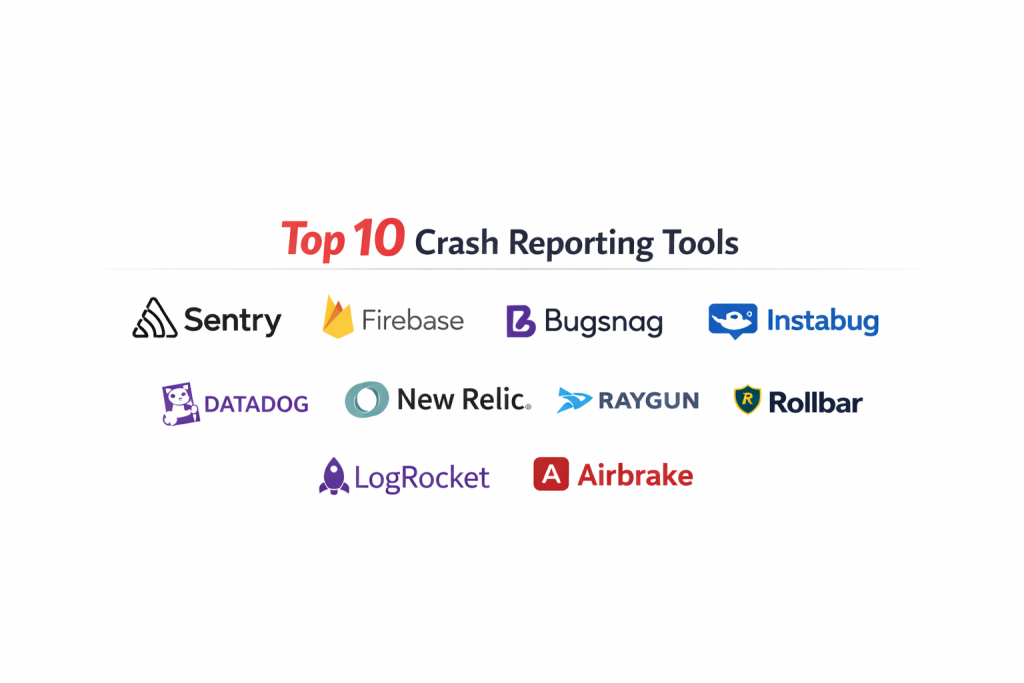
Introduction
Crash reporting software is a critical component of the modern development lifecycle, serving as a specialized diagnostic layer that captures and analyzes application failures in real-time. Unlike generic logging, these tools are designed to intercept fatal exceptions and unhandled errors, translating raw memory dumps and obfuscated stack traces into human-readable insights. For engineering teams, this technology provides the immediate visibility required to maintain software stability and protect user retention. By providing precise telemetry—including device state, breadcrumbs of user actions, and environmental variables—crash reporters eliminate the “black box” nature of production failures, allowing developers to move from incident detection to resolution with surgical precision.
The strategic value of these platforms extends beyond simple bug fixing; they are essential for informed release management and quality assurance. Organizations leverage these tools to establish stability benchmarks, such as crash-free session percentages, which dictate whether a new feature rollout should proceed or be rolled back. In a landscape where user patience for application instability is at an all-time low, having a robust crash reporting infrastructure is a prerequisite for competitive software delivery. These tools bridge the gap between end-users and developers, ensuring that technical debt is managed proactively rather than reactively, ultimately fostering a culture of high-performance engineering and operational excellence.
Best for: High-scale mobile app developers, enterprise SaaS companies, and DevOps teams who require instant alerting and deep forensic data to maintain 99.9% application stability.
Not ideal for: Static websites with no dynamic client-side logic or internal command-line utilities where standard system logs are sufficient for troubleshooting.
Key Trends in Crash Reporting Software
The integration of artificial intelligence into crash analysis is currently the most significant trend, with platforms now offering automated root-cause summaries and suggested code fixes based on historical data patterns. There is also a major shift toward “Session Replay,” where developers can watch a visual reconstruction of the user’s screen leading up to the crash, providing visual context that stack traces alone cannot convey. Real-time release monitoring has become more sophisticated, allowing teams to compare the stability of different app versions in a single view to catch regressions immediately after a deployment.
Furthermore, the industry is moving toward a unified “Observability” model, where crash reporting is no longer a siloed function but is integrated with performance monitoring and distributed tracing. This allows engineers to see how a backend latency issue might eventually trigger a frontend timeout and crash. Privacy-first reporting is also a top priority, with advanced tools now offering automated PII (Personally Identifiable Information) scrubbing at the SDK level to ensure compliance with global data protection regulations without sacrificing the technical detail needed for debugging.
How We Selected These Tools
Our selection process focused on tools that offer the highest degree of technical reliability and actionable data. We prioritized platforms that provide “Symbolication” and “De-obfuscation” capabilities, which are essential for making sense of compiled code from languages like Swift, Kotlin, and ProGuard-protected Java. The ability to handle high volumes of data without crashing the host application itself—a common issue with poorly optimized SDKs—was a primary filter for our rankings.
We also evaluated the depth of the integration ecosystem, looking for tools that sync seamlessly with issue trackers and communication platforms used by modern engineering teams. Security was scrutinized to ensure that data in transit and at rest meets enterprise-grade standards, especially for industries like finance and healthcare. Finally, we considered the “Time-to-Value,” favoring platforms that offer easy installation and intuitive dashboards that allow developers to identify the most impactful bugs within minutes of an incident occurring.
1. Sentry
Sentry is a dominant force in the error-tracking space, known for its ability to provide deep, code-level insights across almost every major programming language and framework. It excels at capturing the full context of a crash, including the specific line of code that failed and the state of the application at that exact moment. Its platform is built for developers who need to move quickly from a notification to a fix.
Key Features
The software provides a detailed “Breadcrumbs” trail that shows the sequence of events leading up to an error. It features a sophisticated “Session Replay” tool that allows developers to see exactly what the user saw before the crash. Sentry includes automated issue grouping to prevent alert fatigue and offers “Distributed Tracing” to link frontend errors with backend performance bottlenecks. It also provides a robust “Release Tracking” dashboard to monitor the health of new deployments in real-time.
Pros
It offers incredible depth of information and supports an unparalleled number of platforms. The open-source heritage means the community and documentation are exceptionally strong.
Cons
The pricing can scale quickly for high-traffic applications. The sheer volume of data and features can be overwhelming for smaller teams who only need basic reporting.
Platforms and Deployment
Web, Mobile (iOS/Android), Desktop, and Server-side. It can be used as a managed SaaS or self-hosted for maximum data control.
Security and Compliance
Fully compliant with GDPR, HIPAA, and SOC 2 Type II. It offers advanced data scrubbing tools to protect sensitive user information.
Integrations and Ecosystem
Integrates with Jira, Slack, GitHub, Bitbucket, and most major CI/CD pipelines to automate the bug-resolution workflow.
Support and Community
Offers tiered professional support and maintains a vast public forum and extensive documentation library for developers.
2. Firebase Crashlytics
Firebase Crashlytics is Google’s premier crash reporter, specifically optimized for mobile application environments. It is renowned for being lightweight and providing a “best-in-class” experience for Android and iOS developers. It focuses on helping teams prioritize their work by highlighting the most pervasive crashes that affect the largest number of users.
Key Features
The tool provides real-time alerts for “velocity” issues, which are crashes that suddenly spike in frequency. It integrates deeply with Google Analytics to provide insights into user behavior around the time of a crash. Developers can set up custom “Logs” and “Keys” to track specific application states. It also includes “AI-powered Insights” to help summarize complex crash reports. The platform is designed to be nearly invisible to the user, with a very small SDK footprint.
Pros
It is completely free to use, making it the most accessible high-end tool on the market. The integration with the broader Google Cloud and Firebase ecosystem is seamless.
Cons
It is primarily focused on mobile, meaning it is not a complete solution for teams with heavy web or desktop needs. Some users find the dashboard less customizable than specialized competitors.
Platforms and Deployment
iOS, Android, Flutter, and Unity. It is a cloud-based service integrated within the Firebase console.
Security and Compliance
Leverages Google’s world-class security infrastructure and is compliant with standard data protection regulations like GDPR.
Integrations and Ecosystem
Native integration with Google Play, BigQuery, and Slack. It works perfectly within the Android Studio environment for local debugging.
Support and Community
Backed by Google’s extensive support network and a massive global community of mobile developers.
3. Bugsnag
Bugsnag focuses heavily on “Stability Management,” providing a clear score that tells teams whether they should be building new features or fixing existing bugs. It is designed for enterprises that need to maintain high quality across multiple applications and platforms simultaneously.
Key Features
The “Stability Score” provides a high-level metric for app health based on crash-free sessions. It offers “Code Ownership” rules that automatically route specific crashes to the team responsible for that part of the codebase. The tool includes detailed diagnostic data, including device information and thread traces. It also features a “Timeline View” that helps visualize when errors started and how they are trending. Advanced filtering allows users to segment crashes by customer tier or geographical location.
Pros
The focus on stability metrics makes it a great tool for management and product owners. It provides one of the cleanest and most organized user interfaces in the industry.
Cons
Advanced features like full-stack visibility are locked behind higher-priced enterprise tiers. The setup process can be more involved than simpler alternatives.
Platforms and Deployment
Web, Mobile, and Server-side. Available as SaaS or on-premise for highly regulated industries.
Security and Compliance
SOC 2 Type II compliant and offers specialized features for PII redaction and secure data handling.
Integrations and Ecosystem
Strong integrations with Slack, PagerDuty, and various project management tools like Trello and Asana.
Support and Community
Provides dedicated enterprise support teams and a wealth of technical guides for various development stacks.
4. Instabug
Instabug is unique because it combines crash reporting with bug reporting and user feedback tools. It is particularly popular for mobile apps in the “Beta” or testing phase, as it allows users to report issues by simply shaking their device, automatically attaching a crash report if one occurred.
Key Features
The “Shake-to-Report” feature is a standout for collecting manual feedback alongside automated crash data. It captures “App Hangs” and “Out of Memory” (OOM) errors that traditional reporters might miss. The tool provides visual “UI Traces” that show the screens the user visited before the incident. It also includes “Feature Flags” and “A/B Testing” integration to see how new changes affect stability. In-app surveys can be triggered automatically after a crash is resolved.
Pros
It provides the most complete picture of the “User Experience” by combining automated data with direct feedback. It is exceptionally easy for non-technical testers to use.
Cons
The all-in-one nature can make it more expensive than a dedicated crash reporter. The SDK can be “heavier” than more specialized tools due to the range of features.
Platforms and Deployment
iOS, Android, React Native, and Flutter. Cloud-based deployment.
Security and Compliance
Adheres to GDPR and HIPAA standards, providing secure storage for both automated reports and user-submitted screenshots.
Integrations and Ecosystem
Deeply integrates with Jira, Zendesk, and Slack to bridge the gap between development and customer support.
Support and Community
High-quality documentation and a responsive support team that is well-versed in mobile development challenges.
5. Datadog
Datadog is a comprehensive observability platform that treats crash reporting as a component of a much larger monitoring ecosystem. It is ideal for organizations that want to see their application crashes in the context of their entire infrastructure, from servers and databases to the frontend.
Key Features
It provides “Real User Monitoring” (RUM) that connects frontend crashes directly to backend traces. The platform includes a “Security Inbox” that highlights vulnerabilities that might be causing instability. Its “Error Tracking” automatically groups similar issues and provides a “High-Impact” view to prioritize the most damaging bugs. It offers a “Live Debugger” that allows developers to inspect the state of a running application without stopping it. It also features advanced AI for anomaly detection.
Pros
Unbeatable for “full-stack” visibility, allowing you to see exactly how infrastructure issues lead to app crashes. It is a one-stop-shop for all monitoring needs.
Cons
The pricing model is complex and can become very expensive as more modules are added. It has a high learning curve due to the sheer scale of the platform.
Platforms and Deployment
Web, Mobile, and Infrastructure-wide. Primarily a cloud-based SaaS solution.
Security and Compliance
Holds multiple certifications including FedRAMP, HIPAA, and SOC 2. It is built for high-security enterprise environments.
Integrations and Ecosystem
Integrates with hundreds of cloud services and development tools, making it the most well-connected tool on this list.
Support and Community
Offers 24/7 global support and has a massive ecosystem of consultants and certified partners.
6. New Relic
New Relic provides an “Agentic” approach to monitoring, where lightweight agents are deployed within the application to provide continuous feedback. Like Datadog, it offers a “Full-Stack” view, but with a specific focus on the correlation between application performance and stability.
Key Features
The “Mobile Summary” page provides a high-level view of app health, including network failure rates and crash counts. It features a “User Interaction Tracer” that shows exactly how threads and methods were behaving during a crash. The tool includes “HTTP Error Reporting” to track failures in API calls. It offers “AIOps” capabilities that automatically detect and alert on emerging patterns. It also provides a geographic view of where crashes are occurring globally.
Pros
Excellent at correlating crashes with network performance and backend latency. The platform is highly scalable and suited for massive, global applications.
Cons
The user interface can feel dense and corporate, making it less “friendly” for solo developers. Pricing can be unpredictable based on data ingestion.
Platforms and Deployment
Web, Mobile, and Server-side. Cloud-based deployment with various agent-based options.
Security and Compliance
Maintains high standards including ISO 27001 and GDPR compliance. Offers robust user access management.
Integrations and Ecosystem
Wide range of integrations with DevOps tools and cloud providers, with a focus on enterprise-level workflows.
Support and Community
Extensive training through “New Relic University” and professional-grade support services.
7. Raygun
Raygun is designed to give teams “Complete Visibility” into their software’s health, combining crash reporting with real user monitoring. It is particularly praised for its “Error Grouping” logic, which is highly effective at reducing noise and identifying the “smoking gun” behind an issue.
Key Features
The “AI Error Resolution” tool provides automated suggestions on how to fix specific bugs based on the stack trace. It includes “Deployment Tracking” to show exactly which version update introduced a new error. Raygun captures the full environmental state of a crash, including the specific host and browser version. It offers a “Customer-Centric” view that shows you exactly which individual users were affected by a bug. The “Trend Graphs” help visualize stability improvements over time.
Pros
Very easy to navigate and find actionable information quickly. The AI suggestions are a legitimate time-saver for repetitive bugs.
Cons
Some of the more advanced features for web performance are billed separately. It lacks the massive platform support of Sentry for legacy or niche languages.
Platforms and Deployment
Web, Mobile, and Desktop. Cloud-based SaaS.
Security and Compliance
Offers robust privacy controls and is compliant with GDPR and other major security frameworks.
Integrations and Ecosystem
Native integrations with GitHub, Jira, and Slack. It also has specialized plugins for platforms like Shopify and Azure.
Support and Community
Reliable support from an expert engineering team and a growing library of technical ebooks and webinars.
8. Rollbar
Rollbar is built for the “Continuous Delivery” era, focusing on identifying errors the moment code is deployed. It uses advanced grouping and alerting to ensure that developers are never blindsided by a bad release.
Key Features
Its “Rollbar Query Language” (RQL) allows users to perform custom searches across their entire error database. It features “Automatic Grouping” that is highly customizable to fit a team’s specific needs. The tool provides a real-time “Live Tail” of incoming errors as they happen. It includes “Telemetric Data” that shows the history of events leading up to a crash. It also offers “Version Linking” to see if an error is present across different branches of code.
Pros
Extremely fast to set up and start seeing data. The query language is powerful for investigating complex, intermittent issues.
Cons
The event limits on lower-tier plans can lead to “silent” errors if the quota is exceeded. The interface is more functional than aesthetic.
Platforms and Deployment
Web, Mobile, and Server-side. Cloud-based SaaS.
Security and Compliance
SOC 2 Type II and HIPAA compliant. It uses 2048-bit end-to-end encryption for all data in transit.
Integrations and Ecosystem
Strong connections to PagerDuty and OpsGenie for incident response, as well as the usual suite of developer tools.
Support and Community
Solid professional support and an active user base that contributes to a large collection of community plugins.
9. LogRocket
LogRocket is primarily a “Digital Experience” tool that treats crash reporting as a piece of the user-struggle puzzle. It is unique in that it allows developers to “rewatch” a crash as if it were a video, providing a level of empathetic understanding that data alone cannot provide.
Key Features
The “Session Replay” is pixel-perfect and includes a timeline of console logs and network requests synchronized with the video. It features “Galileo AI” which automatically surfaces the most critical user-struggle points. The tool provides a “Mobile Performance Dashboard” to track CPU and memory usage. It captures “Mach Kernel” and “C++ Exceptions” on iOS, which are often missed by other reporters. It also offers “Product Analytics” to see how crashes affect conversion rates.
Pros
The “visual” nature of the tool makes it much easier to reproduce difficult bugs. It is a favorite for teams where developers and product managers work closely together.
Cons
The session recording can raise privacy concerns if not configured carefully. It requires more bandwidth and storage than simple text-based reporters.
Platforms and Deployment
Web and Mobile (iOS/Android/React Native). Cloud-based SaaS.
Security and Compliance
Highly focused on PII sanitization and compliant with GDPR, CCPA, and HIPAA. Offers audit logs for all account activity.
Integrations and Ecosystem
Integrates with session-management and support tools like Intercom and Salesforce.
Support and Community
Excellent customer success team and a library of technical articles focused on frontend engineering.
10. Airbrake
Airbrake is a “Simple and Clean” error reporter that focuses on doing one thing exceptionally well: notifying developers about errors in their web and mobile applications. It is designed for those who want a “no-fuss” solution that integrates into their existing workflow.
Key Features
The software provides “Silent Monitoring” that captures errors without impacting the host application’s performance. It features “Error Grouping” based on the root cause to prevent duplicate notifications. It includes a “Performance Monitoring” module to see how slow code might be contributing to errors. The tool provides detailed “Environment Data” like the OS, browser, and host. It also allows for “Custom Filters” to ignore specific types of expected errors.
Pros
Very lightweight and fast to implement. It is an excellent choice for smaller teams or projects that don’t need the complexity of an enterprise suite.
Cons
It lacks the advanced “Session Replay” or “AI Resolution” features of larger competitors. The dashboard is fairly basic compared to Datadog or Sentry.
Platforms and Deployment
Web and Mobile. Primarily cloud-based SaaS.
Security and Compliance
SOC 2 Type II, GDPR, and HIPAA compliant. It provides standard security features like two-factor authentication.
Integrations and Ecosystem
Reliable integrations with Slack, Jira, and GitHub. It is a stable, long-term player in the market.
Support and Community
Provides consistent support and has a solid base of long-term users who value its simplicity.
Comparison Table
| Tool Name | Best For | Platform(s) Supported | Deployment | Standout Feature | Public Rating |
| 1. Sentry | Full-stack Teams | Web, Mobile, Server | Hybrid | Session Replay | 4.8/5 |
| 2. Firebase | Mobile Developers | iOS, Android, Unity | Cloud | 100% Free | 4.7/5 |
| 3. Bugsnag | Enterprise Stability | Web, Mobile, Server | Hybrid | Stability Score | 4.6/5 |
| 4. Instabug | Beta Testing | Mobile | Cloud | Shake-to-Report | 4.5/5 |
| 5. Datadog | Full Observability | All Platforms | Cloud | Unified Trace-to-Log | 4.9/5 |
| 6. New Relic | Enterprise Ops | All Platforms | Cloud | Agentic Monitoring | 4.4/5 |
| 7. Raygun | Speed & AI Fixes | Web, Mobile, Desktop | Cloud | AI Error Resolution | 4.6/5 |
| 8. Rollbar | CD/DevOps Teams | Web, Mobile, Server | Cloud | Rollbar Query Lang | 4.3/5 |
| 9. LogRocket | UX & Visual Debug | Web, Mobile | Cloud | Pixel-Perfect Replay | 4.7/5 |
| 10. Airbrake | Simple Monitoring | Web, Mobile | Cloud | Lightweight SDK | 4.2/5 |
Evaluation & Scoring of Crash Reporting Software
The scoring below is a comparative model intended to help shortlisting. Each criterion is scored from 1–10, then a weighted total from 0–10 is calculated using the weights listed. These are analyst estimates based on typical fit and common workflow requirements, not public ratings.
Weights:
- Core features – 25%
- Ease of use – 15%
- Integrations & ecosystem – 15%
- Security & compliance – 10%
- Performance & reliability – 10%
- Support & community – 10%
- Price / value – 15%
| Tool Name | Core (25%) | Ease (15%) | Integrations (15%) | Security (10%) | Performance (10%) | Support (10%) | Value (15%) | Weighted Total |
| 1. Sentry | 10 | 7 | 10 | 9 | 9 | 9 | 8 | 9.00 |
| 2. Firebase | 8 | 9 | 9 | 10 | 10 | 8 | 10 | 8.85 |
| 3. Bugsnag | 9 | 8 | 9 | 9 | 9 | 9 | 7 | 8.60 |
| 4. Instabug | 7 | 10 | 8 | 8 | 7 | 9 | 7 | 7.90 |
| 5. Datadog | 10 | 5 | 10 | 10 | 9 | 10 | 6 | 8.55 |
| 6. New Relic | 9 | 6 | 10 | 10 | 8 | 9 | 6 | 8.15 |
| 7. Raygun | 8 | 8 | 8 | 9 | 9 | 9 | 8 | 8.35 |
| 8. Rollbar | 8 | 8 | 9 | 9 | 9 | 8 | 7 | 8.20 |
| 9. LogRocket | 9 | 8 | 8 | 9 | 7 | 9 | 7 | 8.25 |
| 10. Airbrake | 7 | 9 | 8 | 8 | 9 | 8 | 8 | 8.00 |
How to interpret the scores:
- Use the weighted total to shortlist candidates, then validate with a pilot.
- A lower score can mean specialization, not weakness.
- Security and compliance scores reflect controllability and governance fit, because certifications are often not publicly stated.
- Actual outcomes vary with assembly size, team skills, templates, and process maturity.
Which Crash Reporting Tool Is Right for You?
Solo / Freelancer
If you are working alone, especially on mobile apps, the best choice is often a tool that is either free or very low cost. You need a platform that works out of the box with zero configuration so you can spend your limited time building features rather than managing your monitoring stack.
SMB
Small to medium businesses should look for tools that offer high stability and clear prioritization. When you have a small team, you cannot afford to chase every minor bug; you need a tool that tells you exactly which 20% of errors are causing 80% of the frustration for your users.
Mid-Market
For mid-sized companies, the ability to integrate with project management and communication tools becomes vital. At this stage, your crash reporter should be an automated part of your workflow, creating Jira tickets and alerting the right Slack channels without manual intervention.
Enterprise
Enterprise organizations must prioritize security, compliance, and multi-team management. Features like single sign-on (SSO), role-based access control, and the ability to host the data on-premise or in a private cloud are often more important than the specific debugging features.
Budget vs Premium
Budget-conscious teams will find it impossible to beat the free tier of Firebase for mobile. However, if you are a high-revenue SaaS, the premium cost of a tool like Datadog or Sentry is a small price to pay for the “Observability” that prevents a multi-hour outage.
Feature Depth vs Ease of Use
If you have a team of highly technical engineers, a tool with a steep learning curve but massive depth like Houdini or Rollbar is a great investment. If your team is more focused on rapid product iteration, an intuitive tool like Instabug or Cinema 4D (metaphorically speaking for ease) is better.
Integrations & Scalability
Always choose a tool that grows with you. A crash reporter that only works for iOS will eventually become a bottleneck if you decide to launch a web version of your product. Look for platforms that support a “unification” of your data across all current and future surfaces.
Security & Compliance Needs
In sectors like FinTech or Healthcare, compliance is non-negotiable. Ensure your chosen tool can redact PII automatically and has the necessary certifications (HIPAA, GDPR) before you integrate their SDK into your production code.
Frequently Asked Questions (FAQs)
1. Does a crash reporter slow down my application?
Modern crash reporting SDKs are designed to be extremely lightweight and perform most of their work on background threads. When configured correctly, they have a negligible impact on app performance and battery life.
2. What is the difference between a crash and a non-fatal error?
A crash is a fatal event that causes the application to terminate immediately. A non-fatal error is an exception that the code was able to “catch,” allowing the app to keep running, but still indicating that something went wrong.
3. Do I need a crash reporter if I already have server logs?
Yes, because server logs only capture what happens on your backend. A crash reporter captures what happens on the user’s device (frontend), such as UI freezes, memory issues, and device-specific failures that the server never sees.
4. Can I use these tools for “beta” testing?
Absolutely. In fact, tools like Instabug are specifically designed to help beta testers report bugs and crashes before a full public release, ensuring a much smoother launch.
5. How do I prevent sensitive user data from being sent in a crash report?
Most professional tools offer “Data Scrubbing” or “Redaction” features. You can configure the SDK to automatically ignore specific fields like passwords, credit card numbers, or any PII before the data is ever sent to the server.
6. What is “Symbolication” in crash reporting?
When code is compiled, human-readable names are replaced with memory addresses. Symbolication is the process of using a “mapping file” to translate those addresses back into the original function names and line numbers.
7. Is it possible to self-host a crash reporting tool?
Yes, tools like Sentry offer an “On-Premise” or self-hosted version. This is often preferred by companies with extreme data privacy requirements who want to keep all error data within their own infrastructure.
8. Can these tools detect “App Hangs” or “ANRs”?
Yes, the more advanced reporters can detect when the main UI thread is blocked for too long (App Not Responding) and will capture a stack trace even if the app hasn’t technically “crashed” yet.
9. How many crashes is “normal” for a professional app?
While the goal is always zero, most industry leaders aim for a “99.9% Crash-Free Users” rate. Anything below 99% is generally considered a high-priority stability issue that needs immediate attention.
10. Do I need to update the SDK frequently?
It is recommended to update your crash reporting SDK at least every few months. Developers frequently release updates to fix bugs within the reporter itself, add support for new OS versions, and improve data capture accuracy.
Conclusion
Implementing a top-tier crash reporting tool is an essential investment in the long-term health and reputation of your software. By moving away from reactive “firefighting” and toward a proactive, data-driven stability strategy, you empower your engineering team to deliver higher-quality code with greater confidence. The tools discussed here represent the pinnacle of modern error tracking, each offering a unique balance of technical depth, ease of use, and enterprise-grade security. Whether you are a solo developer launching your first mobile app or a global organization managing a complex cloud infrastructure, the right crash reporter will serve as your most reliable ally in the constant battle against software instability. As application environments become increasingly fragmented and complex, the visibility provided by these platforms will remain the defining factor in achieving operational excellence.