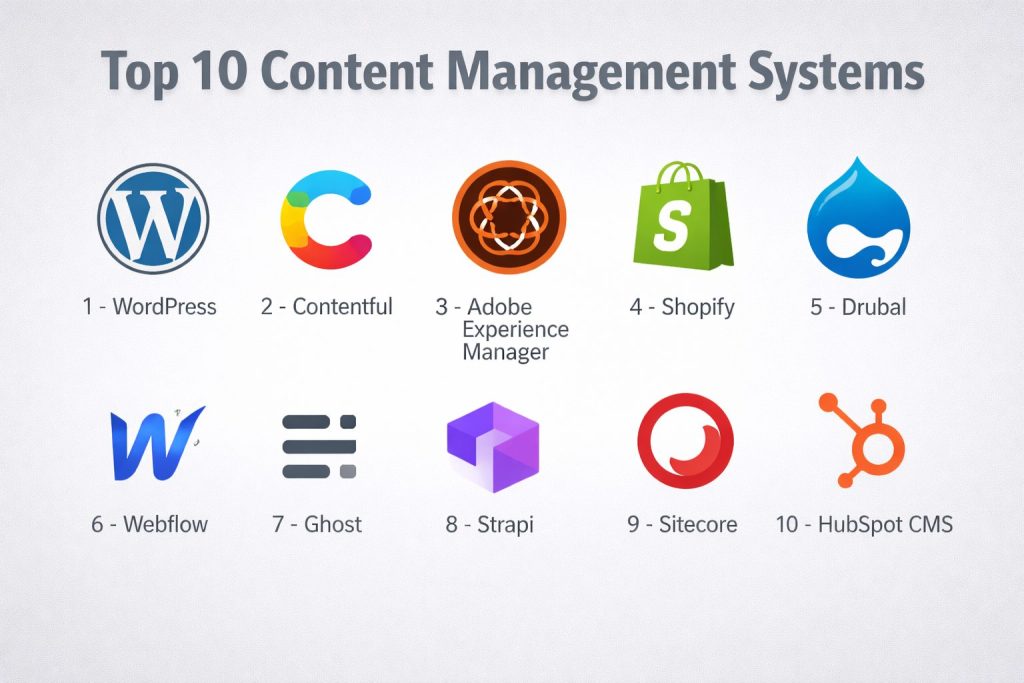
Introduction
Content Management System (CMS) is a software application that allows users to build, manage, and modify websites without needing to write code from scratch. Think of it as a digital control center: instead of manually editing HTML files and uploading them via complex servers, you use an intuitive interface to type text, upload images, and click “publish.” The system handles all the underlying technical architecture, ensuring your content looks professional and reaches your audience across the web.
Real-World Use Cases
- E-commerce & Global Retail: Managing product catalogs, descriptions, and regional pricing across multiple storefronts and languages.
- Corporate Portals & Intranets: Creating secure, internal hubs for employee documentation, HR resources, and collaborative project management.
- Digital Publishing & Media: Powering high-traffic news sites that require rapid-fire updates, multimedia embedding, and subscription paywalls.
- Marketing & Lead Generation: Building landing pages with integrated CRM forms and A/B testing to convert visitors into customers.
- Knowledge Bases: Hosting technical documentation and customer support articles that are easily searchable and categorized.
Evaluation Criteria for Buyers
When selecting a CMS today, organizations must look beyond the “drag-and-drop” interface and evaluate:
- Architecture Type: Is it a traditional (coupled) CMS, a pure Headless CMS, or a Hybrid model?
- AI Orchestration: Does it have native AI for content drafting, automated tagging, and SEO optimization?
- Scalability: Can it handle sudden traffic spikes during a product launch or marketing campaign?
- Security Posture: Does the vendor provide enterprise-grade protection, SSO, and compliance with global data laws?
- Ease of Use: Is the editor intuitive for non-technical marketers, or does every change require a developer?
- Integration Ecosystem: How easily does it connect with your CRM, Email Marketing, and Analytics tools?
- Performance: Does it deliver content with low latency to ensure fast page load speeds?
- Ownership & Portability: Can you easily export your data if you decide to switch platforms later?
Best for: Small business owners, marketing teams at scale, enterprise organizations, and individual creators who need a centralized place to govern their digital presence. Not ideal for: High-frequency trading applications, low-level system software development, or static “one-off” pages that will never be updated.
Key Trends in Content Management Systems
- MACH Architecture: The industry has shifted toward Microservices-based, API-first, Cloud-native, and Headless (MACH) principles, allowing businesses to pick and choose “best-of-breed” tools rather than being locked into one vendor.
- AI-Augmented Editorial Workflows: In 2026, top-tier CMS platforms include AI agents that perform real-time SEO audits, generate alt-text for images, and even translate content into 50+ languages instantly.
- Generative Engine Optimization (GEO): Content is no longer just for Google; CMS tools are being optimized to feed “answer engines” and AI models, ensuring your brand is the primary source for AI-generated responses.
- Composable DXPs: The “all-in-one” suite is dead. Modern platforms allow you to “compose” a Digital Experience Platform by integrating a CMS with separate specialized commerce and data engines.
- Visual Headless Editing: Pure headless systems often frustrated marketers. The new trend is “Hybrid Headless,” providing the API flexibility developers love with a visual “What You See Is What You Get” (WYSIWYG) editor for marketers.
- Zero-Trust Content Security: With the rise of deepfakes and site injection attacks, CMS security now focuses on cryptographically verifying content updates and implementing rigid identity-based access controls.
- Edge-Native Delivery: To reduce latency, modern systems deliver content directly from “the edge” (servers located physically close to the user), ensuring sub-second load times globally.
- Privacy-First Analytics: As cookies are phased out, CMS platforms are integrating first-party data collection tools that respect user privacy while still providing actionable marketing insights.
How We Selected These Tools (Methodology)
To select the top 10 CMS platforms for 2026, we applied a comprehensive analysis focused on professional-grade requirements:
- Market Adoption & Reliability: We prioritized tools used by a significant portion of the web, from global enterprises to successful independent creators.
- Feature Completeness: Only tools that provide a robust set of native features (or a deep plugin ecosystem) for content lifecycle management were considered.
- Security & Compliance Signals: We looked for platforms that consistently update their security protocols and offer features like MFA and SSO.
- Performance Benchmarking: We evaluated the speed of content delivery and the efficiency of the administrative interface.
- Integration Flexibility: We focused on tools that provide high-quality APIs and pre-built connectors for the modern tech stack (CRMs, CDPs, etc.).
- Developer vs. Marketer Balance: The list includes a mix of tools that cater to “no-code” users and those designed for highly technical developer environments.
Top 10 Content Management Systems
#1 — WordPress
The world’s most popular open-source CMS, powering over 40% of the web. It is a highly flexible platform suitable for everything from personal blogs to massive enterprise portals.
Key Features
- Gutenberg Block Editor: A modern, visual page-building experience using customizable content blocks.
- Massive Plugin Library: Over 60,000 extensions to add everything from e-commerce (WooCommerce) to advanced SEO.
- Multisite Management: The ability to manage a network of hundreds of websites from a single administrative dashboard.
- Full Site Editing (FSE): Allows users to design headers, footers, and templates without touching a line of code.
- REST API & WP-GraphQL: Enables WordPress to act as a “Headless” CMS, sending content to mobile apps or custom front-ends.
- Global Community: Unmatched access to themes, developers, and troubleshooting resources.
- Built-in Versioning: Keeps a detailed history of every post edit, allowing for easy “undo” or audit trails.
Pros
- Total ownership of your data and software with no monthly platform “rent.”
- Incredibly easy to find developers and specialized hosting providers worldwide.
- SEO-friendly out of the box with the most advanced optimization tools available.
Cons
- Requires active maintenance (updates for core, plugins, and themes) to stay secure.
- Can suffer from “plugin bloat,” which may slow down site performance if not managed properly.
Platforms / Deployment
- Windows / macOS / Linux (Server-side PHP)
- Self-hosted / Cloud (Managed WordPress Hosting)
Security & Compliance
- Supports MFA, SSL, and RBAC via plugins or managed hosting providers.
- GDPR compliant tools integrated into the core settings.
Integrations & Ecosystem
WordPress has the largest integration ecosystem in the world.
- WooCommerce for advanced global e-commerce.
- Salesforce and HubSpot CRM connectors.
- Zapier and Make.com for workflow automation.
- Integrates with all major CDN and Cloud providers.
Support & Community
Unparalleled community support via official forums, WordCamps, and thousands of dedicated tutorial sites and YouTube channels.
#2 — Contentful
A leading API-first “Headless” CMS designed for modern digital teams who need to deliver content across web, mobile, and IoT devices simultaneously.
Key Features
- Content Modeling: A highly flexible way to define your own content structures (e.g., “Product,” “Author,” “Event”).
- App Framework: Allows developers to build custom widgets and integrations directly into the Contentful UI.
- Omnichannel Delivery: Content is stored as “pure data” (JSON), making it ready for any screen or device.
- Compose & Launch: Specialized tools for marketers to manage pages and schedule complex content releases visually.
- GraphQL & REST APIs: Robust, high-performance APIs that prioritize developer speed and flexibility.
- Multi-space Governance: Allows large organizations to segregate content by project, brand, or region.
- Webhooks: Automatically trigger actions in other systems (like starting a build or sending an email) when content changes.
Pros
- Eliminates the “walled garden” effect, allowing you to use any front-end technology (React, Vue, Next.js).
- Exceptional performance and scalability for high-traffic enterprise applications.
- Enables parallel workflows where developers and editors work at the same time without interference.
Cons
- Requires technical expertise to set up the initial front-end and content models.
- Pricing scales quickly based on the number of “records” and users, making it expensive for small sites.
Platforms / Deployment
- Web / Cloud-based (SaaS)
- Cloud (Fully Managed)
Security & Compliance
- ISO 27001, SOC 2 Type II, and GDPR compliant.
- SSO/SAML, MFA, and granular Role-Based Access Control (RBAC).
Integrations & Ecosystem
Contentful thrives on being a “composable” hub.
- Marketplace for Shopify, BigCommerce, and Algolia.
- Deep integrations with AWS, Vercel, and Netlify.
- Digital Asset Management (DAM) connectors for Cloudinary and Bynder.
Support & Community
Offers dedicated enterprise support tiers, extensive developer documentation, and a growing community of “headless-first” agencies.
#3 — Adobe Experience Manager
An enterprise-grade Digital Experience Platform (DXP) that combines a CMS with digital asset management, tailored for global corporations with complex marketing needs.
Key Features
- Experience Manager Sites: A powerful tool for creating and managing cross-channel digital experiences.
- Experience Manager Assets: An integrated, AI-powered Digital Asset Management (DAM) system for global media.
- Adobe Sensei AI: Automates content cropping, tagging, and personalized content recommendations.
- Cloud Service: A cloud-native version that ensures the platform is always up-to-date and scalable.
- Live Copy & Blueprints: Allows for rapid roll-out of regional sites while maintaining global brand consistency.
- Fluid Experiences: Decoupled content delivery for headless and hybrid use cases.
- Forms Integration: Simplifies the creation of complex, data-driven customer forms and documents.
Pros
- Deep integration with the Adobe Creative Cloud (Photoshop, Illustrator) and Adobe Analytics.
- Unrivaled for managing thousands of sites across multiple languages and regions.
- High level of governance and security for regulated industries like finance and healthcare.
Cons
- Extremely high total cost of ownership (licensing and implementation).
- Requires highly specialized developers and long implementation timelines.
Platforms / Deployment
- Web-based
- Cloud / Hybrid / Self-hosted (On-premise for legacy)
Security & Compliance
- SOC 2, ISO 27001, HIPAA (for specific configurations), and GDPR.
- Enterprise-grade SSO, encryption at rest, and detailed audit logging.
Integrations & Ecosystem
Designed to be the center of the Adobe Marketing Cloud.
- Native links to Adobe Target for A/B testing.
- Connects to Adobe Commerce (Magento) for enterprise retail.
- Extensive APIs for third-party ERP and CRM systems.
Support & Community
Professional support via Adobe Customer Success Managers and a global network of “Adobe Certified” implementation partners.
#4 — Shopify
While primarily known as an e-commerce platform, Shopify functions as a specialized CMS for retail, managing product content, blogs, and pages for millions of stores.
Key Features
- Online Store 2.0: A section-based theme editor that allows for deep visual customization without code.
- Hydrogen & Oxygen: A React-based framework for building fast, headless commerce experiences.
- Global Markets: Tools to manage localized content, currencies, and languages from one backend.
- Product Information Management (PIM): Centralized control over product descriptions, media, and variants.
- Shopify Magic: Integrated AI for writing product descriptions and summarizing customer reviews.
- App Store: Thousands of apps to extend the CMS with reviews, SEO, and social feeds.
- Integrated Hosting & CDN: Ensures the storefront is fast and secure globally without manual setup.
Pros
- The fastest way to launch a professional content-driven retail site.
- Takes the “technical headache” out of security, hosting, and payment processing.
- Excellent mobile management app for updating content on the go.
Cons
- Transaction fees apply unless you use their proprietary payment gateway.
- Less flexible for non-commerce content compared to general-purpose tools like WordPress.
Platforms / Deployment
- Web / iOS / Android
- Cloud (SaaS)
Security & Compliance
- Level 1 PCI DSS compliant, SOC 2, and GDPR.
- Standard SSL, MFA, and managed security updates.
Integrations & Ecosystem
Shopify has one of the most commercially focused ecosystems.
- Native integrations with TikTok, Instagram, and Google Shopping.
- Connects to ERPs like NetSuite and SAP.
- Marketing automation via Klaviyo and Mailchimp.
Support & Community
24/7 award-winning support and a massive ecosystem of “Shopify Experts” and theme designers.
#5 — Drupal
A high-performance, open-source CMS used by government agencies, higher education, and large NGOs who require advanced content modeling and security.
Key Features
- Modular Architecture: Thousands of “modules” to extend functionality (e.g., Views, Layout Builder).
- Granular Permissions: The most sophisticated user role and permission system in the open-source world.
- Multilingual Core: Built-in tools for translating every element of the site into 100+ languages.
- Content Modeling: Advanced “Entity” system for creating highly structured, relational data.
- API-First: Built-in support for JSON:API and REST to power headless applications.
- Configuration Management: Allows developers to move site changes between dev, staging, and production securely.
- BigPipe: A performance technology that sends the “fast” parts of a page first to improve perceived speed.
Pros
- Incredible flexibility for complex data—if you can imagine it, you can build it in Drupal.
- Strong focus on accessibility (A11y) standards for public sector compliance.
- Highly secure core with a dedicated security team and regular public audits.
Cons
- Requires a higher level of technical skill (PHP/Composer) than WordPress or Wix.
- The admin interface can be daunting for casual users or small-scale bloggers.
Platforms / Deployment
- Windows / macOS / Linux (Server-side)
- Self-hosted / Cloud (Acquia, Pantheon)
Security & Compliance
- Known for its “Enterprise-grade” security reputation.
- Frequently used for HIPAA and FedRAMP compliant projects in the US.
Integrations & Ecosystem
Drupal is designed for deep integration with professional data stacks.
- Apache Solr and Elasticsearch for advanced site search.
- Connects with Salesforce and Microsoft Dynamics.
- Robust support for Guzzle and other modern PHP libraries.
Support & Community
A dedicated, highly technical community with extensive documentation and a focus on open-source sustainability.
#6 — Webflow
A visual development platform that allows designers to build custom, high-end websites and manage content without writing code, while maintaining “clean” CSS/HTML.
Key Features
- Visual CMS: Allows users to define custom collections (e.g., “Team Members,” “Projects”) and design their layouts visually.
- Designer Interface: Provides total control over CSS properties (Grid, Flexbox) through a visual UI.
- Interactions & Animations: Build complex, trigger-based animations without JavaScript knowledge.
- Editor Mode: A simplified interface for clients and writers to update text and images without breaking the design.
- Localization: Native tools to customize content and SEO for different regions.
- E-commerce Integration: Fully customizable checkout and cart experiences.
- Logic: A visual way to build workflows, such as sending form data to a CRM or triggering emails.
Pros
- Bridging the gap between a “no-code” builder and a professional developer tool.
- Produces much cleaner and faster-loading code than traditional drag-and-drop builders.
- No maintenance required; Webflow handles all security and platform updates.
Cons
- Pricing can be complex (Workspace plans vs. Site plans).
- The “Designer” has a learning curve for those unfamiliar with CSS fundamentals.
Platforms / Deployment
- Web-based
- Cloud (Fully Managed Hosting)
Security & Compliance
- SOC 2 Type II compliant.
- Standard SSL, MFA, and ISO 27001 (for enterprise tiers).
Integrations & Ecosystem
- Official integrations with HubSpot, Zapier, and Adobe Fonts.
- Ability to export clean code to host on your own servers (excluding CMS features).
- Active community marketplace for templates and components.
Support & Community
Webflow University is widely regarded as one of the best free learning platforms in the industry.
#7 — Ghost
A professional, open-source publishing platform focused purely on writers, journalists, and media creators who want a clean, fast experience.
Key Features
- Native Memberships: Built-in tools to create “members-only” content and paid subscription tiers.
- Email Newsletters: Every post can be automatically sent as a beautifully formatted email to your subscribers.
- Markdown Editor: A minimalist, distractive-free editor that prioritizes the writing experience.
- Headless Capability: Fully decoupled architecture with a modern JSON API.
- Extreme Performance: Built on Node.js, making it one of the fastest CMS platforms on the market.
- Built-in SEO: Automatic XML sitemaps, clean URLs, and canonical tags without plugins.
- Offer Management: Ability to create coupons and trial periods for your subscription business.
Pros
- Unrivaled for individuals and teams building a “media business” rather than just a website.
- Zero “plugin hell”—the features you need are built into the core software.
- Non-profit governance model means the platform focuses on users, not shareholders.
Cons
- Less flexible for general business sites that need complex contact forms or custom databases.
- Requires a bit more technical knowledge for self-hosting than WordPress.
Platforms / Deployment
- Windows / macOS / Linux (Node.js)
- Self-hosted / Cloud (Ghost(Pro) managed service)
Security & Compliance
- GDPR compliant.
- Standard encryption and secure authentication; specialized enterprise audits are Varies / N/A.
Integrations & Ecosystem
Ghost focuses on connecting with the “Creator Stack.”
- Native integration with Stripe for payments.
- Connects to Zapier for thousands of third-party workflows.
- Supports Unsplash for high-quality, integrated stock photography.
Support & Community
Extremely helpful developer documentation and an active forum for independent publishers and journalists.
#8 — Strapi
The leading open-source Headless CMS based on JavaScript/Node.js, designed to give developers total control over their API and content structure.
Key Features
- Custom Content Types: Use a drag-and-drop builder to define exactly how your data should be structured.
- Database Agnostic: Works with PostgreSQL, MySQL, SQLite, and MariaDB.
- Role-Based Access Control: Define custom roles and permissions for every field in your CMS.
- GraphQL & REST: Automatically generates documented APIs as you build your content types.
- Self-Hostable: Total control over where your data lives and how your server is configured.
- Plugin System: An extensible architecture that allows developers to add custom functionality.
- Media Library: A centralized hub to manage and optimize your digital assets.
Pros
- 100% JavaScript (Node.js), making it highly familiar to modern web developers.
- No vendor lock-in; you own the code and the database entirely.
- Highly performant for modern JAMstack (JavaScript, APIs, and Markup) architectures.
Cons
- Requires significant development knowledge to deploy and maintain.
- The admin UI is functional but less “polished” for non-technical editors than HubSpot or Webflow.
Platforms / Deployment
- Windows / macOS / Linux
- Self-hosted / Cloud (Strapi Cloud managed service)
Security & Compliance
- Supports SSO (Enterprise), MFA, and data encryption.
- SOC 2 compliance for Strapi Cloud.
Integrations & Ecosystem
Strapi is designed for “best-of-breed” connectivity.
- Deep integrations with Next.js, Nuxt.js, and Gatsby.
- Works seamlessly with Cloudinary, AWS S3, and SendGrid.
- Active community of marketplace plugins.
Support & Community
A thriving open-source community on GitHub and Discord, with dedicated enterprise support plans available.
#9 — Sitecore
A high-end Composable DXP that provides deep personalization and customer data insights for large-scale enterprise organizations.
Key Features
- Sitecore Experience Platform (XP): Combines a CMS with real-time customer data and automated marketing.
- Experience Editor: A WYSIWYG editor that allows marketers to edit content in context.
- AI Personalization: Uses machine learning to deliver specific content to users based on their past behavior.
- Sitecore Content Hub: A centralized system for Digital Asset Management (DAM) and Content Marketing (CMP).
- Omnichannel Orchestration: Delivers consistent experiences across web, mobile, and social.
- A/B & Multivariate Testing: Built-in tools to optimize every element of the user journey.
- Composable Architecture: Allows for a “headless-first” approach while retaining marketing power.
Pros
- The most advanced tool on this list for “Experience Orchestration” and 1-to-1 personalization.
- Built for massive scale—perfect for global brands with complex compliance needs.
- Strong focus on high-conversion marketing and customer lifecycle management.
Cons
- Very high cost and complexity; often requires a dedicated team of “Sitecore Developers.”
- Can be overkill for businesses that just need a website and basic blogging.
Platforms / Deployment
- Web-based
- Cloud-native (SaaS) / Hybrid
Security & Compliance
- ISO 27001, SOC 2, HIPAA-ready, and GDPR.
- Advanced security features including deep audit logs and enterprise SSO.
Integrations & Ecosystem
Sitecore is a “hub” for enterprise technology.
- Native connectors for Salesforce and Microsoft Dynamics.
- Deep commerce integrations via Sitecore OrderCloud.
- Extensive SDKs for custom application development.
Support & Community
Full professional support tiers and a global community of specialized Sitecore “Most Valuable Professionals” (MVPs).
#10 — HubSpot CMS
A marketing-first CMS that is natively integrated with HubSpot’s famous CRM, making it ideal for teams focused on lead generation and sales.
Key Features
- CRM Integration: Every visitor’s interaction is recorded in the CRM, allowing for hyper-targeted marketing.
- Drag-and-Drop Editor: A user-friendly interface for building pages without needing to understand code.
- Smart Content: Show different text or images to visitors based on their location, device, or CRM lifecycle stage.
- SEO Recommendations: Real-time advice on how to improve your search engine rankings as you type.
- Integrated Hosting: Managed security and 99.9% uptime guaranteed by HubSpot.
- Reporting Dashboards: View which blog posts or pages are actually driving the most revenue and leads.
- App Marketplace: Hundreds of connectors for tools like Slack, Zoom, and Shopify.
Pros
- The absolute best choice for “B2B Marketing” teams who live in their CRM.
- Combines hosting, security, and marketing tools into one predictable monthly cost.
- Very easy for non-technical teams to get a professional site up and running.
Cons
- “Proprietary Lock-in”—it is difficult and expensive to move your site out of HubSpot later.
- Limited for high-end “design-only” projects compared to Webflow or specialized headless tools.
Platforms / Deployment
- Web-based
- Cloud (SaaS)
Security & Compliance
- SOC 2 Type II, ISO 27001, and GDPR compliant.
- WAF (Web Application Firewall), SSL, and 24/7 threat monitoring included.
Integrations & Ecosystem
HubSpot is built for the “Sales and Marketing” stack.
- Unrivaled integration with HubSpot Sales and Service hubs.
- Connects to Google Ads and Meta Ads for ROI tracking.
- Support for custom APIs and developer modules.
Support & Community
World-class 24/7 support and the “HubSpot Academy,” which provides free certifications in inbound marketing and CMS management.
Comparison Table (Top 10)
| Tool Name | Best For | Platform(s) Supported | Deployment | Standout Feature | Public Rating |
| WordPress | Versatility & SEO | All (PHP) | Hybrid | 60k+ Plugins | 4.6/5 |
| Contentful | Omnichannel API | Web / API | Cloud | App Framework | 4.5/5 |
| Adobe Experience Manager | Global Enterprise | Web / API | Cloud/Hybrid | Adobe Cloud Sync | 4.2/5 |
| Shopify | Content Commerce | All (SaaS) | Cloud | Commerce-First AI | 4.8/5 |
| Drupal | Technical Governance | All (PHP) | Hybrid | Granular RBAC | 4.3/5 |
| Webflow | Designer Control | Web | Cloud | Visual CSS Control | 4.7/5 |
| Ghost | Modern Publishing | All (Node.js) | Hybrid | Paid Newsletters | 4.8/5 |
| Strapi | Open-Source API | All (Node.js) | Local/Cloud | 100% JS Core | 4.6/5 |
| Sitecore | Personalization | Web | Cloud/Hybrid | Experience AI | 4.1/5 |
| HubSpot CMS | B2B Marketing | Web | Cloud | Native CRM Sync | 4.5/5 |
Evaluation & Scoring of Content Management Systems
| Tool Name | Core (25%) | Ease (15%) | Integrations (15%) | Security (10%) | Performance (10%) | Support (10%) | Value (15%) | Weighted Total |
| WordPress | 10 | 8 | 10 | 6 | 7 | 10 | 10 | 8.8 |
| Contentful | 9 | 5 | 10 | 9 | 10 | 8 | 7 | 8.2 |
| Adobe AEM | 10 | 3 | 9 | 10 | 8 | 9 | 4 | 7.5 |
| Shopify | 8 | 9 | 9 | 9 | 9 | 9 | 8 | 8.7 |
| Drupal | 10 | 4 | 9 | 10 | 8 | 8 | 9 | 8.3 |
| Webflow | 8 | 8 | 7 | 8 | 9 | 9 | 8 | 8.1 |
| Ghost | 7 | 9 | 6 | 8 | 10 | 7 | 10 | 8.2 |
| Strapi | 9 | 5 | 8 | 8 | 10 | 7 | 9 | 8.1 |
| Sitecore | 10 | 4 | 9 | 10 | 8 | 9 | 5 | 7.7 |
| HubSpot CMS | 8 | 10 | 9 | 9 | 9 | 10 | 7 | 8.8 |
How to Interpret These Scores
- Weighted Total: The final score represents the platform’s suitability for a broad professional audience.
- Value Score: A high “Value” score often indicates a free/open-source model or high ROI for small teams.
- Security Score: High scores here reflect platforms that manage security updates for you (SaaS) or have a dedicated security response team (Drupal/Adobe).
- Integrations: Reflects both the quantity of plugins and the quality of the API for custom work.
Which Content Management System Tool Is Right for You?
Solo / Freelancer
If you are building your personal brand or a small business site, WordPress is the most practical choice due to its low cost and massive support network. For those focused specifically on newsletters and blogging, Ghost is a much faster and more streamlined alternative.
SMB
Small to mid-sized businesses looking to grow should consider HubSpot CMS if they already have a sales team. If your focus is purely on high-end design and “wowing” clients with visuals, Webflow will give you the most creative freedom without needing a developer.
Mid-Market
For companies that need a balance of power and flexibility, Drupal or Strapi are excellent choices. They allow you to build custom content structures that can grow with your company without the high licensing fees of enterprise-only suites.
Enterprise
Global organizations with thousands of pages and strictly regulated security needs should stick with Adobe Experience Manager or Sitecore. These tools are built specifically for the governance, localization, and 1-to-1 personalization that massive brands require.
Budget vs Premium
- Budget: WordPress, Drupal, and Ghost (Self-hosted) are virtually free at the software level.
- Premium: Adobe AEM and Sitecore can cost six figures annually but offer levels of automation and support that cheaper tools cannot match.
Feature Depth vs Ease of Use
If you need deep technical control and “API-first” power, Contentful and Strapi are your best bets. If you want an “it just works” experience with zero coding, HubSpot CMS and Shopify lead the pack.
Integrations & Scalability
For projects that need to connect to everything in your tech stack, WordPress (via plugins) and Contentful (via APIs) offer the most robust paths for scaling from one site to an entire ecosystem.
Frequently Asked Questions (FAQs)
What is the difference between a Headless CMS and a Traditional CMS?
A Traditional CMS (like WordPress) manages the content and the design in one place. A Headless CMS (like Contentful) only manages the content data, sending it via API to whatever “head” or device you choose, allowing for more design flexibility and faster apps.
How much does a professional CMS cost in 2026?
Costs vary wildly. Open-source software is free to download but requires paid hosting ($10–$500/month). SaaS platforms like HubSpot or Contentful typically range from $25/month for basic plans to several thousand dollars for enterprise tiers.
Can I migrate my content from one CMS to another?
Yes, but it varies in difficulty. Most systems support XML or JSON exports. Moving from WordPress to Ghost is relatively simple, while moving out of proprietary systems like HubSpot or Wix often requires manual work or specialized migration tools.
Do I need to be a developer to use a CMS?
No. Most modern CMS platforms like Webflow, HubSpot, and WordPress offer visual editors. However, for “Headless” systems or highly customized Drupal sites, you will likely need a developer for the initial setup.
How do CMS platforms handle SEO in the age of AI?
Top-tier tools now use “Generative Engine Optimization” (GEO) features. They ensure your technical data is structured (using Schema.org) so that AI bots like ChatGPT or Perplexity can easily read and cite your content as a primary source.
Is open-source or SaaS more secure?
SaaS (like Shopify or HubSpot) is often “safer” for non-technical users because the company manages all security patches. Open-source (like WordPress) is extremely secure if kept updated, but the responsibility for those updates falls on the user.
What is “MACH” architecture and why should I care?
MACH stands for Microservices, API-first, Cloud-native, and Headless. It matters because it allows your business to swap out tools (like changing your search engine or payment processor) without having to rebuild your entire website.
How does a CMS improve team collaboration?
Modern systems include “Workflow Governance.” This allows you to set rules where, for example, a writer can draft a post, but it cannot be published until a legal editor and a manager approve it within the system.
Can a CMS handle e-commerce?
Yes. Some are “commerce-first” (like Shopify), while others are “content-first” but offer powerful commerce add-ons (like WordPress with WooCommerce). Your choice depends on whether your primary goal is selling or storytelling.
What is the average implementation time for a new CMS?
A simple WordPress or Webflow site can be launched in days. A mid-market Drupal or Strapi project usually takes 2–4 months. A global Adobe AEM or Sitecore implementation can take 6–12 months due to complex integrations.
Conclusion
Choosing the right Content Management System in 2026 is a foundational decision that will dictate your digital agility for years to come. Whether you prioritize the absolute creative freedom of Webflow, the commerce-engine power of Shopify, or the enterprise-grade governance of Adobe AEM, the “best” tool is the one that aligns with your team’s technical skills and business goals.