Introduction
In plain English, a Content Delivery Network (CDN) is a group of geographically distributed servers that work together to provide fast delivery of internet content. Instead of a user in London having to wait for data to travel all the way from a server in New York, the CDN serves that data from a local “Edge” server in or near London. This drastically reduces the physical distance data must travel, leading to faster page loads and a smoother user experience.
CDNs have evolved from simple file-caching tools into sophisticated “Edge Computing” platforms. They no longer just serve images and videos; they now execute complex code, filter out malicious bots, and optimize data in real-time before it even reaches the user’s device. For any business operating online today, a CDN is not just an “extra” but a vital piece of infrastructure for maintaining global speed and security.
Real-World Use Cases
- Video Streaming: Delivering high-definition video to millions of simultaneous viewers without buffering (e.g., live sports or streaming services).
- E-commerce: Ensuring product images and checkout pages load instantly to prevent “cart abandonment” during high-traffic sales events.
- Software Distribution: Providing fast, reliable downloads for large game patches, operating system updates, or mobile apps.
- Global News & Media: Instantly updating and purging cached breaking news stories across thousands of global nodes in seconds.
- Security & DDoS Mitigation: Absorbing massive “Distributed Denial of Service” attacks at the network edge to keep the main server online.
Evaluation Criteria for Buyers
- Network Density: How many Points of Presence (PoPs) are available in your target geographic regions?
- Purge Speed: How quickly can you remove old content from the entire global network?
- Edge Computing Power: Can you run custom logic (like redirects or A/B testing) directly on the edge?
- Security Stack: Does it include a Web Application Firewall (WAF), bot management, and DDoS protection?
- Origin Shielding: Does it offer an extra layer to protect your primary server from being overwhelmed by requests?
- Analytics & Logging: Are real-time logs available to troubleshoot traffic spikes or security threats?
- Price-to-Performance: Is the pricing model transparent, or does it include hidden fees for “HTTP requests” and “log streaming”?
- Modern Protocol Support: Does it support the latest standards like HTTP/3, QUIC, and TLS 1.3?
Best for: Global enterprises, media companies, high-traffic SaaS platforms, and e-commerce brands requiring sub-50ms latency for a worldwide audience. Not ideal for: Hyper-local businesses with 100% of their traffic in a single city, or low-traffic personal blogs where the complexity of a CDN might outweigh the performance benefits.
Key Trends in Content Delivery Networks
- AI-Enhanced Edge Logic: CDNs use machine learning to predict traffic surges and pre-warm caches in specific regions before the traffic even arrives.
- Serverless at the Edge: Modern CDNs allow developers to deploy “edge functions” (like Cloudflare Workers or Fastly Compute) that run at the network’s periphery, reducing the need for traditional backend servers.
- Next-Gen Bot Mitigation: AI models now distinguish between “good” bots (like Google Search) and “malicious” scrapers with near-perfect accuracy by analyzing behavioral patterns in real-time.
- Green CDN Initiatives: Top providers are now reporting the carbon footprint of their data delivery, with many moving toward 100% renewable energy for their edge locations.
- Integrated Web3 Support: Native support for IPFS (InterPlanetary File System) and decentralized storage is becoming a standard feature for modern content delivery.
- Automatic Image & Video Optimization: CDNs now automatically convert assets to the most efficient formats (like AVIF or H.266) based on the user’s specific device and bandwidth.
- Privacy-First Routing: New protocols ensure that user IP addresses are masked or anonymized at the edge to comply with strict global privacy laws.
- Unification of Security and Performance: The industry has moved toward “SASE” (Secure Access Service Edge) models where security isn’t an add-on but is baked into every data packet delivered.
How We Selected These Tools (Methodology)
To select the top 10 Content Delivery Networks , we applied a rigorous evaluation framework:
- Network Throughput & Global Reach: We analyzed the total capacity (Tbps) and the distribution of edge nodes across all continents.
- Feature Completeness: We looked for platforms that provide a full stack—caching, security, edge computing, and media optimization.
- Performance Signals: We evaluated real-world “Time to First Byte” (TTFB) and “Cache Hit Ratio” data across various global markets.
- Security Integrity: Preference was given to providers with integrated, unmetered DDoS protection and advanced WAF capabilities.
- Ecosystem Maturity: We evaluated the ease of integration with popular CMS platforms (WordPress, Shopify) and DevOps tools (Terraform, GitHub).
- Customer Segment Fit: The list includes a mix of “Big Tech” enterprise clouds, developer-first edge platforms, and budget-friendly specialist CDNs.
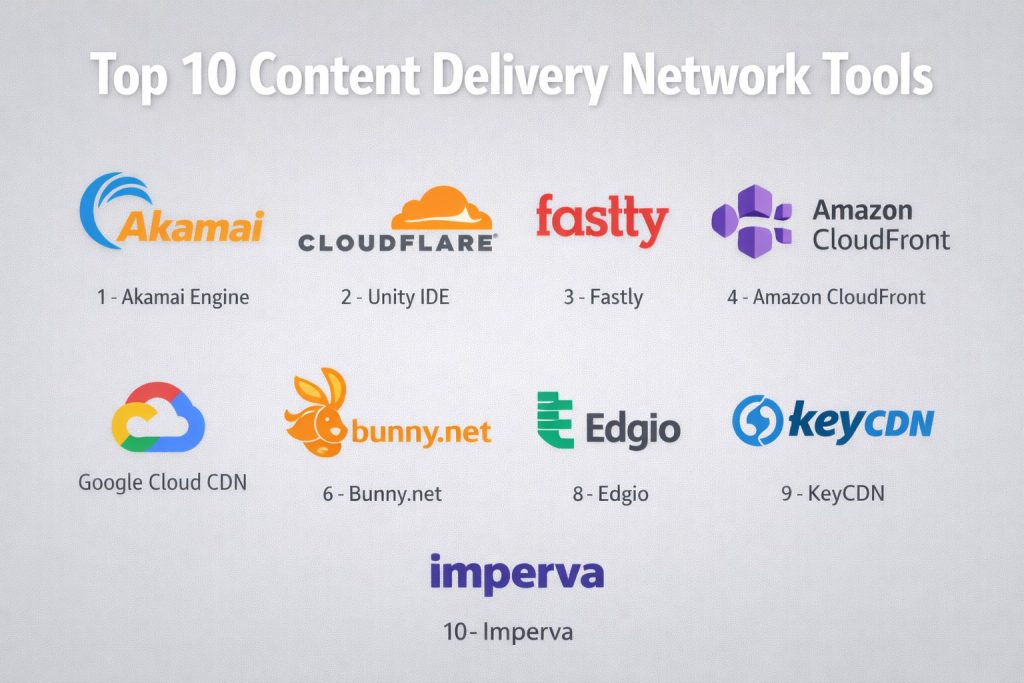
Top 10 Content Delivery Network Tools
#1 — Akamai
The world’s largest and most experienced CDN provider, serving as the backbone for the biggest global brands, banks, and streaming services.
Key Features
- Massive Edge Footprint: Over 360,000 servers in 135+ countries, putting content within one network hop of 85% of the world’s population.
- App & API Protector: A highly sophisticated security suite that combines WAF, bot management, and API security into one AI-driven engine.
- EdgeWorkers: A robust serverless environment that allows developers to write and deploy code at the edge in JavaScript.
- Adaptive Media Delivery: Industry-leading video streaming technology that adjusts quality in real-time based on the viewer’s internet speed.
- Global Traffic Management: Intelligent DNS-based routing that ensures users are always sent to the healthiest and fastest server.
- Cloud Computing Integration: Deep synergy with Akamai’s Linode-based cloud services for a unified “Cloud-to-Edge” experience.
- Zero Trust Security: Integrated access controls that protect internal applications as well as public-facing websites.
Pros
- Unrivaled performance for high-stakes, massive-scale global events (like the Olympics or major software launches).
- The most comprehensive security portfolio in the CDN industry.
- Dedicated enterprise support and managed services for complex global organizations.
Cons
- Notoriously complex setup and configuration compared to modern SaaS-first competitors.
- Premium pricing models that are typically out of reach for small businesses or individual creators.
Platforms / Deployment
- Web / Cloud / Hybrid
- Global Anycast Network
Security & Compliance
- SSO/SAML, MFA, RBAC, and unmetered DDoS protection.
- SOC 2, ISO 27001, HIPAA, PCI DSS, and FedRAMP authorized.
Integrations & Ecosystem
Akamai is built for professional enterprise workflows.
- Terraform provider for Infrastructure as Code (IaC).
- Deep integrations with major cloud providers (AWS, Azure, GCP).
- Support for advanced CI/CD pipelines and API-first management.
Support & Community
Akamai provides 24/7 “Platinum” support with dedicated technical account managers for enterprise clients, along with an extensive developer portal and training certifications.
#2 — Cloudflare
A modern security and performance giant known for its incredibly fast network, developer-friendly tools, and powerful free tier.
Key Features
- Workers & Pages: The most popular edge computing platform, allowing for near-instant deployment of serverless applications.
- Argo Smart Routing: Uses real-time internet traffic data to route your content around congestion, like a “Waze for the internet.”
- R2 Storage: An S3-compatible object storage with zero egress fees, making it significantly cheaper to serve large assets.
- Bot Management: Uses behavioral analysis and machine learning to stop scrapers and credential stuffing without using CAPTCHAs.
- Automatic Platform Optimization (APO): A one-click speed boost specifically designed for WordPress sites.
- WAF with Managed Rules: A world-class firewall that is updated instantly when new global vulnerabilities are discovered.
- Cloudflare Stream: An integrated video platform that handles encoding, storage, and delivery in one simple workflow.
Pros
- Extremely easy to set up; you can be up and running in minutes by simply changing your DNS.
- The best value for money in the industry, including a highly capable free version.
- Leader in “Zero Trust” networking, allowing you to secure your entire company’s internet access.
Cons
- Support for the free and lower-tier plans is limited to community forums and email.
- Can occasionally be “too aggressive” with security, requiring manual fine-tuning to avoid blocking legitimate users.
Platforms / Deployment
- Web / iOS / Android / IoT
- Cloud (SaaS)
Security & Compliance
- Universal SSL, DDoS protection, WAF, and 1.3 TLS.
- SOC 2 Type II, ISO 27001, PCI DSS, and GDPR compliant.
Integrations & Ecosystem
Cloudflare has one of the most vibrant developer ecosystems in the 2026 tech landscape.
- First-class support for Terraform and Pulumi.
- Deep integrations with GitHub, Vercel, and Shopify.
- Extensive Marketplace for third-party “Apps.”
Support & Community
Boasts a massive community on Discord and its own community forums, alongside professional 24/7 support for Business and Enterprise tiers.
#3 — Fastly
A developer-centric CDN that prioritizes real-time control, instant purging, and massive programmability for high-performance engineering teams.
Key Features
- Compute@Edge: A high-speed serverless environment built on WebAssembly (Wasm) that offers 100x faster startup times than traditional containers.
- Instant Purge: Allows you to invalidate and update cached content globally in approximately 150 milliseconds.
- Varnish Configuration Language (VCL): Provides total control over how the CDN handles every single HTTP request and response.
- Real-Time Observability: Log streaming that provides 100% visibility into every request as it happens.
- Next-Gen WAF: A security layer that uses “Smart Decisions” to block attacks without slowing down legitimate traffic.
- Image Optimizer: On-the-fly image manipulation (resizing, cropping, and format conversion) at the edge.
- Origin Shielding: Strategic caching layer that prevents your origin server from being hit by “cache miss” storms.
Pros
- The gold standard for “dynamic” content that needs to be updated frequently (like inventory levels or sports scores).
- Unmatched developer flexibility; if you can code it, Fastly can do it at the edge.
- Very transparent performance metrics and real-time data streaming.
Cons
- Requires a high level of technical expertise (specifically VCL or Wasm) to unlock its full potential.
- Pricing can be less predictable for teams with highly fluctuating traffic patterns.
Platforms / Deployment
- Web / Cloud-Native
- High-Density PoP Architecture
Security & Compliance
- DDoS mitigation, TLS termination, and PCI compliance.
- SOC 2, HIPAA (on certain plans), and GDPR compliant.
Integrations & Ecosystem
Fastly is designed to be part of a modern “DevOps” stack.
- Native integrations with Datadog, Splunk, and New Relic for logging.
- Strong support for Terraform and CI/CD automation.
Support & Community
Highly rated technical support from engineers who understand the underlying protocols, plus a dedicated community hub for sharing VCL snippets.
#4 — Amazon CloudFront
The native CDN for Amazon Web Services (AWS), offering seamless integration for businesses already built on the world’s most popular cloud.
Key Features
- AWS Integration: One-click setup for content stored in S3 buckets, EC2 instances, or behind Elastic Load Balancers.
- Lambda@Edge: Allows you to run Node.js or Python code globally to customize content based on the user’s location or device.
- CloudFront Functions: Ultra-lightweight JavaScript functions for high-scale, simple tasks like header manipulation or URL rewrites.
- Field-Level Encryption: An extra layer of security that encrypts sensitive data (like credit card numbers) before it even reaches your origin.
- Origin Shield: A centralized caching layer that further reduces the load on your origin and improves cache hit ratios.
- AWS Shield Standard: Built-in, always-on DDoS protection included at no extra cost.
- Real-Time Logs: Detailed Kinesis-based logging for immediate analysis of traffic patterns.
Pros
- Incredibly convenient and cost-effective for companies already utilizing the AWS ecosystem.
- Highly scalable and reliable, backed by Amazon’s massive global infrastructure.
- No “egress fees” when transferring data from AWS origins (like S3) to CloudFront.
Cons
- The AWS Management Console can be overwhelming and complex for beginners.
- Third-party integrations are less “native” compared to standalone CDNs like Cloudflare.
Platforms / Deployment
- Web / AWS Ecosystem
- Global Edge Network
Security & Compliance
- AWS WAF, AWS Shield, and SSL/TLS.
- SOC 1/2/3, ISO 27001, HIPAA, PCI DSS, and FedRAMP.
Integrations & Ecosystem
CloudFront is a core component of the AWS universe.
- Seamless integration with Route 53 (DNS) and AWS Certificate Manager.
- Full support for CloudFormation and AWS CDK for infrastructure automation.
Support & Community
Access to the vast AWS support network, including thousands of certified partners, documentation, and a global community of developers.
#5 — Azure Front Door
Microsoft’s high-performance, modern CDN that combines global content delivery with advanced Layer 7 load balancing and security.
Key Features
- Unified Platform: Combines CDN, Load Balancing, WAF, and API Acceleration into a single service.
- Microsoft Global Private Network: Routes traffic over Microsoft’s own high-speed fiber lines rather than the “public” internet.
- Smart Health Probes: Continuously monitors your backend origins and automatically reroutes traffic to the healthiest location.
- URL-Based Routing: Allows you to send traffic to different backends based on the URL path (e.g., /images vs. /api).
- SSL Offloading: Handles heavy encryption tasks at the edge to free up your origin server’s resources.
- Azure WAF Integration: Protects against SQL injection, cross-site scripting, and other common web vulnerabilities.
- Static Site Hosting: Optimized delivery for modern Jamstack applications and static assets.
Pros
- Essential for enterprises that rely on the Microsoft Azure cloud and Office 365 ecosystem.
- Exceptional performance for users in regions where Microsoft has a heavy corporate presence.
- Simplified management by combining several networking tools into one dashboard.
Cons
- Limited value for organizations that are not already using Azure as their primary cloud.
- UI can be technical and tailored more toward IT administrators than web developers.
Platforms / Deployment
- Web / Azure Cloud
- Microsoft Global Network
Security & Compliance
- DDoS protection, WAF, and private link support.
- SOC 2, ISO 27001, HIPAA, and extensive global certifications.
Integrations & Ecosystem
- Deep integration with Azure App Service, Storage, and Kubernetes.
- Managed through Azure Portal, CLI, or PowerShell.
Support & Community
Backed by Microsoft’s enterprise-grade support and the massive “Microsoft Learn” documentation library.
#6 — Google Cloud CDN
Leverages the same global fiber-optic network that powers Google Search and YouTube to deliver high-speed web content and media.
Key Features
- Google Global Anycast IP: Uses a single IP address for all edge locations, simplifying DNS and improving global routing.
- Cloud Armor Integration: Provides enterprise-grade DDoS protection and WAF capabilities at the edge.
- Media CDN: A specialized version of the platform optimized specifically for high-bandwidth video streaming and large downloads.
- Brotli & Gzip Compression: Automatically compresses assets to reduce file sizes by up to 80% without losing quality.
- Signed URLs & Cookies: Securely delivers private content to authorized users without complex backend logic.
- QUIC & HTTP/3 Support: Uses Google’s own modern protocols to reduce latency for mobile users.
- Programmable Headers: Allows for fine-grained control over how cache headers are handled and transformed.
Pros
- Unmatched speed for organizations that need to reach users on mobile devices or in emerging markets.
- Excellent price-to-performance for large-scale video delivery through Media CDN.
- Tight integration with the rest of the Google Cloud (GCP) ecosystem.
Cons
- The feature set can feel “utilitarian” compared to the high-end marketing tools found in Cloudflare.
- Pricing for data egress can become complex for very high-traffic global apps.
Platforms / Deployment
- Web / Google Cloud (GCP)
- Google Private Fiber Network
Security & Compliance
- Cloud Armor (WAF/DDoS), SSL/TLS.
- SOC 2, ISO 27001, HIPAA, and PCI DSS.
Integrations & Ecosystem
- Native integration with Google Cloud Storage and Load Balancing.
- Managed via Google Cloud Console or gcloud CLI.
Support & Community
Access to Google Cloud’s professional support tiers and a vast ecosystem of open-source tools and community experts.
#7 — Bunny.net
A “performance-first” specialist CDN that focuses on making high-speed content delivery affordable and simple for growing businesses and agencies.
Key Features
- Bunny Optimizer: Automatically optimizes images, minifies CSS/JS, and delivers WebP/AVIF formats in one click.
- Smart Storage: A globally replicated storage system that ensures your files are always close to the end user.
- Bunny Stream: An all-in-one video delivery solution that includes a player, encoding, and global delivery.
- Bunny DNS: A fast, anycast DNS service with advanced geo-routing and monitoring features.
- Edge Scripting: A 2026 serverless environment that allows for simple logic execution without complex coding.
- Per-Region Toggling: Allows you to turn specific global regions on or off to precisely control your costs.
- Origin Shielding: Included by default to protect your servers from traffic spikes.
Pros
- Incredible price-to-performance; often faster than the “giants” at a fraction of the cost.
- The most intuitive and user-friendly dashboard in the CDN industry.
- Transparent pay-as-you-go pricing with no hidden fees or minimum contracts.
Cons
- Smaller total network capacity compared to Akamai or Cloudflare.
- Fewer “Enterprise” features like advanced Zero Trust or specialized compliance for banking.
Platforms / Deployment
- Web / Windows / macOS / iOS / Android
- Global Anycast Network
Security & Compliance
- Let’s Encrypt SSL, DDoS protection, and IP whitelisting.
- GDPR compliant; other certifications are Varies / N/A.
Integrations & Ecosystem
Bunny.net is built for ease of integration.
- One-click plugins for WordPress, Magento, and PrestaShop.
- Robust API and Terraform support for developers.
Support & Community
Renowned for incredibly fast response times (often under 5 minutes) from a highly technical support team.
#8 — Edgio
Formed from the merger of Limelight and Edgecast, Edgio is a massive-scale platform focused on high-stakes media, security, and web performance.
Key Features
- Uplynk Media Orchestration: A specialized tool for live and on-demand video that handles everything from ingestion to monetization.
- Global Capacity: Over 250 Tbps of network capacity, designed to handle the world’s largest traffic spikes.
- App Security: A unified WAF, Bot Management, and DDoS protection suite that protects 5% of all global web traffic.
- Edgio Applications: A specialized WebOps platform that optimizes the entire development-to-deployment workflow.
- Dual-CDN Strategies: Built-in tools for managing multi-CDN setups for maximum reliability.
- Private Network Backbone: Routes traffic over a private global fiber network to bypass public internet congestion.
- Real-Time Video Analytics: Deep insights into viewer behavior and stream quality metrics.
Pros
- One of the best options for large-scale media companies and broadcasters.
- Exceptional “white-glove” service for high-value enterprise clients.
- Massive bandwidth capacity that can absorb the largest DDoS attacks in history.
Cons
- The platform can be complex to manage for non-enterprise users.
- Pricing is high and not transparently listed for small-scale projects.
Platforms / Deployment
- Web / Media / Enterprise
- Private Global Network
Security & Compliance
- Advanced WAF, Bot Management, and DDoS mitigation.
- PCI DSS, SOC 2, and HIPAA (for specific solutions).
Integrations & Ecosystem
- Strongest integrations are with high-end media tools and enterprise ERPs.
- Support for major cloud providers and high-scale video workflows.
Support & Community
Offers high-end, dedicated engineering support and 24/7 monitoring for its largest global customers.
#9 — KeyCDN
A high-performance, lightweight CDN that offers an excellent balance of speed and simplicity for mid-market websites.
Key Features
- Brotli Support: High-compression algorithm that speeds up text-based assets like HTML and CSS.
- Instant Purge: Allows for immediate global cache invalidation via the dashboard or API.
- Origin Shield: Reduces the load on your origin server by providing a secondary caching layer.
- Real-Time Analytics: Detailed visual reports on traffic, bandwidth usage, and cache hit ratios.
- HTTP/3 Support: Future-proof delivery for the latest web protocols.
- Two-Factor Authentication: Adds a layer of security to your CDN management dashboard.
- Pull & Push Zones: Flexibility to either have the CDN “pull” from your server or “push” content directly to KeyCDN storage.
Pros
- Simple, transparent “Pay-as-you-go” pricing with a low entry barrier.
- Extremely lightweight and easy to configure for standard web projects.
- Consistently ranks in the top tier for “Time to First Byte” (TTFB) in Europe and North America.
Cons
- Smaller global footprint compared to Bunny.net or Cloudflare.
- Security features are more basic (standard DDoS and SSL) compared to enterprise suites.
Platforms / Deployment
- Web / WordPress / Magento
- Global Anycast Network
Security & Compliance
- Custom SSL, DDoS protection, and secure token support.
- GDPR compliant.
Integrations & Ecosystem
- Excellent WordPress integration via the “CDN Enabler” plugin.
- Support for popular frameworks like Laravel and Symfony.
Support & Community
Provides free 24/7 technical support and a very high-quality knowledge base for self-service troubleshooting.
#10 — Imperva
A security-first CDN that prioritizes protecting web applications from high-level threats while ensuring consistent global performance.
Key Features
- Advanced WAF: Consistently ranked as a leader for its ability to block complex application-layer attacks.
- Global Server Load Balancing (GSLB): Distributes traffic across multiple data centers to ensure maximum uptime.
- DDoS Protection: Guaranteed mitigation of any size DDoS attack within 3 seconds (SLA-backed).
- Bot Management: Uses advanced device fingerprinting to stop sophisticated bots that bypass traditional filters.
- Dynamic Content Acceleration: Optimizes the path for non-cacheable data (like database queries) to reduce latency.
- API Security: Automatically discovers and protects all your public API endpoints.
- Data Masking: Prevents sensitive user data from being exposed in logs or during transmission.
Pros
- The best choice for organizations where security is the #1 priority (e.g., Finance, Government).
- Offers one of the industry’s best “Service Level Agreements” (SLAs) for security and uptime.
- Provides a deep, unified view of all security threats across your entire network.
Cons
- Not the most “developer-friendly” platform for those who just want simple caching.
- High cost and complex implementation for smaller organizations.
Platforms / Deployment
- Web / Security-Focused
- Global Anycast Network
Security & Compliance
- Comprehensive WAF, Bot Protection, and DDoS mitigation.
- SOC 2, PCI DSS, HIPAA, and ISO 27001.
Integrations & Ecosystem
- Integrates deeply with SIEM tools (like Splunk or Sentinel) for security logging.
- Strong support for enterprise cloud environments.
Support & Community
Provides high-end technical account management and 24/7 global security operations centers (SOC) for its clients.
Comparison Table (Top 10)
| Tool Name | Best For | Platform(s) Supported | Deployment | Standout Feature | Public Rating |
| Akamai | Global Enterprise | All Platforms | Hybrid | EdgeWorkers | 4.6/5 |
| Cloudflare | Security & Developers | All Platforms | Cloud (SaaS) | Workers / R2 Storage | 4.8/5 |
| Fastly | Real-Time Dynamic Content | Web, Cloud | Edge-Heavy | Instant Purge | 4.7/5 |
| Amazon CloudFront | AWS Users | Web, AWS | Cloud-Native | Lambda@Edge | 4.5/5 |
| Azure Front Door | Microsoft Enterprises | Web, Azure | Microsoft Net | Global Anycast | 4.4/5 |
| Google Cloud CDN | Mobile & Media Speed | Web, GCP | Google Net | Media CDN | 4.4/5 |
| Bunny.net | SMBs & Agencies | All Platforms | Anycast | Bunny Optimizer | 4.9/5 |
| Edgio | Large-Scale Media | Media, Web | Private Net | Uplynk Orchestration | 4.3/5 |
| KeyCDN | Lightweight Speed | Web, WordPress | Anycast | Simple Pay-as-you-go | 4.2/5 |
| Imperva | High-Security Sectors | Security-First | Anycast | 3-Second DDoS SLA | 4.6/5 |
Evaluation & Scoring of Content Delivery Networks
| Tool Name | Core (25%) | Ease (15%) | Integrations (15%) | Security (10%) | Performance (10%) | Support (10%) | Value (15%) | Weighted Total |
| Akamai | 10 | 3 | 9 | 10 | 10 | 9 | 4 | 8.1 |
| Cloudflare | 9 | 9 | 10 | 10 | 9 | 7 | 10 | 9.1 |
| Fastly | 9 | 5 | 9 | 8 | 10 | 9 | 7 | 8.0 |
| Amazon CloudFront | 8 | 6 | 10 | 9 | 9 | 8 | 8 | 8.1 |
| Azure Front Door | 8 | 6 | 10 | 9 | 9 | 8 | 7 | 8.0 |
| Google Cloud CDN | 9 | 7 | 9 | 9 | 10 | 8 | 7 | 8.4 |
| Bunny.net | 7 | 10 | 9 | 7 | 9 | 10 | 10 | 8.5 |
| Edgio | 10 | 4 | 8 | 9 | 10 | 8 | 5 | 7.7 |
| KeyCDN | 6 | 9 | 8 | 6 | 8 | 8 | 9 | 7.3 |
| Imperva | 8 | 4 | 8 | 10 | 8 | 9 | 6 | 7.4 |
How to Interpret These Scores
- 0–5: Highly specialized tool that requires significant training or a high budget to implement.
- 6–8: Strong performance across most categories, often leading in a specific cloud ecosystem (like AWS or Azure).
- 9–10: Market-leading results that represent the pinnacle of speed, security, and developer satisfaction.
- Note: Scoring is comparative. A “3” in Ease of Use for Akamai reflects its enterprise complexity, not its quality as a global network.
Which Content Delivery Network Tool Is Right for You?
Solo / Freelancer
For an individual creator, Cloudflare (Free tier) or Bunny.net are the best choices. They are extremely easy to set up and provide immediate speed improvements without any monthly fees or technical overhead.
SMB
Small and mid-sized businesses should prioritize Bunny.net or KeyCDN. These platforms offer the best price-to-performance ratio and won’t require a full-time network engineer to manage the settings.
Mid-Market
Companies scaling their digital presence will benefit most from Cloudflare (Paid tiers) or Fastly. These platforms provide the advanced security and edge computing features needed as traffic grows and security threats increase.
Enterprise
For global giants, Akamai and Edgio are the gold standards. They provide the massive capacity, white-glove support, and advanced security configurations required for high-stakes corporate infrastructure.
Budget vs Premium
- Budget: Bunny.net ($1 minimum) and Cloudflare Free are the clear winners.
- Premium: Akamai and Imperva offer the most robust, SLA-backed services for a significant investment.
Feature Depth vs Ease of Use
If you want total control over every request, Fastly is your tool. If you want a “set it and forget it” experience that just makes your site faster, Bunny.net or Cloudflare are superior.
Integrations & Scalability
For businesses already in the cloud, Amazon CloudFront, Azure Front Door, or Google Cloud CDN offer the most seamless integration and automated scaling within their respective ecosystems.
Security & Compliance Needs
Organizations in finance, healthcare, or government should look at Imperva or Akamai, as they offer the most comprehensive security certifications and the most aggressive threat mitigation SLAs.
Frequently Asked Questions (FAQs)
What is the difference between a CDN and a web host?
A web host is where your website’s actual files live (the origin). A CDN is a global network of servers that caches copies of those files to deliver them faster to users based on their location. You still need a host, but a CDN makes that host much faster.
How much does a CDN typically cost in 2026?
Costs have dropped significantly. Basic plans start at $0 (Cloudflare) or $1/month (Bunny.net). For high-traffic enterprises, costs are usually based on “bandwidth used” (per GB) and can range from hundreds to thousands of dollars per month.
Do I need a CDN if all my customers are in the same country?
If your country is small, you might not see a huge speed boost. However, a CDN still provides vital “Security” benefits, like DDoS protection and a Web Application Firewall, which your standard host may not offer.
What is “Edge Computing”?
Edge computing refers to the ability of a CDN to run code (like redirects, image resizing, or A/B tests) on the edge server itself. This means the request never has to travel back to your main server, saving significant time.
Will a CDN improve my SEO rankings?
Yes. Google and other search engines use “Page Speed” as a ranking factor. By reducing your site’s load time globally, a CDN indirectly helps improve your position in search results.
What is a “Cache Hit Ratio”?
This is the percentage of requests that the CDN was able to serve from its own memory without having to ask your origin server for the file. A higher ratio (e.g., 95%+) means your site is faster and your hosting costs are lower.
Can a CDN protect me from hackers?
Yes. Most modern CDNs include a Web Application Firewall (WAF) that blocks common attacks like SQL injection. They also absorb DDoS attacks by spreading the malicious traffic across their entire global network.
Is it hard to set up a CDN?
For most platforms like Cloudflare or Bunny.net, setup takes less than 10 minutes. You typically just point your domain’s DNS to the CDN provider. More complex enterprise setups (like Akamai) can take several weeks.
Does a CDN support video streaming?
Yes. Specialized CDNs like Akamai and Edgio are built specifically for massive-scale video. Most standard CDNs also offer “video-on-demand” and live streaming features to ensure high-quality, buffer-free playback.
Can I use more than one CDN at the same time?
Yes, this is called a “Multi-CDN” strategy. Large enterprises often use two or more CDNs simultaneously to ensure that if one provider goes down, the other automatically takes over the traffic.
Conclusion
By 2026, the question is no longer whether you need a Content Delivery Network, but which one fits your specific needs. Whether you are a solo developer looking for the simplicity of Bunny.net, a fast-growing startup leveraging Cloudflare’s edge workers, or a global giant relying on the massive scale of Akamai, a CDN is your first line of defense and your primary driver of performance.