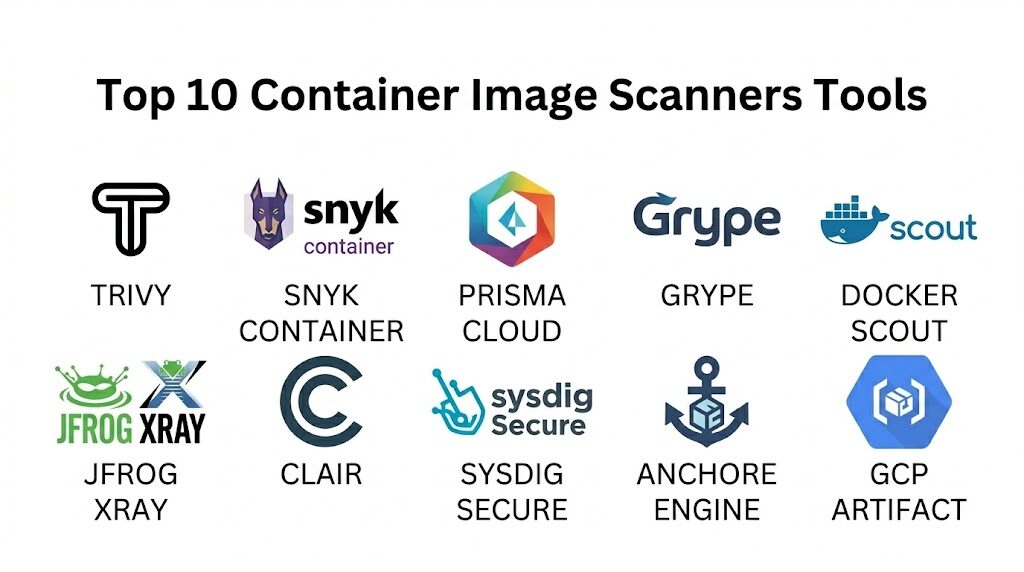
Introduction
Container image scanning has shifted from being a final production hurdle to a core component of the “shift-left” security movement. As organizations increasingly adopt microservices and Kubernetes, the container image itself has become the primary unit of deployment, carrying with it a complex tail of operating system packages, language-specific libraries, and configurations. A single vulnerable base image or an outdated dependency can expose an entire production environment to remote code execution or data exfiltration. Container scanners address this by performing static and dynamic analysis on image layers, cross-referencing their contents against vast vulnerability databases to identify known security flaws before they ever reach a registry.
In today’s DevSecOps landscape, a scanner’s value is measured by its accuracy, its ability to prioritize “reachable” vulnerabilities, and how seamlessly it integrates into existing CI/CD pipelines. Modern tools no longer just provide a list of Common Vulnerabilities and Exposures (CVEs); they offer actionable remediation paths, such as suggesting a specific base image upgrade that resolves multiple issues simultaneously. For security teams, these platforms provide the necessary visibility to enforce compliance and governance. For developers, they provide a feedback loop that allows for the rapid resolution of security issues without derailing the development velocity. Choosing the right scanner requires balancing the need for deep technical analysis with the operational realities of a high-speed software supply chain.
Best for: DevOps engineers, cloud security architects, and site reliability engineers (SREs) who need to ensure the integrity and security of containerized applications throughout the software development lifecycle.
Not ideal for: Teams running monolithic applications on traditional virtual machines without containerization, or organizations looking for general network firewalls that do not inspect internal application artifacts.
Key Trends in Container Image Scanners
The industry is currently moving toward “Contextual Security,” where scanners don’t just report that a vulnerability exists, but determine if the vulnerable code is actually loaded or executed during runtime. This significantly reduces “alert fatigue” by allowing teams to ignore vulnerabilities that are technically present but practically unreachable. There is also a major surge in the adoption of Software Bills of Materials (SBOMs). Scanners are now expected to not only consume SBOMs to find vulnerabilities but also to generate them in standard formats like SPDX or CycloneDX to meet new regulatory and federal compliance requirements.
Furthermore, we are seeing the rise of AI-assisted remediation, where scanners use machine learning to predict which patches are least likely to cause breaking changes in an application. Another significant trend is the integration of “Secrets Detection” and “IaC (Infrastructure as Code) Scanning” into the same toolset as image scanning. This holistic approach allows a single scan to identify a vulnerable Linux package, a hardcoded API key, and a misconfigured Kubernetes manifest all at once. Finally, registry-native scanning is becoming the standard, with major cloud providers and registry vendors embedding sophisticated scanning engines directly into their storage platforms to provide continuous, zero-configuration monitoring.
How We Selected These Tools
Our selection process for the top container scanners involved evaluating the breadth of their vulnerability databases and the speed of their scanning engines. We prioritized tools that aggregate data from multiple reliable sources, including the National Vulnerability Database (NVD), GitHub Advisory Database, and vendor-specific security feeds from distributions like Alpine, Red Hat, and Ubuntu. A critical factor was the “False Positive” rate; we favored platforms known for high precision that minimize the time developers spend investigating non-issues.
We also assessed the level of “Developer Experience” (DX) each tool provides. This includes the quality of the CLI (Command Line Interface) for local development, the clarity of the web dashboard for security teams, and the availability of plugins for popular IDEs. Integration capabilities were heavily weighted, specifically looking for native support for major CI/CD tools and container registries. Finally, we considered the scalability of each solution—how well it handles thousands of daily image builds in a global enterprise environment—and the robustness of its compliance reporting features for standards like SOC 2 and PCI-DSS.
1. Aqua Security (Trivy)
Trivy is widely considered the industry standard for open-source container scanning due to its extreme speed and comprehensive coverage. It is a multi-purpose security tool that handles container images, filesystems, and Git repositories with a single, lightweight binary.
Key Features
The platform features a “Single Binary” architecture that requires no database setup or external dependencies to run. It includes comprehensive scanning for OS packages (Alpine, RHEL, CentOS, etc.) and language-specific dependencies like npm, Go, and Python. The system offers integrated “Secret Scanning” to detect hardcoded credentials within image layers. It features “IaC Scanning” for Kubernetes and Terraform files, providing a unified view of application and infrastructure risk. Additionally, it supports multiple output formats including JSON, SARIF, and SBOM (SPDX/CycloneDX), making it highly compatible with modern reporting tools.
Pros
It is incredibly fast and lightweight, making it perfect for integration into high-frequency CI/CD pipelines. The community support is massive, ensuring the vulnerability database is updated daily.
Cons
The open-source version lacks a centralized management dashboard for large-scale enterprise visibility. It does not provide native runtime protection without moving to the commercial Aqua platform.
Platforms and Deployment
Runs on Linux, macOS, Windows, and as a Docker container; easily integrates with GitHub Actions and GitLab.
Security and Compliance
Trusted by major security organizations; provides clear mapping to CVEs and severity levels.
Integrations and Ecosystem
Native integrations with almost all CI/CD platforms, Harbor registry, and VS Code.
Support and Community
Extensive documentation and a highly active GitHub community for troubleshooting and feature requests.
2. Snyk Container
Snyk is a developer-first security platform that specializes in finding and fixing vulnerabilities with minimal friction. Snyk Container is particularly famous for its “Base Image Recommendations,” which provide a clear path to a more secure image.
Key Features
The platform features “Base Image Intelligence,” which identifies the most secure alternative base image for your application. It includes “Runtime Insights” that prioritize vulnerabilities based on whether the affected package is actually in use. The system offers “Automatic Fix PRs,” which can automatically update Dockerfiles to use safer image versions. It features a robust web dashboard that tracks security posture across multiple projects and teams. It also provides deep scanning for application-layer vulnerabilities across all major programming languages and package managers.
Pros
Provides the most actionable remediation guidance in the market, often reducing vulnerability counts by 90% with one click. The user interface is exceptionally clean and designed specifically for developers.
Cons
The free tier has strict monthly scan limits for private repositories. The enterprise pricing can be significant for large teams with many projects.
Platforms and Deployment
Web-based SaaS, CLI for local/CI use, and plugins for major IDEs like IntelliJ and VS Code.
Security and Compliance
SOC 2 Type II compliant with advanced reporting for audit readiness and compliance tracking.
Integrations and Ecosystem
Deeply integrated with Docker Desktop, GitHub, Bitbucket, and all major cloud container registries.
Support and Community
Offers “Snyk Learn” for developer education and premium support for enterprise customers.
3. Prisma Cloud (formerly Twistlock)
Prisma Cloud, by Palo Alto Networks, is an enterprise-grade Cloud-Native Application Protection Platform (CNAPP). It provides some of the most advanced container security features available, focusing on the entire lifecycle from build to runtime.
Key Features
The platform features “Full Lifecycle Scanning,” which monitors images in the pipeline, the registry, and while running in a cluster. It includes “Vulnerability Risk Prioritization,” which uses environmental context to identify the most critical threats. The system offers “Trusted Images” policies that prevent any unscanned or non-compliant image from being deployed. It features a “Cloud Attack Graph” that visualizes how a vulnerability could be exploited in a multi-cloud environment. Additionally, it provides over 400 built-in compliance checks for frameworks like NIST and CIS.
Pros
Provides an exhaustive security suite that goes far beyond simple scanning, including network firewalls and runtime protection. It is ideal for large enterprises with complex multi-cloud and hybrid environments.
Cons
The platform is complex and requires significant time and expertise to configure properly. It is generally too heavy and expensive for small startups or individual developers.
Platforms and Deployment
Cloud-SaaS or self-hosted “Compute” edition; supports all major Kubernetes and container platforms.
Security and Compliance
The benchmark for enterprise compliance, supporting PCI-DSS, HIPAA, GDPR, and FedRAMP.
Integrations and Ecosystem
Strongest integrations with enterprise security ecosystems and major cloud providers (AWS, Azure, GCP).
Support and Community
Professional 24/7 support and dedicated customer success managers for large-scale deployments.
4. Grype (Anchore)
Grype is a specialized, fast vulnerability scanner developed by Anchore. It is designed to work seamlessly with its sister tool, Syft, to provide a powerful SBOM-first approach to container security.
Key Features
The platform features an “SBOM-First Workflow,” where it can scan an image directly or use an SBOM file generated by Syft as an input. It includes a “Vulnerability Matching” engine that uses a highly optimized SQLite database for local, offline scanning. The system offers “EPSS (Exploit Prediction Scoring System) Integration,” helping teams prioritize vulnerabilities that are likely to be exploited. It features “OpenVEX Support,” allowing security teams to suppress “not-affected” findings using standard VEX documents. It also provides the ability to scan both container images and local filesystems.
Pros
It is extremely efficient and works well in air-gapped or restricted environments. The separation of SBOM generation (Syft) and scanning (Grype) allows for more flexible and transparent security pipelines.
Cons
Like Trivy, it lacks a native multi-tenant web dashboard for centralized management. It focuses strictly on vulnerability detection and does not offer remediation automation.
Platforms and Deployment
Cross-platform CLI; official GitHub Action and community-maintained GitLab templates.
Security and Compliance
Maintains high data integrity with daily updates from over 20 vulnerability sources.
Integrations and Ecosystem
Native part of the Anchore ecosystem; integrates well with Harbor and other OCI-compliant registries.
Support and Community
Active open-source community and professional support available through Anchore Enterprise.
5. Docker Scout
Docker Scout is the modern security tool built directly into the Docker ecosystem. It replaces the older basic scanning features with a sophisticated analysis engine that provides continuous visibility into the software supply chain.
Key Features
The platform features “Contextual Analysis” that provides insights directly within the Docker Desktop and Docker Hub interfaces. It includes “Remediation Recommendations,” suggesting the specific version of a base image that fixes known CVEs. The system offers “Supply Chain Attestations,” allowing you to verify the origin and integrity of your image layers. It features “Policy Evaluation,” where you can set rules (e.g., “no critical vulnerabilities”) that block images from progressing. It also provides a centralized dashboard to track security status across all repositories in a Docker organization.
Pros
Requires zero configuration for teams already using Docker Desktop or Docker Hub. It makes security a natural part of the developer’s local workflow rather than a separate, external task.
Cons
It is most effective within the Docker ecosystem and may feel limited for teams using alternative container tools. Some advanced features require a paid Docker subscription.
Platforms and Deployment
Integrated into Docker Desktop (Windows, Mac, Linux), Docker Hub, and Docker CLI.
Security and Compliance
Uses industry-standard vulnerability data and supports the creation of SBOMs for compliance.
Integrations and Ecosystem
Native to Docker; supports external integrations with CI tools and other registries via APIs.
Support and Community
Backed by Docker’s massive documentation and user community.
6. JFrog Xray
JFrog Xray is a security tool designed for teams that use JFrog Artifactory as their central repository. It provides “Deep Recursive Scanning” that analyzes every layer of a container image and its transitive dependencies.
Key Features
The platform features “Impact Analysis,” which identifies exactly which production workloads are affected when a new vulnerability is discovered. It includes “Deep Binary Scanning” that looks inside nested JARs, zips, and other compiled artifacts within an image. The system offers “Security and License Policies” that can automatically block a build if a high-severity CVE or an unapproved license is detected. It features an “Enhanced CVE Database” with expert-verified data to reduce false positives. It also provides a “Graph-Based” view of dependencies for clear visualization of security risks.
Pros
The “Impact Analysis” is a game-changer for incident response, allowing teams to instantly see the reach of a zero-day exploit. It is incredibly robust for organizations managing thousands of binaries.
Cons
It requires JFrog Artifactory to function, making it an unlikely choice for teams not already in the JFrog ecosystem. The setup and resource requirements are higher than CLI-only scanners.
Platforms and Deployment
Available as a SaaS offering or self-hosted (Docker, Kubernetes, Linux).
Security and Compliance
Highly compliant with international standards; includes specialized modules for license compliance.
Integrations and Ecosystem
Seamlessly integrated with Artifactory; supports major CI/CD platforms and IDEs.
Support and Community
Enterprise-level 24/7 support and extensive professional training services.
7. Clair
Clair is an open-source project by Red Hat that provides an API-driven analysis engine for the static analysis of vulnerabilities in container images. It is the core engine behind the popular Quay registry.
Key Features
The platform features a “Layered Analysis” approach, where it indexes each image layer independently to avoid redundant scanning. It includes a “RESTful API” that allows other tools to submit images for analysis and retrieve vulnerability reports. The system offers “Continuous Monitoring,” automatically notifying users when a new CVE is discovered that affects a previously scanned image. It features “Modular Updaters” that pull data from specific Linux distribution security advisories. It also supports high-availability deployments with a PostgreSQL backend for large-scale registry installations.
Pros
It is completely free and open-source, with a long history of reliability in large-scale environments like Quay.io. Its API-first design makes it an excellent backend for custom security platforms.
Cons
It lacks a built-in CLI for local developer use, requiring additional tools or custom scripts. Setting up and maintaining a standalone Clair instance can be technically challenging.
Platforms and Deployment
Linux-based service; typically deployed via Docker or as part of a Red Hat Quay installation.
Security and Compliance
Provides detailed tracking of CVEs with a focus on OS-level vulnerabilities.
Integrations and Ecosystem
Native scanner for Project Quay; integrates with Kubernetes via the Container Security Operator.
Support and Community
Maintained by Red Hat and a community of open-source contributors with extensive documentation.
8. Sysdig Secure
Sysdig Secure is a security platform built on top of the open-source Falco project. It specializes in using “Runtime Insights” to dramatically simplify the management of container vulnerabilities.
Key Features
The platform features “Risk Spotlight,” which uses runtime data to identify which vulnerable packages are actually “In-Use.” It includes “Host and Container Scanning” for vulnerabilities, misconfigurations, and secrets. The system offers “CI/CD Pipeline Scanning” with automated policy gates. It features “Compliance Mapping,” which automatically aligns scan results with frameworks like PCI, SOC 2, and HIPAA. It also provides “Vulnerability Reporting” with deep context, including the specific line in a Dockerfile that introduced the risk.
Pros
The ability to filter out 90% of CVE noise using runtime data allows security teams to focus on real threats. It provides a single pane of glass for both vulnerability management and runtime threat detection.
Cons
The agent-based architecture for runtime insights can add some overhead to container hosts. The UI can be dense and may require some training to navigate effectively.
Platforms and Deployment
Cloud-SaaS; supports AWS, Azure, GCP, and on-premises Kubernetes clusters.
Security and Compliance
Exceptional compliance features; integrated with Falco for real-time security monitoring.
Integrations and Ecosystem
Strong integrations with Prometheus, Grafana, and all major cloud-native CI/CD tools.
Support and Community
Provides “Sysdig Sage,” an AI assistant for security guidance, and 24/7 professional support.
9. Anchore Engine (Enterprise)
Anchore Engine is a robust policy-based security platform that allows organizations to define complex “Gates” for their container images. It is particularly popular in highly regulated and government sectors.
Key Features
The platform features “Deep Image Inspection,” which catalogs every file, package, and library within an image. It includes “Extensible Policy Engine,” allowing users to create custom rules based on vulnerabilities, licenses, or image metadata. The system offers “Automated Whitelisting/Blacklisting” to handle accepted risks or specific banned components. It features “Continuous Registry Monitoring,” which re-scans images as new vulnerability data becomes available. It also provides a “Software Supply Chain” view that tracks the provenance of every image layer.
Pros
Offers some of the most granular policy controls in the industry, making it ideal for teams with strict compliance requirements. It provides a very high level of detail in its image analysis reports.
Cons
The open-source version can be resource-intensive to run and manage. The enterprise version is required for the most advanced features and the web UI.
Platforms and Deployment
Self-hosted service (Docker/Kubernetes) or SaaS via Anchore Enterprise.
Security and Compliance
Specifically designed for federal and high-security environments; supports FedRAMP-level scanning requirements.
Integrations and Ecosystem
Integrates with Harbor, Quay, and major cloud providers; has a strong ecosystem of CI/CD plugins.
Support and Community
Strong corporate backing with professional support and a dedicated community slack.
10. Google Cloud Artifact Registry (Scanner)
For organizations heavily invested in the Google Cloud ecosystem, the built-in scanner in Artifact Registry provides a seamless, automated security solution that requires almost zero management.
Key Features
The platform features “Automatic On-Push Scanning,” where every image pushed to the registry is automatically analyzed for vulnerabilities. It includes “Continuous Analysis,” which continues to monitor stored images for new CVEs for up to 30 days. The system offers “On-Demand Scanning” via an API, allowing for scans before images are even pushed. It features “Binary Authorization Integration,” which can prevent any image with “High” or “Critical” vulnerabilities from being deployed to GKE. It also provides a centralized view of security findings within the Google Cloud Console.
Pros
It is incredibly simple to set up, essentially being a “checkbox” feature within the Google Cloud environment. It offers high performance and reliability backed by Google’s infrastructure.
Cons
It is strictly tied to Google Cloud Platform, making it unsuitable for multi-cloud or on-premises strategies. The customization of scanning policies is more limited than dedicated tools.
Platforms and Deployment
Fully managed service within Google Cloud Platform.
Security and Compliance
Maintains high standards for data privacy; provides findings that are compatible with the Google Cloud Security Command Center.
Integrations and Ecosystem
Perfectly integrated with Google Kubernetes Engine (GKE) and Cloud Build.
Support and Community
Full support via Google Cloud’s standard support tiers and documentation.
Comparison Table
| Tool Name | Best For | Primary Use Case | Deployment | Standout Feature | Public Rating |
| 1. Trivy | Developers/CI-CD | Fast, local scanning | CLI / Container | Single Binary Speed | 4.8/5 |
| 2. Snyk Container | Dev-Fix Efficiency | Automated remediation | SaaS / CLI | Base Image Intelligence | 4.7/5 |
| 3. Prisma Cloud | Large Enterprise | Full Lifecycle CNAPP | SaaS / Self-Host | Contextual Risk Prioritization | 4.5/5 |
| 4. Grype | SBOM Workflows | Fast, local matching | CLI-First | SBOM-First Architecture | 4.6/5 |
| 5. Docker Scout | Local Docker Users | Supply chain visibility | Docker Desktop | Integrated Desktop UX | 4.6/5 |
| 6. JFrog Xray | Artifactory Users | Impact Analysis | SaaS / Self-Host | Recursive Binary Scanning | 4.4/5 |
| 7. Clair | Registry Backends | API-driven static scan | Service/API | Layered Indexing Engine | 4.3/5 |
| 8. Sysdig Secure | Runtime Context | Noise reduction | SaaS / Agent | Risk Spotlight Filtering | 4.6/5 |
| 9. Anchore Engine | Regulated Sectors | Deep Policy Control | Service/SaaS | Granular Policy Gates | 4.4/5 |
| 10. GCP Artifact | Google Cloud Teams | Managed/Native Scan | Cloud Native | Automatic On-Push Scan | 4.5/5 |
Evaluation & Scoring of Container Image Scanners
The scoring below is a comparative model intended to help shortlisting. Each criterion is scored from 1–10, then a weighted total from 0–10 is calculated using the weights listed. These are analyst estimates based on typical fit and common workflow requirements, not public ratings.
Weights:
- Core features – 25%
- Ease of use – 15%
- Integrations & ecosystem – 15%
- Security & compliance – 10%
- Performance & reliability – 10%
- Support & community – 10%
- Price / value – 15%
| Tool Name | Core (25%) | Ease (15%) | Integrations (15%) | Security (10%) | Performance (10%) | Support (10%) | Value (15%) | Weighted Total |
| 1. Trivy | 10 | 10 | 9 | 9 | 10 | 8 | 10 | 9.65 |
| 2. Snyk Container | 9 | 10 | 10 | 9 | 8 | 9 | 8 | 9.05 |
| 3. Prisma Cloud | 10 | 6 | 9 | 10 | 8 | 9 | 6 | 8.35 |
| 4. Grype | 9 | 9 | 8 | 9 | 10 | 8 | 10 | 9.00 |
| 5. Docker Scout | 8 | 10 | 8 | 8 | 9 | 8 | 9 | 8.55 |
| 6. JFrog Xray | 9 | 7 | 10 | 9 | 8 | 9 | 7 | 8.50 |
| 7. Clair | 8 | 6 | 8 | 8 | 9 | 7 | 10 | 7.95 |
| 8. Sysdig Secure | 9 | 7 | 9 | 10 | 8 | 9 | 8 | 8.70 |
| 9. Anchore Engine | 10 | 7 | 8 | 9 | 8 | 8 | 7 | 8.35 |
| 10. GCP Artifact | 7 | 10 | 7 | 8 | 9 | 8 | 9 | 8.15 |
How to interpret the scores:
- Use the weighted total to shortlist candidates, then validate with a pilot.
- A lower score can mean specialization, not weakness.
- Security and compliance scores reflect controllability and governance fit, because certifications are often not publicly stated.
- Actual outcomes vary with assembly size, team skills, templates, and process maturity.
Which Container Image Scanner Tool Is Right for You?
Solo / Freelancer
If you are a solo developer or founder, your priority is a tool that “just works” without a complex installation. A CLI-first tool like Trivy or Grype is perfect because you can run it locally and add it to a simple GitHub Action in minutes. Alternatively, if you are already using Docker Desktop, Docker Scout provides immediate visibility with no extra steps, allowing you to focus on building your product while maintaining a basic security baseline.
SMB
Small teams need to maximize their time and avoid chasing “ghost” vulnerabilities. Snyk Container is often the best choice here because its base image recommendations tell you exactly what to change to fix a hundred issues at once. This “action-oriented” security ensures that your small engineering team spends more time coding features and less time reading through long CVE reports.
Mid-Market
As your company scales, you will need a more centralized view of security across multiple microservices. This is where tools like Sysdig Secure or Snyk Enterprise provide value by aggregating results into a single dashboard. At this stage, integrating your scanner with your container registry (like Harbor or AWS ECR) becomes critical to ensure that every image is automatically checked as it is pushed.
Enterprise
For large enterprises, security is about governance, compliance, and multi-cloud visibility. Prisma Cloud or Aqua Security are the leading choices because they provide a comprehensive “Cloud-Native Application Protection” platform. These tools allow you to enforce strict global policies, such as “block any deployment with a critical vulnerability,” and provide the audit trails required for certifications like SOC 2 or FedRAMP.
Budget vs Premium
If budget is the primary constraint, the open-source versions of Trivy, Grype, and Clair provide world-class scanning engines for free. You will have to build your own reporting and management layers, but the core security data is excellent. Premium tools like Snyk or Prisma charge for the “intelligence” layer—the automated fixes, the reachability analysis, and the centralized management that saves high-cost engineering time.
Feature Depth vs Ease of Use
If you have a dedicated security team, you might prefer the deep, granular policy engines of Anchore or JFrog Xray. These allow for highly specific rules tailored to your industry. However, if security is a shared responsibility across all developers, the ease of use and “developer-first” interface of Docker Scout or Snyk will lead to much higher adoption and better overall security outcomes.
Integrations & Scalability
Scalability is essential for organizations with massive build farms. You need a scanner that can handle hundreds of concurrent requests without failing. Tools like Clair and Anchore are designed for this high-throughput service-based approach. Also, ensure the tool integrates with your specific stack; if you use Artifactory, Xray is a natural fit; if you are all-in on Google Cloud, their native scanner is the most efficient choice.
Security & Compliance Needs
In regulated industries like FinTech or Healthcare, a scanner must do more than find CVEs; it must provide a compliance framework. Look for tools that explicitly map their findings to standards like PCI-DSS or HIPAA. The ability to generate and manage SBOMs is also becoming a legal requirement in many jurisdictions, so prioritize scanners that have robust SBOM generation and export capabilities.
Frequently Asked Questions (FAQs)
1. What exactly does a container image scanner look for?
A scanner identifies known security vulnerabilities (CVEs) in the operating system packages (like glibc or openssl) and the application-level libraries (like npm packages or Python modules). Many modern scanners also look for hardcoded secrets, misconfigured permissions, and unapproved open-source licenses.
2. How often should I scan my container images?
Images should be scanned at three stages: during local development, as part of every CI/CD pipeline build, and continuously while the image is stored in a registry. Continuous scanning is vital because a new vulnerability might be discovered today in an image that was built and passed its scan yesterday.
3. What is a “False Positive” in image scanning?
A false positive occurs when a scanner identifies a vulnerability that doesn’t actually exist or cannot be exploited in your specific environment. This often happens if the scanner misidentifies a package version or if the vulnerable code is present but never executed.
4. Can a scanner fix the vulnerabilities it finds?
Some advanced tools like Snyk and Docker Scout provide “remediation guidance,” which tells you exactly which base image version to switch to. Some can even open an automated Pull Request to update your Dockerfile, although the final verification and merge still require a human.
5. What is “Reachability Analysis”?
Reachability analysis is a feature that determines if a vulnerable piece of code is actually “reachable” by the application at runtime. If the vulnerable library is in the image but never loaded or used by your code, the risk is much lower, and you can deprioritize fixing it.
6. Does scanning slow down my development pipeline?
While scanning adds a few seconds or minutes to a build, modern engines like Trivy and Grype are optimized for speed. By “shifting left” and scanning locally before pushing code, you can find and fix issues earlier, which actually saves time in the long run.
7. Is an SBOM the same as a scan report?
No. An SBOM (Software Bill of Materials) is a comprehensive list of every component in your image. A scan report is a list of known vulnerabilities within those components. You use an SBOM as a “map” to perform a vulnerability scan.
8. What are “Base Image” vulnerabilities?
These are vulnerabilities that your application “inherits” from the underlying image you used (like node:latest or ubuntu:22.04). Choosing a “minimal” base image like Alpine or a Distroless image can significantly reduce the number of inherited vulnerabilities.
9. Can I scan images in a private registry?
Yes, all professional scanners can be configured with credentials to pull and scan images from private registries like AWS ECR, Azure ACR, Google Artifact Registry, or a self-hosted Harbor instance.
10. Do I need a scanner if I only use official images?
Yes. Even official images from Docker Hub can contain vulnerabilities. Furthermore, as soon as you add your own application code and dependencies to an official image, you are introducing new potential risks that must be scanned.
Conclusion
Container image scanning is no longer an optional security layer; it is a fundamental requirement for any organization operating in the cloud-native era. As the complexity of software supply chains grows, the ability to rapidly identify, prioritize, and remediate vulnerabilities within container layers is the difference between a secure deployment and a catastrophic breach. Whether you choose a lightweight open-source tool for fast CI/CD integration or a comprehensive enterprise platform for full-lifecycle visibility, the goal remains the same: to create a transparent and secure path for code to travel from a developer’s machine to a production cluster. By adopting a “shift-left” approach and leveraging contextual insights, teams can maintain high velocity without compromising on the rigorous security standards required for modern digital operations.