Introduction
A Consent Management Platform (CMP) is software that helps websites and apps collect, store, and manage user consent for cookies, trackers, and personal data processing. In plain words, it is the system that shows a consent banner, lets visitors choose what they allow, and then makes sure those choices are respected across marketing tags, analytics tools, and advertising partners. This matters now because privacy expectations are higher, regulators and browser changes are stricter, and customers are more aware of how their data is used.
Common real-world use cases include cookie banner deployment across multiple websites, managing opt-in and opt-out choices across regions, maintaining consent records for audits, controlling third-party tags based on user choices, and supporting marketing teams without breaking compliance. When selecting a CMP, evaluate: consent coverage (cookies, SDKs, apps), configuration flexibility, geo rules, multilingual support, vendor and purpose controls, consent logging, tag governance, performance impact, integration depth, reporting, admin controls, and operational effort to maintain.
Best for: marketing teams, privacy and compliance teams, ecommerce businesses, publishers, SaaS companies, and enterprises managing multiple brands or regions.
Not ideal for: very small sites that do not use trackers or that only need a simple notice with no preference center, where a lightweight approach may be enough.
Key Trends in Consent Management Platforms
- Consent is shifting from “banner only” to full lifecycle governance, including vendor control, record keeping, and audit readiness.
- Preference centers are becoming more granular, with purpose-level and vendor-level controls, not just accept or reject.
- Performance expectations are rising: banners must load fast, avoid layout shifts, and reduce tag overhead.
- More teams want centralized management for multiple domains, brands, and regions with consistent policy and design.
- Integration depth is now a buying factor, especially for tag managers, analytics suites, ad tech vendors, and CDPs.
- Stronger internal controls are expected, including role-based access, approval workflows, and change history.
- Consent signals must be propagated reliably to downstream systems so tags do not fire before permission is granted.
- Reporting is moving toward operational dashboards that show opt-in rates, regional differences, and UX impact.
- Consent for mobile apps and connected devices is gaining focus as tracking expands beyond websites.
How We Selected These Tools (Methodology)
- Included tools with strong adoption across different segments such as enterprise, publishers, and SMB.
- Balanced feature depth with usability, because CMP success depends on correct ongoing operations.
- Considered coverage breadth: multi-domain, multi-language, geo rules, preference centers, and consent logs.
- Evaluated ecosystem fit: tag managers, analytics, advertising partners, and API extensibility.
- Looked at operational controls: roles, governance, reporting, and the ability to manage change safely.
- Considered performance and reliability expectations for high-traffic sites and complex tag stacks.
- Included a mix of enterprise governance-focused platforms and practical CMP-first vendors.
- Avoided guessing certifications or ratings; where unclear, details are marked as Not publicly stated.
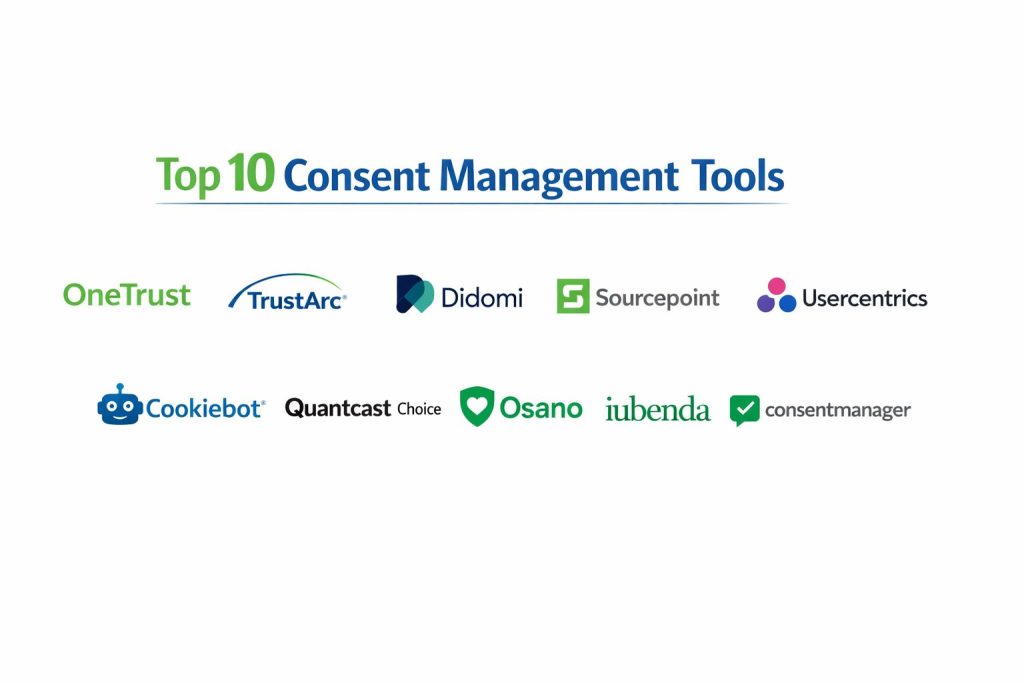
Top 10 Consent Management Platforms (CMP)
1 — OneTrust
OneTrust is commonly used by larger organizations that want privacy operations, governance, and consent management under one umbrella. It is typically selected when a business needs strong admin controls, reporting, and the ability to standardize consent across many digital properties.
Key Features
- Configurable consent banners and preference centers for multiple regions
- Vendor and purpose controls for cookies and trackers
- Consent logging and reporting for operational visibility
- Centralized management across multiple domains and brands
- Workflow-friendly administration for privacy and marketing teams
- Tag governance patterns to support consent-based firing rules
Pros
- Strong fit for enterprise-scale governance and standardization
- Broad platform approach that can support wider privacy programs
Cons
- Can be heavier to implement and operate than CMP-only tools
- Cost and complexity may be high for small teams
Platforms / Deployment
Web, Varies / N/A, Cloud
Security and Compliance
Not publicly stated
Integrations and Ecosystem
OneTrust is often used in environments with many marketing and privacy stakeholders, so integrations and operational workflows matter as much as banner appearance.
- Common fit with tag management practices and enterprise marketing stacks
- Administrative workflows that support cross-team coordination
- API and integration approach varies by plan and configuration
- Vendor and purpose models designed for complex compliance needs
Support and Community
Enterprise-oriented support structure; documentation depth varies by module. Community strength varies / not publicly stated.
2 — TrustArc
TrustArc is frequently considered by organizations that want privacy compliance tooling plus consent management. It tends to appeal to teams that want structured privacy operations and reporting while maintaining practical website consent controls.
Key Features
- Consent banner and preference center configuration
- Consent records and reporting capabilities
- Support for regional consent requirements through rule-based configuration
- Tools to manage trackers, vendors, and consent categories
- Administrative controls for managing policy and change processes
Pros
- Strong privacy program alignment for compliance-led teams
- Practical feature set for organizations needing structured governance
Cons
- Implementation can require careful planning for complex sites
- Some features and depth may depend on packaging and plan
Platforms / Deployment
Web, Varies / N/A, Cloud
Security and Compliance
Not publicly stated
Integrations and Ecosystem
TrustArc generally fits best where privacy operations and consent execution are managed together, and where teams need traceability.
- Integration patterns often depend on tag management setup
- Vendor management approaches vary by configuration
- Extensibility is typically available but details vary by plan
- Works best with a clearly defined consent taxonomy
Support and Community
Vendor support structure is oriented to business customers; community visibility varies / not publicly stated.
3 — Didomi
Didomi is often chosen for strong consent UX, regional flexibility, and publisher-friendly consent workflows. It is commonly used when teams care about consent rate optimization while maintaining compliance controls.
Key Features
- Customizable banner and preference center experiences
- Vendor and purpose controls aligned to advertising workflows
- Geo-based consent rules and multi-language support
- Consent logs and reporting for monitoring and auditing
- Support for complex vendor ecosystems in digital advertising
- Tools to manage consent signals across web properties
Pros
- Strong UX focus with practical controls for ad ecosystems
- Good fit for businesses that need flexible regional experiences
Cons
- Advanced configurations may require time and expertise
- Some integrations and capabilities may vary by plan
Platforms / Deployment
Web, Varies / N/A, Cloud
Security and Compliance
Not publicly stated
Integrations and Ecosystem
Didomi is commonly used where advertising vendors and measurement tools are central, so the ability to handle many third parties matters.
- Works alongside tag management practices for controlled firing
- Vendor lists and purpose-level choices support ad workflows
- Integration depth can vary depending on site architecture
- API and customization options vary / not publicly stated
Support and Community
Strong vendor support focus; community and partner ecosystem varies by region.
4 — Sourcepoint
Sourcepoint is widely associated with publisher and media consent use cases, especially when consent needs to align with advertising monetization workflows. It is often selected for high-traffic environments where vendor control and compliance operations need to be systematic.
Key Features
- Consent experiences designed for publisher monetization realities
- Vendor and purpose controls for complex ad partner stacks
- Regional consent rules and multi-property management
- Reporting focused on consent performance and compliance needs
- Operational tools for managing vendor and category changes
- Preference center patterns for transparency and user choice
Pros
- Strong for publisher and ad-supported business models
- Built to manage complex vendor ecosystems effectively
Cons
- May be more than needed for simple SMB websites
- Setup complexity can be higher with large vendor stacks
Platforms / Deployment
Web, Varies / N/A, Cloud
Security and Compliance
Not publicly stated
Integrations and Ecosystem
Sourcepoint typically integrates into environments with many ad and measurement vendors, where accurate consent propagation is critical.
- Designed for compatibility with ad tech partner workflows
- Supports structured vendor and purpose governance
- Works with tagging strategies to reduce unauthorized firing
- Integration specifics vary by customer environment
Support and Community
Strong business support for publisher needs; community visibility varies / not publicly stated.
5 — Usercentrics
Usercentrics is commonly used by businesses that want a CMP-first product with strong configuration and a focus on usability. It is often selected by teams that need solid compliance features without an overly heavy platform footprint.
Key Features
- Configurable consent banner and preference center options
- Geo rules and multi-language support for regional experiences
- Consent logging and reporting for operational monitoring
- Vendor and category management for cookies and trackers
- Templates and configuration helpers for faster setup
- Tag governance alignment to reduce premature tag firing
Pros
- Balanced feature set with practical setup and operations
- Good fit for teams that want CMP focus with flexibility
Cons
- Deep enterprise governance needs may require additional tooling
- Advanced integrations can depend on site complexity
Platforms / Deployment
Web, Varies / N/A, Cloud
Security and Compliance
Not publicly stated
Integrations and Ecosystem
Usercentrics often fits modern marketing stacks where teams want clear control over tracking while maintaining usability.
- Commonly paired with tag management workflows
- Supports category-based consent controls for popular trackers
- Extensibility depends on implementation approach
- Reporting helps teams iterate on UX and compliance setup
Support and Community
Support tiers vary; community resources exist but depth varies / not publicly stated.
6 — Cookiebot
Cookiebot is frequently adopted by SMB and mid-market teams that want quick deployment and reliable cookie scanning plus consent controls. It is often used where teams want less operational burden and a more guided approach.
Key Features
- Cookie scanning and categorization workflows
- Consent banner and preference center configuration
- Multi-domain and multi-language support (varies by plan)
- Consent logs to support audit needs
- Category-based consent controls for common trackers
- Practical setup for teams without deep privacy engineering resources
Pros
- Fast to deploy for many standard websites
- Strong fit for teams that want scanning plus CMP in one place
Cons
- Deep customization needs may be limited compared to enterprise tools
- Complex vendor stacks may require careful tuning
Platforms / Deployment
Web, Varies / N/A, Cloud
Security and Compliance
Not publicly stated
Integrations and Ecosystem
Cookiebot is often used with common website stacks where the goal is to control cookies and trackers with minimal friction.
- Works with tag management patterns to gate tracking
- Category-based consent mapping supports standard analytics and marketing tags
- Integration depth varies by site build and tag architecture
- Best results come from clean tag inventories and governance habits
Support and Community
Support availability varies by plan; documentation is typically practical for SMB workflows.
7 — Quantcast Choice
Quantcast Choice is commonly used in publisher environments where consent needs to align with advertising and measurement workflows. It can be a practical choice when teams want a recognized consent layer with established publisher patterns.
Key Features
- Consent banner and preference center for web properties
- Vendor and purpose controls aligned with advertising workflows
- Geo targeting for region-specific consent behaviors
- Reporting to track consent outcomes and operational metrics
- Tools for managing vendor lists and consent categories
- High-traffic suitability patterns for publishers
Pros
- Strong alignment with publisher and ad-supported workflows
- Practical vendor control approach for complex stacks
Cons
- May be less ideal for non-publisher organizations with different needs
- Some features and flexibility may vary by setup and plan
Platforms / Deployment
Web, Varies / N/A, Cloud
Security and Compliance
Not publicly stated
Integrations and Ecosystem
Quantcast Choice is often used where ad partners and measurement vendors require controlled consent signals.
- Designed for ad ecosystem compatibility
- Vendor list governance supports complex third-party stacks
- Tag control depends on implementation and site architecture
- Integration patterns vary / not publicly stated
Support and Community
Support approach varies; community presence is more visible in publisher circles.
8 — Osano
Osano is often selected by teams that want a CMP with a straightforward user experience and manageable operations. It tends to appeal to organizations that want compliance support without excessive complexity.
Key Features
- Consent banner and preference center customization
- Consent logs and reporting for operational needs
- Vendor and category controls for tracking management
- Multi-language and region-based configuration options
- Administrative tools for managing updates and governance
- Practical workflows for teams without large privacy engineering groups
Pros
- User-friendly approach that can reduce operational friction
- Good fit for mid-market organizations seeking simplicity
Cons
- Enterprise-scale governance features may be limited compared to larger platforms
- Integration depth can vary depending on the environment
Platforms / Deployment
Web, Varies / N/A, Cloud
Security and Compliance
Not publicly stated
Integrations and Ecosystem
Osano typically fits organizations that want a clear consent layer and dependable consent records, with integrations driven by common marketing tooling.
- Works with tag management strategies for consent-based gating
- Supports category-based tracker management
- API and deeper ecosystem integrations vary / not publicly stated
- Best outcomes depend on clean tag inventories and governance
Support and Community
Support tiers vary; documentation is generally practical, community size varies.
9 — iubenda
iubenda is often used by smaller teams and growing businesses that want consent controls plus privacy policy tooling in a practical package. It is frequently chosen for speed, simplicity, and a guided setup approach.
Key Features
- Consent banner and preference center configuration
- Consent record keeping for operational needs
- Category controls for cookies and tracking technologies
- Multi-language support options (varies by setup)
- Tools that support broader privacy documentation needs (varies)
- Practical deployment for small and mid-sized teams
Pros
- Practical and approachable for small teams
- Helpful when you want CMP plus related privacy tooling
Cons
- Advanced enterprise governance may be limited
- Complex multi-brand operations may require stronger admin workflows
Platforms / Deployment
Web, Varies / N/A, Cloud
Security and Compliance
Not publicly stated
Integrations and Ecosystem
iubenda typically works well for common website stacks where teams want consent control without heavy engineering.
- Works with category-based tagging approaches
- Integration depends on your tag setup and site architecture
- Vendor controls and advanced models vary by configuration
- Best results come from simplifying your tracker stack
Support and Community
Support varies by plan; community resources vary / not publicly stated.
10 — consentmanager
consentmanager is used by teams that want configurable consent experiences with support for vendor and purpose control. It is often considered in environments where the business wants flexibility across regions and clear governance of tracking choices.
Key Features
- Configurable banners and preference centers
- Vendor and purpose-level consent controls
- Geo rules and language options for regional experiences
- Consent logs and reporting for operations and audits
- Multi-domain management capabilities (varies by plan)
- Practical tooling to manage trackers and categories
Pros
- Strong flexibility for regional consent configuration
- Useful for teams that need vendor and purpose management
Cons
- Setup can require careful planning for complex stacks
- Some features and integrations may vary by plan
Platforms / Deployment
Web, Varies / N/A, Cloud
Security and Compliance
Not publicly stated
Integrations and Ecosystem
consentmanager typically integrates into websites through a controlled tagging approach that respects user preferences.
- Works with tag management patterns for consent gating
- Supports purpose and vendor models for ad ecosystems
- Integration depth varies by implementation
- Best outcomes depend on accurate tag inventories and mapping
Support and Community
Support tiers vary; documentation and community strength vary / not publicly stated.
Comparison Table
| Tool Name | Best For | Platform(s) Supported | Deployment | Standout Feature | Public Rating |
|---|---|---|---|---|---|
| OneTrust | Enterprise privacy governance and multi-brand control | Web | Cloud | Broad governance and consent operations | N/A |
| TrustArc | Compliance-led teams needing structured privacy operations | Web | Cloud | Privacy program alignment with consent execution | N/A |
| Didomi | Flexible consent UX with strong vendor controls | Web | Cloud | Consent UX and vendor management for complex stacks | N/A |
| Sourcepoint | Publishers with complex ad partner ecosystems | Web | Cloud | Publisher-focused vendor and purpose control | N/A |
| Usercentrics | CMP-first teams seeking balance of flexibility and usability | Web | Cloud | Practical configuration with solid operations | N/A |
| Cookiebot | SMB and mid-market needing scanning plus consent controls | Web | Cloud | Cookie scanning plus guided consent setup | N/A |
| Quantcast Choice | Publisher environments needing consent tied to ad workflows | Web | Cloud | Publisher consent patterns for large vendor stacks | N/A |
| Osano | Mid-market teams prioritizing simplicity and manageability | Web | Cloud | Straightforward operations with consent records | N/A |
| iubenda | Growing teams wanting practical CMP plus privacy tooling | Web | Cloud | Guided setup and practical packaging | N/A |
| consentmanager | Teams needing configurable regional consent and vendor control | Web | Cloud | Regional flexibility with vendor and purpose models | N/A |
Evaluation and Scoring of Consent Management Platforms (CMP)
Weights
Core features 25 percent
Ease of use 15 percent
Integrations and ecosystem 15 percent
Security and compliance 10 percent
Performance and reliability 10 percent
Support and community 10 percent
Price and value 15 percent
| Tool Name | Core | Ease | Integrations | Security | Performance | Support | Value | Weighted Total |
|---|---|---|---|---|---|---|---|---|
| OneTrust | 9.2 | 7.2 | 8.8 | 7.0 | 8.4 | 8.0 | 6.2 | 7.98 |
| TrustArc | 8.6 | 7.4 | 8.0 | 7.0 | 8.0 | 7.6 | 6.6 | 7.67 |
| Didomi | 8.8 | 8.0 | 8.3 | 6.6 | 8.2 | 7.4 | 7.0 | 7.88 |
| Sourcepoint | 8.7 | 7.3 | 8.6 | 6.6 | 8.3 | 7.6 | 6.8 | 7.75 |
| Usercentrics | 8.4 | 8.2 | 8.0 | 6.5 | 8.0 | 7.3 | 7.6 | 7.89 |
| Cookiebot | 8.0 | 8.4 | 7.6 | 6.3 | 8.1 | 7.0 | 8.2 | 7.83 |
| Quantcast Choice | 8.1 | 7.2 | 8.4 | 6.4 | 8.2 | 7.2 | 7.6 | 7.63 |
| Osano | 7.9 | 8.3 | 7.5 | 6.4 | 8.0 | 7.1 | 7.8 | 7.71 |
| iubenda | 7.6 | 8.2 | 7.1 | 6.2 | 7.8 | 6.8 | 8.3 | 7.61 |
| consentmanager | 8.0 | 7.8 | 7.8 | 6.4 | 8.0 | 7.0 | 7.6 | 7.63 |
How to interpret the scores
These scores are comparative to help you shortlist, not to declare a universal winner. Core features and integrations usually decide long-term fit because consent must be enforced across many tools. Ease of use matters because CMPs need ongoing maintenance, not one-time setup. Security and compliance scores reflect typical controls expected around consent operations, but details can vary and may be Not publicly stated. Use this table to shortlist and then validate through a pilot with your real tags, regions, and reporting needs.
Which Consent Management Platform (CMP) Is Right for You
Solo / Freelancer
If you manage a small website or a few client sites, you usually need fast setup, clear controls, and low operational overhead. Cookiebot and iubenda often fit this style because they are commonly used for practical deployment without heavy governance. If you build sites with varied tag stacks, prioritize tools that make category mapping and consent logging straightforward.
SMB
Small businesses typically need a CMP that is easy to maintain, supports common marketing tools, and can scale to multiple languages or regions as the company grows. Usercentrics, Cookiebot, and Osano can be practical options because they balance configuration with usability. The key is to keep your tracker inventory clean and ensure tags do not fire before consent choices are applied.
Mid-Market
Mid-market teams usually have multiple domains, multiple marketing teams, and more complex analytics and advertising requirements. Didomi and Usercentrics can be strong fits when you need flexible regional experiences and a preference center that supports more granular choices. If monetization relies heavily on advertising vendors, Sourcepoint or Quantcast Choice may be better aligned with that vendor ecosystem.
Enterprise
Enterprises often need governance, consistency, and strong operational controls across many brands and regions. OneTrust and TrustArc are commonly considered when the organization wants privacy operations aligned with consent execution and reporting. Enterprise success depends less on the banner design and more on governance: role controls, change management, reliable consent propagation, and operational reporting.
Budget vs Premium
Budget-focused buyers should prioritize a CMP that solves core consent needs cleanly without overpaying for modules they will not use. Premium buyers should focus on long-term governance, multi-brand control, and integration depth, because the cost of compliance mistakes and tag misfires can exceed licensing costs.
Feature Depth vs Ease of Use
If you want deep governance and complex vendor controls, you may accept more complexity in exchange for capability, which is often where larger platforms fit. If you want quick deployment and simple day-to-day operations, pick a tool with guided configuration and clear category mapping, because maintenance is where many CMP programs fail.
Integrations and Scalability
Choose a CMP that matches your stack. If you rely on tag managers, advertising vendors, and analytics, ensure consent signals are reliably enforced across those systems. Scalability is not only about traffic; it is about managing many domains, many languages, and frequent marketing changes without breaking compliance.
Security and Compliance Needs
If your organization has strict internal security requirements, prioritize admin controls, role separation, audit trails, and operational reporting. Many CMPs do not publicly list detailed certifications in a consistent way, so treat unknowns as Not publicly stated and validate security expectations through internal reviews and vendor discussions.
Frequently Asked Questions (FAQs)
1. What does a CMP actually control on a website
A CMP controls whether cookies and tracking scripts are allowed to run based on user choices. It typically shows a banner, stores preferences, and passes consent signals so tags can be blocked or allowed.
2. Do I need a CMP if I only use basic analytics
If your site uses any non-essential tracking, a CMP can help manage user choice and keep behavior consistent. If you truly use only essential functionality with no tracking, you may need less than a full CMP.
3. What is the biggest implementation mistake teams make
The most common mistake is letting tags fire before consent is applied. Another frequent issue is mapping trackers incorrectly into categories, which causes unintended tracking behavior.
4. How do I improve consent banner performance and user experience
Keep the banner lightweight, avoid excessive vendor lists by default, and ensure the preference center is clear. Also reduce your tracker count so the CMP has fewer items to manage and load.
5. Can a CMP help with audits and proof of consent
Most CMPs provide consent logs and records, which can support operational reporting and audit readiness. The exact depth of logs and reporting varies, so validate it during a pilot.
6. What should I test during a CMP pilot
Test geo behavior, languages, how tags fire before and after consent, consent logging, reporting clarity, and how easy it is to update categories and vendors without breaking your site.
7. Does a CMP work for mobile apps as well as websites
Some CMPs support mobile SDK consent management, while others focus mainly on web. If you need app support, verify coverage and how consent signals integrate with your mobile analytics and ad SDKs.
8. How do I handle many domains and brands
Choose a CMP that supports centralized management and consistent templates across properties. Also standardize category naming and consent taxonomy so reporting remains comparable.
9. Should marketing or privacy own the CMP
Both should be involved. Privacy typically owns rules and governance, while marketing often owns tags and experiments. A clear change process prevents accidental non-compliant tracking.
10. How difficult is switching CMPs later
Switching is manageable but requires planning: re-map categories, validate tag gating, migrate or reset preference experiences, and re-check regional rules. A pilot-style migration plan reduces risk.
Conclusion
A Consent Management Platform is only successful when it becomes a stable part of your daily marketing and privacy operations. The “best” CMP depends on your organization size, tracker complexity, regions, and governance needs. Enterprise teams often prioritize multi-brand control, administration, and reporting, where platforms like OneTrust or TrustArc can fit. Publisher-heavy businesses may prioritize deep vendor and purpose controls, where Sourcepoint or Quantcast Choice can align better. SMB and growth teams typically need quick deployment with manageable maintenance, where Usercentrics, Cookiebot, Osano, or iubenda may be practical choices. The best next step is to shortlist two or three tools, run a pilot on one representative site, validate tag blocking behavior, confirm reporting usefulness, and then scale with a clear governance process.