Introduction
Configure-Price-Quote software helps sales teams build accurate quotes for complex products and services without relying on spreadsheets or back-and-forth with engineering. In simple terms, it guides a seller (or a buyer) through configuration rules, applies pricing logic, and generates a quote and proposal that can move to approval, contract, and order faster. It matters because many businesses sell bundles, tiers, add-ons, services, and usage-based plans, where a small mistake in configuration or pricing can lead to revenue leakage, margin loss, or customer trust issues.
Typical use cases include quoting for manufacturing products with many options, enterprise SaaS deals with bundles and discounting, services statements of work with milestone pricing, channel partner quoting with guardrails, and renewals or upgrades where proration and entitlements matter. When choosing a CPQ tool, evaluate rule complexity support, pricing flexibility, approvals and discount controls, product catalog management, document generation quality, CRM and ERP fit, integration options, reporting and analytics, onboarding effort, admin friendliness, scalability, and the total operational cost to run the process.
Best for: revenue operations, sales operations, account executives, solutions consultants, and partner sales teams who quote complex or high-value deals.
Not ideal for: very simple businesses with flat pricing and low variability, where basic invoicing or a simple quoting app is enough.
Key Trends in Configure-Price-Quote Software
- CPQ is moving closer to end-to-end revenue workflows, linking quotes to billing, renewals, and revenue recognition steps.
- Guided selling is becoming more data-driven, using product fit signals and playbooks to reduce deal cycle time.
- Pricing is getting more dynamic, with stronger support for bundles, usage-based models, and multi-year ramp deals.
- Approvals are shifting from manual email chains to structured guardrails with clear thresholds and auditability.
- CPQ is being deployed to more channels, including partners, self-serve portals, and inside-sales teams with lighter training.
- Integration expectations are rising, especially for CRM, ERP, billing, product catalogs, and document workflows.
- Admin experience is becoming a differentiator, as teams want fewer fragile rule sets and faster change management.
- Security expectations are increasing around access control, role-based permissions, and change traceability in pricing rules.
How We Selected These Tools (Methodology)
- Focused on tools with strong adoption in CPQ use cases across multiple industries.
- Included a mix of enterprise suites and specialized CPQ platforms to cover different buyer profiles.
- Prioritized tools that can support complex configuration rules and flexible pricing logic.
- Considered ecosystem fit, especially how well the tool typically connects to CRM and downstream systems.
- Evaluated practical operational factors such as admin maintainability, workflow design, and usability.
- Looked for tools that support approvals, discount governance, and scalable quoting processes.
- Ensured the list covers both product-heavy and services-heavy quoting scenarios.
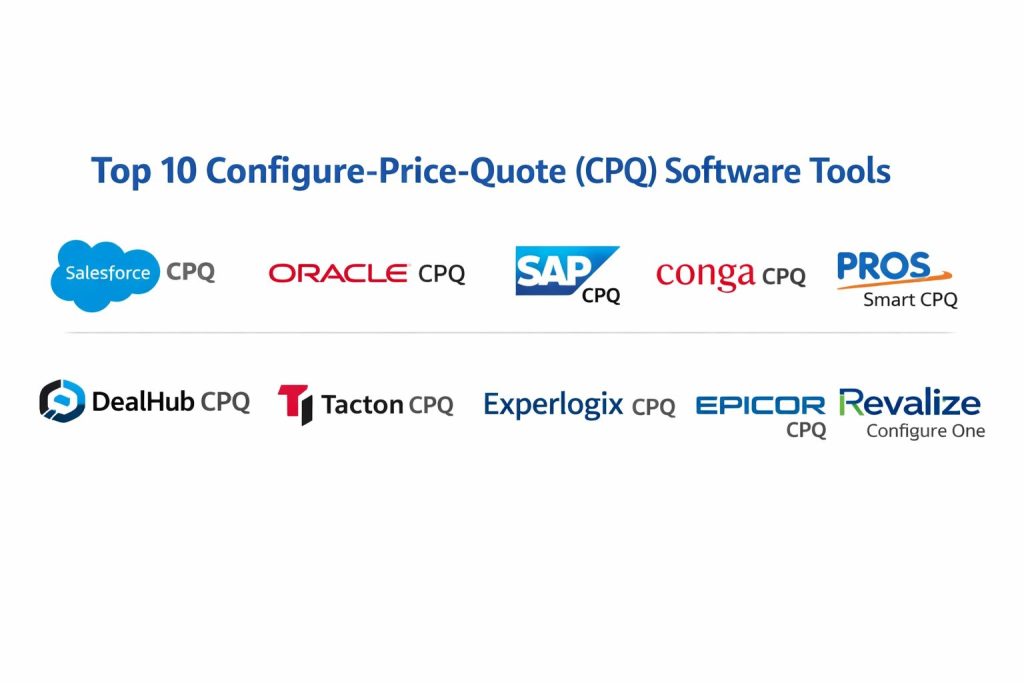
Top 10 Configure-Price-Quote Tools
1 — Salesforce CPQ
Built for teams running quoting inside a Salesforce-centered sales workflow. It is commonly used when you need guided selling, consistent discount rules, and a repeatable approval process tied closely to CRM data.
Key Features
- Guided product selection using rules and dependencies
- Configurable pricing logic with discount controls and approvals
- Quote line editor for complex bundles and options
- Proposal and quote document generation workflows
- Renewal and amendment support patterns (varies by setup)
- Reporting aligned to CRM objects and sales stages
Pros
- Strong CRM-native flow for teams standardized on Salesforce
- Good governance for discounting and approval workflows
Cons
- Can require careful admin design to keep rules maintainable
- Total cost may be higher for smaller teams
Platforms / Deployment
Varies / N/A
Security and Compliance
Not publicly stated
Integrations and Ecosystem
Often chosen when the sales workflow is tightly linked to CRM, approvals, and pipeline reporting.
- Common integration patterns with downstream billing and ERP systems (varies by architecture)
- Workflow extensions through platform tooling and integrations (varies)
- Partner and channel processes depend on governance design
Support and Community
Large ecosystem of admins and partners; support tiers vary by plan and vendor relationship.
2 — Oracle CPQ
Often used in enterprise selling environments where complex quoting, approvals, and downstream order processes need structured control. It typically fits organizations that already rely on Oracle enterprise applications.
Key Features
- Guided selling and configuration logic for complex offerings
- Flexible pricing rules and discount governance workflows
- Structured approvals and quote audit patterns
- Document generation and proposal workflows
- Multi-step quoting processes for larger deals
- Operational reporting patterns for quote and order readiness
Pros
- Strong fit for structured enterprise quoting processes
- Designed for governance-heavy approval and pricing controls
Cons
- Implementation and change management can be heavy
- Usability depends on how well workflows are configured
Platforms / Deployment
Varies / N/A
Security and Compliance
Not publicly stated
Integrations and Ecosystem
Typically evaluated for integration alignment with enterprise back-office systems.
- CRM and ERP integration patterns depend on the enterprise architecture
- API and integration layers vary by deployment approach
- Best results come from clear master data ownership
Support and Community
Enterprise-focused support model; community strength varies by region and industry.
3 — SAP CPQ
Commonly considered by organizations that want CPQ aligned with SAP-driven product, pricing, and order processes. It is often used where quoting must map cleanly into downstream fulfillment and finance steps.
Key Features
- Product configuration and guided selling workflows
- Pricing logic for complex deals and structured discounting
- Quote approvals and governance controls
- Proposal document generation patterns
- Integration alignment with broader enterprise processes (varies by setup)
- Support for multi-step quote workflows
Pros
- Strong fit for enterprises standardizing on SAP processes
- Good structure for governance and controlled quoting
Cons
- Setup can take time, especially for complex catalogs
- Admin complexity can rise with rule depth
Platforms / Deployment
Varies / N/A
Security and Compliance
Not publicly stated
Integrations and Ecosystem
Often selected for enterprise process alignment and the ability to connect quoting to downstream operations.
- Integration depends on how product and pricing master data is managed
- Works best with clear ownership of catalog and pricing governance
- Extensibility depends on platform and integration approach
Support and Community
Enterprise support options are common; community depth varies across industries.
4 — Conga CPQ
Frequently used by teams that need strong quote and document workflows, especially when proposals, terms, and customer-facing output quality are key. It is often evaluated by organizations looking for a practical CPQ plus document automation approach.
Key Features
- Configuration and quoting workflows for complex deal structures
- Pricing rules and discount governance patterns
- Quote document generation and proposal automation emphasis
- Approvals and guardrails for margin and discount thresholds
- Template-driven outputs to reduce manual formatting work
- Workflow patterns that can support renewals and amendments (varies)
Pros
- Strong customer-facing document and proposal output focus
- Good fit for teams where quoting and proposal packaging matter
Cons
- Complex catalogs still require disciplined rule design
- Integration quality depends on your CRM and back-office setup
Platforms / Deployment
Varies / N/A
Security and Compliance
Not publicly stated
Integrations and Ecosystem
Often chosen for quote-to-proposal workflows and operational consistency.
- CRM alignment depends on how the CPQ is deployed and configured
- Integrations to downstream systems vary by architecture
- Best results come from consistent templates and controlled data sources
Support and Community
Established user base; support experience varies by plan and implementation partner quality.
5 — PROS Smart CPQ
Often considered when pricing sophistication is a core requirement, especially for organizations dealing with complex price guidance, optimization, and margin control. It tends to fit companies that need structured pricing intelligence feeding quoting workflows.
Key Features
- Guided selling workflows with controlled configuration logic
- Pricing guidance and governance patterns for complex deals
- Quote process controls for discounting and approvals
- Workflow support for multi-step enterprise quoting
- Data-driven pricing alignment options (varies by setup)
- Reporting patterns for pricing compliance and outcomes
Pros
- Strong fit when pricing discipline and guidance are priorities
- Helps enforce pricing guardrails at scale
Cons
- Value depends on how deeply pricing workflows are adopted
- Implementation can be significant for complex enterprises
Platforms / Deployment
Varies / N/A
Security and Compliance
Not publicly stated
Integrations and Ecosystem
Typically evaluated where pricing, approvals, and downstream systems must align tightly.
- Integration approach depends on CRM, ERP, and product data ownership
- API and data flows vary by architecture and deployment
- Best results with clean product and pricing master data
Support and Community
Enterprise-oriented support model; community depends on industry footprint.
6 — DealHub CPQ
Often selected by teams that want faster rollout, easier usability, and strong deal desk workflows. It commonly fits organizations looking for practical CPQ that improves seller speed while maintaining governance.
Key Features
- Guided selling and quote creation workflows for sales teams
- Discount approvals and deal desk collaboration patterns
- Quote and proposal generation workflows
- Deal lifecycle visibility across sales stages
- Usability focus to reduce training effort
- Operational analytics for quote activity (varies by setup)
Pros
- Strong seller usability and quicker adoption potential
- Good fit for revenue teams that need speed plus guardrails
Cons
- Deepest enterprise edge cases may need careful evaluation
- Integration outcomes depend on your CRM and back-office landscape
Platforms / Deployment
Varies / N/A
Security and Compliance
Not publicly stated
Integrations and Ecosystem
Often positioned as a practical layer between sales workflows and downstream systems.
- Integrations vary based on CRM and billing stack
- Best results with clear deal desk policies and approval thresholds
- Extensibility depends on configuration and integration approach
Support and Community
Support and onboarding resources vary by plan; community footprint is growing.
7 — Tacton CPQ
Frequently used for product-heavy organizations with complex configuration needs, especially in manufacturing and engineered offerings. It is commonly evaluated where configuration rules are deep and accuracy is critical.
Key Features
- Advanced configuration logic for complex engineered products
- Guided selling workflows for accurate option selection
- Pricing workflows aligned to complex product structures
- Strong focus on accuracy and rule-driven configurations
- Support for scalable product models and rule sets
- Quote generation workflows suitable for product-heavy deals
Pros
- Strong for complex product configuration and engineered offerings
- Reduces configuration errors that cause rework and delays
Cons
- Setup effort can be meaningful for complex product models
- Usability depends on the quality of guided workflows
Platforms / Deployment
Varies / N/A
Security and Compliance
Not publicly stated
Integrations and Ecosystem
Often integrated into manufacturing quoting flows with strong product data dependencies.
- ERP and PLM alignment can be important, depending on your process
- Integration approach depends on product master data governance
- Best results with disciplined product model management
Support and Community
Support is typically enterprise-oriented; community depth varies by region and industry.
8 — Experlogix CPQ
Often chosen by organizations that want CPQ connected to sales and operations workflows, including scenarios involving Microsoft-centric environments. It can fit teams looking for practical configuration and quoting without excessive complexity.
Key Features
- Configuration rules and guided selling workflows
- Pricing logic with approvals and discount controls (varies by setup)
- Quote creation and document output workflows
- Practical approach to configuration-driven quoting
- Support for product and services quoting patterns (varies)
- Reporting options depending on integrated systems
Pros
- Practical option for organizations seeking balanced CPQ capability
- Can support both product and service quoting approaches
Cons
- Deep enterprise edge cases require careful validation
- Integration depth varies by ecosystem and deployment design
Platforms / Deployment
Varies / N/A
Security and Compliance
Not publicly stated
Integrations and Ecosystem
Often evaluated for fit with common enterprise stacks, especially where CRM alignment is important.
- Integration approach depends on CRM and ERP choices
- Best results with clean catalog governance and approval policies
- Extensibility depends on configuration and integration design
Support and Community
Support and documentation quality vary by plan; community presence is moderate.
9 — Epicor CPQ
Commonly considered by product-centric businesses that want quoting connected to manufacturing and operational processes. It often fits organizations aiming to reduce quoting errors and speed up configured product quotes.
Key Features
- Guided configuration for product options and compatibility rules
- Pricing logic tied to configured products (varies by setup)
- Quote generation workflows with structured outputs
- Support for sales-to-operations alignment patterns
- Useful for product-heavy quoting where accuracy matters
- Workflow controls to reduce manual rework
Pros
- Helps reduce configuration mistakes that slow fulfillment
- Practical option for product-led organizations with structured catalogs
Cons
- Setup can require disciplined product rule modeling
- Integration outcomes depend on system landscape and governance
Platforms / Deployment
Varies / N/A
Security and Compliance
Not publicly stated
Integrations and Ecosystem
Often used in environments where quoting must align with downstream operations.
- Integration patterns depend on ERP and product data management
- Best results when product rules are maintained consistently
- Reporting depends on connected CRM and operations systems
Support and Community
Support varies by plan; community depends on industry adoption.
10 — Revalize Configure One
Often used for engineered products and manufacturing quoting where configuration rules are complex and quote accuracy is crucial. It typically fits organizations that need guided configuration and structured quote outputs.
Key Features
- Configuration-driven quoting for complex product structures
- Guided selling workflows to prevent invalid configurations
- Pricing logic tied to configured options (varies by setup)
- Quote document generation workflows
- Support for scalable product models and rule management
- Operational alignment patterns for quoting accuracy
Pros
- Strong for complex product configuration and controlled quoting
- Reduces rework caused by invalid configurations
Cons
- Product rule modeling can require effort and discipline
- Best fit depends on how complex your catalog truly is
Platforms / Deployment
Varies / N/A
Security and Compliance
Not publicly stated
Integrations and Ecosystem
Commonly deployed as part of a broader sales-to-operations process for configured products.
- Integration approach depends on CRM, ERP, and product data systems
- Best results with consistent product model governance
- Extensibility depends on configuration and integration design
Support and Community
Support options vary by plan; community presence is more specialized.
Comparison Table
| Tool Name | Best For | Platform(s) Supported | Deployment | Standout Feature | Public Rating |
|---|---|---|---|---|---|
| Salesforce CPQ | CRM-native enterprise quoting | Varies / N/A | Varies / N/A | Tight CRM workflow alignment | N/A |
| Oracle CPQ | Governance-heavy enterprise quoting | Varies / N/A | Varies / N/A | Structured approvals and controls | N/A |
| SAP CPQ | Enterprise process-aligned quoting | Varies / N/A | Varies / N/A | Alignment with enterprise operations | N/A |
| Conga CPQ | Quote and proposal automation focus | Varies / N/A | Varies / N/A | Proposal and document workflow strength | N/A |
| PROS Smart CPQ | Pricing discipline and guidance | Varies / N/A | Varies / N/A | Pricing governance and guardrails | N/A |
| DealHub CPQ | Fast adoption and deal desk flow | Varies / N/A | Varies / N/A | Seller-friendly quoting workflows | N/A |
| Tacton CPQ | Complex engineered product configuration | Varies / N/A | Varies / N/A | Deep configuration rule handling | N/A |
| Experlogix CPQ | Practical CPQ for common stacks | Varies / N/A | Varies / N/A | Balanced configuration and quoting | N/A |
| Epicor CPQ | Product-centric quoting and accuracy | Varies / N/A | Varies / N/A | Configuration accuracy for products | N/A |
| Revalize Configure One | Engineered product quoting | Varies / N/A | Varies / N/A | Guided configuration for complex catalogs | N/A |
Evaluation and Scoring of Configure-Price-Quote Software
Weights
Core features 25 percent
Ease of use 15 percent
Integrations and ecosystem 15 percent
Security and compliance 10 percent
Performance and reliability 10 percent
Support and community 10 percent
Price and value 15 percent
| Tool Name | Core | Ease | Integrations | Security | Performance | Support | Value | Weighted Total |
|---|---|---|---|---|---|---|---|---|
| Salesforce CPQ | 9.0 | 7.5 | 9.0 | 7.0 | 8.0 | 8.0 | 6.5 | 8.00 |
| Oracle CPQ | 8.5 | 7.0 | 8.5 | 7.0 | 8.0 | 7.5 | 6.5 | 7.67 |
| SAP CPQ | 8.5 | 7.0 | 8.0 | 7.0 | 7.5 | 7.5 | 6.5 | 7.55 |
| Conga CPQ | 8.0 | 7.5 | 8.0 | 6.5 | 7.5 | 7.5 | 7.5 | 7.60 |
| PROS Smart CPQ | 8.0 | 7.0 | 7.5 | 6.5 | 7.5 | 7.0 | 7.0 | 7.33 |
| DealHub CPQ | 7.5 | 8.5 | 7.5 | 6.5 | 7.5 | 7.5 | 8.0 | 7.63 |
| Tacton CPQ | 8.0 | 7.0 | 7.5 | 6.5 | 7.5 | 7.0 | 7.0 | 7.33 |
| Experlogix CPQ | 7.5 | 7.5 | 7.5 | 6.0 | 7.0 | 7.0 | 7.5 | 7.25 |
| Epicor CPQ | 7.5 | 7.0 | 7.0 | 6.0 | 7.0 | 7.0 | 7.0 | 7.02 |
| Revalize Configure One | 7.0 | 7.0 | 7.0 | 6.0 | 7.0 | 6.5 | 7.0 | 6.85 |
How to interpret the scores
These scores are comparative and help you shortlist options rather than declare a single winner. A slightly lower total can still be the best fit if it matches your catalog complexity and sales motion. Core and integrations usually drive long-term process stability, while ease drives adoption speed and training load. Value changes based on licensing, deal volume, and admin effort. Use the scoring to narrow choices, then validate in a controlled pilot using real products, pricing rules, and approval policies.
Which Configure-Price-Quote Tool Is Right for You
Solo or Freelancer
If you run a small sales process and want structure without heavy administration, prioritize ease, simple approvals, and clean quote outputs. DealHub CPQ can be a practical direction when you want a seller-friendly flow. If you are product-heavy with complex configuration, focus on tools that reduce errors even if setup takes more effort, such as Revalize Configure One.
SMB
SMBs usually need speed and guardrails. DealHub CPQ and Conga CPQ can be strong options when you want fast quoting, clean proposals, and manageable workflows. If your business sells configurable products, evaluate Epicor CPQ or Experlogix CPQ for configuration-driven quoting patterns, depending on how your operations stack is set up.
Mid-Market
Mid-market teams benefit from stronger governance and integration discipline. Salesforce CPQ is often a fit when CRM is central to revenue operations and reporting. Conga CPQ can be valuable when proposals and document workflows are a key bottleneck. If configuration complexity is high, Tacton CPQ is worth evaluating for rule depth and accuracy.
Enterprise
Enterprise buyers typically care about governance, approvals, auditability, and integration into ERP, billing, and fulfillment processes. Oracle CPQ and SAP CPQ are often evaluated where enterprise process alignment is critical. Salesforce CPQ can be a strong choice for Salesforce-standardized sales organizations. If pricing guidance and discipline is a priority across large sales teams, PROS Smart CPQ is often considered.
Budget vs Premium
If you want quicker results with less operational load, choose a tool that emphasizes usability and faster rollout, such as DealHub CPQ. If you have heavy governance and integration requirements, enterprise suite options such as Oracle CPQ and SAP CPQ may justify higher complexity. For complex engineered products, prioritize accuracy-focused tools like Tacton CPQ or Revalize Configure One even if initial setup takes longer.
Feature Depth vs Ease of Use
If your catalog is simple but your approvals are complex, focus on workflow strength and governance rather than deep configuration logic. If your catalog is complex and error-prone, configuration depth matters more than interface simplicity. Salesforce CPQ and enterprise suites can provide strong structure, while DealHub CPQ tends to emphasize seller experience. Tacton CPQ and Revalize Configure One lean toward configuration depth for engineered products.
Integrations and Scalability
If your CPQ must connect cleanly to CRM, ERP, billing, and provisioning, treat integration as a core requirement, not an afterthought. Salesforce CPQ can be strong when Salesforce is the system of record. Oracle CPQ and SAP CPQ can fit when enterprise back-office alignment is central. Conga CPQ and DealHub CPQ can be effective when the goal is a practical quote and approval layer that connects to your existing stack.
Security and Compliance Needs
If you operate in regulated environments or have strict internal controls, focus on role-based permissions, approval audit trails, and controlled change management for pricing rules. When security details are not clearly stated, treat them as not publicly stated and confirm through vendor due diligence. Many organizations achieve strong outcomes by combining CPQ controls with broader identity, access, and data governance practices around the revenue stack.
Frequently Asked Questions
1. What is CPQ software and why do sales teams use it
CPQ helps sellers configure valid solutions, apply correct pricing, and generate quotes faster. It reduces errors, improves approval consistency, and speeds up deal cycles for complex products.
2. How long does CPQ implementation usually take
It varies based on catalog complexity, pricing rules, and integrations. A disciplined scope, strong data ownership, and clear approval policies typically reduce rollout risk.
3. What is the biggest reason CPQ projects struggle
The most common issue is messy product and pricing data, plus unclear ownership of rules. Without strong governance, teams end up with fragile logic and inconsistent quoting outcomes.
4. Can CPQ handle subscriptions, renewals, and amendments
Many CPQ tools support these patterns, but capabilities vary by product and configuration. You should validate renewals, proration logic, and entitlement handling during a pilot.
5. Do I need CPQ if I already have a CRM
A CRM tracks pipeline and customer data, but CPQ controls configuration rules, pricing logic, and approvals. If your deals are complex or error-prone, CPQ often adds meaningful structure.
6. How should we choose between CRM-native CPQ and a standalone CPQ
CRM-native options can simplify workflow alignment and reporting. Standalone CPQ can be better when you need specialized configuration depth, flexible document flows, or multi-CRM support.
7. What integrations matter most for CPQ success
Common priorities include CRM, ERP, billing, product catalog sources, and document generation. Also consider identity access patterns, reporting needs, and how quotes become orders.
8. How do approvals and discount guardrails work in CPQ
Most tools support approval routing based on discount level, margin thresholds, deal size, or product risk. The best setups make policies clear and reduce manual exceptions.
9. Can CPQ support partner and channel selling
Many organizations extend CPQ to partners through controlled access and guardrails. The key is ensuring partners can quote quickly without exposing sensitive pricing logic.
10. What is the best way to pilot a CPQ tool
Pick two or three tools, model a small set of real products, pricing rules, and approval flows, then run a controlled quoting test with your sales team. Validate quote accuracy, speed, integration needs, and admin maintainability.
Conclusion
CPQ software is most valuable when your business sells complexity: bundles, options, services, discounts, renewals, or engineered products where a single mistake can break margin or delay fulfillment. The right choice depends on your sales motion and system landscape. Salesforce CPQ often fits CRM-centered teams that want structured workflows and governance. Oracle CPQ and SAP CPQ are often considered when enterprise process alignment and back-office integration are key. Conga CPQ and DealHub CPQ can help teams move faster with strong quote and proposal flows. If configuration depth is the priority, Tacton CPQ or Revalize Configure One can reduce costly errors. A smart next step is to shortlist two or three tools, run a pilot using real catalogs and approvals, and confirm integration and admin effort before scaling.