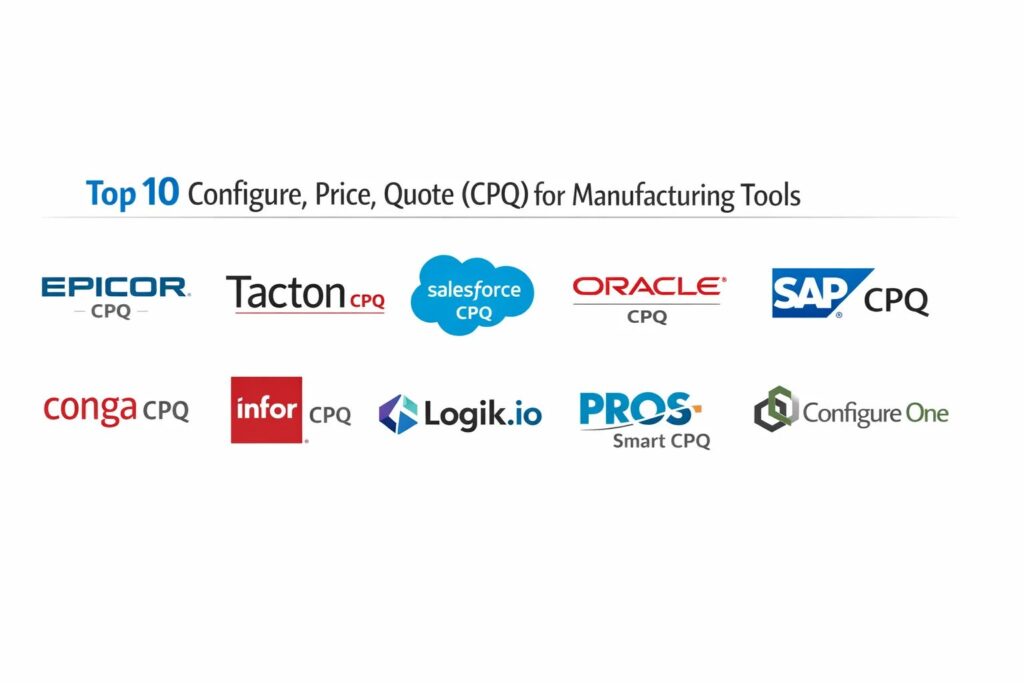
Introduction
Configure, Price, Quote (CPQ) software has transitioned from a sales enablement tool to a mission-critical infrastructure component for modern manufacturing. In an era of mass customization and “Engineer-to-Order” workflows, the technical complexity of quoting high-variance products—such as industrial machinery, medical devices, or aerospace components—exceeds the capabilities of manual spreadsheets. CPQ platforms provide a centralized rules engine that enforces engineering constraints, ensuring that every configuration is technically feasible before a quote is generated. By bridging the gap between the customer-facing CRM and the production-focused ERP, these tools eliminate the “silo effect” that often leads to costly manufacturing errors and misaligned pricing.
The strategic deployment of CPQ allows manufacturers to capture institutional knowledge from senior engineers and digitize it into guided selling pathways. This empowers sales representatives to navigate billions of potential product combinations without requiring constant technical oversight. Furthermore, modern CPQ solutions serve as the primary source of truth for Bill of Materials (BOM) generation and CAD automation, accelerating the transition from a signed proposal to the factory floor. In a high-velocity market, the ability to deliver accurate, professional, and technically validated quotes in minutes rather than days is the definitive differentiator for maintaining healthy margins and securing market share.
Best for: Manufacturers handling complex, multi-variant products, companies with long sales cycles, and organizations looking to automate the handoff between sales, engineering, and production.
Not ideal for: Commodity manufacturers with static price lists or low-complexity product catalogs where the administrative overhead of maintaining a configuration rules engine outweighs the operational benefits.
Key Trends in CPQ for Manufacturing
The most transformative trend is the shift from “assistive” AI to “agentic” AI within the CPQ ecosystem. Autonomous agents now monitor real-time supply chain data and ERP inventory levels to “self-heal” quotes, adjusting global price books instantly when raw material costs fluctuate. This ensures that quoted margins remain protected without human intervention. Additionally, the rise of “Visual CPQ” has turned 3D configuration into a standard requirement. Buyers can now interact with photorealistic digital twins of their custom equipment, seeing real-time updates to the physical model as they swap components or change dimensions.
Another significant development is the deep integration of Configuration Lifecycle Management (CLM). This ensures that an engineering change made in the PLM (Product Lifecycle Management) system automatically updates the sales configuration rules in the CPQ. We are also seeing the expansion of “self-service” CPQ, where manufacturers embed their configuration engines directly into B2B e-commerce portals. This allows distributors and end-customers to configure complex machinery independently, significantly reducing the burden on internal sales teams while providing the instant gratification today’s buyers expect.
How We Selected These Tools
The selection process for this list focused on platforms that provide specialized depth for manufacturing workflows rather than general-purpose retail quoting. We prioritized “manufacturing-native” features such as the ability to generate multi-level Bills of Materials (BOMs), native CAD integration (SolidWorks, Autodesk), and the capability to handle “constraint-based” logic for complex engineering dependencies. Market presence was considered, specifically favoring tools with proven track records in industrial sectors like automotive, HVAC, and heavy machinery.
Technical robustness was a primary criterion, particularly the performance of the configuration solver under heavy data loads. We also evaluated the ease of “Quote-to-Cash” integration, looking for tools that maintain seamless data integrity when passing information between CRM systems like Salesforce and ERP giants like SAP or Oracle. Security and compliance were non-negotiable; every selected tool meets enterprise-grade standards such as SOC 2 and GDPR, ensuring that sensitive intellectual property and pricing matrices remain protected in a cloud-native environment.
1. Epicor CPQ (formerly KBMax)
Epicor CPQ is widely recognized as the gold standard for visual, high-complexity manufacturing. Its standout feature is a powerful 3D UI that allows users to see their product take shape in real-time. It is specifically designed to handle the heavy lifting of “Engineer-to-Order” workflows, where the output of a quote includes not just a price, but also production-ready CAD drawings and assembly instructions.
Key Features
The platform features “Snap,” a visual rules engine that allows non-programmers to build complex configuration logic using a drag-and-drop blocks interface. It offers native CAD automation that generates 2D and 3D files (DXF, STEP, etc.) automatically upon quote approval. The system supports multi-level nested BOMs, ensuring that every sub-assembly is accounted for in the final cost. It also includes an augmented reality (AR) module, allowing customers to “place” configured machinery in their actual factory environment via a mobile device.
Pros
Exceptional 3D visualization improves buyer confidence and reduces configuration errors. The “Snap” rules engine makes it easier for product experts to maintain the system without needing specialized coding skills.
Cons
The high level of visual detail requires significant initial setup time for 3D assets. It may be overpowered for manufacturers who do not require visual or engineering outputs.
Platforms and Deployment
Cloud-native web platform with deep mobile compatibility for field sales.
Security and Compliance
SOC 2 Type II compliant, GDPR ready, and features robust encryption for proprietary engineering data.
Integrations and Ecosystem
Native integrations with Epicor ERP, Salesforce, Microsoft Dynamics, and major CAD software like SolidWorks.
Support and Community
Offers a dedicated customer success program and an extensive knowledge base focused on industrial manufacturing use cases.
2. Tacton CPQ
Tacton is a powerhouse in the “Heavy Manufacturing” space, known for its unique constraint-based solver. Unlike traditional “if-then” logic, Tacton’s engine understands the relationships between all components simultaneously. This makes it ideal for highly technical products where changing one variable might affect hundreds of other constraints across the entire system.
Key Features
The platform uses a “Configuration Lifecycle Management” approach, ensuring sales, engineering, and manufacturing are always in sync. It features a high-performance solver that can handle millions of permutations without lagging. It provides automated “Design-to-Manufacturing” workflows that bridge the gap between a sales quote and the factory floor. The system also includes a sustainability module that calculates the carbon footprint of a specific configuration in real-time, helping manufacturers meet ESG goals.
Pros
The constraint-based solver is significantly faster and more reliable for extreme product complexity than traditional rules-based engines. It is highly optimized for global manufacturing enterprises with multi-site production.
Cons
The technical depth of the platform results in a steeper learning curve for administrators. Implementation often requires a high degree of process maturity within the organization.
Platforms and Deployment
Cloud-based SaaS with hybrid options for organizations with strict data residency requirements.
Security and Compliance
ISO 27001 certified and SOC 2 compliant, with advanced multi-tenant data isolation.
Integrations and Ecosystem
Best-in-class integrations with SAP ERP, Salesforce, and Siemens PLM software.
Support and Community
Strong European and North American presence with professional services specialized in industrial engineering.
3. Salesforce Revenue Cloud (Salesforce CPQ)
Salesforce CPQ is the most widely adopted solution for organizations already utilizing the Salesforce CRM. It focuses on “Revenue Lifecycle Management,” looking beyond the quote to handle billing, renewals, and professional services. It is the best choice for manufacturers moving toward a “Service-as-a-Product” model or hybrid subscription billing.
Key Features
The platform offers “Guided Selling” prompts that lead reps through a series of questions to find the right product fit. It features a robust “Advanced Approvals” engine that can handle complex, multi-tier approval chains simultaneously. It provides automated quote-to-contract workflows that reduce legal friction. With the recent integration of “Agentforce,” it now utilizes generative AI to assist in creating complex bundles and analyzing pricing trends across historical deal data.
Pros
Unrivaled ecosystem of third-party apps and a massive pool of certified administrators. Being “native” to Salesforce means zero integration lag between the lead and the quote.
Cons
Can become expensive as you add modules for billing or advanced features. It historically lacked the deep 3D/CAD features of manufacturing-specific rivals without third-party add-ons.
Platforms and Deployment
Web-based platform, fully optimized for the Salesforce mobile app.
Security and Compliance
Inherits Salesforce’s world-class security infrastructure, including HIPAA, SOC 2, and FedRAMP compliance.
Integrations and Ecosystem
Connects seamlessly with any app on the AppExchange and provides robust APIs for ERP connectivity.
Support and Community
The largest user community in the world (Trailhead) and 24/7 global support.
4. Oracle CPQ
Oracle CPQ is built for massive global enterprises that require extreme scalability and governance. It is designed to handle thousands of users and quotes with tens of thousands of line items without performance degradation. It is particularly strong for manufacturers with complex global pricing rules and multiple currency requirements.
Key Features
The platform includes an AI-powered configuration engine that handles complex BOM mapping and nested product structures. It offers real-time pricing intelligence that analyzes market data to suggest optimal discount levels. It features a “Big Machines” legacy architecture that is highly stable for high-volume transactions. The system also includes a dedicated module for managing complex channel partner and distributor networks, ensuring pricing consistency across all sales channels.
Pros
Highly stable and scalable for the world’s largest manufacturing conglomerates. Deeply integrated with the broader Oracle CX and ERP cloud ecosystems.
Cons
The user interface can feel more “corporate” and less intuitive than newer SaaS entrants. Implementation is typically a long-term project requiring significant consulting resources.
Platforms and Deployment
Oracle Cloud infrastructure with high-availability architecture.
Security and Compliance
Meets the highest global security standards, including ISO, SOC 1/2/3, and regional data sovereignty laws.
Integrations and Ecosystem
Strongest when paired with Oracle ERP, but offers robust connectors for Salesforce and SAP.
Support and Community
Enterprise-grade support with dedicated account management for large-scale deployments.
5. SAP CPQ
SAP CPQ (formerly CallidusCloud) is the logical choice for “SAP-first” organizations. It excels at aligning sales quotes with the intricate back-end data of an SAP ERP, ensuring that pricing, inventory, and production capacities are reflected accurately in every customer proposal.
Key Features
The platform offers a “Variant Configuration” engine that is purpose-built for the technical depth of SAP’s product modeling. It features a guided selling interface that helps reps navigate millions of SKU combinations. It provides native support for complex discount structures, including “buy-one-get-one” and tiered volume pricing. The system also integrates with SAP’s “S/4HANA” to provide real-time visibility into production schedules and delivery dates during the quoting process.
Pros
Provides a seamless “Quote-to-Cash” journey for companies already running their operations on SAP. Excellent at handling massive, complex global price books.
Cons
Can be difficult to implement and maintain if the organization’s SAP environment is highly customized. The UI is professional but may lack the “creative” flexibility of visual-first tools.
Platforms and Deployment
Cloud-based, running on SAP Business Technology Platform (BTP).
Security and Compliance
Adheres to SAP’s strict global security framework and is fully GDPR and SOC 2 compliant.
Integrations and Ecosystem
Deeply woven into the SAP Sales Cloud, Service Cloud, and ERP ecosystems.
Support and Community
Access to the vast SAP Global Support network and a dedicated manufacturing user group.
6. Conga CPQ
Conga CPQ is the leader for manufacturers who view the “document” as the most critical part of the sale. While it offers robust configuration, its real strength lies in its world-class document automation and contract lifecycle management (CLM), making it perfect for highly regulated industries.
Key Features
The platform features an industry-leading document generation engine that can create highly complex, branded proposals and legal contracts. It offers a “Grid” interface that allows sales reps to manage high-volume quotes in a spreadsheet-like view within the CRM. It includes a sophisticated “Legal Playbook” that flags non-standard terms in a quote for immediate review. The system also supports “Smart Pricing” using AI to identify margin-leakage patterns in historical sales data.
Pros
Unbeatable for proposal aesthetics and legal compliance. It is highly flexible and can be adapted to virtually any manufacturing business model or contract structure.
Cons
The configuration engine, while capable, is not as specialized for “Engineer-to-Order” 3D visuals as Epicor or Tacton. Managing the “Quote-to-Cash” journey requires multiple Conga modules.
Platforms and Deployment
Web-based, primarily deployed as a native extension within Salesforce or as a standalone cloud app.
Security and Compliance
SOC 2 Type II, ISO 27001, and HIPAA compliant with high-level data encryption.
Integrations and Ecosystem
Exceptional Salesforce integration and strong connectors for Microsoft Dynamics and various ERPs.
Support and Community
Provides a robust community forum and a dedicated professional services team for complex implementations.
7. Infor CPQ
Infor CPQ is a manufacturing-specific solution that is deeply integrated with the Infor ERP ecosystem. It is particularly popular in the “Discrete Manufacturing” sector, such as furniture, windows/doors, and specialized automotive parts, where visual configuration and production accuracy are paramount.
Key Features
The platform features a “Design-to-Delivery” workflow that automatically generates manufacturing instructions and cut lists from a sales configuration. It offers a 2D/3D visual configurator that can be embedded in dealer portals or public websites. It supports “Dealer Management” features that allow manufacturers to manage thousands of independent distributors with localized pricing. The system also includes a “Project Management” module to track the progress of complex, multi-item custom orders.
Pros
Exceptionally strong for manufacturers who sell through a dealer or distributor network. It provides a very direct link from the sales quote to the shop floor.
Cons
The ecosystem is smaller than Salesforce or SAP, making it harder to find independent consultants. Its value is significantly higher when used within the Infor ERP suite.
Platforms and Deployment
Cloud-native, though on-premise legacy versions are supported for existing customers.
Security and Compliance
Meets all standard enterprise security requirements, including SOC 2 and regional privacy laws.
Integrations and Ecosystem
Native to the Infor OS; provides connectors for most major CRM platforms.
Support and Community
Strong focus on the manufacturing vertical with specialized support for industrial engineering teams.
8. Logik.io
Logik.io is a “Next-Gen” configuration engine built by the original creators of BigMachines (Oracle CPQ). It is designed to sit on top of Salesforce as a high-performance “headless” engine, handling the most complex configuration math without the performance lag associated with older platforms.
Key Features
The platform uses a “Commerce Logic Engine” that separates the configuration logic from the UI, allowing for lightning-fast performance on massive quotes. It features “Attribute-Based Configuration,” which is significantly more flexible for manufacturers who offer thousands of variations based on small spec changes. It is built for “Omni-channel” use, meaning the same logic can power a sales rep’s CRM, a dealer portal, and a consumer e-commerce site simultaneously. It also includes an AI-assisted “Rule Writer” to speed up implementation.
Pros
Extremely fast performance, even with thousands of rules and line items. It is the most modern architecture currently available on the Salesforce platform.
Cons
It is a “logic-only” tool, meaning you still need a document generator (like Conga or Salesforce) to produce the final quote PDF. It is relatively new compared to established giants.
Platforms and Deployment
Cloud-native microservices architecture.
Security and Compliance
SOC 2 compliant and designed with a modern “Security-by-Design” philosophy.
Integrations and Ecosystem
Exclusively designed to enhance Salesforce and BigCommerce environments.
Support and Community
Rapidly growing community with high-touch support from a team of CPQ industry veterans.
9. PROS Smart CPQ
PROS is unique because it was born as a pricing optimization company. Their CPQ solution is built around “Data Science,” using machine learning to help manufacturers set the perfect price for every configuration based on real-time market volatility and customer willingness to pay.
Key Features
The platform features an “AI Price Optimization” engine that provides “Winning Price” recommendations to sales reps during the negotiation. It offers a high-performance configuration engine that can handle complex “Configure-to-Order” products. It includes a “Deal Desk” module that streamlines the approval process for high-value or low-margin quotes. The system also provides “Churn Forecasting,” alerting reps if a quote looks like it might be lost to a competitor based on historical patterns.
Pros
The best tool for margin protection and dynamic pricing in volatile markets. It transforms the CPQ from a “form-filler” into a strategic profit-driving engine.
Cons
The focus on pricing science can overshadow the visual/engineering needs of some manufacturers. Implementation requires clean historical sales data for the AI to be effective.
Platforms and Deployment
Cloud-native, high-availability SaaS.
Security and Compliance
ISO 27001, SOC 2, and GDPR compliant with a focus on secure data processing.
Integrations and Ecosystem
Excellent connectors for Salesforce, Microsoft Dynamics, and major SAP/Oracle ERPs.
Support and Community
Strong professional services team and a deep library of proprietary pricing research.
10. Configure One (C1C)
Configure One is a dedicated manufacturing CPQ that specializes in the “Quote-to-Production” journey. It is a “one-stop-shop” that provides configuration, visualization, and document automation in a single package, tailored specifically for industrial equipment manufacturers.
Key Features
The platform offers “Visual Configuration” that supports 3D, 2D, and “Floor Space Planning,” allowing customers to layout multiple pieces of equipment in a room. It features a “Production-Ready” output engine that creates BOMs, routing instructions, and shipping documents. It includes a robust “Dealer Portal” that allows external partners to create quotes and submit orders directly. The system also provides a “Financial Interface” that handles complex multi-currency and tax requirements for global manufacturers.
Pros
Very “approachable” for mid-market manufacturers who need a complete solution without the complexity of an enterprise “Big Three” deployment. Strong focus on practical manufacturing outputs.
Cons
The user interface for admins is slightly more traditional and may feel less modern than Logik.io. Its ecosystem for third-party developers is smaller than Salesforce.
Platforms and Deployment
Web-based SaaS with “Configure One Cloud” architecture.
Security and Compliance
SOC 2 compliant with secure, encrypted hosting on AWS.
Integrations and Ecosystem
Certified connectors for NetSuite, Microsoft Dynamics, Salesforce, and several specialized manufacturing ERPs.
Support and Community
Responsive support team with a solid base of long-term customers in the industrial machinery sector.
Comparison Table
| Tool Name | Best For | Platform(s) Supported | Deployment | Standout Feature | Public Rating |
| 1. Epicor CPQ | Visual ETO/CAD | Web, Mobile | Cloud | 3D Visual Rules | 4.8/5 |
| 2. Tacton CPQ | Complex Engineering | Web, API | Cloud/Hybrid | Constraint Solver | 4.7/5 |
| 3. Salesforce CPQ | Salesforce Ecosystem | Web, Mobile | Cloud | Guided Selling AI | 4.6/5 |
| 4. Oracle CPQ | Global Enterprise | Web | Cloud | Scaling / Governance | 4.5/5 |
| 5. SAP CPQ | SAP ERP Users | Web | Cloud | S/4HANA Alignment | 4.4/5 |
| 6. Conga CPQ | Document/Legal | Web, Salesforce | Cloud | Contract Automation | 4.5/5 |
| 7. Infor CPQ | Dealer Networks | Web, API | Cloud | Design-to-Delivery | 4.3/5 |
| 8. Logik.io | High-Performance | Web, Salesforce | Cloud | Headless Logic Engine | 4.7/5 |
| 9. PROS Smart CPQ | Margin Optimization | Web, Mobile | Cloud | AI Pricing Science | 4.6/5 |
| 10. Configure One | Mid-Market MFG | Web | Cloud | Quote-to-Production | 4.4/5 |
Evaluation & Scoring of CPQ for Manufacturing
The scoring below is a comparative model intended to help shortlisting. Each criterion is scored from 1–10, then a weighted total from 0–10 is calculated using the weights listed. These are analyst estimates based on typical fit and common workflow requirements, not public ratings.
Weights:
- Core features – 25%
- Ease of use – 15%
- Integrations & ecosystem – 15%
- Security & compliance – 10%
- Performance & reliability – 10%
- Support & community – 10%
- Price / value – 15%
| Tool Name | Core (25%) | Ease (15%) | Integrations (15%) | Security (10%) | Performance (10%) | Support (10%) | Value (15%) | Weighted Total |
| 1. Epicor CPQ | 10 | 8 | 9 | 9 | 9 | 10 | 8 | 9.05 |
| 2. Tacton CPQ | 10 | 7 | 10 | 9 | 10 | 9 | 7 | 8.85 |
| 3. Salesforce CPQ | 8 | 9 | 10 | 10 | 8 | 10 | 7 | 8.70 |
| 4. Oracle CPQ | 9 | 6 | 9 | 10 | 10 | 9 | 7 | 8.40 |
| 5. SAP CPQ | 9 | 7 | 10 | 10 | 9 | 8 | 7 | 8.50 |
| 6. Conga CPQ | 8 | 9 | 9 | 9 | 8 | 9 | 8 | 8.50 |
| 7. Infor CPQ | 9 | 7 | 8 | 9 | 8 | 8 | 9 | 8.20 |
| 8. Logik.io | 9 | 8 | 9 | 9 | 10 | 8 | 8 | 8.75 |
| 9. PROS Smart CPQ | 8 | 8 | 9 | 9 | 9 | 9 | 8 | 8.45 |
| 10. Configure One | 9 | 8 | 8 | 9 | 8 | 9 | 9 | 8.55 |
How to interpret the scores:
- Use the weighted total to shortlist candidates, then validate with a pilot.
- A lower score can mean specialization, not weakness.
- Security and compliance scores reflect controllability and governance fit, because certifications are often not publicly stated.
- Actual outcomes vary with assembly size, team skills, templates, and process maturity.
Which CPQ for Manufacturing Tool Is Right for You?
Solo / Freelancer
For smaller manufacturers, Configure One offers a highly approachable, all-in-one suite. It provides the necessary 3D and BOM tools without the “enterprise tax” and implementation complexity associated with the larger platforms like Oracle or SAP.
SMB
If your products are defined by complex math and engineering “rules,” Tacton is the clear winner. Its constraint-based engine solves technical problems that traditional CPQ tools simply cannot handle, making it the favorite for industrial engineers.
Mid-Market
If your primary goal is to use 3D visuals and Augmented Reality to “wow” customers and prove that a product will fit their space, Epicor CPQ is the industry leader. Its ability to generate CAD files instantly makes it an engineering favorite as well.
Budget vs Premium
For organizations that live in Salesforce, the decision often comes down to Salesforce CPQ for its deep CRM integration, or Logik.io if your product complexity is slowing down the native Salesforce performance.
Feature Depth vs Ease of Use
Large conglomerates with massive global footprints and strict governance needs should look toward Oracle CPQ or SAP CPQ. These platforms are designed for “stability at scale,” ensuring that pricing and configurations are consistent across dozens of countries and languages.
Integrations & Scalability
If you operate in a high-volume, margin-sensitive market where pricing changes daily, PROS Smart CPQ is the best choice. Its AI pricing recommendations can pay for the software many times over by identifying even a 1% improvement in margin.
Security & Compliance Needs
For manufacturers in highly regulated sectors (like Medical or Aerospace) where the legal terms and technical documentation are as important as the price, Conga CPQ provides the most robust toolset for ensuring 100% contract accuracy.
Frequently Asked Questions (FAQs)
1. What is the difference between CPQ and a Product Configurator?
A product configurator is the engine that handles the selection of parts and options. CPQ is the broader system that also handles pricing logic, approval workflows, and the generation of a professional quote document.
2. Can CPQ generate a Bill of Materials (BOM)?
Yes, manufacturing-specific CPQs like Epicor, Tacton, and Configure One can automatically generate multi-level BOMs that feed directly into your ERP for production.
3. Does CPQ replace my ERP?
No, CPQ sits between your CRM and ERP. It handles the “pre-order” complexity of configuration and pricing, then passes the validated data to the ERP for inventory management and production.
4. How long does a typical CPQ implementation take?
For a mid-sized manufacturer, a typical implementation takes 4 to 9 months. The majority of this time is spent digitizing your product rules and engineering constraints into the system.
5. Can I show my customers 3D models of their custom products?
Yes, tools like Epicor CPQ and Infor CPQ offer “Visual CPQ” features that allow customers to interact with 3D models and even see them in their own space using AR.
6. Will CPQ work with my existing CAD software?
Most manufacturing CPQs offer connectors for SolidWorks, Autodesk, and Creo. This allows the CPQ to “drive” the CAD software to generate new drawings automatically.
7. How does CPQ handle global pricing?
Enterprise CPQs like Oracle and SAP have robust multi-currency and multi-language engines that automatically apply local taxes and regional price books based on the customer’s location.
8. Is CPQ only for sales reps?
While designed for sales, many manufacturers use CPQ as a “self-service” tool on their website, allowing dealers or even end-customers to configure their own products.
9. Does CPQ help with “Engineer-to-Order” products?
Yes, it is specifically designed for ETO. It captures the rules an engineer would use to design a product and automates them so sales can handle the standard “customizations” independently.
10. What is a “Constraint-Based Solver”?
Unlike “If-Then” rules which check one thing at a time, a constraint-based solver checks all rules simultaneously. This is essential for products where every part choice impacts every other part choice.
Conclusion
Implementing a manufacturing-specific CPQ platform is a transformative step that aligns your sales velocity with your engineering precision. In the modern industrial landscape, “good enough” quoting is no longer a sustainable strategy; the cost of a single misconfiguration on the shop floor can often outweigh the annual subscription of the software itself. By digitizing your engineering constraints and pricing intelligence, you create a scalable “Revenue Engine” that protects your margins while improving the customer experience. As AI-driven agents and 3D visualization become the industry standard, the manufacturers who invest in these technical foundations today will be the ones who lead the market in 2026 and beyond. Selecting the right partner requires a deep audit of your product complexity and your existing ERP/CRM ecosystem to ensure a seamless “Quote-to-Production” workflow that drives long-term growth.