Introduction
A Configuration Management Database (CMDB) is a centralized repository that stores information about an organization’s IT environment. It tracks “Configuration Items” (CIs)—which include hardware, software, cloud instances, and even people—and, more importantly, maps the complex relationships and dependencies between them. In the landscape, a CMDB is no longer a static spreadsheet of assets; it is a dynamic “digital twin” of the IT infrastructure that powers automated decision-making.
In the current era of “Agentic AI” and hybrid multi-cloud environments, the CMDB serves as the foundational data layer for AIOps. It provides the necessary context for AI agents to resolve incidents autonomously, assess the risk of high-frequency changes, and maintain “Continuous Compliance” in the face of evolving global regulations. Without an accurate CMDB, IT teams operate in a vacuum, leading to catastrophic “cascading failures” during minor updates.
Real-World Use Cases:
- Incident Management: Instantly identifying which business services are affected when a specific cloud database goes offline.
- Change Enablement: Predicting the downstream impact of a firmware patch on a critical network switch before it is deployed.
- Cloud Cost Optimization: Identifying “zombie” cloud resources that are active but not connected to any live business service.
- Compliance Auditing: Providing a real-time, historical log of all configuration changes for ISO 27001 or SOC 2 audits.
- Vulnerability Response: Quickly locating every instance of an unpatched software version across a global hybrid estate.
Evaluation Criteria for Buyers:
- Automated Discovery: The ability to scan and identify CIs without manual intervention.
- Dependency Mapping: Visualizing how technical components support specific business services.
- Data Normalization: Cleaning and standardizing data from multiple sources (e.g., AWS, Azure, on-prem).
- AI Readiness: Native features for anomaly detection and data quality scoring.
- Scalability: The capacity to handle millions of CIs and relationships without performance lag.
- Integration Depth: How well it connects with ITSM, DevOps, and Security tools.
- Security & Governance: Robust Role-Based Access Control (RBAC) and audit logging.
- Ease of Implementation: Time required to move from “empty box” to a functional service map.
Mandatory Paragraph
- Best for: Enterprise IT organizations, Managed Service Providers (MSPs), and DevOps-heavy companies managing complex, hybrid-cloud infrastructures that require high service availability.
- Not ideal for: Small businesses with simple, static IT setups (e.g., fewer than 50 employees) where a basic asset tracker or spreadsheet is sufficient for manual oversight.
Key Trends in Configuration Management Databases (CMDB)
- Agentic Orchestration: CMDBs now serve as the “brain” for autonomous AI agents that can execute fixes based on configuration data.
- Graph Database Architectures: A shift from relational tables to graph-based storage to better visualize multi-layered dependencies.
- Continuous Compliance: Real-time monitoring that alerts teams the moment a configuration drifts from a secure or regulatory baseline.
- OpenUSD Integration: Leveraging 3D scene standards to create physical “digital twins” of data centers within the CMDB.
- Sustainability Reporting: Tracking the energy consumption and carbon footprint of each configuration item for ESG reporting.
- Neural Data Cleansing: Using machine learning to automatically merge duplicate CIs and correct “dirty” data from disparate discovery tools.
- FinOps Alignment: Directly linking configuration items to real-time cloud billing data to visualize the cost of a specific business service.
- Serverless Discovery: Advanced techniques for mapping ephemeral microservices that may only exist for seconds at a time.
How We Selected These Tools (Methodology)
- Market Adoption: We prioritized platforms that are widely used by Global 2000 companies and mid-market leaders.
- Innovation Pace: Inclusion was based on the vendor’s roadmap and current AI/Automation feature set.
- Ecosystem Breadth: We evaluated the number of out-of-the-box integrations available for third-party cloud and security tools.
- Data Integrity Tools: Preference was given to tools with built-in normalization and health-scoring capabilities.
- User Feedback: Consideration of reliability and “trust” signals from independent user reviews and analyst reports.
- Security Posture: Evaluation of native security certifications and advanced access control features.
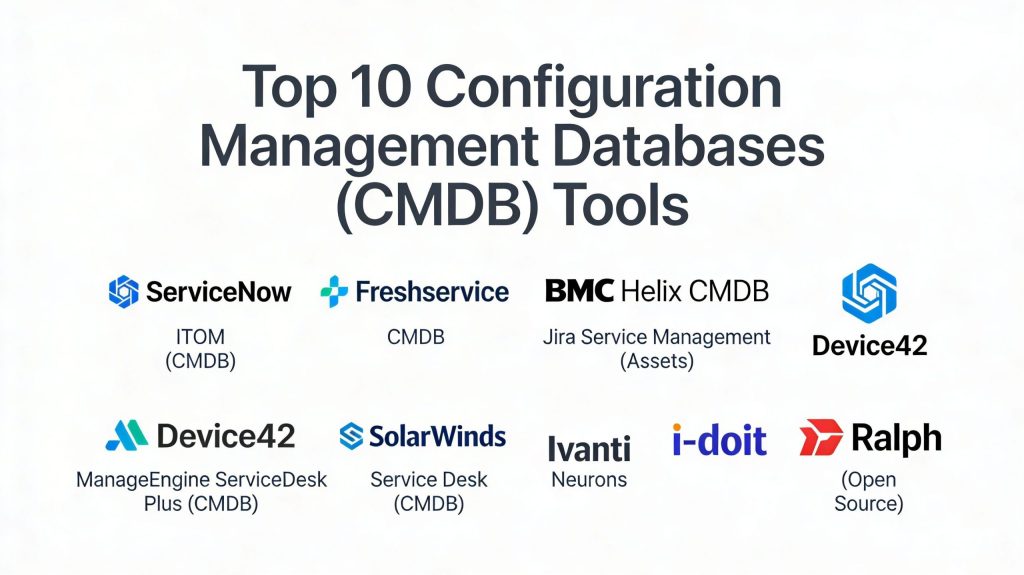
Top 10 Configuration Management Databases (CMDB) Tools
#1 — ServiceNow ITOM (CMDB)
The gold standard for enterprise CMDB, focusing on automated discovery and service mapping to drive proactive IT operations.
Key Features
- Service Mapping: Automatically connects infrastructure components to business services.
- Common Service Data Model (CSDM): A standard framework for aligning IT data with business goals.
- GenAI Runbooks: Automatically generates resolution steps for incidents based on CMDB data.
- Multisource CMDB: Allows multiple discovery tools to populate a single CI with tiered data precedence.
- Health Dashboards: Real-time visibility into the completeness, correctness, and compliance of your data.
- Cloud Discovery: Native integration with AWS, Azure, and Google Cloud for real-time asset tracking.
Pros
- Highly scalable for the world’s largest IT environments.
- Best-in-class AI-driven incident prediction and prevention.
Cons
- Extremely high cost and complex implementation.
- Requires specialized “ServiceNow Admins” to maintain.
Platforms / Deployment
- Web / Cloud / Hybrid
- SaaS (Hosted by ServiceNow)
Security & Compliance
- SSO/SAML, MFA, RBAC, Encryption
- SOC 2, ISO 27001, FedRAMP, HIPAA
Integrations & Ecosystem ServiceNow features the most extensive integration marketplace in the IT industry, acting as the “Platform of Platforms.”
- Jira / Atlassian
- Microsoft Azure / AWS
- Slack / Microsoft Teams
- Splunk
Support & Community Industry-leading support tiers, a massive community forum, and a dedicated “Now Learning” certification portal.
#2 — Freshservice CMDB
A modern, user-friendly CMDB built for mid-sized and enterprise teams that want rapid ROI without heavy technical debt.
Key Features
- Auto-Discovery: Scans hardware, software, and SaaS applications across hybrid environments.
- Dependency Mapping: Visual maps that show the ripple effect of changes on downstream services.
- Impact Analysis: Built-in tool to evaluate the risk of a change before it is approved.
- SaaS Management: Dedicated module for tracking SaaS license usage and spend.
- Lifecycle Management: Tracks assets from procurement to retirement.
- Integrated ITSM: Deeply connected to Incident, Problem, and Change modules out-of-the-box.
Pros
- Exceptionally intuitive interface with a short learning curve.
- Quick deployment compared to traditional enterprise legacy tools.
Cons
- Less “infinite” customization than ServiceNow for highly unique requirements.
- Advanced AI features require higher-tier plans.
Platforms / Deployment
- Web / iOS / Android
- Cloud (SaaS)
Security & Compliance
- SSO/SAML, MFA, Encryption
- SOC 2 Type II, ISO 27001, GDPR
Integrations & Ecosystem Strong focus on modern cloud and collaboration apps, ensuring data flows smoothly between tools.
- Microsoft Teams
- Okta
- AWS / Azure
- Slack
Support & Community Robust online documentation and 24/7 global support for higher-tier customers.
#3 — BMC Helix CMDB
A high-performance CMDB designed for complex, heterogeneous environments that require high data accuracy and scalability.
Key Features
- Dynamic Service Modeling: Creates blueprints for service models that update as the environment changes.
- Reconciliation Engine: Sophisticated logic to merge data from multiple sources while resolving conflicts.
- SmartGraph Sync: Shares impact-related information with telecommunications and IoT extensions.
- Atrium Integrator: A powerful ETL tool for transferring data between external stores and the CMDB.
- Cognitive Service Management: Uses AI to automate data entry and categorization.
- Asset Lifecycle Tracking: Integrated tracking for both virtual and physical configuration items.
Pros
- Exceptional at handling massive, global data sets.
- Strong legacy in telecommunications and large-scale manufacturing.
Cons
- Interface can feel dense and “technical.”
- Requires significant expertise for initial configuration.
Platforms / Deployment
- Web / Windows / Linux
- Cloud / Hybrid / Self-hosted
Security & Compliance
- SSO/SAML, MFA, RBAC
- SOC 2, ISO 27001, HIPAA
Integrations & Ecosystem Strong enterprise-grade integrations, particularly for industrial and legacy IT systems.
- SAP
- Microsoft System Center
- Nagios / Zabbix
- AWS
Support & Community Comprehensive knowledge base and a professional community focused on high-end ITIL processes.
#4 — Jira Service Management (Assets)
Formerly known as Insight, Atlassian’s CMDB is highly flexible and integrated directly into the Jira ecosystem.
Key Features
- Object-Oriented Structure: Allows users to define anything (not just IT) as a configuration item.
- Jira AI (Rovo): Uses AI to search CMDB data and answer complex configuration questions.
- Automation Engine: Triggers Jira tickets or Slack alerts when a CI attribute changes.
- QR Code Support: Native support for physical asset tracking via the mobile app.
- Network Discovery: Scans the local network for hardware and software details.
- Deployment Gating: Prevents code deployments if the underlying CI is in a “failed” state.
Pros
- Seamless integration for teams already using Jira for development.
- Extremely flexible “low-code” approach to defining CIs.
Cons
- Discovery features are less “heavyweight” than ServiceNow or BMC.
- Can become cluttered without strict governance.
Platforms / Deployment
- Web / iOS / Android
- Cloud / Data Center
Security & Compliance
- SSO/SAML, MFA, Audit Logs
- ISO 27001, SOC 2, HIPAA
Integrations & Ecosystem Unrivaled connectivity with developer tools and the Atlassian Marketplace.
- Bitbucket / GitHub
- Slack / Microsoft Teams
- Confluence
- Opsgenie
Support & Community One of the largest user communities in the world with a vast array of third-party add-ons.
#5 — Device42
A “next-generation” CMDB that excels in hybrid infrastructure discovery and application dependency mapping.
Key Features
- InsightsAI: Turns natural language questions into SQL queries to analyze CMDB data.
- Heat Maps: Visualizes rack temperature, power usage, and available space in data centers.
- Software License Management: Tracks installed software against entitlements to find savings.
- Agentless Discovery: Scans the environment without requiring software installation on targets.
- Cloud Resource Discovery: Deep inventory for AWS, Azure, and Google Cloud.
- EnrichAI: Standardizes and enriches CI data using external intelligence sources.
Pros
- Highly effective at mapping the relationship between hardware and applications.
- Excellent ROI for companies going through data center migrations.
Cons
- Focuses more on “Infrastructure” than “Business Services” compared to ServiceNow.
- User interface is functional but less “polished” than Freshservice.
Platforms / Deployment
- Web / Windows / Mac / Linux
- Hybrid / Self-hosted / Cloud
Security & Compliance
- MFA, RBAC, Encryption
- SOC 2, ISO 27001 (Varies by hosting)
Integrations & Ecosystem Provides a robust RESTful API and out-of-the-box connectors for modern IT platforms.
- ServiceNow / Jira
- Puppet / Chef / Ansible
- VMware / Nutanix
- Splunk
Support & Community Very responsive technical support and a library of “Best Practice” eBooks.
#6 — ManageEngine ServiceDesk Plus (CMDB)
An integrated ITSM and CMDB solution that offers a balance of advanced features and affordability.
Key Features
- Visual Relationship Builder: Drag-and-drop interface to map CI dependencies.
- Business Views: Creates specialized maps for specific critical business services.
- Windows Domain Scan: Native, deep discovery for Microsoft-centric environments.
- API-Driven Imports: Easily bulk-import CIs from CSV or third-party systems.
- Mobile Asset Tracking: Edit asset and CI details on the go via the mobile app.
- Relationship Types: Define inverse relationships (e.g., “Runs On” vs. “Is Hosted By”).
Pros
- Excellent price-to-performance ratio for mid-sized businesses.
- Strong integration with the broader ManageEngine IT management suite.
Cons
- Discovery for non-Windows assets can be less comprehensive.
- The UI can feel a bit dated compared to cloud-native competitors.
Platforms / Deployment
- Web / Windows / Linux / iOS / Android
- Cloud / On-Premises
Security & Compliance
- SSO/SAML, MFA, RBAC
- GDPR, SOC 2 (Cloud version)
Integrations & Ecosystem Best used within the ManageEngine ecosystem but supports standard ITSM integrations.
- Active Directory / LDAP
- OpManager
- Zoho Analytics
- Desktop Central
Support & Community Large user base with widespread regional support and multi-language documentation.
#7 — SolarWinds Service Desk (CMDB)
A cloud-native service management platform focused on simplifying asset and configuration visibility.
Key Features
- GenAI Runbooks: Converts critical procedures into step-by-step guides for incidents.
- Dynamic Form Rules: Standardizes data collection for audit and compliance.
- Computer Dashboard Widgets: Real-time visualizations of the health of the hardware fleet.
- Workflow Automation: Pass context-aware values directly into process integrations.
- Auto-Discovery via Discovery Agent: Continuously updates the CMDB as devices change.
- Incident Linkage: Automatically associates hardware CIs with historical incident data.
Pros
- Very easy to set up and manage for smaller IT teams.
- Strong “Service Desk” first approach makes it very practical for day-to-day work.
Cons
- Dependency mapping is less visual than top-tier enterprise competitors.
- Advanced “Asset” features require the Premier plan.
Platforms / Deployment
- Web / iOS / Android
- Cloud (SaaS)
Security & Compliance
- SSO/SAML, MFA, RBAC
- ISO 27001, SOC 2
Integrations & Ecosystem Integrates well with standard IT tools and the SolarWinds monitoring suite.
- SolarWinds Orion / NPM
- Microsoft Intune
- Slack
- Zapier
Support & Community SolarWinds “THWACK” community is legendary for peer-to-peer technical help.
#8 — Ivanti Neurons for ITSM (Cherwell)
A hyper-automated platform that combines the logic of Cherwell with modern AI-driven discovery.
Key Features
- Codeless Configuration: Highly customizable without needing deep programming knowledge.
- Self-Healing Assets: AI-driven agents that can fix configuration drift automatically.
- Visualization Manager: See potential risks and impacts associated with changes.
- Attachment Validation: Server-side security checks for CI-related documentation.
- Contextual Incident Routing: Automatically assigns tickets based on the affected CI’s owner.
- Low-Code Customization: Build new CI types and relationships in a drag-and-drop editor.
Pros
- Exceptional flexibility for creating custom workflows and CI types.
- Strong focus on security and “Zero Trust” principles.
Cons
- The transition from the legacy Cherwell platform has created some UI inconsistency.
- Some users report performance issues with very large databases.
Platforms / Deployment
- Web / Windows / Linux
- Cloud / Hybrid
Security & Compliance
- SSO/SAML, MFA, RBAC, Encryption
- ISO 27001, SOC 2, HIPAA
Integrations & Ecosystem Strongest in the Ivanti ecosystem but maintains broad API compatibility.
- Ivanti Endpoint Manager
- Microsoft SCCM
- ServiceNow (via API)
- Splunk
Support & Community Professional support tiers and an active community forum for “codeless” developers.
#9 — i-doit (Open Source)
A powerful, open-source IT documentation and CMDB tool that focuses on technical depth and compliance.
Key Features
- Technical IT Documentation: High-detail tracking for cables, racks, and network paths.
- Add-on System: Highly extensible via a community marketplace.
- Nagios/Zabbix Sync: Automatically imports assets discovered by monitoring tools.
- Vulnerability Tracking: Links CIs to known CVE databases.
- Physical Asset Maps: Visual representation of server rooms and floor plans.
- Compliance Templates: Built-in templates for IT-Grundschutz and ISO 27001.
Pros
- No licensing fees for the basic version; highly cost-effective.
- Unmatched detail for technical infrastructure documentation.
Cons
- Requires self-hosting and manual maintenance.
- The interface is more “technical” and less “service-oriented” than modern SaaS.
Platforms / Deployment
- Web / Linux
- Self-hosted
Security & Compliance
- RBAC (Configurable)
- ISO 27001 compliant templates
Integrations & Ecosystem Deep ties to the open-source monitoring and ticket system ecosystem.
- Zabbix / Nagios
- OTRS / Request Tracker
- Checkmk
- JSM
Support & Community Strong German and European community with professional support available via partners.
#10 — Ralph (Open Source)
A lightweight, RESTful CMDB and DCIM tool designed for simplicity and ease of integration.
Key Features
- RESTful API: Everything in Ralph can be accessed and manipulated via API.
- Hardware Lifecycle: Strong focus on the physical life of hardware from purchase to scrap.
- Barcode Support: Native support for scanning physical assets.
- IP Address Management (IPAM): Integrated tracking for subnets and IP assignments.
- Data Center Visualization: Basic rack and room visualization tools.
- Bulk Transitions: Automates state changes for large groups of assets.
Pros
- Very fast and lightweight; easy to integrate into custom DevOps pipelines.
- Simple, clean UI for asset-focused teams.
Cons
- Lacks the complex “Service Dependency Mapping” of enterprise tools.
- Community is smaller than Blender or ServiceNow.
Platforms / Deployment
- Web / Linux / Docker
- Self-hosted
Security & Compliance
- RBAC (Basic)
- Not publicly stated
Integrations & Ecosystem Built for developers who want to connect their CMDB to other systems via code.
- OpenStack
- Jira
- Puppet
- Ansible
Support & Community Primarily community-driven via GitHub and open forums.
Comparison Table (Top 10)
| Tool Name | Best For | Platform(s) Supported | Deployment | Standout Feature | Public Rating |
| ServiceNow | Enterprise ITOM | Web | SaaS | CSDM Framework | 4.8 |
| Freshservice | Mid-Market Ease | Web, iOS, Android | SaaS | SaaS Management | 4.7 |
| BMC Helix | Global Complexity | Web, Win, Linux | Hybrid | Reconciliation Engine | 4.5 |
| Jira Assets | Dev-Ops Alignment | Web, iOS, Android | Hybrid | Jira AI (Rovo) | 4.6 |
| Device42 | DCIM & Discovery | Web, Win, Mac | Hybrid | InsightsAI (SQL) | 4.7 |
| ManageEngine | Budget/SMB | Web, Win, iOS | Hybrid | Visual Relationship Builder | 4.4 |
| SolarWinds | Simple Asset Ops | Web, iOS, Android | SaaS | GenAI Runbooks | 4.3 |
| Ivanti Neurons | Codeless Workflows | Web, Win, Linux | Hybrid | Self-healing Assets | 4.2 |
| i-doit | Tech Documentation | Web, Linux | Self-hosted | Compliance Templates | 4.1 |
| Ralph | Developer-first | Web, Linux | Self-hosted | RESTful API focus | 4.0 |
Evaluation & Scoring of CMDB Software
| Tool Name | Core (25%) | Ease (15%) | Integrations (15%) | Security (10%) | Performance (10%) | Support (10%) | Value (15%) | Weighted Total |
| ServiceNow | 10 | 5 | 10 | 10 | 9 | 10 | 5 | 8.40 |
| Freshservice | 8 | 10 | 9 | 8 | 8 | 9 | 8 | 8.45 |
| BMC Helix | 9 | 6 | 9 | 9 | 9 | 8 | 6 | 7.90 |
| Jira Assets | 8 | 8 | 10 | 8 | 8 | 9 | 9 | 8.55 |
| Device42 | 9 | 7 | 8 | 8 | 9 | 8 | 8 | 8.15 |
| ManageEngine | 7 | 8 | 7 | 7 | 7 | 8 | 9 | 7.40 |
| SolarWinds | 7 | 9 | 8 | 8 | 7 | 8 | 8 | 7.65 |
| Ivanti Neurons | 8 | 7 | 8 | 9 | 7 | 7 | 7 | 7.55 |
| i-doit | 7 | 6 | 6 | 6 | 7 | 6 | 10 | 6.75 |
| Ralph | 6 | 7 | 8 | 5 | 8 | 5 | 10 | 6.85 |
The scoring provided is comparative. Tools like Jira Assets and Freshservice score highly due to their balance of flexibility, ease of use, and modern feature sets in 2026. ServiceNow maintains its lead in Core features and Security but is balanced by its lower ease of use and price value.
Which CMDB Tool Is Right for You?
Solo / Freelancer
For independent IT consultants managing small environments, Ralph or the free tier of ManageEngine provides sufficient tracking without complexity.
SMB
Small businesses should prioritize Freshservice or SolarWinds. These tools offer “Discovery-in-a-box” and don’t require a dedicated team to manage the database.
Mid-Market
Jira Assets is ideal for companies that already live in the Atlassian ecosystem. If you need deeper infrastructure mapping, Device42 offers the best insights for mid-market migrations.
Enterprise
ServiceNow and BMC Helix are the only true options for Global 2000 firms that need to manage millions of dependencies across thousands of locations.
Budget vs Premium
i-doit and Ralph are the budget champions for those with internal Linux expertise. ServiceNow is the premium choice where the high cost is offset by the massive risk reduction in enterprise operations.
Feature Depth vs Ease of Use
BMC Helix and ServiceNow offer the most depth, but Freshservice wins on ease of use. Jira Assets sits in the perfect middle ground for many modern teams.
Integrations & Scalability
ServiceNow is the most scalable, while Jira Assets offers the best integrations for modern DevOps and software development workflows.
Security & Compliance Needs
If your industry is highly regulated (e.g., Banking, Healthcare), ServiceNow or Ivanti Neurons provide the most out-of-the-box compliance certifications and audit-ready reporting.
Frequently Asked Questions (FAQs)
What is the difference between an asset database and a CMDB?
An asset database tracks the financial value and lifecycle of a physical item (e.g., “This laptop cost $1,000”). A CMDB tracks the operational relationship (e.g., “This laptop runs this software, which connects to this server”).
Is 100% CMDB accuracy possible?
No, because environments change every second. A “healthy” CMDB is considered to be between 90-95% accurate, with AI handles the remaining margin through probabilistic mapping.
How does AI improve CMDB data quality?
AI can automatically detect “orphaned” configuration items that have no connections and suggest potential merges for duplicate records that discovery tools might miss.
Does a CMDB work for serverless and containers? Modern CMDBs like Device42 or ServiceNow have “cloud-native” discovery that can map ephemeral resources, though these records are often handled differently due to their short lifespan.
How long does a CMDB implementation take?
A basic setup can take 2-4 weeks, but a full enterprise-grade service mapping project for a large corporation can take 6 months to a year.
Who is responsible for the CMDB?
Usually, a Configuration Manager or a dedicated ITAM/ITSM team owns the governance, while automated discovery tools do the “heavy lifting” of data entry.
Can a CMDB help with cyberattacks?
Yes, during a “Blast Radius” analysis, a CMDB shows exactly which services a compromised server is connected to, allowing for faster isolation.
Are open-source CMDBs safe?
Yes, tools like i-doit are very safe if self-hosted correctly, but they require manual security patching and lack the enterprise “SSO-as-a-service” ease of cloud tools.
What is Configuration Drift?
Configuration Drift is when a system’s settings change over time (manually or via a bug) and no longer match the “golden standard” recorded in the CMDB.
Should I build my own CMDB?
Unless you have a very unique or highly specialized environment, building a CMDB from scratch is rarely recommended due to the high maintenance cost compared to modern SaaS options.
Conclusion
The CMDB is the cornerstone of modern IT operations. As we move further the shift toward AI-orchestrated and graph-based databases makes choosing the right platform critical for organizational resilience. While ServiceNow remains the powerhouse for the enterprise, the flexibility of Jira Assets and the intuitive nature of Freshservice represent a significant shift toward “democratized” configuration management. We recommend starting with a clear data governance policy and then running a proof-of-concept with a discovery-focused tool like Device42 to see your environment’s true complexity before committing to a full ITSM platform.