Introduction
Community management platforms (CMPs) are specialized software environments designed to host, manage, and scale online groups by centralizing communication, content, and member engagement. The definition of “community” has shifted from passive social media groups to “owned” digital ecosystems where brands and creators have total control over data and member experience. These platforms now serve as the “human trust layer” in an AI-dominated landscape, providing spaces for authentic peer-to-peer interaction that cannot be replicated by automated systems.
The relevance of CMPs in 2026 is driven by the rise of the “Dark Social” economy and the saturation of traditional advertising. Organizations are moving away from “renting” audiences on algorithmic social networks toward “owning” their communities on dedicated platforms. Modern CMPs integrate generative AI to assist moderators, use predictive analytics to identify churn risks, and offer immersive features like native live streaming and token-gated access to reward loyal members.
Real-world use cases include:
- Brand Advocacy & Support: Creating a space for power users to answer product questions and share feedback.
- Creator Membership Sites: Monetizing expertise through gated courses, exclusive live events, and premium content.
- Professional Associations: Managing alumni networks or industry groups with job boards and mentorship matching.
- Customer Success Hubs: Reducing support tickets by providing a searchable knowledge base and peer-to-peer troubleshooting.
- Internal Employee Communities: Fostering culture and knowledge sharing within large, remote-first global enterprises.
What buyers should evaluate (Criteria):
- Data Ownership: Ensure you have full export rights and ownership of member emails and engagement data.
- Branding Flexibility: The ability to “white-label” the platform so it looks like your own app or website.
- Engagement Engine: Availability of gamification features like badges, leaderboards, and automated “icebreakers.”
- Monetization Tools: Support for multi-tier subscriptions, one-time payments, and integrated checkouts.
- Moderation Capabilities: Depth of AI-assisted tools to flag toxic content and manage member permissions.
- Mobile Experience: Availability of high-quality native iOS and Android apps for on-the-go engagement.
- Interoperability: How easily the platform connects with your existing CRM (Salesforce, HubSpot) and email tools.
- Scalability: The platform’s performance as the community grows from 100 to 100,000+ members.
Key Trends in Community Management Platforms
The community landscape is defined by “Value-Based Retention” and “AI-Human Hybridization.”
- AI Community Co-Hosts: AI assistants that generate discussion prompts, summarize long threads, and welcome new members.
- Hyper-Personalized Feeds: Member feeds that adapt in real-time based on interest graphs and past engagement patterns.
- Token-Gated Communities: Use of blockchain technology for secure, exclusive access and community governance voting.
- Workflow-Embedded Community: Integrating community features directly into products, websites, or learning management systems.
- Predictive Sentiment Analysis: Advanced monitoring that alerts managers to shifts in community mood or emerging PR crises.
- Native Live-Commerce: Integration of shopping features directly within community live streams and events.
- Privacy-First Architecture: Shift toward zero-party data collection and enhanced end-to-end encryption for private spaces.
- Micro-Community Scaling: Tools designed to manage thousands of “sub-groups” or local chapters under one umbrella brand.
How We Selected These Tools (Methodology)
Our selection of the top 10 community management platforms follows a strict SaaS evaluation framework:
- Market Authority: We prioritized platforms recognized as leaders by G2 and Gartner with high customer satisfaction ratings.
- Functional Depth: We evaluated the tool’s ability to handle content, commerce, and communication in a single interface.
- Innovation Maturity: We favored tools that have successfully moved beyond “AI hype” into functional, time-saving AI utilities.
- Ecosystem Strength: Assessment of the developer API quality and the breadth of third-party integrations.
- User Retention Signals: Analysis of platforms that consistently drive high daily active usage (DAU) among members.
- Security & Compliance: Verification of enterprise-grade standards like SOC 2, GDPR, and advanced identity management.
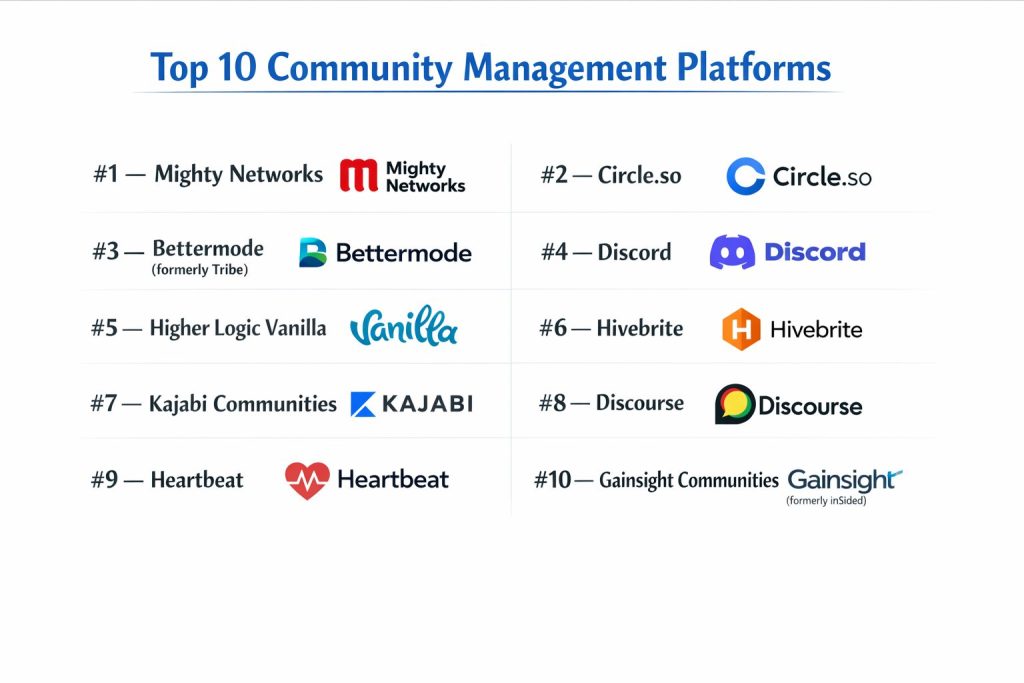
Top 10 Community Management Platforms
#1 — Mighty Networks
A powerful all-in-one platform that combines community, courses, and commerce. It is highly regarded for its “Mighty Co-Host” AI engine and visual flexibility.
Key Features
- Mighty Co-Host™: AI that generates landing pages, icebreaker questions, and course outlines.
- Flexible Spaces: Modular “containers” for chat, feed, courses, or events within one community.
- Integrated Courses: Native LMS capabilities for both cohort-based and self-paced learning.
- Member Profiles & Discovery: Detailed profiles and “near you” features to encourage member networking.
- Native Live Streaming: Built-in video broadcasting with real-time chat and recording storage.
- Mighty Pro: White-labeled mobile apps listed under your own brand in the App Store.
Pros
- User Engagement: Features like “streaks” and “quizzes” drive significantly higher member retention.
- Ease of Use: An intuitive “no-code” builder that allows for rapid community deployment.
Cons
- Cost of Branding: Fully white-labeled apps are only available on the high-end “Pro” tier.
- Feature Density: The sheer volume of features can be overwhelming for very simple groups.
Platforms / Deployment
- Web / iOS / Android
- Cloud
Security & Compliance
- SSO, MFA, AES-256 Encryption.
- SOC 2 Type II, GDPR, CCPA.
Integrations & Ecosystem
- Zapier & Integromat (Make)
- ConvertKit & Mailchimp
- Zoom
- Slack
Support & Community
Extensive “Mighty Community” for hosts, 24/7 support for Pro users, and a deep library of video tutorials.
#2 — Circle.so
A modern, sleek platform preferred by creators and brands who want a “community-first” feel. It excels at organized discussions and seamless member experiences.
Key Features
- Space Groups: Highly organized sidebar for categorizing different community topics and interest groups.
- Workflows: Automation engine for member onboarding, tagging, and personalized notifications.
- Native Events: RSVP management, calendar integrations, and virtual room hosting.
- Paywalls: Integrated checkout system for subscriptions, one-time fees, and free trials.
- Rich Profiles: Allows members to showcase their social links and custom community badges.
- Circle AI: Summarizes discussions and helps moderators flag off-topic content.
Pros
- Design Aesthetic: Widely considered the most visually professional and “clean” interface.
- iOS/Android Apps: Offers high-quality mobile experiences that feel like premium social apps.
Cons
- LMS Depth: While improving, its course features are less robust than specialized tools like Kajabi.
- Admin Learning Curve: Setting up complex permissions and workflows requires initial time investment.
Platforms / Deployment
- Web / iOS / Android
- Cloud
Security & Compliance
- SSO (SAML), 2FA.
- SOC 2 Type II, GDPR.
Integrations & Ecosystem
- Memberstack & Outseta
- Shopify
- Salesforce
- Adobe Creative Cloud
Support & Community
Active “Circle Experts” network, weekly “Office Hours” for hosts, and comprehensive help documentation.
#3 — Bettermode (formerly Tribe)
A highly customizable community platform designed for businesses. It focuses on integrating community features into existing products and websites.
Key Features
- Block-Based Builder: Modular design system to create unique community layouts without code.
- App Store: A marketplace of 50+ apps (Q&A, Polls, Ideation) to extend platform functionality.
- Enterprise SSO: Deep integration with corporate identity providers for secure access.
- SEO Optimization: Native features to ensure community discussions rank high in search engines.
- AI Search: A “smart” search bar that generates answers based on community knowledge.
- Gamification Framework: Customizable badges, points, and leaderboards to drive specific behaviors.
Pros
- Embeddability: Best-in-class tools for embedding community widgets directly into your SaaS product.
- Scalability: Built to handle millions of members with enterprise-grade performance.
Cons
- Free Tier Limits: Recent pricing changes have made the entry-level plans more restrictive.
- Setup Complexity: Because it is modular, it takes longer to “design” the experience compared to templates.
Platforms / Deployment
- Web / Mobile Web / API-driven
- Cloud
Security & Compliance
- SSO/SAML, SCIM Provisioning.
- ISO 27001, SOC 2 Type II, GDPR.
Integrations & Ecosystem
- HubSpot & Salesforce
- Zendesk & Intercom
- Slack & Microsoft Teams
- Segment
Support & Community
Dedicated Success Managers for Enterprise plans and a robust developer documentation portal.
#4 — Discord
Originally for gamers, Discord has become the go-to real-time chat platform for highly active, conversation-first communities.
Key Features
- Servers & Channels: Organized structure for persistent text, voice, and video chat rooms.
- Stage Channels: Allows for “podcast-style” events where only specific people can speak to an audience.
- Role Management: Sophisticated permission system based on custom member roles.
- Discord Bots: A massive ecosystem of community-built bots for moderation and games.
- Rich Presence: Shows what members are doing (playing, listening, coding) in real-time.
- Forum Channels: Threaded discussion areas for organized, long-form topics.
Pros
- Zero Cost for Basics: The most powerful free community platform available.
- Engagement Speed: The highest real-time engagement rates of any platform on this list.
Cons
- Data Privacy: Brands do not “own” the platform or the data in the same way they do with Circle or Mighty.
- Noise Factor: Can be extremely distracting and difficult to search for old information.
Platforms / Deployment
- Web / Win / Mac / Linux / iOS / Android
- Cloud
Security & Compliance
- 2FA, Advanced Bot-based moderation (AutoMod).
- GDPR (limited enterprise-level control).
Integrations & Ecosystem
- Thousands of community-built bots.
- Patreon
- Twitch & YouTube
- Webhooks for custom alerts.
Support & Community
Extensive online documentation and a massive peer-to-peer support ecosystem.
#5 — Higher Logic Vanilla
An enterprise-grade forum and community platform designed for B2B and B2C companies focused on customer support and advocacy.
Key Features
- Advanced Forums: Deeply threaded, searchable discussions optimized for self-service support.
- Ideation Tools: Allows members to submit, vote on, and track product feature requests.
- Q&A Mode: Specifically highlights “accepted answers” to reduce support ticket volume.
- Knowledge Base: Integration of community content into a structured help center.
- Sub-communities: Manage multiple branded communities from a single administrative hub.
- Reputation Engine: Advanced scoring systems to identify and reward top contributors.
Pros
- SEO Performance: Exceptionally good at indexing community content for organic search traffic.
- Customer Support ROI: Proven ability to deflect high volumes of support tickets.
Cons
- UI Modernity: The interface feels more “corporate” and less “social” than competitors.
- Price Point: Generally targets mid-market and enterprise budgets.
Platforms / Deployment
- Web / iOS / Android
- Cloud
Security & Compliance
- SSO, MFA, Audit Logs.
- SOC 2 Type II, HIPAA, ISO 27001.
Integrations & Ecosystem
- Salesforce & Microsoft Dynamics
- Zendesk & ServiceNow
- GitHub
- Google Analytics
Support & Community
Professional services for onboarding and an active user group of Fortune 500 community managers.
#6 — Hivebrite
A specialized community management platform tailored for alumni networks, non-profits, and professional associations.
Key Features
- Member Directory: Searchable database with location-based filters and mapping.
- Job Board: Native tool for members to post and find career opportunities.
- Donation & Membership Fees: Integrated payment processing for non-profit fundraising.
- Mentorship Matching: Automated tools to connect mentors and mentees based on skills.
- Email Campaigns: Built-in email marketing tool for community-wide newsletters.
- Event Ticketing: Full lifecycle management for in-person and virtual events.
Pros
- Niche Features: Includes tools (like job boards) that other platforms require third-party apps for.
- Global Support: Supports multiple languages and currencies for international networks.
Cons
- Interface: Can feel slightly “stiff” compared to creator-focused platforms.
- Customization Limit: Deep visual changes often require help from their professional services.
Platforms / Deployment
- Web / iOS / Android
- Cloud
Security & Compliance
- SSO, MFA, Data Portability.
- GDPR, SOC 2.
Integrations & Ecosystem
- Salesforce
- Blackbaud (NPO CRM)
- Zoom
Support & Community
Dedicated account management and specialized training for association managers.
#7 — Kajabi Communities
Part of the Kajabi “All-in-One” marketing suite, this community tool is built specifically for knowledge entrepreneurs selling courses and coaching.
Key Features
- Live Video Conferencing: Native 1-on-1 and group coaching calls built into the community.
- Challenges: Gamified daily/weekly tasks with leaderboards and progress tracking.
- Smart Summaries: AI-generated recaps of missed discussions for members.
- Mobile-First App: A high-end mobile experience designed for on-the-go learning.
- Sales Funnels: Seamlessly links community access to marketing emails and landing pages.
- Announcement Blasts: Reach all members instantly via push notifications and email.
Pros
- Monetization Power: The best tool for bundling community access with high-ticket courses.
- Platform Consolidation: Eliminates the need for separate email, website, and LMS tools.
Cons
- High Entry Price: One of the most expensive options for small or hobbyist groups.
- Limited Flexibility: Hard to use as a “standalone” forum if you aren’t using the rest of the Kajabi suite.
Platforms / Deployment
- Web / iOS / Android
- Cloud
Security & Compliance
- 2FA, SSL Encryption.
- SOC 2, GDPR.
Integrations & Ecosystem
- Segment
- Facebook Pixel
- Google Analytics
- Zapier
Support & Community
Famous for their “Kajabi University” and 24/7 world-class customer support.
#8 — Discourse
An open-source, long-form discussion platform designed for modern forums. It is the choice for developers and technical communities (like GitHub).
Key Features
- Trust Levels: Automated permission system where users gain power as they contribute.
- Infinite Scroll: A modern take on the traditional forum page structure.
- Mobile PWA: Progressive Web App that provides a near-native experience on phones.
- Open Source: Can be self-hosted for total control or managed via Discourse hosting.
- Extensible Plugin System: Thousands of plugins for everything from voting to encryption.
- Built-in Moderation: Community-led flagging and automated “bad actor” detection.
Pros
- Ownership: If you self-host, you have 100% control over every line of code and piece of data.
- Searchability: Extremely effective at organizing and surfacing years of knowledge.
Cons
- Technical Setup: Requires some technical knowledge to host and maintain (unless using their paid cloud).
- Engagement Style: Focused on text/discussion rather than “social” feeds or video.
Platforms / Deployment
- Web / iOS / Android (via app shell)
- Cloud / Self-Hosted
Security & Compliance
- SSO, MFA, Content Security Policy (CSP).
- GDPR, SOC 2 (Cloud version).
Integrations & Ecosystem
- Huge library of open-source plugins.
- Slack & Mattermost
- WordPress
- GitHub
Support & Community
The “Discourse Meta” community is one of the most active software support forums on the internet.
#9 — Heartbeat
A focused, lightweight community platform that excels at cohort-based management and deep Zoom/Google Calendar integrations.
Key Features
- Directory & Matchmaking: Connects members based on shared interests or professional backgrounds.
- Live Event Integration: Deep sync with calendars to manage “office hours” and recurring meetups.
- Documents & Files: Integrated wiki-style area for storing community resources.
- Voice Rooms: Real-time “drop-in” audio channels similar to Clubhouse or Slack Huddles.
- Onboarding Flows: Customized surveys and welcome sequences for new members.
- Threads & Chat: Combines the best of real-time messaging and organized forum topics.
Pros
- Price to Value: Offers many “Enterprise” features at a price point accessible to small startups.
- Intuitive UI: Very easy for members to navigate without a tutorial.
Cons
- App Performance: The mobile app is younger and less feature-rich than Circle or Mighty.
- Smaller Ecosystem: Fewer native integrations compared to established players.
Platforms / Deployment
- Web / Win / Mac / iOS / Android
- Cloud
Security & Compliance
- 2FA, SSL.
- GDPR.
Integrations & Ecosystem
- Zoom (Deep sync)
- Notion
- Google Calendar
- Zapier
Support & Community
Fast-responding support and a growing community of “Heartbeat Power Users.”
#10 — Gainsight Communities (formerly inSided)
An enterprise customer community platform specifically designed for B2B SaaS companies to drive customer success and product adoption.
Key Features
- Customer Success Integration: Connects community activity directly to “Customer Health Scores.”
- Product Feedback Loop: Dedicated modules for product ideation and roadmap transparency.
- Automated Knowledge Base: Turns high-quality community answers into official help articles.
- In-App Community: Embeds community discussions directly within your SaaS dashboard.
- AI Content Summaries: Summarizes technical discussions for Product Managers.
- Retention Analytics: Tracks how community engagement correlates with account renewals.
Pros
- Business ROI: The clearest platform for proving that community activity leads to revenue.
- Professional Grade: Designed for the high-compliance, high-performance needs of software vendors.
Cons
- Complexity: Requires significant strategy and management resources to run effectively.
- Enterprise Only: Not suitable or affordable for small creators or hobbyists.
Platforms / Deployment
- Web / API
- Cloud
Security & Compliance
- SSO/SAML, SCIM, Data Encryption.
- SOC 2 Type II, ISO 27001, GDPR.
Integrations & Ecosystem
- Gainsight CS (Native)
- Salesforce
- Zendesk
- Mixpanel
Support & Community
Strategic consulting services and a “Customer Success Community” for global SaaS leaders.
Comparison Table (Top 10)
| Tool Name | Best For | Platform(s) Supported | Deployment | Standout Feature | Public Rating |
| Mighty Networks | All-in-One Creators | Web, iOS, Android | Cloud | Mighty Co-Host AI | 4.8 / 5 |
| Circle.so | Professional Brands | Web, iOS, Android | Cloud | Space-Based Layout | 4.7 / 5 |
| Bettermode | Embeddable SaaS | Web, Mobile Web | Cloud | Design Studio | 4.6 / 5 |
| Discord | Real-time Chat | Web, Win, Mac, iOS | Cloud | Audio/Stage Channels | 4.5 / 5 |
| Higher Logic | Support & SEO | Web, iOS, Android | Cloud | Deflection Analytics | 4.3 / 5 |
| Hivebrite | Alumni/Non-profits | Web, iOS, Android | Cloud | Job Board/Directory | 4.4 / 5 |
| Kajabi | Knowledge Products | Web, iOS, Android | Cloud | Native Coaching | 4.6 / 5 |
| Discourse | Technical Forums | Web, PWA | Cloud/Self | Trust Levels | 4.7 / 5 |
| Heartbeat | Cohort Management | Web, Win, Mac, iOS | Cloud | Event Matchmaking | 4.5 / 5 |
| Gainsight | B2B SaaS Success | Web, API | Cloud | Health Score Sync | 4.2 / 5 |
Evaluation & Scoring of Community Management Platforms
The following scoring model evaluates these tools based on their performance levels and feature sets.
| Tool Name | Core (25%) | Ease (15%) | Int. (15%) | Sec. (10%) | Perf. (10%) | Supp. (10%) | Value (15%) | Weighted Total |
| Mighty Networks | 10 | 9 | 9 | 8 | 9 | 9 | 8 | 8.95 |
| Circle.so | 9 | 9 | 9 | 8 | 10 | 9 | 8 | 8.80 |
| Bettermode | 9 | 7 | 10 | 9 | 9 | 8 | 7 | 8.35 |
| Discord | 8 | 9 | 7 | 6 | 10 | 7 | 10 | 8.10 |
| Higher Logic | 9 | 5 | 9 | 10 | 9 | 9 | 6 | 8.00 |
| Hivebrite | 9 | 6 | 8 | 9 | 8 | 9 | 7 | 7.95 |
| Kajabi | 8 | 9 | 7 | 8 | 9 | 10 | 6 | 8.00 |
| Discourse | 8 | 5 | 8 | 10 | 10 | 9 | 9 | 8.05 |
| Heartbeat | 8 | 9 | 8 | 7 | 9 | 8 | 10 | 8.40 |
| Gainsight | 10 | 4 | 10 | 10 | 9 | 9 | 5 | 7.85 |
Which Community Management Platform Is Right for You?
Creator / Influencer
If you are an individual creator selling expertise, Mighty Networks or Kajabi are the top choices. They allow you to bundle community with digital products seamlessly.
Small Business / Startup
For a balance of professional design and ease of use, Circle.so or Heartbeat offer the best entry point. They look premium but don’t require an IT team to set up.
Enterprise / B2B SaaS
If you need to link community activity to revenue and retention, Gainsight Communities or Higher Logic Vanilla are the standard. They provide the analytics needed to justify the investment to a board of directors.
Developer / Technical Group
Discourse remains the gold standard for technical discussions where long-term searchability and documentation are more important than “likes” or social feeds.
Budget vs Premium
- Budget: Discord is effectively free, and Heartbeat offers high-tier features at a lower entry price.
- Premium: Mighty Pro and Bettermode Enterprise are high-investment options for brands that demand total white-labeling and custom apps.
Frequently Asked Questions (FAQs)
Do I really need a platform, or is a Facebook Group enough?
Facebook Groups are considered “rented reach.” You don’t own the member data, the algorithm controls visibility, and the ads distract your members. A dedicated platform gives you 100% control over the experience and data.
How do I move an existing community from Slack or Discord?
Most platforms like Circle and Mighty offer migration tools. However, you cannot usually move message history seamlessly. The best practice is to set a “move date” and offer exclusive content on the new platform to incentivize the switch.
What is “White-Labeling” in a community context?
White-labeling means the platform uses your branding, your colors, and your domain (e.g., https://www.google.com/search?q=community.yourbrand.com). High-end plans also offer “Branded Apps,” where your community app appears in the App Store under your name, not the software provider’s.
Is AI going to replace my community moderator?
No. AI is a “co-pilot.” It handles the boring parts—tagging posts, summarizing threads, and flagging spam—so that the human moderator can focus on building real relationships and high-value strategy.
Can I sell courses and community access together?
Yes. Platforms like Mighty Networks, Kajabi, and Circle have native LMS (Learning Management System) features that allow you to bundle course access with community memberships.
How do these platforms handle data privacy (GDPR)?
Most professional CMPs (Higher Logic, Bettermode, Mighty) are GDPR compliant, allowing members to delete their data or export it. If you are in a highly regulated industry, look for SOC 2 Type II certification.
What is the difference between a “Forum” and a “Community Platform”?
A forum (like Discourse) is focused on threaded, searchable text discussions. A community platform (like Mighty) includes social feeds, live streaming, courses, and events in addition to discussions.
Can I integrate my community with my CRM?
Yes. Enterprise platforms like Gainsight and Higher Logic have native Salesforce/HubSpot integrations. Most others use Zapier to sync member data with your sales and marketing tools.
How much time does it take to manage a community?
For a community of 500+ active members, you should expect to spend at least 10-15 hours a week on moderation and content. Larger communities often require a full-time Community Manager.
What is “Token-Gating”?
Token-gating uses Web3 technology to grant access to specific community areas only if a member holds a specific NFT or social token. This is becoming popular for high-end “inner circles” and investor groups.
Conclusion
The “Community-Led Growth” era rewards brands that build authentic, owned spaces. Whether you are a creator looking to monetize via Mighty Networks or an enterprise driving support deflection through Higher Logic, the right platform is the one that aligns with your specific engagement goals and technical capacity.
Investing in a dedicated platform today ensures you are not vulnerable to the changing algorithms of social media giants tomorrow.