Introduction
Code signing tools help software publishers verify that their applications, scripts, drivers, and updates come from a trusted source and have not been altered after release. By applying a cryptographic digital signature, these tools protect users from tampered or malicious software while strengthening trust in software distribution channels.
Secure software delivery has become essential as cyber threats, supply-chain attacks, and compliance expectations continue to rise across industries. Organizations now rely on trusted signing workflows for desktop applications, mobile apps, containers, firmware, and automated deployment pipelines. Beyond security, code signing also improves installation reputation, reduces warning prompts, and supports enterprise governance.
Common use cases include application publishing, driver distribution, CI/CD pipeline security, container image verification, and enterprise software compliance. Buyers typically evaluate certificate trust level, automation capability, integration with build systems, hardware security options, compliance readiness, scalability, cost efficiency, and ease of operational management.
Best for software vendors, DevOps teams, security engineers, platform teams, and enterprises distributing executable code or updates.
Not ideal for teams delivering only internal scripts without distribution risk or projects where runtime sandboxing replaces distribution trust.
Key Trends in Code Signing Tools
- Growing adoption of automated signing within CI/CD pipelines
- Hardware-backed key protection using secure modules or cloud vaults
- Increasing compliance expectations for trusted software distribution
- Integration with container security and artifact verification workflows
- Short-lived certificates and managed signing services improving safety
- Centralized governance and audit visibility for enterprise environments
- Expansion of cross-platform signing for desktop, mobile, and firmware
- Reputation-based trust signals influencing installation experience
- Separation of signing authority from development environments
- Rising demand for scalable cloud-native signing infrastructure
How These Tools Were Selected
- Strong industry recognition in software trust and certificate services
- Proven ability to support secure signing across platforms and formats
- Reliability in enterprise or large-scale distribution environments
- Availability of automation, APIs, or managed signing workflows
- Evidence of security governance and audit capability support
- Compatibility with modern DevOps and release engineering practices
- Balanced coverage of commercial, cloud, and workflow-driven tools
- Active documentation, ecosystem maturity, and operational usability
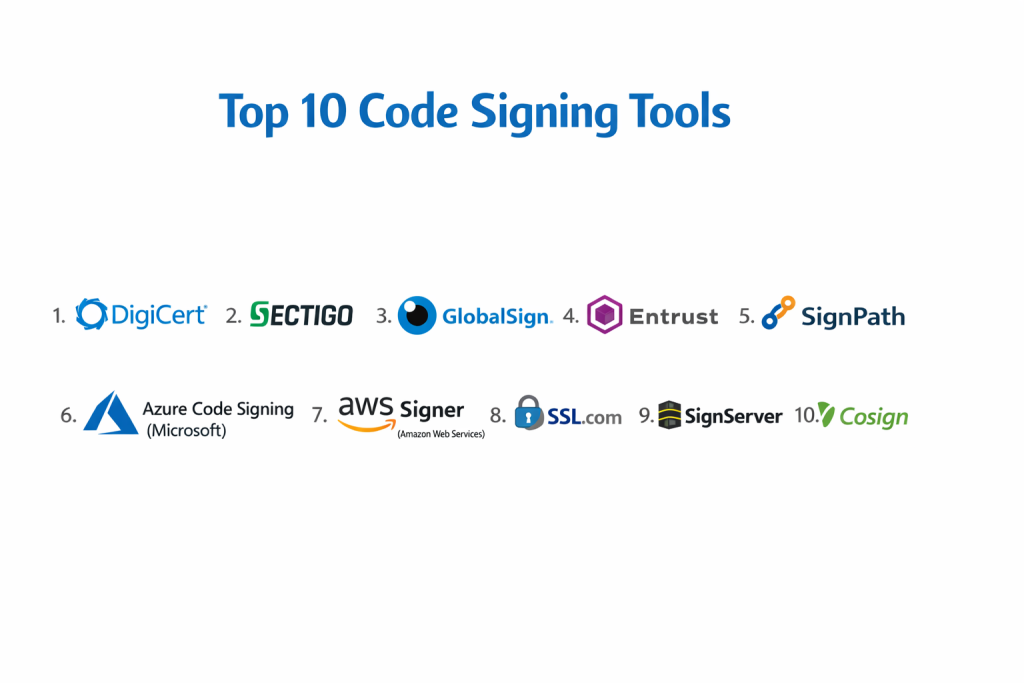
Top 10 Code Signing Tools
1 — DigiCert Code Signing
Widely used enterprise signing solution providing trusted certificates and managed signing infrastructure for secure software distribution.
Key Features
- Standard and extended validation certificates
- Secure key storage and management options
- Integration with automated build pipelines
- Timestamping for long-term trust
- Broad platform compatibility
Pros
- Strong global trust reputation
- Enterprise-grade security controls
Cons
- Higher pricing compared with smaller providers
- Setup complexity for new teams
Platforms / Deployment
Cloud or Self-hosted options depending on configuration
Security & Compliance
Supports strong encryption, identity validation, and audit controls. Additional certifications not publicly stated.
Integrations & Ecosystem
- CI/CD pipeline compatibility
- Timestamping services
- API-driven automation
Support & Community
Enterprise support structure with documentation and onboarding guidance.
2 — Sectigo Code Signing
Commercial certificate authority offering flexible signing certificates and lifecycle management for organizations of different sizes.
Key Features
- Multiple certificate validation levels
- Centralized certificate lifecycle control
- Support for application and driver signing
- Timestamping services
- Automation capabilities
Pros
- Competitive pricing flexibility
- Broad platform compatibility
Cons
- Interface complexity for beginners
- Advanced governance features vary by plan
Platforms / Deployment
Cloud and Self-hosted certificate usage
Security & Compliance
Encryption and identity validation supported. Additional compliance details not publicly stated.
Integrations & Ecosystem
- Build system automation
- Developer tooling compatibility
- Certificate management APIs
Support & Community
Documentation and customer support tiers available.
3 — GlobalSign Code Signing
Enterprise-focused digital trust provider delivering scalable certificate management and secure signing workflows.
Key Features
- Managed certificate lifecycle platform
- Secure key storage integrations
- Timestamping and validation services
- Automation support
- Enterprise governance controls
Pros
- Strong enterprise scalability
- Centralized management visibility
Cons
- Pricing oriented toward larger organizations
- Initial deployment complexity
Platforms / Deployment
Cloud and enterprise deployment models
Security & Compliance
Identity validation, encryption, and audit capability supported. Additional certifications not publicly stated.
Integrations & Ecosystem
- DevOps pipeline integration
- Certificate lifecycle automation
- Enterprise identity compatibility
Support & Community
Enterprise onboarding and structured documentation.
4 — Entrust Code Signing
Security platform combining certificate services, identity protection, and trusted signing for regulated environments.
Key Features
- Secure certificate issuance
- Hardware-backed key protection options
- Lifecycle governance
- Timestamping support
- Enterprise policy enforcement
Pros
- Strong compliance-focused design
- Suitable for regulated industries
Cons
- Higher operational complexity
- Cost considerations for small teams
Platforms / Deployment
Cloud, Hybrid, or Self-hosted enterprise models
Security & Compliance
Encryption, identity validation, and governance controls supported. Additional certifications not publicly stated.
Integrations & Ecosystem
- Enterprise identity systems
- Secure key storage modules
- Automation APIs
Support & Community
Enterprise support and professional services availability.
5 — SignPath
Workflow-driven signing automation platform designed to integrate secure signing into development pipelines.
Key Features
- Automated signing policies
- Integration with CI/CD workflows
- Central approval processes
- Secure key handling
- Audit visibility
Pros
- Strong DevOps integration
- Clear governance workflows
Cons
- Requires process configuration
- Advanced enterprise scaling varies
Platforms / Deployment
Cloud or Self-hosted deployment
Security & Compliance
Access control, audit logging, and secure key handling supported. Additional certifications not publicly stated.
Integrations & Ecosystem
- CI/CD pipeline tools
- Repository platforms
- API automation
Support & Community
Documentation and community guidance available.
6 — Microsoft Azure Code Signing
Managed signing capability integrated with cloud identity, key protection, and automated deployment workflows.
Key Features
- Cloud-managed signing service
- Secure key storage integration
- Pipeline automation
- Identity-based access control
- Centralized governance
Pros
- Native cloud ecosystem integration
- Reduced key management overhead
Cons
- Cloud dependency
- Platform-specific workflow alignment
Platforms / Deployment
Cloud
Security & Compliance
Encryption, role-based access, and audit logging supported. Additional certifications not publicly stated.
Integrations & Ecosystem
- Cloud build pipelines
- Identity services
- Key vault integrations
Support & Community
Enterprise documentation and cloud support channels.
7 — Amazon Web Services Signer
Managed signing service designed for secure distribution of applications, firmware, and container artifacts.
Key Features
- Automated artifact signing
- Integration with deployment pipelines
- Managed key protection
- Policy-based controls
- Audit tracking
Pros
- Scalable cloud architecture
- Strong automation capability
Cons
- Cloud-centric usage model
- Configuration learning curve
Platforms / Deployment
Cloud
Security & Compliance
Encryption, IAM access control, and audit visibility supported. Additional certifications not publicly stated.
Integrations & Ecosystem
- Cloud deployment services
- Container workflows
- API automation
Support & Community
Cloud documentation and enterprise support availability.
8 — SSL.com Code Signing
Certificate provider delivering flexible signing options for individuals, businesses, and automated workflows.
Key Features
- Multiple certificate types
- Timestamping capability
- Broad platform signing support
- Lifecycle management
- Automation compatibility
Pros
- Accessible pricing tiers
- Straightforward certificate issuance
Cons
- Fewer enterprise governance features
- Limited large-scale automation depth
Platforms / Deployment
Cloud and certificate-based deployment
Security & Compliance
Encryption and validation supported. Additional compliance details not publicly stated.
Integrations & Ecosystem
- Developer tooling
- Build automation
- Timestamp services
Support & Community
Customer support and documentation resources available.
9 — SignServer
Open signing server platform enabling customizable signing workflows and enterprise integration.
Key Features
- Open architecture signing services
- Hardware security module support
- Workflow customization
- Automation capability
- Audit logging
Pros
- High flexibility
- Suitable for internal enterprise control
Cons
- Requires operational expertise
- Limited turnkey simplicity
Platforms / Deployment
Self-hosted
Security & Compliance
Secure key storage and audit capability supported. Additional certifications not publicly stated.
Integrations & Ecosystem
- Enterprise security modules
- Automation scripting
- Internal tooling integration
Support & Community
Community-driven documentation and enterprise usage experience.
10 — Cosign
Container and artifact signing tool focused on modern cloud-native software supply-chain security.
Key Features
- Container image signing
- Transparency log verification
- Keyless signing support
- Integration with registries
- Automation-friendly design
Pros
- Strong for cloud-native workflows
- Open ecosystem adoption
Cons
- Focused mainly on containers
- Requires modern infrastructure familiarity
Platforms / Deployment
Cloud or Self-hosted depending on workflow
Security & Compliance
Cryptographic signing and verification supported. Additional compliance details not publicly stated.
Integrations & Ecosystem
- Container registries
- CI/CD automation
- Supply-chain security tooling
Support & Community
Active open community and documentation.
Comparison Table
| Tool Name | Best For | Platforms | Deployment | Standout Feature | Public Rating |
|---|---|---|---|---|---|
| DigiCert | Enterprise signing | Multi | Hybrid | Global trust | N/A |
| Sectigo | Flexible certificates | Multi | Hybrid | Pricing flexibility | N/A |
| GlobalSign | Large organizations | Multi | Cloud | Lifecycle management | N/A |
| Entrust | Regulated sectors | Multi | Hybrid | Compliance focus | N/A |
| SignPath | DevOps automation | Multi | Hybrid | Workflow governance | N/A |
| Azure Code Signing | Cloud teams | Cloud | Cloud | Managed signing | N/A |
| AWS Signer | Secure deployment | Cloud | Cloud | Artifact automation | N/A |
| SSL.com | Small business | Multi | Hybrid | Accessible pricing | N/A |
| SignServer | Internal control | Multi | Self | Custom workflows | N/A |
| Cosign | Containers | Cloud | Hybrid | Supply-chain security | N/A |
Evaluation & Scoring
| Tool | Core | Ease | Integrations | Security | Performance | Support | Value | Total |
|---|---|---|---|---|---|---|---|---|
| DigiCert | 9 | 7 | 8 | 9 | 8 | 8 | 6 | 8.1 |
| Sectigo | 8 | 7 | 7 | 8 | 8 | 7 | 8 | 7.8 |
| GlobalSign | 9 | 6 | 8 | 9 | 8 | 8 | 6 | 8.0 |
| Entrust | 9 | 6 | 7 | 9 | 8 | 8 | 6 | 7.9 |
| SignPath | 8 | 7 | 9 | 8 | 8 | 7 | 8 | 8.0 |
| Azure Code Signing | 8 | 8 | 9 | 8 | 8 | 8 | 7 | 8.1 |
| AWS Signer | 8 | 7 | 9 | 8 | 8 | 8 | 7 | 8.0 |
| SSL.com | 7 | 8 | 7 | 7 | 7 | 7 | 9 | 7.6 |
| SignServer | 8 | 5 | 7 | 8 | 7 | 6 | 8 | 7.2 |
| Cosign | 8 | 7 | 9 | 8 | 8 | 7 | 9 | 8.1 |
Scores are comparative indicators rather than guarantees.
Higher totals suggest balanced capability across security, automation, and usability.
Organizations should prioritize workflow compatibility and compliance needs.
Pilot testing helps confirm operational fit before full deployment.
Which Code Signing Tool Is Right for You
Choosing the right code signing tool depends on your team size, security requirements, deployment model, and automation maturity. There is no single universal option that fits every organization, so aligning the tool with real operational needs is essential.
Solo Developers and Freelancers
Individual developers usually benefit from simple certificate issuance, affordable pricing, and minimal setup complexity. Tools that provide straightforward signing without heavy governance overhead are the most practical choice for small-scale software distribution.
Small and Growing Teams
Small teams should prioritize automation, CI/CD integration, and manageable certificate lifecycle control. A solution that reduces manual signing steps while maintaining reasonable security protection helps teams scale releases without slowing development velocity.
Mid-Size Organizations
Mid-market environments typically require centralized visibility, audit logging, role-based access control, and stronger policy enforcement. Integration with build pipelines and artifact repositories becomes critical to maintain secure and repeatable release processes across multiple projects.
Enterprise and Regulated Environments
Large organizations must focus on governance, compliance alignment, secure key storage, approval workflows, and full audit traceability. Enterprise-grade signing platforms or managed cloud signing services are often necessary to meet regulatory, security, and operational risk requirements.
Budget Versus Security Assurance
Lower-cost or open solutions may work for internal or limited distribution, while public software distribution and customer-facing products demand higher trust assurance and reputation-backed certificates. Balancing long-term risk against short-term savings is an important decision factor.
Ease of Use Versus Control
Some tools emphasize simplicity and fast onboarding, while others provide deep governance and strict security enforcement. Teams should evaluate whether operational convenience or strict compliance control is the higher priority for their environment.
Integration and Scalability Needs
Future growth should influence the decision. A suitable tool must integrate smoothly with CI/CD pipelines, cloud platforms, container workflows, and security monitoring systems so that signing remains reliable as release frequency and team size increase.
Security and Compliance Expectations
Organizations handling sensitive software, regulated data, or large customer bases should select tools that support strong encryption, controlled key access, auditability, and policy-driven governance. These capabilities ensure long-term protection against supply-chain threats and unauthorized code distribution.
Frequently Asked Questions
1. What is the purpose of code signing?
It verifies software authenticity and ensures the code has not been modified after release.
2. Do all applications require code signing?
Not always, but public distribution and enterprise deployment strongly benefit from it.
3. Are hardware security modules necessary?
They are recommended for high-security environments but not mandatory for all teams.
4. Can signing be automated in pipelines?
Yes, many modern tools integrate directly with CI/CD workflows.
5. Does code signing improve user trust?
Signed applications reduce warnings and increase installation confidence.
6. How often must certificates be renewed?
Renewal depends on certificate validity periods and organizational policy.
7. Is cloud signing secure?
Managed services provide strong controls, though governance review is important.
8. Can open tools replace commercial services?
They can in some environments, but enterprise trust requirements may differ.
9. What happens if a signing key is compromised?
Certificates must be revoked and new keys issued immediately.
10. How should teams choose a tool?
Evaluate security level, automation support, compliance needs, and operational scale.
Conclusion
Selecting the right code signing tool is a strategic security decision rather than a simple technical purchase. Organizations must balance trust reputation, automation capability, governance visibility, and long-term scalability to protect software distribution effectively. While enterprise certificate authorities provide strong assurance and compliance alignment, workflow-driven and cloud-native signing solutions enable faster and more integrated DevSecOps practices. The most effective approach is to shortlist a few suitable options, validate them within a controlled deployment pipeline, confirm security controls and audit readiness, and then expand adoption gradually. A thoughtful evaluation ensures secure delivery, stronger user confidence, and resilient protection against modern software supply-chain threats.