Introduction
Code review tools help teams check, discuss, and improve code changes before they reach production. In simple terms, they provide a shared place to open a change, leave comments, request updates, approve or reject, and keep an auditable record of decisions. Good code review reduces bugs, improves readability, spreads knowledge, and keeps standards consistent across teams.
These tools matter now because modern software delivery is fast, distributed, and highly collaborative. Teams ship more frequently, work across time zones, and depend on automation for quality gates. Code review has become the central checkpoint where style, security, testing, and design choices are validated before a merge.
Common use cases include reviewing pull requests or merge requests, enforcing approval rules, catching security issues early, onboarding new engineers through guided feedback, and supporting regulated workflows that require audit trails.
What buyers should evaluate:
- Review workflow fit (pull requests, patch-based, stacked changes)
- Merge rules and approval policies
- Commenting experience and discussion clarity
- Automation hooks (checks, CI status, quality gates)
- Permissions and governance (branch protection, roles)
- Scalability for large repos and large teams
- Integration with issue tracking and CI/CD
- Reporting and auditability (history, traceability)
- Developer experience (IDE support, notifications)
- Security expectations (access controls, logging) when available
Best for: engineering teams of all sizes, open-source maintainers, DevOps teams, and organizations that need consistent quality checks and traceability.
Not ideal for: solo projects that rarely change, teams that only need simple file sharing, or workflows where pairing or live collaboration fully replaces asynchronous review.
Key Trends in Code Review Tools
- More automation around checks, policies, and merge gating
- Stronger focus on review quality signals, not just approvals
- Increased use of templates and standards to reduce review noise
- More emphasis on audit trails and traceable decisions
- Better support for large monorepos and multi-team collaboration
- More integrations with security scanning and quality tooling
How We Selected These Tools (Methodology)
- Chosen for broad industry credibility and long-term adoption
- Included both platform-native review tools and dedicated review systems
- Considered workflow strength for teams of different sizes
- Prioritized reliability signals: stability, permission models, merge safety
- Looked at ecosystem reach: integrations, APIs, and automation support
- Balanced cloud-first and self-hosted options where relevant
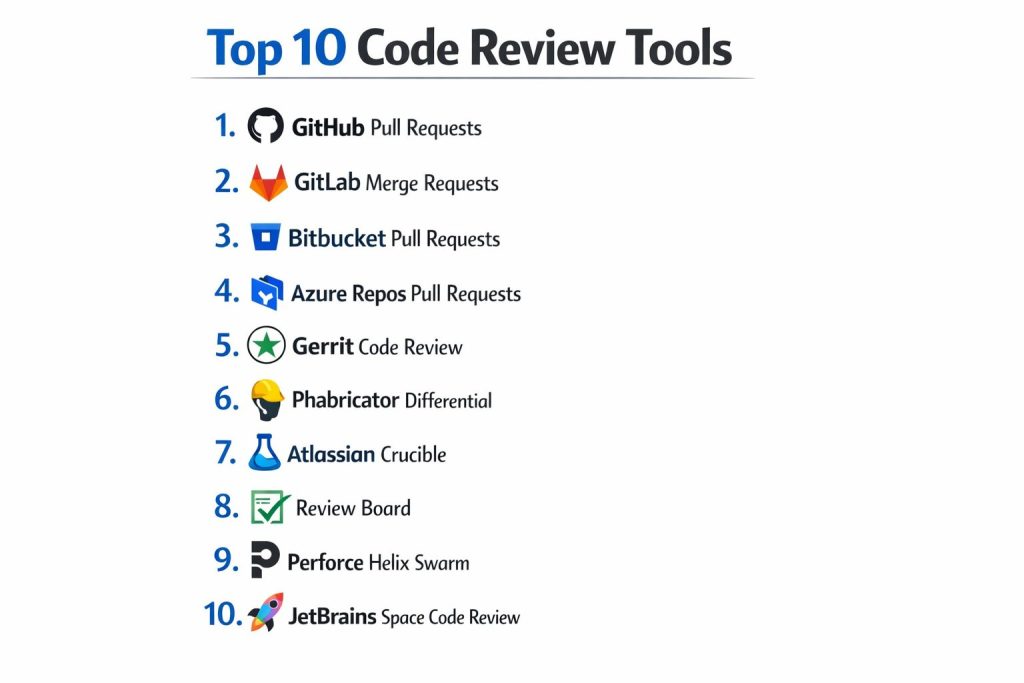
Top 10 Code Review Tools
1 — GitHub Pull Requests
GitHub Pull Requests provide a widely used review flow for code changes with inline comments, approvals, and merge controls. It fits teams that want a familiar workflow with strong ecosystem reach.
Key Features
- Pull request reviews with inline commenting and threads
- Branch protection and required checks support (Varies / N/A by plan)
- Strong integration with CI signals and repository workflows
Pros
- Familiar workflow with broad community adoption
- Strong ecosystem of integrations and automation
Cons
- Advanced governance features can vary by plan
- Large-scale review reporting can require additional tooling
Platforms / Deployment
Web
Cloud / Self-hosted (Varies / N/A)
Security & Compliance
Varies / Not publicly stated in this summary
Integrations & Ecosystem
Commonly connected to CI/CD, issue tracking, and chat notifications through apps and APIs.
- Webhooks and APIs for automation
- CI status checks and merge gating patterns (Varies / N/A)
- Third-party marketplace ecosystem support
Support & Community
Very strong community and documentation. Support tiers vary by plan.
2 — GitLab Merge Requests
GitLab Merge Requests combine code review with pipeline visibility and governance features in a single workflow. It fits teams that want review tightly connected to CI and project management.
Key Features
- Merge requests with inline threads and approvals
- Pipeline visibility directly in the review flow
- Configurable merge rules and quality gates (Varies / N/A by edition)
Pros
- Strong “review plus pipeline” experience in one place
- Works well for teams that prefer a single DevOps platform
Cons
- Feature depth can vary by edition and setup
- Administration can be heavier in complex deployments
Platforms / Deployment
Web
Cloud / Self-hosted / Hybrid (Varies / N/A)
Security & Compliance
Varies / Not publicly stated in this summary
Integrations & Ecosystem
Often used with CI/CD workflows and issue tracking in the same platform, with additional integrations available.
- Built-in pipeline linkage and checks (Varies / N/A)
- APIs and webhooks for automation
- Integrations with common developer tooling (Varies / N/A)
Support & Community
Strong documentation and community. Support tiers vary by plan.
3 — Bitbucket Pull Requests
Bitbucket Pull Requests support structured reviews for teams already using Atlassian tools. It fits teams that want close alignment with Jira-based planning.
Key Features
- Pull request reviews with approval controls
- Branch permissions and merge checks (Varies / N/A)
- Tight alignment with Atlassian ecosystem workflows
Pros
- Natural fit for teams using Jira and Atlassian tooling
- Good for structured review policies in SMB teams
Cons
- Ecosystem is strongest inside Atlassian stack
- Some advanced reporting needs extra tooling
Platforms / Deployment
Web
Cloud / Self-hosted (Varies / N/A)
Security & Compliance
Varies / Not publicly stated in this summary
Integrations & Ecosystem
Works best when connected to planning, CI, and chat workflows through integrations and APIs.
- Jira alignment for issue traceability (Varies / N/A)
- Webhooks and APIs
- Build and deployment integrations (Varies / N/A)
Support & Community
Strong Atlassian documentation and ecosystem. Support varies by plan.
4 — Azure Repos Pull Requests
Azure Repos Pull Requests provide review workflows for teams using Microsoft’s development platform. It fits organizations that already use Azure DevOps pipelines and boards.
Key Features
- Pull request review with policies and reviewers
- Policy-based gating with build validation patterns (Varies / N/A)
- Tight alignment with Azure DevOps project workflow
Pros
- Strong governance fit for enterprise teams
- Works well when review is connected to pipelines and work items
Cons
- Best experience is inside the Azure DevOps ecosystem
- Cross-tool portability depends on workflow choices
Platforms / Deployment
Web
Cloud / Self-hosted (Varies / N/A)
Security & Compliance
Varies / Not publicly stated in this summary
Integrations & Ecosystem
Often integrated with pipelines, work items, and enterprise identity systems depending on setup.
- Pipeline checks and policy gates (Varies / N/A)
- APIs for automation
- Integrations across Microsoft development stack (Varies / N/A)
Support & Community
Strong enterprise documentation. Support varies by plan and organization agreements.
5 — Gerrit Code Review
Gerrit is a review system built around a more granular “change” workflow, often used in large-scale engineering environments. It fits teams that want strict control, strong review discipline, and patch-based workflows.
Key Features
- Patch-based review with strong review controls
- Fine-grained permissions and workflow customization
- Designed for large-scale review discipline and traceability
Pros
- Strong control for disciplined review workflows
- Useful for large repos and structured change management
Cons
- Learning curve compared to pull request workflows
- UI and workflow can feel complex for smaller teams
Platforms / Deployment
Web
Self-hosted
Security & Compliance
Not publicly stated
Integrations & Ecosystem
Often integrated with CI systems and automation through plugins and hooks.
- Hooks and plugins for checks
- Integrations depend on deployment setup
- Works well with strict workflow enforcement
Support & Community
Community-driven support and documentation. Enterprise support varies by vendors around it.
6 — Phabricator Differential
Phabricator’s Differential is built for code review with strong tooling around changes, discussions, and workflow discipline. It fits teams that want a dedicated review system with customization.
Key Features
- Dedicated review flow with strong discussion structure
- Workflow tools designed for change management discipline
- Customization and extensibility (Varies / N/A)
Pros
- Good for teams that want structured review beyond basic pull requests
- Useful for custom workflows and internal processes
Cons
- Ecosystem momentum depends on your organization’s internal tooling
- Setup and maintenance can be non-trivial
Platforms / Deployment
Web
Self-hosted
Security & Compliance
Not publicly stated
Integrations & Ecosystem
Commonly connected to internal tooling and CI systems depending on how teams deploy it.
- APIs and hooks (Varies / N/A)
- Integrations depend on internal setup
- Works well for custom workflow needs
Support & Community
Community resources vary. Support is often internal or vendor-assisted depending on deployment.
7 — Atlassian Crucible
Crucible is a dedicated code review tool designed for structured peer reviews. It fits teams that prefer a separate review system and want review workflows outside a Git platform UI.
Key Features
- Dedicated review management with discussions
- Supports review workflows across repositories (Varies / N/A)
- Useful for formal review processes and audit needs
Pros
- Focused review experience for formal processes
- Helpful for teams separating review from repository hosting
Cons
- Additional tool to manage alongside repository platforms
- Ecosystem may be less broad than platform-native reviews
Platforms / Deployment
Web
Self-hosted (Varies / N/A)
Security & Compliance
Not publicly stated
Integrations & Ecosystem
Usually paired with issue tracking and repository systems depending on team workflow.
- Integrations vary by environment
- Automation depends on setup
- Works best when review process is formalized
Support & Community
Documentation and support vary by vendor policies and deployment choices.
8 — Review Board
Review Board is a dedicated code review tool known for supporting multiple version control systems and structured reviews. It fits teams that want independent review tooling with flexibility.
Key Features
- Review interface designed for structured discussions
- Supports varied repository workflows (Varies / N/A)
- Useful for teams that want review separate from hosting platform
Pros
- Flexible for mixed environments
- Works well for formal review workflows
Cons
- Requires deployment and maintenance if self-hosted
- Integrations depend on configuration
Platforms / Deployment
Web
Self-hosted
Security & Compliance
Not publicly stated
Integrations & Ecosystem
Commonly linked to CI checks and internal workflow tools via integration points.
- Hooks and APIs (Varies / N/A)
- Integrations depend on deployment
- Suitable for custom review process needs
Support & Community
Community support and documentation are available. Commercial support varies by vendor options.
9 — Perforce Helix Swarm
Helix Swarm provides review workflows built around Perforce-based environments and enterprise-scale code management. It fits organizations that rely on Perforce and need review with strong control.
Key Features
- Review workflows aligned with Perforce environments
- Permission and workflow controls for enterprise teams
- Supports structured review and collaboration patterns
Pros
- Strong fit for Perforce-based enterprises
- Useful for controlled environments and large assets workflows
Cons
- Not ideal if your repos are primarily on Git platforms
- Best value comes when aligned with existing Perforce stack
Platforms / Deployment
Web
Self-hosted
Security & Compliance
Not publicly stated
Integrations & Ecosystem
Often connected to enterprise tooling and build systems based on deployment needs.
- Integrations depend on environment
- Works best for Perforce workflows
- Automation options vary by setup
Support & Community
Support is typically enterprise-oriented. Community resources vary.
10 — JetBrains Space Code Review
JetBrains Space provides code review as part of a broader team platform. It fits teams that want review integrated with packages, automation, and collaboration features in one environment.
Key Features
- Pull-request style reviews with discussion threads
- Strong developer workflow integration patterns (Varies / N/A)
- Collaboration features aligned to team productivity
Pros
- Good for teams that like an integrated developer workspace
- Smooth workflow for development teams already using JetBrains tools
Cons
- Best experience is inside the Space ecosystem
- Some governance needs may depend on plan and configuration
Platforms / Deployment
Web
Cloud / Self-hosted (Varies / N/A)
Security & Compliance
Varies / Not publicly stated in this summary
Integrations & Ecosystem
Often used with developer tooling, automation, and team workflows through built-in features and integrations.
- APIs and automation support (Varies / N/A)
- Works with common developer workflows (Varies / N/A)
- Best fit when used as a unified workspace
Support & Community
Documentation is strong. Community strength varies compared to larger code hosting platforms.
Comparison Table
| Tool Name | Best For | Platform(s) Supported | Deployment | Standout Feature | Public Rating |
|---|---|---|---|---|---|
| GitHub Pull Requests | Broad adoption and ecosystem reach | Web | Cloud / Self-hosted (Varies / N/A) | Familiar pull request workflow | N/A |
| GitLab Merge Requests | Review tightly linked to pipelines | Web | Cloud / Self-hosted / Hybrid (Varies / N/A) | Pipeline visibility in reviews | N/A |
| Bitbucket Pull Requests | Atlassian-centered teams | Web | Cloud / Self-hosted (Varies / N/A) | Jira-aligned review workflow | N/A |
| Azure Repos Pull Requests | Microsoft-centered enterprises | Web | Cloud / Self-hosted (Varies / N/A) | Policy-based gating patterns | N/A |
| Gerrit Code Review | Strict, large-scale review discipline | Web | Self-hosted | Patch-based change control | N/A |
| Phabricator Differential | Dedicated structured review workflows | Web | Self-hosted | Change discussion discipline | N/A |
| Atlassian Crucible | Formal peer review processes | Web | Self-hosted (Varies / N/A) | Dedicated review management | N/A |
| Review Board | Independent review in mixed environments | Web | Self-hosted | Flexible review setup | N/A |
| Perforce Helix Swarm | Perforce-based enterprise review | Web | Self-hosted | Review aligned to Perforce | N/A |
| JetBrains Space Code Review | Integrated developer workspace reviews | Web | Cloud / Self-hosted (Varies / N/A) | Unified team workflow | N/A |
Evaluation & Scoring of Code Review Tools
This scoring is a comparative framework to help shortlist tools. It is not a public rating and should be adjusted to your workflow. A higher score reflects broader fit across more common scenarios, not a universal winner. If your environment is highly regulated, self-hosted, or tied to a specific ecosystem, your weighting should shift. Use these scores to narrow options, then confirm with a small pilot on real repositories and real review policies.
Weights used
Core features 25%
Ease of use 15%
Integrations and ecosystem 15%
Security and compliance 10%
Performance and reliability 10%
Support and community 10%
Price and value 15%
| Tool Name | Core (25%) | Ease (15%) | Integrations (15%) | Security (10%) | Performance (10%) | Support (10%) | Value (15%) | Weighted Total (0–10) |
|---|---|---|---|---|---|---|---|---|
| GitHub Pull Requests | 9 | 9 | 10 | 6 | 8 | 9 | 8 | 8.7 |
| GitLab Merge Requests | 9 | 8 | 9 | 6 | 8 | 8 | 8 | 8.3 |
| Azure Repos Pull Requests | 8 | 8 | 8 | 6 | 8 | 8 | 7 | 7.7 |
| Bitbucket Pull Requests | 8 | 8 | 8 | 6 | 7 | 8 | 7 | 7.6 |
| Gerrit Code Review | 9 | 5 | 6 | 5 | 8 | 6 | 7 | 7.1 |
| JetBrains Space Code Review | 7 | 8 | 7 | 5 | 7 | 6 | 7 | 7.0 |
| Review Board | 7 | 6 | 6 | 5 | 7 | 6 | 7 | 6.6 |
| Phabricator Differential | 8 | 5 | 6 | 5 | 7 | 5 | 6 | 6.5 |
| Perforce Helix Swarm | 7 | 6 | 6 | 5 | 7 | 5 | 6 | 6.4 |
| Atlassian Crucible | 7 | 6 | 6 | 5 | 7 | 5 | 5 | 6.2 |
Which Code Review Tool Is Right for You?
Solo / Freelancer
If you want the simplest workflow with strong community familiarity, GitHub Pull Requests is often the easiest path. If your work is already inside a single platform that includes planning and pipelines, GitLab Merge Requests can reduce context switching.
SMB
Most SMB teams want fast reviews, clear approvals, and simple automation. GitHub Pull Requests and GitLab Merge Requests usually cover the majority of needs. Bitbucket Pull Requests is a strong choice if your planning and work tracking is centered on Atlassian workflows.
Mid-Market
Mid-market teams often need stronger governance and consistent policies across repos. Azure Repos Pull Requests works well in Microsoft-centered environments. GitLab Merge Requests can be effective when you want review and pipelines closely linked.
Enterprise
Enterprises often choose based on ecosystem fit, governance, and audit needs. Azure Repos Pull Requests fits identity and policy-driven environments. Gerrit Code Review can be strong for strict, large-scale review discipline when teams accept a more complex workflow.
Budget vs Premium
Budget decisions often favor tools that come with your existing code hosting platform. Premium decisions are usually about governance, pipeline scale, and operational control, not just features.
Feature Depth vs Ease of Use
If ease of use is the top priority, platform-native pull requests typically win. If strict change control and disciplined workflows matter more, Gerrit Code Review can be a better fit for the right teams.
Integrations & Scalability
If your team depends on many tools, prioritize the platform with the strongest ecosystem fit. GitHub Pull Requests is often chosen for broad integration reach. GitLab Merge Requests is strong when you want review tied to pipelines.
Security & Compliance Needs
Many detailed compliance claims are not publicly stated in this summary. In practice, security depends on access control, identity setup, logging expectations, and workflow enforcement. If you need strict governance, plan policy rules, permissions, and audit processes around the tool, not only inside the tool.
Frequently Asked Questions (FAQs)
1. What is a code review tool used for
It helps teams discuss changes before merging, catch bugs early, and keep standards consistent. It also creates a record of decisions and approvals.
2. How many reviewers should approve a change
It depends on risk and team norms. Many teams start with one approval and increase approvals for sensitive areas or high-impact changes.
3. What are common review mistakes
Reviewing too late, focusing only on style, skipping tests, and leaving vague feedback. Another common issue is large changes that are hard to understand.
4. How do I make reviews faster without lowering quality
Keep changes small, use clear templates, automate checks, and define what “must fix” versus “nice to fix” means. Also set expectations on response time.
5. Should code review block merges if checks fail
For most teams, yes. Blocking merges on failing checks reduces rework and avoids merging broken code. The exact rules depend on your release process.
6. Can code review tools help with security
They help by forcing review and encouraging secure practices. Many advanced security controls are outside the review tool and come from identity, scanning, and policies.
7. What is the difference between dedicated review tools and pull requests
Pull requests are review workflows built into a code hosting platform. Dedicated tools offer more review-specific workflows but can add operational overhead.
8. How do I choose between GitHub and GitLab for review
Pick based on how you run delivery. If you want broad ecosystem and a familiar workflow, GitHub is common. If you want review tightly linked to pipelines and one platform, GitLab is strong.
9. When does Gerrit make sense
Gerrit fits teams that want strict, change-based workflows and strong control over review discipline. It can be a poor fit if the team expects simple pull requests.
10. How do we measure code review success
Look at cycle time, defect escape rate, rework after merge, and reviewer participation. Also assess whether feedback improves code clarity and maintainability.
Conclusion
A good code review tool is not just a place to comment on changes. It becomes the quality checkpoint that protects your main branch, spreads knowledge across the team, and keeps delivery predictable. Platform-native options like GitHub Pull Requests, GitLab Merge Requests, Bitbucket Pull Requests, and Azure Repos Pull Requests are often the simplest and most scalable starting points because they connect naturally to identity, repositories, and automation checks. Dedicated systems like Gerrit Code Review, Review Board, and others can be valuable when you need stricter change control or specialized workflows. The best next step is to shortlist two or three tools that match your ecosystem, run a pilot with real repos, validate approval rules and automation gates, and confirm that developers can review quickly without losing clarity.