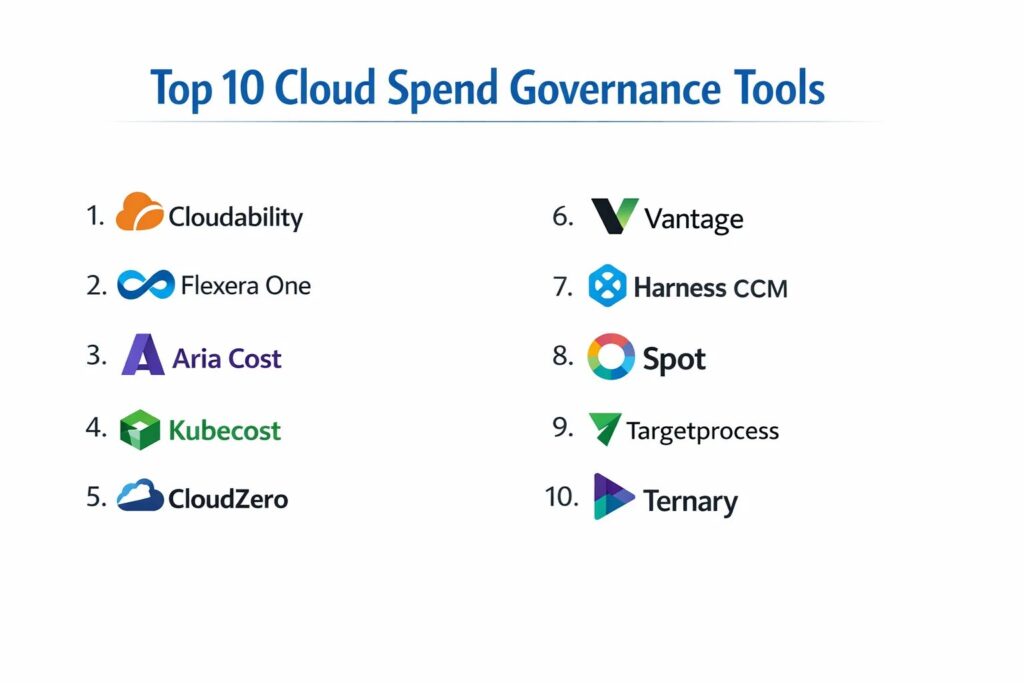
Introduction
Cloud spend governance is the systematic application of policies, processes, and technical controls to manage and optimize cloud-related expenditures. In an era where infrastructure is defined by software and can be scaled with a single API call, the risk of “cloud sprawl” and unmanaged costs is a primary concern for modern organizations. Governance tools provide the visibility and guardrails necessary to ensure that every dollar spent on cloud resources—whether on AWS, Azure, Google Cloud, or multi-cloud environments—aligns directly with business value. These tools move beyond simple cost tracking; they enforce budget limits, identify underutilized resources, and automate the implementation of savings instruments like reserved instances and savings plans.
The necessity for these platforms is driven by the shift from traditional, fixed-cost data centers to variable, consumption-based models. Without a robust governance framework, decentralized engineering teams can inadvertently drive costs far beyond forecasted budgets. Effective governance involves a collaborative culture—often referred to as FinOps—where finance, engineering, and operations share responsibility for cloud efficiency. By utilizing specialized governance tools, organizations can implement real-time cost anomaly detection, automated tagging enforcement, and right-sizing recommendations. This ensures that the cloud remains a catalyst for innovation rather than an unpredictable financial burden.
Best for: Finance managers, DevOps engineers, FinOps practitioners, and IT leadership at mid-market to enterprise-level organizations managing complex, multi-cloud environments.
Not ideal for: Early-stage startups with single-server deployments or minimal cloud footprints where the overhead of a governance platform might exceed the actual cloud bill.
Key Trends in Cloud Spend Governance Tools
The integration of artificial intelligence and machine learning has transformed governance from reactive reporting to predictive forecasting, allowing tools to anticipate spend spikes before they occur. There is a significant move toward “unit economics,” where tools map cloud costs to specific business metrics, such as the cost per customer transaction or cost per active user. Automation is also becoming more aggressive; tools are moving from merely suggesting changes to automatically shutting down “zombie” resources or right-sizing instances based on historical performance data.
Multi-cloud and hybrid-cloud visibility is no longer an optional feature but a core requirement, as organizations seek a single pane of glass to manage fragmented environments. Governance platforms are also beginning to integrate sustainability metrics, allowing companies to view their carbon footprint alongside their financial spend. Furthermore, there is a push for “shifting left” in cost management, where developers receive cost-impact analysis directly within their integrated development environments or CI/CD pipelines, enabling cost-conscious decisions during the architectural phase rather than after the bill arrives.
How We Selected These Tools
The selection of these governance platforms was based on a rigorous evaluation of their ability to provide granular visibility and actionable insights in complex production environments. We prioritized tools that offer native multi-cloud support, ensuring that organizations are not locked into a single provider’s view of their spend. Market share and industry reputation were key signals, as established tools have more mature logic for identifying cost-saving opportunities and a broader library of automated governance policies.
Technical performance was assessed based on the frequency of data ingestion and the accuracy of cost allocation across shared resources, such as Kubernetes clusters. We also looked for platforms that offer robust security postures, including role-based access control and read-only credentialing to protect sensitive financial and architectural data. Finally, the quality of the reporting engine was considered, focusing on the ability to generate customized dashboards that serve both technical engineers and executive-level finance stakeholders.
1. Apptio Cloudability
Apptio Cloudability is a leading FinOps platform designed to help organizations gain visibility into their cloud spend and improve their financial management. It excels at ingesting massive datasets from various cloud providers and normalizing them into a consistent format for analysis. The tool is built to drive accountability across decentralized teams by providing clear mapping of costs to business units.
Key Features
The platform offers advanced cost allocation tools that can handle the complexities of shared resources and “unscopable” costs. It provides automated right-sizing recommendations based on CPU, memory, and disk utilization metrics. Its “TrueCost” engine provides a comprehensive view of spend including discounts and amortization. Users can set up sophisticated alerts for cost anomalies and budget overages. The tool also includes a dedicated module for managing Reserved Instances and Savings Plans to maximize discount coverage. It supports a wide range of integrations with third-party IT financial management software.
Pros
Exceptional at handling very large, complex enterprise datasets with high precision. It offers some of the most detailed reporting and dashboarding capabilities in the governance market.
Cons
The interface is highly technical and may require dedicated personnel to manage effectively. The cost of the platform itself is generally geared toward large enterprises with significant cloud spend.
Platforms and Deployment
SaaS / Cloud-based platform.
Security and Compliance
Supports SSO, MFA, and granular role-based access control. It maintains high standards for data isolation and is widely used in regulated industries.
Integrations and Ecosystem
Integrates with AWS, Azure, Google Cloud, and Oracle Cloud. It also connects with Jira, Slack, and various IT Service Management tools.
Support and Community
Offers professional services, a dedicated customer success manager for enterprise accounts, and a robust online knowledge base.
2. Flexera One (Cloud Cost Optimization)
Flexera One provides a unified platform for IT asset management and cloud cost optimization. It is particularly effective for organizations that need to manage both traditional on-premises software licenses and modern cloud infrastructure in a single governance framework.
Key Features
The tool provides a comprehensive view of spend across multi-cloud and SaaS environments. It features automated “policies” that can take action on your behalf, such as stopping idle instances or deleting unattached storage. It includes specialized tools for optimizing software licenses (like Microsoft SQL Server or Oracle) within the cloud. The platform offers high-level executive dashboards as well as granular technical views for engineers. It also features a “What If” analysis engine to model the financial impact of migrating workloads between clouds. Its reporting engine is highly customizable to match organizational hierarchies.
Pros
Unrivaled for managing the intersection of software licensing and cloud infrastructure costs. The policy-based automation engine significantly reduces the manual labor required for governance.
Cons
The setup and configuration process for complex multi-cloud environments can be time-consuming. Some users find the interface to be less intuitive than modern, cloud-native competitors.
Platforms and Deployment
SaaS / Cloud-based platform.
Security and Compliance
Enterprise-grade security with support for major identity providers and secure API management.
Integrations and Ecosystem
Deep integrations with major cloud providers and IT Asset Management systems. It also supports various private cloud environments.
Support and Community
Provides extensive documentation, community forums, and global technical support for enterprise customers.
3. VMware Aria Cost (formerly CloudHealth)
VMware Aria Cost is a robust governance platform that provides a high degree of visibility and control over cloud environments. It is known for its “Perspectives” feature, which allows users to group resources by any business criteria, such as project, department, or cost center.
Key Features
The platform features an advanced policy engine that can monitor for compliance with cost, security, and performance standards. It provides automated recommendations for right-sizing and the purchasing of committed use discounts. Its “Health Check” reports give a daily summary of optimization opportunities across the entire cloud estate. The tool supports detailed Kubernetes cost analysis, allowing for the breakdown of cluster costs by namespace or label. It also provides historical trend analysis to help teams forecast future spend with higher accuracy.
Pros
The “Perspectives” feature makes it very easy for finance teams to understand costs without needing to understand the underlying technical architecture. It has a long history of reliability in the enterprise market.
Cons
The platform can feel slow when loading extremely large datasets. Navigating the wide range of features and menus can be overwhelming for new users.
Platforms and Deployment
SaaS / Cloud-based platform.
Security and Compliance
Includes robust RBAC and audit logging features. It is compliant with various international security standards.
Integrations and Ecosystem
Supports all major public clouds and integrates with many popular monitoring and alerting tools.
Support and Community
Extensive documentation and a well-established professional services arm for enterprise onboarding.
4. Kubecost
Kubecost is a specialized tool built specifically for managing the costs of Kubernetes environments. While many tools provide high-level cloud visibility, Kubecost provides the granular, container-level data necessary for accurate chargeback in microservices architectures.
Key Features
It provides real-time cost visibility down to the individual pod, deployment, and service level. The tool allows for the allocation of costs based on actual resource usage versus requested resources. It includes built-in efficiency scores to identify where clusters are over-provisioned. Kubecost can be deployed directly within the cluster, ensuring that sensitive cost data never leaves the organization’s infrastructure. It provides automated alerts via Slack or email when spend exceeds certain thresholds. It also supports cost allocation for shared assets like databases and load balancers.
Pros
The absolute gold standard for Kubernetes-specific cost governance. The open-source version allows teams to start gaining visibility immediately without financial commitment.
Cons
Focus is primarily on Kubernetes; it is not a standalone solution for general cloud infrastructure governance. The technical nature of the data requires a strong understanding of container orchestration.
Platforms and Deployment
Self-hosted (deployed within Kubernetes clusters) / Cloud-managed option available.
Security and Compliance
Because it can run entirely within your infrastructure, it provides excellent data privacy. It supports standard Kubernetes security protocols.
Integrations and Ecosystem
Integrates with Prometheus, Grafana, and all major managed Kubernetes services like EKS, GKE, and AKS.
Support and Community
Very active community and professional support available for the commercial version.
5. CloudZero
CloudZero is a modern FinOps platform that focuses on connecting cloud spend to business outcomes. It emphasizes “telemetry-driven” cost management, which avoids the need for perfect tagging by using machine learning to categorize resources.
Key Features
The platform organizes costs into “dimensions,” such as cost per feature or cost per customer. it uses a sophisticated anomaly detection engine to identify unexpected spend spikes in near real-time. CloudZero provides a “developer-first” interface that encourages engineering teams to take ownership of their spend. It includes automated feedback loops that can send cost data directly to developers via Slack. The tool handles complex discount structures and shared infrastructure costs automatically. It also offers “FinOps as a Service” where their experts help organizations build their governance practice.
Pros
Eliminates the “tagging nightmare” by using machine learning to group costs effectively. It is highly effective at driving a culture of cost-accountability among engineering teams.
Cons
The approach is different from traditional tools, which may require a shift in mindset for finance teams. It is a newer player compared to legacy enterprise platforms.
Platforms and Deployment
SaaS / Cloud-based platform.
Security and Compliance
SOC 2 compliant and uses read-only access to cloud billing data to ensure safety.
Integrations and Ecosystem
Supports AWS, Azure, Google Cloud, and Snowflake, with strong integrations for communication tools like Slack.
Support and Community
Excellent proactive support and a community focused on modern FinOps practices.
6. Vantage
Vantage is a cloud cost management platform known for its ease of use and rapid setup. It provides a clean, modern interface that aggregates costs from dozens of different cloud and SaaS providers into a single view.
Key Features
The platform provides automated cost forecasts based on historical usage patterns. It features a “Vantage Autopilot” service that automatically manages AWS Savings Plans and Reserved Instances on behalf of the user. It provides granular visibility into specialized services like Snowflake, Datadog, and MongoDB Atlas. The tool includes a collaborative “virtual tagging” system that allows for cost categorization without changing the actual resource tags in the cloud. It also offers a robust API for exporting cost data to external business intelligence tools.
Pros
Extremely fast to set up; most users can see their data within minutes of connecting their accounts. The interface is widely considered one of the most user-friendly in the category.
Cons
The automated management features are currently most mature for AWS, with less depth for other providers. Larger enterprises may find the policy engine less customizable than legacy tools.
Platforms and Deployment
SaaS / Cloud-based platform.
Security and Compliance
SOC 2 Type II compliant with support for SSO and granular permissions.
Integrations and Ecosystem
Supports over 15 different providers, including the major public clouds and several high-scale SaaS platforms.
Support and Community
Fast, responsive chat-based support and a growing library of documentation.
7. Harness Cloud Cost Management
Harness is a broader “Software Delivery Platform” that includes a dedicated module for cloud cost management. It is unique because it integrates cost visibility directly into the continuous delivery pipeline.
Key Features
The tool provides “Cloud AutoStopping,” which automatically shuts down non-production resources when they are not in use. It gives developers visibility into the cost of their deployments immediately after they go live. It includes deep support for Kubernetes and containerized workloads. The platform provides automated recommendations for right-sizing and spot instance usage. It features “Perspective-based” dashboards for different business stakeholders. Its anomaly detection engine helps identify runaway costs before the end of the billing cycle.
Pros
Best-in-class for “shifting left,” as it puts cost data in front of the developers who are making the infrastructure decisions. The AutoStopping feature provides immediate and significant ROI.
Cons
Primarily beneficial if you are already using or planning to use the broader Harness ecosystem. The standalone cost management features are competitive but less established than specialized tools.
Platforms and Deployment
SaaS / Cloud-based platform.
Security and Compliance
Highly secure platform used by major financial institutions; includes robust auditing and access controls.
Integrations and Ecosystem
Deeply integrated with CI/CD workflows and all major public cloud providers.
Support and Community
Professional enterprise support and an active user community centered around modern DevOps practices.
8. Spot by NetApp
Spot focuses on extreme automation and optimization, specifically for compute resources. It is designed to allow organizations to run production workloads on “Spot Instances” (excess capacity) with the reliability of “On-Demand” instances.
Key Features
The platform features “Eco,” which manages the lifecycle of Reserved Instances and Savings Plans to ensure maximum ROI. Its “Ocean” service provides automated infrastructure management for containers, handling scaling and right-sizing automatically. It includes a robust cost intelligence dashboard that identifies waste across multi-cloud environments. The tool uses predictive analytics to move workloads off spot instances before the cloud provider reclaims the capacity. It also provides automated budget tracking and forecasting.
Pros
Offers some of the most aggressive and effective cost-saving automation in the industry. It essentially turns cloud governance into an automated background process for compute resources.
Cons
The focus is heavily on compute and containers; it may offer less visibility into other cloud services like storage or serverless. The automation can feel like a “black box” to some traditional operations teams.
Platforms and Deployment
SaaS / Cloud-based platform.
Security and Compliance
Built by NetApp, it adheres to high-level enterprise security standards and compliance frameworks.
Integrations and Ecosystem
Exceptional integrations with Kubernetes, Terraform, and major cloud providers.
Support and Community
Global enterprise-level support with a strong focus on technical implementation.
9. IBM Apptio Targetprocess
Targetprocess, now part of the IBM/Apptio ecosystem, is a tool that connects cloud spend to the Agile development process. It is designed for organizations that want to align their cloud costs with their project management and portfolio goals.
Key Features
The platform provides a visual way to map cloud costs to specific epics, features, and user stories. it helps organizations understand the “cost of delay” by showing how cloud expenditures correlate with development timelines. It integrates with Apptio Cloudability to bring deep financial data into the project management view. The tool features highly customizable boards and roadmaps for tracking budget health across different product teams. It supports various Agile frameworks like SAFe and Scrum. It also provides high-level financial reporting for the PMO (Project Management Office).
Pros
The best choice for organizations that want to move beyond IT governance and into Business Value governance. It creates a direct link between the work being done and the cloud bill.
Cons
Requires a high level of organizational maturity in both Agile and FinOps to be effective. It is not a standalone cost optimization tool; it works best as part of the broader Apptio suite.
Platforms and Deployment
SaaS / Cloud-based platform.
Security and Compliance
Enterprise-grade security backed by IBM’s global compliance infrastructure.
Integrations and Ecosystem
Integrates with Jira, Azure DevOps, and the full Apptio financial management suite.
Support and Community
Robust professional services and global support network.
10. Ternary
Ternary is a FinOps platform built specifically on and for the Google Cloud Platform (GCP), though it has since expanded to include multi-cloud support. It is known for its focus on collaboration and task management within the FinOps workflow.
Key Features
The platform converts cost-saving recommendations into “tasks” that can be assigned to specific engineers. It provides deep visibility into GCP-specific services like BigQuery and Google Kubernetes Engine (GKE). It features a collaborative interface where finance and engineering can comment on and track the progress of optimization efforts. The tool provides automated anomaly detection and budget alerting. It also includes a robust engine for managing committed use discounts and flexible spend commitments.
Pros
The most specialized and deep support for Google Cloud users in the market. The workflow-centric approach ensures that cost-saving recommendations are actually acted upon rather than ignored.
Cons
While it supports AWS and Azure, it is not as mature in those areas as it is for GCP. The community is smaller than that of legacy players like VMware or Apptio.
Platforms and Deployment
SaaS / Cloud-based platform.
Security and Compliance
Built with a “security-first” approach on Google Cloud infrastructure; SOC 2 compliant.
Integrations and Ecosystem
Exceptional integration with Google Cloud services, as well as Slack and Jira for workflow management.
Support and Community
Proactive support team with deep expertise in both GCP and FinOps principles.
Comparison Table
| Tool Name | Best For | Platform(s) Supported | Deployment | Standout Feature | Public Rating |
| 1. Cloudability | Enterprise FinOps | Multi-Cloud | SaaS | TrueCost Engine | 4.6/5 |
| 2. Flexera One | License + Cloud Mgmt | Multi-Cloud + On-Prem | SaaS | Policy Automation | 4.4/5 |
| 3. Aria Cost | Multi-Cloud Visibility | Multi-Cloud | SaaS | Perspectives Engine | 4.5/5 |
| 4. Kubecost | Kubernetes Governance | K8s (Any Cloud) | Self-hosted | Pod-level Visibility | 4.8/5 |
| 5. CloudZero | Developer Accountability | Multi-Cloud + SaaS | SaaS | Telemetry-driven Cost | 4.7/5 |
| 6. Vantage | Fast Setup/SaaS Cost | Multi-Cloud + SaaS | SaaS | Vantage Autopilot | 4.8/5 |
| 7. Harness CCM | Shifting Left (Devs) | Multi-Cloud + K8s | SaaS | Cloud AutoStopping | 4.5/5 |
| 8. Spot | Compute Automation | Multi-Cloud + K8s | SaaS | Ocean (Auto-scaling) | 4.6/5 |
| 9. Targetprocess | Business Value/Agile | Multi-Cloud | SaaS | Project-to-Cost Mapping | 4.3/5 |
| 10. Ternary | GCP/Collaborative | Multi-Cloud (GCP focus) | SaaS | Task-based Workflow | 4.5/5 |
Evaluation & Scoring of Cloud Spend Governance Tools
The scoring below is a comparative model intended to help shortlisting. Each criterion is scored from 1–10, then a weighted total from 0–10 is calculated using the weights listed. These are analyst estimates based on typical fit and common workflow requirements, not public ratings.
Weights:
- Core features – 25%
- Ease of use – 15%
- Integrations & ecosystem – 15%
- Security & compliance – 10%
- Performance & reliability – 10%
- Support & community – 10%
- Price / value – 15%
| Tool Name | Core (25%) | Ease (15%) | Integrations (15%) | Security (10%) | Performance (10%) | Support (10%) | Value (15%) | Weighted Total |
| 1. Cloudability | 10 | 5 | 9 | 9 | 9 | 10 | 6 | 8.35 |
| 2. Flexera One | 9 | 6 | 8 | 9 | 8 | 9 | 7 | 8.00 |
| 3. Aria Cost | 9 | 7 | 9 | 9 | 8 | 9 | 7 | 8.15 |
| 4. Kubecost | 10 | 6 | 7 | 10 | 10 | 8 | 9 | 8.50 |
| 5. CloudZero | 8 | 9 | 8 | 9 | 9 | 9 | 8 | 8.45 |
| 6. Vantage | 7 | 10 | 10 | 8 | 9 | 9 | 8 | 8.40 |
| 7. Harness CCM | 8 | 8 | 9 | 9 | 9 | 9 | 8 | 8.45 |
| 8. Spot | 10 | 7 | 9 | 9 | 10 | 9 | 7 | 8.55 |
| 9. Targetprocess | 6 | 7 | 8 | 9 | 7 | 9 | 7 | 7.15 |
| 10. Ternary | 8 | 8 | 8 | 9 | 8 | 9 | 8 | 8.15 |
How to interpret the scores:
- Use the weighted total to shortlist candidates, then validate with a pilot.
- A lower score can mean specialization, not weakness.
- Security and compliance scores reflect controllability and governance fit, because certifications are often not publicly stated.
- Actual outcomes vary with assembly size, team skills, templates, and process maturity.
Which Cloud Spend Governance Tool Is Right for You?
Solo / Freelancer
For individuals or small consulting setups, the built-in free tools provided by AWS (Cost Explorer) or Azure (Cost Management) are usually sufficient. If additional visibility is needed, the free tier of Vantage or the open-source version of Kubecost can provide more sophisticated insights without an initial cost.
SMB
Small to medium businesses should prioritize ease of use and quick ROI. Vantage or CloudZero are excellent choices because they require minimal configuration and provide near-instant visibility. These tools help small teams manage spend without requiring a dedicated FinOps hire.
Mid-Market
Organizations in this tier often have growing complexity across multiple clouds. Harness or Ternary provide a great balance of technical depth and automated cost-saving features, helping growing teams implement guardrails that prevent budget overruns during periods of rapid scaling.
Enterprise
For global enterprises with millions in monthly cloud spend, Apptio Cloudability or VMware Aria Cost are the standard choices. These platforms provide the high-level financial rigor and complex cost allocation features required to manage large-scale corporate budgets and chargeback processes.
Budget vs Premium
If the primary goal is to save money immediately on compute costs, Spot by NetApp provides the most aggressive value. If the goal is long-term strategic governance, premium platforms like Flexera One or Cloudability offer deeper integration into the broader business’s financial planning processes.
Feature Depth vs Ease of Use
Houdini-level depth (technically complex but powerful) can be found in Flexera One and Cloudability. For ease of use, Vantage and CloudZero lead the market, allowing non-technical finance users to navigate cloud costs with minimal friction.
Integrations & Scalability
Organizations heavily invested in Kubernetes should look toward Kubecost or Spot. For those with a wide variety of SaaS and cloud providers, Vantage offers the broadest integration library to ensure every digital expense is tracked in a single location.
Security & Compliance Needs
All listed tools are secure, but Kubecost offers a unique advantage for highly regulated industries (like healthcare or defense) because it can be deployed entirely within the organization’s private environment, ensuring no data ever leaves the secure perimeter.
Frequently Asked Questions (FAQs)
1. What is the difference between cloud cost management and cloud governance?
Cost management is the act of looking at the bill and finding savings, while governance is the broader framework of setting policies, enforcing budgets, and defining who can spend money and on what resources to prevent issues before they occur.
2. Why can’t I just use the free tools from AWS or Google Cloud?
While native tools are excellent for their own platform, they are not designed for multi-cloud environments. Governance tools provide a unified view across all providers, normalized data, and more sophisticated automation that native tools often lack.
3. What is “FinOps” and how does it relate to these tools?
FinOps is a cultural practice where finance and engineering collaborate to take ownership of cloud spend. Governance tools are the technical instruments used to implement FinOps principles, providing the data and automation needed for the practice to succeed.
4. How long does it take to see a return on investment (ROI)?
Most organizations see an ROI within the first 30 to 60 days. These tools typically find “low-hanging fruit,” such as idle resources or unattached storage, which often pays for the software subscription in the first month.
5. Can these tools automatically delete my resources?
Yes, most platforms have the capability to delete or stop resources, but this is usually disabled by default. You can set up “dry-run” policies first and then enable auto-remediation once you are confident in the tool’s recommendations.
6. Do these tools handle Kubernetes costs?
Many general governance tools offer basic Kubernetes visibility, but specialized tools like Kubecost or Spot provide much deeper data, allowing you to see the cost of individual containers and microservices within a cluster.
7. Is “tagging” really that important for these tools to work?
Traditional tools rely heavily on tagging, but modern “telemetry-driven” tools like CloudZero can group resources using machine learning, which is a life-saver for organizations with inconsistent or missing tags.
8. Can I manage SaaS costs (like Salesforce or Datadog) with these tools?
Some modern governance tools like Vantage and Cloudability have expanded to include SaaS spend, allowing you to manage your entire “digital spend” in one place rather than just your cloud infrastructure.
9. How do these tools help with forecasting?
They use historical consumption data and machine learning algorithms to project your future spend. Many also allow you to input planned architectural changes or new project launches to create a more accurate budget forecast.
10. Do I need a dedicated team to manage these tools?
For mid-sized companies, a part-time DevOps or Finance person can handle the alerts. For large enterprises, it is common to have a dedicated FinOps team that spends their time analyzing the data and enforcing policies within these platforms.
Conclusion
Effective cloud spend governance is no longer a luxury but a critical operational requirement for any organization relying on modern infrastructure. The tools highlighted in this guide represent the pinnacle of visibility and automation, enabling teams to transform their cloud bills from a source of anxiety into a transparent, optimized asset. In a professional landscape where financial efficiency is as important as technical performance, choosing the right governance partner is a foundational decision. By implementing robust guardrails and fostering a culture of cost-accountability, organizations can ensure that their cloud investments continue to drive sustainable business growth and innovation without the risk of unmanaged financial sprawl.