Introduction
Cloud Security Posture Management helps teams continuously find and fix risky cloud settings across accounts, subscriptions, and projects. In simple terms, it checks whether your cloud is configured safely, compares it to security best practices, and tells you what to fix first. This matters because cloud environments change every day, and a single misconfiguration can expose data, create unwanted access paths, or break compliance controls. CSPM is most useful when you have multiple cloud services, many teams deploying frequently, and shared responsibility across engineering and security.
Common use cases include preventing public exposure of storage, detecting overly-permissive identities, enforcing baseline policies, monitoring encryption and logging coverage, and proving compliance readiness for audits. When choosing a CSPM tool, evaluate multi-cloud coverage, policy depth, detection accuracy, prioritization quality, remediation options, identity context, integration with CI/CD and ticketing, reporting for audits, scalability, and ease of onboarding.
Best for: security teams, cloud platform teams, DevOps teams, and compliance teams managing medium to large cloud footprints.
Not ideal for: very small single-account setups, teams that only need basic cloud-native checks, or environments where cloud change is rare.
Key Trends in Cloud Security Posture Management
- CSPM is merging into broader platforms that combine posture, workload security, and identity context under one roof.
- Risk prioritization is shifting from “long lists of findings” to “attack path and blast radius” reasoning.
- IaC and CI/CD integration is becoming standard so issues are prevented before deployment.
- Identity and permissions analysis is becoming a core requirement, not an add-on.
- Evidence-based compliance reporting is improving, but buyers expect more customization and audit-ready exports.
- Remediation is moving from manual fixes to guided workflows, tickets, and automated guardrails.
- Multi-cloud posture is expected even when a company starts with one primary cloud provider.
- Security teams want fewer alerts and more “what to fix first” decisions tied to business impact.
How We Selected These Tools (Methodology)
- Included tools with strong adoption and credibility across cloud security programs.
- Prioritized broad coverage for common cloud services and typical posture risks.
- Looked for practical remediation workflows, not just detection.
- Considered scalability for many accounts, teams, and rapid cloud changes.
- Favored tools with clear policy frameworks and compliance reporting features.
- Balanced cloud-native options with independent vendors for different buyer needs.
- Evaluated ecosystem fit, including integrations with identity, ticketing, and DevOps workflows.
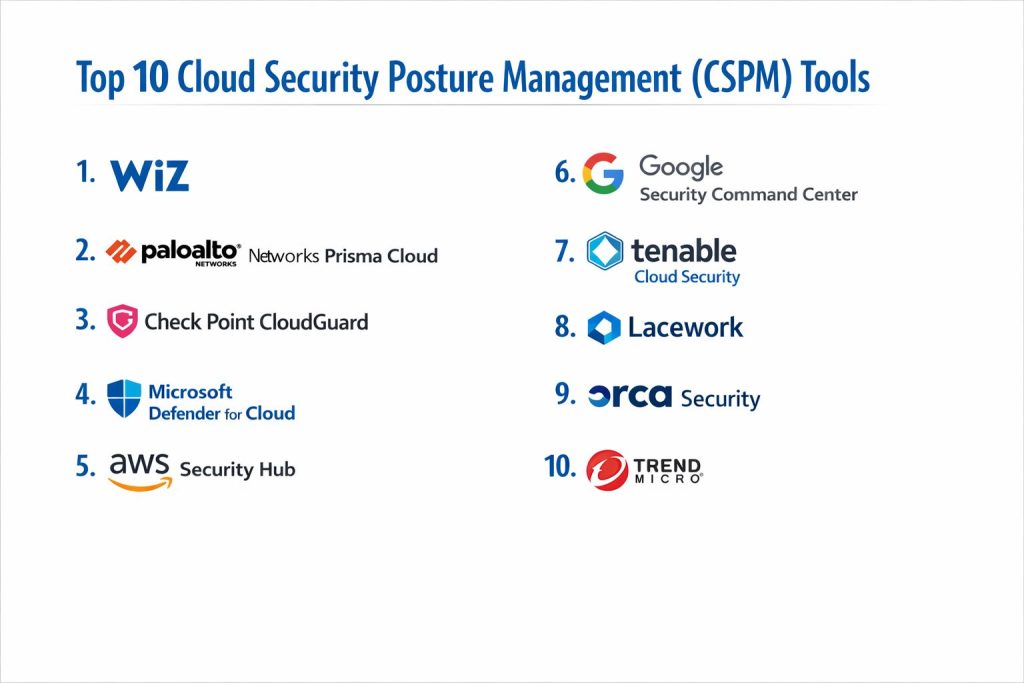
Top 10 Cloud Security Posture Management Tools
1 — Wiz
A cloud security platform commonly chosen for fast visibility, risk-based prioritization, and strong cross-cloud coverage. Often used when teams want quick time-to-value with strong context.
Key Features
- Inventory and posture insights across cloud environments
- Risk prioritization with contextual relationships
- Policy frameworks for common posture controls
- Visibility into exposed assets and misconfigurations
- Reporting workflows suited for security programs
Pros
- Strong prioritization that helps reduce noise
- Typically quick onboarding for many environments
Cons
- Some advanced customization needs may require tuning
- Pricing and packaging vary by contract
Platforms / Deployment
Cloud
Security and Compliance
Not publicly stated
Integrations and Ecosystem
Works best when connected to cloud accounts, identity sources, and workflow systems.
- Ticketing and alert routing integrations
- Security toolchain connectivity for triage workflows
- APIs and automation patterns vary / not publicly stated
Support and Community
Support tiers vary / not publicly stated; community strength varies by region.
2 — Palo Alto Networks Prisma Cloud
A broad cloud security platform that includes posture management alongside additional cloud security capabilities. Common choice for teams wanting one platform across multiple cloud security use cases.
Key Features
- Posture monitoring and policy frameworks
- Visibility across cloud accounts and configurations
- Risk prioritization and reporting workflows
- Integration into security operations processes
- Coverage that can extend beyond posture depending on edition
Pros
- Platform approach can reduce tool sprawl
- Strong enterprise adoption patterns
Cons
- Platform depth can add complexity during rollout
- Packaging and capabilities vary by plan
Platforms / Deployment
Cloud
Security and Compliance
Not publicly stated
Integrations and Ecosystem
Often used alongside enterprise security stacks and workflow systems.
- Integrations with SIEM and ticketing systems
- Policy and workflow automation options vary
- Ecosystem breadth depends on edition
Support and Community
Enterprise support options; details vary / not publicly stated.
3 — Check Point CloudGuard Posture Management
A cloud posture solution often selected by organizations that want structured policy management and governance-style controls across cloud environments.
Key Features
- Policy-based posture checks for common cloud controls
- Configuration monitoring and compliance alignment support
- Alerts and reporting for posture improvements
- Remediation guidance and workflow support
- Visibility across supported cloud services
Pros
- Strong governance-style approach for posture
- Useful for compliance-oriented programs
Cons
- Some environments may require tuning to reduce noise
- Coverage and integrations vary by cloud and setup
Platforms / Deployment
Cloud
Security and Compliance
Not publicly stated
Integrations and Ecosystem
Fits well when integrated into security governance and ticketing workflows.
- Ticketing and alert routing options
- Integration depth varies / not publicly stated
- Automation patterns depend on customer setup
Support and Community
Support tiers vary / not publicly stated.
4 — Microsoft Defender for Cloud
A cloud security management tool commonly used by organizations heavily invested in Microsoft ecosystems. Often chosen for policy-based posture checks and security recommendations.
Key Features
- Posture assessments and security recommendations
- Policy alignment and governance-style controls
- Visibility for common cloud resources
- Reporting for baseline security coverage
- Workflow support for remediation tracking
Pros
- Strong fit for Microsoft-focused cloud environments
- Often simpler adoption where Microsoft tooling is already used
Cons
- Multi-cloud experience may vary by environment
- Some advanced features may require additional setup
Platforms / Deployment
Cloud
Security and Compliance
Not publicly stated
Integrations and Ecosystem
Works best with Microsoft security and identity ecosystems, plus workflow tools.
- Integration with ticketing and operations workflows
- Policy workflows align well with governance programs
- API and automation depth varies / not publicly stated
Support and Community
Strong documentation presence; support tiers vary.
5 — AWS Security Hub
A cloud-native security posture and findings aggregation service often used to centralize security checks and posture signals in AWS environments.
Key Features
- Centralized security findings view across supported services
- Posture checks aligned to common best practices
- Aggregation of findings from AWS and partner tools
- Reporting and workflow routing support
- Account-level and organization-level visibility patterns
Pros
- Native fit for AWS-centric environments
- Works well as a central findings hub
Cons
- Best value when AWS is the main cloud footprint
- Feature breadth depends on AWS service coverage and configuration
Platforms / Deployment
Cloud
Security and Compliance
Not publicly stated
Integrations and Ecosystem
Designed to connect with AWS services and partner integrations.
- Integrations with partner security tools
- Workflow routing into ticketing or SIEM varies by setup
- Automation depends on customer implementation
Support and Community
Strong documentation and community content; support depends on AWS support plan.
6 — Google Security Command Center
A cloud-native security management tool used to manage posture and security insights in Google Cloud environments, often with governance-style workflows.
Key Features
- Security insights and posture visibility in Google Cloud
- Findings and risk views for common resource types
- Policy and governance alignment patterns
- Integration with Google cloud services for visibility
- Reporting workflows for security teams
Pros
- Strong fit for Google Cloud-first environments
- Centralized findings and posture signals in one place
Cons
- Best value when Google Cloud is a primary platform
- Multi-cloud capabilities vary / not publicly stated
Platforms / Deployment
Cloud
Security and Compliance
Not publicly stated
Integrations and Ecosystem
Fits best when connected to Google Cloud services and workflow tools.
- Integrations with cloud services in the same ecosystem
- Workflow routing options vary by setup
- API and automation depth varies / not publicly stated
Support and Community
Documentation and community support are strong; support tiers vary.
7 — Tenable Cloud Security
A cloud security solution often associated with risk and exposure management, used for posture visibility and prioritization across cloud environments.
Key Features
- Posture checks and misconfiguration detection
- Risk and exposure context for prioritization
- Reporting workflows for security teams
- Policy and governance alignment support
- Asset and visibility views across environments
Pros
- Strong risk framing for prioritization
- Useful for teams combining posture with exposure thinking
Cons
- Packaging and capability scope vary by plan
- Integrations may require planning for best outcomes
Platforms / Deployment
Cloud
Security and Compliance
Not publicly stated
Integrations and Ecosystem
Works best when connected to ticketing and operations workflows.
- Security workflow integrations vary
- APIs and automation patterns vary / not publicly stated
- Ecosystem depends on customer stack
Support and Community
Support tiers vary / not publicly stated.
8 — Lacework
A cloud security platform known for behavior and context-driven security signals, often used by teams wanting a platform approach that includes posture.
Key Features
- Posture checks and policy frameworks
- Contextual risk views to reduce noise
- Reporting and workflow support
- Visibility across cloud assets and configurations
- Coverage scope varies by edition
Pros
- Helpful for reducing alert noise through context
- Often fits well into broader cloud security programs
Cons
- Feature depth depends on chosen modules
- Onboarding success depends on clear workflow ownership
Platforms / Deployment
Cloud
Security and Compliance
Not publicly stated
Integrations and Ecosystem
Typically integrated with workflows and broader security stacks.
- Ticketing and SIEM routing options
- API and automation support varies
- Ecosystem depends on edition and stack
Support and Community
Support tiers vary / not publicly stated.
9 — Orca Security
A cloud security platform commonly chosen for visibility and prioritization, often valued for finding risks with strong context across cloud environments.
Key Features
- Posture findings with context and prioritization
- Asset visibility and misconfiguration detection
- Reporting for security and compliance stakeholders
- Risk grouping to help focus remediation work
- Coverage depends on connected cloud environments
Pros
- Strong context helps teams focus on high-impact issues
- Often reduces time spent on low-value findings
Cons
- Packaging and capabilities vary by plan
- Workflow success depends on integration and ownership
Platforms / Deployment
Cloud
Security and Compliance
Not publicly stated
Integrations and Ecosystem
Commonly integrated into remediation workflows and security operations.
- Ticketing workflow integrations
- Alert routing options vary
- API and automation patterns vary / not publicly stated
Support and Community
Support tiers vary / not publicly stated.
10 — Trend Micro Cloud One
A cloud security platform that includes posture management capabilities as part of a broader cloud security suite. Often chosen by organizations that want vendor consolidation across cloud security areas.
Key Features
- Posture monitoring and policy checks
- Risk and findings management workflows
- Reporting for operational tracking
- Coverage that can extend beyond posture depending on modules
- Fit for organizations standardizing on a single vendor
Pros
- Platform approach can simplify procurement and operations
- Useful for teams wanting broader cloud security coverage
Cons
- Scope and depth depend on module selection
- Requires planning to avoid overlapping tools
Platforms / Deployment
Cloud
Security and Compliance
Not publicly stated
Integrations and Ecosystem
Works best when connected to cloud accounts and existing security workflows.
- Ticketing and alert routing options
- Integration depth varies by customer environment
- Automation patterns vary / not publicly stated
Support and Community
Support tiers vary / not publicly stated.
Comparison Table
| Tool Name | Best For | Platform(s) Supported | Deployment | Standout Feature | Public Rating |
|---|---|---|---|---|---|
| Wiz | Risk-based cloud posture prioritization | Varies / N/A | Cloud | Context-driven prioritization | N/A |
| Palo Alto Networks Prisma Cloud | Platform approach for broad cloud security | Varies / N/A | Cloud | Consolidated platform coverage | N/A |
| Check Point CloudGuard Posture Management | Governance and compliance-driven posture | Varies / N/A | Cloud | Policy-based posture governance | N/A |
| Microsoft Defender for Cloud | Microsoft-first cloud security programs | Varies / N/A | Cloud | Integrated recommendations and governance | N/A |
| AWS Security Hub | AWS-centric posture and findings centralization | Varies / N/A | Cloud | Central findings hub in AWS | N/A |
| Google Security Command Center | Google Cloud-centric posture visibility | Varies / N/A | Cloud | Centralized security insights in Google Cloud | N/A |
| Tenable Cloud Security | Risk and exposure-based posture management | Varies / N/A | Cloud | Exposure-driven prioritization | N/A |
| Lacework | Context-driven platform posture signals | Varies / N/A | Cloud | Noise reduction through context | N/A |
| Orca Security | Visibility and prioritized posture findings | Varies / N/A | Cloud | Strong context for risk focus | N/A |
| Trend Micro Cloud One | Vendor consolidation for cloud security | Varies / N/A | Cloud | Suite-based cloud security coverage | N/A |
Evaluation and Scoring of Cloud Security Posture Management
Weights
Core features 25 percent
Ease of use 15 percent
Integrations and ecosystem 15 percent
Security and compliance 10 percent
Performance and reliability 10 percent
Support and community 10 percent
Price and value 15 percent
| Tool Name | Core | Ease | Integrations | Security | Performance | Support | Value | Weighted Total |
|---|---|---|---|---|---|---|---|---|
| Wiz | 9.0 | 8.5 | 8.5 | 7.0 | 8.5 | 8.0 | 7.5 | 8.34 |
| Palo Alto Networks Prisma Cloud | 9.0 | 7.5 | 8.5 | 7.5 | 8.5 | 8.0 | 6.5 | 8.09 |
| Check Point CloudGuard Posture Management | 8.0 | 7.5 | 7.5 | 7.0 | 8.0 | 7.5 | 7.0 | 7.64 |
| Microsoft Defender for Cloud | 8.0 | 8.0 | 7.5 | 7.5 | 8.0 | 7.5 | 8.0 | 7.88 |
| AWS Security Hub | 7.5 | 8.0 | 7.5 | 7.0 | 8.0 | 7.5 | 8.5 | 7.79 |
| Google Security Command Center | 7.5 | 7.5 | 7.0 | 7.0 | 8.0 | 7.5 | 8.0 | 7.55 |
| Tenable Cloud Security | 8.0 | 7.5 | 7.5 | 7.0 | 8.0 | 7.5 | 7.5 | 7.73 |
| Lacework | 8.0 | 7.5 | 8.0 | 7.0 | 8.0 | 7.5 | 7.0 | 7.73 |
| Orca Security | 8.5 | 8.0 | 8.0 | 7.0 | 8.0 | 7.5 | 7.0 | 7.98 |
| Trend Micro Cloud One | 7.5 | 7.5 | 7.5 | 7.0 | 8.0 | 7.5 | 7.5 | 7.55 |
How to interpret the scores
These scores are comparative and are meant to help shortlist tools, not declare a universal winner. A lower total can still be the best fit if it matches your cloud mix, team skills, and operating model. Core and integrations often drive long-term success because posture tools live inside real workflows. Ease matters most during onboarding and adoption across engineering teams. Value depends on how many modules you need, how widely you deploy, and what you replace.
Which Cloud Security Posture Management Tool Is Right for You
Solo or Freelancer
If you manage a small cloud footprint, start with cloud-native controls and a lightweight approach. A full CSPM platform may be more than you need unless you manage multiple environments for clients and want standardized reporting and consistent posture workflows.
SMB
Look for fast onboarding, clear prioritization, and simple remediation workflows. Tools that reduce noise and help you focus on the top risks are often a better fit than tools that generate long lists of findings. Choose strong ticketing integration so fixes do not stall.
Mid-Market
Prioritize multi-account governance, consistent policy frameworks, and better prioritization logic. You typically need engineering-friendly remediation workflows, plus compliance reporting that can be reused across audits. Integration into CI/CD becomes important to prevent repeated mistakes.
Enterprise
Enterprises need scale, clear ownership models, reporting, and integration into security operations. Platform approaches can reduce tool sprawl, but you must define which team owns posture, which team owns remediation, and what “done” looks like. Strong identity context, governance, and workflow automation are key.
Budget vs Premium
Budget-focused teams should aim for the best signal-to-noise and use cloud-native guardrails wherever possible. Premium solutions are justified when you need faster risk prioritization, multi-cloud visibility, and centralized reporting across large environments.
Feature Depth vs Ease of Use
If you need deeper control and broad governance, platform solutions may offer more flexibility but require more setup. If your priority is adoption and fast remediation, choose the tool that produces the most actionable findings with the least friction for engineers.
Integrations and Scalability
CSPM only works when it fits into real workflows. Prioritize integrations with ticketing, alert routing, and identity sources. For scalability, look for strong multi-account grouping, consistent policy management, and flexible reporting.
Security and Compliance Needs
If audits are frequent, choose strong reporting and evidence workflows. If compliance details are not clearly documented, treat them as not publicly stated and validate with the vendor. Also ensure your surrounding systems are strong: identity controls, logging, and access governance often matter more than the CSPM UI.
Frequently Asked Questions
1. What does CSPM actually do
CSPM continuously checks your cloud configuration against security best practices and flags risky settings. It helps you find exposures, misconfigurations, and policy gaps before they become incidents.
2. Is CSPM only for multi-cloud environments
No. It is useful even in a single-cloud setup when you have many accounts, frequent changes, and multiple teams. Multi-cloud makes it more valuable, but single-cloud teams still benefit.
3. How long does CSPM onboarding usually take
It depends on cloud size and access design. A basic setup can be quick, but meaningful results require tuning policies, assigning owners, and integrating workflows so findings get fixed.
4. What are the most common CSPM mistakes
Treating CSPM as a dashboard instead of a process, not assigning remediation ownership, and not tuning policies to reduce noise. Another mistake is ignoring identity and permissions risk.
5. Can CSPM fix issues automatically
Some tools support automation, but many organizations prefer guided remediation with approvals. Automated fixes should be used carefully to avoid breaking production systems.
6. How does CSPM relate to compliance
CSPM can help map configuration checks to common controls and produce reports. It does not replace an audit program, but it can reduce manual evidence work and improve readiness.
7. How do I reduce alert fatigue from CSPM
Start with a small set of high-impact policies, prioritize by risk, and integrate into tickets with clear owners. Use suppression rules carefully and focus on preventing repeats via guardrails.
8. Is CSPM the same as CNAPP
CSPM focuses on posture and configuration risk. CNAPP is often broader and may include workload protection, identity risk context, and additional cloud security capabilities, depending on the vendor.
9. What should I validate during a tool pilot
Validate detection accuracy, false positives, prioritization logic, workflow integration, and reporting quality. Also test with real accounts and real deployment patterns, not just a demo setup.
10. What is the best next step after choosing a CSPM tool
Define ownership, create a remediation workflow, and set measurable goals like reducing critical posture issues over time. Then integrate checks into CI/CD so misconfigurations are prevented earlier.
Conclusion
Cloud Security Posture Management is most successful when it becomes a living process, not just a set of findings. The best tool for you depends on your cloud mix, team structure, and how quickly you can turn findings into fixes. Some teams need a platform approach to consolidate tooling, while others need the fastest path to clear, prioritized remediation tasks. Focus on signal quality, prioritization, and workflow integration so engineers can act without friction. A practical next step is to shortlist two or three tools, run a pilot on real cloud accounts, validate integration with ticketing and identity sources, and confirm that reporting supports your compliance and executive updates.