Introduction
Cloud migration tools are specialized software solutions designed to automate and streamline the process of moving digital assets—such as data, applications, and IT infrastructure—from an on-premises data center or one cloud environment to another.YThe complexity of enterprise ecosystems has made manual migration nearly impossible. Organizations now deal with petabytes of data and highly interconnected microservices that require surgical precision during a transition to avoid costly downtime.
The strategic value of these tools lies in their ability to perform discovery and assessment, revealing hidden dependencies that could break an application if moved in isolation. Beyond simple data transfer, modern migration platforms integrate FinOps (financial operations) to forecast post-migration costs and automated refactoring to ensure applications are optimized for the cloud-native environment. For the modern enterprise, these tools are the bridge to achieving scalability, lowering technical debt, and securing digital property within a unified governance framework.
- Best for: Enterprise IT departments, DevOps teams, system integrators, and organizations pursuing hybrid or multi-cloud strategies.
- Not ideal for: Small businesses with single-file storage needs or static websites that do not require complex infrastructure movement.
Key Trends in Cloud Migration Tools
- Agentless Discovery and Inventory: Tools now use non-intrusive methods to scan entire networks, identifying every server and application without requiring individual software installs.
- Generative AI for Code Modernization: Integrated AI models now automatically suggest code changes to make legacy on-premises applications compatible with serverless or containerized cloud environments.
- Real-Time Data Replication: Continuous data sync ensures that the target cloud environment is updated in real-time, allowing for “near-zero” downtime during the final cutover.
- Predictive Cost Modeling: Advanced tools use historical usage data to provide a “TCO” (Total Cost of Ownership) report, showing exactly how much a workload will cost on different cloud providers.
- Zero-Trust Migration Security: Data is increasingly encrypted at rest and in transit using hardware-level security modules to prevent intercept during the migration window.
- Unified Multi-Cloud Orchestration: A shift toward “manager of managers” tools that can coordinate a simultaneous migration across AWS, Azure, and Google Cloud from a single pane of glass.
How We Selected These Tools
- Automation Depth: Priority was given to tools that automate the most difficult phases, such as dependency mapping and schema conversion.
- Platform Versatility: We looked for solutions that support heterogeneous migrations (e.g., moving from a physical Linux server to a virtual Windows environment).
- Downtime Minimization: Selection was based on the tool’s ability to maintain high availability for the business during the transfer process.
- Security & Compliance: Only tools offering enterprise-grade encryption and compliance tracking for GDPR, SOC 2, and HIPAA were included.
- User Experience (UX): We evaluated the intuitiveness of the migration dashboards and the quality of the visual reporting.
- Market Reliability: Evaluation of the tool’s track record in large-scale, high-stakes enterprise projects.
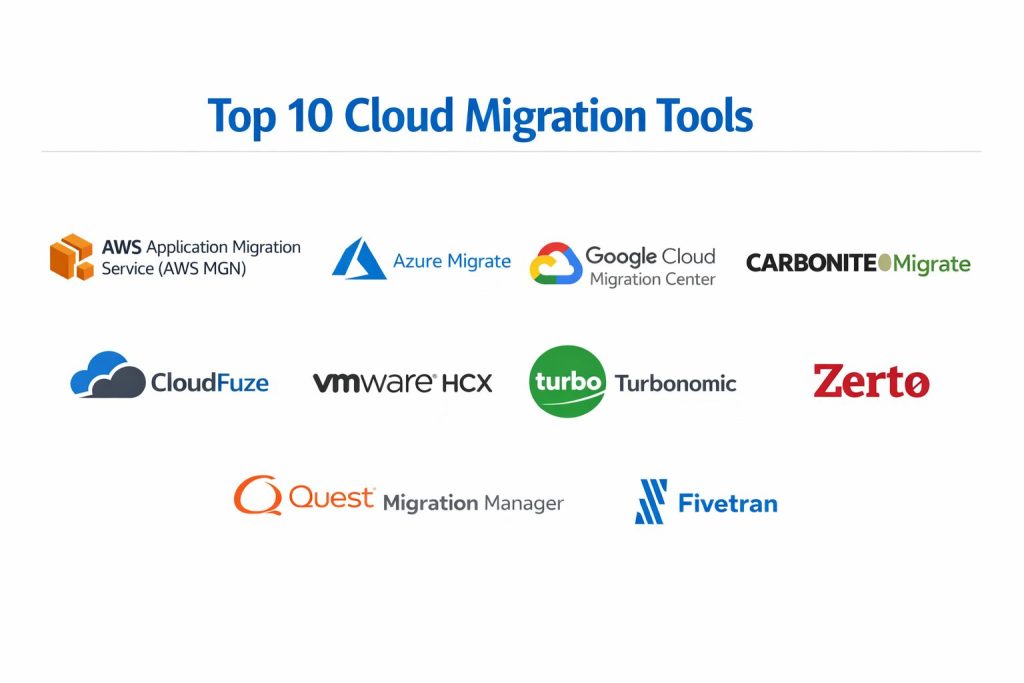
Top 10 Cloud Migration Tools
1. AWS Application Migration Service (AWS MGN)
The primary tool for “lift-and-shift” migrations to Amazon Web Services, designed to minimize manual effort and human error.
Key Features
- Continuous block-level data replication.
- Automated conversion from physical or virtual sources to native AWS EC2 instances.
- Non-disruptive testing of applications before the final cutover.
- Support for a wide range of operating systems including Windows and Linux.
- Integration with AWS Migration Hub for central tracking.
Pros
- Simplifies the migration of complex, legacy applications that cannot be re-architected.
- Free for the first 90 days for each server being migrated.
Cons
- Limited to migrations where AWS is the final destination.
- Not designed for complex application refactoring or modernization.
Platforms / Deployment
- Windows / Linux
- Hybrid / Public Cloud
Security & Compliance
- Data is encrypted in transit; supports AWS IAM for role-based access.
Integrations & Ecosystem
Deeply integrated with the entire AWS ecosystem, including CloudWatch for monitoring and AWS Config for governance.
Support & Community
Extensive documentation and 24/7 technical support for AWS enterprise customers.
2. Azure Migrate
A comprehensive, centralized hub for discovering, assessing, and migrating all on-premises resources to Microsoft Azure.
Key Features
- Holistic discovery of VMware, Hyper-V, and physical servers.
- Dependency mapping to visualize connections between different servers.
- Cost estimation tools that suggest the most efficient Azure instance sizes.
- Database Migration Service (DMS) for moving SQL and NoSQL databases.
- Integrated VDI migration for moving virtual desktops to the cloud.
Pros
- Unmatched integration for organizations already heavily invested in the Microsoft 365 ecosystem.
- Provides a single dashboard to track the status of thousands of servers.
Cons
- The interface can be overwhelming due to the sheer number of integrated sub-tools.
- Best performance is seen within the Microsoft stack; less optimized for niche Linux distros.
Platforms / Deployment
- Windows / Linux / VMware / Hyper-V
- Hybrid
Security & Compliance
- Native integration with Microsoft Entra ID (formerly Azure AD) and Microsoft Defender for Cloud.
Integrations & Ecosystem
Works seamlessly with Visual Studio, Azure DevOps, and Microsoft’s management tools.
Support & Community
Strong corporate support with a massive network of Microsoft-certified partners globally.
3. Google Cloud Migration Center
Google’s unified platform that focuses on data-driven planning and seamless VM movement into Google Cloud Platform.
Key Features
- Asset discovery with automated “right-sizing” recommendations to save costs.
- Migrate for Compute Engine (formerly Velostrata) for rapid streaming migrations.
- Migrate for Anthos to automatically containerize legacy VMs.
- Specialized support for migrating SAP workloads to Google Cloud.
- Database Migration Service with a serverless, easy-to-use interface.
Pros
- Exceptional at transforming VMs into containers with minimal manual intervention.
- Strong focus on reducing post-migration operational costs through AI insights.
Cons
- Smaller third-party plugin ecosystem compared to AWS or Azure.
- Some advanced features require a deep understanding of Google’s specific networking architecture.
Platforms / Deployment
- Windows / Linux / VMware
- Hybrid / Public Cloud
Security & Compliance
- Features built-in VPC Service Controls and Google Cloud Armor integration.
Integrations & Ecosystem
Optimized for teams using Kubernetes (GKE) and Google’s high-performance BigQuery data tools.
Support & Community
Direct technical support available through Google Cloud Support with a growing community of cloud-native developers.
4. Carbonite Migrate
A powerful, cloud-agnostic solution designed for migrating workloads between any combination of physical, virtual, and cloud platforms.
Key Features
- Real-time, byte-level replication that keeps the target in sync with the source.
- Automated failover and cutover to the new environment.
- Support for cross-platform migrations (e.g., physical to virtual).
- Bandwidth throttling to prevent migration traffic from impacting production networks.
- Single-click testing to validate the new environment without stopping the source.
Pros
- Exceptional for high-availability systems where even minutes of downtime are unacceptable.
- One of the few tools that handles physical-to-cloud migrations with high reliability.
Cons
- Requires an agent to be installed on every source machine.
- Licensing can become expensive for very large-scale server estates.
Platforms / Deployment
- Windows / Linux
- Physical / Virtual / Cloud
Security & Compliance
- Uses AES 256-bit encryption for data in transit and at rest.
Integrations & Ecosystem
Operates as a standalone tool but maintains strong compatibility with all major public cloud providers.
Support & Community
Professional 24/7 technical support and a dedicated portal for troubleshooting.
5. Zerto (A Hewlett Packard Enterprise Company)
An enterprise-grade platform that combines disaster recovery and cloud mobility into a single continuous data protection solution.
Key Features
- Continuous Data Protection (CDP) for near-zero RPO (Recovery Point Objective).
- Journal-based recovery to rewind a system to any point in time.
- Automated orchestration for multi-VM application consistency.
- Support for migrating workloads between VMware, Hyper-V, AWS, and Azure.
- Non-disruptive migration testing in an isolated sandbox environment.
Pros
- Ideal for the most mission-critical workloads that require 100% data integrity.
- Simplifies the “failback” process if a migration needs to be reversed.
Cons
- Highly technical setup that requires specialized knowledge of storage networking.
- Price point is geared toward large enterprise budgets.
Platforms / Deployment
- VMware / Hyper-V / AWS / Azure
- Hybrid / Multi-cloud
Security & Compliance
- Hardened virtual appliances and end-to-end encryption of the replication stream.
Integrations & Ecosystem
Deeply integrated with HPE’s storage and compute portfolio, as well as major hypervisors.
Support & Community
Enterprise-class support from HPE with global reach and extensive whitepapers.
6. CloudFuze
A specialized tool focused on high-speed, secure migration of large-scale unstructured data and file systems between clouds.
Key Features
- Multi-cloud connector for moving data between OneDrive, Google Drive, Dropbox, and Box.
- Preservation of complex file permissions, metadata, and version history.
- Delta migration to sync only changes since the last transfer.
- Centralized reporting for monitoring migration progress across multiple tenants.
- Support for shared drives and large-scale user account mapping.
Pros
- The best solution for migrating corporate document libraries without losing user access rights.
- Handles API rate limits automatically to ensure transfers don’t stall.
Cons
- Not an infrastructure migration tool; limited to files and content.
- Pricing is typically based on data volume, which can scale quickly.
Platforms / Deployment
- Web / Cloud-to-Cloud
- SaaS
Security & Compliance
- SOC 2 Type II compliant; data never resides on CloudFuze servers during transit.
Integrations & Ecosystem
Supports over 40 cloud storage providers, making it the most versatile content migration tool.
Support & Community
Direct engineer-led support for enterprise migration projects.
7. VMware HCX
The definitive tool for migrating VMware workloads between on-premises data centers and VMware-based cloud environments.
Key Features
- Application mobility without changing IP addresses or MAC addresses.
- WAN optimization and deduplication to speed up data transfer over the internet.
- Bulk migration for moving hundreds of VMs simultaneously.
- OS-Assisted migration for non-VMware (KVM, Hyper-V) sources.
- Cross-cloud live vMotion for zero-downtime movement.
Pros
- Essential for hybrid cloud setups where consistency with the on-premises environment is vital.
- Dramatically simplifies complex networking requirements during a migration.
Cons
- Requires a VMware ecosystem (vSphere) to be present at least on one side of the migration.
- Can be complex to license depending on the specific cloud provider.
Platforms / Deployment
- VMware vSphere / AWS / Azure / Google Cloud
- Hybrid
Security & Compliance
- Integrated with VMware’s NSX security policies for micro-segmentation.
Integrations & Ecosystem
Perfectly aligned with VMware Cloud on AWS, Azure VMware Solution, and Google Cloud VMware Engine.
Support & Community
World-class support from Broadcom (VMware) and a massive global user base.
8. Turbonomic (An IBM Company)
An AI-powered resource management platform that optimizes application performance before, during, and after migration.
Key Features
- Real-time application-aware dependency mapping.
- AI-driven “what-if” scenarios to predict the cost of different cloud destinations.
- Automated workload placement to ensure performance SLAs are met.
- Integration with FinOps tools to eliminate “cloud waste” from day one.
- Continuous optimization of cloud resources post-migration.
Pros
- Shifts the focus from “just moving” to “moving for the best performance and price.”
- Prevents the common mistake of over-provisioning resources in the cloud.
Cons
- Not a “transfer” tool; it manages the strategy and optimization rather than the data movement.
- High cost for smaller environments.
Platforms / Deployment
- Windows / Linux / Kubernetes
- Hybrid / Multi-cloud
Security & Compliance
- Role-based access control and integrated compliance audits for resource usage.
Integrations & Ecosystem
Strong ties with IBM Cloud, AWS, Azure, and modern APM tools like AppDynamics.
Support & Community
Robust enterprise support through IBM’s global service network.
9. Quest Migration Manager
A specialized tool for the migration of critical Microsoft enterprise services like Active Directory and Exchange.
Key Features
- Seamless migration of user accounts, groups, and permissions.
- Zero-impact synchronization to allow users to work during the migration.
- Automated updating of client profiles (Outlook, etc.) after move.
- Coexistence management between old and new environments.
- Robust reporting on migration readiness and post-migration cleanup.
Pros
- The industry standard for complex Active Directory consolidations and Office 365 moves.
- Prevents “helpdesk storms” by ensuring a transparent experience for end-users.
Cons
- Focused specifically on Microsoft services; not for general server or database migration.
- Can require significant setup for large, multi-forest environments.
Platforms / Deployment
- Windows / Microsoft 365
- On-premises / Hybrid
Security & Compliance
- Maintains strict audit logs and ensures security SID history is preserved.
Integrations & Ecosystem
Works hand-in-hand with Quest’s other security and management tools for the Microsoft stack.
Support & Community
High-quality technical support with deep expertise in Microsoft infrastructure.
10. Fivetran
A modern, cloud-native data integration platform that automates the migration of databases and SaaS data into cloud data warehouses.
Key Features
- Automated schema discovery and mapping.
- Low-latency Change Data Capture (CDC) for real-time data sync.
- Support for over 300 data sources including Oracle, SAP, and Salesforce.
- Idempotent data delivery to ensure no data is lost or duplicated during transfer.
- Fully managed, zero-maintenance data pipelines.
Pros
- The easiest way to move large databases into modern warehouses like Snowflake or BigQuery.
- Automatically handles schema changes in the source without breaking the migration.
Cons
- Consumption-based pricing can become unpredictable for massive datasets.
- Not for moving applications or virtual machines; strictly for data.
Platforms / Deployment
- SaaS / Multi-cloud
- Cloud-native
Security & Compliance
- HIPAA, SOC 2, and GDPR compliant; end-to-end data encryption.
Integrations & Ecosystem
Leading integrations with Snowflake, Databricks, and Google BigQuery.
Support & Community
Responsive 24/7 technical support and a large community of data engineers.
Comparison Table
| Tool Name | Best For | Platform(s) Supported | Deployment | Standout Feature | Public Rating |
| 1. AWS MGN | AWS Migrations | Win, Lin | Hybrid | Block-Level Replication | N/A |
| 2. Azure Migrate | Azure Ecosystem | Win, Lin, VMware | Hybrid | Dependency Mapping | N/A |
| 3. Google Cloud MC | GCP / Containers | Win, Lin, VMware | Hybrid | AI Right-Sizing | N/A |
| 4. Carbonite Migrate | Cross-Platform | Win, Lin, Physical | Hybrid | Real-Time Byte Sync | N/A |
| 5. Zerto | Mission Critical | VMware, Cloud | Multi-cloud | CDP Rewind | N/A |
| 6. CloudFuze | File Migration | Web, SaaS | SaaS | Permission Preservation | N/A |
| 7. VMware HCX | Hybrid VMware | VMware, Cloud | Hybrid | Live vMotion | N/A |
| 8. Turbonomic | Optimization | Win, Lin, K8s | Multi-cloud | AI Resource Placing | N/A |
| 9. Quest Manager | Active Directory | Windows, M365 | Hybrid | Coexistence Management | N/A |
| 10. Fivetran | Data Warehousing | Databases, SaaS | SaaS | Automated Schema Sync | N/A |
Evaluation & Scoring of Cloud Migration Tools
The scoring below is a comparative model intended to help shortlisting. Each criterion is scored from 1–10, then a weighted total from 0–10 is calculated using the weights listed. These are analyst estimates based on typical fit and common workflow requirements, not public ratings.
Weights:
- Core features – 25%
- Ease of use – 15%
- Integrations & ecosystem – 15%
- Security & compliance – 10%
- Performance & reliability – 10%
- Support & community – 10%
- Price / value – 15%
| Tool Name | Core (25%) | Ease (15%) | Integrations (15%) | Security (10%) | Performance (10%) | Support (10%) | Value (15%) | Total |
| 1. AWS MGN | 9 | 7 | 10 | 9 | 9 | 9 | 8 | 8.60 |
| 2. Azure Migrate | 10 | 6 | 10 | 9 | 8 | 9 | 8 | 8.55 |
| 3. Google Cloud | 9 | 8 | 9 | 9 | 9 | 8 | 8 | 8.55 |
| 4. Carbonite | 8 | 6 | 8 | 9 | 9 | 8 | 7 | 7.60 |
| 5. Zerto | 10 | 4 | 9 | 10 | 10 | 9 | 6 | 8.15 |
| 6. CloudFuze | 7 | 9 | 10 | 9 | 8 | 8 | 7 | 8.10 |
| 7. VMware HCX | 10 | 5 | 10 | 9 | 10 | 9 | 6 | 8.35 |
| 8. Turbonomic | 8 | 7 | 9 | 8 | 9 | 9 | 7 | 8.05 |
| 9. Quest | 9 | 5 | 8 | 9 | 8 | 8 | 7 | 7.55 |
| 10. Fivetran | 8 | 10 | 10 | 9 | 9 | 8 | 7 | 8.65 |
How to interpret the scores:
- Use the weighted total to shortlist candidates, then validate with a pilot.
- A lower score can mean specialization, not weakness.
- Security and compliance scores reflect controllability and governance fit, because certifications are often not publicly stated.
- Actual outcomes vary with assembly size, team skills, templates, and process maturity.
Which Cloud Migration Tool Is Right for You?
Solo / Small Business
For simple data moves or small-scale database migrations, Fivetran or the native free tiers of AWS MGN provide the most accessible entry point with the lowest technical overhead.
SMB
Companies moving toward a specific ecosystem should use the native tools (Azure Migrate or Google Cloud Migration Center). If you need to move diverse files between platforms, CloudFuze is the strategic choice to maintain productivity.
Mid-Market
Organizations with a mix of physical and virtual servers will benefit most from Carbonite Migrate. Its ability to handle “anything-to-anything” migrations provides the flexibility needed for heterogeneous environments.
Enterprise
For massive, zero-downtime migrations involving thousands of VMs, VMware HCX or Zerto are the gold standards. Large-scale Microsoft enterprises should also consider Quest for the complex task of identity migration.
Frequently Asked Questions
1. What is the difference between lift-and-shift and refactoring?
Lift-and-shift moves applications as-is, while refactoring involves modifying the code to take advantage of cloud-native features like auto-scaling.
2. Is cloud migration expensive?
While migration tools can have costs, the primary expense usually comes from data egress fees and the labor required for testing and validation.
3. How long does a typical migration take?
Small migrations can take weeks, while enterprise-scale digital transformations often span 12 to 24 months.
4. Can I move data back from the cloud?
Yes, this is called “cloud egress” or repatriation. It is technically possible with tools like Zerto, but often involves significant data transfer fees.
5. What is “downtime” during migration?
Downtime is the period when an application is unavailable to users. Modern tools use continuous replication to keep this window down to minutes or seconds.
6. Do I need to install software on my servers?
“Agent-based” tools require an installation, while “agentless” tools scan your network remotely.
7. How do I know if my application is ready for the cloud?
Assessment tools within Azure Migrate or AWS Migration Hub scan for “cloud readiness” issues like incompatible OS versions.
8. Can I migrate while my staff is working?
Yes, most enterprise tools perform background synchronization, only requiring a brief pause for the final switch-over.
9. What happens if a migration fails?
Tools like Zerto and Carbonite offer automated “failback” to return users to the original on-premises system immediately.
10. Is my data safe during the move?
Yes, professional migration tools use end-to-end encryption (AES-256) to ensure data cannot be intercepted during the transfer.
Conclusion
Cloud migration is a transformative journey that requires a rigorous balance of speed, cost, and security. The market has evolved to provide highly specialized tools for every niche—from the AI-driven optimization of Turbonomic to the zero-downtime replication of Zerto. Choosing the right tool is not merely a technical preference but a strategic decision that impacts the long-term operational costs and agility of your business. I recommend starting with a deep discovery phase using native assessment tools to map your dependencies before committing to a full-scale migration platform. Successfully navigating this transition will position your organization to fully leverage the power of cloud-native innovation.