Introduction
Cloud file storage tools let individuals and organizations store files online so they can access, share, sync, and collaborate from anywhere. Instead of keeping everything on one laptop or office server, files live in a managed cloud service and can be shared with teammates, customers, or partners with controlled permissions. This matters now because work is more distributed, files are larger, collaboration is faster, and organizations are expected to maintain better data governance without slowing people down.
Real-world use cases:
- Team file sharing and collaboration across locations
- Secure external sharing with vendors, agencies, and clients
- File sync across devices for hybrid and remote work
- Backup-style protection for critical documents
- Centralized storage for projects, media, and knowledge assets
What buyers should evaluate:
- Sync reliability and offline access
- Sharing controls, link permissions, and expiry options
- Version history and recovery features
- Storage limits and pricing model clarity
- Admin controls, auditing, and user management
- Search quality and file organization features
- Collaboration features (comments, previews, co-edit flows)
- Security features (MFA, encryption, access controls)
- Integration with email, productivity, and identity systems
- Data residency needs and compliance expectations
Mandatory guidance
Best for: remote and hybrid teams, SMBs, enterprises, agencies, education teams, and individuals who need reliable syncing, fast sharing, file versioning, and strong admin controls for collaboration.
Not ideal for: teams needing high-performance object storage for application data, organizations that require full self-hosting with strict internal-only storage, or workflows where files are not the primary unit of work (for example, database-driven systems).
Key Trends in Cloud File Storage
- More fine-grained sharing controls with expiry, watermarks, and controlled external access (varies by tool).
- Increased demand for zero-trust access patterns and stronger identity-driven policies.
- Better ransomware resilience features like version rollback, anomaly alerts, and recovery workflows (capabilities vary).
- Rise of AI-assisted search and organization, including smarter file discovery and content understanding (varies).
- Stronger expectations for audit trails and admin reporting as governance needs increase.
- Continued shift toward integrated suites where storage is tightly connected to email, docs, and meetings.
- Growing need for cross-device consistency, including mobile-first access and offline workflows.
- Higher focus on external collaboration without giving full internal access to partners and contractors.
- More hybrid patterns: cloud storage with local caching for performance and offline readiness.
- Pricing pressure pushing teams to optimize storage usage and reduce duplicate data sprawl.
How We Selected These Tools
- Selected tools with strong adoption across consumers, SMBs, and enterprises.
- Balanced the list between productivity-suite storage, enterprise content platforms, and privacy-focused providers.
- Prioritized reliability of sync, sharing controls, and collaboration readiness.
- Considered admin features such as permissions, auditing, and user lifecycle management.
- Included at least one strong open-source/self-managed style option for teams needing flexibility.
- Kept security and compliance claims conservative; used Not publicly stated when unclear.
- Focused on tools that can work for real teams, not only individual file backup.
- Considered ecosystem and integrations that matter in everyday work.
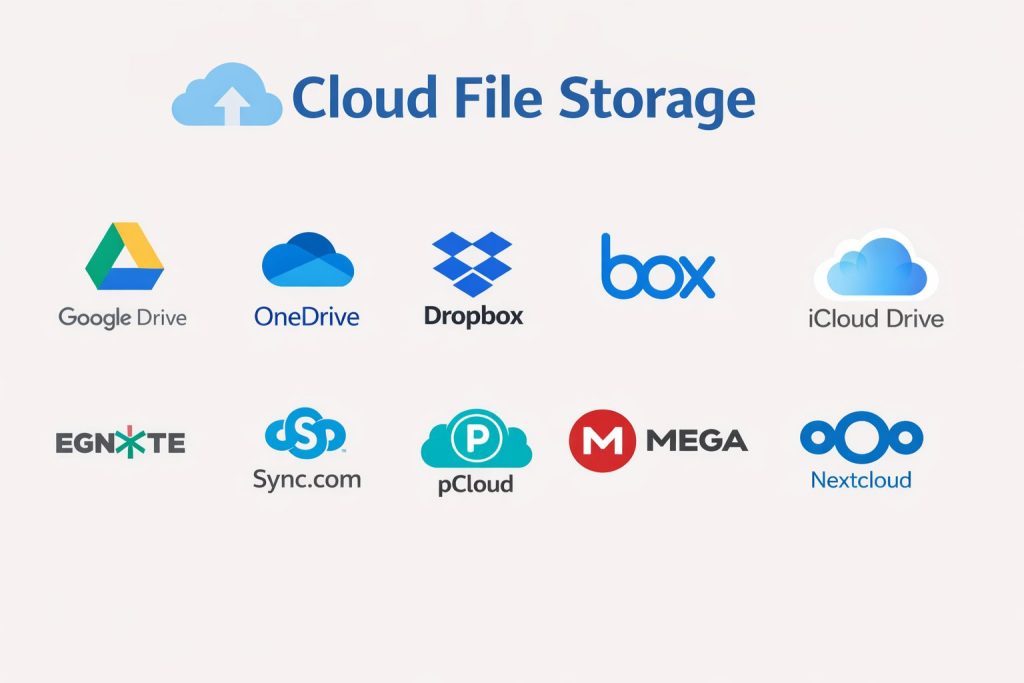
Top 10 Cloud File Storage Tools
Tool 1 — Google Drive
Google Drive is a cloud file storage platform widely used for personal and business collaboration. It is especially popular for teams that work inside a Google productivity environment and need easy sharing and fast collaboration.
Key Features
- File storage with sync across devices and web access
- Fast sharing workflows with permission controls
- Version history and file recovery patterns (varies by plan)
- Strong file preview and collaboration-friendly workflows
- Search and organization tools for large folders and shared drives
- Admin features for business usage (varies by plan)
- Works well for distributed team collaboration
Pros
- Smooth sharing and collaboration experience for teams
- Strong search and organization for many workflows
- Very common tool, making external sharing easier
Cons
- Advanced governance depends on plan and admin configuration
- Storage sprawl can happen if ownership rules are not enforced
- Some enterprises require tighter controls than default settings
Platforms / Deployment
Web / Windows / macOS / iOS / Android
Cloud
Security & Compliance
Not publicly stated
Integrations & Ecosystem
Often used as part of wider productivity workflows and integrates with many daily work tools.
- Integration with productivity apps (varies)
- Identity and access patterns (varies)
- APIs and automation options (varies)
- Common collaboration and sharing workflows
- Marketplace and add-on ecosystem (varies)
Support & Community
Strong documentation and large user community. Support tiers vary by plan; enterprise support depends on subscription level.
Tool 2 — Microsoft OneDrive
Microsoft OneDrive is a cloud storage service commonly used in organizations that rely on Microsoft productivity tools. It supports file sync, collaboration, and governance workflows aligned with Microsoft ecosystems.
Key Features
- Device sync and cloud storage with offline support
- Sharing controls and permission management (varies by plan)
- Version history and restore options (varies by plan)
- Strong fit for Microsoft-based collaboration workflows
- Admin controls for user management and governance (plan dependent)
- Works well for enterprise identity and device management patterns
- Collaboration-friendly previews and file handling
Pros
- Very strong fit for Microsoft-centric organizations
- Familiar experience for enterprise users and IT teams
- Good governance options when configured properly
Cons
- Best experience depends on Microsoft ecosystem alignment
- Admin configuration can be complex for large tenants
- Sync behavior can require tuning for large file sets
Platforms / Deployment
Web / Windows / macOS / iOS / Android
Cloud
Security & Compliance
Not publicly stated
Integrations & Ecosystem
Works well inside Microsoft environments and integrates into common enterprise workflows.
- Integration with productivity tools (varies)
- Identity and access workflows (varies)
- Device and endpoint management alignment (varies)
- APIs and automation options (varies)
- Common enterprise workflow integrations (varies)
Support & Community
Large community and strong enterprise support options depending on plan. Documentation is extensive; success depends on admin policies and user training.
Tool 3 — Dropbox
Dropbox is known for strong syncing reliability and simple sharing workflows. It’s widely used by individuals and teams that want fast cross-device file access and straightforward collaboration features.
Key Features
- High-quality file sync across devices
- Simple sharing and link permission workflows
- Version history and recovery options (varies by plan)
- File previews and collaboration features (varies)
- Admin controls for teams (plan dependent)
- Folder organization and team spaces (varies)
- Good cross-platform experience
Pros
- Strong sync experience that many users find dependable
- Easy external sharing for clients and partners
- Simple setup and onboarding for teams
Cons
- Advanced governance features depend on plan tier
- Costs can rise for large team deployments
- Some enterprises prefer suite-native storage for consistency
Platforms / Deployment
Web / Windows / macOS / iOS / Android
Cloud
Security & Compliance
Not publicly stated
Integrations & Ecosystem
Dropbox integrates into many collaboration and productivity workflows depending on plan and setup.
- APIs and automation options (varies)
- Integrations with productivity tools (varies)
- Collaboration workflows with third-party apps (varies)
- Security and admin tooling integrations (varies)
- App ecosystem for extensions (varies)
Support & Community
Good documentation and a broad user base. Support options vary by plan and region; business tiers typically offer stronger support.
Tool 4 — Box
Box is an enterprise-oriented cloud content platform that supports secure file storage, sharing, and governance. It is often chosen by organizations that need stronger admin controls, reporting, and structured external collaboration.
Key Features
- Enterprise file storage and secure sharing workflows
- Permission controls and governance features (plan dependent)
- Admin reporting and visibility for content access (varies)
- Workflow support for external collaboration and approvals
- Versioning and file lifecycle patterns (varies)
- Integrations with enterprise ecosystems (varies)
- Controls designed for regulated and large organizations
Pros
- Strong admin and governance orientation for enterprises
- Good external collaboration control for partners and vendors
- Works well for structured document workflows
Cons
- Can feel heavier for small teams needing simple sync only
- Feature depth depends on licensing and configuration
- Adoption success depends on user training and governance
Platforms / Deployment
Web / Windows / macOS / iOS / Android
Cloud
Security & Compliance
Not publicly stated
Integrations & Ecosystem
Box is commonly integrated into enterprise identity and business application workflows.
- Enterprise identity and access patterns (varies)
- APIs and workflow automation options (varies)
- Integration with productivity tools (varies)
- Governance and reporting workflows (varies)
- Partner collaboration patterns (environment dependent)
Support & Community
Strong enterprise support options depending on plan. Documentation and onboarding resources are generally good; governance setup is key.
Tool 5 — Apple iCloud Drive
iCloud Drive is Apple’s cloud file storage service designed to sync files across Apple devices and provide simple sharing. It’s ideal for users heavily invested in Apple hardware and productivity workflows.
Key Features
- Seamless sync across Apple devices
- Simple file organization integrated into Apple file management
- Sharing and collaboration options (varies by workflow)
- Offline access and device integration patterns
- Versioning and recovery behavior (varies)
- Works well for personal and small team usage
- Strong convenience for Apple-centric users
Pros
- Best experience for users in Apple device ecosystems
- Simple and low-friction sync for everyday files
- Easy onboarding for personal and small team workflows
Cons
- Enterprise governance features are limited compared to enterprise-first tools
- Cross-platform workflows may be less seamless
- Advanced admin and audit needs may require other platforms
Platforms / Deployment
Web / Windows / macOS / iOS
Cloud
Security & Compliance
Not publicly stated
Integrations & Ecosystem
Works best inside Apple ecosystems and supports file sharing patterns for personal and small team use.
- Apple device and app ecosystem integration
- Sharing with common file workflows
- Limited enterprise workflow integrations compared to enterprise platforms
- Third-party integrations vary by workflow
- Best for Apple-centric operational models
Support & Community
Large user base and solid documentation for common tasks. Support experience depends on subscription and region.
Tool 6 — Egnyte
Egnyte is often used by organizations needing strong governance and hybrid-friendly file collaboration. It is popular in industries where controlled sharing and structured file access policies matter.
Key Features
- Centralized file storage and sharing with governance focus
- Hybrid-friendly patterns for local and cloud access (varies by setup)
- Permission and external collaboration controls (plan dependent)
- Audit visibility and admin reporting features (varies)
- Folder structure and policy-based management (environment dependent)
- Practical tools for business and compliance workflows (varies)
- Supports multi-team collaboration patterns
Pros
- Strong governance orientation for business file collaboration
- Useful for hybrid access patterns and structured policies
- Good for controlled external sharing with partners
Cons
- Setup and policy design requires planning
- Best value appears in structured business deployments
- Feature availability depends on plan and configuration
Platforms / Deployment
Web / Windows / macOS / iOS / Android
Cloud / Hybrid
Security & Compliance
Not publicly stated
Integrations & Ecosystem
Egnyte commonly integrates with business workflows focused on identity, governance, and collaboration.
- Identity and access integrations (varies)
- APIs and automation options (varies)
- Collaboration tool integrations (varies)
- Governance and reporting workflows (varies)
- Hybrid usage patterns depend on setup
Support & Community
Business-focused support options. Documentation is typically solid; adoption improves with clear policies and training.
Tool 7 — Sync.com
Sync.com is positioned as a privacy-focused cloud file storage service with secure sharing and sync. It is often selected by users and teams that want straightforward file storage with a stronger privacy posture focus.
Key Features
- File sync and storage with secure sharing workflows
- Permission controls and link-sharing options (varies)
- Version history and restore options (plan dependent)
- Cross-device access with simple user experience
- Team folders and collaboration patterns (varies by plan)
- Admin controls for team accounts (varies)
- Practical for privacy-focused file collaboration
Pros
- Good fit for privacy-conscious users and small teams
- Simple sharing and sync experience
- Often easier to adopt without heavy administration
Cons
- Enterprise-scale governance capabilities may be limited
- Integrations ecosystem may be smaller than major suites
- Advanced workflow automation may require other tools
Platforms / Deployment
Web / Windows / macOS / iOS / Android
Cloud
Security & Compliance
Not publicly stated
Integrations & Ecosystem
Typically used as a standalone storage and sharing layer rather than a deep enterprise suite.
- APIs and integrations vary by plan
- Collaboration workflows supported through sharing features
- Ecosystem size depends on product tier
- Best for direct file sharing and team folders
- Works as a simpler storage layer in many setups
Support & Community
Documentation is generally clear. Community is smaller than major platforms; support depends on plan tier and region.
Tool 8 — pCloud
pCloud provides cloud file storage with sync and sharing features aimed at individuals and teams. It is often used by users who want straightforward cloud storage and cross-device file access.
Key Features
- Cross-device sync and cloud storage access
- Sharing links and permission controls (varies)
- File organization and folder sharing workflows
- Versioning and recovery patterns (plan dependent)
- Media preview and file access features (varies)
- Practical for personal and small team storage needs
- Supports offline access patterns
Pros
- Simple to use and easy to start with
- Works well for cross-device access for individuals
- Good fit for small teams with basic needs
Cons
- Advanced enterprise admin features may be limited
- Integration ecosystem may be smaller than suite providers
- Governance features depend on plan and usage model
Platforms / Deployment
Web / Windows / macOS / Linux / iOS / Android
Cloud
Security & Compliance
Not publicly stated
Integrations & Ecosystem
Often used as a standalone file storage platform with basic collaboration workflows.
- Sharing and folder collaboration options
- Integrations vary by workflow
- API availability varies by plan
- Best for direct storage and file access patterns
- Works well for personal workflows and small teams
Support & Community
Moderate community footprint. Documentation is generally straightforward; support depends on plan and region.
Tool 9 — MEGA
MEGA is a cloud storage platform known for privacy-oriented positioning and file sharing. It is often used by individuals and teams that want cloud file storage with easy sharing and cross-platform access.
Key Features
- Cloud file storage with cross-device syncing
- Sharing links and permission options (varies)
- Collaboration and folder-sharing workflows (varies)
- Version history and restore options (plan dependent)
- Works across major platforms for file access
- Practical for storing and sharing large files
- Team usage patterns depending on plan
Pros
- Easy sharing and cross-platform access
- Works well for large file storage and distribution workflows
- Useful for privacy-conscious storage use cases
Cons
- Enterprise governance and admin depth may be limited
- Workflow automation and integrations vary by plan
- Policy controls may not match enterprise-first tools
Platforms / Deployment
Web / Windows / macOS / Linux / iOS / Android
Cloud
Security & Compliance
Not publicly stated
Integrations & Ecosystem
Typically used as a direct file storage and sharing platform rather than a deep suite-based ecosystem.
- File sharing workflows
- API capabilities vary by plan
- Integrations vary by use case
- Best for direct storage and file distribution patterns
- Team usage depends on plan tier
Support & Community
Large user base but enterprise-focused support depth varies. Documentation is available; support tiers depend on plan.
Tool 10 — Nextcloud
Nextcloud is a self-managed platform for file sync and sharing that many organizations use when they want control over where data is stored. It is popular for teams that need customization, internal hosting options, and strong control over governance.
Key Features
- File sync and sharing with self-managed control
- Permission controls and folder collaboration workflows
- Admin management for users, groups, and access policies
- Extensible ecosystem with apps and integrations (varies)
- Works well for organizations with internal IT operations
- Supports hybrid patterns depending on deployment design
- Suitable for teams prioritizing data control
Pros
- Strong control over hosting and data location choices
- Flexible and customizable with add-ons and integrations
- Good option for governance-driven organizations
Cons
- Requires internal administration and maintenance
- User experience depends on deployment and tuning
- Support and reliability depend on how it is hosted
Platforms / Deployment
Web / Windows / macOS / Linux / iOS / Android
Self-hosted / Hybrid
Security & Compliance
Not publicly stated
Integrations & Ecosystem
Nextcloud is often integrated into internal identity systems and business workflows when hosted by IT teams.
- Identity and access integrations (varies)
- APIs and app ecosystem (varies)
- Collaboration extensions (varies)
- Operational integrations depend on deployment
- Works best with strong internal admin practices
Support & Community
Active community and broad documentation. Professional support varies by hosting model and service providers.
Comparison Table
| Tool Name | Best For | Platform(s) Supported | Deployment | Standout Feature | Public Rating |
|---|---|---|---|---|---|
| Google Drive | Collaboration inside Google-based workflows | Web / Windows / macOS / iOS / Android | Cloud | Fast sharing and search | N/A |
| Microsoft OneDrive | Microsoft-centric teams and governance | Web / Windows / macOS / iOS / Android | Cloud | Suite-aligned collaboration | N/A |
| Dropbox | Reliable sync and simple sharing | Web / Windows / macOS / iOS / Android | Cloud | Strong sync experience | N/A |
| Box | Enterprise governance and controlled sharing | Web / Windows / macOS / iOS / Android | Cloud | Admin and governance controls | N/A |
| Apple iCloud Drive | Apple ecosystem file sync | Web / Windows / macOS / iOS | Cloud | Seamless Apple device sync | N/A |
| Egnyte | Governance-focused hybrid collaboration | Web / Windows / macOS / iOS / Android | Cloud / Hybrid | Hybrid-friendly file governance | N/A |
| Sync.com | Privacy-focused file storage | Web / Windows / macOS / iOS / Android | Cloud | Privacy-oriented storage | N/A |
| pCloud | Simple cloud storage for individuals and small teams | Web / Windows / macOS / Linux / iOS / Android | Cloud | Straightforward cross-device access | N/A |
| MEGA | Large file sharing with privacy orientation | Web / Windows / macOS / Linux / iOS / Android | Cloud | Easy large-file sharing | N/A |
| Nextcloud | Self-managed file collaboration and control | Web / Windows / macOS / Linux / iOS / Android | Self-hosted / Hybrid | Hosting and data control | N/A |
Evaluation & Scoring of Cloud File Storage
Weights:
- Core features – 25%
- Ease of use – 15%
- Integrations & ecosystem – 15%
- Security & compliance – 10%
- Performance & reliability – 10%
- Support & community – 10%
- Price / value – 15%
| Tool Name | Core (25%) | Ease (15%) | Integrations (15%) | Security (10%) | Performance (10%) | Support (10%) | Value (15%) | Weighted Total (0–10) |
|---|---|---|---|---|---|---|---|---|
| Google Drive | 8.5 | 8.5 | 9.0 | 6.5 | 8.0 | 8.0 | 8.0 | 8.28 |
| Microsoft OneDrive | 8.5 | 8.0 | 9.0 | 6.5 | 8.0 | 8.0 | 7.5 | 8.08 |
| Dropbox | 8.0 | 8.5 | 8.0 | 6.0 | 8.5 | 7.5 | 7.0 | 7.78 |
| Box | 8.0 | 7.5 | 8.0 | 6.5 | 7.5 | 7.5 | 6.8 | 7.53 |
| Apple iCloud Drive | 7.5 | 8.5 | 6.5 | 6.0 | 7.5 | 7.0 | 7.5 | 7.45 |
| Egnyte | 8.0 | 7.5 | 7.8 | 6.5 | 7.5 | 7.5 | 6.8 | 7.48 |
| Sync.com | 7.5 | 8.0 | 6.8 | 6.5 | 7.5 | 7.0 | 7.5 | 7.38 |
| pCloud | 7.0 | 8.0 | 6.5 | 6.0 | 7.5 | 6.8 | 7.8 | 7.20 |
| MEGA | 7.0 | 7.8 | 6.5 | 6.5 | 7.0 | 6.8 | 7.5 | 7.15 |
| Nextcloud | 7.8 | 6.8 | 7.5 | 6.5 | 7.0 | 7.5 | 7.2 | 7.28 |
How to use the scores:
- Treat them as a shortlisting guide, not a final decision.
- If your team relies on suite workflows, prioritize Integrations and Ease.
- If governance and control matter, look closely at Security and Core features.
- If you are cost-sensitive, compare Value and Ease together to avoid hidden admin cost.
- Tools with close scores should be tested in a pilot using real file sizes, real sharing patterns, and real admin policies.
Which Tool Is Right for You?
Solo / Freelancer
- Google Drive and Dropbox are practical if you need quick sharing, easy access, and minimal setup.
- pCloud or MEGA can work well for storing and sharing large personal files depending on workflow needs.
- Apple iCloud Drive is best if your work is mainly on Apple devices and you want seamless sync.
SMB
- Microsoft OneDrive is a strong choice if your team already runs on Microsoft productivity tools.
- Google Drive is strong if your team collaborates heavily in Google-based workflows.
- Dropbox is a good fit if you want reliable sync and simple client sharing with quick onboarding.
- Egnyte becomes valuable when policy-driven sharing and governance are important.
Mid-Market
- Box is often considered when you want stronger governance and structured external collaboration.
- Egnyte is useful for hybrid patterns and controlled collaboration with external partners.
- Microsoft OneDrive is strong when identity, device management, and enterprise controls matter.
- Nextcloud is an option when you need more control over data location and customization.
Enterprise
- Box and Egnyte are common choices where governance, access control, and audit visibility matter.
- Microsoft OneDrive is frequently used in enterprise Microsoft ecosystems where identity policies are already standardized.
- Nextcloud can fit enterprises that require self-managed storage control, but it needs operational maturity and staffing.
Budget vs Premium
- For many teams, suite-native tools like Google Drive or Microsoft OneDrive provide good value because they reduce tool sprawl.
- Premium governance platforms make sense when auditability, external collaboration control, and policy enforcement reduce risk and operational cost.
Feature Depth vs Ease of Use
- If ease of use is top priority, Google Drive, Dropbox, and Apple iCloud Drive tend to be straightforward.
- If governance depth is top priority, Box and Egnyte are usually better aligned.
- If self-managed control matters most, Nextcloud can be strong but requires admin skills.
Integrations & Scalability
- Microsoft OneDrive and Google Drive often scale well inside their respective productivity ecosystems.
- Box and Egnyte can fit structured business workflows that require stronger controls and reporting.
- Nextcloud scales based on your hosting design and operational discipline, which can be powerful but requires planning.
Security & Compliance Needs
When compliance details are not publicly stated, focus on practical controls:
- Enforce MFA and strong identity policies for all users
- Use least-privilege access and time-limited sharing links where possible
- Enable audit logging and review sharing patterns regularly
- Standardize offboarding processes to prevent orphaned access
- Use version history and recovery workflows as part of incident readiness
Frequently Asked Questions
What is the difference between cloud file storage and cloud backup?
Cloud file storage is designed for daily access, sharing, and collaboration. Backup is designed for recovery after accidental deletion, corruption, or ransomware. Many teams use both: file storage for collaboration and backup for stronger restore guarantees.
Do these tools support offline access?
Most major tools support offline access through desktop or mobile apps, but behavior varies by platform and file size. It’s best to test offline workflows with real file types and network conditions before standardizing across a team.
How do I control external sharing safely?
Use permission-based sharing, restrict link access, and set expiry dates where available. Also define rules for who can share externally, and review audit activity regularly to detect risky sharing patterns.
What should I do if someone accidentally deletes important files?
Use version history and restore options if your plan supports it, and define a clear recovery process for the team. Most organizations also keep a separate backup strategy for critical folders to reduce reliance on only one recovery method.
How can I avoid storage sprawl and duplicate files?
Set folder ownership rules, standard naming conventions, and clear lifecycle policies for old projects. Encourage teams to use shared team spaces rather than personal folders for business-critical documents.
Is cloud file storage secure enough for business documents?
It can be, but security depends on correct configuration. Strong identity controls, MFA, least privilege, and audit review make a major difference. For sensitive industries, governance features and disciplined processes matter as much as the tool.
Can I migrate from one cloud file storage tool to another?
Yes, but migrations can be painful if you have deep sharing links, permissions, and many shared folders. Plan the move with pilot groups, map folder permissions carefully, and communicate changes early to reduce productivity disruption.
What are common mistakes during rollout?
Teams often skip governance planning, allow unrestricted external sharing, and fail to train users on folder ownership. Another common mistake is ignoring offboarding workflows, which can leave old users with lingering access.
Which tool is best for enterprise governance?
Box and Egnyte are often considered when governance and structured external collaboration matter most. The best choice depends on your identity policies, reporting needs, and how strict your sharing controls must be.
When should I choose a self-hosted option like Nextcloud?
Choose it when you need strong control over where data is stored, want customization, and have the operational capability to run it reliably. If you lack admin capacity, a managed cloud platform may reduce risk and ongoing operational burden.
Conclusion
Cloud file storage is no longer just a place to keep files. It is the backbone of daily collaboration, client sharing, and knowledge retention across distributed teams. The right choice depends on your ecosystem and governance needs. Google Drive and Microsoft OneDrive often deliver strong value when your organization already lives in their productivity suites. Dropbox remains a practical option when sync reliability and simple client sharing are top priorities. Box and Egnyte fit better when you need stronger controls, reporting, and structured external collaboration. Nextcloud is compelling when data control and customization are required, but it demands operational maturity. Shortlist two or three tools, test real file sizes, validate sharing permissions, confirm recovery options, and run a small pilot before standardizing.