Introduction
Classroom management software refers to a digital ecosystem designed to streamline the interaction between educators and students, ensuring that technology serves as a bridge rather than a distraction. In the modern educational landscape, these tools have transitioned from simple “screen monitoring” utilities into comprehensive platforms that handle everything from real-time behavioral tracking to synchronous lesson delivery. By providing teachers with a digital “command center,” this software allows for a controlled, focused environment where students can explore digital resources under professional guidance.
The primary objective of these platforms is to maximize instructional time by automating administrative tasks and minimizing off-task behavior. In an era where 1-to-1 device initiatives are the standard, managing a room full of screens requires specialized solutions that can lock devices, broadcast teacher screens, and facilitate instant communication. Whether in a physical computer lab or a remote learning environment, the right software selection is critical for maintaining academic integrity and student safety across the digital curriculum.
Best for: K-12 schools, higher education institutions, IT administrators, and remote educators seeking to improve student focus and administrative efficiency.
Not ideal for: Purely physical classrooms without student devices or organizations looking for simple video conferencing without educational oversight tools.
Key Trends in Classroom Management Software
- AI-Driven Behavioral Alerts: Modern systems use machine learning to identify “at-risk” digital behaviors or mental health red flags in real-time, alerting counselors before an incident occurs.
- Hybrid-Sync Technology: Platforms now allow for seamless switching between in-person screen monitoring and remote “synchronous” learning without changing the software interface.
- Parental Engagement Portals: There is a significant shift toward “home-to-school” transparency, where parents receive automated daily summaries of their child’s digital activity and behavior.
- Universal Screen Control: New protocols allow teachers to manage a mixed fleet of devices—including Chromebooks, iPads, and Windows laptops—from a single unified dashboard.
- Gamified Discipline Models: Traditional “punishment” workflows are being replaced by positive reinforcement systems that reward students with digital currency or badges for staying on task.
- Automated Lesson Distribution: AI assistants can now predict the resources needed for a specific lesson and “push” the required tabs or documents to every student’s device simultaneously.
- Privacy-First Monitoring: To balance safety with student rights, new features allow for “blind” monitoring where data is only revealed if the AI detects a policy violation.
How We Selected These Tools (Methodology)
The methodology for selecting the top classroom management tools involved a rigorous evaluation of “Instructional Efficacy”—the direct impact a tool has on a teacher’s ability to maintain order and deliver content. We prioritized software that offers a “Low Latency Viewport,” ensuring that what the teacher sees on their monitor is an accurate, real-time reflection of the student’s screen. We also analyzed the “Administrative Overhead,” favoring tools that integrate effortlessly with existing Student Information Systems (SIS) like PowerSchool or Infinite Campus.
Security was a non-negotiable metric; every tool on this list was vetted for compliance with global student data privacy laws such as COPPA, FERPA, and GDPR. We also considered the “Scalability Factor,” evaluating how well the software performs when managing a single classroom versus an entire school district with thousands of concurrent users. Finally, we weighted the “Community Support Score,” which measures the availability of peer-to-peer training resources and the responsiveness of the developer’s technical support team.
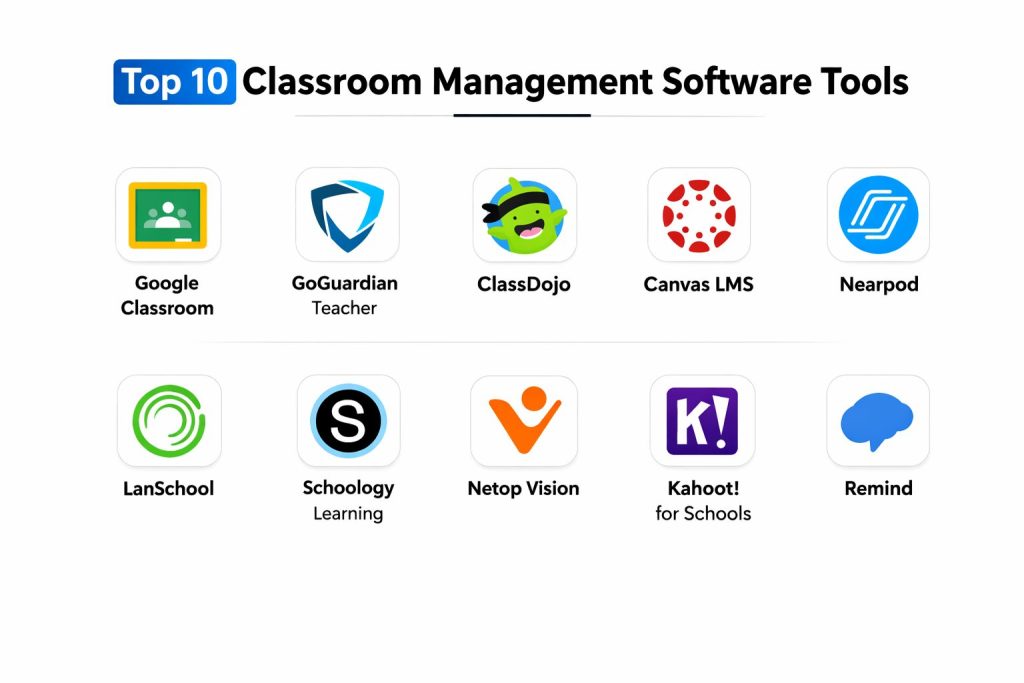
Top 10 Classroom Management Software Tools
1. Google Classroom
Google Classroom is a streamlined, cloud-based platform that integrates the entire Google Workspace for Education into a single hub. It is the most widely used tool for managing assignments, providing feedback, and facilitating communication between teachers and students in a paperless environment.
Key Features
- Google Workspace Integration: Seamless connection with Docs, Drive, and Slides for easy assignment creation.
- Automated To-Do Lists: Students receive a centralized view of all pending tasks and deadlines across all their classes.
- Real-Time Commenting: Teachers can provide live feedback directly on student documents as they are being written.
- Guardian Summaries: Automated email updates to parents regarding missing work and upcoming class announcements.
- Originality Reports: Built-in plagiarism detection that compares student submissions against billions of web pages.
- Classroom API: Allows for deep integration with third-party apps like Nearpod and Kahoot!.
Pros
- Completely free for eligible educational institutions with no hidden costs for core features.
- Extremely easy to set up and requires almost no technical training for students or teachers.
Cons
- Lacks advanced “live screen monitoring” or the ability to lock student browsers.
- The interface can become cluttered for students enrolled in a high number of different courses.
Platforms / Deployment
- Windows / macOS / ChromeOS / iOS / Android
- Cloud-based (SaaS)
Security & Compliance
- Features: Multilayered encryption; no ads or data mining for advertising purposes.
- Compliance: FERPA, COPPA, and GDPR compliant.
2. GoGuardian Teacher
GoGuardian Teacher is a powerful monitoring and filtering solution designed to give educators complete visibility into student activity on school-issued devices. It is renowned for its ability to keep students on task through active screen management and real-time intervention.
Key Features
- Live Screen View: Teachers can see every student’s screen simultaneously in a thumbnail or full-screen view.
- Tab Management: The ability to remotely open or close tabs on student devices to direct their focus.
- Scene Commands: Pre-set “Scenes” that automatically block specific websites or only allow certain sites during a test.
- Student Chat: A secure, one-on-one communication channel for private teacher-student assistance.
- Off-Task Alerts: AI-driven notifications that tell the teacher if a student has veered away from the assigned material.
- Command History: Logs all interventions and activities for review during parent-teacher conferences.
Pros
- Provides unparalleled control over the digital environment, significantly reducing distractions.
- Integrates perfectly with Google Classroom to automatically import student rosters.
Cons
- Monitoring features can raise privacy concerns among older students and parents.
- Premium features are behind a relatively high subscription cost compared to basic LMS tools.
Platforms / Deployment
- ChromeOS / Windows / macOS
- Cloud-based (SaaS)
Security & Compliance
- Features: Advanced encryption at rest and in transit; secure RBAC for administrators.
- Compliance: SOC 2, FERPA, and COPPA compliant.
3. ClassDojo
ClassDojo is a culture-building platform that focuses on behavioral management through gamification and positive reinforcement. It is primarily used in elementary schools to foster a positive classroom community and maintain strong parent-teacher communication.
Key Features
- Feedback Points: Students earn (or lose) points for specific behaviors like “Helping Others” or “Staying on Task.”
- Class Story: A private social-media-style feed where teachers share photos and videos of classroom activities with parents.
- Student Portfolios: Digital spaces where students can showcase their work through drawings, photos, and videos.
- Big Ideas: A library of educational content focused on social-emotional learning and growth mindset.
- Quiet Hours: Allows teachers to set boundaries on when parents can send messages.
- Translation Tools: Automatically translates messages into over 35 different languages for diverse parent communities.
Pros
- Exceptionally high engagement rates among younger students due to the cute “Monster” avatars and gamified rewards.
- Free for individual teachers, making it accessible for classrooms without district funding.
Cons
- Not suitable for high school or higher education due to its juvenile aesthetic.
- Does not offer any technical screen monitoring or web filtering capabilities.
Platforms / Deployment
- iOS / Android / Web
- Mobile-First (SaaS)
Security & Compliance
- Features: COPPA-certified; strict data deletion policies after inactivity.
- Compliance: GDPR, FERPA, and COPPA compliant.
4. Canvas LMS
Canvas LMS is a robust, enterprise-grade learning management system used by both large K-12 districts and prestigious universities. It focuses on academic rigor, providing advanced tools for course authoring, grading, and longitudinal data tracking.
Key Features
- SpeedGrader: An industry-leading tool that allows teachers to grade assignments and provide video/audio feedback rapidly.
- Module Builder: A drag-and-drop system for creating structured learning paths with prerequisites.
- Mastery Paths: Automatically differentiates instruction based on student performance in initial quizzes.
- Global Search: Allows users to find any resource, assignment, or discussion across the entire institution.
- LTI Integrations: Supports thousands of third-party educational apps and publishers.
- Analytics Dashboard: Provides deep insights into student engagement and “at-risk” performance trends.
Pros
- Highly customizable and scalable for organizations with thousands of users.
- Offers a “Free for Teacher” version that includes most core LMS functionalities.
Cons
- Features a significantly steeper learning curve than simpler tools like Google Classroom.
- The mobile application interface is often reported as less intuitive than the desktop version.
Platforms / Deployment
- Windows / macOS / iOS / Android
- Cloud-based (SaaS) / Self-hosted options
Security & Compliance
- Features: ISO 27001 certification; regular third-party security audits.
- Compliance: GDPR, FERPA, and HIPAA compliant.
5. Nearpod
Nearpod is an interactive instructional platform that transforms passive presentations into active learning experiences. It allows teachers to manage student pace and check for understanding in real-time through embedded activities.
Key Features
- Live Participation: Every student sees the teacher’s presentation on their own device and interacts with it live.
- VR Field Trips: Integrated 360-degree virtual reality experiences that don’t require expensive headsets.
- Formative Assessment: Quizzes, polls, and “Draw It” activities embedded directly within the lesson slides.
- Time to Climb: A gamified quiz activity where students compete in real-time to “climb a mountain” by answering correctly.
- Collaborate Boards: Digital sticky-note walls where students can share ideas and media with the entire class.
- Student-Paced Mode: Allows students to work through interactive lessons at their own speed as homework.
Pros
- Significantly increases student engagement by making every lesson interactive and multimedia-rich.
- Extensive library of thousands of pre-made, standard-aligned lessons across all subjects.
Cons
- The free version has very limited storage space for custom-created lessons.
- Can be bandwidth-intensive, requiring a strong internet connection for smooth VR and video playback.
Platforms / Deployment
- Web / iOS / Android / ChromeOS
- Cloud-based (SaaS)
Security & Compliance
- Features: Secure login via SSO; no persistent tracking of student personal data.
- Compliance: COPPA and FERPA compliant.
6. LanSchool
LanSchool is one of the original pioneers in classroom management, offering a choice between cloud-based and locally hosted solutions. It focuses on technical control within computer labs and 1-to-1 classrooms.
Key Features
- Thumbnail Monitoring: A high-speed view of all student screens with minimal refresh lag.
- Blank Screen: Instantly black out all student screens to gain immediate attention during a lesson.
- Web Limiting: Allows the teacher to white-list only specific educational websites during class time.
- Screen Sharing: Broadcast the teacher’s screen or a specific student’s screen to the rest of the class.
- Raise Hand: A digital notification system that allows students to ask for help discreetly.
- Remote Control: Teachers can take over a student’s mouse and keyboard to troubleshoot technical issues.
Pros
- Offers an on-premise version for schools with strict data residency requirements or poor internet.
- Known for high stability in specialized “technical” labs (CAD, coding, or video editing).
Cons
- The user interface is functional but lacks the modern aesthetic of newer competitors.
- Setup can be complex for IT staff, particularly for the self-hosted version.
Platforms / Deployment
- Windows / macOS / ChromeOS / iOS / Android
- Cloud (LanSchool Air) or On-Premise (Classic)
Security & Compliance
- Features: Encrypted peer-to-peer communication; password-protected teacher consoles.
- Compliance: GDPR and FERPA compliant.
7. Schoology Learning
Schoology Learning, part of the PowerSchool ecosystem, is a K-12 focused LMS that blends social networking features with academic management. It excels at creating a collaborative learning community for students and faculty.
Key Features
- Social Learning Interface: Uses a familiar, Facebook-like feed for class updates and discussions.
- Shared Resources: A global library where teachers can share and download lesson materials from other educators.
- Performance Requirements: Allows teachers to set specific “must-complete” criteria for items in a folder.
- Integrated Assessment: Tools for building complex quizzes that support various question types and auto-grading.
- PowerSchool Integration: Native, real-time syncing of grades and rosters with the world’s leading SIS.
- Mobile Learning: Full-featured apps that allow students to submit assignments directly from their smartphones.
Pros
- Excellent for fostering collaboration and peer-to-peer learning through its group features.
- One of the best mobile experiences for students in the learning management category.
Cons
- System reliability can occasionally be an issue during peak usage times (end of semesters).
- The “Basic” version lacks many of the administrative features found in the enterprise tier.
Platforms / Deployment
- Windows / macOS / iOS / Android
- Cloud-based (SaaS)
Security & Compliance
- Features: Single Sign-On (SSO) integration; encrypted data storage.
- Compliance: FERPA, COPPA, and GDPR compliant.
8. Netop Vision
Netop Vision is a high-performance classroom management tool tailored for Windows and Mac environments, particularly in higher education and corporate training. It prioritizes speed and granular control over software applications.
Key Features
- High-Speed Monitoring: Specialized for graphics-heavy apps where other monitoring tools might lag.
- Application Blocker: Allows teachers to block specific local software (like games or chat apps) rather than just websites.
- Remote Login/Logoff: Enables IT or teachers to manage the power state of an entire computer lab simultaneously.
- Demo Mode: High-quality screen broadcasting that preserves the framerate of video content.
- File Distribution: A fast, drag-and-drop system for sending files to every student’s desktop.
- Kiosk Mode: Locks a device into a single application for secure testing.
Pros
- Unmatched performance for specialized labs where students use heavy software like Photoshop or AutoCAD.
- Very granular control over both web and desktop-based distractions.
Cons
- Higher price point than most web-only management solutions.
- Requires a desktop client installation on both teacher and student machines.
Platforms / Deployment
- Windows / macOS
- Desktop-based (Self-hosted)
Security & Compliance
- Features: FIPS 140-2 encryption; no student data stored on external servers.
- Compliance: HIPAA and GDPR compliant.
9. Kahoot! for Schools
Kahoot! for Schools is a gamified engagement platform that uses “kahoots” (user-generated quizzes) to review material and conduct formative assessments in a high-energy, competitive format.
Key Features
- Gamified Quiz Engine: Students compete for points based on accuracy and speed, displayed on a leaderboard.
- Jumble & Puzzle: Specialized question types that require students to arrange items in the correct order.
- Ghost Mode: Allows students to play against their own previous high scores to track improvement.
- Live & Challenges: Can be played live in class or sent as a “challenge” for students to complete asynchronously.
- Analytics Reports: Detailed breakdowns showing which questions the majority of the class struggled with.
- Premium Image Library: Access to high-quality media to make quizzes more visually engaging.
Pros
- Unrivaled ability to “wake up” a classroom and generate excitement for reviewing boring material.
- Access to a massive global library of millions of pre-made quizzes across every imaginable topic.
Cons
- Can create a noisy, over-stimulated environment that may not suit all learners.
- The fast-paced nature emphasizes speed over deep, thoughtful reflection.
Platforms / Deployment
- iOS / Android / Web
- Cloud-based (SaaS)
Security & Compliance
- Features: PIN-based entry for games; no account required for students to play.
- Compliance: GDPR and COPPA compliant.
10. Remind
Remind is a communication-focused classroom management tool that bridges the gap between the school and the home. It provides a safe, two-way messaging system that protects the privacy of both teachers and families.
Key Features
- Private Messaging: Teachers can text students and parents without sharing their personal cell phone numbers.
- Scheduled Announcements: The ability to write messages in advance and set them to send at a specific time.
- Multi-Channel Delivery: Messages are delivered via the app, SMS, or email, ensuring 100% reach.
- Two-Way Translation: Real-time translation allows teachers to communicate with non-English speaking families.
- Office Hours: Automated “Away” messages to prevent late-night notifications for teachers.
- Voice Calls: Secure, in-app calling for deeper parent-teacher discussions without exposing personal data.
Pros
- Simple and effective for improving homework completion rates and parent attendance at school events.
- Highly accessible for families who may not have reliable home internet but do have basic mobile phones.
Cons
- Does not include any pedagogical or instructional tools (no grading or assignment hosting).
- The free version has limitations on the number of classes and participants per class.
Platforms / Deployment
- iOS / Android / Web
- Mobile-First (SaaS)
Security & Compliance
- Features: Message logs are archived and cannot be deleted by users, providing a legal paper trail.
- Compliance: iKeepSafe certified; FERPA and COPPA compliant.
Comparison Table (Top 10)
| Tool Name | Best For | Platform(s) Supported | Deployment | Standout Feature | Public Rating |
| 1. Google Classroom | Free LMS Hub | Win, Mac, Chrome, iOS | Cloud | Workspace Integration | 4.6/5 |
| 2. GoGuardian Teacher | Focus & Monitoring | Chrome, Win, Mac | Cloud | Real-time Screen View | 4.7/5 |
| 3. ClassDojo | Primary Behavior | iOS, Android, Web | Mobile | Positive Point System | 4.7/5 |
| 4. Canvas LMS | Higher Ed / Rigor | Win, Mac, iOS, Android | Cloud | SpeedGrader | 4.6/5 |
| 5. Nearpod | Active Lessons | Web, iOS, Android | Cloud | VR Field Trips | 4.8/5 |
| 6. LanSchool | Computer Labs | Win, Mac, Chrome | Hybrid | Remote Control | 4.4/5 |
| 7. Schoology Learning | K-12 Collaboration | Win, Mac, iOS, Android | Cloud | Social-style Feed | 4.4/5 |
| 8. Netop Vision | High-end Technical | Windows, macOS | Desktop | App-level Blocking | 4.5/5 |
| 9. Kahoot! for Schools | Engagement/Review | iOS, Android, Web | Cloud | Competitive Leaderboard | 4.7/5 |
| 10. Remind | Parent Communication | iOS, Android, Web | Mobile | SMS-based Messaging | 4.5/5 |
Evaluation & Scoring of Classroom Management Software
The scoring below is a comparative model intended to help shortlisting. Each criterion is scored from 1–10, then a weighted total from 0–10 is calculated using the weights listed. These are analyst estimates based on typical fit and common workflow requirements, not public ratings.
Weights:
- Core features – 25%
- Ease of use – 15%
- Integrations & ecosystem – 15%
- Security & compliance – 10%
- Performance & reliability – 10%
- Support & community – 10%
- Price / value – 15%
| Tool Name | Core (25%) | Ease (15%) | Integrations (15%) | Security (10%) | Performance (10%) | Support (10%) | Value (15%) | Weighted Total |
| 1. Google Classroom | 9 | 10 | 10 | 9 | 9 | 8 | 10 | 9.30 |
| 2. GoGuardian Teacher | 10 | 8 | 9 | 10 | 9 | 8 | 7 | 8.85 |
| 3. ClassDojo | 7 | 10 | 6 | 9 | 10 | 8 | 10 | 8.15 |
| 4. Canvas LMS | 10 | 6 | 10 | 10 | 9 | 9 | 8 | 8.80 |
| 5. Nearpod | 9 | 9 | 9 | 8 | 8 | 9 | 8 | 8.70 |
| 6. LanSchool | 9 | 7 | 7 | 9 | 8 | 8 | 8 | 8.00 |
| 7. Schoology Learning | 9 | 8 | 10 | 9 | 8 | 8 | 8 | 8.65 |
| 8. Netop Vision | 9 | 6 | 6 | 9 | 10 | 8 | 7 | 7.75 |
| 9. Kahoot! for Schools | 7 | 10 | 8 | 8 | 10 | 7 | 8 | 8.15 |
| 10. Remind | 6 | 10 | 7 | 9 | 10 | 7 | 9 | 7.75 |
How to interpret the scores:
- Use the weighted total to shortlist candidates, then validate with a pilot.
- A lower score can mean specialization, not weakness.
- Security and compliance scores reflect controllability and governance fit, because certifications are often not publicly stated.
- Actual outcomes vary with assembly size, team skills, templates, and process maturity.
Which Classroom Management Software Tool Is Right for You?
Solo / Individual Teacher
If you are an individual teacher looking for a way to organize your room without district-wide adoption, Google Classroom combined with ClassDojo (for younger students) or Kahoot! (for older students) is the best approach. These tools offer powerful free tiers that can be set up in minutes.
Small Private School
Small schools benefit from the all-in-one nature of Schoology Learning. It provides the robust tools of an LMS with the collaborative feel of a small community, making it easier to manage both academics and student life on a modest budget.
Large K-12 District
For large districts managing thousands of Chromebooks, GoGuardian Teacher is an essential purchase. Its ability to scale across a massive fleet of devices while providing unified security and mental health monitoring is unmatched by free alternatives.
Higher Education
Universities and technical colleges should prioritize Canvas LMS for their general coursework and Netop Vision for their specialized computer labs. This combination ensures academic rigor at scale while maintaining control over expensive technical software.
Frequently Asked Questions (FAQs)
Does classroom management software work for remote students?
Yes, most modern tools like GoGuardian and LanSchool Air are cloud-based, allowing teachers to see student screens and manage tabs even if the student is working from home on a school-issued device.
Can these tools see what students are doing on their personal phones?
Generally, no. These tools only monitor devices where the software is installed or the student is logged into a managed school account. They cannot access a student’s private personal smartphone unless a specific app is used.
Is student data safe on these platforms?
All tools on this list comply with federal laws like FERPA and COPPA. This means they are legally prohibited from selling student data to third parties or using it for advertising purposes.
Can teachers take control of a student’s computer?
Specialized tools like LanSchool and Netop Vision allow for remote control to help with troubleshooting. However, most web-based tools like Google Classroom only allow for viewing and feedback, not direct mouse/keyboard control.
Will this software slow down the student’s computer?
High-quality classroom management software is designed to be “lightweight.” While some live screen monitoring can use a bit of bandwidth, it typically does not significantly impact the performance of modern laptops or Chromebooks.
Can parents access the software?
Many platforms, including Canvas, Schoology, and Remind, offer dedicated “Parent Portals.” These allow guardians to see grades, upcoming assignments, and behavioral reports without interfering with the classroom environment.
Do I need to be tech-savvy to use these tools?
Tools like ClassDojo and Google Classroom are designed for the “average” user and require minimal training. More complex systems like Canvas usually offer training certifications to help teachers become proficient.
Are there free versions available?
Google Classroom and Blender are essentially free for educators. Many premium tools like Canvas and Nearpod offer “Freemium” tiers with basic features that are perfectly adequate for single classrooms.
Can I use these tools on iPads?
Yes, most tools listed have native iOS applications. However, “live screen monitoring” is often more restricted on iPads than on Chromebooks or Windows due to Apple’s strict operating system privacy settings.
Can these tools detect if a student is using AI to write an essay?
Platforms like Google Classroom and Canvas have integrated AI detection and originality reports that can flag content generated by large language models or copied from the internet.
Conclusion
Selecting the right classroom management software is a balance between technical oversight and instructional support. While tools like GoGuardian Teacher and Netop Vision provide the “hard” controls necessary for computer labs and high-stakes testing, platforms like ClassDojo and Kahoot! focus on the “soft” skills of engagement and community building. In 2026, the most effective classrooms are those that use a hybrid approach—leveraging the organizational power of a central hub like Google Classroom or Canvas alongside specialized tools for interaction and safety.
Ultimately, the best software is one that fades into the background, allowing the teacher to focus on the students rather than the technology. By automating the “policing” of screens and the collection of assignments, these tools empower educators to reclaim their most valuable resource: time for personalized instruction.