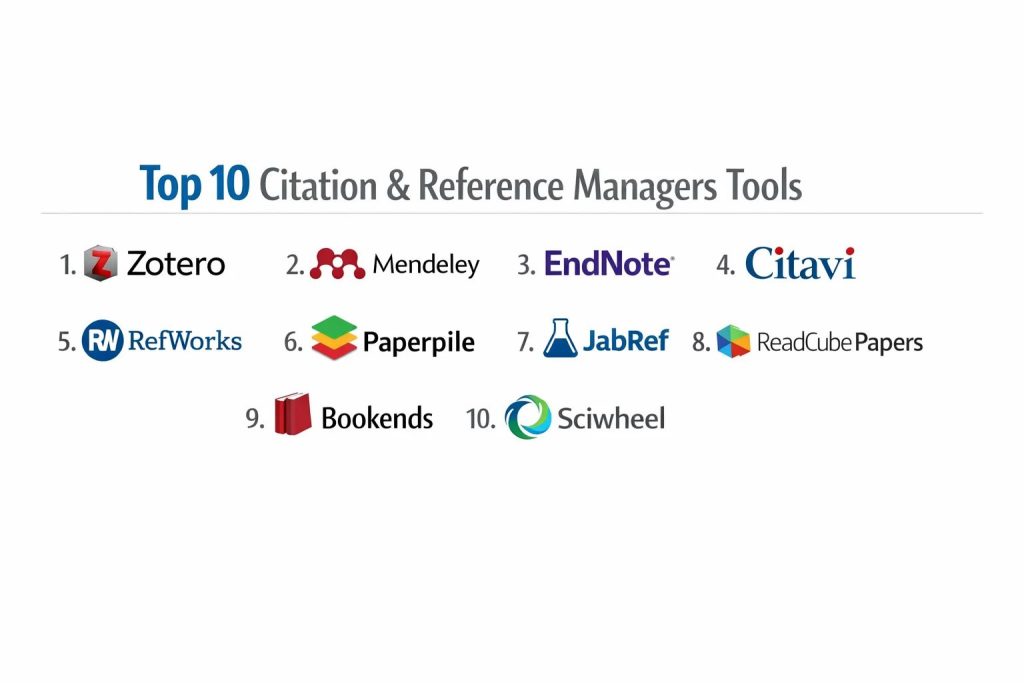
Introduction
Citation and reference managers are foundational pillars of academic and professional research, designed to streamline the gathering, organization, and formatting of scholarly sources. These platforms act as centralized repositories where users can store bibliographic data, annotate PDF documents, and generate automated citations within manuscripts. By maintaining a structured database of literature, researchers can ensure the integrity of their work while significantly reducing the administrative burden associated with manual bibliography creation. In the current intellectual climate, where the volume of published digital content is expanding rapidly, these tools have become indispensable for maintaining a rigorous and verifiable trail of evidence.
The strategic importance of adopting a robust reference management system lies in its ability to facilitate collaboration and adhere to strict journal standards. Organizations and individual scholars utilize these platforms to synchronize libraries across multiple devices and share research folders with global teams. When evaluating which manager to integrate into a workflow, professional buyers and academics must consider specific criteria. These include the software’s compatibility with word processors, the precision of its citation engines, the robustness of its cloud-syncing capabilities, and the sophistication of its PDF metadata extraction. Furthermore, institutional security protocols and the ability to handle massive datasets without performance degradation are critical factors for long-term research scalability.
Best for: Academic researchers, doctoral students, university libraries, legal professionals, and medical writers who require precise bibliographic control and collaborative literature management.
Not ideal for: Simple personal note-taking, casual web bookmarking without academic intent, or basic document editing that does not involve formal citation standards. For those only needing to save a few web links, simple browser-based bookmark managers are more efficient.
Key Trends in Citation & Reference Managers
The integration of artificial intelligence for metadata extraction and literature recommendation is fundamentally changing how researchers discover new content. Modern systems can now analyze a user’s existing library to suggest relevant articles, often identifying research gaps or methodology patterns that might otherwise be overlooked. There is also a significant move toward open science standards, where software is increasingly designed to support transparent data sharing and interoperable file formats across different academic platforms.
Real-time collaborative writing is another major trend, with tools now offering seamless plugins for browser-based editors like Google Docs alongside traditional word processors. Mobile optimization has become a standard requirement, allowing researchers to read and annotate papers on tablets while automatically syncing those notes back to a desktop environment. Additionally, there is a growing focus on accessibility features, ensuring that bibliographic tools are usable for individuals with diverse visual and navigation needs, adhering to global standards for digital inclusivity.
How We Selected These Tools
The selection process for these top platforms involved a rigorous evaluation of technical performance and user adoption within the global research community. We prioritized software that offers high-precision citation generation across thousands of styles, such as APA, MLA, and Chicago. Market reliability was a key signal, as tools backed by major academic publishers or established non-profit organizations offer better long-term security for critical research data. We also examined the depth of integration with major academic databases and search engines.
Cross-platform stability was another primary criterion, ensuring that the software performs consistently across various operating systems and mobile devices. We scrutinized the security policies of each tool to ensure they meet the data protection requirements of modern research institutions. The balance between feature complexity and user interface intuition was also assessed, determining how quickly a new user can become proficient. Finally, the availability of specialized features, such as LaTeX support or task management within the research environment, was considered to provide a comprehensive list for various disciplines.
1. Zotero
Zotero is a highly regarded open-source reference manager developed by a non-profit organization focused on academic integrity. It excels at collecting research materials with a single click via browser extensions, automatically detecting metadata from library catalogs, news sites, and academic journals. Its non-profit status ensures a strong focus on user privacy and the long-term accessibility of research data without the constraints of corporate licensing.
Key Features
The software features a powerful browser connector that senses content as you browse, allowing for effortless one-click saving of full-text PDFs and bibliographic details. It supports thousands of citation styles and offers a robust plugin for various word processors. The system allows for organized collections using tags and nested folders, which can be synced across multiple devices. Collaborative features include group libraries that enable teams to share and edit references together. It also provides an advanced PDF reader that supports highlighting and note extraction directly into the research database.
Pros
It is completely free and open-source, offering the highest level of community-driven transparency and privacy. The extension ecosystem is vast, allowing users to add specialized functionality like automatic citation cleaning.
Cons
Cloud storage for large PDF libraries requires a subscription once the free tier is exceeded. The interface, while functional, can feel less modern compared to some purely commercial competitors.
Platforms and Deployment
Windows, macOS, Linux, and iOS. It is a local application with optional cloud synchronization.
Security and Compliance
As an independent non-profit tool, it adheres to strict privacy standards and does not monetize user data. It is suitable for sensitive research where data ownership is paramount.
Integrations and Ecosystem
Integrates deeply with browsers and major word processors. It also has strong support for LaTeX workflows and connects with various third-party visualization tools.
Support and Community
Features an exceptionally active community forum where developers and power users provide rapid, technical support for complex queries.
2. Mendeley
Mendeley, owned by Elsevier, functions as both a reference manager and an academic social network. It is designed to help researchers organize their documents, collaborate with others online, and discover the latest trending research in their specific fields. Its strength lies in its integrated PDF management and its connection to the broader Elsevier ecosystem.
Key Features
The platform includes a sophisticated PDF viewer that allows for highlighting and sticky notes, which are synced across all devices. It features an automated citation plugin that works seamlessly within professional writing software. Its social networking aspect allows users to create profiles and join groups to stay updated on new publications. The software also provides an AI-driven recommendation engine that suggests relevant papers based on the user’s current library. It includes a web importer that captures references and full-text documents from most academic databases.
Pros
The PDF management and annotation tools are highly intuitive and visually appealing. It offers a generous free storage tier and excellent discovery features for finding new research.
Cons
Recent updates have removed some offline functionality, making the software more dependent on a stable internet connection. Being part of a major commercial publisher can raise concerns for users who prefer independent platforms.
Platforms and Deployment
Windows, macOS, and Web. It operates as a cloud-based system with a desktop reference manager.
Security and Compliance
Utilizes enterprise-grade security protocols managed by Elsevier, ensuring data is backed up and protected according to international standards.
Integrations and Ecosystem
Offers direct integration with the Microsoft Office suite and has strong ties to the Scopus database and other Elsevier research tools.
Support and Community
Provides professional customer support channels and a large user base that maintains a wealth of tutorials and community help resources.
3. EndNote
EndNote is a premium, high-performance reference manager favored by professional academics and large-scale research institutions. It is built to handle massive libraries containing tens of thousands of references and offers the most extensive library of citation styles in the industry. It is the gold standard for projects that require extreme precision and robust data management.
Key Features
The software includes a “Find Full Text” feature that automatically searches for and attaches PDFs to your references. It offers a specialized tool for creating and formatting bibliographies with over 7,000 different journal styles. The system supports large-scale collaboration, allowing up to 400 people to share a single library simultaneously. It features an advanced duplicate detection system and sophisticated tagging for deep organization. Users can also access their libraries through a web interface, ensuring their research is available on any computer.
Pros
It is unmatched in its ability to handle extremely large datasets without performance lag. The level of customer support and training available is professional-grade and comprehensive.
Cons
The software carries a high initial cost and a fee for major version upgrades. The learning curve is significant due to the sheer depth of features and technical settings.
Platforms and Deployment
Windows and macOS. It is primarily a local installation with a companion web version for syncing and sharing.
Security and Compliance
Offers robust security features, including the ability to manage permissions for shared libraries, making it suitable for corporate and institutional research.
Integrations and Ecosystem
Integrates perfectly with the Web of Science and has the most advanced plugin for Microsoft Word, supporting complex document structures.
Support and Community
Backed by professional technical support teams and an extensive library of video tutorials and certified training programs.
4. Citavi
Citavi is a comprehensive “all-in-one” research tool that combines reference management with task planning and knowledge organization. It is unique in that it helps users not just cite their sources, but also structure their entire writing project, from initial outlines to final drafts. It is highly popular in European academic circles for its structured approach to research.
Key Features
The knowledge organizer allows users to save direct quotes, summaries, and original ideas as discrete items that can be linked to specific chapters of a paper. It includes a built-in task manager to track deadlines, library loans, and pending reading lists. The software features a specialized “Citavi Picker” for browsers that captures more than just metadata, often retrieving full-text PDFs automatically. It supports a hierarchical category system for organizing large projects and provides a powerful search function that works across all notes and documents.
Pros
It is the best tool for users who need to manage the logic and structure of their writing alongside their references. The integrated task management helps keep long-term projects on schedule.
Cons
The full desktop version is only available for Windows, which is a major limitation for macOS users. The interface is very dense and can be intimidating for casual researchers.
Platforms and Deployment
Windows and Web (Citavi Web). It can be used locally or via a secure cloud server for teams.
Security and Compliance
Offers high-level security options, including on-premise server installations for organizations that need to keep their data within their own IT infrastructure.
Integrations and Ecosystem
Has a dedicated assistant for Microsoft Word and supports LaTeX. It also integrates well with NVivo for qualitative data analysis.
Support and Community
Provides excellent professional support and a structured knowledge base, with a strong presence in university training workshops.
5. RefWorks
RefWorks is a purely web-based reference management service that is often provided to students and faculty through institutional subscriptions. It is designed for ease of use and accessibility, allowing users to manage their research from any device with a browser without needing to install complex desktop software.
Key Features
The platform offers a simple drag-and-drop interface for importing PDFs and automatically extracting bibliographic data. It includes a specialized citation manager that works directly within Google Docs and Microsoft Word. Its “RefGrab-It” tool allows for the quick capture of information from websites and databases. It features built-in collaboration tools that allow users to share folders and work on bibliographies together in real-time. The system also includes an AI-powered content checker to help identify potential plagiarism or AI-generated text.
Pros
Being entirely web-based, it requires zero maintenance or installation, making it ideal for users who switch between different computers. It is often provided for free by university libraries.
Cons
It lacks the advanced offline power and deep PDF annotation features found in desktop-based managers. The web interface can sometimes be slower than a dedicated local application.
Platforms and Deployment
Web-based (accessible on any OS via browser).
Security and Compliance
Adheres to strict institutional security standards and provides administrative tools for universities to manage user access and data metrics.
Integrations and Ecosystem
Deeply integrated with library search catalogs and institutional databases. It also offers solid plugins for major cloud-based writing platforms.
Support and Community
Supported primarily through institutional library desks, backed by professional documentation and help centers from the developer.
6. Paperpile
Paperpile is a modern, streamlined reference manager built specifically for the Google Workspace ecosystem. It is the preferred choice for researchers who do most of their writing in Google Docs and rely on Chrome as their primary browser. It focuses on a clean, fast user experience with minimal technical friction.
Key Features
The software integrates natively with Google Docs, offering a sidebar that allows for the quick insertion of citations and automatic bibliography updates. It uses Google Drive for PDF storage, meaning there are no arbitrary storage limits beyond your existing Drive plan. The Chrome extension provides one-click importing from sites like PubMed, arXiv, and Google Scholar. It features a fast, responsive interface that allows for tagging, folder organization, and color-coded labels. It also includes an advanced PDF viewer with high-quality annotation tools.
Pros
The integration with Google Docs is the smoothest in the market, making it significantly more efficient for collaborative cloud writing. The interface is modern, fast, and very easy to navigate.
Cons
It is heavily tied to the Chrome browser and Google ecosystem, which might not suit users who prefer other browsers or local office suites. There is no free tier beyond the trial period.
Platforms and Deployment
Web (Chrome Extension), iOS, and Android.
Security and Compliance
Uses secure Google authentication and stores data in the user’s private Google Drive, adhering to standard cloud security practices.
Integrations and Ecosystem
Natively integrated with Google Drive and Docs. It also offers a plugin for Microsoft Word for those who occasionally work offline.
Support and Community
Provides a very responsive help desk and an active community forum where users share tips and feature requests.
7. JabRef
JabRef is a specialized, open-source reference manager designed primarily for researchers who work with LaTeX and BibTeX. It maintains a native BibTeX format, ensuring that the database is always ready for use in technical and scientific manuscripts without the need for complex exports.
Key Features
The software operates directly on BibTeX files, which is the standard for LaTeX users. It features an advanced entry editor that allows for the manual management of every metadata field. It includes tools for automatically downloading full-text PDFs and renaming them based on user-defined patterns. The system supports grouping by keyword, author, or search term, providing a flexible way to manage large technical libraries. It also allows for the extraction of metadata from DOIs, PMIDs, and ISBNs directly into the database.
Pros
It is the best tool for researchers in mathematics, physics, and computer science who rely on LaTeX. It is free, open-source, and gives the user complete control over the underlying data file.
Cons
The interface is more technical and less “polished” than mainstream commercial alternatives. It lacks a built-in PDF reader, requiring users to use external applications for annotation.
Platforms and Deployment
Windows, macOS, and Linux. It is a local installation.
Security and Compliance
As an open-source tool, it offers full transparency. Data is stored locally in human-readable text files, giving the user total ownership and security.
Integrations and Ecosystem
Integrates natively with almost all LaTeX editors. It also supports basic plugins for word processors for those who occasionally need them.
Support and Community
Maintained by a non-profit organization with a dedicated developer community and detailed documentation for technical users.
8. ReadCube Papers
ReadCube Papers is a high-end reference manager that focuses on providing an enhanced reading and discovery experience. It is particularly popular in the life sciences and corporate research sectors for its sleek interface and AI-driven literature monitoring.
Key Features
The enhanced PDF reader is a standout, providing interactive citations that allow you to see the abstract of a cited paper without leaving your current document. It features “SmartCite,” a fast citation tool that works in both Word and Google Docs. The platform uses AI to provide personalized article recommendations based on the user’s library and reading history. It offers a “SmartList” feature that automatically organizes new imports into specific categories. It also includes “Anywhere Access,” which helps researchers bypass paywalls using their institutional login credentials.
Pros
The reading experience is widely considered the best in the industry due to its interactive overlays and AI assistance. It offers a very modern and responsive mobile app for research on the go.
Cons
It is a subscription-based service with no permanent free version. Some users find the AI recommendations to be occasionally repetitive.
Platforms and Deployment
Windows, macOS, Web, iOS, and Android.
Security and Compliance
Provides enterprise-grade security and is used by many major pharmaceutical and healthcare organizations.
Integrations and Ecosystem
Integrates with all major writing platforms and has a massive database of over 150 million publications for discovery.
Support and Community
Offers professional, tiered support and is backed by the Dimensions research data network.
9. Bookends
Bookends is a powerful, Mac-exclusive reference manager known for its speed, stability, and deep integration with the macOS ecosystem. It is a favorite among Apple users who want a professional tool that feels native to their operating system and offers advanced automation.
Key Features
The software features a “Floating Citations” window that allows users to quickly search and insert references into any word processor or text editor. It includes a built-in browser that can automatically download PDFs and metadata from hundreds of online sources. It offers a unique “Static Groups” and “Smart Groups” system for organizing references dynamically based on search criteria. The platform supports advanced PDF annotation and features a “Cloud Sync” that works across all Apple devices. It also provides a dedicated iPad version for mobile research and reading.
Pros
It is incredibly fast and efficient on Mac hardware, offering many features that are missing from cross-platform tools. The automation capabilities for renaming files and organizing data are world-class.
Cons
It is strictly limited to the Apple ecosystem, meaning no Windows or Linux support. The interface follows traditional Mac design patterns, which some modern users might find dated.
Platforms and Deployment
macOS and iPadOS/iOS.
Security and Compliance
Follows standard macOS security protocols and allows users to manage their own cloud storage for file synchronization.
Integrations and Ecosystem
Deeply integrated with Apple-specific writing tools like Mellel and Nisus Writer, while also offering strong support for Microsoft Word and Scrivener.
Support and Community
Provides very personal and direct support from the developer, with a loyal community of long-time Mac power users.
10. Sciwheel
Sciwheel (formerly F1000Workspace) is a specialized reference manager that emphasizes real-time collaboration and intuitive tools for writing and discussion. It is designed to be a “research assistant” that lives within your browser and your manuscript, facilitating a more social and interactive research process.
Key Features
The platform includes a browser extension that allows for the highlighting and annotation of web pages and PDFs directly online. It features a collaborative workspace where team members can discuss specific references and share reading lists. The citation tool for Word and Google Docs is highly responsive and supports collaborative editing without breaking the bibliography. It also offers a “Smart Search” that suggests references while you are writing. The system provides automated alerts for new papers that match your research interests.
Pros
The collaborative features are among the best for teams who need to discuss their literature as they organize it. It is very easy to set up and requires very little training.
Cons
The mobile experience is not as robust as some of the more established competitors. It relies heavily on its web-based components, which can be a drawback for purely offline work.
Platforms and Deployment
Web-based, with plugins for Windows and Google Docs.
Security and Compliance
Adheres to standard academic and corporate security requirements, with a focus on safe data sharing within collaborative groups.
Integrations and Ecosystem
Strong integration with Google Docs and Microsoft Word, and connects well with the Faculty Opinions peer-recommendation service.
Support and Community
Offers professional customer support and a wealth of online guides aimed at simplifying the collaborative research process.
Comparison Table
| Tool Name | Best For | Platform(s) Supported | Deployment | Standout Feature | Public Rating |
| 1. Zotero | Open Science/Privacy | Win, Mac, Linux, iOS | Hybrid | Browser Connector | 4.8/5 |
| 2. Mendeley | Discovery/Social | Win, Mac, Web | Cloud/Desktop | AI Recommendations | 4.6/5 |
| 3. EndNote | Enterprise/Large Libs | Win, Mac, Web | Local/Sync | Massive Style Library | 4.7/5 |
| 4. Citavi | Project Structuring | Win, Web | Hybrid | Knowledge Organizer | 4.5/5 |
| 5. RefWorks | Institutional Access | Web-based | Cloud | Easy Plagiarism Checks | 4.2/5 |
| 6. Paperpile | Google Docs Users | Web, iOS, Android | Cloud | Drive Integration | 4.7/5 |
| 7. JabRef | LaTeX/BibTeX Users | Win, Mac, Linux | Local | Native BibTeX Support | 4.4/5 |
| 8. ReadCube Papers | Interactive Reading | Win, Mac, Web, Mob | Cloud/Sync | Enhanced PDF Reader | 4.7/5 |
| 9. Bookends | Mac-Power Users | Mac, iOS | Local/Cloud | Floating Citations | 4.6/5 |
| 10. Sciwheel | Collaborative Writing | Web, Win | Cloud | In-doc Discussion | 4.3/5 |
Evaluation & Scoring of Citation & Reference Managers
The scoring below is a comparative model intended to help shortlisting. Each criterion is scored from 1–10, then a weighted total from 0–10 is calculated using the weights listed. These are analyst estimates based on typical fit and common workflow requirements, not public ratings.
Weights:
- Core features – 25%
- Ease of use – 15%
- Integrations & ecosystem – 15%
- Security & compliance – 10%
- Performance & reliability – 10%
- Support & community – 10%
- Price / value – 15%
| Tool Name | Core (25%) | Ease (15%) | Integrations (15%) | Security (10%) | Performance (10%) | Support (10%) | Value (15%) | Weighted Total |
| 1. Zotero | 10 | 7 | 9 | 10 | 9 | 10 | 10 | 9.25 |
| 2. Mendeley | 9 | 8 | 8 | 8 | 8 | 9 | 9 | 8.55 |
| 3. EndNote | 10 | 4 | 10 | 9 | 10 | 10 | 6 | 8.40 |
| 4. Citavi | 9 | 5 | 8 | 9 | 8 | 9 | 7 | 7.90 |
| 5. RefWorks | 7 | 9 | 8 | 9 | 7 | 8 | 8 | 7.80 |
| 6. Paperpile | 8 | 10 | 10 | 8 | 9 | 9 | 8 | 8.75 |
| 7. JabRef | 8 | 5 | 7 | 10 | 9 | 8 | 10 | 8.00 |
| 8. ReadCube Papers | 9 | 9 | 9 | 8 | 9 | 9 | 7 | 8.65 |
| 9. Bookends | 9 | 7 | 8 | 8 | 10 | 10 | 8 | 8.60 |
| 10. Sciwheel | 7 | 9 | 9 | 8 | 8 | 8 | 8 | 8.10 |
How to interpret the scores:
- Use the weighted total to shortlist candidates, then validate with a pilot.
- A lower score can mean specialization, not weakness.
- Security and compliance scores reflect controllability and governance fit, because certifications are often not publicly stated.
- Actual outcomes vary with assembly size, team skills, templates, and process maturity.
Which Citation & Reference Manager Tool Is Right for You?
Individual Researcher
For solo academics, the primary goal is often a balance between power and cost. An open-source or browser-integrated tool provides the flexibility needed to manage diverse sources without requiring an institutional budget or complex server setups.
Graduate Student
Students should prioritize ease of use and the ability to work within the cloud-based editors used by their peers. A tool that automates the transition from a PDF search to a finished bibliography in a single afternoon can save hundreds of hours during thesis writing.
Large Research Institution
At the institutional level, the choice is driven by scalability and administrative control. Software that allows for centralized licensing, massive shared libraries, and high-level data security is essential for managing the diverse needs of an entire university or corporate department.
LaTeX / Technical Writer
Technical writers in mathematics and engineering require software that speaks their language natively. For these users, a tool that maintains raw BibTeX files and integrates with professional code-based editors is far more valuable than a visually-driven commercial suite.
Mac / Apple Enthusiast
Users strictly within the Apple ecosystem can benefit from tools optimized for macOS performance. These platforms often provide automation and interface features that feel far more integrated than generic cross-platform alternatives.
Collaborative Teams
For teams working across different locations, real-time syncing and integrated discussion tools are the most critical factors. Choosing a platform that allows for shared folders and synchronized annotations ensures that everyone stays on the same page.
High-Volume / Data Intensive
When managing tens of thousands of records, the underlying database engine becomes the priority. Professional suites designed for high-end production are the only reliable choice for maintaining speed and data integrity under heavy load.
Budget-Conscious / Open Science
Those who believe in the democratization of information will find their home in open-source platforms. These tools provide professional-grade power without the risk of data lock-in, ensuring your research library remains accessible forever.
Frequently Asked Questions (FAQs)
1. Can I switch from one reference manager to another easily?
Yes, almost all modern managers support the export and import of standard file formats like RIS or BibTeX. This allows you to move your entire library, including many of your notes, between different software packages without starting from scratch.
2. Do these tools automatically download every PDF for me?
Many premium and open-source tools have “one-click” features that attempt to find and attach a PDF if it is freely available or if you have institutional access. However, some papers behind paywalls may still require manual attachment.
3. Is my research data safe in the cloud?
Most professional tools use high-level encryption and secure servers. If privacy is a primary concern, you should look for tools that offer local-only storage or on-premise server options for your institution.
4. Will these tools work with Google Docs?
Several modern reference managers now offer dedicated extensions specifically for Google Docs, providing a similar level of automation to traditional plugins for desktop word processors.
5. What is the benefit of “Cite While You Write” features?
This feature allows the software to communicate directly with your writing platform. As you insert a citation, it automatically builds and reorders your bibliography at the end of the document, ensuring perfect formatting.
6. Can I use these tools to organize non-academic sources?
Absolutely. Many researchers use these managers to organize news articles, government reports, and even multimedia files. As long as the source has metadata, it can be tracked and cited.
7. Do I need a special tool for LaTeX?
While many general managers can export to BibTeX, dedicated LaTeX tools work natively with the format, reducing the risk of data corruption and simplifying the technical writing process.
8. How do I handle duplicate entries in my library?
Most high-end managers include a “find duplicates” tool that compares titles, authors, and dates. This helps you merge identical entries and keep your database clean and efficient.
9. Can I access my library on my phone or tablet?
Many of the tools on this list offer mobile applications that allow you to read, annotate, and sync your library while you are away from your primary computer.
10. Why is metadata extraction so important?
Metadata extraction automatically pulls the author, date, and journal information from a PDF or website. This saves you from having to type this information manually, which is where most citation errors occur.
Conclusion
The selection of a citation and reference manager is a defining technical decision for any serious researcher, as it directly impacts the accuracy, speed, and collaborative potential of your scholarly output. Whether you prioritize the independent nature of open-source platforms or the sophisticated AI-driven discovery features of premium commercial suites, the core objective remains the same: transforming a chaotic collection of literature into a structured and searchable intellectual asset. In a professional research environment, the ability to seamlessly transition from discovery to citation without friction is not just a convenience; it is a critical component of academic rigor. By aligning your choice with your specific writing tools and collaboration needs, you ensure that your technical infrastructure supports, rather than hinders, your path to breakthrough insights.