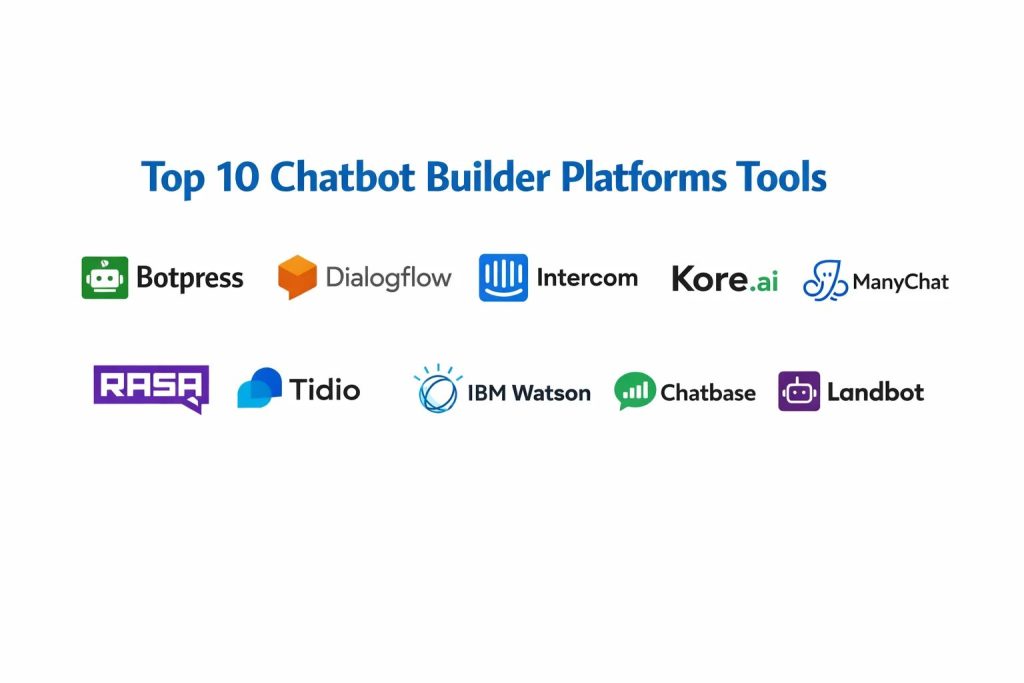
Introduction
Chatbot builder platforms represent a critical evolution in how organizations manage digital communication, providing the infrastructure to automate complex dialogues at scale. These platforms utilize Natural Language Processing (NLP) and Large Language Models (LLMs) to interpret user intent, retrieve relevant information, and execute tasks without human intervention. From a technical perspective, a chatbot builder is more than just a chat interface; it is an orchestration layer that connects front-end messaging channels to back-end databases, APIs, and business logic. For modern enterprises, deploying these tools is no longer a luxury but a strategic necessity to handle the exponential growth in customer inquiries while maintaining a lean operational footprint.
As conversational AI moves toward “agentic” workflows, these builders are increasingly capable of autonomous reasoning and multi-step problem solving. This shift allows businesses to transition from simple FAQ bots to sophisticated digital assistants that can process refunds, schedule appointments, and qualify high-value leads in real time. When selecting a platform, decision-makers must look beyond the initial visual builder and evaluate the underlying architecture. Key considerations include the robustness of the retrieval-augmented generation (RAG) pipeline, the flexibility of the dialog management system, and the platform’s ability to maintain state across different sessions and channels. In a professional environment, the choice of a builder directly impacts the speed of digital transformation and the long-term scalability of customer-facing services.
Best for: Customer experience (CX) leaders, digital marketing agencies, enterprise IT departments, and software developers looking to integrate conversational intelligence into existing product ecosystems.
Not ideal for: Simple static websites that require only basic contact forms or small operations with extremely low message volumes where a manual live-chat approach remains more cost-effective.
Key Trends in Chatbot Builder Platforms
The most significant trend is the total integration of generative AI, which has moved the industry away from rigid, rule-based trees toward fluid, intent-driven conversations. Platforms are now offering “zero-shot” learning capabilities, where a bot can be trained simply by pointing it at a website URL or uploading a folder of PDF documents. This has drastically reduced the time required for initial deployment. Additionally, there is a major focus on multimodal interactions, allowing bots to process and respond with images, voice notes, and even interactive UI components directly within the chat window.
Another critical shift is the rise of hybrid human-AI workflows, where the platform uses sentiment analysis to detect frustration and triggers a seamless handoff to a human agent with a full transcript of the AI interaction. Security has also moved to the forefront, with builders offering private LLM deployments and localized data hosting to meet strict regulatory requirements in sectors like finance and healthcare. Finally, the “pro-code” movement within no-code platforms is gaining ground, giving developers the ability to inject custom JavaScript or Python snippets into visual flows to handle highly specific business logic.
How We Selected These Tools
Our selection process focused on identifying platforms that offer a balance between sophisticated AI capabilities and enterprise-grade reliability. We prioritized builders that support omnichannel deployment, ensuring that a single bot configuration can serve users across web, mobile apps, and social messaging platforms. Market longevity and the frequency of core engine updates were also heavily weighted, as the pace of AI advancement requires a platform that evolves continuously.
We scrutinized the integration ecosystem of each tool, looking for native connectors to major CRMs, helpdesks, and marketing automation suites. Data privacy and compliance features were non-negotiable criteria, especially for platforms targeting mid-market and enterprise users. We also considered the “time-to-value” metric—how quickly a non-technical user can move from a blank canvas to a functional prototype. Finally, we analyzed community feedback and professional support structures to ensure that users have access to the resources needed for complex troubleshooting and advanced optimization.
1. Botpress
Botpress is a highly flexible platform that bridges the gap between no-code simplicity and developer-level customization. Built on a modular architecture, it allows teams to create sophisticated AI agents that can utilize various LLMs and custom logic. It is particularly favored by technical teams who need to build “intelligent” flows that go beyond simple keyword matching.
Key Features
The platform features a visual flow editor that supports complex branching and conditional logic. It includes a built-in “Knowledge Base” feature that allows for rapid training on custom documents. Users can execute custom code snippets directly within the conversation flow for advanced API interactions. It offers a centralized dashboard for managing multiple bots across different environments. The software also provides advanced hit-testing and debugging tools to refine natural language understanding before a bot goes live.
Pros
It offers unparalleled flexibility for developers to extend functionality via custom code. The pay-as-you-go pricing model makes it accessible for projects that are scaling from small prototypes.
Cons
The learning curve can be steep for users who have no background in logic or programming. Some of the most advanced features require a deeper understanding of how LLMs operate.
Platforms and Deployment
Cloud-managed service and self-hosted options on Linux, Windows, or Docker.
Security and Compliance
Offers SOC 2 compliance, data encryption at rest, and role-based access control for team collaboration.
Integrations and Ecosystem
Provides over 100 native integrations with tools like Slack, WhatsApp, and various CRM systems, along with a robust API for custom connections.
Support and Community
Maintains an active developer forum, extensive documentation, and a dedicated Discord community for real-time peer support.
2. Google Dialogflow
Dialogflow, part of the Google Cloud ecosystem, is a premier choice for building natural, conversational interfaces for both text and voice. It leverages Google’s world-class machine learning infrastructure to provide industry-leading intent recognition and sentiment analysis.
Key Features
The “CX” version of the platform is designed for large-scale, complex enterprise agents with multi-turn conversations. It supports over 30 languages and dialects out of the box. The platform includes visual state-machine editors that make it easier to manage large, sprawling conversation maps. It integrates natively with Google’s telephony services for building high-quality voice bots. Advanced analytics allow users to identify exactly where users are dropping off or where the bot is failing to understand intent.
Pros
It features some of the most accurate natural language understanding (NLU) in the industry. The integration with other Google Cloud services like BigQuery and Vertex AI is seamless.
Cons
The pricing structure can become complex and expensive for high-volume enterprise applications. The interface is geared toward technical users and can be intimidating for marketers.
Platforms and Deployment
Cloud-native deployment via Google Cloud Platform.
Security and Compliance
Adheres to strict enterprise standards including HIPAA, SOC, and ISO certifications.
Integrations and Ecosystem
Excellent connectivity with Google Workspace and major contact center platforms, plus support for most messaging channels via webhooks.
Support and Community
Offers enterprise-level technical support through Google Cloud and has a massive global network of certified implementation partners.
3. Intercom (Fin AI)
Intercom has pivoted strongly toward AI with its Fin AI agent, focusing on resolving customer service queries with high accuracy. It is designed to be an “out-of-the-box” solution that integrates deeply with a company’s existing support content.
Key Features
The Fin AI engine can instantly answer questions by scanning a company’s help center and public articles. It features a sophisticated “Safety” layer that prevents the AI from hallucinating or providing off-brand answers. The platform provides a unified inbox where human agents can take over conversations seamlessly. Automated “Workflows” allow for the collection of data and routing of tickets based on user input. It also includes proactive messaging features that trigger based on user behavior on a website or app.
Pros
It is one of the fastest platforms to set up if you already have a well-documented help center. The user interface for both the builder and the agent inbox is world-class.
Cons
The cost per resolved conversation can be high compared to subscription-based models. It is heavily focused on support, making it less flexible for complex marketing or internal utility use cases.
Platforms and Deployment
SaaS platform accessible via any modern web browser.
Security and Compliance
Full GDPR and CCPA compliance with enterprise-grade data protection and regional hosting options.
Integrations and Ecosystem
Native integrations with hundreds of SaaS tools through the Intercom App Store, including Salesforce, HubSpot, and Jira.
Support and Community
Provides extensive educational resources through Intercom Academy and high-quality direct support for paid tiers.
4. Kore.ai
Kore.ai is an enterprise-grade conversational AI platform that focuses on high-security industries like banking and healthcare. It provides a “no-code” to “pro-code” spectrum that allows for the creation of very high-functioning virtual assistants.
Key Features
The platform uses a unique dual-engine approach, combining traditional NLU with generative AI for maximum accuracy and flexibility. It includes specialized “Experience Managers” for different industries like retail or banking. Advanced “Smart Form” capabilities allow bots to collect structured data in a user-friendly way. It features a comprehensive “Discovery” tool that analyzes past chat logs to suggest new bot features. The platform also supports multi-experience deployment, including web, mobile, and specialized hardware.
Pros
It is built from the ground up for large organizations with complex governance requirements. The platform’s ability to handle highly structured data and transactions is exceptional.
Cons
The enterprise focus means it often requires a significant upfront investment in time and licensing. The interface is very feature-dense, which can lead to a longer onboarding period.
Platforms and Deployment
Available as a managed cloud service or as an on-premise installation for high-security environments.
Security and Compliance
Holds some of the highest certifications in the industry, including PCI-DSS, HIPAA, and SOC 2 Type II.
Integrations and Ecosystem
Offers pre-built connectors for major ERP and CRM systems and supports a wide range of voice and text channels.
Support and Community
Provides dedicated account management and 24/7 technical support for enterprise customers.
5. ManyChat
ManyChat is the leading platform for conversational marketing, specifically optimized for social media platforms like Instagram, Facebook Messenger, and WhatsApp. It is designed for marketers who want to drive sales and engagement through automated messaging.
Key Features
The visual drag-and-drop builder is optimized for creating marketing funnels and lead-capture sequences. It features built-in tools for managing “Growth Tools” like comment-to-message automation. Users can easily segment their audience based on their interactions with the bot. It includes a native Shopify integration for recovering abandoned carts and sending order updates. The platform also supports automated broadcasting to subscribers within the limits of social media policies.
Pros
It is incredibly easy to use and requires zero technical knowledge to launch a successful marketing bot. The integration with Meta’s advertising ecosystem is the best in the market.
Cons
It is primarily limited to social media channels and lacks the deep NLU capabilities of more enterprise-focused tools. It is not suitable for complex technical support or internal data processing.
Platforms and Deployment
Cloud-based SaaS platform.
Security and Compliance
Complies with standard data privacy regulations and adheres strictly to the API policies of the supported social platforms.
Integrations and Ecosystem
Deeply integrated with the Facebook/Instagram/WhatsApp ecosystem and offers a Zapier connector for other tools.
Support and Community
Boasts a massive community of digital marketers and an extensive library of templates and video tutorials.
6. Rasa
Rasa is the preferred choice for organizations that require total control over their data and their AI models. As an open-source framework, it allows for deep customization of the NLU pipeline and the dialogue management system.
Key Features
The framework uses a machine-learning-based dialogue management system that learns from real conversation examples. It allows for on-premise deployment, ensuring that sensitive data never leaves the company’s servers. Users can choose and fine-tune their own language models to suit specific industry jargon. The “Pro” version includes a visual studio for non-technical team members to contribute to the bot’s development. It also features advanced observability tools to track model performance over time.
Pros
There is no vendor lock-in, and the open-source nature allows for limitless customization. It is the gold standard for data privacy and security.
Cons
It requires significant technical expertise to set up and maintain. The lack of a native hosted environment (in the open-source version) means the company must manage its own infrastructure.
Platforms and Deployment
Can be deployed anywhere that supports Python or Docker, including on-premise and private clouds.
Security and Compliance
Security is as strong as the infrastructure it is deployed on, making it ideal for highly regulated industries.
Integrations and Ecosystem
Highly extensible via Python, allowing for integrations with virtually any system with an API.
Support and Community
Strong open-source community support and professional enterprise support available through the Rasa company.
7. Tidio
Tidio is an all-in-one customer service platform that combines live chat, AI chatbots, and marketing automation. It is particularly popular with small to medium-sized e-commerce businesses that need a simple but effective way to handle customer inquiries.
Key Features
The “Lyro” AI agent uses generative AI to answer customer questions based on the content of a website. It includes a library of pre-made templates for common tasks like checking order status or offering discounts. The platform features a unified agent inbox that aggregates messages from web chat, email, and social media. It includes a visual builder for creating simple logic-based bots for lead generation. Real-time visitor monitoring allows agents to see what a customer is doing before they start a chat.
Pros
The setup is nearly instantaneous, and the interface is very intuitive for small teams. The combination of live chat and AI provides a great balance for growing businesses.
Cons
The automation features are less powerful than specialized enterprise platforms. The customization of the AI’s “brain” is limited compared to pro-code tools.
Platforms and Deployment
SaaS platform with easy-to-install widgets for major website builders like Shopify and WordPress.
Security and Compliance
Provides standard GDPR compliance and secure data handling for small business needs.
Integrations and Ecosystem
Strong native integrations with e-commerce platforms like Shopify, Wix, and WooCommerce.
Support and Community
Offers 24/5 live chat support and an extensive knowledge base for self-service learning.
8. IBM Watson Assistant
IBM Watson Assistant is a legacy leader in the AI space, offering a robust platform that focuses on accuracy and scalability. It is designed to handle complex queries across various industries with a high degree of confidence.
Key Features
The platform uses advanced intent recognition that can be trained with relatively small amounts of data. It features a “Search Skill” that allows the bot to pull answers from a vast repository of documents when a specific intent isn’t found. The visual builder allows for the creation of complex dialogue flows without writing code. It includes built-in versioning and environment management for professional development cycles. The software also provides detailed “Confidence Scores” for every response to help refine the AI over time.
Pros
It is extremely reliable and scalable for massive enterprise deployments. The ability to integrate with the broader IBM Cloud and AI ecosystem is a major advantage.
Cons
The user interface can feel more technical and less “modern” than some of the newer SaaS competitors. The pricing can be prohibitive for smaller organizations.
Platforms and Deployment
Available on IBM Cloud, with options for multi-cloud and on-premise deployment via IBM Cloud Pak for Data.
Security and Compliance
Meets the highest global security standards, including FedRAMP, HIPAA, and ISO certifications.
Integrations and Ecosystem
Comprehensive API support and connectors for major enterprise applications and contact centers.
Support and Community
Backed by IBM’s global enterprise support network and a wealth of technical documentation.
9. Chatbase
Chatbase is a modern, AI-first platform that focuses on simplicity and rapid deployment. It allows users to create a custom GPT-powered chatbot by simply uploading files or providing a website link.
Key Features
The platform features a “one-click” training system that ingests website content, PDFs, and text files. It allows for the customization of the bot’s “Persona” and response style through simple text prompts. Users can embed the chatbot on any website using a simple script tag. It supports various LLM backends, including the latest versions of GPT-4. The platform also provides a clean interface for viewing conversation history and gathering leads.
Pros
It is perhaps the fastest way to get a functional, high-quality AI bot onto a website. The pricing is transparent and highly competitive for small businesses and startups.
Cons
It lacks the advanced logic-flow capabilities of platforms like Botpress or ManyChat. It is primarily designed for information retrieval and is less suited for complex transactional workflows.
Platforms and Deployment
Cloud-based SaaS platform.
Security and Compliance
Uses secure API connections and provides standard data privacy protections for user data.
Integrations and Ecosystem
Includes a Zapier integration and API access for connecting to other business tools.
Support and Community
Support is provided through email and a growing knowledge base focused on prompt engineering and setup.
10. Landbot
Landbot is unique in its focus on “anti-AI” visual interfaces, creating conversational experiences that look like interactive websites. It uses a rich, visual approach to dialogue that is highly effective for data collection and lead generation.
Key Features
The platform features a powerful visual builder that uses buttons, cards, and media instead of just text input. It allows for the seamless integration of AI blocks (like GPT) into structured, logic-based flows. Users can create “WhatsApp-first” experiences with the same visual simplicity as web bots. It includes a native tool for building landing pages that are essentially one giant chatbot. The platform also provides sophisticated data-management tools for handling the information collected during a chat.
Pros
The visual nature of the bots often leads to much higher conversion rates than traditional text-based interfaces. It is extremely easy to build complex, branching logic without any coding.
Cons
It is less effective for “free-text” customer support where users expect to ask any question. The unique interface may not fit every brand’s aesthetic.
Platforms and Deployment
Cloud-based SaaS platform.
Security and Compliance
Full GDPR compliance with secure data processing and hosting within the EU.
Integrations and Ecosystem
Native integrations with Slack, Google Sheets, and various CRMs, plus a strong Zapier connector.
Support and Community
Maintains a high-quality blog on conversational design and provides responsive direct support for professional users.
Comparison Table
| Tool Name | Best For | Platform(s) Supported | Deployment | Standout Feature | Public Rating |
| 1. Botpress | Developer Customization | Win, Mac, Linux | Hybrid | Open-source Logic | 4.7/5 |
| 2. Dialogflow | Google Cloud Teams | Cloud | Cloud-native | Advanced NLU/CX | 4.6/5 |
| 3. Intercom | Support Resolution | SaaS | Cloud | Fin AI Engine | 4.8/5 |
| 4. Kore.ai | Enterprise Virtual Asst | Win, Cloud | Hybrid | Smart Form Systems | 4.5/5 |
| 5. ManyChat | Social Media Marketing | SaaS | Cloud | Meta Ecosystem Sync | 4.9/5 |
| 6. Rasa | Data Privacy/Pro-code | Linux, Docker | On-prem/Cloud | Self-hosted ML | 4.4/5 |
| 7. Tidio | SMB E-commerce | Web, Mobile | Cloud | Lyro AI Agent | 4.7/5 |
| 8. IBM Watson | Enterprise Analytics | IBM Cloud | Hybrid | Confidence Scoring | 4.3/5 |
| 9. Chatbase | Rapid Q&A Deployment | SaaS | Cloud | One-click Training | 4.6/5 |
| 10. Landbot | Visual Lead Gen | SaaS | Cloud | Anti-AI Visual Flows | 4.7/5 |
Evaluation & Scoring of Chatbot Builder Platforms
The scoring below is a comparative model intended to help shortlisting. Each criterion is scored from 1–10, then a weighted total from 0–10 is calculated using the weights listed. These are analyst estimates based on typical fit and common workflow requirements, not public ratings.
Weights:
- Core features – 25%
- Ease of use – 15%
- Integrations & ecosystem – 15%
- Security & compliance – 10%
- Performance & reliability – 10%
- Support & community – 10%
- Price / value – 15%
| Tool Name | Core (25%) | Ease (15%) | Integrations (15%) | Security (10%) | Performance (10%) | Support (10%) | Value (15%) | Weighted Total |
| 1. Botpress | 10 | 5 | 9 | 8 | 9 | 8 | 9 | 8.55 |
| 2. Dialogflow | 10 | 4 | 10 | 10 | 10 | 9 | 6 | 8.35 |
| 3. Intercom | 9 | 9 | 9 | 9 | 9 | 9 | 7 | 8.70 |
| 4. Kore.ai | 10 | 5 | 9 | 10 | 9 | 9 | 7 | 8.45 |
| 5. ManyChat | 7 | 10 | 8 | 7 | 9 | 9 | 9 | 8.35 |
| 6. Rasa | 10 | 2 | 8 | 10 | 8 | 8 | 8 | 7.90 |
| 7. Tidio | 8 | 10 | 8 | 8 | 8 | 9 | 9 | 8.45 |
| 8. IBM Watson | 9 | 4 | 9 | 10 | 9 | 9 | 6 | 7.95 |
| 9. Chatbase | 7 | 10 | 7 | 7 | 9 | 8 | 10 | 8.15 |
| 10. Landbot | 8 | 9 | 9 | 8 | 9 | 8 | 8 | 8.45 |
How to interpret the scores:
- Use the weighted total to shortlist candidates, then validate with a pilot.
- A lower score can mean specialization, not weakness.
- Security and compliance scores reflect controllability and governance fit, because certifications are often not publicly stated.
- Actual outcomes vary with assembly size, team skills, templates, and process maturity.
Which Chatbot Builder Platform Tool Is Right for You?
Solo / Freelancer
For individuals, a tool that minimizes the technical burden while delivering professional results is the best choice. Look for platforms with high “Ease of Use” scores that allow you to build and host a bot without managing servers.
SMB
Small and medium businesses should prioritize tools that integrate directly with their e-commerce or CRM systems. A platform that combines automated AI responses with a simple human-handoff system ensures that customers are never left without an answer.
Mid-Market
Mid-market companies often need a balance of marketing automation and support efficiency. Choosing a platform with strong omnichannel capabilities ensures that the brand remains consistent across all digital touchpoints as the customer base grows.
Enterprise
Enterprise organizations must focus on governance, security, and the ability to handle massive datasets. Software that offers private cloud or on-premise deployment, along with extensive auditing and compliance tools, is non-negotiable at this level.
Budget vs Premium
Budget-conscious users will find that many platforms offer generous free tiers or “pay-as-you-go” models. Premium solutions, while significantly more expensive, provide the advanced NLU and dedicated support infrastructure required for mission-critical applications.
Feature Depth vs Ease of Use
If your goal is a highly customized, technical bot, prioritize platforms with “Core” scores of 10, even if the “Ease of Use” is lower. Conversely, if you need a lead generation bot by the end of the day, choose a platform with a 9 or 10 in ease of use.
Integrations & Scalability
Evaluate how the chatbot fits into your broader tech stack. A bot that cannot pass data to your sales team or check your inventory is of limited value. Scalability is also key—ensure the platform can handle peak traffic times without latency.
Security & Compliance Needs
For organizations in regulated industries, the “Security” score is the most important metric. Ensure the platform supports the specific certifications required for your region and industry, and consider open-source options for maximum data control.
Frequently Asked Questions (FAQs)
1. What is the difference between a chatbot and an AI agent?
A traditional chatbot usually follows a predefined script or a simple decision tree. An AI agent uses advanced reasoning to understand the context of a query and can autonomously decide which tools or data sources to use to fulfill a request.
2. Do I need a developer to build an AI chatbot?
Many modern platforms are designed for non-technical users and offer drag-and-drop builders. However, for complex integrations with internal databases or highly customized logic, having a developer can help maximize the platform’s potential.
3. How much does it cost to run a chatbot?
Costs vary widely, from free tiers for low-volume bots to enterprise plans costing thousands of dollars a month. Many platforms now use a usage-based model where you pay based on the number of messages or resolved conversations.
4. How do I prevent my chatbot from giving wrong information?
The best way is to use a platform that supports Retrieval-Augmented Generation (RAG). This grounds the AI’s responses in your own verified documents, and you can further refine accuracy through “system prompts” and “temperature” settings.
5. Can one chatbot work on multiple platforms like WhatsApp and Web?
Yes, most top-tier builders are “omnichannel,” meaning you can design the conversation logic once and deploy it to various channels like WhatsApp, Slack, Messenger, and your own website.
6. What is “Human Handoff”?
Human handoff is a feature that allows a live agent to take over a conversation if the AI cannot answer a question or if the user requests a real person. It is vital for maintaining high customer satisfaction.
7. Does a chatbot affect website loading speed?
If a chatbot is integrated via a heavy script, it can slightly impact performance. Most modern platforms provide lightweight, asynchronous scripts that load after the main content of your website to minimize any speed loss.
8. Can I train a chatbot on my own data?
Yes, most platforms now allow you to upload PDFs, text files, or link your website. The AI “reads” this data and uses it as its primary knowledge base when answering user questions.
9. How do I measure the success of my chatbot?
Key metrics include the resolution rate (how many queries the bot solved without a human), the deflection rate, user satisfaction scores (CSAT), and the conversion rate for marketing bots.
10. Is my customer data safe within these platforms?
Safety depends on the platform’s security protocols. Professional builders offer data encryption, GDPR compliance, and sometimes the option to self-host the data, which is the most secure method.
Conclusion
Navigating the landscape of chatbot builder platforms requires a clear understanding of your organizational goals and technical capabilities. As we have seen, the market offers everything from rapid, no-code builders for marketing to deep, open-source frameworks for high-security enterprise needs. The key to a successful implementation is not just choosing the most powerful AI, but selecting a platform that fits into your existing human workflows and data architecture. By prioritizing interoperability and data grounding, you can create conversational experiences that are not only helpful but also trustworthy and scalable. In the long term, the platforms that win will be those that empower teams to iterate quickly and turn conversational data into actionable business intelligence.
This comparison of chatbot platforms is super helpful and makes finding the right builder for our team much easier.