Introduction
Chat apps for business (often termed Unified Communications or Team Collaboration Software) have transitioned from simple messaging tools to the central nervous system of modern organizations. These platforms are no longer just about sending a “quick ping”; they are robust hubs that integrate real-time voice, video, file sharing, and AI-driven automation. For the modern workforce, the “Chat App” is where the work actually happens, bridging the gap between desk-bound employees and frontline workers.
The relevance of specialized chat applications is driven by the need for “Contextual Communication.” As global teams face information overload, these tools provide a structured environment—using channels, threads, and huddles—to ensure that critical information isn’t lost in a sea of emails. Furthermore, with the rise of AI agents, these apps now act as the primary interface for interacting with enterprise data, allowing users to query databases or trigger workflows directly from a chat box.
Real-world use cases include:
- Incident Response: Engineering teams using dedicated “War Room” channels to coordinate system fixes in real-time.
- Frontline Connectivity: Retail or manufacturing workers using mobile-first chat apps for shift handovers and safety alerts.
- External Collaboration: Using “Connect” features to chat securely with vendors and clients without leaving the corporate environment.
- Asynchronous Brainstorming: Design teams using threaded video messages and voice clips to collaborate across different time zones.
- Automated Support: Internal IT and HR departments using chat-based bots to resolve 80% of routine employee inquiries.
What buyers should evaluate (Criteria):
- Thread Management: How well the tool prevents “message noise” through branching conversations.
- Search Intelligence: The ability to retrieve specific files or past decisions using natural language.
- Security & Sovereignity: Options for end-to-end encryption (E2EE) and on-premise hosting for sensitive industries.
- Video/Audio Quality: The stability of built-in “huddles” or spontaneous meeting features.
- Integration Depth: The number of third-party apps that can be “pushed” into the chat interface.
- User Adoption Friction: How quickly non-technical staff can master the UI.
- Guest Access Controls: The granularity of permissions for external collaborators.
- AI Orchestration: Native features for summarizing long threads and generating action items.
Best for: Distributed teams, fast-moving startups, and large enterprises that need to replace internal email with high-velocity, searchable communication.
Not ideal for: Organizations with extremely rigid, slow-moving hierarchies where formal documented memos are the only legal standard of communication.
Key Trends in Chat Apps
The chat app market is defined by “The Invisible Interface” and “Predictive Security.”
- Thread Summarization: AI now automatically generates “TL;DR” summaries for channels you’ve been away from, highlighting mentions and tasks.
- Voice-to-Task Conversion: Spontaneous “huddles” or voice notes are now instantly transcribed and converted into project management tickets.
- Zero-Trust Messaging: Moving beyond simple passwords, apps now use biometric “Continuous Authentication” for sensitive channels.
- Language Agnostic Chat: Real-time, AI-powered translation for global teams that allows a speaker in Tokyo to chat seamlessly with a peer in Berlin.
- Contextual Search: Searching for “that budget file from last Tuesday” now uses semantic understanding to find the document regardless of the filename.
- Holographic Presence: Initial integration with AR/VR headsets allowing chat participants to feel like they are in a physical “room” together.
- Interoperability Standards: Growing support for the Matrix protocol, allowing different chat apps to send messages to one another securely.
- Carbon-Neutral Messaging: Providers now offer “Green Mode” which optimizes data routing to minimize the energy footprint of large file transfers.
How We Selected These Tools (Methodology)
Our selection for the top 10 chat apps follows a SaaS analyst’s rigorous vetting process:
- Market Dominance vs. Innovation: We balanced established giants like Slack with emerging AI-first leaders.
- Developer Experience (DX): Evaluation of API robustess for teams that want to build custom bots and internal workflows.
- Global Infrastructure: Assessing the platform’s ability to maintain low latency across different geographic regions.
- Compliance Posture: We verified each tool’s alignment with 2026 data privacy regulations (GDPR 2.0, CCPA, etc.).
- Mobile-First Capability: Testing the parity between desktop and mobile features for on-the-go workers.
- User Sentiment: Analyzing G2 and TrustRadius data to understand real-world “noise” and “fatigue” levels.
- Scalability: The platform’s performance when managing 100,000+ users in a single workspace.
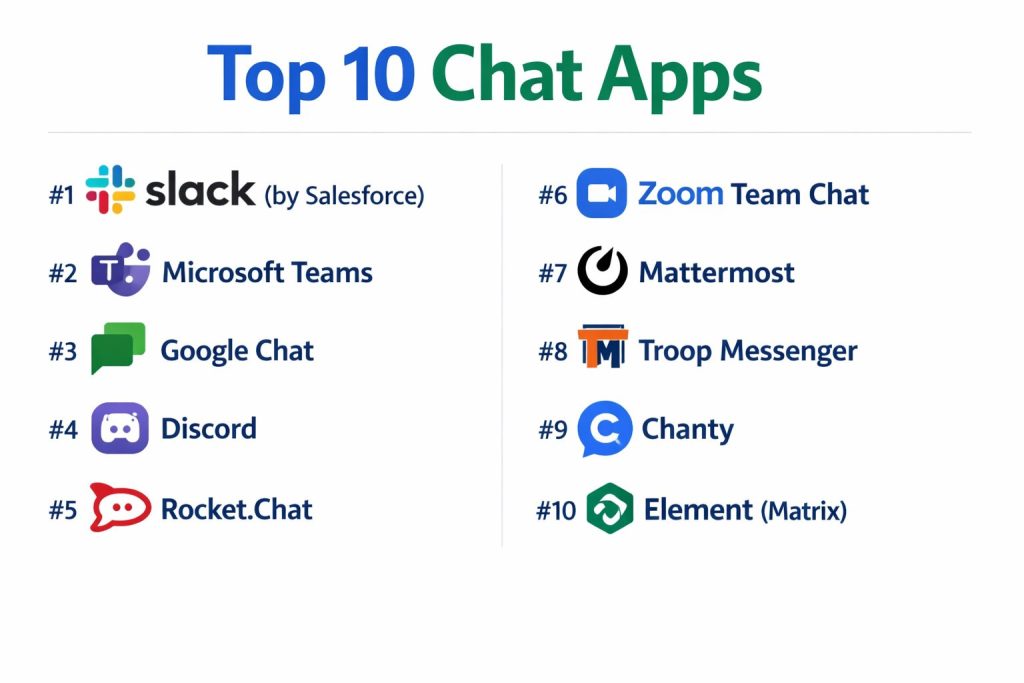
Top 10 Chat Apps
#1 — Slack (by Salesforce)
The industry standard for channel-based messaging, known for its massive integration library and “Slack Connect” for external collaboration.
Key Features
- Channels & Threads: Organized spaces for specific topics with branching conversations to reduce clutter.
- Slack Connect: Securely message and share files with outside organizations (partners, vendors).
- Huddles: One-click audio and video calls with multi-person screen sharing and drawing.
- Workflow Builder: A no-code tool to automate routine tasks like stand-ups or request approvals.
- Slack AI: Native thread summaries, “Recaps,” and a powerful search assistant.
- Canvas: Integrated collaborative documents that live inside channels for persistent information.
Pros
- Ecosystem: Over 2,600+ apps in the marketplace; it integrates with almost everything.
- UX/UI: The gold standard for “fun” yet professional user experience.
Cons
- Cost: Can become significantly expensive for large enterprises on the “Plus” or “Enterprise Grid” plans.
- Information Overload: Without strict channel governance, the sheer volume of messages can be overwhelming.
Platforms / Deployment
- Web / Windows / macOS / Linux / iOS / Android
- Cloud
Security & Compliance
- SSO, 2FA, Enterprise Key Management (EKM).
- SOC 2 Type II, ISO 27001, GDPR, HIPAA, FedRAMP Moderate.
Integrations & Ecosystem
- Salesforce (Native)
- Google Workspace & Microsoft 365
- Jira & GitHub
- Zoom & Loom
Support & Community
Extensive help center, 24/7 priority support for higher tiers, and a global “Slack Champions” community.
#2 — Microsoft Teams
A unified communication hub that is the default choice for organizations already invested in the Microsoft 365 ecosystem.
Key Features
- Deep M365 Integration: Seamlessly co-author Word, Excel, and PowerPoint files within the chat.
- Live Events: Support for webinars and large-scale town halls with up to 20,000 participants.
- Channels & Teams: Structured hierarchy for departments and sub-groups.
- Copilot in Teams: AI that follows meetings, drafts chat responses, and identifies follow-up tasks.
- Walkie Talkie: A push-to-talk feature specifically designed for frontline workers on mobile.
- Phone System: Replaces traditional PBX with cloud-based calling directly in the app.
Pros
- Cost Efficiency: Usually “free” or included for businesses already paying for Office 365.
- Enterprise Power: The most robust security and administrative controls for IT departments.
Cons
- Resource Heavy: The desktop application is notorious for high RAM and CPU usage.
- Interface Complexity: Can feel “clunky” compared to the streamlined nature of Slack.
Platforms / Deployment
- Web / Windows / macOS / iOS / Android
- Cloud
Security & Compliance
- Advanced Threat Protection, Multi-Geo Capabilities.
- SOC 1/2, ISO 27001/27018, GDPR, HIPAA, FedRAMP High.
Integrations & Ecosystem
- All Microsoft 365 Apps
- ServiceNow & Adobe
- Workday
- Power Platform (Automate/Apps)
Support & Community
World-class global enterprise support, Microsoft Learn modules, and a vast partner network.
#3 — Google Chat
A lightweight, fast, and secure messaging tool built specifically for Google Workspace users.
Key Features
- Spaces: Dedicated areas for topic-based collaboration and long-term projects.
- Google Drive Integration: Simple file sharing with automatic permission granting for chat participants.
- Smart Reply: AI-powered one-tap responses based on the context of the conversation.
- Side-by-Side Editing: Open a Google Doc directly next to a chat window to collaborate in real-time.
- App-Direct Actions: Use bots to perform tasks in other apps (like Jira) without leaving Chat.
- Advanced Search: Leverages Google’s search technology to find messages and files instantly.
Pros
- Zero Learning Curve: If you use Gmail, you already know how to use Google Chat.
- Speed: Extremely fast loading times and a “clutter-free” interface.
Cons
- Feature Gap: Lacks some of the advanced automation and “culture” features (like custom emojis/apps) found in Slack.
- Standalone Limitations: Works best when used as part of Workspace; less powerful as a standalone tool.
Platforms / Deployment
- Web / iOS / Android
- Cloud
Security & Compliance
- Vault for eDiscovery, Data Loss Prevention (DLP).
- SOC 2/3, ISO 27001, GDPR, HIPAA.
Integrations & Ecosystem
- Gmail, Drive, Calendar, Meet
- Zapier
- Salesforce
- PagerDuty
Support & Community
Standard Google Workspace support (24/7 for admins) and a large documentation library.
#4 — Discord
Originally for gamers, Discord has become a powerhouse for “Community-led” organizations and creative teams seeking always-on voice channels.
Key Features
- Voice Channels: “Always-on” rooms where you can jump in and out without a formal call.
- Stage Channels: Built for structured presentations or interviews with a “Speaker” and “Audience” setup.
- Roles & Permissions: Highly granular system for controlling who can see or do what in a server.
- Rich Presence: Shows what teammates are working on (e.g., “Designing in Figma”).
- Bots (Discord.js): The most flexible platform for building custom, interactive community bots.
- Screen Sharing (Go Live): High-frame-rate streaming for design reviews or pair programming.
Pros
- Spontaneity: Best-in-class for fostering “watercooler” moments in remote teams.
- Low Latency: Optimized for high-performance audio and video.
Cons
- Corporate Perception: Some traditional enterprises still view it as a gaming app.
- Security: Lacks the enterprise-grade compliance (like HIPAA) required by some industries.
Platforms / Deployment
- Web / Windows / macOS / Linux / iOS / Android
- Cloud
Security & Compliance
- 2FA, Client-Server Encryption.
- SOC 2 Type II (Recent), GDPR.
Integrations & Ecosystem
- GitHub & GitLab
- Patreon & YouTube
- Trello
- Midjourney
Support & Community
Large community-driven support, developer forums, and a dedicated safety team.
#5 — Rocket.Chat
The leading open-source alternative to Slack, offering total data sovereignty and on-premise deployment for high-security environments.
Key Features
- Omnichannel Hub: Manage WhatsApp, Telegram, and Live Chat from a single interface.
- Self-Hosting: Can be deployed on your own servers or private cloud (AWS/Azure/GCP).
- Matrix Bridge: Allows communication with other decentralized chat platforms.
- White-Labeling: Fully customize the branding, colors, and logo of the application.
- Encryption: Offers end-to-end encryption for 1:1 and group conversations.
- Team-Based Hierarchy: Create “Teams” that encapsulate multiple “Channels.”
Pros
- Data Ownership: You own 100% of your data; ideal for government and healthcare.
- Cost Flexibility: Competitive pricing for the self-managed version.
Cons
- Maintenance: Requires internal IT resources to manage updates and server infrastructure.
- UI Polish: Slightly less “slick” than venture-backed competitors like Slack.
Platforms / Deployment
- Web / Windows / macOS / Linux / iOS / Android
- Cloud / On-Premise / Air-Gapped
Security & Compliance
- E2EE, 2FA, Audit Trails.
- GDPR, HIPAA (Self-hosted), ISO 27001.
Integrations & Ecosystem
- LDAP / Active Directory
- Nextcloud
- Jira
- BigBlueButton
Support & Community
Professional support for enterprise customers and a massive open-source contributor community.
#6 — Zoom Team Chat
Part of the “Zoom Workplace,” this tool leverages Zoom’s video dominance to provide a seamless video-to-chat transition.
Key Features
- Video-First Workflow: Start a Zoom meeting directly from a chat thread with one click.
- AI Companion: Drafts chat messages and summarizes missed conversations for you.
- Continuous Collaboration: Chat persists after a meeting ends, keeping the context in one place.
- Presence Mapping: Visualizes where teammates are located (Office vs. Remote).
- File Management: A dedicated “Files” tab to see all assets shared across different chats.
- Public/Private Channels: Standard organization for projects and social topics.
Pros
- Reliability: Inherits Zoom’s high-performance architecture for media sharing.
- Unified UI: Great for teams who want “One App” for phone, video, and chat.
Cons
- Chat Maturity: Some power-user chat features (like complex workflows) aren’t as deep as Slack’s.
- Privacy History: While much improved, some IT buyers still have legacy concerns.
Platforms / Deployment
- Web / Windows / macOS / iOS / Android
- Cloud
Security & Compliance
- AES-256 GCM Encryption, SSO.
- SOC 2, ISO 27001, GDPR, HIPAA (Specific plans).
Integrations & Ecosystem
- Zoom Apps Marketplace
- Microsoft 365 & Google Workspace
- Box & Dropbox
- Salesforce
Support & Community
24/7 technical support, Zoom Community forums, and extensive “Zoom Academy” training.
#7 — Mattermost
An “Open Ops” platform designed for technical teams that requires deep integration with DevOps tools and high security.
Key Features
- Playbooks: Structured checklists and automated workflows for incident response.
- Boards: Native project management (Kanban style) inside the chat interface.
- Developer Tools: In-line code syntax highlighting and deep Git integration.
- Private Cloud Deployment: Complete control over data residency and firewall rules.
- Command Palette: Quick-access keyboard shortcuts for power users.
- Multi-Account Support: Easily switch between different Mattermost servers.
Pros
- Security-Centric: Designed for defense, finance, and highly regulated tech firms.
- Customizability: Open source code allows for infinite tailoring to specific workflows.
Cons
- Niche Audience: Might be too technical for HR or Marketing departments.
- Mobile Experience: The mobile app is functional but lacks the polish of consumer-facing tools.
Platforms / Deployment
- Web / Windows / macOS / Linux / iOS / Android
- Cloud / Self-Hosted
Security & Compliance
- E2EE, MFA, AD/LDAP Sync.
- FINRA, HIPAA, SOC 2, ISO 27001.
Integrations & Ecosystem
- GitHub, GitLab, Bitbucket
- Jenkins, CircleCI
- Opsgenie
- PagerDuty
Support & Community
Enterprise-level support plans and a highly active developer community.
#8 — Troop Messenger
A focused, secure business messaging app that prioritizes speed and executive control without the “bloat” of project management tools.
Key Features
- Burnout: A self-destructing message feature for highly sensitive information.
- Recall: The ability to delete sent messages for both the sender and receiver.
- Forkout: Send the same message to multiple individuals or groups with one click.
- Jointly: A collaborative workspace for multiple users to work on a task.
- Remote Logout: Allows admins to log out users from all devices remotely.
- Orange Member: A specialized role for guest users/vendors with limited visibility.
Pros
- Security Innovation: Features like “Burnout” and “Recall” are best-in-class.
- Speed: Extremely lightweight client that performs well on low-end hardware.
Cons
- Ecosystem Size: Smaller third-party app marketplace than Slack or Teams.
- Brand Awareness: Less “famous” than major competitors, which can impact guest adoption.
Platforms / Deployment
- Web / Windows / macOS / Linux / iOS / Android
- Cloud / On-Premise
Security & Compliance
- End-to-End Encryption, Fingerprint Auth.
- GDPR, ISO 27001.
Integrations & Ecosystem
- Google Drive & Dropbox
- LDAP
- Zapier
Support & Community
Direct technical support and a growing documentation base.
#9 — Chanty
A budget-friendly, simple team chat app that includes built-in task management, making it perfect for small businesses.
Key Features
- Teambook: A single hub to manage tasks, pinned messages, and files.
- Task Workflow: Turn any chat message into a task and assign it to a team member.
- Kanban View: Visualize chat-derived tasks in a structured board.
- Voice Clips: High-quality asynchronous voice messaging.
- Unlimited Message History: Even on the free plan, which is rare in this category.
- Simple Mentions: Easy @mentions and notification controls to reduce noise.
Pros
- Ease of Use: One of the most intuitive interfaces for non-technical teams.
- Value: Exceptional feature set for the price point.
Cons
- Enterprise Features: Lacks advanced features like eDiscovery or legal hold.
- Integrations: Smaller selection of native integrations compared to the “Big 3.”
Platforms / Deployment
- Web / Windows / macOS / iOS / Android
- Cloud
Security & Compliance
- SSL/TLS Encryption, 2FA.
- GDPR.
Integrations & Ecosystem
- Trello & Asana
- Google Drive
- GitHub
- Zapier
Support & Community
Email and chat support, with priority for Business users.
#10 — Element (Matrix)
A decentralized, encrypted communication app built on the Matrix protocol, providing the ultimate in privacy and interoperability.
Key Features
- End-to-End Encryption by Default: Every message is secure and unreadable by the provider.
- Decentralization: Users on different servers (homeservers) can message each other seamlessly.
- Bridges: Connect to Slack, Discord, and WhatsApp from inside Element.
- Verifiable Identity: Cryptographic verification of participants in a room.
- Self-Hosting: Run your own Matrix server for complete data independence.
- Infinite History: Securely synced message history across all your devices.
Pros
- Privacy Gold Standard: The choice for activists, journalists, and high-security firms.
- No Vendor Lock-in: Since it’s built on an open protocol, you can switch apps without losing data.
Cons
- Learning Curve: Concepts like “homeservers” and “encryption keys” can confuse average users.
- Setup Complexity: Requires technical knowledge for self-hosted deployments.
Platforms / Deployment
- Web / Windows / macOS / Linux / iOS / Android
- Cloud / Self-Hosted
Security & Compliance
- E2EE (Olm/Megolm), Cross-signing.
- GDPR, ISO 27001 (Element Matrix Services).
Integrations & Ecosystem
- Matrix Bridges (Slack, Teams, etc.)
- Jitsi (for video)
- GitHub & GitLab
Support & Community
Matrix.org community and professional support via Element Matrix Services (EMS).
Comparison Table (Top 10)
| Tool Name | Best For | Platform(s) Supported | Deployment | Standout Feature | Public Rating |
| Slack | Integration-Heavy | Web, Win, Mac, iOS, Android | Cloud | Slack Connect | 4.7 / 5 |
| Microsoft Teams | M365 Ecosystem | Web, Win, Mac, iOS, Android | Cloud | M365 Co-authoring | 4.4 / 5 |
| Google Chat | Workspace Users | Web, iOS, Android | Cloud | Smart Reply / Search | 4.5 / 5 |
| Discord | Always-on Voice | Web, Win, Mac, iOS, Android | Cloud | Voice Channels | 4.6 / 5 |
| Rocket.Chat | Data Sovereignty | Web, Win, Mac, Linux, iOS | Cloud/Self | Omnichannel Hub | 4.3 / 5 |
| Zoom Team Chat | Video-First | Web, Win, Mac, iOS, Android | Cloud | Video-to-Chat Sync | 4.4 / 5 |
| Mattermost | Technical Ops | Web, Win, Mac, Linux, iOS | Cloud/Self | Incident Playbooks | 4.2 / 5 |
| Troop Messenger | Executive Control | Web, Win, Mac, Linux, iOS | Cloud/Self | “Burnout” Messaging | 4.5 / 5 |
| Chanty | Budget/Simple | Web, Win, Mac, iOS, Android | Cloud | Built-in Kanban | 4.6 / 5 |
| Element | Privacy/Encryption | Web, Win, Mac, Linux, iOS | Cloud/Self | Matrix Interop | 4.1 / 5 |
Evaluation & Scoring of Chat Apps
| Tool Name | Core (25%) | Ease (15%) | Int. (15%) | Sec. (10%) | Perf. (10%) | Supp. (10%) | Value (15%) | Weighted Total |
| Slack | 10 | 9 | 10 | 9 | 8 | 9 | 7 | 8.95 |
| Microsoft Teams | 9 | 6 | 9 | 10 | 6 | 10 | 9 | 8.30 |
| Google Chat | 8 | 10 | 8 | 9 | 10 | 8 | 9 | 8.60 |
| Discord | 9 | 8 | 7 | 6 | 10 | 7 | 10 | 8.20 |
| Rocket.Chat | 9 | 6 | 8 | 10 | 8 | 8 | 8 | 8.15 |
| Zoom Team Chat | 8 | 9 | 8 | 8 | 9 | 9 | 8 | 8.35 |
| Mattermost | 10 | 5 | 9 | 10 | 9 | 9 | 7 | 8.40 |
| Troop Messenger | 8 | 9 | 7 | 10 | 10 | 8 | 8 | 8.50 |
| Chanty | 7 | 10 | 6 | 7 | 9 | 8 | 10 | 7.95 |
| Element | 9 | 4 | 7 | 10 | 8 | 7 | 9 | 7.80 |
Which Chat App Is Right for You?
Creative Agency / Tech Startup
Slack remains the king here. Its ability to integrate with design tools, CI/CD pipelines, and provide a “fun” culture with custom emojis makes it indispensable for knowledge workers who live in their chat apps.
Enterprise with Heavy Compliance
If you are in a highly regulated industry (Gov, Finance, Health), Microsoft Teams or Rocket.Chat are your best bets. Teams offers global administrative control, while Rocket.Chat allows you to keep the data behind your own firewall.
Developer-Centric Teams
Mattermost or Discord are the winners for technical squads. Mattermost offers the “Ops” tools engineers need, while Discord provides the low-latency voice environment perfect for pair programming and casual stand-ups.
Small Business on a Budget
Chanty or Google Chat (if you already have Workspace) are the most cost-effective. They provide the core messaging features without the enterprise price tag or the complexity of advanced workflow builders.
The “All-in-One” Seekers
If you hate switching apps, ClickUp (which has a native chat view) or Zoom Workplace provide the most unified experience where your chat, tasks, and meetings live in a single window.
Frequently Asked Questions (FAQs)
Are “Free” chat app plans actually safe?
Most reputable apps (Slack, Teams, Google) use the same encryption for free and paid tiers. However, free plans usually have “Data Retention” limits (e.g., 90 days), meaning your history is deleted unless you upgrade, which can be a security/compliance risk for some firms.
Can I message someone on Slack if I’m using Microsoft Teams?
Generally, no. These are “walled gardens.” However,tools like Element or Mio can bridge these platforms so you can message across different apps.
Does business chat software record my private messages?
In a work environment, admins typically have the ability to export message history (including DMs) for legal or compliance reasons. Always assume that work chat is not “private” from your employer.
What is a “Huddle”?
Popularized by Slack, a Huddle is a lightweight, audio-first call that lives inside a channel. It’s designed to mimic someone “stopping by your desk” and is less formal than a scheduled Zoom meeting.
How much storage do I get for files in these apps?
It varies. Slack’s pro plans typically offer 10GB-20GB per user, while Microsoft Teams leverages your SharePoint storage (often 1TB+). Always check the storage limits if you share large video files.
Do these apps work on mobile?
Yes, all 10 listed tools have native iOS and Android apps. In 2026, mobile parity is high, meaning almost everything you can do on a desktop can be done on your phone.
What is “Matrix”?
Matrix is an open standard for decentralized communication. Apps like Element use it to ensure that no single company “owns” your messages, similar to how no one owns the “Email” protocol.
Can I use my personal WhatsApp for business?
It is not recommended. Personal WhatsApp lacks the administrative controls, SOC 2 compliance, and “Audit Logs” required for business. Use WhatsApp Business or a secure enterprise tool instead.
What is “Thread Fatigue”?
This happens when too many conversations are happening in separate threads, making it hard to follow the main channel. Proper “Channel Etiquette” and AI summarization tools are the best way to fight this.
Can I host my own chat server?
Yes, using Rocket.Chat, Mattermost, or Element. This is popular for organizations that want total control over their data and do not want to rely on a third-party cloud provider.
Conclusion
The “perfect” chat app depends entirely on your existing ecosystem. If you are a Google or Microsoft shop, the native options (Google Chat or Teams) are often the most friction-less. However, for teams that want to build a unique company culture and integrate deeply with other SaaS tools, Slack remains the leader. For those where privacy is the absolute priority, Element or Rocket.Chat provide the necessary security architecture.